
Our readers keep the lights on and my morning glass full of iced black tea. As an Amazon Associate, I earn from qualifying purchases.
Specs are compiled from manufacturer listings and verified buyer reviews and can change over time — please confirm the key details on the product page before buying.
Finding a USB-C to HDMI adapter that actually delivers true 4K at 60Hz without flickering, disconnecting, or needing a separate power brick can feel like a guessing game. The wrong pick leaves you stuck at a blurry 30Hz or with a mirror that keeps blacking out mid-presentation. This guide cuts through the noise to find the adapters that hold a rock-solid 60Hz signal, charge your laptop while they work, and survive being tossed in a bag every day.
I’m Min — the founder and writer behind Gadgets Feed. This guide is built by comparing the manufacturers’ published specifications and the patterns across verified customer reviews, so you get each pick’s real strengths and trade-offs instead of marketing spin.
Whether connecting a MacBook to a studio monitor or an iPad to a hotel TV, the right adapter delivers smooth 4K 60Hz video, keeps your device charged, and maintains a stable connection. This is your clear, honest breakdown of the 4k 60hz usb-c to hdmi adapter market right now.
Our Picks at a Glance

How To Choose The Best 4K 60Hz USB-C to HDMI Adapter
To pick the right adapter, focus on three things: the refresh rate (how many times the screen updates per second), the power your laptop needs, and a build that won’t break in your bag. Here is what to check.
Refresh Rate Realism: 60Hz vs. the marketing fine print
Lots of adapters advertise “4K support,” but many max out at 30Hz, which makes your mouse cursor feel laggy and scrolling look choppy. A true 4K 60Hz adapter delivers smooth, fluid motion that feels natural for office work and essential for watching sports or editing video. Always check the fine print for the refresh rate — if it doesn’t say 60Hz, assume it is 30Hz.
Power Delivery (PD): Keeping your laptop alive
If your adapter has a USB-C port for power passthrough, check the wattage. A 100W PD port means you can plug your laptop’s charger into the adapter, and the adapter will both send video to your monitor and charge your laptop through a single cable. Without PD, your laptop will drain its battery while driving an external display.
Build Quality and Cable Length
An aluminum or braided-nylon casing pulls heat away from the chip and stops the cable from fraying at the connector after a few months. Consider the length you need: a 6-foot cable gives you flexible desk routing, while a shorter adapter-style dongle is easier to travel with but may strain the port if it hangs heavy.
Quick Comparison
| Model | Best For | Resolution | Power Delivery | Build | Amazon |
|---|---|---|---|---|---|
| Anker 310 USB-C Adapter★ Best Overall | Reliable daily driver | 4K@60Hz | No | Aluminum + Braided Nylon | Amazon |
| uni USB-C to HDMI CableBest Value Cable | Long-reach cable connection | 4K@60Hz | No | Braided Nylon | Amazon |
| Microwoo USB-C to HDMICompact Powerhouse | Budget with fast charging | 4K@60Hz | 100W | ABS + TPE | Amazon |
| Acer 5-in-1 USB-C Hub | Multi-port desktop hub | 4K@60Hz | 100W (90W output) | Aluminum Shell | Amazon |
| UGREEN USB-C to HDMI + Charge | Gaming with simultaneous charging | 4K@60Hz HDR10 | 100W | Aluminum + Nylon Braid | Amazon |
| Wahbite Apple MFI Adapter | Apple ecosystem users | 4K@60Hz | 100W | Plastic | Amazon |
| Cable Matters 48Gbps Adapter | Future-proof 8K / high refresh gaming | 8K@60Hz / 4K@240Hz | No | Aluminum + Braided Cable | Amazon |
| Cable Matters 6ft 48Gbps Cable | Direct cable connection with full bandwidth | 8K@60Hz / 4K@240Hz | No | Thick PVC + Strain Relief | Amazon |
| Plugable USBC-HDMI8K | High-refresh gaming on PC & Mac | 8K@60Hz / 4K@144Hz | No | Aluminum Casing | Amazon |
In‑Depth Reviews
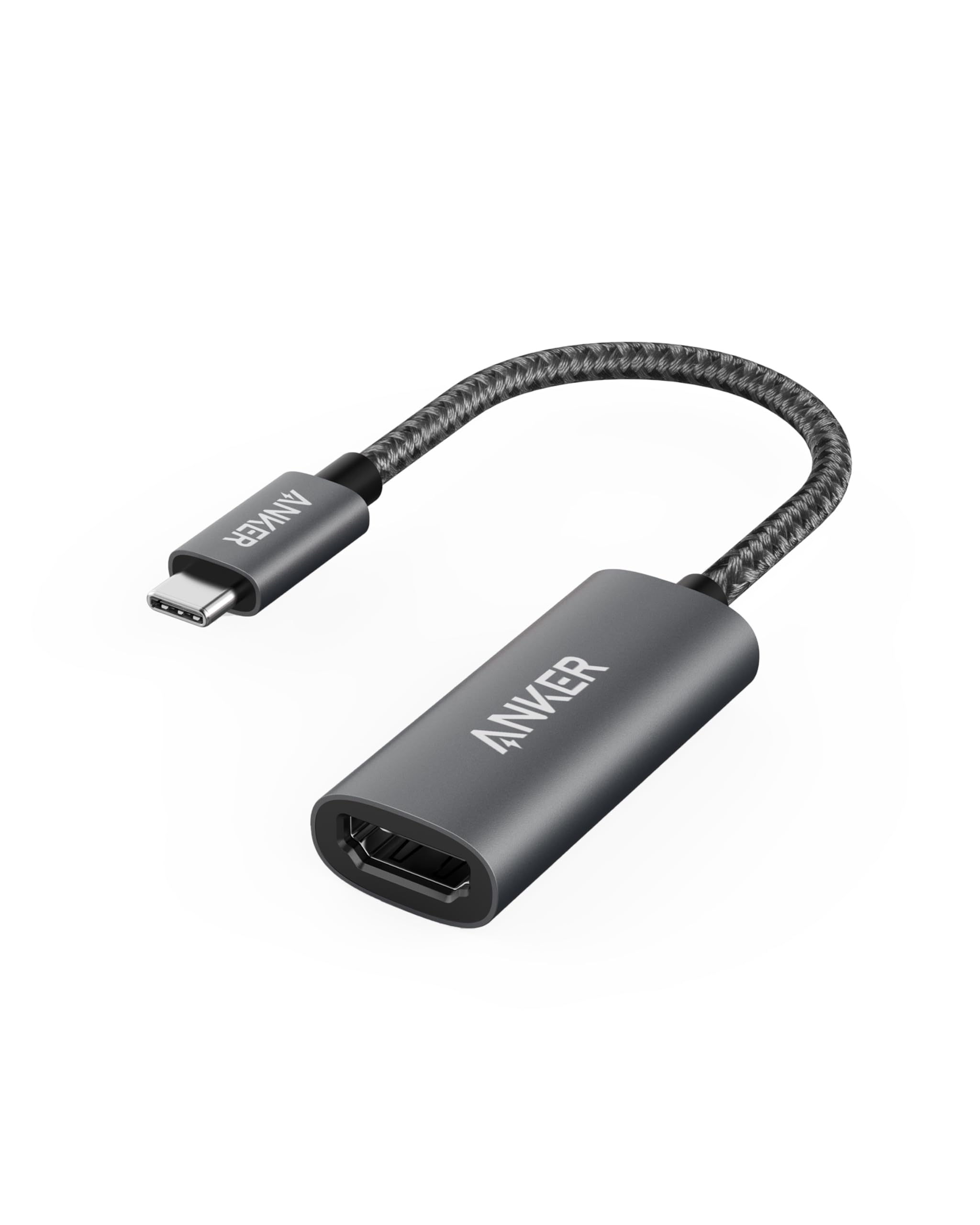
1. Anker USB C to HDMI Adapter (310)
Our pick — over 4.5★ from 37,000+ verified ratings; the strongest balance of quality and price.
The crowd-favorite Anker adapter that simply works, backed by tens of thousands of reliable connections.
This is the adapter most MacBook and Chromebook owners buy for its proven reliability. The lightweight aluminum casing (which weighs just 18g) pulls heat away from the chip, so it stays cool during long meetings. The reinforced braided-nylon cable is designed to handle the twists and tugs of being stuffed in a laptop bag every day. It supports USB-C DP Alt mode, USB4, and Thunderbolt connections, making it a true universal fallback for almost any modern laptop.
It connects instantly without drivers and delivers a smooth, clear 4K 60Hz picture. The recurring note from owners is that it works flawlessly with MacBook Pros and classroom projectors, which is exactly the high-stakes scenario where a flickering adapter would be a disaster. The only honest caveat is that compatibility can be mixed with certain specific MacBook Pro models, so it is worth checking your exact device against the list before ordering. For the price, it is the safest bet on this list.
Why It Wins
- Proven track record with 4.6-star satisfaction from tens of thousands of owners.
- Aluminum shell and braided nylon cable are built for daily carry.
- True plug-and-play — no drivers, no setup, just video.
What to Watch
- No power delivery passthrough — your laptop will drain battery while connected.
- Compatibility is not universal; check your specific MacBook model.
Grab it if: you want the most trusted, well-built, no-fuss adapter on the market.
Look elsewhere if: you need to charge your laptop through the same connection — this adapter has no PD port.
2. uni USB C to HDMI Cable (6ft)
A long, braided cable that locks the picture instantly — no flicker, no re-negotiation.
If you prefer a single cable over a dongle-and-cable combo, the uni USB-C to HDMI cable is a strong pick. At 6 feet, it gives you enough reach to route behind a desk or connect from a couch to a TV. The braided nylon exterior is tough, and the aluminum alloy connector housings help with heat dissipation and a snug feel when plugged in. Just remember this is a unidirectional cable — the USB-C end must connect to your laptop or phone, and the HDMI end goes to the display.
Buyers report the picture locks on immediately with no digital noise or signal drops, which is a common complaint with cheaper HDMI cables. It works with a huge range of devices, including the iPhone 15 Pro, MacBook Air M1, iPad Pro, and Surface Book 2. The main trade-off is that the braided cable can feel stiff and hard to route around tight corners. Also, note that this cable does not pass audio to the TV via HDMI in some setups, so plan to use your laptop speakers or a separate audio output if that matters.
Cable clarity: Instant picture lock with no flicker — something buyers specifically praise.
Reach for this if: you need the simplicity of a single cable from laptop to monitor with no dongle dangling.
Think twice if: you need audio over HDMI, or prefer a very flexible cable that bends easily.
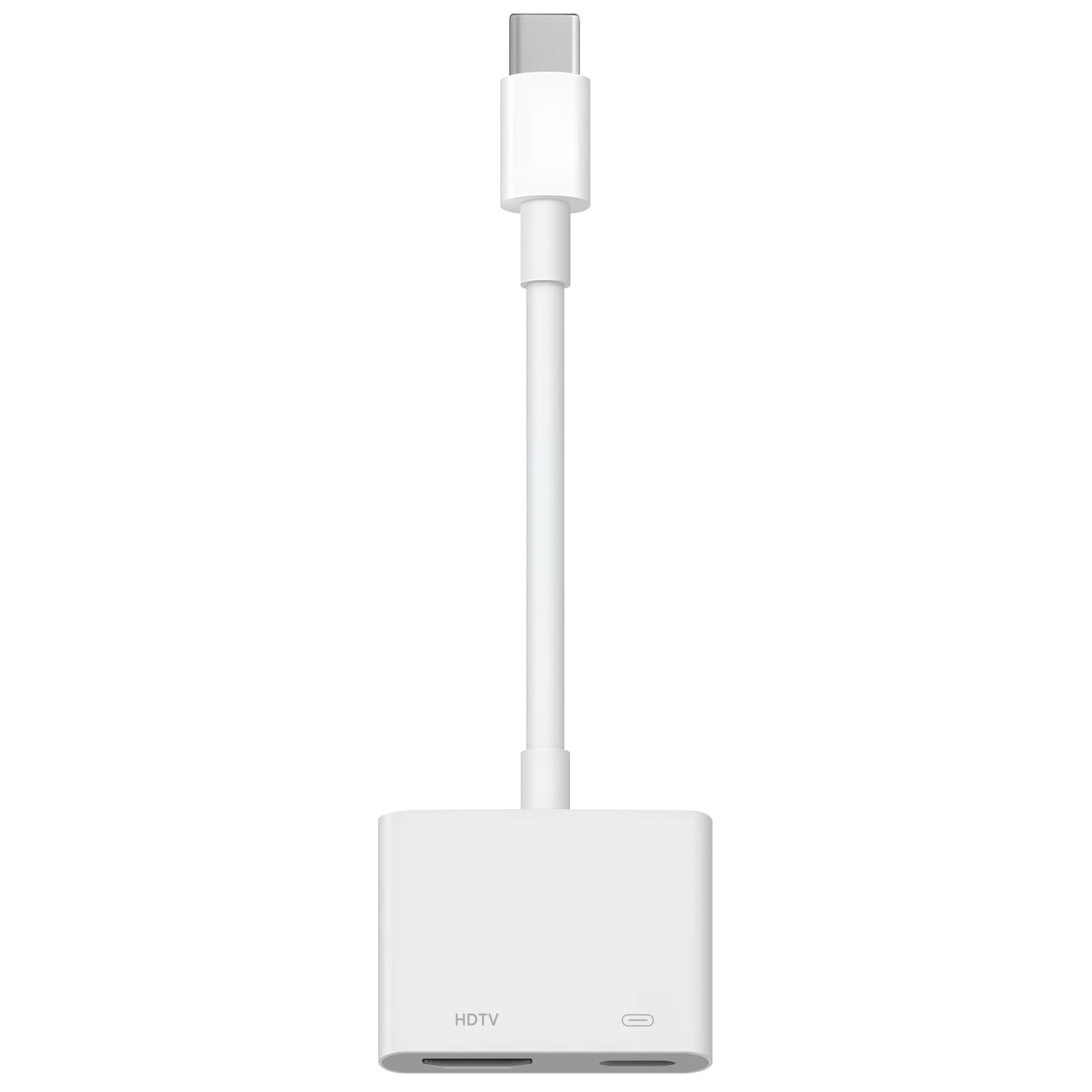
3. Microwoo USB C to HDMI Adapter
A tiny, white adapter that adds 100W power passthrough without asking for a bigger budget.
This is the budget-friendly pick for someone who wants to charge their laptop while watching video, all through one connection. The Microwoo adapter has two ports: one HDMI out for 4K 60Hz video, and one USB-C in for 100W power delivery. That means you can plug your laptop charger into the adapter and keep your device’s battery topped up during a long movie or a full workday on an external monitor. The TPE cable (a soft, rubber-like material) is designed to be anti-pulling, and the ABS plastic case keeps the weight low.
Owners mention it works well with iPhones and projectors, but it may not work with all MacBooks. Several reviews note it works perfectly with iPhone to projector setups and basic PC displays, but MacBook owners should verify compatibility first. Quality and value for money get solid marks from those it works with, and the price point makes it easy to try.
Best for: budget-minded buyers with iPhones or PCs who need charging passthrough.
skip it if: you use a MacBook — compatibility is not guaranteed, and a dedicated Mac adapter is safer.
4. Acer 5-in-1 USB-C Hub
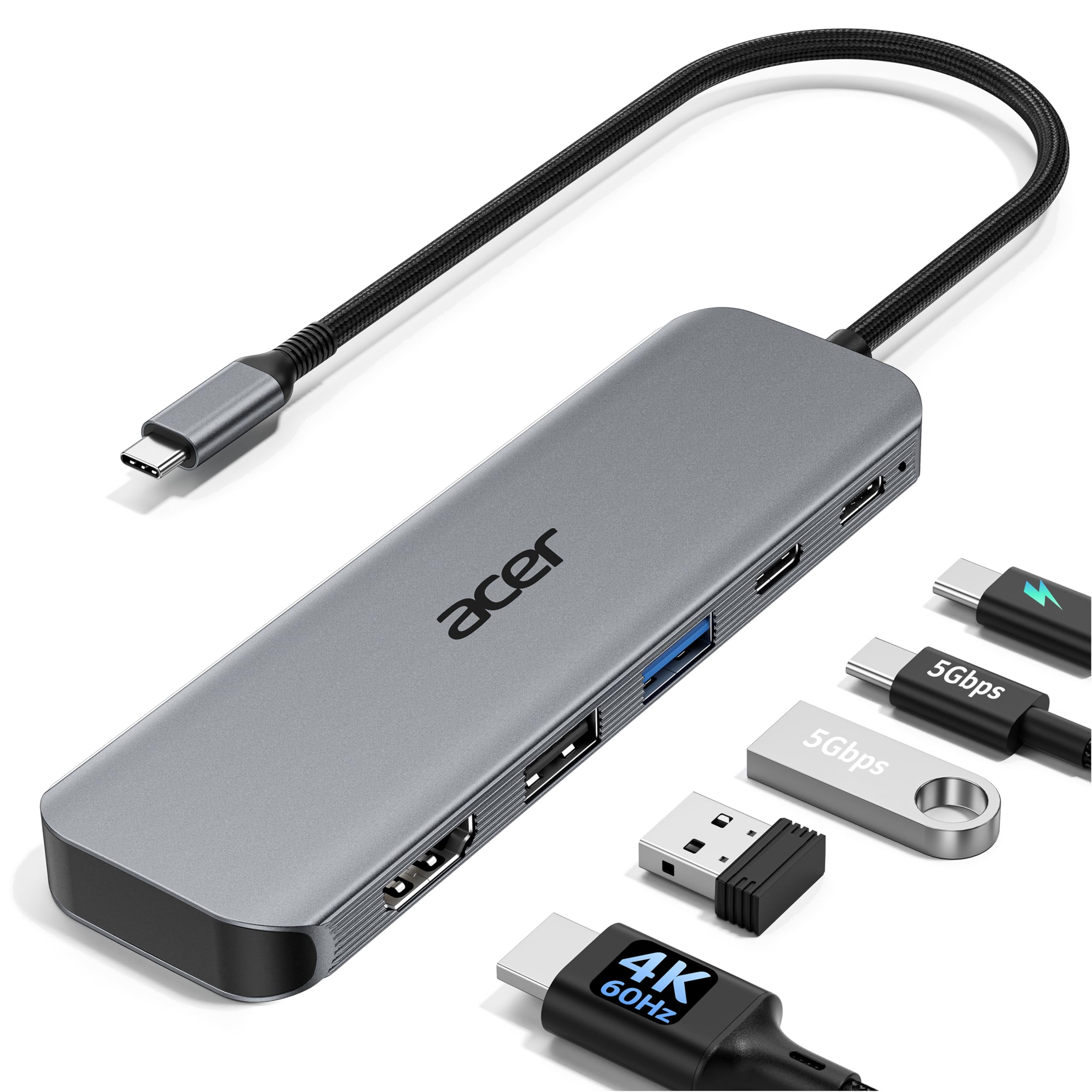
A compact aluminum hub that turns one USB-C port into a full workstation with video, data, and power.
The aluminum shell is built to dissipate heat reliably, making it suited for intensive tasks like video editing or 3D rendering. It is also ultra-slim and lightweight, so it slips into a bag pocket easily.
The 5Gbps data transfer speed is a big upgrade over USB 2.0, moving large files much faster. Owners appreciate the convenience of having multiple ports in one small hub, and the quality of the build earns consistent praise. The main reliability concern is that a small number of units may stop working over time, so it is worth treating the hub gently and ensuring your device supports DP Alt Mode. For the price, it packs an impressive amount of utility into a single dongle.
The Full Desk
- 5 ports in one: HDMI, PD 100W, USB-C 5Gbps, USB-A 3.0, USB-A 2.0.
- Aluminum casing for heat dissipation and a premium feel.
- True 4K 60Hz output with stable 90W laptop charging.
The Fine Print
- Some units reported reliability issues — check your return window.
- Image quality can be disappointing on some second-monitor setups, particularly with older Macs.
Reach for this if: you need to plug a monitor, mouse, keyboard, and charger into your laptop through one hub.
Think twice if: long-term reliability is your top concern — a small number of owners experienced failures.
5. UGREEN USB-C to HDMI Cable with 100W PD

A 2-in-1 cable that streams 4K HDR video and charges your device, all through one connection.
UGREEN solves a specific problem: you want to play a game or watch a movie on the big screen, but you don’t want your device’s battery to die in the middle. This cable has two USB-C ends — one that connects to your laptop or phone for video, and another female USB-C port that accepts your charger for 100W power delivery. The HDMI end plugs into your TV or monitor. It supports HDR10 for richer colors and contrast, making games and movies look noticeably better than standard 4K.
Customers note it works beautifully with the Valve Steam Deck (at 1080p@120Hz HDR), the Nintendo Switch, and iPads. The build quality is praised for its thick aluminum fittings and excellent cable sheath. The honest trade-off is that the USB-C and HDMI housings are relatively wide, so if you have a thick phone case, the connector may not seat fully. Also, like many unidirectional cables, it does not work in reverse (you cannot go from HDMI back to USB-C).
The gaming edge: Reviewers point out it runs cool at 4K 60Hz on a Sony Bravia 9, and the aluminum build is described as “superior quality.”
Best for: gamers and streamers who want 4K HDR video plus simultaneous laptop charging.
pass on it if: your phone case is thick — the wide connectors may not fit.
6. Wahbite USB-C to HDMI Adapter (MFi Certified)

An Apple MFi certified adapter that promises smooth 4K mirroring from iPhones and iPads to any HDMI display.
This adapter uses an Apple MFi certification chip (Apple’s official approval for accessories), so it is designed to work reliably with iPhone 15/16/17, MacBooks, and iPads. It outputs 4K at 60Hz (ultra-high definition, 60 frames per second) with HDCP 2.2 (a copy-protection standard), so you can stream Netflix, HBO Max, or Disney+ without black screens. The USB-C port also delivers 100W pass-through charging (power that flows through the adapter to your device), so you can keep your iPad or MacBook powered while watching a movie on a projector.
Compatibility is the top-rated aspect — it works well with Apple devices, including the 2025 iPad 11, and is also compatible with a wide range of Android phones and Windows laptops. Shoppers say full 4K from an iPad Pro 12.9 to a projector with no video lag. However, a few buyers report the product is not an official Apple accessory and some units can feel cheaply made. One unit reportedly had a too-small HDMI port. For the price, it is a solid entry-level solution for Apple users who want a single cable that does video and charging.
Reach for this if: you are in the Apple ecosystem and want a reliable, certified adapter that also charges your device.
Look elsewhere if: you want the exact build quality of an official Apple product — this is a third-party accessory.
7. Cable Matters 48Gbps USB-C to HDMI 2.1 Adapter

The adapter that pushes beyond 4K 60Hz, hitting 4K 240Hz on PC and 8K 60Hz on compatible hardware.
This is the high-bandwidth specialist. At 48Gbps, the Cable Matters adapter supports HDMI 2.1 features like 4K@240Hz and 8K@60Hz (DSC), HDR, and Auto Low Latency Mode (ALLM) for lag-free gaming. It uses a premium braided cable and aluminum enclosure to keep signal quality high and overheating low. Crucially, this adapter requires a compatible graphics card — such as an NVIDIA RTX 30/40 series or AMD RX 6000/7000 series — to achieve those high refresh rates. On macOS, the maximum output is limited to 4K@60Hz, so Mac users will not get the 120Hz or 240Hz benefits.
Owners praise the refresh rate capability and build quality, with many reporting successful 4K 120Hz connections to LG OLED TVs after a firmware update. The adapter runs cool and is truly plug-and-play. The main mixed feedback is around functionality and reliability at the highest specifications — some units fail after a few months, and audio routing can be limited to 16-bit. It is a powerful adapter for the right user but demands that your entire chain (GPU, cable, display) is ready for HDMI 2.1.
Top-Tier Specs
- Massive 48Gbps bandwidth for 8K 60Hz or 4K 240Hz on compatible PCs.
- Supports HDR and ALLM for a premium gaming experience.
- Aluminum enclosure and braided cable for durability and heat management.
Important Limits
- No power delivery passthrough — your laptop will drain battery.
- Max 4K 60Hz on macOS; higher refresh rates require a specific macOS firmware version (sold separately).
- Functionality is mixed at the extreme high end; some units fail over time.
Best for: PC gamers with an RTX 30/40 series GPU who want 4K 120Hz+ on their monitor or TV.
Not ideal for: Mac users seeking high refresh rates, or anyone who needs to charge through the adapter.
8. Cable Matters 6ft 48Gbps USB-C to HDMI 2.1 Cable

A 6-foot, 48Gbps cable that delivers the full HDMI 2.1 bandwidth from Thunderbolt 4 laptops to 8K displays.
This is a full cable solution rather than an adapter with a separate HDMI cord. It offers the same 48Gbps HDMI 2.1 bandwidth as the adapter above but in a fixed 6-foot length that is easier to route. It supports 8K@60Hz or 4K@240Hz on compatible Windows PCs with RTX 4000 or AMD RX 7000 series GPUs. It is also fully compatible with Thunderbolt 4 and Thunderbolt 5 ports, making it a direct upgrade path for Dell XPS, Lenovo ThinkPad, and MacBook Pro users. On macOS, the maximum supported resolution is 4K@60Hz.
Buyers consistently report flawless plug-and-play performance with MSI motherboards and various 4K monitors, with no flicker or re-negotiation issues. The build quality is described as top-tier and the cable gives the promised resolution and refresh rate without flutters. The small trade-off is that a few units struggle at extreme settings (4K 120Hz, 10-bit, HDR), occasionally overheating and blacking out. For standard 4K 60Hz or even 2K 165Hz use, it is a rock-solid performer.
The performance verdict: Owners mention it “worked on my MSI X870 MOBO to ViewSonic… giving me the promised resolution and refresh rate without flutters or re-negotiation problems.”
Reach for this if: you want a single, high-bandwidth cable from laptop to display without an extra dongle, and you need 4K 120Hz+.
Think twice if: you need 100W power delivery — this cable does video and audio only.
9. Plugable USB-C to HDMI 2.1 Adapter (USBC-HDMI8K)
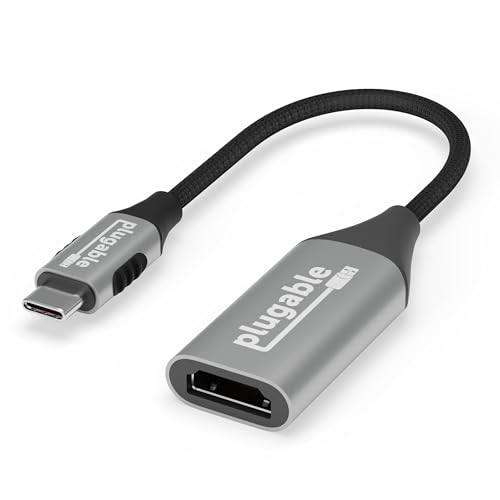
A compact, aluminum adapter that delivers 4K at 144Hz (144 frames per second) on Windows — smoother than the 60Hz most adapters offer — and works smoothly with MacBooks at 4K 60Hz.
Plugable positions this adapter as a high-performance bridge for gamers, artists, and professionals. It supports HDMI 2.1 specifications including 4K 144Hz and 8K 60Hz (DSC), HDR, and HDCP. The aluminum casing is designed for heat dissipation during long gaming sessions or intensive design work. It is compatible with USB-C, USB4, and Thunderbolt 3/4 ports, and works plug-and-play with Windows, macOS, and ChromeOS. On macOS, the max resolution is 4K 60Hz, but on Windows PCs with DP 1.4, you can hit 4K 144Hz or even higher.
Customers note it “just works,” with one owner driving a 4K monitor at a full 144Hz from a MacBook (likely using a custom resolution). Another tested it with a Galaxy S24 Ultra, achieving 4K 120Hz HDR through a Sony receiver to an LG C2, with flawless Dolby Atmos pass-through. A few users found it did not work for their specific device, but overall the sentiment is very positive. It is a premium-priced adapter that justifies its cost by covering both high-refresh PC gaming and reliable Mac desktop use.
High-End Features
- Supports 4K 144Hz on Windows and 4K 60Hz on macOS — rare dual-platform performance.
- Compact aluminum design is travel-friendly and stays cool.
- HDMI 2.1 with HDR, VRR, and Dolby Atmos support for a full home theater experience.
Consider Before Buying
- No power delivery (PD) — you need a separate charger for your laptop.
- Requires DP 1.4 on your laptop to hit the highest refresh rates.
Best for: creative professionals and gamers who bounce between a MacBook and a high-refresh PC monitor.
Not for: anyone who needs to charge their laptop through the adapter.
Understanding the Specs
Refresh Rate: 60Hz and Beyond
Refresh rate is the number of times your screen redraws the image every second. 60Hz means 60 frames per second — standard for smooth video and office work. The adapters on this list all hit 4K 60Hz. Some high-end picks go further to 120Hz or 144Hz for gaming, where motion looks much smoother. Your laptop’s graphics card and the monitor’s HDMI port must both support the higher refresh rate for it to work.
Power Delivery (PD) Passthrough
A USB-C to HDMI adapter with a PD port lets you plug your laptop charger into the adapter, so the adapter can send video to the monitor and power to your laptop through a single cable. Without it, your laptop runs on battery while connected to an external display. PD wattage matters: 100W is enough to charge a 16-inch MacBook Pro, while 60W works for most ultrabooks. A 90W output from a 100W input is normal due to power conversion loss.
FAQ
Will this 4K 60Hz adapter work with my MacBook Air M1 or M2?
What is DP Alt Mode and why does my laptop need it?
Can I use this adapter to connect my iPhone 15 to a TV?
Why does the adapter get warm during use?
What is the difference between a USB-C to HDMI adapter and a USB-C to HDMI cable?
Does a 4K 60Hz adapter also support 1080p 120Hz?
Will this adapter work with my Nintendo Switch or Steam Deck?
What does “unidirectional” mean for a USB-C to HDMI cable?
How long do these adapters typically last?
Can I use a 4K 60Hz adapter with a 1080p monitor?
Final Thoughts: The Verdict
For the majority of shoppers, the 4k 60hz usb-c to hdmi adapter winner is the Anker 310 USB-C Adapter because its build quality, reliability, and tens of thousands of happy owners make it the safest, most proven choice. If you need to charge your laptop through the same connection, grab the Acer 5-in-1 USB-C Hub for its multi-port utility and 100W PD. And for high-refresh gaming on Windows, the Plugable USBC-HDMI8K is the one to reach for, delivering 4K 144Hz without the bulk of a full dock.
How We Picked
We do not accept paid placement. Every pick is matched to a real buyer and a real use-case; we do not hands-on test units.
Sources & Methodology
Specifications: manufacturer listings and product documentation. Review insights: verified customer reviews, as of July 2026. Pricing: not shown on this page (it changes often); check the current price via the retailer link.
As an Amazon Associate, Gadgets Feed earns from qualifying purchases. This does not affect which products we feature.