
Our readers keep the lights on and my morning glass full of iced black tea. As an Amazon Associate, I earn from qualifying purchases.
Specs are compiled from manufacturer listings and verified buyer reviews and can change over time — please confirm the key details on the product page before buying.
You bought a 4K Blu-ray burner, but it was slow, refused to read triple-layer discs, or needed a firmware flash that took hours. That is frustrating. Watching a 4K movie or archiving a big project should be simple. This guide highlights the drives that actually deliver without the hidden gotchas, so you get one that matches your PC and your patience.
I’m Min — the founder and writer behind Gadgets Feed. This guide is built by comparing the manufacturers’ published specifications and the patterns across verified customer reviews, so you get each pick’s real strengths and trade-offs instead of marketing spin.
The three specs that matter most are the reading and writing speed, format support (especially BDXL — the standard for discs holding 100GB or more), and whether the drive works right away with your system. Keep those in mind as you choose the 4k blu-ray burner that fits your desktop, laptop, and workflow.
Our Picks at a Glance
How To Choose The Best 4K Blu-Ray Burner
A 4K Blu-ray burner is not simply a faster DVD writer. The decision depends on three real-world factors: what type of discs you want to use, how your computer is built, and if you want to play movies or archive data. Understanding these trade-offs helps you avoid buying a drive that looks good on paper but fails at what you actually need.
Write Speed and Disc Format
Every burner has a maximum write speed, expressed as a multiplier — 6X, 8X, 12X, and so on. For 4K video, the key is BDXL (a technology that lets a drive write onto discs with three or four layers, holding 100GB or 128GB). A drive that only writes standard BD-R at 6X will handle a typical 25GB movie in about 15 minutes. One that supports BDXL at 6X still needs that same speed, but it means you can burn a full 100GB project onto a single disc instead of splitting it across four.
SGX and Your Computer’s Motherboard
This is the most common and frustrating hurdle. To play copy-protected 4K Blu-ray discs on a Windows PC, the computer must support Intel SGX (Software Guard Extensions — a security feature in the processor) at both the processor and motherboard level. Many modern desktops and laptops shipped after 2020 have removed SGX support entirely. If you want to watch 4K discs, check that your CPU and motherboard both explicitly list SGX — otherwise the drive will spin but the movie will not play. For ripping 4K discs (backing them up to a digital file), SGX is not required if the drive supports LibreDrive (a custom firmware that removes copy protection).
Portable USB vs. Internal SATA
A portable USB burner is easy to move between laptops and desktops, needs no power brick (it draws power from the USB cable), and fits in a laptop bag. The trade-off is that USB 3.0 delivers a top data rate of around 5 Gbps, which is plenty for any current Blu-ray speed, but a connection via an older USB 2.0 port will throttle every burn. An internal SATA (Serial ATA — a standard connection inside a computer) drive lives inside a desktop or a compatible laptop with a 9.5mm bay — it is physically locked in, usually faster for long data reads, and avoids cable clutter. The catch with internals is that you are on your own for software, cables, and a mounting adapter; they ship as a bare component.
Quick Comparison
| Model | Best For | Write Speed (BD-R) | BDXL Support | Connectivity | Amazon |
|---|---|---|---|---|---|
| LG BP60NB10★ Best Overall | Best Overall | 6X | 100GB | USB 2.0 | Amazon |
| XRTFORE External 4K | Best Value | — | 90+ GB | USB 3.0 + hub | Amazon |
| Synteryx External 4K | Compact Portable | — | — | USB 3.0 / USB-C | Amazon |
| JOYIN-BURN BU40N | DIY / Internal Upgrade | 6X | 128GB | SATA | Amazon |
In‑Depth Reviews
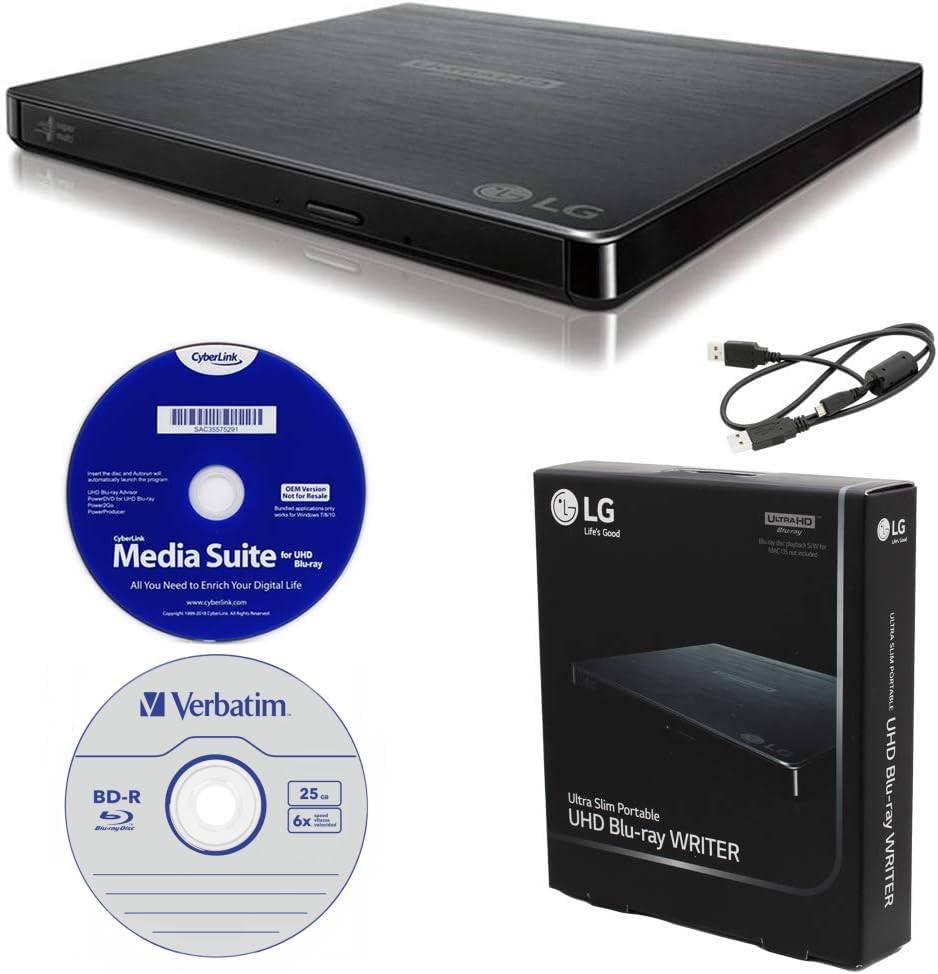
1. Produplicator LG BP60NB10 Portable 6X Ultra HD 4K Blu-ray Burner
Our pick — over 4★ from 50+ verified ratings; the strongest balance of quality and price.
The crowd favorite writes 100GB discs silently and works with MakeMKV — that is why it is the top pick.
This LG burner handles everything well for most people. It writes 6X BD-R, reads and burns BDXL (triple-layer discs) up to 100GB, and includes a bundled 25GB M-DISC (a special disc coated with a synthetic rock-like layer that resists damage, designed to last for centuries) plus CyberLink Media Suite software. The Silent Play technology is not just marketing — it actively adjusts the disc spin speed based on what you are watching, so a movie plays with noticeably less whir than most drives. Jamless Play is a bonus that automatically skips past damaged sections of a disc, keeping playback smooth even on scratched discs.
Buyers report that the drive works as a pure plug-and-play device with no special configuration: one owner said “I purchased this so I could watch DVDs, Blu-rays, and 4k videos on my desktop … it works amazingly well.” The same reviews highlight that it can be flashed for use with MakeMKV if you want to back up your 4K library to digital files. The one catch is that watching 4K discs requires Intel SGX support on both your processor and motherboard — a real hurdle for newer systems that have dropped it. At 6.1 by 5.2 by 0.6 inches, it is slim enough to slide into any laptop bag, though it runs over USB 2.0 rather than the faster USB 3.0 standard.
The LG is a hair thicker than some rivals — 0.6 inches versus 0.63 on the XRTFORE — but that is negligible. Its real edge is the software bundle and the reliability that comes from the LG drive mechanism, which tens of thousands of owners trust. If you want a proven burner that includes everything, this is your pick. If your PC is from after 2020 and you plan to watch 4K discs rather than rip them, you will likely struggle with SGX — a dedicated player may suit you better.
Ultra HD portable
- 6X BD-R write speed — burns a 25GB disc in roughly 15 minutes
- BDXL support means you can write onto triple-layer discs holding 100GB
- Comes with CyberLink Media Suite and a 25GB M-DISC right in the box
- Silent Play keeps noise low during movies
- Flashable for LibreDrive / MakeMKV to rip 4K discs
Noisy operation
- Uses USB 2.0, which caps the theoretical transfer rate far below what USB 3.0 could deliver
- Watching 4K discs requires a PC with Intel SGX — many newer motherboards lack this
Best for travel: you want the most proven, reliable burner that includes software and a test disc, and you are okay with a USB 2.0 connection for occasional burns.
Skip if quiet: your PC or laptop was built after 2020 and you plan to watch 4K discs — an SGX-compatible system is hard to find now, and an internal drive or a dedicated player might suit you better.
2. XRTFORE External 4K Blu Ray Drive for PC, Portable 4K UHD Blu Ray Player with SD/TF Port and Carry Case
The XRTFORE saves you time with native LibreDrive support — plug it in and rip 4K discs without touching the firmware, a clear advantage over the LG which requires a flash.
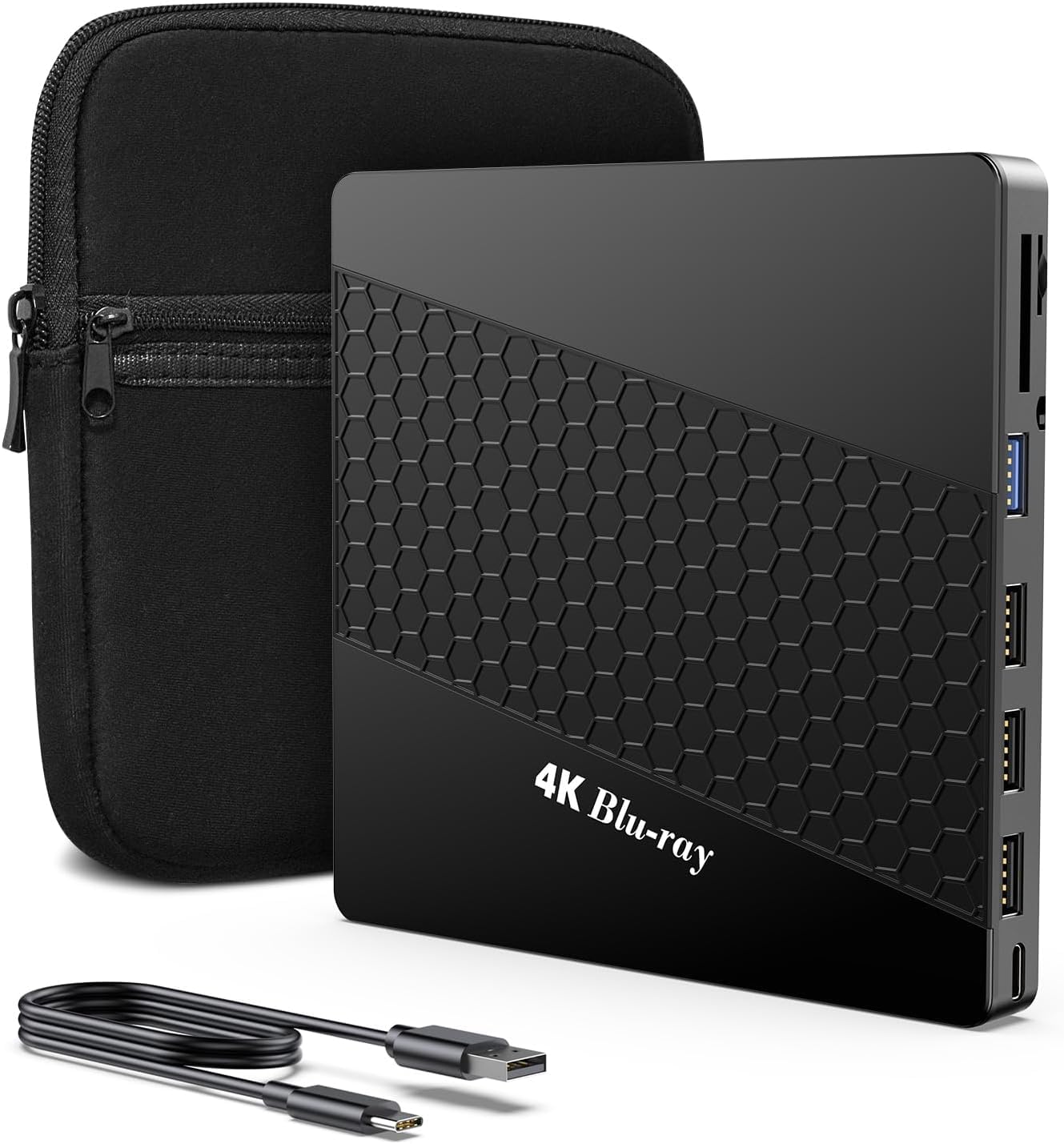
What makes the XRTFORE a standout is its native LibreDrive mode — it arrives already set to read and burn BD-XL discs (the ones that hold 90+ GB), with no need to flash the firmware. That is a huge time-saver if you want to rip your 4K collection to a Plex server or archive large video projects. The drive uses USB 3.0 for data transfer, which is a full 625 megabytes per second (5 Gbps) — noticeably quicker than the LG’s USB 2.0 port. Owners mention that the unit “reads and burns BD-XL (90+ GB) fine” without any hassle.
This is also a six-in-one device: it includes three USB ports, one USB-C port, and two memory card slots (SD and TF). That means you can plug in a flash drive and a memory card at the same time, effectively turning the burner into a desktop hub. The design adds a padded carry case and a built-in embedded cable so you never lose the cord. The flip side is that the reliability feedback is mixed — Amazon’s own summary notes that some users report flawless operation while others had theirs stop working after a period of use. Also, one owner said the glowing logo is a bit cheesy, though that is purely cosmetic.
At 5.7 by 5.4 by 0.63 inches, it is slightly smaller in footprint than the LG (a 7% tighter dimension) and lighter for travel. The price is significantly lower, too, which makes it the smartest buy if you are willing to accept that occasional units have issues. This is the drive to grab if you want native LibreDrive and a fast USB 3.0 hub at a lower price — the LG is more reliable but lacks both.
PC compatibility
- LibreDrive works natively — plug in and rip 4K without firmware fiddling
- USB 3.0 transfer at up to 5 Gbps, faster than USB 2.0 rivals
- Built-in USB hub and card readers turn it into a portable dock
- Includes a padded carrying case and embedded cable
Bulky design
- Reliability is mixed — some drives arrive or stop working, so buy from a seller with a good return policy
- A few owners found 4K playback required hoops to jump through
Best for desktop: you want a budget-friendly burner that also acts as a USB hub and handles 90+ GB BD-XL discs without any software hassle.
Skip for portability: reliability is your top priority — the LG has far more consistent reviews, and this one carries a higher risk of needing a replacement.
3. Synteryx External Blu Ray Player 4K, Portable 3D BD-RE Player & DVD Writer
The USB-C burner that needs just one cable — a real convenience for Mac and PC users who swap between laptops.
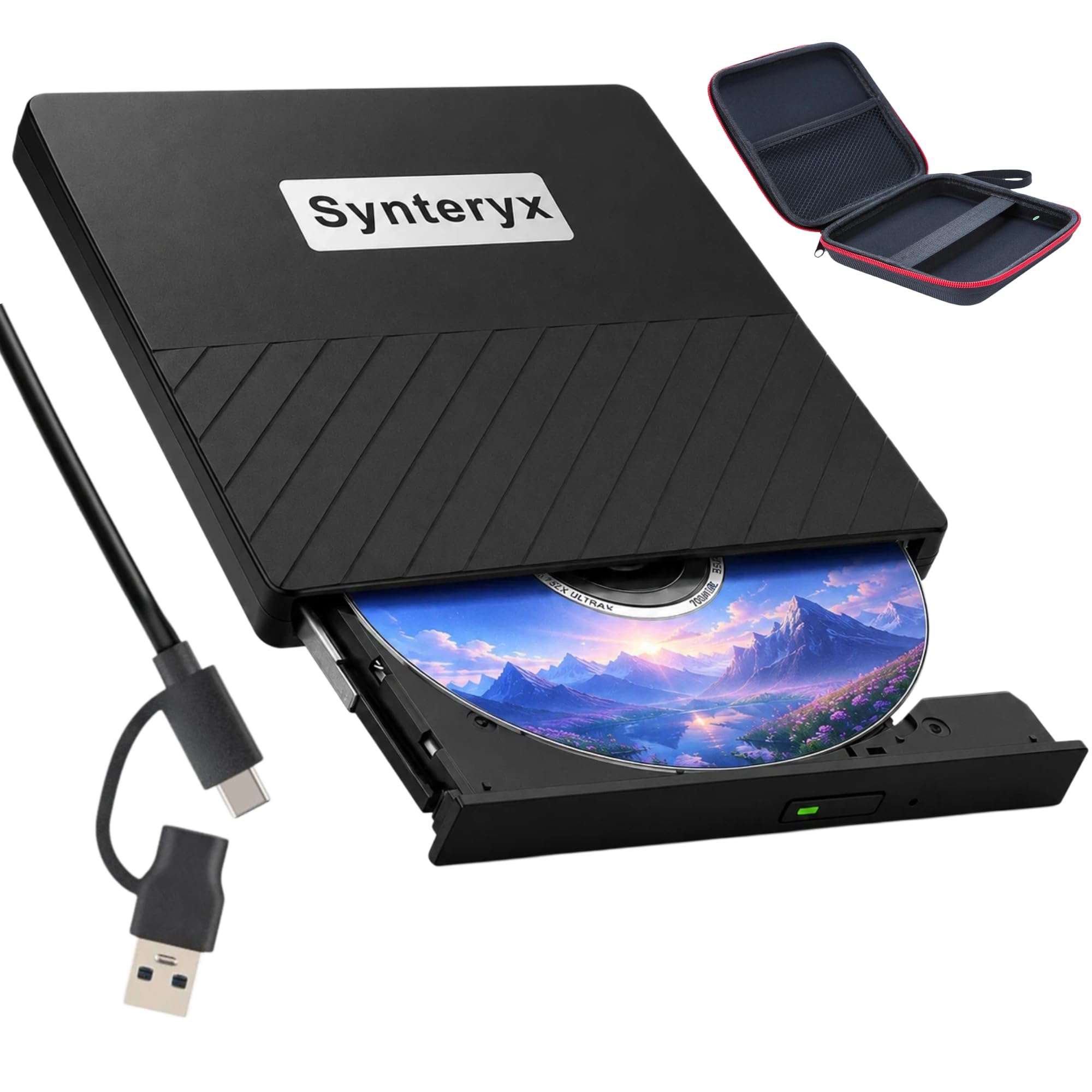
Designed for people who move between a Windows laptop and a MacBook Pro, the Synteryx uses a single USB cable for both power and data — no need for a second power adapter. It supports USB-C natively (alongside standard USB 3.0), so you can plug directly into a modern MacBook Air or a PC laptop without a dongle. The drive reads and writes standard BD-R (write-once Blu-ray), BD-RE (rewritable Blu-ray), DVD, and CD formats and will handle 3D Blu-ray discs if you have the required third-party playback software installed.
The slim body has a scratch-resistant matte finish and anti-skid rubber feet that keep it planted on a desk. Customers note it works perfectly as a plug-and-play drive on Windows 11 and Mac OS, and note that it “only needs one port instead of two” — a nice improvement over drives that demand both a data cable and a separate power cable. The bad news is that compatibility can be spotty: one owner found it caused issues with a MacBook Air M3, recommending Windows as the friendlier system. The reliability feedback is inconsistent, with a few drives arriving dead or dying quickly. This one also requires you to buy your own playback software — the Synteryx ships as a bare drive plus a soft zipper case and a cable, no CyberLink or PowerDVD included.
It runs at USB 3.0 speeds with a data transfer rate of 5 Gbps, which is fast enough to read a full BD-ROM in minutes. The lack of BDXL support in the spec sheet means it cannot handle 100GB triple-layer discs, so this is strictly for standard 25GB and 50GB Blu-ray projects. If you need BDXL, the LG or JOYIN-BURN are better choices.
Travel-friendly size: single-cable USB-C connection is a real convenience, and the soft case makes it easy to slip into a backpack. But if you need BDXL or consistent reliability, one of the other picks is a safer bet.
Best on-the-go: you use both a Mac and a Windows PC and want a single-cable burner that packs small and works with standard Blu-ray discs.
Skip for speed: you need BDXL support for 100GB discs, or if your computer is an Apple Silicon Mac — compatibility is less predictable there.
4. JOYIN-BURN 9.5mm Tray-Loading SATA Internal 4K UHD Blu-ray/DVD Writer BU40N

The JOYIN-BURN handles quad-layer 128GB discs — the highest capacity here — but it is a bare component, not a ready-to-use drive.
If you are comfortable opening up a laptop or desktop, the JOYIN-BURN BU40N is the most future-proof drive in this list. It supports up to quad-layer BDXL discs at 128GB — that is more than five standard 25GB Blu-rays on one platter. The drive writes BD-R at 6X and reads 6X UHD BD-ROMs, and it supports M-DISC for long-term archiving. It uses a SATA connection (serial ATA inside the computer) and a standard 9.5mm tray-loading form factor that fits many HP, Dell, Lenovo, and other laptops with a removable optical drive bay. The aluminum enclosure helps with heat dissipation during long burns.
The catch is that this is a bare internal component. It ships in a brown box with no cables, no software, and no instruction manual. You will need to supply a SATA data cable, a power cable (if installing in a desktop), and a third-party playback app (PowerDVD or similar) to watch 4K discs. Reviewers point out it works well after a firmware flash for LibreDrive, with one owner saying they “successfully flashed firmware to rip 4K Blu-rays with MakeMKV for Plex/Jellyfin.” But the compatibility feedback is mixed — nearly half of the reviews mention that some units will not read UHD three-layer discs no matter which firmware you try. Performance is praised by those who get a working unit, but Blu-ray compatibility (22 mentions) is the most common aspect, and Amazon flags it as MIXED.
It does handle external use through specific adapters (a 6+7 pin female SATA converter to 22 pin male, plus a SATA III to USB 3.0 adapter with external power), but that adds cost and complexity. For most buyers, a ready-to-go external drive like the LG saves time and frustration. This is strictly for the hands-on PC builder who wants the highest possible disc capacity.
Internal upgrade
- Supports quad-layer BDXL discs up to 128GB — the highest capacity of any drive here
- Fits into a standard 9.5mm SATA laptop bay as a direct replacement
- 8MB cache buffer for smoother writing sessions
- Aluminum body for better heat management
Installation tricky
- Bare drive — no software, no cables, no manual included
- Mixed Blu-ray compatibility — about one-third of reviewers report issues reading UHD discs
- Requires correct adapter setup if used externally, which adds cost and hassle
Best for builders: you are a hands-on PC builder comfortable with SATA installations and firmware flashing, and you want the absolute highest disc capacity (128GB per disc).
Skip for plug-play: you want a drive that works right from the start, or if your laptop has a non-standard (thinner than 9.5mm) optical bay.
Understanding the Specs
BDXL Support
BDXL is the technology that lets a Blu-ray burner write onto triple-layer discs (100GB) and quad-layer discs (128GB). Standard Blu-ray discs hold just 25GB. If you want to burn a full-length 4K movie or back up a large project, you need a drive that explicitly lists BDXL support — otherwise you are splitting the data across multiple discs. All four drives here support BDXL except the Synteryx, which tops out at standard 25GB/50GB.
Write Speed (X Rating)
The “X” number tells you how fast the drive spins the disc when writing. A 6X drive writes a single-layer 25GB BD-R in about 15 minutes. Higher speeds like 8X or 12X cut that time, but they also generate more heat and noise, and not all blank discs support the highest speeds. For most home users, 6X is perfectly adequate — you are unlikely to burn discs often enough for the extra minutes to matter.
LibreDrive / SGX Compatibility
LibreDrive is a firmware mode (often user-installed) that removes the region and copy-protection restrictions on a Blu-ray drive, allowing software like MakeMKV to read and rip 4K discs to your hard drive. SGX (Software Guard Extensions) is a separate Intel processor feature required for playing copy-protected 4K discs on Windows — if your motherboard lacks SGX, the movie will not play even if the drive is perfect. The two are not the same; LibreDrive is for ripping, SGX is for watching.
USB 2.0 vs USB 3.0 vs SATA
USB 2.0 caps data at 480 Mbps, which is enough for 6X Blu-ray writing but leaves no headroom. USB 3.0 runs at 5 Gbps — over ten times faster — meaning the drive can read and write at full speed without becoming a bottleneck. SATA (used by internal drives) also operates at 6 Gbps, just like USB 3.0, but requires a physical connection inside the computer. For occasional use, USB 2.0 works; for ripping or frequent burning, USB 3.0 or SATA is noticeably faster.
FAQ
Will any 4K Blu-ray burner play movies on a standard laptop?
What is the difference between BD-R and BDXL?
Can I use a 4K Blu-ray burner with a Mac?
Does a 4K Blu-ray burner write regular DVDs and CDs?
What is M-DISC and why does it matter?
How long does it take to burn a full 100GB disc?
Do I need special software to watch 4K movies?
What does “flashable for MakeMKV” mean?
Is a USB 3.0 drive worth paying more for?
Can I put an internal BU40N drive in my laptop?
Final Thoughts: The Verdict
For most people, the 4k blu-ray burner winner is the LG BP60NB10 because it is the most reliable, includes software and a test disc, and supports BDXL and M-DISC in a slim portable package. If you want native LibreDrive support and a fast USB 3.0 hub at a lower price, grab the XRTFORE External 4K. And for the PC builder who wants the highest possible 128GB BDXL capacity inside a laptop bay, the JOYIN-BURN BU40N is the one to reach for.
How We Picked
We do not accept paid placement. Every pick is matched to a real buyer and a real use-case; we do not hands-on test units.
Sources & Methodology
Specifications: manufacturer listings and product documentation. Review insights: verified customer reviews, as of July 2026. Pricing: not shown on this page (it changes often); check the current price via the retailer link.
As an Amazon Associate, Gadgets Feed earns from qualifying purchases. This does not affect which products we feature.