
Your 4K OLED is starving on a 15 Mbps stream. The difference between a compressed Netflix 4K feed and a full 1:1 4K Blu-ray disc isn’t subtle—it’s a chasm of macro-blocking, crushed blacks, and lost audio dynamics that your expensive home theater rig was built to reveal. The physical disc is the only consumer format that delivers the full fat bitrate your panel was designed for, and getting that signal into your setup means choosing the right transport.
I’m Min — the co-founder and writer behind Gadgets Feed. After combing through read-speed benches, firmware compatibility logs, and real-world playback behavior across dozens of models, I’ve separated the drives that actually deliver a stable 4K pipeline from the ones that throw errors at the worst possible moment.
Whether you’re building a media server or connecting directly to a display, this guide cuts through the noise to help you pick the best 4k blu-ray disc drive for your specific hardware and workflow.
How To Choose The Best 4K Blu-Ray Disc Drive
Not every drive that says “Blu-ray” can actually read a 4K UHD disc. The optical pickup, the controller firmware, and the software ecosystem all need to align. Below are the three filters that separate a genuine 4K-capable drive from a legacy HD-only unit.
Native 4K UHD Support vs. Firmware Flashing
The overwhelming majority of external Blu-ray drives on the market are hardware-locked against reading 4K UHD discs due to the AACS 2.0 copy protection standard. A handful of drives—most notably certain LG and ASUS models—can be “flashed” with custom firmware (often called LibreDrive) to bypass this restriction. A smaller number ship with native 4K playback support. If you want a zero-hassle, out-of-box experience for watching discs on a PC, you need a drive specifically marketed as 4K UHD compatible. If you are ripping to a Plex server, a flashable unit offers the same result at a lower cost.
Read Speed and Bitrate Headroom
A 4K Blu-ray disc can sustain a peak data rate above 100 Mbps. A drive with a 6X BD-R read speed provides roughly 27 MB/s of sequential throughput—enough for real-time playback and ripping. Slower 2X or 4X drives will work but introduce longer spin-up times and a higher chance of read errors on scratched discs. For archival ripping, 8X or 16X drives dramatically cut per-disc time, but require a USB 3.0 or faster interface to avoid bus saturation. USB 2.0’s 480 Mbps theoretical limit is a genuine bottleneck for 4K content.
Software and OS Compatibility
No external Blu-ray drive plays 4K movies by itself. You need a software player (PowerDVD, Leawo, VLC with appropriate codecs) or a ripping tool (MakeMKV, AnyDVD HD). MakeMKV’s LibreDrive database is the de-facto compatibility reference—always check their supported-drives list before purchasing. On macOS, software playback of 4K UHD is virtually nonexistent due to SGX deprecation; most Mac users rely on MakeMKV for ripping and then play the file via Infuse or Plex. On Windows, Intel SGX support (required by PowerDVD) was removed from 11th-gen and newer CPUs, making certified playback hardware-dependent.
Quick Comparison
On smaller screens, swipe sideways to see the full table.
| Model | Category | Best For | Key Spec | Amazon |
|---|---|---|---|---|
| LG BP60NB10 | Premium Portable | Native 4K UHD playback + BDXL burning | 6X BD-R write max speed | Amazon |
| Sony UBP-X700U | Standalone Player | Direct connection to TV or AVR | Dual HDMI outputs (A/V separation) | Amazon |
| LG WP50NB40 | Premium Burner | Long-term archival with M-Disc BD-R DL | 4 MB buffer under-run prevention | Amazon |
| ASUS SBW-06D2X-U | Premium External | BDXL support and Disc Encryption II | 6X BD-R write speed | Amazon |
| Mthstec 4-in-1 | Desktop Combo | All-in-one: Blu-ray burner + HDD dock + USB hub | 16X BD-ROM read / 16X DVD | Amazon |
| Synteryx 4K | Mid-Range USB | 3D Blu-ray read and CD/DVD burning | Single USB power (extra cable included) | Amazon |
| Dainty External | Value Portable | Lightweight carry and 5Gbps USB 3.0 bus | BD-R read 6X / DVD 8X / CD 24X | Amazon |
| BUNUD Portable | Budget Multi-Slot | 5-in-1: SD/TF reader + 2 USB ports | USB 3.0 Type-C data transfer 5 Gbps | Amazon |
| Panasonic DMP-BD84P-K | Entry-Level Player | Simple HDMI-out for TV (no PC required) | 1080p upscaling (not 4K UHD) | Amazon |
In‑Depth Reviews
1. LG BP60NB10 Portable 4K UHD Blu-ray Burner

The LG BP60NB10 is one of the few retail drives that ships with native 4K UHD playback capability, meaning it will read a 100GB triple-layer BDXL disc without requiring a firmware flash. Bundled with a 50GB Verbatim M-Disc BD-R DL and CyberLink Media Suite, this drive offers a complete out-of-box archival and playback solution for Windows users who want zero friction. The Jamless Play and Silent Play technologies auto-adjust rotational speed to reduce noise and skip past damaged sectors during playback.
Under the hood, the BP60NB10 writes BD-R at 6X, DVD±R at 8X, and CD-R at 24X, with a 2 MB cache buffer. Its USB 3.0 connection delivers enough bandwidth for real-time 4K ripping without stuttering. The drive is also well-known in the MakeMKV community as a prime candidate for flashing LibreDrive firmware, unlocking pure-bitrate ripping regardless of disc region. Dual-layer BDXL (100GB) support means you can author full-disc backups on a single platter.
The main caveat is hardware-dependent playback: playing 4K UHD discs via PowerDVD requires Intel SGX on the CPU and motherboard, a feature dropped after 10th-gen Intel. Without SGX, you must rip the disc to a file and play via software that ignores the protection layer. Some users also report the drive falling off the USB bus after extended idle periods, requiring a reconnect. It is also the most expensive portable option here, but the reliability and clean 4K pipeline justify the premium for serious home-theater builders.
Why it’s great
- Native 4K UHD read support out of the box
- LibreDrive flashable for region-free ripping
- Silent Play reduces noise during movie playback
Good to know
- Requires Intel SGX for native 4K playback on PC
- Higher price point than most external drives
- Some units have USB bus drop-out after idle
2. Sony UBP-X700U 4K Ultra HD Blu-ray Player
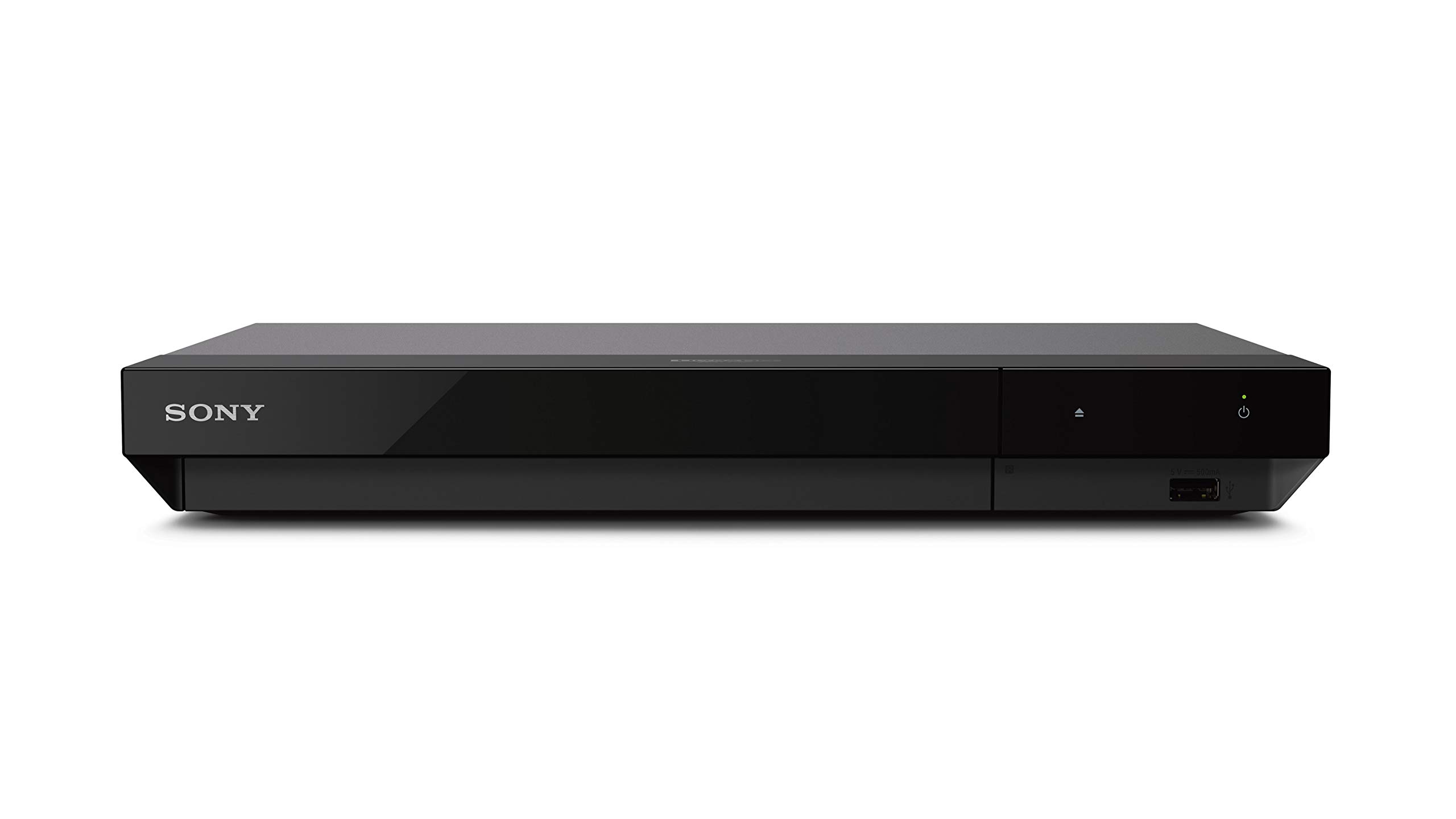
The Sony UBP-X700U takes a fundamentally different approach: it is a standalone home-theater component, not a USB computer accessory. This is the only unit in this roundup that connects directly to a TV or AVR via HDMI, effectively bypassing the entire SGX/PC-compatibility nightmare. It reads 4K UHD, standard Blu-ray, and DVD media, and upscales non-4K content to 2160p at up to 60 frames per second. Dual HDMI outputs allow audio and video to be sent to separate destinations, a feature critical for users with older AVRs that lack HDMI 2.0.
The X700U supports Dolby Vision HDR and HDR10, and it decodes Dolby TrueHD and DTS-HD Master Audio internally. It also handles high-resolution audio formats including DSD and FLAC via USB storage. The unit’s build quality is significantly more substantial than any external USB drive, with a full-width metal chassis, a motorized disc tray, and a weight of 1.4 kg that stays planted on your shelf. The included remote control is backlit and well-laid-out, though the on-screen UI renders at a noticeably low resolution.
The biggest limitation is that this is a playback-only device—it cannot rip discs to files for a media server. If your goal is building a Plex library, the X700U is not the right tool. It also requires manually toggling Dolby Vision on and off in the settings menu for discs that don’t properly flag it, which is an irritating oversight for a premium player. Some users report that the unit can be slightly louder during triple-layer BD disc spin-up compared to a top-loading Oppo, but for the price, its reliability and format support are hard to beat for a pure-playback setup.
Why it’s great
- Zero PC compatibility issues—direct HDMI out
- Dual HDMI for audio/video separation
- Dolby Vision and DTS:X support
Good to know
- Cannot rip or export digital files
- Dolby Vision must be toggled manually
- On-screen UI is low resolution
3. LG WP50NB40 Portable Blu-ray Burner

The LG WP50NB40 is purpose-built for users whose priority is permanent data storage rather than frequent movie playback. Bundled with a 50GB Verbatim M-Disc BD-R DL and CyberLink burning software, this drive enables writing data to M-Discs, which use a synthetic rock-like data layer rated to survive for up to 1,000 years—significantly outlasting conventional organic-dye burnable discs. For photographers, videographers, or anyone archiving irreplaceable files, this drive is the only option here that comes with archival-grade media in the box.
Burn speeds hit 6X for BD-R, 8X for DVD±R, and 24X for CD-R, with a generous 4 MB buffer and embedded buffer under-run prevention to avoid coasters. The drive is plug-and-play on Windows (XP through 11) and macOS (10.7.5 or higher), requiring no driver installation for disc reading. It also supports 100GB BDXL triple-layer discs, meaning you can write full feature-length 4K projects onto a single platter without compression. The package includes a USB 2.0 cable (not 3.0), which limits transfer rates for large burns.
Build quality is the primary weakness here. The plastic chassis feels notably flimsy, and the disc tray does not auto-eject fully—you must pull it open manually by a few millimeters, which is awkward in a tight desk setup. The drive is also light enough to lift when closing the tray, so you need to hold it down. For stationary desktop use, a full-height internal or external drive with a metal chassis would be more confidence-inspiring. But for its archival purpose and unmatched M-Disc bundle value, the WP50NB40 still earns a strong recommendation for data hoarders.
Why it’s great
- Includes 50GB M-Disc BD-R DL for archival use
- 4 MB buffer with under-run protection
- Supports 100GB BDXL triple-layer discs
Good to know
- Tray does not fully eject; must pull manually
- USB 2.0 interface limits large-burn speed
- Plastic build feels lightweight and fragile
4. ASUS SBW-06D2X-U External Blu-ray Writer
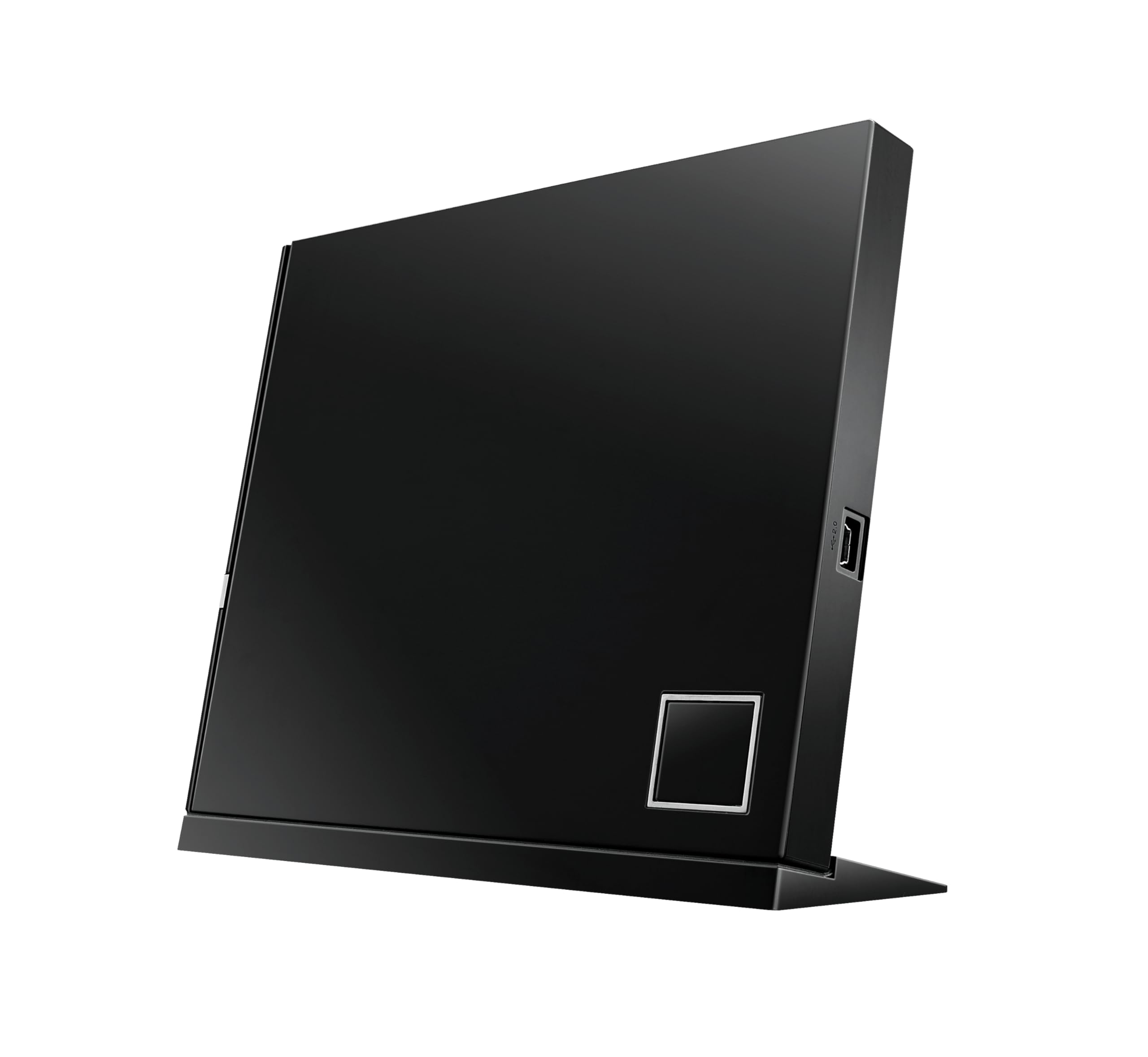
ASUS positions the SBW-06D2X-U as a premium companion for users who burn and play Blu-ray equally often. The drive supports BDXL (128GB) media and features ASUS’s proprietary Disc Encryption II, which allows password-protecting entire discs—a rare feature for corporate or sensitive-data users. Writing speeds reach 6X for BD-R, 4X for BD-R triple/quad-layer, and 2X for BD-RE. The architecture-inspired case design includes a diamond-cut finish and can be placed either horizontally or vertically via the included stand, saving desk space.
Connectivity is via USB 2.0, which is a deliberate choice for compatibility but creates a notable bottleneck for full-disc BDXL burns and 4K ripping. The drive ships with a dual-head USB Y-cable to draw sufficient power from two ports, meaning it is not truly single-cable bus-powered. ASUS’s ATP Technology and Drag-and-Burn software aim to simplify the burning workflow into three steps, though the bundled software lacks native 4K UHD playback support—users must purchase PowerDVD or similar separately.
Mac users have reported seamless plug-and-play operation with macOS, including on older mid-2007 iMacs running OS X 10.7.3, making this one of the most cross-platform-compatible drives here. However, Windows 8.1 and some later Windows builds have shown compatibility quirks where writing options are greyed out, requiring ASUS tech support or a firmware downgrade. The compact form factor and vertical orientation are genuine desk-space savers, but the USB 2.0 bus and finicky driver situation mean this drive rewards patience.
Why it’s great
- Works vertically with included stand to save space
- Disc Encryption II for password-protected data
- Strong macOS compatibility out of the box
Good to know
- USB 2.0 limits 4K ripping and BDXL burn speed
- Requires Y-cable or dual USB power connection
- Windows driver compatibility can be finicky
5. Mthstec 4-in-1 External Blu-ray Drive

The Mthstec 4-in-1 defies categorization by combining a Blu-ray burner, a SATA hard drive dock, a 2-port USB 3.0 hub, and a fast-charging charger all in a single desktop unit. For users managing a media server with both discs and spinning hard drives, this device replaces three separate accessories. The Blu-ray burner reads BD-ROM at 16X, DVD-ROM at 16X, and CD-ROM at 40X—noticeably faster than any portable drive in this comparison—making it ideal for batch-ripping large libraries. Write speeds are similarly brisk at 16X for both BD-R and DVD±R.
The SATA enclosure accepts both 3.5-inch and 2.5-inch drives, with hot-swap capability for quick media transfers. The USB 3.0 hub delivers 5 Gbps to connected peripherals, and a dedicated charging port supports fast-charging protocols for phones and tablets. The drive is powered by an external power adapter, meaning it does not drain laptop battery during heavy use, but this also makes it distinctly non-portable—it is a stationary desktop tool. Compatibility is broad: Windows XP through 11, macOS, and Linux all see it without driver issues.
The build incorporates an HP-branded drive mechanism, which some users interpret as a rebadge rather than a proprietary design. A small number of units have arrived dead on arrival, with the tray failing to detect discs and immediately ejecting. Customer support for replacements has been responsive though. The lack of native 4K UHD disc support means this drive is best suited for standard Blu-ray ripping (1080p) and DVD/CD tasks. If you need 4K ripping, you will still need to pair this with a dedicated 4K-capable reader.
Why it’s great
- Integrates Blu-ray burner, HDD dock, and USB hub
- 16X BD-ROM read speed for fast ripping
- Accepts both 3.5″ and 2.5″ SATA drives
Good to know
- No native 4K UHD disc support
- Requires external power; not portable
- Some units have DOA tray issues
6. Synteryx 4K External Blu-ray Player
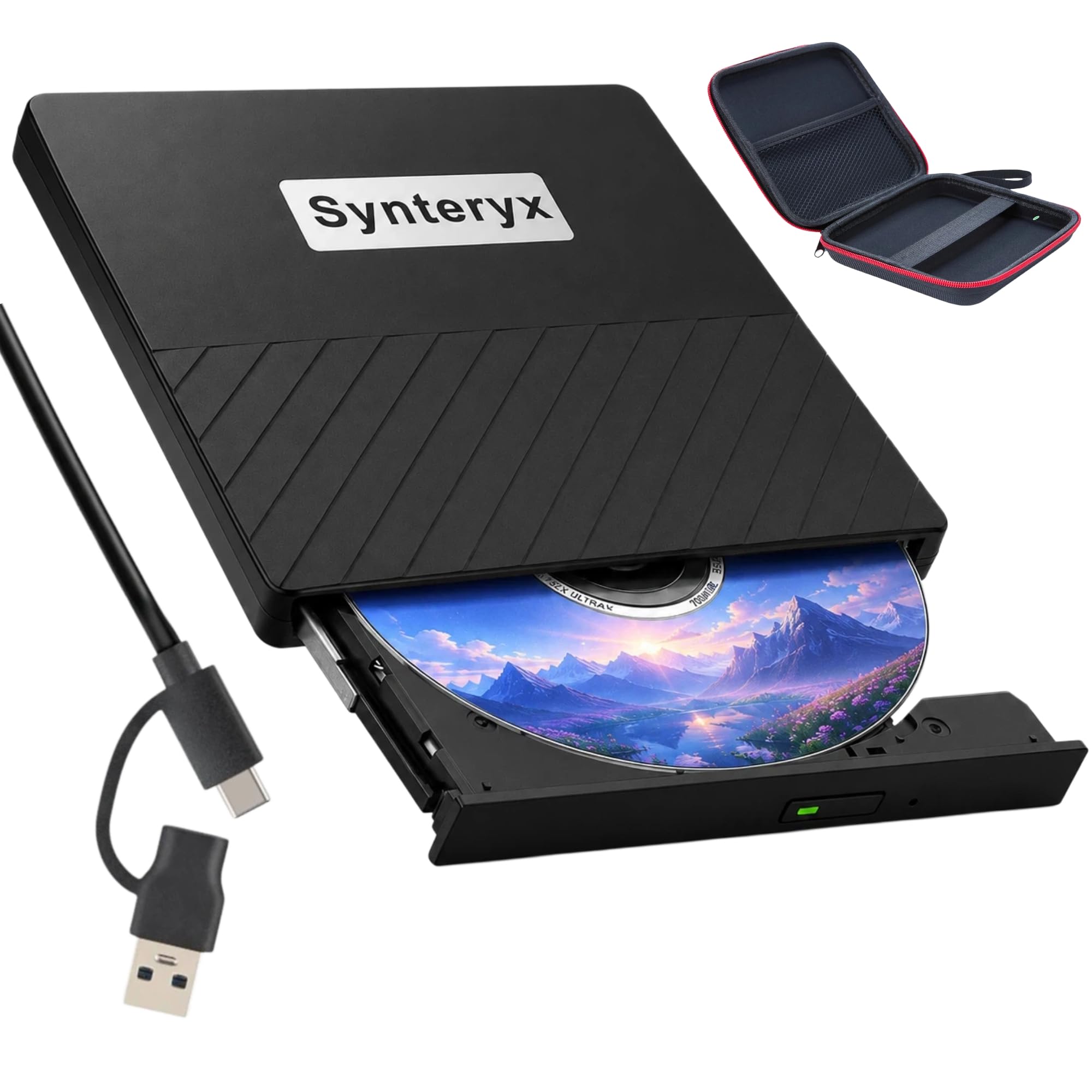
The Synteryx drive targets the budget-conscious user who wants the ability to read 3D Blu-ray discs and watch them on a computer without breaking the bank. It is marketed as a “4K” drive, but the fine print is critical: it reads 3D BD-RE discs (the 3D version of Blu-ray, which can hold 4K video) but does not process or output the AACS 2.0 protection layer required for native 4K UHD playback. In practice, this means you can use it with MakeMKV to rip UHD discs if the drive’s firmware allows it, but you should not expect out-of-box 4K movie playback.
The drive connects via USB 3.0 or USB-C, with a data transfer rate of 5 Gbps, and includes an additional power cable for stable operation—a necessity for preventing dropouts during high-speed reads on older motherboards. The slim, matte-finish chassis measures roughly the footprint of a CD jewel case and weighs very little, making it genuinely portable. Write speeds hit 24X for CD-R and 8X for DVD±R, though BD burning is not the primary use case here. The package includes a simple user guide but no playback software.
macOS compatibility exists but is inconsistent: the drive works flawlessly on Intel Macs and older versions of macOS, but on Apple Silicon Macs (M1/M2/M3), some users report the drive not mounting via the USB-C port, requiring a USB-A-to-C adapter or a different cable arrangement. Also, the drive is explicitly incompatible with Chromebooks, tablets, smart TVs, and cars. If you need a low-cost optical reader that can handle both standard Blu-ray and DVD archival with a chance at 4K ripping after flashing, this is the most affordable entry point that still has a real physical tray mechanism.
Why it’s great
- Very slim and genuinely portable form factor
- Includes both USB-C and USB-A cables plus extra power line
- Reads 3D BD-RE discs for legacy content
Good to know
- Not native 4K UHD compatible out of the box
- Inconsistent macOS Apple Silicon compatibility
- Incompatible with TVs, tablets, and Chromebooks
7. Dainty External Blu-ray Drive
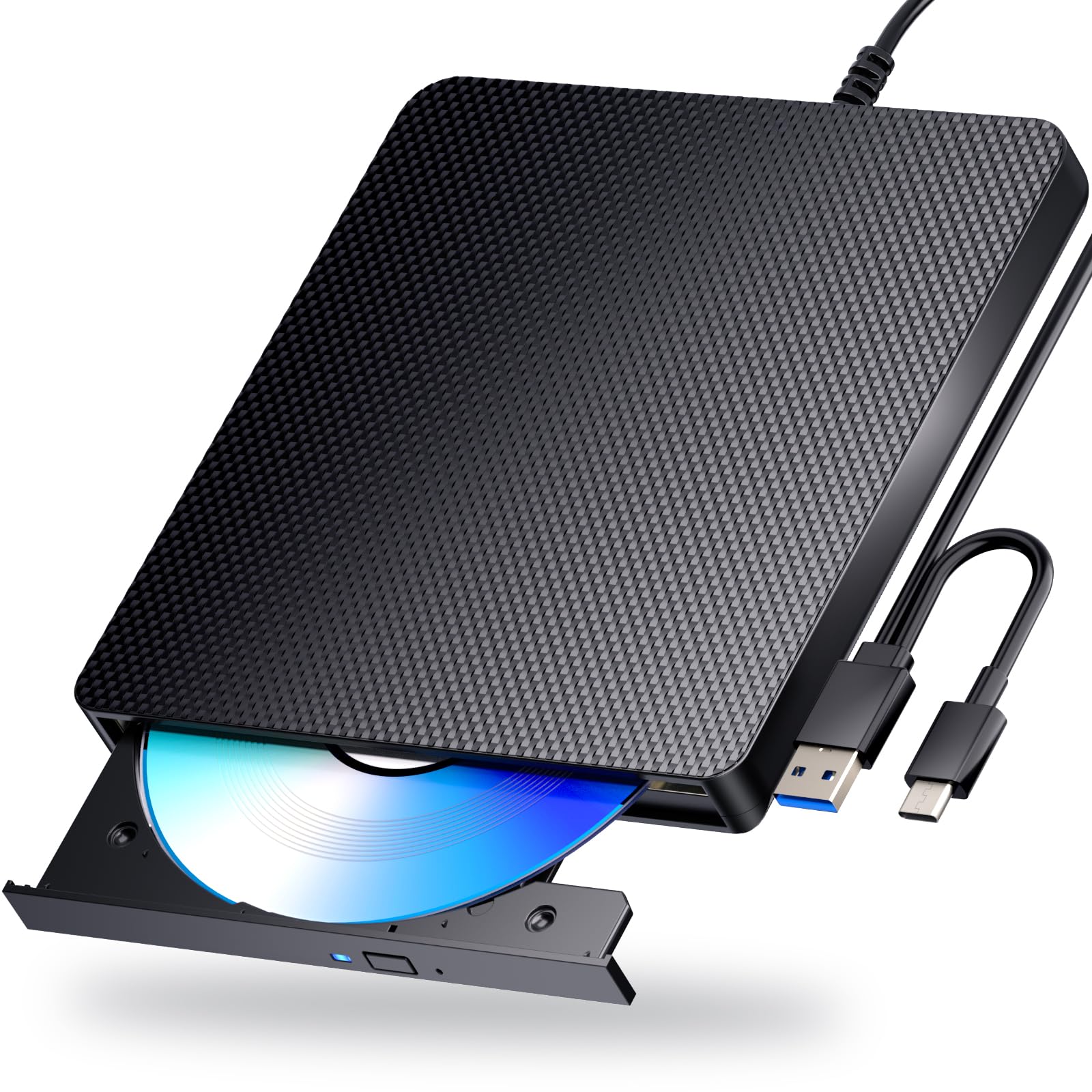
The Dainty external drive strips away excess complexity to deliver a straightforward USB 3.0 Blu-ray reader at a competitive mid-range price. It reads BD-R at 6X, DVD at 8X, and CD at 24X, with write speeds covering the full BD-R/RE/DVD/CD spectrum. The key design decision here is the dual USB power cable: one cable carries data, the other provides supplementary power to prevent the dropouts that plague single-cable slim drives when reading scratched or triple-layer discs. This makes it notably more stable than similarly priced competitors during long ripping sessions.
The drive’s shell is a sturdy, drop-proof plastic with anti-skid rubber feet that keep it planted during operation. It is truly plug-and-play on Windows 11, macOS, and Linux—no driver hunting required. The integrated USB-A and USB-C connectors are embedded into a single cable with a Y-split, eliminating the need to carry separate cables. Spin-up time is approximately 2 minutes before the drive begins reading CDs, which is slower than premium models, but re-reads after the initial spin are fast. The bundled documentation is minimal, and the drive does not include any software licenses.
One notable omission is that the Dainty drive does not officially support M-Disc burning, so it is not an archival solution. It also will not play 4K UHD discs natively; for that, you need to flash the firmware using the LibreDrive method, and success varies depending on the specific firmware revision your unit shipped with. Some reviews report the drive working flawlessly as a standard Blu-ray player with VLC after installing a separate codec pack, but others note the tray feeling slightly flimsy over time. If your primary need is reliable standard Blu-ray and DVD access on multiple OS platforms, this is a strong, stable choice.
Why it’s great
- Dual USB power cable prevents bus-powered dropouts
- Plug-and-play on Windows, Mac, and Linux
- Sturdy drop-proof shell with rubber anti-skid feet
Good to know
- No native 4K UHD support; flashing required
- Official M-Disc burning not supported
- CD spin-up time is about 2 minutes
8. BUNUD 5-in-1 External Blu-ray Drive

The BUNUD drive is a 5-in-1 peripheral that adds a Blu-ray reader to a USB hub with two additional USB-A ports, an SD card slot, and a microSD/TF slot. For laptop users who have abandoned built-in card readers, this eliminates the need to carry a separate dongle. The Blu-ray reader is capable of reading BD-R, DVD±R, and CD media at standard speeds (8X for BD, 8X for DVD, 24X for CD), and it writes at similar speeds. Crucially, the product page explicitly states: “The Blu-ray DVD Drive does not play 4K Ultra HD Discs.” There is no ambiguity here—this is a standard Blu-ray drive for 1080p content and data backup, not a 4K transport.
Connection is via USB 3.0 Type-C or USB-A, with a data transfer rate of 5 Gbps, and the drive is slim enough to slide into a laptop bag. The embedded cable design means you cannot lose the cable, though the cable is relatively short (approximately 10 inches), which limits placement flexibility on a desktop. On Windows 11 and macOS, the drive registers without drivers and works immediately for file access and burning. The 1-year quality guarantee and responsive customer service are a plus at this price tier.
The drive’s tray mechanism feels budget-grade, with some users reporting it rattles during spin-up. The multi-format card reader is a convenience feature, but its transfer speed is limited by the USB 3.0 bus sharing bandwidth with the optical drive. If you plan to rip a large number of standard Blu-ray discs for a Plex server and need an inexpensive way to also read camera memory cards, this multi-function design saves desk space and budget. Just do not expect 4K capability or premium build quality.
Why it’s great
- Built-in SD/TF card reader and 2 USB ports
- Explicitly low cost for entry-level Blu-ray access
- Embedded cable prevents cable loss
Good to know
- Does not support 4K UHD discs at all
- Short embedded cable limits placement
- Tray feels budget-grade and rattles slightly
9. Panasonic DMP-BD84P-K Blu-ray Player

The Panasonic DMP-BD84P-K is not a disc drive for a computer—it is a standalone Blu-ray player designed to connect directly to a TV via HDMI. It outputs up to 1080p resolution, upscaling standard DVDs to near-HD quality, but it explicitly does not support 4K UHD discs. For the buyer seeking the absolute lowest-cost way to play standard Blu-ray movies on an older HDTV, it is a functional and simple device. It decodes Dolby Digital for surround sound and supports playback of MKV, MP4, MP3, FLAC, and ALAC files from USB-connected external storage.
The player is remarkably compact: 9.7 inches wide, 1.5 inches tall, and 6.9 inches deep, fitting into tight AV rack spaces where full-size players would not. HDMI-CEC support means most TVs can control power and volume through a single remote. However, the unit has no onboard buttons—if the remote is lost, the device is effectively unusable until replaced. The remote itself is small and has been described as inadequately sized for comfortable use. There is no Wi-Fi or Ethernet, so this is strictly a physical-disc and USB-stick device; there are no streaming apps.
Audio quality is solid for the price tier, with 192 kHz/24-bit DACs providing clear Hi-Res audio output for music CDs and FLAC files. The drive mechanism is audible during operation—reviewers note its noise level as slightly higher than average, especially during disc spin-up. If your setup demands 4K playback, this player will not satisfy. But for a spare bedroom, a child’s playroom, or an office where a simple 1080p movie player is all that is needed, the Panasonic delivers the essential function without any digital extras that could break or require updates. It is the narrowest-use-case product in this roundup, and it fills that niche well.
Why it’s great
- Very compact size for tight AV racks
- HDMI-CEC support for single-remote control
- Plays FLAC/ALAC from USB storage
Good to know
- Does not play 4K UHD discs at all
- No onboard buttons; useless without remote
- Noticeably louder disc drive than competitors
FAQ
Can any external Blu-ray drive play 4K UHD movies on my PC?
What is the difference between 6X and 16X BD-ROM read speed for 4K ripping?
Why does my computer not recognize an external Blu-ray drive when connected via USB-C?
Can I use an external Blu-ray drive with a smart TV or game console?
What is LibreDrive firmware and should I flash my drive?
Final Thoughts: The Verdict
For most users building a 4K home theater or media server, the best 4k blu-ray disc drive winner is the LG BP60NB10 because it combines native 4K UHD playback support, LibreDrive flashability, and BDXL burning in a single portable chassis that works on both Windows and macOS for ripping. If you want to avoid PC compatibility headaches entirely and connect directly to a TV or AVR, grab the Sony UBP-X700U. And for long-term data archival using M-Disc media, nothing beats the LG WP50NB40 bundle with its included 50GB Verbatim disc and proven 4 MB buffer.