
Pixels are cheap. Great 4K computer monitors are not. The gap between a blurry, washed-out display and one that makes text pop, colors sing, and motion look fluid comes down to a handful of measurable specs — panel type, color gamut coverage, peak brightness, and refresh rate. Ignore them, and you’ll end up with a monitor that looks like a budget TV from a decade ago.
I’m Min — the co-founder and writer behind Gadgets Feed. I’ve spent hundreds of hours dissecting spec sheets, cross-referencing factory calibration reports with real-world usage, and studying how panel technologies like IPS, VA, and QD-OLED actually perform across productivity, creative work, and gaming workflows.
Whether you need razor-sharp text for spreadsheets or vivid HDR for content creation, finding the best monitor means understanding where your dollars deliver measurable returns. This guide simplifies the search for a 4k computer monitor by breaking down the specs and real-world performance that actually matter.
How To Choose The Best 4K Computer Monitor
A 4K monitor is a long-term investment — most buyers keep theirs for five to seven years. Picking the wrong one means living with eye strain, poor color, or motion blur that no software fix can cure. Focus on these four pillars to get it right the first time.
Panel Technology: IPS, VA, or QD-OLED
IPS panels dominate the mid-range for a reason: wide viewing angles, consistent color, and solid contrast. VA panels deliver deeper blacks but suffer from color shift when you’re not dead-center. QD-OLED is the premium tier — infinite contrast, near-instant response times, and colors that leap off the screen. The trade-off is price and potential burn-in risk over many years. For pure productivity, an IPS panel with good factory calibration is the safest bet.
Color Accuracy and Gamut Coverage
If you edit photos, design graphics, or produce video, look for monitors that specify DCI-P3 or Adobe RGB coverage above 95%. Factory calibration to Delta E < 2 ensures what you see matches the final output. For general use, sRGB coverage above 99% is sufficient, but wider gamut makes HDR content and everyday browsing look noticeably richer.
Refresh Rate and Response Time
60Hz is fine for office tasks and spreadsheets. At 120Hz or 165Hz, cursor movement feels instantly snappier, and scrolling becomes smooth enough to notice every time. For competitive gaming, 240Hz paired with a 0.03ms GTG response time eliminates ghosting entirely. Even non-gamers benefit from a 120Hz panel because window dragging and animations become visibly more fluid.
Connectivity and Ergonomics
USB-C with 90W power delivery turns the monitor into a docking station for a laptop — one cable handles video, data, and charging. An ergonomic stand with height, tilt, swivel, and pivot adjustment reduces neck strain over long sessions. Don’t underestimate the stand: a monitor that sits too low or won’t rotate to portrait mode for coding is a daily frustration.
Quick Comparison
On smaller screens, swipe sideways to see the full table.
| Model | Category | Best For | Key Spec | Amazon |
|---|---|---|---|---|
| ASUS ROG Swift PG32UCDM | Premium | Elite Gaming | 240Hz / 0.03ms GTG | Amazon |
| MSI MPG 321URX QD-OLED | Premium | HDR Gaming | 240Hz / TrueBlack 400 | Amazon |
| LG UltraGear 32GX850A-B | Premium | Glossy OLED Gaming | 165Hz / 0.03ms GTG | Amazon |
| Dell UltraSharp U3225QE | Premium | Professional / Mac | 120Hz / IPS Black | Amazon |
| BenQ MA320U | Mid-Range | MacBook Users | 60Hz / P3 Gamut | Amazon |
| Samsung ViewFinity S8 S80D | Mid-Range | Productivity | 60Hz / HDR10 | Amazon |
| ASUS ProArt PA279CRV | Mid-Range | Color-Critical Work | 60Hz / ΔE < 2 | Amazon |
| KTC H32P22P | Mid-Range | Value Gaming | 165Hz / Fast IPS | Amazon |
| Dell S3225QS | Mid-Range | Casual Work & Play | 120Hz / VA Panel | Amazon |
| LG 27UP850K-W | Mid-Range | Creative on a Budget | 60Hz / 95% DCI-P3 | Amazon |
| ViewSonic VX3276-4K-MHD | Budget | Entry-Level 4K | 60Hz / MVA Panel | Amazon |
In‑Depth Reviews
1. ASUS ROG Swift PG32UCDM

This is the monitor every high-end gaming rig deserves. The 32-inch QD-OLED panel delivers a 1,500,000:1 contrast ratio that makes whites look brilliant and blacks absolute — no halo, no backlight bleed. At 240Hz with a 0.03ms GTG response time, motion clarity is so crisp that even 144Hz IPS panels feel sluggish in comparison.
The custom heatsink and graphene film are not marketing fluff; they actively reduce the risk of burn-in by managing heat across the panel. With VESA DisplayHDR 400 True Black and 99% DCI-P3 coverage, HDR content in games like Cyberpunk 2077 or movies on streaming services looks dramatically more dimensional than any LCD can produce.
Connectivity is future-proof: HDMI 2.1, DisplayPort 1.4, and USB-C with 90W power delivery. The uniform brightness setting option prevents luminance dips during productivity work, and the three-year burn-in warranty provides peace of mind. For buyers who demand the absolute best motion handling and HDR performance, this sets the standard.
Why it’s great
- Infinite contrast with zero blooming
- 240Hz refresh rate makes all motion buttery smooth
- Burn-in coverage included in the warranty
Good to know
- Glossy finish reflects bright room lights
- Requires periodic pixel refresh (every 8 hours)
2. MSI MPG 321URX QD-OLED

The MPG 321URX pairs a 32-inch QD-OLED with a 240Hz refresh rate and a 0.03ms GTG response time, delivering the same infinite contrast and vibrant color as the ASUS but with a different flavor of calibration. The factory Delta E ≤ 2 accuracy and 99% DCI-P3 coverage mean it doubles as a serious creative monitor out of the box.
HDR performance is exceptional thanks to VESA DisplayHDR True Black 400 certification. Dark scenes in games and movies retain detail without crushing blacks, and the wide color gamut makes even standard SDR content look punchy. The KVM switch with PiP/PbP support is a practical bonus for users who run a desktop and a laptop side by side.
One unique advantage for Mac users: the monitor can be locked to 120Hz via DisplayPort to avoid the dual-monitor handshake conflict that some Apple Silicon machines experience with 240Hz displays. The stand is sturdy but base-heavy, so measure your desk depth. For a pure gaming-and-creation hybrid, this is one of the most versatile OLED panels available.
Why it’s great
- Factory calibrated with excellent color accuracy
- KVM switch simplifies multi-device setups
- HDR True Black 400 delivers stunning contrast
Good to know
- Chunky base takes significant desk space
- Minor purple tint visible on pure white at extreme angles
3. LG UltraGear 32GX850A-B

LG’s glossy WOLED panel delivers a punchy image with 1.5M:1 contrast and 98.5% DCI-P3 coverage that makes colors feel rich without being oversaturated. The 165Hz refresh rate and 0.03ms response time are more than enough for competitive gaming, though the dual-mode feature lets you switch to 1080p at 330Hz for esports titles that need maximum frame rates.
The Micro Lens Array+ technology pushes typical brightness to 275 nits, which is higher than previous LG OLED gaming monitors. Combined with VESA DisplayHDR True Black 400, highlights in HDR content have noticeable pop while blacks remain completely inky. The glossy finish reduces the grainy texture that some matte OLEDs exhibit, but it does reflect ambient light more.
Three UL certifications for anti-glare, flicker-free, and low blue light mean this monitor is surprisingly comfortable for long productivity sessions despite being a gaming-focused panel. The build quality is excellent, with a metal border and smooth height/tilt/swivel/pivot adjustments. For buyers who want OLED without paying the QD-OLED premium, this is the sweet spot.
Why it’s great
- True blacks and vibrant colors without blooming
- Dual-mode offers flexibility for different game genres
- Solid ergonomic stand for a gaming monitor
Good to know
- Glossy screen is reflective in bright rooms
- Text clarity can show minor banding on certain backgrounds
4. Dell UltraSharp U3225QE
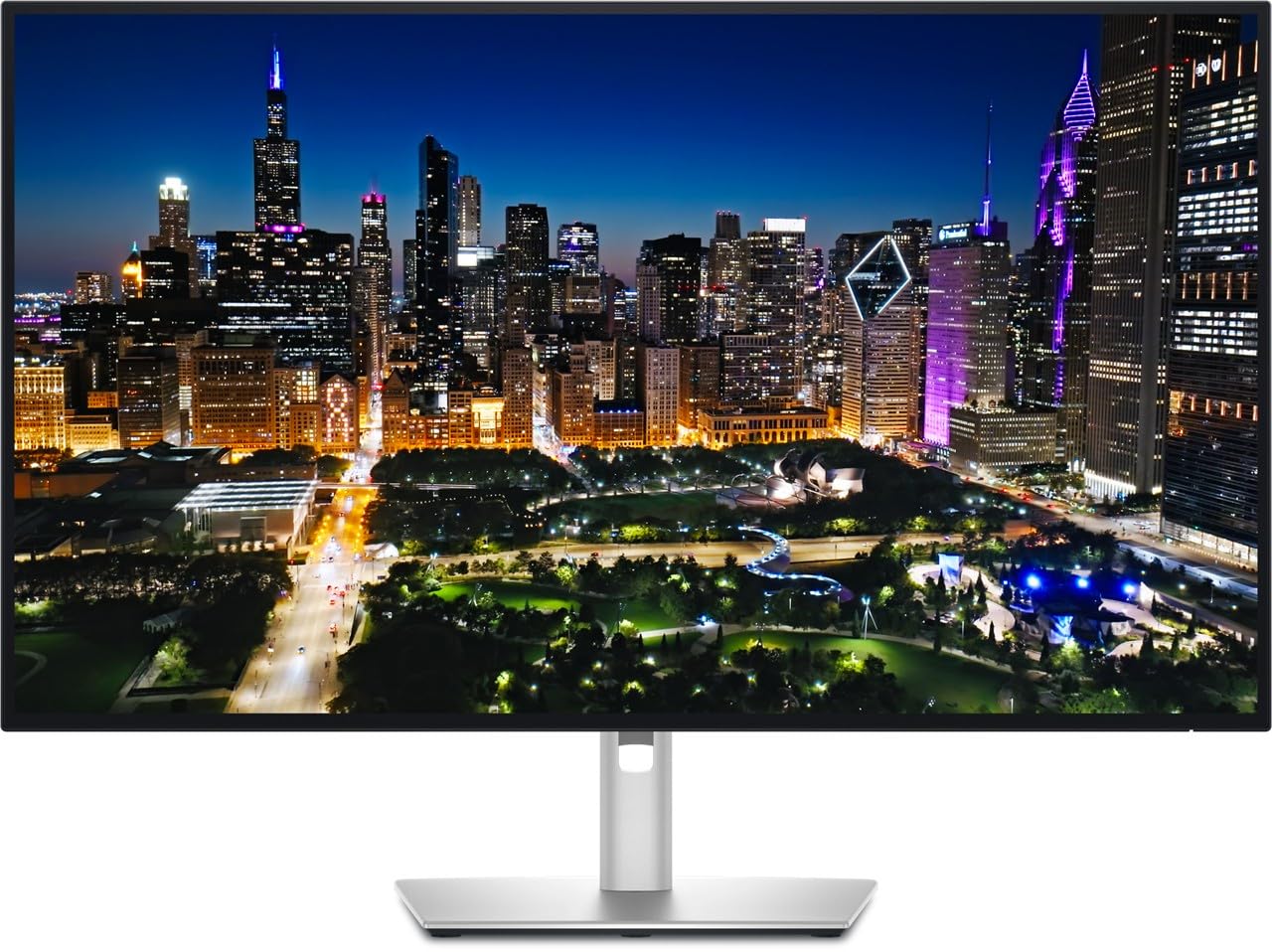
Dell’s UltraSharp line has long been the benchmark for professional monitors, and the U3225QE raises the bar with a 120Hz IPS Black panel. The 2000:1 contrast ratio is double that of typical IPS monitors, giving deep blacks without the viewing-angle compromises of VA. At 450 nits peak brightness, it handles bright rooms better than most OLEDs.
The built-in ambient light sensor and TÜV 5-Star Eye Comfort certification make this one of the most comfortable monitors for 14-hour workdays. Connectivity is generous: two DisplayPort inputs, HDMI, USB-C with data and video, plus a USB hub with auto-switching between connected computers for keyboard and mouse.
Color accuracy is excellent out of the box, with 100% sRGB coverage and a low Delta E. The silver finish and ultra-thin bezels give it a clean, premium look. For creative professionals who need reliable color, a high-refresh desktop experience, and a monitor that vanishes into the background and just works, this is the definitive choice.
Why it’s great
- IPS Black technology delivers deep contrast with wide viewing angles
- 120Hz refresh rate makes desktop navigation noticeably smoother
- Auto-sensing ambient light reduces eye strain over long sessions
Good to know
- Premium price point reflects the professional target audience
- No built-in speakers or webcam
5. BenQ MA320U

The MA320U is built from the ground up for MacBook users. It ships with BenQ’s P3 wide color gamut calibration that closely matches the MacBook display, so moving your eyes between the laptop screen and the monitor feels seamless. The single USB-C cable delivers 90W power delivery, video, and data — exactly what a MacBook Pro or Air needs to turn into a desktop workstation.
Integrated MacBook controls let you adjust brightness and volume directly from the Mac keyboard, a small detail that eliminates the frustration of hunting for physical monitor buttons. The 32-inch 4K IPS panel is sharp and color-consistent, with a 400-nit brightness that works well in moderately lit offices.
The ergonomic stand offers full height, tilt, swivel, and pivot adjustments. The built-in USB hub charges an iPad or iPhone at 15W, and the two HDMI ports provide flexibility for a secondary device. While the 60Hz refresh rate won’t satisfy gamers, this monitor prioritizes what Mac users actually need: color accuracy, clean connectivity, and zero-fuss setup.
Why it’s great
- Mac color matching makes the transition between screens seamless
- Single USB-C cable handles video, data, and 90W charging
- Keyboard brightness and volume controls work natively
Good to know
- 60Hz limit means no fluid motion for gaming
- No built-in camera or microphone
6. Samsung ViewFinity S8 S80D

The ViewFinity S8 S80D is a workhorse for productivity-focused users. The 32-inch 4K panel delivers sharp text and good contrast (3000:1 on the VA model, lower on IPS variants), and the matte finish effectively kills reflections in bright offices. The HDR10 support adds enough dynamic range to make video content look punchier than standard SDR.
The ergonomic stand is a highlight: it offers height, tilt, swivel, and 90-degree pivot adjustments without needing tools. The Eye Saver Mode reduces blue light without washing out colors, and the auto-brightness sensor adjusts luminance to match ambient lighting. For coders and spreadsheet analysts who stare at a screen all day, these features genuinely reduce fatigue.
Connectivity covers the essentials: HDMI, DisplayPort, USB-A, and USB-B. The single-button joystick for menu navigation takes some getting used to, but the on-screen menu is responsive once you learn the logic. There are no built-in speakers or USB-C power delivery, so budget for a separate webcam and a dock if needed. For pure productivity value, this is a solid, no-nonsense monitor.
Why it’s great
- Matte screen eliminates glare in bright lighting
- Full ergonomic stand with pivot for portrait mode
- Eye Saver Mode with auto-brightness reduces long-session strain
Good to know
- Menu navigation uses a single-button interface that takes practice
- No built-in speakers
7. ASUS ProArt PA279CRV

The PA279CRV is Calman Verified and factory pre-calibrated to Delta E < 2 out of the box, meaning it arrives ready for color-critical work. The 99% DCI-P3 and 99% Adobe RGB coverage make it an ideal companion for photo editors and videographers who work in mixed color spaces. The 27-inch 4K IPS panel offers consistent color across the entire screen with no significant corner dimming.
Connectivity is where this monitor punches above its price bracket. USB-C with 96W Power Delivery charges a high-end laptop while carrying a 4K video signal and USB data. The daisy-chain DisplayPort output lets you connect a second ProArt monitor for a clean dual-screen setup with one cable run. The included calibration report gives immediate confidence that the panel meets spec.
The ergonomic stand supports height, tilt, swivel, and pivot adjustments, and the built-in cable management keeps the desk tidy. The 60Hz refresh rate is a limitation for gamers, but this monitor wasn’t designed for them. For photographers, graphic designers, and video editors who need trustworthy color without spending thousands, this is the professional standard.
Why it’s great
- Factory calibration ensures accurate color from the first boot
- 96W USB-C Power Delivery charges most laptops fully
- Daisy-chain support simplifies multi-monitor setups
Good to know
- 60Hz refresh rate limits gaming and smooth scrolling
- Physical buttons for menu control feel a bit dated
8. KTC H32P22P

The KTC H32P22P offers a Fast IPS panel with a 165Hz refresh rate and 1ms MPRT response time at a price point that undercuts most competitors. The 3000:1 contrast ratio is unusually high for IPS, and the 121% sRGB color gamut area makes games and videos look punchy. For the price, this monitor delivers motion clarity and color that typically costs much more.
Adaptive Sync support works with both FreeSync and G-Sync, minimizing screen tearing in fast-paced shooters and racing games. The HDMI 2.1 port is a genuine bonus for console gamers who want full 4K at 120Hz on a PS5 or Xbox Series X. The included DP cable and screwdriver make setup straightforward, and the VESA mount compatibility fits standard 100x100mm arms.
Build quality is decent for the price tier — the stand offers tilt and height adjustment but feels less premium than Dell or ASUS offerings. Some users report the on-screen menu has a learning curve, and the built-in speakers are basic. For budget-conscious gamers who want high refresh rates and good color at 4K without compromising on panel technology, this is an outstanding value.
Why it’s great
- 165Hz at this price is exceptional value for gamers
- HDMI 2.1 supports full 4K 120Hz on consoles
- 3000:1 contrast ratio is impressive for an IPS panel
Good to know
- Stand feels less sturdy than premium brand monitors
- Menu navigation takes some getting used to
9. Dell S3225QS

Dell’s S3225QS brings a 31.5-inch VA panel with a 120Hz refresh rate to the mid-range, offering a 1500:1 contrast ratio that delivers noticeably deeper blacks than typical IPS monitors. The 99% sRGB and 95% DCI-P3 coverage make it suitable for both content consumption and light creative work, and the HDR readiness adds enough dynamic range to make supported content look impactful.
The improved ComfortView Plus reduces blue light emissions to 35% or less without shifting the color temperature to an ugly warm tint, so you can work all day without eye fatigue. The built-in speakers are a genuine surprise — they deliver deeper bass and higher volume than the majority of monitor speakers, making them usable for casual YouTube and video calls.
AMD FreeSync Premium ensures tear-free gaming at up to 120Hz, and the 0.03ms MPRT response time keeps motion blur in check. The stand is robust and offers tilt and height adjustments, and the ultra-thin bezels in ash white give it a modern, clean look. For buyers who want a capable 4K monitor for work and casual gaming without jumping to OLED pricing, this is one of the best balanced options.
Why it’s great
- 120Hz at a mid-range price point is rare and welcome
- ComfortView Plus reduces eye strain without ruining color
- Surprisingly good built-in speakers for a monitor
Good to know
- VA panel has narrower viewing angles than IPS
- No remote control for OSD navigation
10. LG 27UP850K-W

The LG 27UP850K-W is a 27-inch 4K IPS monitor that focuses on what matters most for creative work: color accuracy and connectivity. The 95% DCI-P3 coverage delivers vibrant, accurate colors that are suitable for photo editing and design work, and the VESA DisplayHDR 400 certification ensures highlights have enough punch to make HDR content worthwhile.
USB-C with 90W Power Delivery is the standout feature at this price point. A single cable can connect a MacBook Pro, charge it, and drive the 4K display simultaneously. The ergonomic stand offers full height, tilt, swivel, and pivot adjustments in a clean white finish that looks great on a modern desk.
The built-in stereo speakers with Waves MaxxAudio are more capable than most, and the Black Stabilizer and Dynamic Action Sync gaming features add flexibility for casual gaming. The 60Hz refresh rate and 5ms response time mean this isn’t a gaming monitor, but for graphic designers, video editors, and creative professionals on a budget, this LG delivers exceptional value per dollar.
Why it’s great
- USB-C with 90W PD simplifies a clean laptop setup
- 95% DCI-P3 coverage rivals much more expensive monitors
- Full ergonomic stand included at a budget-friendly price
Good to know
- 60Hz refresh rate is a hard limit for gaming
- Speakers are decent but lack low-end bass
11. ViewSonic VX3276-4K-MHD

The ViewSonic VX3276-4K-MHD proves that a usable 4K desktop experience doesn’t require a large investment. The 32-inch MVA panel delivers a 2500:1 contrast ratio that provides solid black levels for an LCD, and the 300-nit brightness is sufficient for indoor use. The ultra-thin bezels give it a modern look that doesn’t betray its budget positioning.
Connectivity is generous at this price: two HDMI ports, DisplayPort, and Mini DisplayPort cover PC, Mac, and multiple consoles. The flicker-free technology and blue light filter reduce eye strain during long work sessions, and the preset modes (Game, Movie, Web, Text, Mono) let you quickly optimize the picture for different tasks without manual calibration.
Color quality is decent but requires minor calibration out of the box — the factory settings lean slightly cool. The 60Hz refresh rate and non-adjustable stand are the main compromises: you cannot raise or lower the screen, which may cause neck strain for taller users. For secondary displays, office work, or anyone who needs a large 4K screen on a strict budget, this ViewSonic delivers where it counts.
Why it’s great
- 32-inch 4K at a price that’s hard to beat
- 2500:1 contrast ratio for deep blacks on a budget
- Multiple inputs including Mini DisplayPort
Good to know
- Fixed-height stand cannot be adjusted
- Narrow viewing angles cause color shift when not centered
FAQ
What is the ideal screen size for a 4K computer monitor?
Do I need HDMI 2.1 for a 4K monitor?
What is the difference between HDR10 and DisplayHDR 400?
Can a 4K monitor work with a MacBook Pro or Air?
Final Thoughts: The Verdict
For most users, the 4k computer monitor winner is the Dell UltraSharp U3225QE because it combines a 120Hz IPS Black panel with professional-grade build quality, excellent connectivity, and eye comfort features that make it suitable for all-day productivity and creative work. If you want infinite contrast and blazing motion clarity for gaming, grab the ASUS ROG Swift PG32UCDM. And for Mac users who prioritize color accuracy and seamless USB-C integration, nothing beats the BenQ MA320U.