
A 4K dual monitor setup delivers exactly 16.6 million pixels per display—the benchmark for professional color work, immersive gaming, and uncompromised multitasking. The leap from 1440p to 2160p vertical resolution means you see four times the detail of standard 1080p, making it essential for video editors, financial analysts, and competitive gamers who need every pixel sharp and every motion fluid. But pairing two high-resolution panels introduces challenges: consistent color calibration across both units, sufficient refresh rates without input lag, and connectivity that can actually drive two 4K streams simultaneously.
I’m Min — the co-founder and writer behind Gadgets Feed. I’ve spent hundreds of hours analyzing technical specifications and market data across the 4K monitor space to separate genuine performance from marketing claims.
From dual-mode panels that switch between 4K 160Hz and FHD 320Hz with a single hotkey to OLED panels with 0.03ms response times and infinite contrast ratios, I’ve evaluated every important spec that defines the best 4k dual monitor experience in 2025.
How To Choose The Best 4K Dual Monitor
Running two 4K monitors shifts your buying criteria from single-monitor convenience to system-level coherence. You aren’t just choosing one screen—you’re choosing two that must behave identically in brightness, color temperature, and motion handling.
Panel Consistency: Matching Sizes and Technologies
When you buy two identical monitors from the same production batch, you eliminate the headache of mismatched white points and color shifts. Look for monitors with factory calibration reports and Delta E < 2 accuracy. IPS panels offer the best viewing angles for side-by-side setups; VA panels provide deeper blacks but narrower viewing cones. OLED is the ultimate choice for infinite contrast, but requires careful burn-in management and pixel refresh routines.
Refresh Rate Alignment and Dual-Mode Considerations
For gaming, your weakest monitor sets the pace. If one panel runs at 60Hz and the other at 160Hz, frame synchronization breaks. Choose identical models with the same max refresh rate. Dual-mode monitors that switch between 4K at high refresh rates and FHD at ultra-high rates (e.g., 4K 160Hz to FHD 320Hz) let you use one screen for detail-oriented work and the other for fast-paced competitive titles on a single connection.
Connectivity and Power Delivery Over USB-C
Driving two 4K displays requires sufficient bandwidth. HDMI 2.1 and DisplayPort 1.4 with DSC (Display Stream Compression) are the minimum standards for 4K at 120Hz or above. USB-C with 90W or higher power delivery simplifies your desk by carrying video, data, and laptop charging through a single cable. KVM functionality—built into several monitors on this list—lets you control both screens with one keyboard and mouse, switching between connected computers without a separate switch.
Quick Comparison
On smaller screens, swipe sideways to see the full table.
| Model | Category | Best For | Key Spec | Amazon |
|---|---|---|---|---|
| KTC H27P6 | Mid-Range | Best Overall | 4K 160Hz / FHD 320Hz | Amazon |
| LG 27G810A-B | Premium | Fastest Response | 1ms GtG, 360Hz FHD mode | Amazon |
| ASUS PG32UCDM | Premium | Ultimate Visuals | QD-OLED, 240Hz, 99% DCI-P3 | Amazon |
| LG 32GX850A-B | Premium | HDR Mastery | OLED, TrueBlack 400, 0.03ms | Amazon |
| BenQ MA320U | Premium | Mac Setup | P3 color, dual USB-C 90W | Amazon |
| ASUS ROG XG27UCG | Premium | ELMB Sync | 4K 160Hz / FHD 320Hz | Amazon |
| Alienware AW2725QF | Premium | Dolby Vision HDR | DisplayHDR 600, 360Hz FHD | Amazon |
| GIGABYTE M27UP | Mid-Range | Built-in KVM | SuperSpeed IPS, 160Hz | Amazon |
| Dell S3225QS | Mid-Range | Productivity Focus | VA panel, 1500:1 contrast | Amazon |
| InnoView Dual 23.8″ | Mid-Range | Portable Dual Setup | Folding, 315° adjustable | Amazon |
| Kado C30X-200-DUAL | Budget | Wide Panorama | 30″ curved, 200Hz | Amazon |
In‑Depth Reviews
1. KTC 27 Inch 4K Gaming Monitor (H27P6)
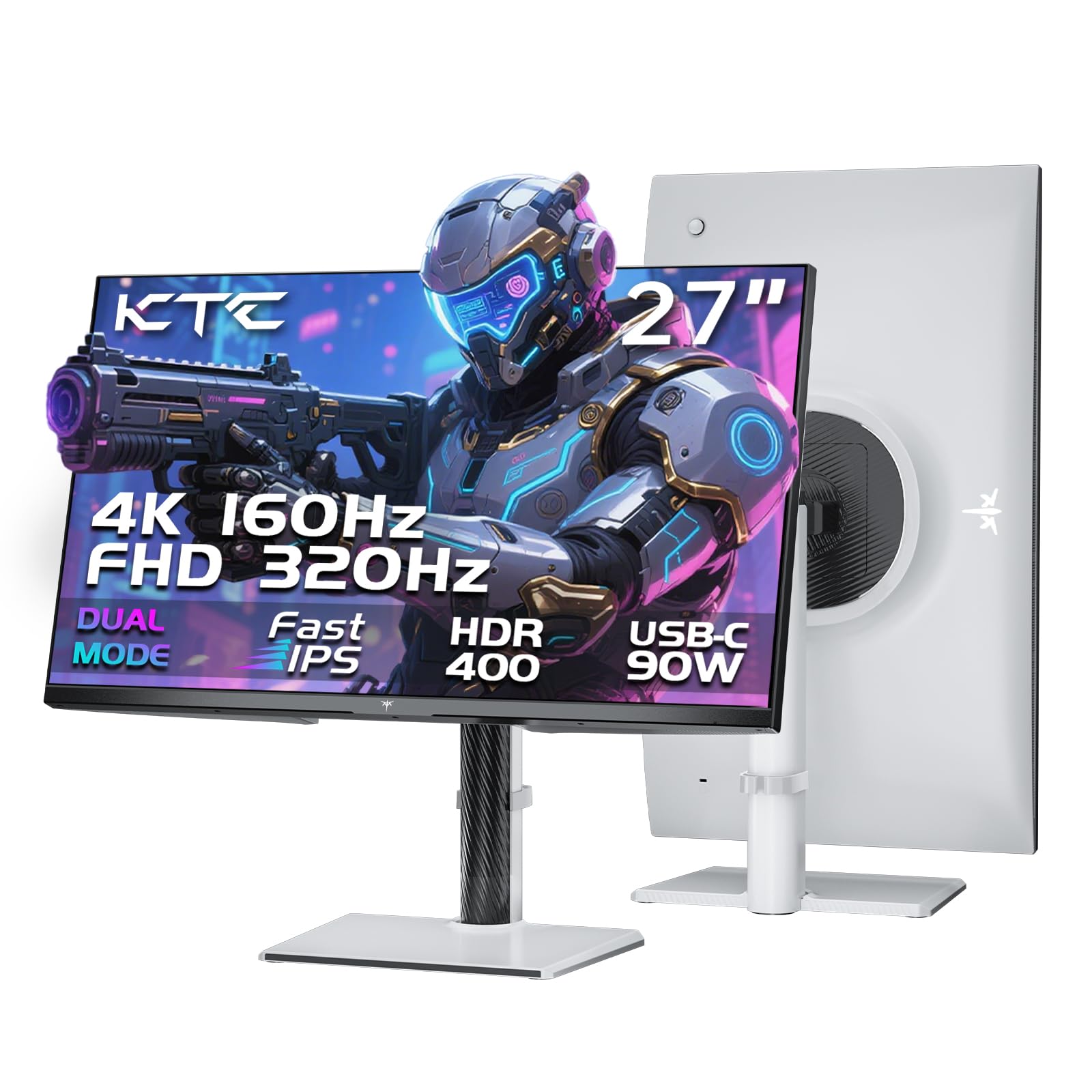
The KTC H27P6 is a 27-inch Fast IPS panel that delivers a native 4K resolution at 160Hz and can switch to FHD at 320Hz for competitive gaming. Factory calibration with Delta E < 2 and 97% DCI-P3 coverage means you get accurate colors out of the box—essential when you place two of these side by side and need consistent white balance. The panel covers 99% sRGB and supports HDR400, giving you enough luminance range for HDR gaming and video editing without breaking the bank.
Connectivity is a strong suit: two HDMI 2.1 ports, one DisplayPort 1.4, and a USB-C port that delivers 90W power delivery. The Type-C port handles video, data, and laptop charging through a single cable, which is critical for a clean dual-monitor desk. The stand offers 130mm height adjustment, pivot, swivel, and tilt adjustments. Build quality is good, and the white color variant stands out from the typical black bezels. Real-world usage shows smooth performance with MacBook Pro M2 Pro over USB-C—no lag, no buffering.
While the panel lacks a dedicated KVM for sharing peripherals between two computers, the USB hub (1 upstream, 2 downstream) partially compensates. Some users report that the OSD buttons become unresponsive after the monitor wakes from sleep mode, requiring a reboot. The only included cable is a DisplayPort; you’ll need to buy an HDMI 2.1 cable separately for full bandwidth. For the price-to-spec ratio, the H27P6 is unmatched for a dual 4K setup.
Why it’s great
- Dual-mode 4K 160Hz / FHD 320Hz covers both productivity and esports
- Factory-calibrated Delta E < 2 ensures color-matching across two units
- USB-C with 90W PD simplifies single-cable laptop connection
Good to know
- No HDMI cable included in the box
- OSD may freeze after sleep until reboot
- Lacks integrated KVM for peripheral sharing
2. LG 27G810A-B UltraGear

The LG 27G810A-B packs a 27-inch IPS panel with 4K UHD at 180Hz native and a dual-mode switch to FHD at 360Hz for competitive titles. The 1ms GtG response time is among the fastest for IPS, and the DisplayHDR 400 certification ensures bright, punchy content with up to 400 cd/m² luminance. With 95% DCI-P3 coverage, two of these monitors will show consistent color rendering across the entire viewing angle—IPS panels have minimal off-axis color shift compared to VA.
NVIDIA G-Sync Compatible and AMD FreeSync Premium Pro support eliminate tearing, and Dynamic Action Sync reduces input lag. The stand offers full ergonomic adjustments: height, tilt, swivel, and pivot. The rear connectivity is clean, with DisplayPort and HDMI 2.1 ports. The 4-pole headphone jack supports DTS Headphone:X for spatial audio, which is rare for gaming monitors. Real users note that the colors pop similarly to LG’s OLED TVs, and the monitor works perfectly for sharing between a Mac (4K crispness) and a gaming PC (high refresh rate).
Some owners report noticeable fan noise in quiet environments, and the stand, while stable, doesn’t extend very high for users who prefer eye-level alignment with the top bezel. The panel is IPS, not OLED, so black levels are typical—dark rooms will show IPS glow in corners. For a dual setup where both monitors run at identical 180Hz, this price point delivers premium motion clarity without the cost of OLED.
Why it’s great
- Industry-leading 1ms GtG response with 360Hz FHD dual mode
- Excellent IPS color consistency across wide viewing angles
- Full G-Sync and FreeSync Premium Pro compatibility
Good to know
- Audible fan noise in silent rooms
- IPS glow visible in dark environments
- Stand height range is limited for tall users
3. ASUS ROG Swift PG32UCDM

The ASUS ROG Swift PG32UCDM is a 32-inch QD-OLED panel with 4K UHD resolution and a 240Hz refresh rate. The quantum-dot OLED layer produces a 1,500,000:1 contrast ratio—meaning true blacks with zero backlight bleed—and 99% DCI-P3 color gamut coverage with true 10-bit color depth. Brightness reaches 1000 cd/m² peak, making HDR content punchy and realistic. The panel includes a custom heatsink, graphene film, and advanced airflow design to mitigate burn-in risk, backed by a 3-year warranty with burn-in coverage.
Connectivity includes DisplayPort 1.4 with DSC, HDMI 2.1, and a USB-C port with 90W power delivery. The monitor supports DisplayWidget Center for OSD adjustments via mouse, and it has a 1/4-inch tripod socket—an unusual but welcome addition for streamers who mount a webcam above the display. Real-world reviews highlight zero ghosting, no input lag, and extraordinary clarity for both gaming and productivity. The glossy coating enhances color vibrancy without excessive reflections, though it is more reflective than matte alternatives.
OLED text clarity isn’t as sharp as high-PPI IPS panels—some users notice minor color fringing on white text over black backgrounds. The pixel refresh cycle runs every 8 hours of cumulative use, which can be disruptive if you forget to enable it during idle time. Burn-in mitigation requires using a dark theme and auto-hiding the taskbar. For a dual monitor setup, you need deep pockets—buying two of these is a serious investment, but the image quality is unmatched.
Why it’s great
- QD-OLED delivers infinite contrast and zero backlight bleed
- 240Hz refresh rate with 0.03ms response for elite gaming
- 3-year burn-in warranty provides peace of mind
Good to know
- Requires pixel refresh every 8 hours
- Text fringing on small fonts compared to high-PPI IPS
- Glossy coating may cause reflections in bright rooms
4. LG 32GX850A-B UltraGear OLED

The LG 32GX850A-B is a 32-inch glossy WOLED panel with Micro Lens Array+ technology pushing typical brightness to 275 cd/m² for SDR and VESA DisplayHDR TrueBlack 400 certification for HDR. The contrast ratio hits 1,500,000:1, giving you the deep blacks OLED is famous for. The dual-mode feature switches between 4K at 165Hz and FHD at 330Hz, and the 0.03ms GtG response time is effectively instant—no ghosting or motion blur even in fast-action scenes. The glossy finish makes colors pop more than matte OLEDs, though reflections can be an issue in direct lighting.
Color gamut covers 98.5% DCI-P3, and the monitor is UL-certified for Anti-Glare, Flicker-Free, and Low Blue Light. The stand offers full ergonomic adjustments including pivot, and the connectivity suite includes DisplayPort 1.4, HDMI 2.1, and USB ports. It supports both G-Sync Compatible and FreeSync Premium Pro. Users upgrading from IPS panels report a dramatic improvement in contrast and eye comfort—no more IPS glow in dark games or black bars in movies.
WOLED panels exhibit some color fringing and text clarity that’s not as sharp as high-PPI IPS panels. One review noted a green dead pixel out of the box. The 165Hz refresh rate, while smooth, is lower than competing 240Hz QD-OLED panels, and the dual-mode FHD 330Hz is great but niche. For a dual 4K OLED setup, this is the most cost-effective way to get true black levels on both screens without stepping up to premium QD-OLED pricing.
Why it’s great
- WOLED panel with TrueBlack 400 and infinite contrast ratio
- 0.03ms response time for zero motion blur
- UL-certified for eye comfort during long sessions
Good to know
- Text can appear less sharp than high-PPI IPS panels
- Glossy finish reflects ambient light
- 165Hz max refresh is lower than competing 240Hz OLEDs
5. BenQ MA320U

The BenQ MA320U is a 32-inch IPS panel designed specifically for MacBook users. It offers 4K UHD resolution with a P3 wide color gamut that matches the color space of Apple’s Retina displays. The monitor connects via USB-C and delivers 90W power delivery to charge a MacBook Pro while transmitting video and data. The second USB-C port provides 15W for charging an iPad or iPhone, making it a genuine docking station replacement for two-device workflows.
BenQ’s exclusive color tuning calibrates the panel to match MacBook color reproduction, so two MA320U monitors side by side will display the same color temperature without manual adjustment. The monitor supports brightness and volume control directly from the MacBook keyboard, which is a rare integration. The stand offers height, tilt, swivel, and pivot adjustments. The IPS panel provides wide 178° viewing angles, essential for side-by-side dual setups.
This monitor lacks built-in speakers that rival dedicated monitors—sound quality is average. It also doesn’t have a built-in camera or microphone, unlike LG’s Ultra series. The refresh rate is capped at 60Hz, making it unsuitable for gaming. Users who need high refresh rates for gaming should look elsewhere. For professional design, coding, and productivity on a Mac, the MA320U delivers excellent color accuracy and seamless ecosystem integration.
Why it’s great
- P3 gamut calibrated to match MacBook color reproduction
- Dual USB-C with 90W + 15W charging and video
- MacBook keyboard controls brightness and volume
Good to know
- 60Hz refresh rate unsuitable for gaming
- No built-in camera or microphone
- Speakers are average quality
6. ASUS ROG Strix XG27UCG

The ASUS ROG Strix XG27UCG is a 27-inch Fast IPS monitor with ASUS’s Extreme Low Motion Blur Sync (ELMB SYNC) technology, which allows ELMB to run simultaneously with variable refresh rate—eliminating both ghosting and tearing without forcing you to choose between them. The dual-mode feature switches between 4K at 160Hz and FHD at 320Hz. The panel covers 95% DCI-P3 color gamut and supports HDR400. The build quality is excellent, with a sturdy metal stand that offers height, tilt, swivel, and pivot adjustments.
Connectivity includes DisplayPort 1.4, HDMI 2.1, and USB-C. The monitor is G-Sync Compatible and includes DisplayWidget Center for adjusting settings via mouse. Real users report sharp 4K visuals with vibrant colors and smooth gaming performance. The integrated ELMB SYNC is a standout feature—it maintains motion clarity during high-framerate gameplay without the traditional brightness penalty of strobing backlights.
The contrast ratio is rated at 400:1, which is lower than typical IPS panels—black levels aren’t deep. The stand, while sturdy, is bulky and requires significant desk space. Users note that hitting 160Hz requires using DisplayPort with DSC; HDMI 2.1 is limited to 120Hz on some GPUs like the RTX 4080 Super. For a dual setup where both monitors are identical, the XG27UCG provides excellent motion clarity and premium ASUS build quality.
Why it’s great
- ELMB SYNC eliminates both ghosting and tearing simultaneously
- Dual-mode 4K 160Hz / FHD 320Hz covers all use cases
- Solid build with full ergonomic adjustments
Good to know
- Low 400:1 contrast ratio—blacks are not deep
- Bulky stand takes up desk space
- HDMI 2.1 limited to 120Hz on some GPUs
7. Alienware AW2725QF

The Alienware AW2725QF is a 27-inch IPS monitor with dual-resolution capabilities—native 4K at 180Hz (overclocked) and native FHD at 360Hz (overclocked). It supports Dolby Vision HDR alongside VESA DisplayHDR 600 certification, which is significantly brighter than HDR400 panels. The Delta E < 2 factory calibration and 95% DCI-P3 coverage ensure accurate colors out of the box. The panel is G-Sync Compatible and VESA AdaptiveSync certified, ensuring tear-free performance in both modes.
Connectivity includes DisplayPort 1.4, HDMI 2.1, and USB 3.2 Gen1 ports. The design is sleek with a thin bezel. Build quality is solid, with a height-adjustable stand that includes tilt and swivel. Real-world performance is excellent for Xbox Series X—handling bright sunlight well and delivering smooth 4K gameplay. The dual-resolution switch is seamless, and the 360Hz FHD mode provides exceptional motion clarity for competitive titles.
Reports of defective units with random 5-second black screen flickers are a recurring theme in reviews. This appears to be a hardware defect related to the A02 firmware, which is not user-installable. Some users have had to return units due to this issue. The monitor is not OLED, so black levels are typical IPS. Durability concerns remain after the first month of use for some owners. For a dual setup, buy from a retailer with a solid return policy.
Why it’s great
- Dolby Vision HDR with DisplayHDR 600 brightness
- True native FHD 360Hz mode for competitive gaming
- Factory Delta E < 2 calibration ensures color accuracy
Good to know
- Flickering/black screen defect reported by multiple users
- Firmware A02 fix not available for user installation
- IPS black levels, not OLED-grade contrast
8. GIGABYTE M27UP
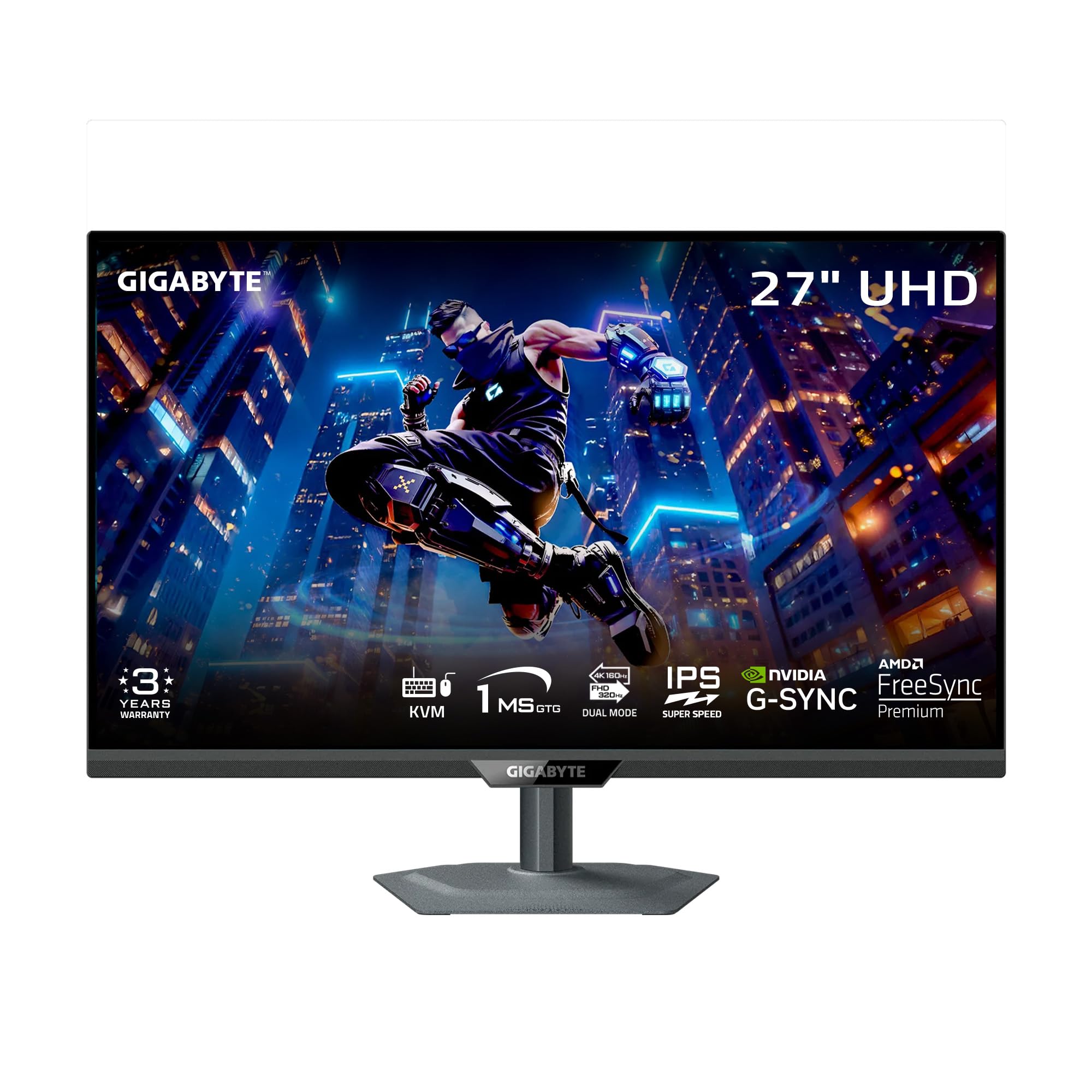
The GIGABYTE M27UP is a 27-inch SuperSpeed IPS panel with dual-mode capabilities—4K at 160Hz and FHD at 320Hz. The standout feature is the integrated KVM switch, which lets you control two connected computers with a single keyboard and mouse without an external KVM box. The 1ms GtG response time, 125% sRGB coverage, and VESA DisplayHDR 400 certification provide solid gaming and productivity performance. The ergonomic stand offers 130mm height adjustment, tilt, swivel, and pivot.
Connectivity is robust: DisplayPort 1.4, HDMI 2.1, USB-C (video + data), and USB Type-B for KVM upstream connection. The monitor includes GIGABYTE’s Tactical Switch 2.0 for instant resolution/frequency switching, Smart OD for reducing ghosting, and PIP/PBP modes. Real users praise the auto-switching KVM that handles input changes seamlessly—ideal for a dual-monitor workflow with a work PC and a personal Mac.
Some units exhibit IPS glow in the corners, noticeable in dark game scenes. The stand lacks a cable management hole, and the monitor has a slight wobble on some desks. Brightness is adequate at 350 cd/m² but not exceptional for HDR content. The chin is relatively thick, which may look odd in a vertical dual setup. Despite these drawbacks, the built-in KVM makes this the most convenient monitor for sharing peripherals between two computers.
Why it’s great
- Integrated KVM switch eliminates need for external KVM box
- Dual-mode 4K 160Hz / FHD 320Hz with 1ms response
- Includes all cables (DP, HDMI, USB) in the box
Good to know
- IPS glow visible in corners on dark scenes
- Stand lacks cable management and has slight wobble
- Thick chin looks awkward in portrait orientation
9. Dell S3225QS

The Dell S3225QS is a 31.5-inch VA panel with 4K UHD resolution and a 120Hz refresh rate. The VA panel technology delivers a 1500:1 contrast ratio—significantly better than the typical 1000:1 found in IPS panels—so blacks appear deeper in dark scenes. Color coverage reaches 99% sRGB and 95% DCI-P3, providing wide gamut support for photo and video editing. The monitor supports AMD FreeSync Premium and has a 0.03ms response time, making it surprisingly capable for casual gaming despite its productivity focus.
Dell includes improved ComfortView Plus technology, which reduces blue light emissions to ≤35% without washing out colors. The built-in speakers are re-engineered with better output power and deeper bass than the previous generation. Connectivity includes HDMI 2.1 and DisplayPort 1.4. The ash white finish and ultra-thin bezels give it a clean, modern look that matches Apple’s design language well. Real users report noticeably brighter colors and clearer text compared to older Dell monitors, with easy setup and reduced eye strain.
The 120Hz refresh rate is adequate for office work and light gaming, but serious competitive gamers will want 144Hz or higher. The VA panel exhibits some black-level smearing in fast motion—dark transitions are slower than IPS. The monitor lacks USB-C connectivity, so you’ll need separate power and video cables. The 6ft HDMI cable is shorter than ideal for larger desks. For a dual productivity setup where color consistency and eye comfort matter more than maximum frame rates, the S3225QS is a strong choice.
Why it’s great
- 1500:1 VA contrast for deeper blacks than IPS
- ComfortView Plus reduces blue light without color shift
- Improved built-in speakers with better bass response
Good to know
- 120Hz max refresh limits competitive gaming
- VA panel smearing on fast dark transitions
- No USB-C—requires separate power and video cables
10. InnoView Dual 23.8″ 4K Portable Monitor

The InnoView Dual 23.8-inch monitor is a portable 4K dual-screen solution that folds into a compact package. Each panel offers 3840×2160 resolution with 100% sRGB coverage and a 1300:1 contrast ratio. The 315° adjustable hinge lets you rotate the secondary screen for presentations or share the display with a colleague in Duplicate mode. Connectivity includes HDMI, USB-C, and DisplayPort—single-cable USB-C handles video and 100W pass-through power.
The setup requires no drivers—plug and play with macOS and Windows. It supports Extend, Duplicate, and Combine modes. Real users note the sharp 4K image and solid IPS quality, with good brightness for indoor use. The dual monitors can run from a single USB-C connection (if the host supports DP Alt Mode), or via separate cables. The SDR performance is excellent, though HDR is unimpressive. The included cables are short, and you may need longer replacements for desk setups.
At 60Hz, this is a productivity and media consumption tool, not a gaming monitor. The panels sometimes fail to wake from sleep, requiring a power cycle. The weight is significant—around 8 lbs—making it less portable than smaller portable monitors. This is a desk-based solution for professionals who need two 4K screens without occupying separate monitor stands. For a permanent dual 4K setup, two separate monitors offer better ergonomics and refresh rate options.
Why it’s great
- Two 4K 23.8-inch screens in one foldable frame
- Single USB-C cable handles video and 100W power
- 315° hinge enables flexible sharing and collaboration
Good to know
- 60Hz only—unsuitable for gaming
- Panels may fail to wake from sleep requiring power cycle
- 8 lbs weight limits true portability
11. Kado C30X-200-DUAL
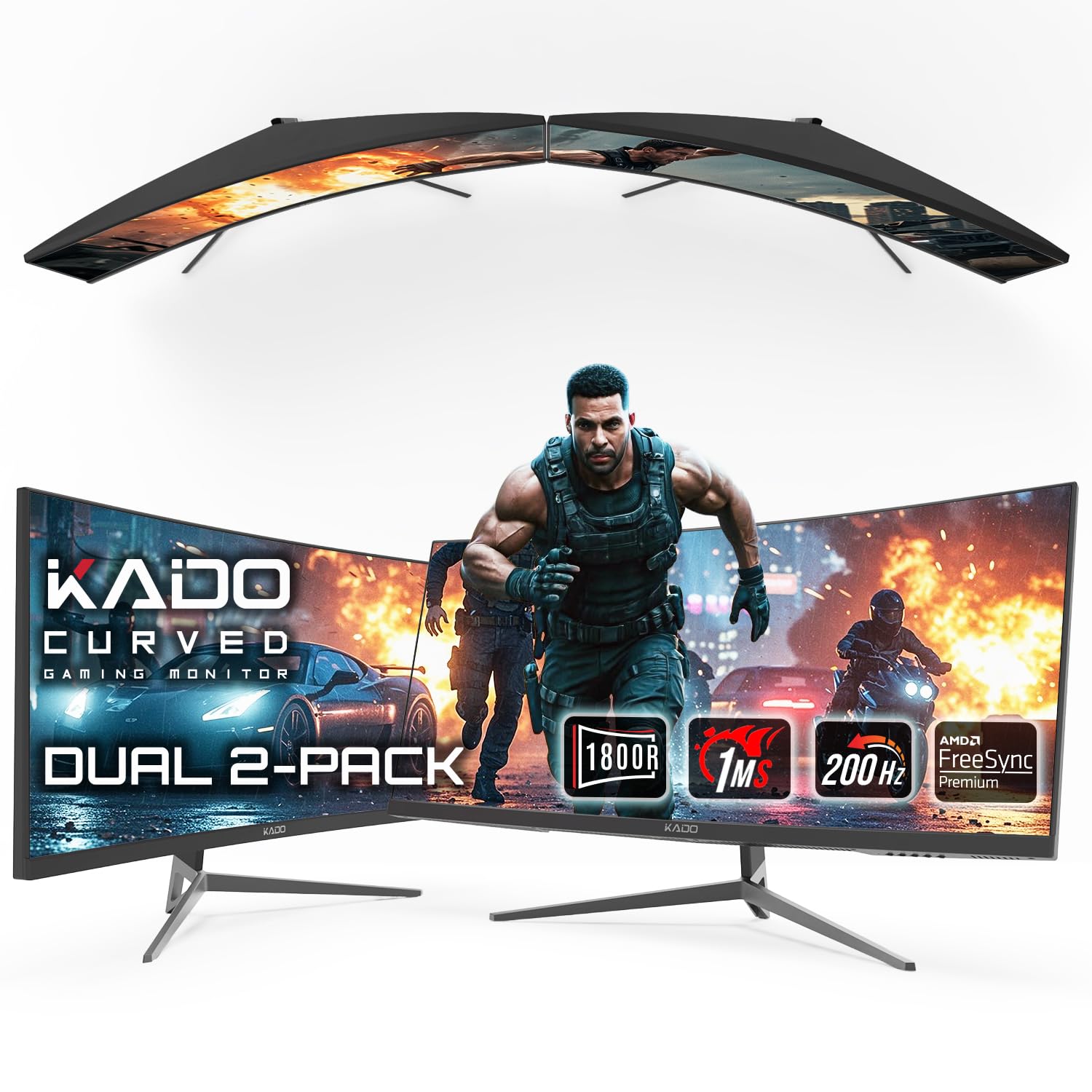
The Kado C30X-200-DUAL is a value-oriented dual monitor bundle that includes two 30-inch curved VA panels with 1800R curvature. Each panel runs at 2560×1080 resolution (ultrawide 21:9) with a 200Hz refresh rate and 1ms response time. The VA technology delivers 1000:1 contrast ratio and deeper blacks than entry-level IPS panels. AMD FreeSync Premium support helps reduce screen tearing. The curved form factor creates a panoramic viewing experience that wraps around your field of view, which is particularly immersive for racing games and productivity workflows.
Connectivity includes HDMI and DisplayPort on each monitor. The bundle comes with VESA mount compatibility, so you can stack or side-mount both panels. Real users praise the larger-than-expected size—30 inches is actually 29.5 inches diagonal—and the easy setup. Day traders and productivity users appreciate the widescreen format for displaying multiple charts and documents side by side. Customer service is responsive: one user received a wrong cable and a replacement was shipped within 20 minutes.
The resolution is 2560×1080, not 3840×2160—this is not a 4K panel. This limits the sharpness compared to 4K monitors, especially for text and detailed graphics. Some units arrive damaged due to shipping, though returns are processed quickly. One user reported a complete unusable monitor. The brand is Sceptre, which is known for budget durability but not premium build quality. For entry-level users who want an immersive dual curved setup on a tight budget, this is the most affordable way to get two ultrawide screens.
Why it’s great
- Two 30-inch curved ultrawide panels with 1800R curvature
- 200Hz refresh rate for smooth motion
- VESA compatible for flexible stacking and mounting
Good to know
- 2560×1080 is not 4K—less sharp than UHD panels
- Shipping damage reported by several buyers
- Budget VA panel with limited build quality
FAQ
Can I run two 4K monitors at 144Hz from a single laptop?
Why do my two 4K monitors show different colors even when they are the same model?
Is 32 inches too large for a dual monitor setup?
Final Thoughts: The Verdict
For most users, the best 4k dual monitor winner is the KTC H27P6 because its dual-mode capability (4K 160Hz / FHD 320Hz), factory-calibrated Delta E < 2 accuracy, 90W USB-C power delivery, and full HDMI 2.1 connectivity offer premium specs at a mid-range price point. If you want true infinite contrast and HDR brilliance, grab the LG 32GX850A-B for its glossy WOLED panel with TrueBlack 400. And for a clean Mac-focused productivity setup where color accuracy and ecosystem integration matter most, nothing beats the BenQ MA320U with its P3 calibration and dual USB-C 90W delivery.