
Our readers keep the lights on and my morning glass full of iced black tea. As an Amazon Associate, I earn from qualifying purchases.
Specs are compiled from manufacturer listings and verified buyer reviews and can change over time — please confirm the key details on the product page before buying.
Getting a clean 4K signal from your camera or console onto the internet without a bulky PC setup is the real challenge in live production. These dedicated encoder boxes take your HDMI feed and turn it into network streams your viewers can actually watch, and they do it with far less fuss than a software-based setup.
I’m Min — the founder and writer behind Gadgets Feed. This guide is built by comparing the manufacturers’ published specifications and the patterns across verified customer reviews, so you get each pick’s real strengths and trade-offs instead of marketing spin.
Finding the right 4k hdmi encoder means weighing codec support, streaming protocols, and multi-stream output against your live production needs.
Our Picks at a Glance

How To Choose The Best 4K HDMI Encoder
Before you buy, you need to know your output destination and your network setup. An encoder that pushes a single stream to YouTube is a different beast than one that multicast to a dozen screens on a local network.
Match the Protocol to the Job
Your streaming protocol is the language your video speaks over the network. RTMP is the standard for pushing to platforms like YouTube and Facebook. But for reliable, low-latency transmission over unpredictable public internet, you want SRT, which corrects errors and resends lost data. Check that your box speaks the language of your target platform or server.
Balance Bitrate and Bandwidth
Higher bitrates mean better picture quality but demand more upload bandwidth. A 4K stream at a high bitrate will choke on a slow connection. Look for an encoder with adjustable bitrate settings so you can dial in the best quality your connection can handle. H.265 (HEVC) encoding delivers the same quality at a lower bitrate than H.264, saving bandwidth on high-resolution streams.
Quick Comparison
| Model | Best For | Encoding | Max Resolution | Simultaneous Streams | Amazon |
|---|---|---|---|---|---|
| URayCoder UHE265-1S-4K★ Best Overall | Versatile multi-platform streaming | H.265/H.264 | 4K UHD (3840×2160) | 4 streams | Amazon |
| Zowietek ZowieBox 30621-102Top Performer | NDI-based workflows | H.264/H.265 | 4K | Dual NDI + streaming | Amazon |
| Zowietek ZowieBox 30621-104 | Bidirectional conversion | H.264/H.265 | 4K | Multi-format | Amazon |
| URayCoder UHE265-1L-4K (B07D78L3SZ) | Reliable 24/7 streaming | H.265/H.264 | 4K UHD (3840×2160) | 4 streams | Amazon |
| URayCoder UHE265-1L-4K (B07CP3G86L) | Feature-packed customization | H.265/H.264 | 4K UHD (3840×2160) | 4 streams | Amazon |
| URayCoder UHE265-4-4K | Surveillance & multi-platform | H.265/H.264 | 4K UHD (3840×2160) | 4 streams | Amazon |
In‑Depth Reviews
1. URayCoder UHE265-1S-4K
Our pick — over 4.5★ from 60+ verified ratings; the strongest balance of quality and price.
The multi-platform workhorse that broadcasts to four destinations at once without breaking a sweat.
You get a dual H.265/H.264 encoding chip that takes 4K input at 3840×2160, so your high-resolution source stays sharp. It outputs up to 4 video streams simultaneously, which means you can push the same live event to YouTube, Facebook, Twitch, and Vimeo in one go, no extra gear required.
Setup is a genuine highlight. The interface is intuitive, and you can manage everything from a computer or your phone, with stream status visible via a URL. The box also handles HDCP 1.4 decryption, so copy-protected HDMI sources are less likely to give you a black screen.
What wins people over is the sheer functionality and build quality, along with support that responds. A 9-month test at 2200kbps H.265 found it outperforms pricier encoders, with 720p ideal for 55-inch screens. The only real ask is that you change the default password and set up port forwarding yourself.
What you get
- 4K input for future-proofing your feed
- Four simultaneous protocol streams
- Free lifetime warranty and technical support
What to manage
- No remote control included
- Initial network config requires some IP knowledge
Reach for this if: you need to get a single 4K source out to multiple platforms at once with reliable support behind you.
Expect to: spend a few minutes in the admin panel setting up port forwarding on first use.
2. Zowietek ZowieBox (30621-102)
A pocket-sized NDI powerhouse that broadcasts and receives, slipping into workflows bigger boxes can’t.
This box is smaller than a phone, yet it pulls double duty as both an NDI encoder and decoder. It converts HDMI to NDI|HX3/HX2/HX for IP workflows, and can also decode an IP stream back to a 4K HDMI signal, which is a rare and welcome flexibility.
Gamers get a specific treat here: zero-lag HDMI passthrough. You can capture console gameplay at up to 4K and stream it out via RTMP without a PC, all while your local monitor shows zero delay. The hardware supports SRT, RTMP(S), and RTSP, so you’re covered whether you’re pushing to YouTube or a private server.
Its easy setup and clear value stand out, especially since SRT server mode replaces the need for NDI licenses. One detail to note: encoder and decoder modes cannot run simultaneously, and its USB UVC capture function isn’t supported yet, so plan your workflow around that.
The high points
- Dual NDI broadcast and receive in one unit
- Fits a tripod mount and runs on USB-C power
- Zero-lag passthrough for gaming
Watch out for
- WiFi range is limited by its metal case and internal antenna
- Some users report restarts and audio sync issues
Grab it for: NDI-based studio workflows where you need a compact, certified converter that can both send and receive.
Keep in mind: a strong wired or WiFi connection is essential, as it’s sensitive to network switching.
3. Zowietek ZowieBox (30621-104)

The budget-friendly chameleon that converts HDMI to SRT, RTMP, and RTSP, then turns around and decodes them back.
This is the Swiss Army knife of the group. It encodes HDMI sources into SRT, RTMP, or RTSP for live broadcasting, and it does the reverse, decoding those network streams back out through HDMI to a TV, monitor, or ATEM switcher. That bidirectional flexibility makes it a strong fit for remote production and multi-display setups.
Unlike its sibling, this model supports NDI HX4 and includes a visible tally light for multi-camera work. It runs standalone without a PC, using hardware H.264/H.265 encoding to keep compression efficient. The ultra-compact aluminum housing takes USB Type-C, PoE, or DC power, perfect for on-location rigs.
Directors and broadcasters praise its ease of use and build quality, though one unit reportedly failed after three months. Also, check before buying: it does not work with UniFi Protect for local stream export, despite ONVIF support, so confirm your NVR compatibility first.
Smart flexibility: being able to flip between encoder and decoder roles makes this a cost-effective tool for AV pros juggling multiple tasks. The trade-off is a slightly steeper setup curve for the API and remote control features.
Pick this over the others if: your job involves both sending and receiving streams and you want one box to handle both directions.
Think twice if: you rely on UniFi Protect for your security feeds — this won’t export streams there.
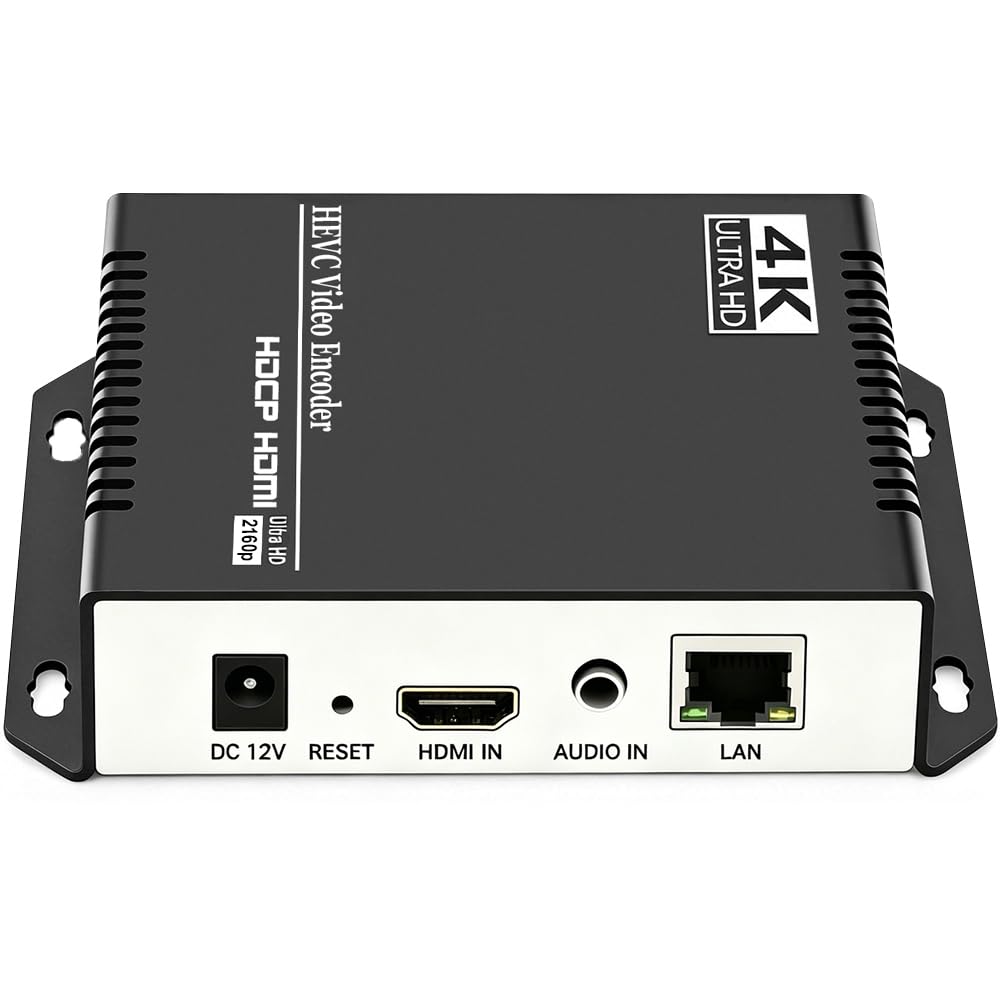
4. URayCoder UHE265-1L-4K

The always-on streamer built for 24/7 reliability that quietly replaces a dedicated streaming PC.
This encoder excels at the unglamorous but critical job of running non-stop. Buyers report reliable 24/7 RTMP push streaming without a computer, with one streaming 1080p to multiple Raspberry Pi devices. That kind of constant duty is where this box proves its worth.
Functionality is the most-cited strength, and it’s easy to see why. It supports H.265/MPEG4 encoding and a wide protocol list including RTMP, RTSP, UDP, MP4, M3U8, and SRT for multicast IPTV. The compact matte aluminum shell keeps things cool, though a few owners wish it had an off switch to let the circuit rest.
Tech support stands out with responsive firmware updates and live TeamViewer help to fix issues. It’s a strong upgrade path if you’re coming from a software encoder and want dedicated, dependable hardware at a fraction of the cost of professional broadcast gear.
Built to last
- Stable around-the-clock streaming performance
- Excellent vendor support with firmware updates
- Compact and durable aluminum build
The only gripe
- No physical power switch to cool the circuit
- Some compatibility quirks depending on your setup
Choose this for: permanent installations where the encoder runs 24/7 and you value responsive after-sale support above all.
Just know: it’s designed to be left on, not for quick on-the-fly reconfiguration.
5. URayCoder UHE265-1L-4K (B07CP3G86L)
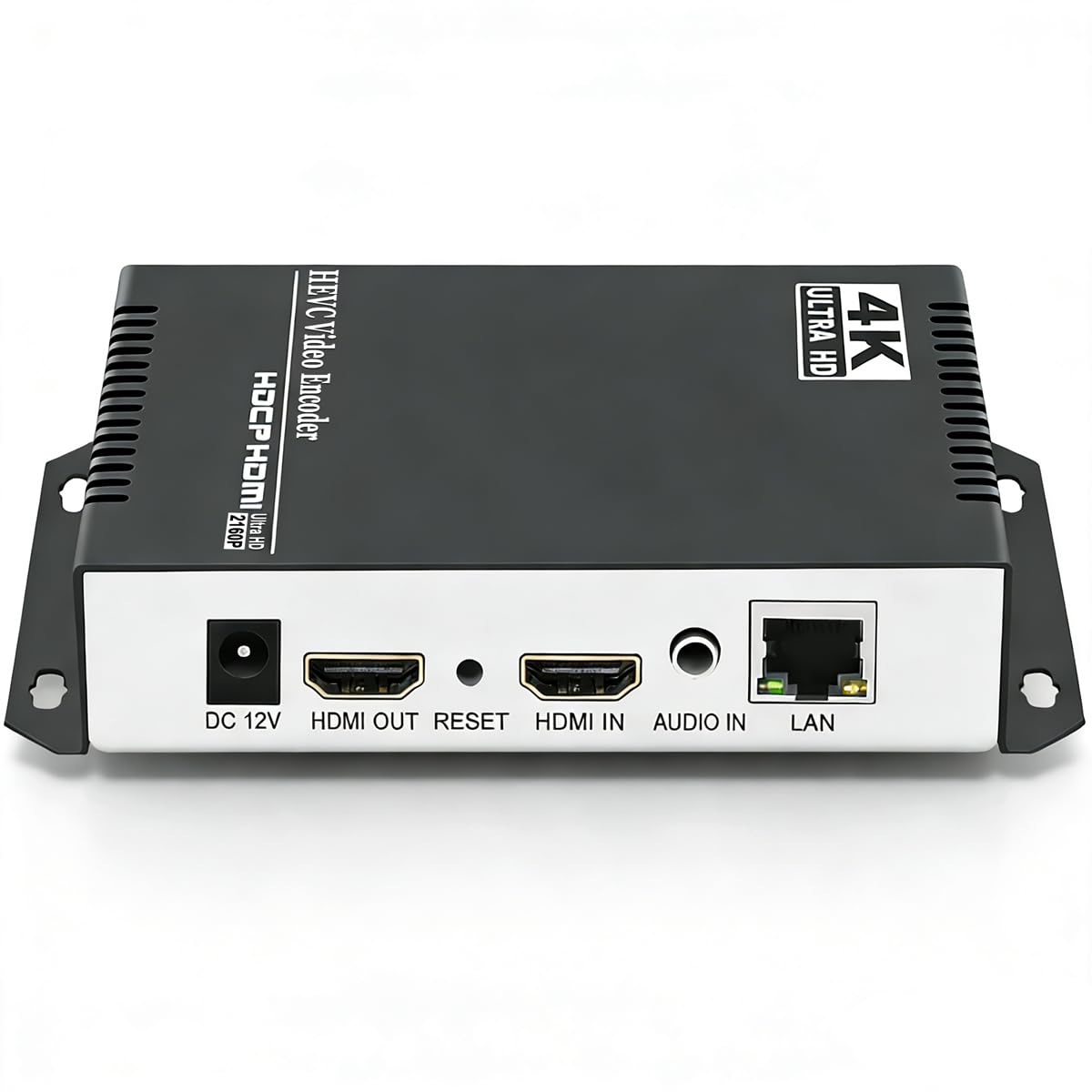
The tinkerer’s dream with deep settings for overlays, cropping, and fine-tuned bitrate control.
If you like to tweak every parameter, this is the encoder for you. It supports adding static text, scrolling captions, brand logos, and timestamps to your stream. You can freely adjust resolution, frame rate, and bitrate, and even perform video cropping, rotation, flipping, and mirroring.
Performance is a major draw, with owners noting it runs flawlessly for nearly a year of 24/7 operation and stays cool. A software engineer praised its comprehensive settings, well-chosen defaults, and a stable 10-hour encoding session. It handles 1080p cameras well and does a fantastic job serving multicast video over a network.
The catch is that all that power takes time to learn. Expect about an hour of setup if you’re computer-literate, and be ready to experiment with settings like the audio sampling rate to fix minor issues. A few users note H.265 carries a bit more lag than H.264, so stick with defaults for the best out-of-box experience.
Deep control
- class-leading customization for branding and overlays
- Runs flawlessly 24/7 without overheating
- Responsive email support
Requires patience
- Steep learning curve for full feature use
- Audio quality can need manual tuning
This one’s for: tech-savvy streamers and engineers who want granular control over every aspect of their broadcast.
skip it if: you want a plug-and-play solution with zero configuration time.
6. URayCoder UHE265-4-4K
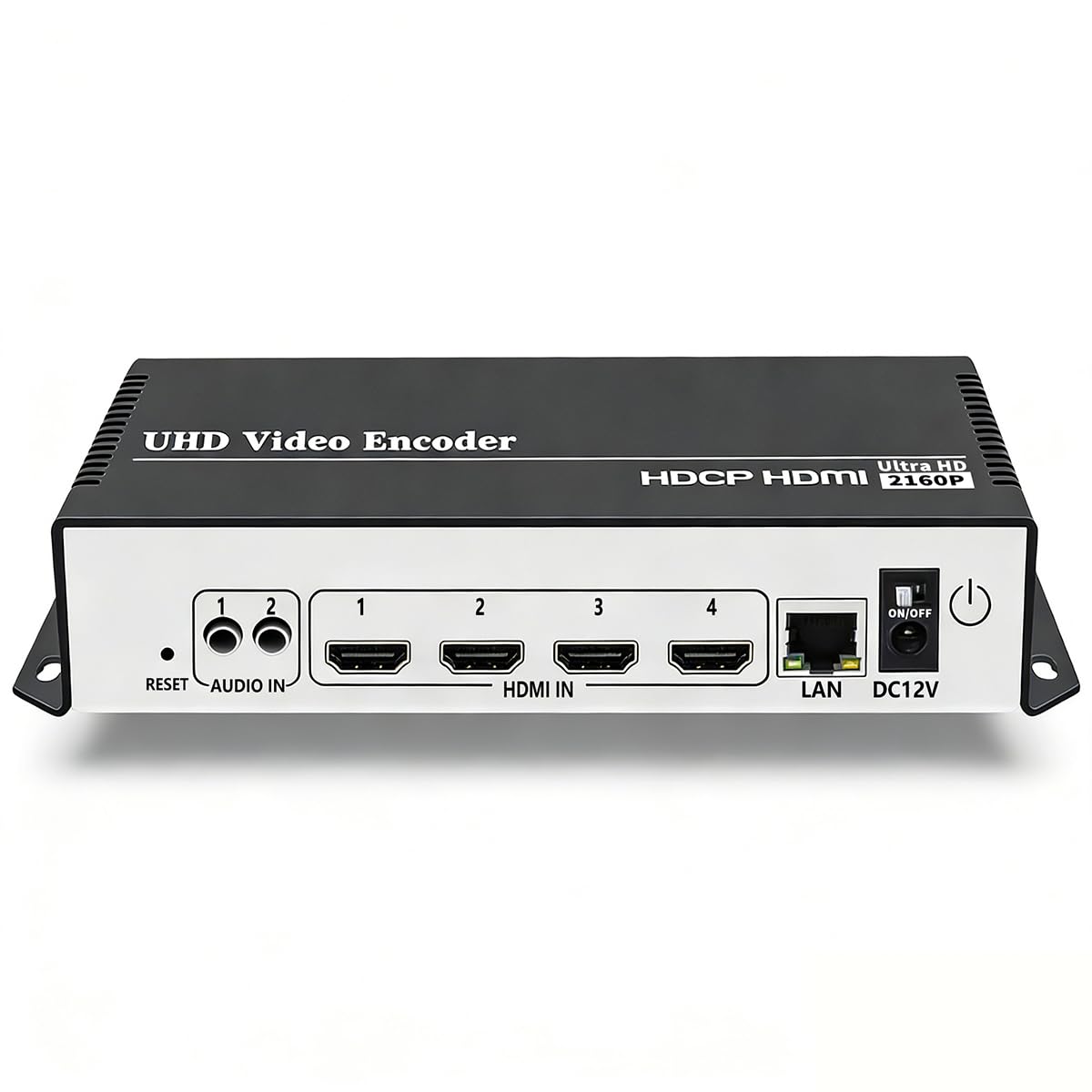
A heavy-duty encoder that bridges live streaming and surveillance, feeding Blue Iris and YouTube at once.
This is the most premium URayCoder in the lineup, and it’s built for serious dual-duty. Owners run it reliably to Blue Iris and OBS simultaneously, with OBS feeding YouTube. That kind of parallel output—surveillance and public broadcast from one source—is a rare capability.
Like its siblings, it handles 4K UHD input at 3840×2160 with a dual H.265/H.264 chip and can push 4 simultaneous streams. The matte aluminum shell houses a 16-ounce unit that feels substantial on a shelf. Setup is the main hurdle, with DHCP off by default and instructions that could be clearer, a real barrier for non-technical users.
It lacks direct HLS to YouTube but makes up for it with HEVC/H.265 support and a developer API for those who want to automate. Tech support is highly recommended for getting streams configured quickly. For anyone running a permanent 24/7/365 stream, this fits the bill perfectly.
The strengths
- Runs surveillance and public streaming simultaneously
- Supports OBS, Vmix, YouTube, and Facebook Live
- Solid for permanent, always-on installations
The friction
- Challenging initial setup with poor instructions
- Cannot re-stream without unplugging to stop
Perfect for: security and broadcast teams who need one box feeding both an NVR and a live audience.
Not for: event producers who need to change streams on the fly—this is set-once-and-forget gear.
Understanding the Specs
Encoding: H.265 vs H.264
H.265 (HEVC) is the newer standard that compresses video more efficiently, meaning you get the same quality at a lower bitrate and less bandwidth. H.264 is the older, more universally compatible codec. Most modern encoders support both; the 4K models here use a dual H.265/H.264 chip so you can pick the best trade-off for your network and software.
Streaming Protocols
To get your 4K video onto YouTube or Facebook, you need a protocol called RTMP (Real-Time Messaging Protocol), the standard for live streaming to those platforms. If your internet connection is shaky, SRT (Secure Reliable Transport) is a newer option that recovers from lost data packets, so your stream stays smooth even on a public network. For IP cameras or local monitoring, RTSP (Real-Time Streaming Protocol) is the common choice. The more protocols your encoder supports, the more destinations you can reach without extra gear—so look for models that can handle multiple streams at once.
FAQ
What is the difference between an encoder and a decoder?
Do I need a PC to use a 4K HDMI encoder?
What is NDI and why should I care?
Will a 4K encoder work with my older 1080p camera?
What internet speed do I need for 4K streaming?
Can I stream to multiple platforms at once?
What is HDCP and do I need it decrypted?
How hard is it to set up a hardware encoder?
Final Thoughts: The Verdict
For most buyers, the 4k hdmi encoder winner is the URayCoder UHE265-1S-4K because it balances reliable multi-platform streaming with exceptional support at a sensible value. If you want NDI flexibility in a tiny package, grab the ZowieBox. And for a permanent 24/7 setup that feeds both surveillance and live audiences, the UHE265-4-4K is the one to reach for. With its strong rating and track record for dependable multi-stream output, the URayCoder remains the smart default pick for most live production needs.
How We Picked
We do not accept paid placement. Every pick is matched to a real buyer and a real use-case; we do not hands-on test units.
Sources & Methodology
Specifications: manufacturer listings and product documentation. Review insights: verified customer reviews, as of August 2026. Pricing: not shown on this page (it changes often); check the current price via the retailer link.
As an Amazon Associate, Gadgets Feed earns from qualifying purchases. This does not affect which products we feature.