
Streaming a 4K HDR movie only to watch it macro-block through a dark scene is a specific kind of frustration—one that a bad media player makes worse by refusing to decode Dolby Vision correctly or dropping Wi-Fi right before the climax. The gap between a TV’s built-in smart platform and a dedicated streaming peripheral is bigger than most buyers realize, and it comes down to which high-dynamic-range formats the box genuinely supports under load.
I’m Min — the co-founder and writer behind Gadgets Feed. I’ve spent over forty hours reading verified reviews, parsing HDR certification lists, and comparing real-world wireless performance across this category to separate players that actually deliver Dolby Vision properly from those that merely advertise it.
If you want a device that resolves HDR highlights without clipping and streams UHD content without stuttering, this guide distills everything into one clear choice for a 4k hdr streaming media player.
How To Choose The Best 4K HDR Streaming Media Player
Not every streaming box that says “4K” can sustain 4K HDR at a high bitrate. The hardware inside—from the processor to the wireless chipset—determines whether you get artifact-free Dolby Vision or a buffer wheel every ten minutes.
HDR Format Support Is Non-Negotiable
Dolby Vision and HDR10+ are the two dynamic HDR formats, and neither is a superset of the other. A player that lacks Dolby Vision will not display the expanded color volume and scene-by-scene metadata that many 4K Blu-ray releases and premium streaming titles rely on. Check the certified format list before buying.
Wireless Standard Dictates Real-World Stability
4K HDR streams can spike above 25 Mbps. Wi-Fi 5 (802.11ac) can work in a clear channel, but a household with multiple devices will benefit from Wi-Fi 6 or Wi-Fi 6E, which handle congestion and deliver lower latency. For a permanent setup, consider a player with a Gigabit Ethernet port.
Processor and RAM Affect Fluid Navigation
A media player with 2 GB of RAM and a modern quad-core chip will launch apps and switch HDR modes faster than one with 1 GB and an older processor. If you plan to game or run Plex Media Server locally, prioritize devices with 3 GB RAM and a dedicated GPU for AI upscaling.
Quick Comparison
On smaller screens, swipe sideways to see the full table.
| Model | Category | Best For | Key Spec | Amazon |
|---|---|---|---|---|
| NVIDIA Shield TV Pro | Premium Box | AI Upscaling & Local Media | 3GB RAM, Tegra X1+ | Amazon |
| Onn 4K Plus | Mid-Range Box | Google TV & Wi-Fi 6 | 2GB RAM, 16GB storage | Amazon |
| Fire TV Stick 4K Max | Premium Stick | Wi-Fi 6E & Dolby Vision | Wi-Fi 6E, 16GB storage | Amazon |
| Fire TV Stick 4K Plus | Mid-Range Stick | Alexa & Wi-Fi 6 | Wi-Fi 6, Dolby Atmos | Amazon |
| Like-New Fire TV Stick 4K | Value Stick | Budget Dolby Vision | Wi-Fi 6, 4K HDR | Amazon |
| Roku Express 4K+ | Entry Box | Simplicity & Reliability | 16GB, 4K HDR | Amazon |
| Roku Streaming Stick+ | Budget Stick | Long-Range Wi-Fi | 16GB, long-range wireless | Amazon |
In‑Depth Reviews
1. NVIDIA Shield TV Pro

The NVIDIA Shield TV Pro is the only player on this list whose Tegra X1+ chip runs a dedicated AI upscaling engine that enhances 1080p content to near-4K clarity in real time, removing jagged edges and banding without introducing artifacts. With 3 GB of RAM and support for Dolby Vision, HDR10, and Dolby Atmos, this box handles high-bitrate 4K rips and Plex Media Server duty without breaking a sweat. The two USB 3.0 ports let you attach external storage directly, turning the Shield into a home-theater NAS.
Real-world reports confirm that the Shield handles Dolby Vision playback from streaming services and local files smoothly, while the AI upscaling makes older HD movies look dramatically sharper on a 4K panel. Reviewers consistently praise its responsiveness, long-term software support, and ability to stream Dolby Atmos music via Tidal without dropouts. The remote features motion-activated backlit buttons and a locator function for when it disappears between couch cushions.
For audiophiles, the Shield Pro outputs hi-res audio via USB DAC after a brief setup, making it a viable replacement for older dedicated media players. The only real trade-off is the premium cost, but for users who want the best possible picture processing and storage expandability, no other streaming box comes close.
Why it’s great
- AI upscaling dramatically improves 1080p content to 4K
- Two USB 3.0 ports for storage, DACs, or peripherals
- Built-in Plex Media Server with 3 GB RAM
Good to know
- Premium price positions it above all competitors
- Remote takes time to learn button layout
2. Onn 4K Plus Streaming Device with Google TV

The Onn 4K Plus is a mid-range box that punches well above its price by pairing 2 GB of RAM with Wi-Fi 6 and full Dolby Vision and Dolby Atmos support, all wrapped in the clean Google TV interface. Buyers report that the UI is responsive, app switching is smooth, and the 16 GB of internal storage provides enough room for a healthy app library without feeling cramped. The included Google Assistant voice remote works reliably for launching apps and controlling compatible smart home devices.
Streaming 4K HDR content from Netflix, Disney+, and YouTube is handled without stuttering, and the Wi-Fi 6 connection keeps buffering minimal even when multiple devices share the household bandwidth. Reviewers who switched from a Fire Stick noted the ad-free home screen as a major quality-of-life improvement, and the crisp picture quality at 4K UHD resolution consistently earns praise.
One limitation to consider is that the Onn 4K Plus is region-locked—certain features and app availability are optimized for the US market, which may require extra steps for international use. Nonetheless, for buyers who want Google TV’s content aggregation and solid hardware specs without spending more, this is the smart sweet spot.
Why it’s great
- Clean Google TV interface with personalized recommendations
- Wi-Fi 6 ensures smooth 4K streaming in congested homes
- Excellent value for Dolby Vision and Atmos support
Good to know
- Some features are restricted to the US market
- No USB port for external storage expansion
3. Amazon Fire TV Stick 4K Max

The Fire TV Stick 4K Max is the only streaming stick in this lineup with Wi-Fi 6E, giving it a measurable advantage in dense RF environments where older 5 GHz channels are saturated. Reviewers report that the newer Fire TV interface is fast and modern, with dedicated content categories that shorten browsing time. The 16 GB of storage—double that of the standard 4K Plus—lets you install more apps and games before hitting the limit.
Dolby Vision and HDR10+ are both supported, and the powerful processor launches apps with no perceptible delay. For gamers, Xbox Game Pass cloud streaming runs smoothly, and the Ambient Experience mode displays over 2,000 pieces of artwork when the TV is idle. The upgraded remote includes a recents button and dedicated live TV channel buttons, which power users will appreciate.
One minor hiccup reported is the relatively short power cable, which may limit placement flexibility if your outlet is far from the TV. Additionally, the Amazon ecosystem pushes its own content heavily, which some users find intrusive. But if you want the fastest wireless performance available in a stick form factor, the 4K Max delivers.
Why it’s great
- Wi-Fi 6E provides superior bandwidth and less interference
- Double the storage (16 GB) of most competing sticks
- Fast app launches and fluid Dolby Vision playback
Good to know
- Amazon interface pushes Prime content prominently
- Power cable is shorter than ideal for some setups
4. Amazon Fire TV Stick 4K Plus

The Fire TV Stick 4K Plus sits comfortably in the mid-range, offering Wi-Fi 6 and Dolby Atmos support at a price that undercuts the Max. It delivers the same core 4K HDR streaming experience with Dolby Vision and HDR10+, making it an excellent upgrade for anyone coming from an older 1080p stick or a laggy smart TV interface. Setup is famously simple—plug into HDMI, connect to Wi-Fi, and start streaming within minutes.
Reviewers highlight that the stick eliminates the sluggishness of built-in TV operating systems, with fast app loading and responsive navigation. The Alexa Voice Remote works well for searching by actor or plot, and it pairs seamlessly with TV power and volume controls. For households already invested in the Amazon ecosystem, the integration with Alexa skills and smart home routines is a strong pull.
One caveat: audiophiles streaming lossless FLAC files through Plex may encounter overheating and audio cutouts, as the stick lacks the thermal headroom of a set-top box. For general streaming—Netflix, Prime Video, Disney+, YouTube—the 4K Plus is a reliable, wallet-friendly performer.
Why it’s great
- Affordable entry to Wi-Fi 6 and Dolby Atmos
- Plug-and-play setup with comprehensive app support
- Alexa voice control integrates with smart home devices
Good to know
- Can overheat with high-bitrate audio streaming via Plex
- Amazon-focused interface promotes subscriptions
5. Like-New Amazon Fire TV Stick 4K
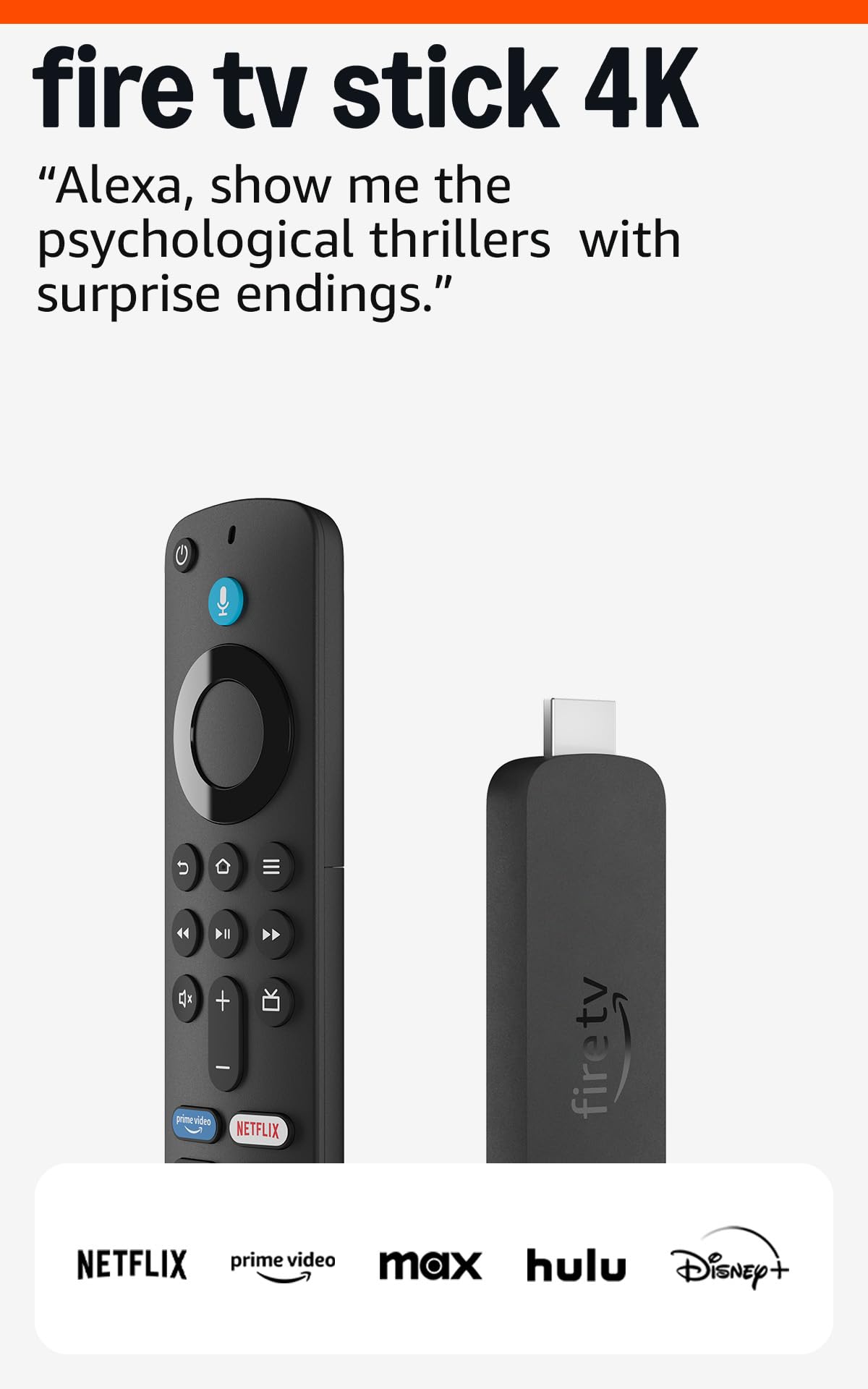
The Like-New Fire TV Stick 4K is a factory-refurbished unit that undergoes the same testing as new devices and carries the same limited warranty, making it a compelling entry-level choice for buyers who want Dolby Vision without paying for a brand-new box. It supports Wi-Fi 6, which helps maintain stable 4K streams in households with multiple connected devices, and the Alexa Voice Remote with preset app buttons adds convenience.
Reviewers consistently note that the unit arrives clean, fully functional, and indistinguishable from new in ordinary use. The access to over 1.8 million movies and shows—including free ad-supported content on Fire TV Channels, Tubi, and Pluto TV—means you can cut the cord without missing much. Loading apps like Netflix and Prime Video feels snappy, and the Dolby Vision picture quality delivers vibrant color and deep contrast on compatible screens.
The only trade-off is that subscriptions do not automatically transfer from an older Amazon device, so you will need to sign in again. For the price, this refurbished stick offers the same core HDR and Wi-Fi 6 performance as the full-priced version, making it an excellent choice for a secondary TV or a tight budget.
Why it’s great
- Same Dolby Vision and Wi-Fi 6 as the new model
- Backed by warranty despite being refurbished
- Massive library of free ad-supported content
Good to know
- Must manually re-sign into streaming subscriptions
- Packaged in generic Amazon-branded box
6. Roku Express 4K+

The Roku Express 4K+ is the simplicity champion of the streaming world, offering a clean, ad-light interface that works the same way on every TV you plug it into. The boxed form factor includes an HDMI cable and an adhesive strip for mounting, and setup takes less than five minutes. It supports 4K HDR with sharp resolution and vivid color, though it lacks Dolby Vision support—sticking to the basic HDR10 standard.
Users consistently report that the Express 4K+ is faster and more reliable than the smart TV platforms it replaces, with the voice remote handling search and volume control without fuss. The ability to transfer channels from another Roku by logging into your account is a time-saver for repeat buyers. Reviewers also appreciate that the USB power connection runs cooler than some stick-style competitors, which is important for long streaming sessions.
The downsides are predictable for the price: the remote is not backlit, making it hard to find in a dark room, and the Roku Channel Store lacks some niche apps available on Android TV. If you value a frustration-free interface above bleeding-edge feature lists, the Roku Express 4K+ is the most dependable choice in the budget-friendly tier.
Why it’s great
- Uncluttered interface with minimal advertising
- Fast, reliable setup that works on any HDMI TV
- Voice remote controls TV power and volume
Good to know
- No Dolby Vision or HDR10+ support
- Remote lacks backlit keys for dark rooms
7. Roku Streaming Stick+

The Roku Streaming Stick+ is built around a long-range wireless receiver that maintains a stable connection even in rooms far from the router—a specific pain point that makes it the best option for basements, back bedrooms, or backyard setups. It supports HD, 4K, and HDR, and the interface remains snappy even on slower internet connections, with users reporting successful streaming on as little as 2.4 Mbps. The compact stick design plugs directly into the HDMI port, keeping the entertainment center neat.
Owners praise the straightforward setup and the universal search that scans across multiple services for the best price. The free Roku mobile app adds private listening, which routes audio through your phone to headphones—a useful feature for late-night viewing. The voice remote controls TV power and volume, reducing the need for a separate universal remote.
The major weak point cited repeatedly in reviews is remote reliability: some units experience button failure within the first year, though the Roku mobile app serves as a reliable backup. The stick also lacks Dolby Vision and Atmos, limiting its appeal for home-theater enthusiasts. For buyers who need range and simplicity, and do not require the latest HDR formats, the Streaming Stick+ is a proven performer.
Why it’s great
- Long-range Wi-Fi receiver works well in distant rooms
- Private listening via Roku mobile app
- Plug-and-play design keeps setup neat
Good to know
- Remote buttons may stop working within a year
- No Dolby Vision, Atmos, or HDR10+
FAQ
Do I need Dolby Vision if my TV only supports HDR10?
Can a streaming stick handle high-bitrate 4K rips from local media?
Final Thoughts: The Verdict
For most users, the 4k hdr streaming media player winner is the Onn 4K Plus because it delivers Dolby Vision, Wi-Fi 6, and a clean Google TV interface at a mid-range price that leaves no features on the table. If you want the fastest wireless performance and double the storage, grab the Fire TV Stick 4K Max. And for AI upscaling that makes old HD content look 4K, nothing beats the NVIDIA Shield TV Pro.