
Pushing 8.3 million pixels at a smooth frame rate is the defining challenge of modern desktop computing. A panel that nails this balance transforms fast-paced shooters into fluid spectacles and makes sprawling strategy maps feel like interactive dioramas. The wrong choice, however, means either sacrificing visual fidelity for speed or enduring motion blur that ruins the experience.
I’m Min — the co-founder and writer behind Gadgets Feed. I’ve spent hundreds of hours dissecting panel technologies, refresh rate architectures, and real-world performance data to identify which monitors truly deliver on the promise of high-resolution, high-speed gaming and productivity.
Whether you are upgrading from 1440p or building a new rig around an RTX 4080-class GPU, this guide breaks down the top options to help you find the right best 4k high refresh rate monitor for your specific needs and budget.
How To Choose The Best 4K High Refresh Rate Monitor
Finding the ideal 4K high refresh rate monitor requires balancing three critical variables: panel technology, refresh rate headroom, and connectivity bandwidth. The most expensive option is not always the best fit — your GPU’s capabilities and your primary use case (competitive gaming vs. immersive single-player vs. productivity) should dictate the choice.
Panel Technology: IPS, VA, or OLED
IPS panels offer wide viewing angles and consistent color, making them a strong all-rounder for mixed-use setups. VA panels provide superior native contrast (typically 3000:1), which enhances black levels in dark game scenes, though they can suffer from slower response times at certain pixel transitions. OLED and QD-OLED panels deliver per-pixel lighting, infinite contrast, and near-instantaneous 0.03ms response times, but they require careful burn-in management and are priced at a premium.
Refresh Rate and GPU Bandwidth
A 4K monitor running at 144Hz or 240Hz demands significant GPU bandwidth. DisplayPort 1.4 with DSC (Display Stream Compression) is the most common way to hit these rates, while HDMI 2.1 provides full 48Gbps bandwidth for uncompressed 4K at up to 144Hz. If you run an RTX 4090 or equivalent, a 240Hz panel can be fully saturated in esports titles. For most users, 144Hz to 165Hz offers a smoother experience than 60Hz without requiring a top-tier GPU.
Dual-Mode Flexibility
Several modern monitors include a dual-resolution feature that lets you switch from native 4K to 1080p (FHD) at a doubled refresh rate — for example, 4K 180Hz to FHD 360Hz. This is a practical feature for gamers who want crisp desktop clarity for everyday use and extreme motion clarity for competitive shooters, all on a single panel.
HDR Performance and VESA Certification
HDR can dramatically improve immersion, but not all HDR labels are equal. VESA DisplayHDR 400 is a baseline for brightness, while DisplayHDR 600 and True Black 400/600 provide noticeably better contrast and highlight detail. For true HDR impact, look for monitors with at least DisplayHDR 600 certification or OLED-based True Black ratings.
Connectivity and Ergonomics
Check for at least one HDMI 2.1 port if you plan to use a PS5 or Xbox Series X at 4K 120Hz. A USB-C port with power delivery (65W to 90W) simplifies laptop setups by handling video, data, and charging through a single cable. A fully adjustable stand (height, tilt, swivel, pivot) is a significant comfort advantage for long sessions.
Quick Comparison
On smaller screens, swipe sideways to see the full table.
| Model | Category | Best For | Key Spec | Amazon |
|---|---|---|---|---|
| ASUS ROG Swift PG32UCDM | Premium | High-end gaming & HDR | 32″ QD-OLED / 240Hz / 0.03ms | Amazon |
| Samsung Odyssey G8 G81SF | Premium | Competitive & immersive gaming | 27″ QD-OLED / 240Hz / 166 PPI | Amazon |
| MSI MPG 321URX QD-OLED | Premium | Color-accurate work & gaming | 32″ QD-OLED / 240Hz / 99% DCI-P3 | Amazon |
| LG UltraGear 32GX850A | Premium | Glossy OLED & dual-mode speed | 32″ WOLED / 165Hz / 0.03ms | Amazon |
| Samsung Odyssey G7 G75F | Mid-Range | Large curved immersive display | 37″ VA / 165Hz / 1000R curve | Amazon |
| LG UltraGear 27G810A | Mid-Range | Dual-mode 4K/FHD gaming | 27″ IPS / 180Hz / 1ms | Amazon |
| ASUS ROG Strix XG27UCG | Mid-Range | Versatile 4K & 320Hz FHD | 27″ Fast IPS / 160Hz / 1ms | Amazon |
| Alienware AW2725QF | Mid-Range | Dual-resolution for consoles | 27″ IPS / 180Hz / 0.5ms | Amazon |
| Dell 32 Plus S3225QC | Mid-Range | Productivity & media consumption | 32″ QD-OLED / 120Hz / 0.03ms | Amazon |
| CRUA 32″ Curved | Budget | Affordable curved 4K gaming | 32″ VA / 240Hz / 1500R curve | Amazon |
| AOC Q27GAZD | Budget | Entry-level QHD high-refresh | 27″ QD-OLED / 240Hz / 0.03ms | Amazon |
In‑Depth Reviews
1. ASUS ROG Swift 32” 4K OLED Gaming Monitor (PG32UCDM)

The PG32UCDM sets a high bar with its 32-inch QD-OLED panel, hitting a native 3840×2160 resolution at 240Hz with a 0.03ms response time. The custom heatsink and graphene film give it robust thermal management, which directly reduces the risk of burn-in over long-term use — a key concern for OLED shoppers. It also covers 99% of the DCI-P3 gamut and supports true 10-bit color, making it suitable for both HDR gaming and color-critical creative work.
In practice, the glossy coating enhances perceived contrast and vibrancy, giving in-game highlights a punch that matte panels cannot replicate. The DisplayHDR 400 True Black certification ensures deep blacks without crushing shadow detail. The 90W USB-C port is a welcome addition for modern laptops, handling display, data, and charging through a single cable.
ASUS includes a 3-year warranty with burn-in coverage, which provides peace of mind for a premium investment. The only real compromise is the glossy finish — it reflects ambient light more than matte alternatives, so a controlled lighting environment yields the best experience.
Why it’s great
- Infinite contrast and vibrant QD-OLED colors with true 10-bit depth
- Custom heatsink and graphene film for effective burn-in prevention
- 3-year warranty includes burn-in coverage
Good to know
- Glossy screen requires careful room lighting to minimize reflections
- Premium price places it at the top of the budget spectrum
2. SAMSUNG 27-inch Odyssey QD-OLED G8 (G81SF)

The Odyssey G8 G81SF packs a 27-inch QD-OLED display with a pixel density of 166 PPI — noticeably sharper than 32-inch 4K panels at roughly 140 PPI. This makes it an excellent choice for users who prioritize text clarity in addition to gaming performance. The 240Hz refresh rate and 0.03ms response time are paired with AMD FreeSync Premium Pro and G-SYNC compatibility for tear-free motion.
Samsung’s Glare Free technology reduces reflections by 54% compared to standard anti-reflection films, which is a meaningful improvement for brightly lit rooms. The Pulsating Heat Pipe cooling system is a unique feature that dissipates heat five times faster than graphite sheets, helping to prevent burn-in during long sessions. The ergonomic stand provides full height, tilt, swivel, and pivot adjustments.
Color coverage hits 99% DCI-P3, and the VESA DisplayHDR True Black 400 certification ensures deep blacks with good highlight detail. Some users report that achieving the full 240Hz refresh rate requires proper cable selection (DisplayPort 1.4 with DSC), so verify your GPU and cable support before purchase.
Why it’s great
- Highest PPI among 4K OLED monitors for sharp text and detail
- Innovative Pulsating Heat Pipe cooling for long-session reliability
- Effective anti-glare coating for bright rooms
Good to know
- Requires DisplayPort 1.4 with DSC to reach full 240Hz at 4K
- Glossy screen may still reflect direct light sources
3. MSI MPG 321URX QD-OLED

The MPG 321URX is a 32-inch QD-OLED monitor that targets both gamers and creators. Its 240Hz refresh rate and 0.03ms GtG response time deliver the fluid motion expected from a high-end gaming panel, but the real standout is its color accuracy. With a factory-calibrated Delta E ≤2 and 99% DCI-P3 coverage, it is one of the few high-refresh monitors that can double as a primary editing display without additional calibration.
MSI includes OLED Care 2.0 with features like pixel shift and taskbar detection to mitigate burn-in. The KVM switch and PiP/PbP modes make it easy to control two systems from a single monitor, and the 90W USB-C port supports laptop charging. The 4-way adjustable stand offers full ergonomic flexibility.
In real-world use, the infinite contrast of QD-OLED makes HDR content look punchy, and the anti-burn-in features work quietly in the background. The stand does lack tool-less adjustment, but it still provides solid stability. For users who need a single monitor for demanding creative work and high-refresh gaming, this is a top contender.
Why it’s great
- Factory-calibrated Delta E ≤2 for professional color work
- KVM switch and 90W USB-C for multi-device setups
- Comprehensive burn-in prevention suite
Good to know
- Stand lacks tool-less height adjustment mechanism
- Premium pricing similar to other 32-inch QD-OLED options
4. LG 32GX850A-B 32″ UltraGear 4K OLED

The LG 32GX850A uses a glossy WOLED panel (white OLED with color filters) rather than QD-OLED, which gives it a slightly different character. It achieves a 165Hz refresh rate with a dual-mode feature that can scale to 330Hz at 1080p. The Micro Lens Array+ technology pushes typical brightness to 275 nits, a noticeable step up from earlier LG OLED gaming monitors.
Color gamut covers 98.5% DCI-P3, and the VESA DisplayHDR True Black 400 certification ensures strong HDR performance with per-pixel lighting. The 1.5M:1 contrast ratio produces the deep blacks OLED is known for, and the 0.03ms response time eliminates ghosting entirely. The ergonomic stand supports height, tilt, swivel, and pivot adjustments.
Dual-mode operation is a practical feature for users who play both story-driven titles and competitive shooters. The glossy finish enhances perceived contrast but is reflective in bright rooms. Some users note a faint fan noise from the internal cooling system, which may be audible in silent environments.
Why it’s great
- Glossy WOLED with Micro Lens Array+ for higher brightness
- Dual-mode 165Hz 4K / 330Hz FHD for competitive flexibility
- Full ergonomic stand with pivot support
Good to know
- Notable fan noise in quiet rooms at idle
- Glossy finish reflects ambient light sources
5. Samsung 37” Odyssey G7 (G75F)

The Odyssey G7 G75F stands out for its unique 37-inch size and aggressive 1000R curvature, which wraps the display around your peripheral vision for a truly immersive experience. The VA panel delivers a 3000:1 native contrast ratio — significantly higher than typical IPS panels — which enhances black levels in dark game scenes. The 165Hz refresh rate and 1ms GtG response time are competitive for this class.
VESA DisplayHDR 600 certification provides decent brightness and contrast for HDR content, though it cannot match the per-pixel lighting of OLED. The 4K UHD resolution at this size results in a pixel density of roughly 119 PPI, which is less sharp than smaller 4K monitors but still crisp for general use. AMD FreeSync Premium Pro ensures smooth variable refresh rate operation.
This monitor is best suited for users who want a single large display for immersive gaming and productivity, with enough screen real estate to run four windows side by side. The aggressive curve is divisive — some users find it adds depth, while others find it too extreme for productivity tasks like spreadsheets or design work.
Why it’s great
- 37-inch size with 1000R curve creates a wrap-around viewing experience
- VA panel delivers 3000:1 native contrast for deep blacks
- DisplayHDR 600 provides solid HDR brightness
Good to know
- Aggressive curve may not suit all productivity workflows
- Lower pixel density (119 PPI) compared to 27-inch 4K panels
6. LG 27G810A-B 27-inch UltraGear 4K IPS

The LG 27G810A is a 27-inch IPS panel that runs at 4K 180Hz natively and can switch to 1080p 360Hz via its Dual Mode feature. The 1ms GtG response time keeps motion crisp, and the IPS technology ensures consistent color and viewing angles. VESA DisplayHDR 400 certification provides a baseline HDR experience, and the 95% DCI-P3 coverage delivers vibrant colors.
AMD FreeSync Premium and NVIDIA G-SYNC compatibility work together to eliminate screen tearing across both PC and console gaming. The Black Stabilizer and Dynamic Action Sync are practical additions for spotting enemies in dark corners and reducing input lag. The fully adjustable stand supports height, tilt, swivel, and pivot.
Some users report a faint fan noise from the internal cooling, which is noticeable in silent rooms. The HDR performance is adequate but does not rival OLED panels — highlights lack the punch of True Black displays. For those who want a fast IPS panel with dual-mode flexibility, this is a strong mid-range option.
Why it’s great
- Dual Mode: native 4K 180Hz or FHD 360Hz for competitive play
- Both FreeSync Premium and G-SYNC Compatible
- Full ergonomic stand with pivot adjustment
Good to know
- Noticeable fan noise in quiet environments
- HDR brightness limited by DisplayHDR 400 certification
7. ASUS ROG Strix 27” 4K HDR USB-C Gaming Monitor (XG27UCG)

The XG27UCG uses a Fast IPS panel to deliver a 4K 160Hz experience with a 1ms response time, and it also supports a dual-mode switch to 1080p 320Hz for ultra-responsive gameplay. The Extreme Low Motion Blur Sync (ELMB SYNC) technology works simultaneously with variable refresh rate to eliminate ghosting and tearing — a feature that is still rare at this price point.
With 95% DCI-P3 color gamut coverage and ASUS’s advanced gray-scale tracking, the color reproduction is consistent out of the box. The DisplayWidget Center software allows you to adjust monitor settings via mouse, which is convenient for quick profile switching between work and gaming. The included 3-month Adobe Creative Cloud subscription adds value for creative users.
The build quality is solid, with a heavy-duty stand that supports height, tilt, swivel, and rotation. The RGB lighting on the rear adds aesthetic flair for battlestation builders. Some users note that HDMI is limited to 4K 120Hz, so DisplayPort is required to reach the full 160Hz at 4K.
Why it’s great
- ELMB SYNC works with VRR for blur-free, tear-free motion
- Dual-mode 4K 160Hz / FHD 320Hz for versatile gaming
- DisplayWidget Center for software-based controls
Good to know
- HDMI limited to 4K 120Hz; use DisplayPort for full 160Hz
- Panel is IPS, so contrast does not match OLED or VA
8. Alienware 27 4K Dual-Resolution Gaming Monitor (AW2725QF)

The AW2725QF is a 27-inch IPS monitor that runs native 4K at 180Hz and can switch to native 1080p at 360Hz — both modes are native resolutions rather than scaled, which can improve image clarity in the lower resolution mode. Dolby Vision support and VESA DisplayHDR 600 certification provide a strong HDR experience for both gaming and streaming content.
Color accuracy is factory-calibrated to Delta E <2 with 95% DCI-P3 coverage, ensuring vibrant and consistent colors. NVIDIA G-SYNC Compatible and VESA AdaptiveSync certification keep motion smooth across both resolution modes. The build quality is typical of Alienware — sturdy and well-designed, with a clean aesthetic.
Some users report intermittent black screen flickering, which appears to be a firmware-related issue that Dell has not fully resolved. The stand does not offer tool-less height adjustment, but it does provide tilt and swivel. For console gamers who value Dolby Vision and native dual-resolution support, this monitor offers unique features, but potential reliability concerns should be considered.
Why it’s great
- Dolby Vision and DisplayHDR 600 for excellent HDR
- Native dual-resolution (not scaled) for FHD 360Hz mode
- Factory-calibrated Delta E <2 color accuracy
Good to know
- Reports of intermittent black screen flickering in some units
- Stand lacks tool-less height adjustment
9. Dell 32 Plus 4K QD-OLED Monitor (S3225QC)
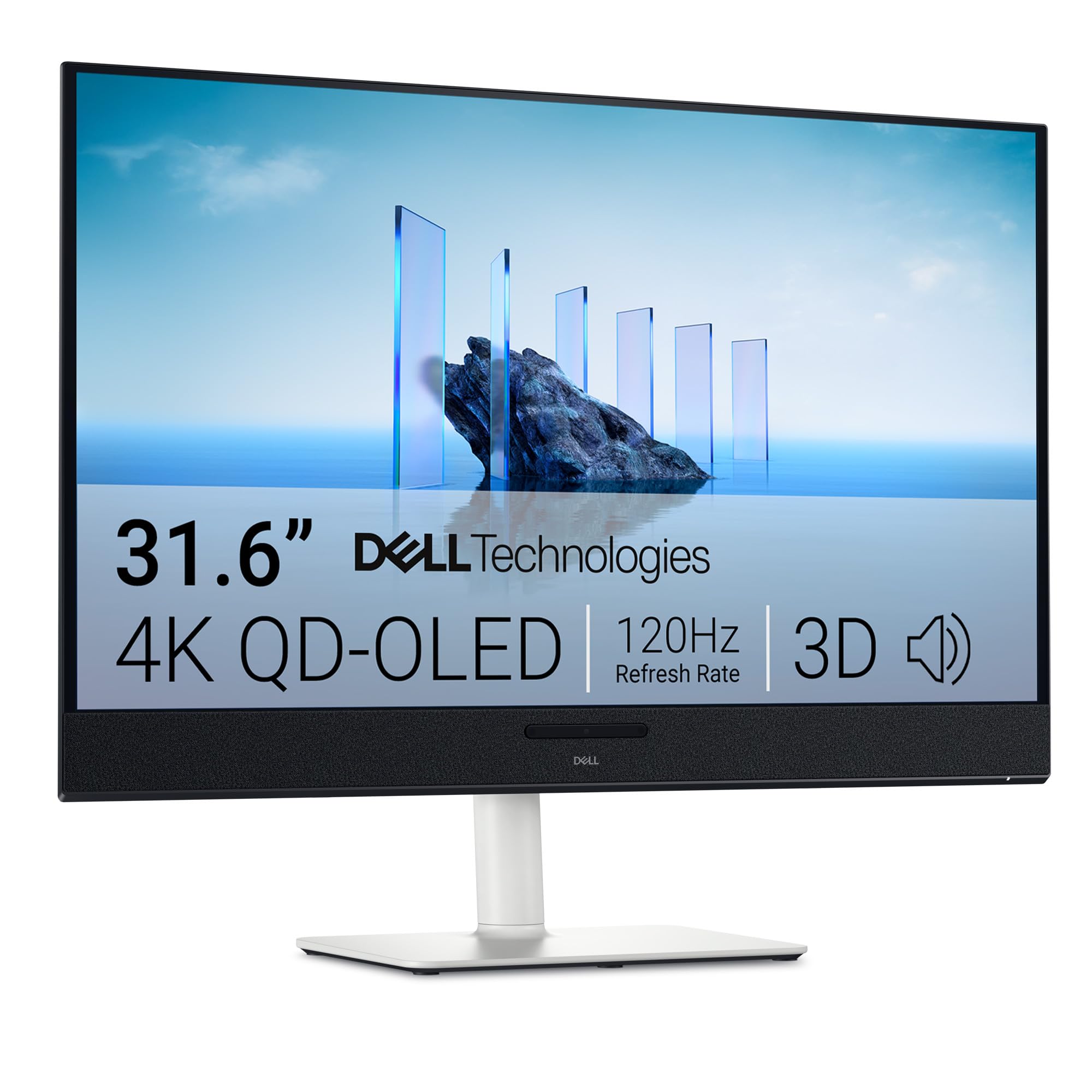
The S3225QC brings QD-OLED technology to a 32-inch 4K panel at a 120Hz refresh rate with a 0.03ms response time, making it one of the most affordable ways to get into true OLED desktop gaming. VESA DisplayHDR True Black 400 and 99% DCI-P3 coverage ensure deep blacks and vibrant colors. The built-in 5W speakers with AI-driven 3D spatial audio are a rare addition in the monitor space.
The USB-C port delivers up to 90W of power delivery, making this an excellent single-cable solution for MacBook or ultrabook users. The ergonomic stand supports height, tilt, swivel, and slant adjustments. AMD FreeSync Premium Pro handles variable refresh rate smoothly.
The 120Hz refresh rate is lower than the 165Hz or 240Hz options on this list, which may matter to competitive gamers. Some users report HDMI 2.1 handshake issues that cause the display to flicker at 120Hz, requiring a switch to 60Hz. The built-in speakers, while better than most monitor audio, lack bass depth for critical listening.
Why it’s great
- Entry-level 4K QD-OLED with True Black HDR performance
- 90W USB-C PD for single-cable laptop connectivity
- Built-in spatial audio speakers with AI head-tracking
Good to know
- 120Hz refresh rate is lower than many high-refresh alternatives
- HDMI 2.1 flickering issue reported by some users at 120Hz
10. CRUA 32″ Curved Gaming Monitor 4K 240Hz

The CRUA 32-inch curved monitor offers a VA panel with a 1500R curvature and a 240Hz refresh rate at 4K UHD resolution — a spec combination that is hard to find at this budget-friendly price point. The 3000:1 contrast ratio provides deeper black levels than typical IPS panels, and the 120% sRGB coverage ensures reasonably vivid colors. AMD FreeSync support helps reduce screen tearing.
The monitor includes two HDMI 2.1 ports and one DisplayPort 1.4, giving it full compatibility with modern consoles and PCs. The built-in RGB backlighting adds aesthetic flair, and the 75x75mm VESA mount support allows for easy wall mounting. PIP/PBP modes are useful for multi-tasking with multiple input sources.
The stand offers only tilt adjustment with no height or swivel capability, which may require a monitor arm for comfortable ergonomic positioning. The VA panel’s viewing angles are narrower than IPS, so color shifts occur when viewed from the sides. The on-screen display menu is controlled via a joystick that some users find unintuitive without a remote.
Why it’s great
- 240Hz 4K VA panel at a budget-friendly price point
- Two HDMI 2.1 ports for console and PC simultaneous connection
- 1500R curve enhances immersion for gaming
Good to know
- Stand offers tilt-only adjustment; monitor arm recommended
- VA panel has narrower viewing angles than IPS
11. AOC 27″ QD OLED Gaming Monitor (Q27GAZD)

The AOC Q27GAZD is a 27-inch QD-OLED monitor that delivers a 240Hz refresh rate and 0.03ms response time at a QHD (2560×1440) resolution. While it is not native 4K, its QHD resolution combined with QD-OLED technology provides excellent image quality with deep blacks and vibrant colors — making it a compelling entry-level OLED option for those who prioritize fluidity and contrast over sheer pixel count.
HDR400 True Black certification ensures solid HDR performance with deep blacks, and the 110.2% DCI-P3 coverage delivers rich, saturated colors. G-SYNC Compatibility keeps motion tearing-free. The anti-glare screen helps reduce reflections, though the glossy OLED panel still shows reflections in bright rooms.
The included stand is basic and lacks the adjustability of higher-priced competitors — a VESA mount or monitor arm is strongly recommended for proper ergonomic setup. HDMI is limited to 165Hz, so achieving the full 240Hz requires a DisplayPort connection. The build quality is acceptable for the price, but the thin upper bezel requires careful handling when adjusting the tilt.
Why it’s great
- QD-OLED with 240Hz and near-instant 0.03ms response time
- HDR400 True Black and 110.2% DCI-P3 for rich colors
- One of the most affordable ways to get OLED desktop gaming
Good to know
- QHD resolution, not native 4K UHD
- Basic stand lacks height adjustment; monitor arm recommended
- HDMI limited to 165Hz; use DP for full 240Hz
FAQ
Can my GPU actually run a 4K monitor at 240Hz?
What is the difference between G-SYNC and FreeSync for 4K monitors?
Is HDMI 2.1 required for 4K 120Hz gaming?
Final Thoughts: The Verdict
For most users, the best 4k high refresh rate monitor is the ASUS ROG Swift PG32UCDM because it combines a premium QD-OLED panel with a 240Hz refresh rate, excellent HDR performance, and a comprehensive 3-year burn-in warranty. If you want a sharper 27-inch option with the highest pixel density, grab the Samsung Odyssey G8 G81SF. And for a budget-friendly entry into OLED gaming, nothing beats the value of the AOC Q27GAZD.