
Stepping up to a 4K IPS monitor is no longer a luxury—it’s the single most important upgrade you can make for everything from photo editing and video production to immersive gaming and daily productivity. The combination of 3840 x 2160 resolution and In-Plane Switching (IPS) technology delivers unparalleled color consistency and wide viewing angles, but the market is flooded with options that make choosing the right panel a genuinely challenging decision.
I’m Min — the co-founder and writer behind Gadgets Feed. I’ve spent countless hours deep-diving into the technical specifications of dozens of 4K IPS monitors, cross-referencing real user experiences with hard data on refresh rates, color gamut coverage, connectivity standards, and ergonomic adjustments to identify which models genuinely deliver on their promises.
Whether you are a creative professional demanding factory-calibrated Delta E values or a gamer chasing high refresh rates, this guide cuts through the noise to help you decide. This is the definitive resource for finding the perfect best 4k ips monitor tailored to your specific workflow and budget.
How To Choose The Best 4K IPS Monitor
The right monitor comes down to balancing resolution, motion clarity, and color fidelity. For a 4K IPS panel, you are prioritizing consistent colors from any angle, but the decision branches sharply based on whether you are a creative professional or a competitive gamer.
Refresh Rate & Response Time: Productivity vs. Gaming
A standard 60Hz panel is perfectly adequate for photo editing, coding, and office work—it maximizes color accuracy at a lower cost. Once you move into gaming, however, 120Hz, 144Hz, or 160Hz drastically reduces motion blur and input lag, making on-screen action feel fluid and responsive. Look for a response time of 1ms (GtG) or lower to eliminate ghosting during fast-paced scenes.
Color Gamut & Calibration: The Creative’s Priority
For professional photo and video work, the color space matters more than the refresh rate. Ensure the monitor covers at least 100% sRGB, and ideally 95% or higher of DCI-P3 or Adobe RGB. A factory-calibrated Delta E of under 2 guarantees that what you see on screen matches the final output without manual tweaking.
Connectivity & Power Delivery: Desk Cleanup
A single USB-C cable that carries video, data, and power delivery is a game-changer for laptop users. Look for USB-C Power Delivery of at least 65W to keep your MacBook or ultrabook charged, and check for a built-in KVM switch if you manage both a desktop and a laptop from one setup.
Quick Comparison
On smaller screens, swipe sideways to see the full table.
| Model | Category | Best For | Key Spec | Amazon |
|---|---|---|---|---|
| BenQ MA270U | Premium | MacBook Ecosystem | P3 Color Gamut, 90W PD | Amazon |
| ASUS ProArt PA279CRV | Premium | Pro Photo/Video Editing | 99% DCI-P3/Adobe RGB, ΔE < 2 | Amazon |
| ASUS ProArt PA279CV | Premium | Color-Critical Work | 100% sRGB/Rec. 709, ΔE < 2 | Amazon |
| LG 27UP850-W | Mid-Range | Creative + USB-C Hub | 95% DCI-P3, USB-C 96W PD | Amazon |
| GIGABYTE M27UP | Mid-Range | Dual-Mode Gaming + KVM | 160Hz 4K / 320Hz FHD, KVM | Amazon |
| ViewSonic VP2756-4K | Mid-Range | Color-Pro Photo Editing | Pantone Validated, 60W USB-C | Amazon |
| LG 27UP850K-W | Mid-Range | Productivity + Moderate Gaming | 60Hz, USB-C 90W PD, HDR400 | Amazon |
| Dell S2725QS | Mid-Range | 120Hz Home/Office Hybrid | 120Hz, 1500:1 Contrast | Amazon |
| KOORUI G2741L | Budget-Friendly | Dual-Mode Console/PC Gaming | 160Hz 4K / 320Hz FHD | Amazon |
| INNOCN 27C1U-D | Budget-Friendly | Budget MacBook Companion | USB-C 65W PD, ΔE<2 | Amazon |
| Acer Nitro VG270K | Budget-Friendly | High-FPS Competitive Gaming | 160Hz 4K / 320Hz FHD (DFR) | Amazon |
In‑Depth Reviews
1. BenQ MA270U

The BenQ MA270U is meticulously tuned for MacBook users, featuring a dedicated P3 wide color gamut that mirrors the color science of Apple displays. Its 400-nit brightness and 2000:1 contrast ratio produce deep blacks and vibrant highlights, making it a near-perfect companion for MacBook Pro and MacBook Air owners who demand color fidelity.
Connectivity is thoughtfully handled with dual USB-C ports—one delivering 90W Power Delivery to charge your MacBook and another providing 15W for an iPad or iPhone. The ability to control brightness and volume directly from your MacBook keyboard eliminates the need for separate OSD navigation, creating a seamless desktop experience.
Ergonomics are fully covered with height, tilt, swivel, and pivot adjustments, and the matte display finish minimizes glare without sacrificing sharpness. While the built-in speakers are underwhelming, the overall value proposition as a premium Mac-compatible 4K IPS monitor is hard to beat at this level.
Why it’s great
- P3 color gamut matches MacBook output for consistent editing
- Single USB-C cable delivers 4K video and 90W laptop charging
- Integrated Mac keyboard controls for brightness and volume
Good to know
- Built-in speakers are weak and lack low-end response
- Premium price limits appeal to non-Apple users
2. ASUS ProArt PA279CRV

The ASUS ProArt PA279CRV is purpose-built for professionals who demand wide-gamut mastery, covering 99% of both DCI-P3 and Adobe RGB spaces. Factory pre-calibrated to a Delta E of under 2 and Calman Verified, this monitor removes the guesswork from photo and video color grading right out of the box.
Connectivity is a highlight: a single USB-C port delivers 96W Power Delivery alongside DisplayPort Alt Mode, while DisplayPort-out daisy-chaining lets you link a second 4K monitor without an extra cable run. The 60Hz refresh rate is standard for this creative tier, but the color accuracy and uniformity across the IPS panel justify its premium standing.
The built-in ergonomic stand offers height, swivel, pivot, and tilt adjustments, and ASUS backs it with a 5-year warranty (3 years plus 2 with online registration). The only compromise is the lack of a high refresh rate, which makes it less suitable for fast-paced gaming despite its excellent HDR support.
Why it’s great
- 99% Adobe RGB and DCI-P3 coverage for professional color work
- USB-C with 96W Power Delivery for single-cable laptop setups
- Calman Verified with factory calibration report included
Good to know
- Limited to 60Hz refresh rate, not ideal for competitive gaming
- Built-in speakers are basic, external audio recommended
3. ASUS ProArt PA279CV

The ASUS ProArt PA279CV is a workhorse for color-accurate production, covering 100% sRGB and 100% Rec. 709 with a factory-calibrated Delta E of under 2. It integrates a four-port USB 3.1 hub and USB-C with 65W Power Delivery, letting you charge a laptop while connecting peripherals through the monitor itself.
This panel’s 60Hz refresh rate is a deliberate trade-off for color precision, and the included calibration report means you can trust the output immediately for video editing or print proofing. The stand offers full ergonomic adjustments including pivot to portrait mode, which is particularly useful for coding or long document layouts.
A standout inclusion is the 3-month Adobe Creative Cloud subscription, adding immediate software value for creative professionals. While the menu system can feel dated, the combination of color accuracy, USB hub functionality, and the robust 5-year warranty makes this a reliable long-term investment for creative setups.
Why it’s great
- 100% sRGB and Rec. 709 with Delta E < 2 factory calibration
- USB-C with 65W PD and built-in USB hub for peripheral management
- Includes 3-month Adobe Creative Cloud membership
Good to know
- 60Hz panel limits gaming use
- OSD navigation can be slightly clunky without software
4. LG 27UP850-W

The LG 27UP850-W delivers a balanced mix of wide color coverage and premium connectivity, featuring 95% DCI-P3 color gamut and a USB-C port with a massive 96W Power Delivery. The 400-nit brightness and DisplayHDR 400 certification allow HDR content to appear vivid and dynamic without significant blooming.
The 60Hz panel is fine for productivity and moderate gaming, and LG’s 3-side virtually borderless design looks clean on any desk. The stand supports height, pivot, and tilt adjustments, while the included cables cover HDMI, DisplayPort, and USB-C out of the box, so you don’t need to buy extras.
Some users report that the USB-A ports are limited to 1A output, which may not fast-charge modern tablets. Additionally, the OnScreen Control software has occasional compatibility quirks with M1 Macs. Despite these minor drawbacks, the LG 27UP850-W is an outstanding value for creative professionals who prioritize color space and single-cable simplicity.
Why it’s great
- 95% DCI-P3 coverage for rich, accurate colors
- 96W USB-C Power Delivery charges high-power laptops quickly
- Nearly bezel-free design with full ergonomic stand
Good to know
- USB-A ports limited to 1A charging power
- OnScreen Control software can be buggy on Apple Silicon Macs
5. GIGABYTE M27UP
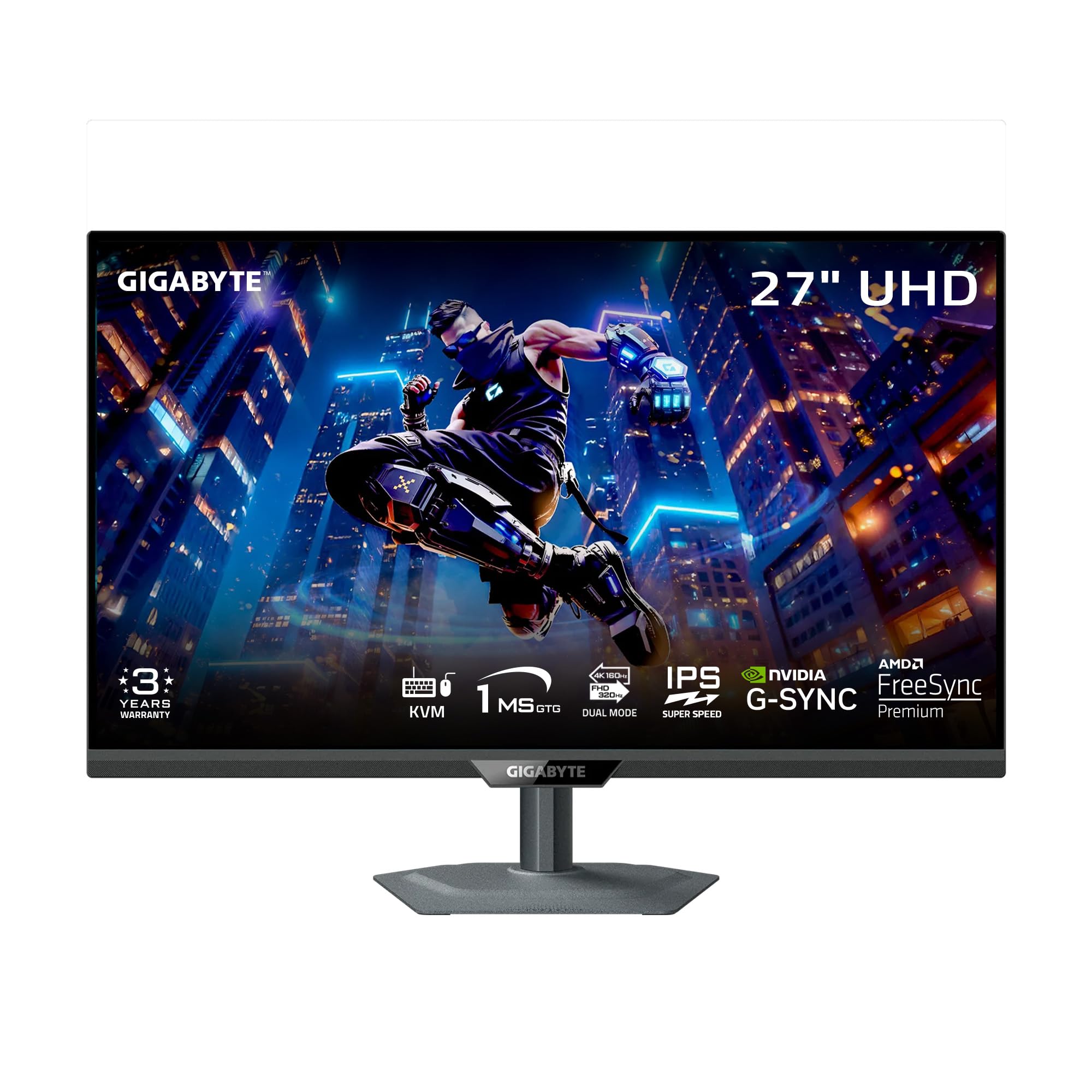
The GIGABYTE M27UP is a dual-mode powerhouse that switches between 4K at 160Hz for immersive AAA titles and 1080p at 320Hz for lightning-fast esports. Using a SuperSpeed IPS panel with 1ms GtG response time, it delivers fluid motion and minimal ghosting across both modes, making it one of the most versatile gaming monitors in this list.
Beyond raw speed, the M27UP is equipped with a built-in KVM switch, allowing you to control two separate computers with a single keyboard and mouse. Connectivity is comprehensive: HDMI 2.1, DisplayPort 1.4, and USB-C with data and video, plus a USB hub for peripherals. The stand provides height, swivel, pivot, and tilt adjustments, while Tactical Switch 2.0 lets you toggle between resolutions and aspect ratios instantly.
Some users note noticeable IPS glow in dark corners and that viewing angles require you to sit centered. The lack of a cable management hole on the metal stand is a minor oversight. Nevertheless, for a gamer who also works from a PC and a laptop, the GIGABYTE M27UP’s feature set at its price point is exceptional.
Why it’s great
- Dual Mode: 4K 160Hz or 1080p 320Hz for versatile gaming
- Built-in KVM switch for sharing peripherals between two systems
- Full ergonomic stand with HDMI 2.1, DP 1.4, and USB-C connectivity
Good to know
- Noticeable IPS glow in dark gaming scenes
- Stand lacks a cable management channel
6. ViewSonic VP2756-4K

The ViewSonic VP2756-4K is a Pantone-validated 4K IPS monitor designed for professional photo editing, offering 100% sRGB and Delta E accuracy of under 2. Its ultra-thin bezels and advanced ergonomic stand—featuring tilt, swivel, pivot, and height adjustments—make it a comfortable addition to any editing suite or dual-monitor setup.
Connectivity is anchored by a USB-C port that delivers 60W Power Delivery, enough to charge a 13-inch MacBook Pro or similar ultrabook while transmitting video and data. The built-in USB hub (USB-A/B) lets you connect a keyboard, mouse, and storage drives directly to the monitor, reducing desktop clutter significantly.
The 60Hz refresh rate is perfectly suited for static creative work but will feel sluggish for gaming. The On-Screen Display menu is clunky to navigate with the physical buttons, though the ViewSonic software suite provides a more intuitive alternative. For color-critical workflows on a tight budget, this monitor is a top-tier choice.
Why it’s great
- Pantone validated and factory calibrated for precise color reproduction
- USB-C with 60W PD and full USB hub for clean desk setups
- Highly adjustable stand with pivot for portrait orientation
Good to know
- Limited to 60Hz, unsuitable for gaming
- Physical OSD buttons are awkward to use
7. LG 27UP850K-W

The LG 27UP850K-W builds on the popular 27UP850 series with an updated design that includes 95% DCI-P3 color coverage, VESA DisplayHDR 400, and a USB-C port with 90W Power Delivery. The IPS panel delivers clear, vibrant visuals with 1200:1 contrast ratio, making it a strong contender for both creative and productivity tasks.
Ergonomics are fully covered: the stand supports height, tilt, and pivot adjustments, and LG includes the necessary cables (USB-C, HDMI, DisplayPort) in the box. The built-in stereo speakers with Waves MaxxAudio are louder than average for an integrated monitor solution, though they still fall short of dedicated desktop speakers.
The 60Hz refresh rate means this isn’t a gamer’s first choice, but features like Black Stabilizer and Dynamic Action Sync do improve competitive visibility when used casually. A small number of users report USB-C wake-from-sleep quirks with MacBooks, but overall, the LG 27UP850K-W is a reliable, high-color-accuracy monitor for everyday professionals.
Why it’s great
- 95% DCI-P3 and DisplayHDR 400 for vibrant, accurate visuals
- USB-C 90W PD supports high-power laptops with single-cable convenience
- Full ergonomic stand with height, tilt, and pivot adjustments
Good to know
- 60Hz refresh rate not suitable for serious gaming
- Occasional USB-C wake-from-sleep issues with Mac hardware
8. Dell S2725QS

The Dell S2725QS is a rare hybrid that pairs 4K resolution with a 120Hz refresh rate in an IPS panel at a mid-range price. Its 1500:1 contrast ratio is notably higher than the usual 1000:1 found on most IPS monitors, resulting in deeper blacks and better overall depth for both multimedia and productivity use.
Dell’s ComfortView Plus technology reduces harmful blue light emissions to 35% or less without shifting colors to a warm yellow tint—a huge benefit for all-day work. The thin bezels and ash white finish give it a modern, minimalist look, while the stand offers height, pivot, swivel, and tilt adjustments for optimal ergonomics.
While the 120Hz panel is smooth for general use and light gaming, users report noticeable ghosting in fast-paced competitive titles, making it better suited for strategy games and open-world adventures than esports. The built-in speakers are significantly improved over previous Dell generations, offering deeper frequency response and more volume, but they still lack bass.
Why it’s great
- 120Hz refresh rate at 4K offers smooth desktop and gaming motion
- 1500:1 contrast ratio provides deeper blacks than typical IPS panels
- ComfortView Plus reduces blue light without yellow tint shift
Good to know
- Noticeable ghosting in fast-paced competitive gaming
- Not as color-accurate out of box as dedicated ProArt models
9. KOORUI G2741L

The KOORUI G2741L brings a dual-mode function to the budget segment, letting you switch between 4K at 160Hz for cinematic single-player games and 1080p at 320Hz for competitive shooters. The Fast IPS panel delivers a 1ms response time, keeping motion clear and input lag minimal during intense gameplay.
With HDMI 2.1 and DisplayPort 1.4 inputs, this monitor is fully compatible with PS5 and Xbox Series X consoles, supporting 4K at 120Hz over HDMI. The 95% DCI-P3 color coverage ensures game worlds look rich and vibrant, while AMD FreeSync Premium and G-Sync compatibility prevent screen tearing across both NVIDIA and AMD GPUs.
The ergonomic stand offers height, tilt, and pivot adjustments, but the anti-glare coating is effective enough to keep reflections under control in bright rooms. Some units have reported flickering issues that are resolved by disabling FreeSync, and color accuracy out of the box requires manual tuning to look natural. For the price, however, the dual-mode capability is unmatched.
Why it’s great
- Dual Mode: 4K 160Hz for AAA games and 1080p 320Hz for esports
- HDMI 2.1 supports full 4K 120Hz on PS5 and Xbox Series X
- G-Sync and FreeSync Premium compatible
Good to know
- Some units experience flicker; may require disabling FreeSync
- Out-of-box color accuracy needs manual calibration
10. INNOCN 27C1U-D

The INNOCN 27C1U-D is a budget-conscious 4K IPS monitor that punches above its weight with a factory-calibrated Delta E of under 2 and 1.07 billion colors via 8-bit+FRC. Despite the low price, it delivers 400 nits of brightness and supports VESA DisplayHDR 400, offering surprisingly good HDR performance for the cost.
The USB-C port supports 65W Power Delivery, making it an excellent match for MacBook Air and Pro users who want a single-cable desktop solution. The stand provides full ergonomic adjustments including pivot, height, swivel, and tilt, plus VESA 75×75 mount compatibility for monitor arm setups.
The built-in speakers are nearly unusable, and some Mac users report that the monitor does not reliably wake from sleep, occasionally requiring a cable reconnection. Additionally, the OSD menu buttons are confusingly placed and labeled. Nonetheless, at this price point, the color accuracy and full-size USB-C with Power Delivery are rare and valuable.
Why it’s great
- Delta E < 2 factory calibration at a budget price
- USB-C with 65W PD charges MacBooks and ultrabooks
- Full ergonomic stand with VESA mount compatibility
Good to know
- Built-in speakers are extremely weak
- Wake-from-sleep issues reported with MacBooks
11. Acer Nitro VG270K

The Acer Nitro VG270K is built for gamers who want extreme speed on a budget, featuring Dynamic Frequency Range (DFR) technology that hits 160Hz at 4K and an astonishing 320Hz at 1080p. The 0.5ms GtG response time is among the fastest in its class, virtually eliminating ghosting and motion blur in fast-paced shooter titles.
AMD FreeSync Premium is supported to keep frame rates smooth across the entire refresh range, and the zero-frame bezel design makes it easy to set up multi-monitor configurations. The HDR10 support with 90% DCI-P3 provides punchy colors that look vibrant in supported games and media.
The included stand only offers tilt adjustment, so you will likely need a VESA arm for proper ergonomic setup. The built-in speakers are weak, and a small number of reports indicate HDMI port failures within the first few months of use, which suggests some quality variation. For pure gaming performance at an entry-level price, however, the VG270K delivers where it counts most.
Why it’s great
- DFR provides 160Hz 4K and 320Hz 1080p for versatile gameplay
- 0.5ms GtG response time eliminates motion blur
- 90% DCI-P3 gamut with HDR10 support
Good to know
- Stand only offers tilt adjustment; VESA mount recommended
- Reliability concerns with HDMI ports reported by some users
FAQ
Is a 60Hz 4K IPS monitor still good for creative work in 2025?
What is the actual difference between 4K 60Hz and 4K 120Hz for gaming?
Do I need a dedicated graphics card to run a 4K IPS monitor?
Final Thoughts: The Verdict
For most users, the best 4k ips monitor winner is the BenQ MA270U because it delivers P3 color accuracy and deep MacBook integration with 90W USB-C charging at a price far below the Apple Studio Display. If you need high-refresh versatility for both gaming and productivity, grab the GIGABYTE M27UP for its dual-mode KVM feature set. And for budget-friendly color-critical work, nothing beats the INNOCN 27C1U-D.