
Our readers keep the lights on and my morning glass full of iced black tea. As an Amazon Associate, I earn from qualifying purchases.
Specs are compiled from manufacturer listings and verified buyer reviews and can change over time — please confirm the key details on the product page before buying.
You want a monitor that makes movies look crisp and games feel buttery smooth, but picking one is harder than it should be. A sharp 4K image and a 120Hz refresh rate (the screen redraws 120 times each second for fluid motion) are the balance. This guide cuts through confusing specs to find the real performers.
I’m Min — the founder and writer behind Gadgets Feed. This guide is built by comparing the manufacturers’ published specifications and the patterns across verified customer reviews, so you get each pick’s real strengths and trade-offs instead of marketing spin.
We break down nine of the top options, from value-focused models to premium OLED powerhouses, to help you find the right 4k monitor 120hz for your desk and your budget.
Quick Picks
- MSI PRO MAX 271UPXW12G 27 inch 4K UHD QD-OLED Hub Monitor — Best Overall
- GIGABYTE MO27U2 27″ QD-OLED Gaming Monitor — Premium Value
- LG 32GX870A-B 32-inch Ultragear 4K UHD OLED Gaming Monitor — Dual Mode Powerhouse
- ASUS ROG Swift 32” 4K OLED Gaming Monitor (PG32UCDM) — No-Compromise Flagship
- Samsung 32″ Odyssey OLED G7 (G73SH) Gaming Monitor — Versatile OLED Dual Mode
- MSI MPG 321URX QD-OLED, 32″ 4K UHD Gaming Monitor — High-Performance OLED
- Samsung 32″ Odyssey Neo G8 (G85NB) 4K UHD 240Hz Curved Gaming Monitor — Curved Mini-LED Legend
- Dell S32 Series 32″ 4K Monitor (3840 x 2160), 120Hz — Budget Office & Hobby
- InnoView 27 Inch Monitor Dual Mode 4K UHD 120Hz/FHD 288Hz — Budget-Friendly Entry
How To Choose The Best 4K 120Hz Monitor
Picking your first high-refresh 4K monitor means balancing image quality, smooth motion, and connectivity with your setup. Here are the three most important things to check before you click buy.
Panel Technology: IPS, VA, or OLED?
The panel type determines what you see. IPS screens give you wide viewing angles and good color, making them a safe bet for mixed use. VA panels deliver deeper blacks and higher contrast, which is great for movies and dark games. OLED panels, including QD-OLED, offer the best picture quality with perfect blacks and vibrant colors, but they cost more and require some care to prevent burn-in over many years.
Refresh Rate vs. Response Time
A 120Hz refresh rate means the screen redraws the image 120 times each second, which makes motion look smooth. Response time (measured in milliseconds) is how fast a pixel can change color. A low response time, like 1ms or 0.03ms, cuts down on ghosting or blur during fast movement. For a 4K 120Hz monitor, both numbers matter, but a high refresh rate is the bigger win for everyday smoothness.
Adaptive Sync: FreeSync and G-Sync
This tech syncs your monitor’s refresh rate with your graphics card’s frame output. It stops screen tearing and stuttering without slowing down the game. AMD FreeSync and NVIDIA G-Sync Compatible both do this. If you have an NVIDIA graphics card, look for “G-Sync Compatible.” For an AMD card, “FreeSync Premium” or “FreeSync Premium Pro” gives you the best experience, with the “Pro” version also adding HDR support.
Quick Comparison
| Model | Best For | Panel Type | Refresh Rate | Color Gamut | Amazon |
|---|---|---|---|---|---|
| MSI PRO MAX 271UPXW12G | Best Overall 4K 120Hz | QD-OLED | 120Hz | 97.5% DCI-P3 | $599.99$709.99Amazon |
| GIGABYTE MO27U2 | Premium Value OLED | QD-OLED | 240Hz | 90% DCI-P3 | $649.99Amazon |
| LG 32GX870A-B | High-End Dual Mode | OLED | 240Hz (480Hz FHD) | 98.5% DCI-P3 | $1,019.00$1,399.99Amazon |
| ASUS ROG Swift PG32UCDM | Top-Tier Performance | QD-OLED | 240Hz | 99% DCI-P3 | $1,199.00Amazon |
| Samsung Odyssey OLED G7 G73SH | Versatile OLED Dual Mode | OLED | 165Hz (330Hz FHD) | — | $849.99$1,099.99Limited time dealAmazon |
| MSI MPG 321URX QD-OLED | High-Performance OLED | QD-OLED | 240Hz | 99% DCI-P3 | $849.99Amazon |
| Samsung Odyssey Neo G8 G85NB | Curved Mini-LED | VA Mini-LED | 240Hz | — | $749.99$1,299.99Amazon |
| Dell S32 Series | Budget Office & Hobby | VA LED | 120Hz | 99% sRGB / 95% DCI-P3 | $409.00Amazon |
| InnoView 27″ Dual Mode | Budget-Friendly Entry | IPS | 120Hz (288Hz FHD) | 100% sRGB | $379.99$439.99PrimeAmazon |
In‑Depth Reviews
1. MSI PRO MAX 271UPXW12G 27 inch 4K UHD QD-OLED Hub Monitor

A 27-inch QD-OLED that brings professional-grade color and deep blacks to a 120Hz display.
This monitor is the complete package for anyone who wants an incredible image for both work and play. The QD-OLED panel delivers a stunning 1,500,000:1 contrast ratio and a peak brightness of 856.5 nits, which means blacks are truly black and highlights pop with intensity. It covers 97.5% DCI-P3 color gamut with Delta E < 2 accuracy, so photos and videos look exactly as intended right from the start. The dual USB-C hub with 98W power delivery lets you charge a laptop and display a 4K signal through a single cable, keeping your desk tidy.
Gaming is smooth thanks to the 120Hz refresh rate and FreeSync Premium Pro support, which prevents screen tearing. The VESA DisplayHDR True Black 400 certification ensures HDR content looks rich and detailed. While it’s a 120Hz panel, the instant pixel response of OLED makes motion feel more fluid than on many higher-rated LCD monitors. Unlike the InnoView 27 which offers 500 nits and a 1500:1 contrast ratio, this MSI delivers a massively deeper image with over 70% more brightness, a difference you see immediately in a dark game or movie scene.
Buyers report that on a Mac dual-monitor setup, there can be a handshake conflict, but they fixed it by disabling DSC and locking the input to DisplayPort at 120Hz. The built-in speakers are a bonus for casual use, and the included cables cover everything you need.
What Shines
- Stunning QD-OLED image quality with 1,500,000:1 contrast ratio and 856.5 nits peak brightness.
- 98W USB-C power delivery for a clean single-cable laptop setup.
- Professional-grade color accuracy with Delta E < 2 and VESA DisplayHDR True Black 400.
What to Consider
- Mac users might need to adjust display settings to avoid a handshake conflict.
- 120Hz refresh rate is smooth but not as high as some premium gaming options at 240Hz.
Who it fits: Creative professionals, Mac users, and anyone who wants a premium OLED experience with a clean USB-C setup.
Who might pass: Hardcore esports players who want a 240Hz or higher refresh rate for competitive gaming.
2. GIGABYTE MO27U2 27″ QD-OLED Gaming Monitor
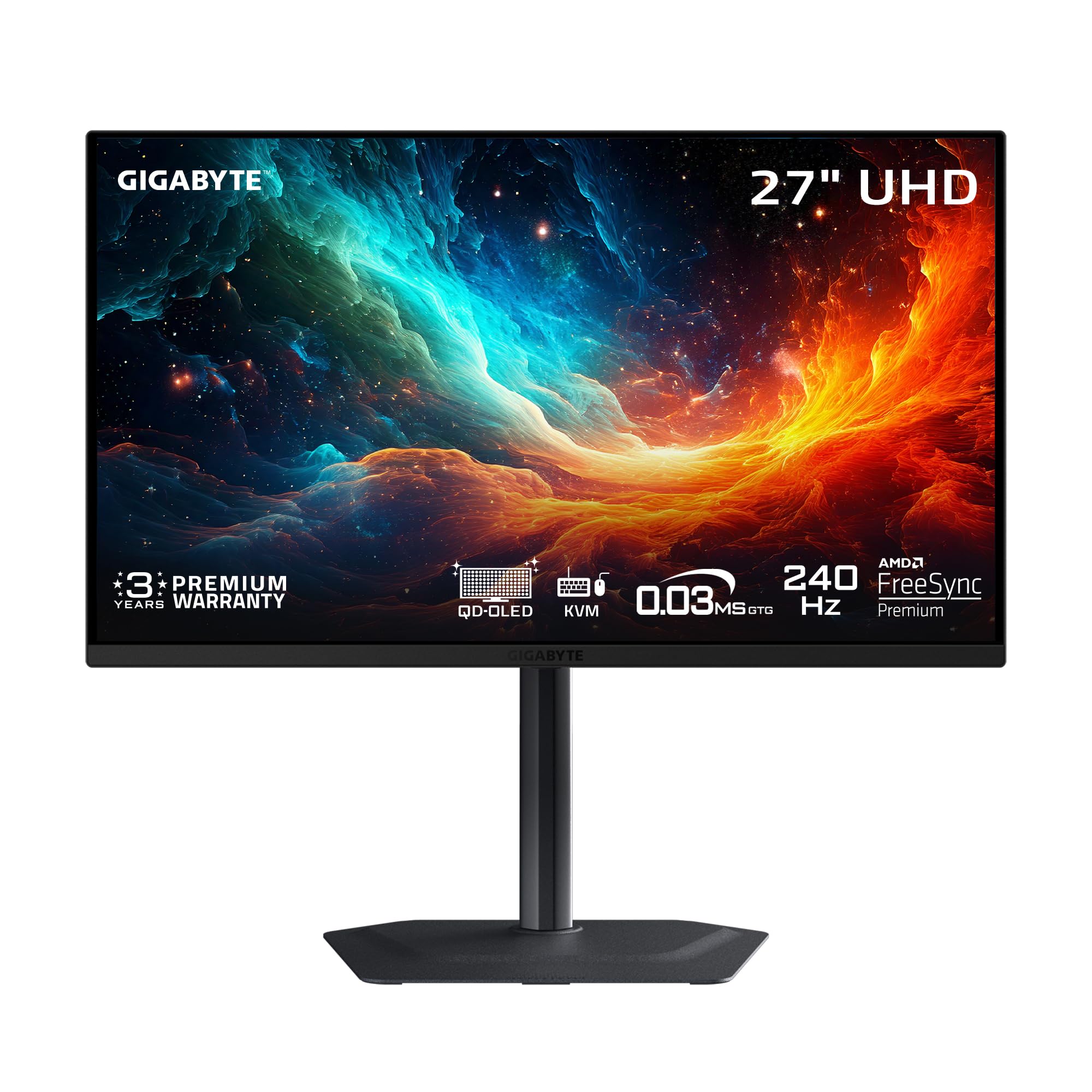
A 27-inch QD-OLED that offers a blistering 240Hz refresh rate at a price that undercuts the high-end competition.
This GIGABYTE monitor is a smart choice if you want top-tier gaming performance without spending over a thousand dollars. It features a 27-inch QD-OLED panel with a 240Hz refresh rate and a 0.03ms response time, making motion incredibly clear and responsive. The contrast ratio hits 1.5M:1, and the display is VESA DisplayHDR True Black 400 certified, so dark scenes in games and movies have outstanding depth. Owners mention the picture quality is a massive visual upgrade from older IPS panels, calling it the “looking through a window” effect.
Unlike the Dell S32 which uses a VA panel with a 1500:1 contrast ratio, this GIGABYTE uses QD-OLED for a contrast ratio of 1,500,000:1, meaning blacks are a thousand times deeper and colors are far more vibrant. It also includes exclusive AI-based OLED Care features that work in the background to minimize burn-in risk, which is a major peace-of-mind feature for an OLED monitor. The fanless design uses a graphene thermal film and customized heatsink for quiet, reliable cooling.
One review noted that the built-in speakers are poor and recommended external ones for better audio. The monitor does not have a DisplayPort 2.1 port, but HDMI 2.1 works great for the PS5 Pro and Mac.
Why you’d choose it: It delivers a 240Hz QD-OLED gaming experience at a price that beats most competitors, with smart AI tools to protect the panel.
One real catch: The built-in speakers are weak, so budget for external speakers if you need audio from the monitor.
3. LG 32GX870A-B 32-inch Ultragear 4K UHD OLED Gaming Monitor

The largest OLED on this list with a dual-mode feature that jumps from 4K 240Hz to FHD 480Hz at a hotkey press.
This LG UltraGear is built for gamers who want both stunning 4K visuals and the ultimate competitive edge. Its 32-inch OLED panel delivers a 1.5M:1 contrast ratio and a typical brightness of 275 nits, with a peak brightness of up to 1300 nits thanks to Micro Lens Array+ technology. The real party trick is the Dual Mode: you get 4K at 240Hz for rich single-player games, or you can switch to Full HD at 480Hz for esports titles where every millisecond counts. The 0.03ms GtG response time means virtually no ghosting or lag.
It is NVIDIA G-SYNC Compatible and supports AMD FreeSync Premium Pro for tear-free gaming on any modern graphics card. The anti-glare/low reflection OLED coating helps you focus on the game by cutting down on distracting light reflections. The Switch app lets you split the screen into up to six sections and control monitor settings easily. Customers note the picture quality is excellent, with one calling the 480FPS mode “so cool to look at” and noting their mouse pointer had never looked so smooth.
A couple of reviewers mentioned a minor learning curve with text clarity, which can be improved by disabling ClearType, and the documentation is lacking. The 2-year limited warranty and built-in OLED Care tools like pixel cleaning provide confidence for a big investment.
Standout Features
- Dual Mode lets you toggle between 4K 240Hz and FHD 480Hz.
- Micro Lens Array+ technology delivers a peak brightness of up to 1300 nits.
- Includes DP 2.1 for future-proof high-bandwidth connections.
Small Trade-offs
- Matte coating can look slightly grainy on static bright web pages.
- Some users report soft text from the start that needs adjustment.
Ideal for: The hardcore gamer who plays both cinematic 4K titles and fast-paced competitive shooters and wants one monitor for everything.
Not for you if: You only do productivity work; the high price and dual-mode focus are wasted if you don’t game at high frame rates.
4. ASUS ROG Swift 32” 4K OLED Gaming Monitor (PG32UCDM)

The ASUS flagship that wraps a 32-inch QD-OLED panel in premium build quality, burn-in protection, and a glossy screen that pops.
If you want the absolute best image quality and are willing to pay for it, this ASUS ROG Swift is a top contender. It combines a 32-inch 4K QD-OLED panel with a 240Hz refresh rate and a 0.03ms response time. The color performance is exceptional, covering 99% of the DCI-P3 gamut with true 10-bit color and Delta E < 2 accuracy. It is VESA DisplayHDR 400 True Black compliant and supports a peak brightness of 1000 nits, making HDR content look fantastic.
Where this monitor really stands out is its thermal management. It uses a highly efficient custom heatsink, advanced airflow design, and graphene film to reduce the risk of burn-in, a common concern with OLED panels. The optional uniform brightness setting ensures consistent luminance, which is great for productivity. Reviewers point out the glossy screen enhances clarity and immersion, with reflections being a minor issue in most rooms. The 3-year warranty and DisplayWidget Center software for OLED Care give you strong long-term support.
A buyer mention it is “outstanding” for both gaming and productivity, with one reviewer saying it is the “premium quality, worth every penny” choice.
Why it stands out: Top-tier QD-OLED image quality with advanced burn-in protection and a premium glossy finish that enhances contrast and clarity.
The big trade-off: It is the most expensive monitor on this list, and the glossy screen may not suit a brightly lit room with windows behind you.
5. Samsung 32″ Odyssey OLED G7 (G73SH) Gaming Monitor
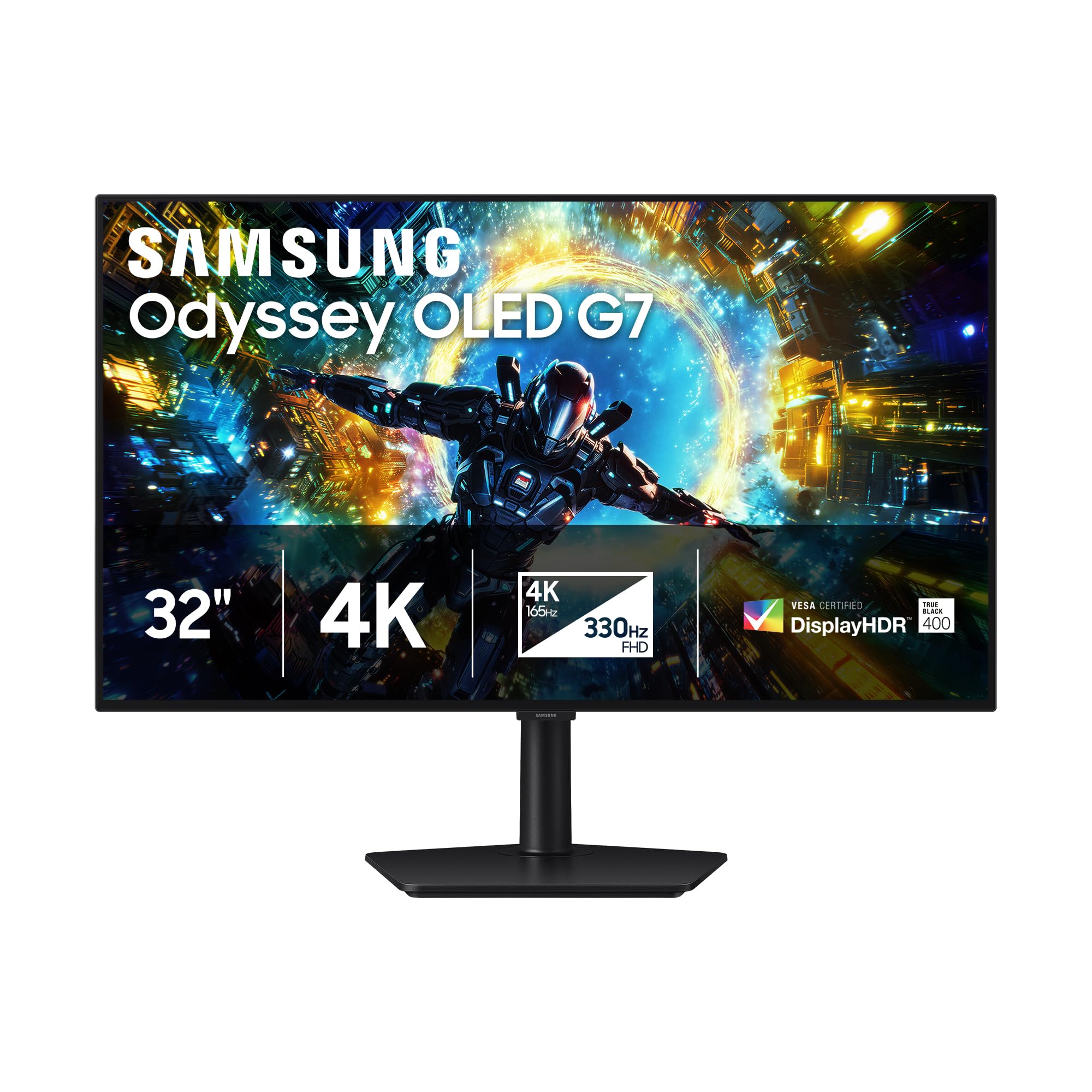
A 32-inch OLED with a Pantone-validated screen, a 165Hz 4K mode, and a secret 330Hz FHD mode for fast games.
This Samsung Odyssey brings high-end OLED to a versatile dual-mode monitor. In its standard mode, you get a sharp 4K resolution with a smooth 165Hz refresh rate, which is plenty for most games and excellent for work. When you switch to Dual Mode, it drops the resolution to Full HD but rockets the refresh rate up to 330Hz, with a near-instant 0.03ms response time, perfect for competitive shooters. The glossy OLED screen provides stunning contrast and color, backed by VESA DisplayHDR True Black 400 and a 1,500,000:1 contrast ratio.
A standout feature is the Pantone Validated screen, which ensures professional-grade color accuracy from the start. It’s also NVIDIA G-SYNC Compatible and supports AMD FreeSync Premium Pro for smooth, tear-free gameplay. The ergonomic stand offers height, tilt, swivel, and pivot adjustments for a comfortable setup. Shoppers say it is a “massive visual leap from LCD,” with one saying “the kind of monitor that makes your old one look tired.”
Some users note that the 165Hz refresh rate in 4K feels a bit limiting compared to 240Hz options, and the glossy screen requires a controlled lighting setup to avoid reflections. It also lacks a USB-C port, only having one DisplayPort and one HDMI.
Key Strengths
- Pantone Validated screen for accurate, professional color reproduction.
- Dual Mode offers 4K 165Hz for detail and FHD 330Hz for speed.
- Excellent ergonomic stand with height, tilt, swivel, and pivot adjustments.
Points to Note
- No USB-C port for power delivery or USB hub functionality.
- 165Hz refresh rate is lower than some premium 240Hz OLEDs.
Who it works for: Creative professionals and gamers who want a versatile OLED monitor with professional color certification and a flexible stand.
Who should look elsewhere: Those who want a pure 4K 240Hz experience or need USB-C connectivity for a simple desk setup.
6. MSI MPG 321URX QD-OLED, 32″ 4K UHD Gaming Monitor

A larger 32-inch QD-OLED built for speed, with a 240Hz refresh rate and a very fast 0.03ms response time.
Moving up to a 32-inch screen gives you a more rich view, and the MSI MPG 321URX delivers that with a fantastic QD-OLED panel. It runs at 4K with a 240Hz refresh rate and an ultra-low 0.03ms GtG response time, making it excellent for both fast-paced gaming and sharp desktop work. The color performance is incredible, covering 99% of the DCI-P3 gamut with a 10-bit panel and Delta E ≤ 2 accuracy. It is VESA DisplayHDR True Black 400 certified, so HDR content looks rich with deep blacks and bright highlights.
This monitor is built for convenience with a KVM switch, Picture-in-Picture and Picture-by-Picture modes, and a 90W USB-C port for charging a laptop. The 4-way adjustable stand and Mystic Light RGB lighting add a premium feel. It includes HDMI 2.1 and DP 1.4a for modern connectivity. Reviewers coming from 1440p IPS panels call the upgrade “breathtakingly beautiful,” noting the massive improvement in color and HDR vibrancy.
A buyer mentioned the stand lacks adjustment range and the price is high, but the quality is justified. This monitor is a direct step up from the MSI PRO MAX 271UPXW12G, offering a larger screen and a higher 240Hz refresh rate for the same premium OLED experience.
What makes it special: A 32-inch 4K QD-OLED with a 240Hz refresh rate, precise color, and a built-in KVM switch.
The catch to know: The higher price tag and limited stand adjustment range are the main compromises in an otherwise outstanding package.
7. Samsung 32″ Odyssey Neo G8 (G85NB) 4K UHD 240Hz Curved Gaming Monitor

A striking 32-inch 1000R curved monitor with Quantum Mini-LEDs that produce near-OLED black levels and extreme brightness.
If you love the idea of a curved screen that wraps around your field of view, this Samsung Neo G8 is a unique and powerful option. It features a 32-inch VA panel with Quantum Mini-LED technology, achieving a 1,000,000:1 contrast ratio and a peak brightness of 2000 nits with Quantum HDR2000 certification. The 1000R curvature matches the human eye for a deeply rich feel. It runs at 4K with a 240Hz refresh rate and a 1ms response time, making it incredibly fast for a non-OLED monitor.
The matte display absorbs reflections better than a glossy screen, keeping you focused during long gaming sessions. It supports AMD FreeSync Premium Pro and is G-Sync Compatible for smooth gameplay. Reviewers praise the near-OLED quality of the blacks and the low latency. However, some users report scan lines at the full 240Hz refresh rate and a wobbly stand. One long-term user mentioned the occasional blank screen, while another noted the screen buttons are hard to find by feel.
It is an excellent alternative to OLED if you want higher brightness and are okay with a curved screen. It also offers a very high 240Hz refresh rate, matching the MSI MPG 321URX but using different panel technology.
High Points
- 1000R curved screen provides a deeply rich viewing experience.
- Quantum HDR2000 delivers a peak brightness of 2000 nits for exceptional HDR.
- Mini-LED technology produces near-OLED black levels at high brightness.
Low Points
- Some units experience scan lines at 240Hz, requiring a drop to 120Hz.
- Curved screen can cause initial eye strain and takes time to adjust to.
Best suited for: Gamers who want a high-brightness curved display with deep blacks for rich single-player or flight sim games.
Consider alternatives if: You are sensitive to screen curve or want a flat panel; or you worry about potential scan line issues on some units.
8. Dell S32 Series 32″ 4K Monitor (3840 x 2160), 120Hz
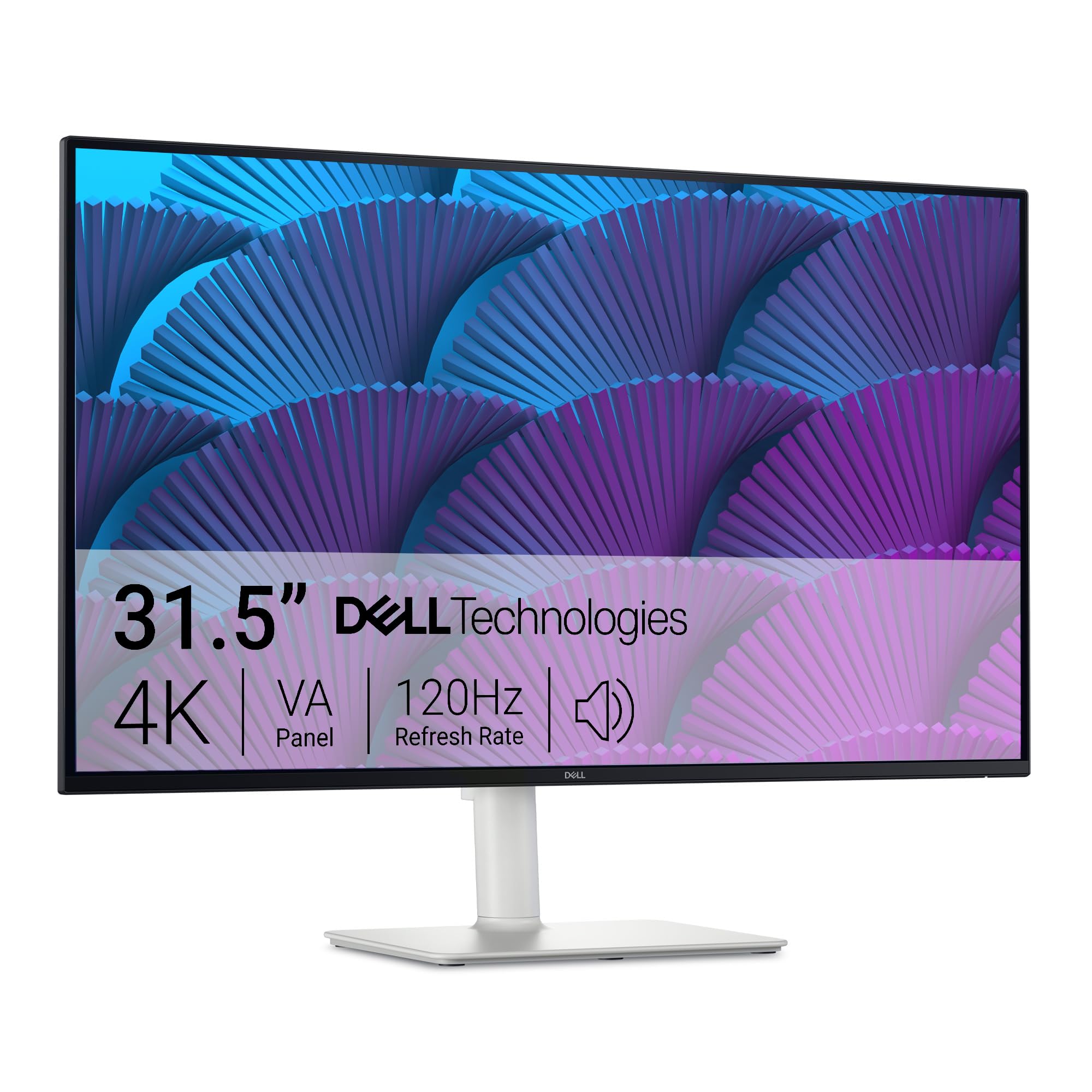
A dependable 32-inch 4K monitor with a built-in 120Hz refresh rate for a smooth, everyday experience without the premium price.
The Dell S32 is a straightforward, well-built monitor that nails the basics for work and light gaming without any fuss. It uses a VA LED panel with a 1500:1 contrast ratio and 99% sRGB and 95% DCI-P3 color coverage, so images have good depth and accurate colors. The 120Hz refresh rate makes scrolling through documents and browsing feel noticeably smoother than a standard 60Hz monitor. The integrated 2x5W speakers are useful for video calls and casual media without needing external ones.
A major advantage is the ComfortView Plus feature, which reduces harmful blue light emissions to 35% or less, making it ideal for long work days without eye strain. The ultra-thin bezel and ash white finish look clean on any desk. It supports AMD FreeSync Premium for smoother gameplay without screen tearing. Unlike the InnoView 27 which shares a 1500:1 contrast ratio, the Dell has a higher refresh rate ceiling with premium FreeSync support.
Buyers report the monitor has excellent picture quality and color accuracy for a home office setup. One reviewer praised it for zero eye strain during 8-hour work days.
Why you’d buy it: A large, eye-friendly 4K monitor with a smooth 120Hz refresh rate and great colors at a very accessible price point.
The compromise: The VA panel offers decent contrast, but blacks and viewing angles are not as good as IPS or OLED panels.
9. InnoView 27 Inch Monitor Dual Mode 4K UHD 120Hz/FHD 288Hz
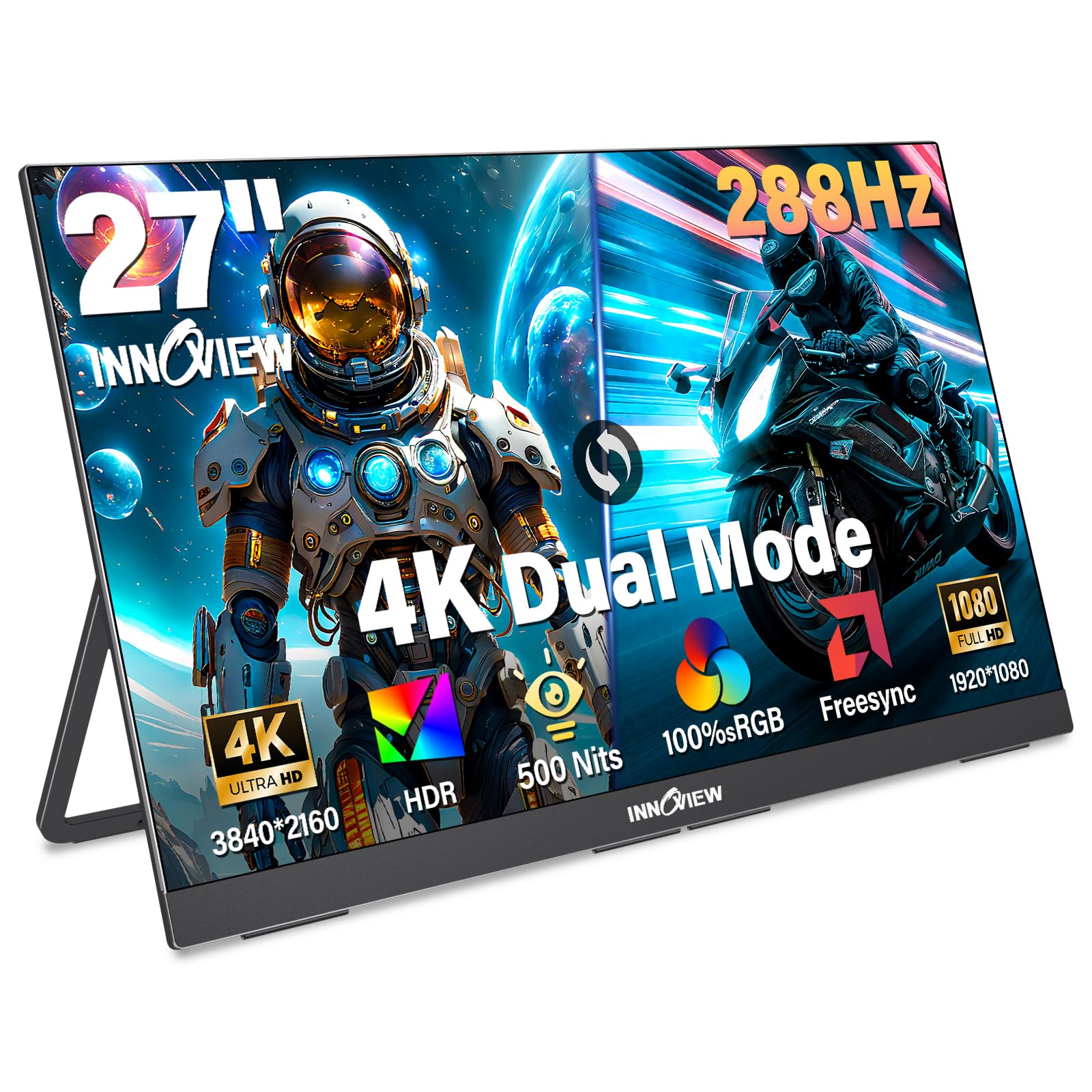
A budget-friendly 27-inch IPS monitor that offers a unique dual-mode feature: 4K at 120Hz or FHD at a speedy 288Hz.
This InnoView monitor is an interesting entry-level option for someone who wants to try both high-resolution and high-refresh gaming on one screen. It uses an IPS panel with a 1500:1 contrast ratio, 100% sRGB coverage, and 500 nits of brightness, so colors look decent and the screen is fairly bright. The dual-mode lets you use 4K UHD at 120Hz for sharp visuals in story games, then switch to Full HD at 288Hz for competitive shooters. It also includes FreeSync technology and HDR support for smoother, more vibrant gameplay.
The monitor has a fully adjustable stand that tilts 180 degrees, and it supports 100x100mm VESA mounting. Connectivity includes two full-function USB-C ports and one HDMI, making it plug-and-play with laptops, PCs, and consoles. Owners mention it is a great portable monitor with a slim design, but one reviewer noted a serious issue: “monitor died after 10 months; no picture or power.” While InnoView offers an 18-month warranty and good customer support, this reliability concern is a big risk.
This monitor also has a weight of 9.5 lbs, which is heavy for a portable monitor. While it costs less than others, the jump in reliability to a Dell S32 or the massive performance jump to a QD-OLED like the MSI PRO MAX 271UPXW12G makes the InnoView a gamble.
Appealing Points
- Dual Mode offers 4K 120Hz for detail and FHD 288Hz for speed on a budget.
- IPS panel with 100% sRGB and 500 nits brightness provides good color and clarity.
- Built-in adjustable stand and VESA mount compatibility for flexible setup.
Risks to Consider
- At least one report of the monitor failing after 10 months of use.
- Heavy for a portable monitor at 9.5 lbs, limiting its portability.
Who it’s for: Gamers on a strict budget who must have both a 4K and a high-FPS mode on a single monitor and are willing to accept potential reliability risks.
Who should skip it: Anyone who needs a reliable daily driver for years; the value of stepping up to the Dell S32 is significant for the confidence.
Understanding the Specs
Contrast Ratio
This tells you the difference between the brightest white and the darkest black a monitor can display. A higher contrast ratio means deeper blacks and a more lifelike, punchy image. Standard IPS panels often have a 1000:1 ratio, while VA panels hit 3000:1 or more. OLED panels, like those in the MSI and GIGABYTE monitors, reach nearly 1,500,000:1 because each pixel can turn off completely, producing perfect blacks.
Refresh Rate (Hz)
This is the number of times your screen updates the image per second. A 60Hz monitor updates 60 times a second, while a 120Hz monitor updates 120 times. The higher the refresh rate, the smoother motion looks, especially in fast-paced games and when scrolling through web pages. A 4K 120Hz monitor offers a great balance of sharpness and smoothness for most people.
Color Gamut (sRGB / DCI-P3)
This measures the range of colors a monitor can display. sRGB is a standard for web content, and 100% sRGB is good for general use. DCI-P3 is a wider color space used in digital cinema and HDR content. A higher DCI-P3 percentage, like 99% on the ASUS PG32UCDM, means richer, more vibrant reds and greens, which makes games and movies look more realistic.
Adaptive Sync (FreeSync / G-Sync)
This technology stops screen tearing, which is when you see a horizontal split in the image. It works by having the monitor adjust its refresh rate to match the frame rate your graphics card is outputting. If you have an AMD card, look for FreeSync. If you have an NVIDIA card, look for G-Sync Compatible. Both achieve the same result of a tear-free, smooth gaming experience.
FAQ
What graphics card do I need to run a 4K 120Hz monitor?
Does a 120Hz monitor make a difference for work and web browsing?
Is HDMI 2.0 enough for 4K 120Hz?
How long do OLED monitors last? Is burn-in still a problem?
What is the difference between a VA panel and an IPS panel for 4K 120Hz monitors?
Can I use a 4K 120Hz monitor with a gaming console like the PS5 or Xbox Series X?
What is DisplayHDR True Black 400?
What does 0.03ms response time mean?
Final Thoughts: The Verdict
For the majority of shoppers, the 4k monitor 120hz winner is the MSI PRO MAX 271UPXW12G because it delivers a fantastic QD-OLED picture with deep blacks and accurate colors, all through a simple USB-C cable that powers your laptop. If you want higher refresh for competitive gaming, grab the GIGABYTE MO27U2 for its excellent 240Hz QD-OLED value. And for a reliable, budget-friendly 4K 120Hz screen for work and play, the Dell S32 Series is a safe and solid choice.
How We Picked
We do not accept paid placement. Every pick is matched to a real buyer and a real use-case; we do not hands-on test units.
Sources & Methodology
Specifications: manufacturer listings and product documentation. Review insights: verified customer reviews, as of July 2026. Pricing: not shown on this page (it changes often); check the current price via the retailer link.
As an Amazon Associate, Gadgets Feed earns from qualifying purchases. This does not affect which products we feature.
Product prices and availability are accurate as of the date/time indicated and are subject to change. Any price and availability information displayed on Amazon at the time of purchase will apply to the purchase of this product. As an Amazon Associate I earn from qualifying purchases.
CERTAIN CONTENT THAT APPEARS ON THIS SITE COMES FROM AMAZON. THIS CONTENT IS PROVIDED "AS IS" AND IS SUBJECT TO CHANGE OR REMOVAL AT ANY TIME.
Amazon and the Amazon logo are trademarks of Amazon.com, Inc. or its affiliates.