
Our readers keep the lights on and my morning glass full of iced black tea. As an Amazon Associate, I earn from qualifying purchases.
Specs are compiled from manufacturer listings and verified buyer reviews and can change over time — please confirm the key details on the product page before buying.
You need a second screen that’s sharp enough for photo editing, bright enough for a coffee shop near a window, and light enough to slide into your bag. But with different panel types, brightness numbers, and cable requirements, picking the right 4K portable monitor is confusing. This guide sorts through the published specs and what real buyers report, so you know exactly which one fits your laptop and your work style.
I’m Min — the founder and writer behind Gadgets Feed. This guide is built by comparing the manufacturers’ published specifications and the patterns across verified customer reviews, so you get each pick’s real strengths and trade-offs instead of marketing spin.
You want a best 4k portable monitor that feels like an extension of your main display, not a compromise: sharp text, accurate colors, and a setup that works the first time you plug it in. Whether you work from coffee shops or game in hotel rooms, here is what matters.
Quick Picks
- UPERFECT 4K OLED Portable Monitor, 13.3″ UHD 3840×2160 Laptop Display — Best Overall
- UPERFECT 17.3” 4K Portable Monitor QLED, 600 Nits 150% sRGB UHD FreeSync — Brightest Panel
- 17.3″ 4K Portable Monitor Touchscreen, 120Hz UHD Gaming Display with MPP Stylus Support — Touch & Draw
- ViewSonic VX1655-4K-OLED 15.6 Inch 4K Portable Monitor — Brand Trust
- cocopar Portable Monitor 15.6 Inch 4K UHD 60Hz 145% sRGB Travel Monitor — Ultra-Light
How To Choose The Best 4K Portable Monitor
You need to decide which panel technology gives you the look you want, how bright the screen must be for your room, and whether your laptop can power it with one USB-C cable. Here is what each choice means for you.
Panel Type: OLED vs QLED vs Standard LCD
OLED (organic light-emitting diode) gives you the deepest blacks and highest contrast because each pixel creates its own light and can turn off completely. That means a dark scene in a movie looks truly black, not gray. A QLED panel uses a backlight with quantum dots (tiny crystals that boost color) to produce very bright, vivid colors — good for HDR video and bright rooms. Standard LCD is the most affordable option, but you get significantly lower contrast and less vibrant colors than the other two.
Brightness: Why 300 vs 600 Nits Matters
Brightness is measured in nits (candela per square meter). A monitor rated at 300 to 400 nits works fine indoors, away from windows. One rated at 500 to 600 nits is easier to see near a window or in a bright room, and it makes HDR (high dynamic range) content look more punchy — highlights stand out against darker scenes.
Connectivity: USB-C Plug-and-Play vs HDMI
The big convenience is USB-C “plug-and-play,” where one cable carries both the video signal and power from your laptop to the monitor. This only works if your laptop’s USB-C port supports Thunderbolt 3, 4, or 5 (fast data and video standards) or DP Alt Mode (DisplayPort Alternate Mode — a way to send video over USB-C). If your laptop does not have that, you need to use an HDMI port with a separate power adapter. That still works but adds one more cable.
Quick Comparison
On smaller screens, swipe sideways to see the full table.
| Model | Best For | Panel / Tech | Brightness | Contrast Ratio | Amazon |
|---|---|---|---|---|---|
| UPERFECT 13.3″ OLED | Deep, inky blacks on the go | OLED | 500 Candela | 100000:1 | $279.99$299.99PrimeAmazon |
| UPERFECT 17.3″ QLED | Brightest image for sunny rooms | QLED | 600 Candela | 2000:1 | $289.98$356.99Limited time dealAmazon |
| 17.3″ Touch | Drawing and direct touch control | Touchscreen | 400 lm | — | $739.00Amazon |
| ViewSonic VX1655-4K-OLED | Premium brand and 3-year warranty | OLED | 400 | 80,000,000:1 | $499.99Amazon |
| cocopar 15.6″ 4K | Lightest and most travel-friendly | LCD | 380 Candela | 1500:1 | $249.99$299.99PrimeAmazon |
In‑Depth Reviews
1. UPERFECT 4K OLED Portable Monitor, 13.3″ UHD 3840×2160 Laptop Display
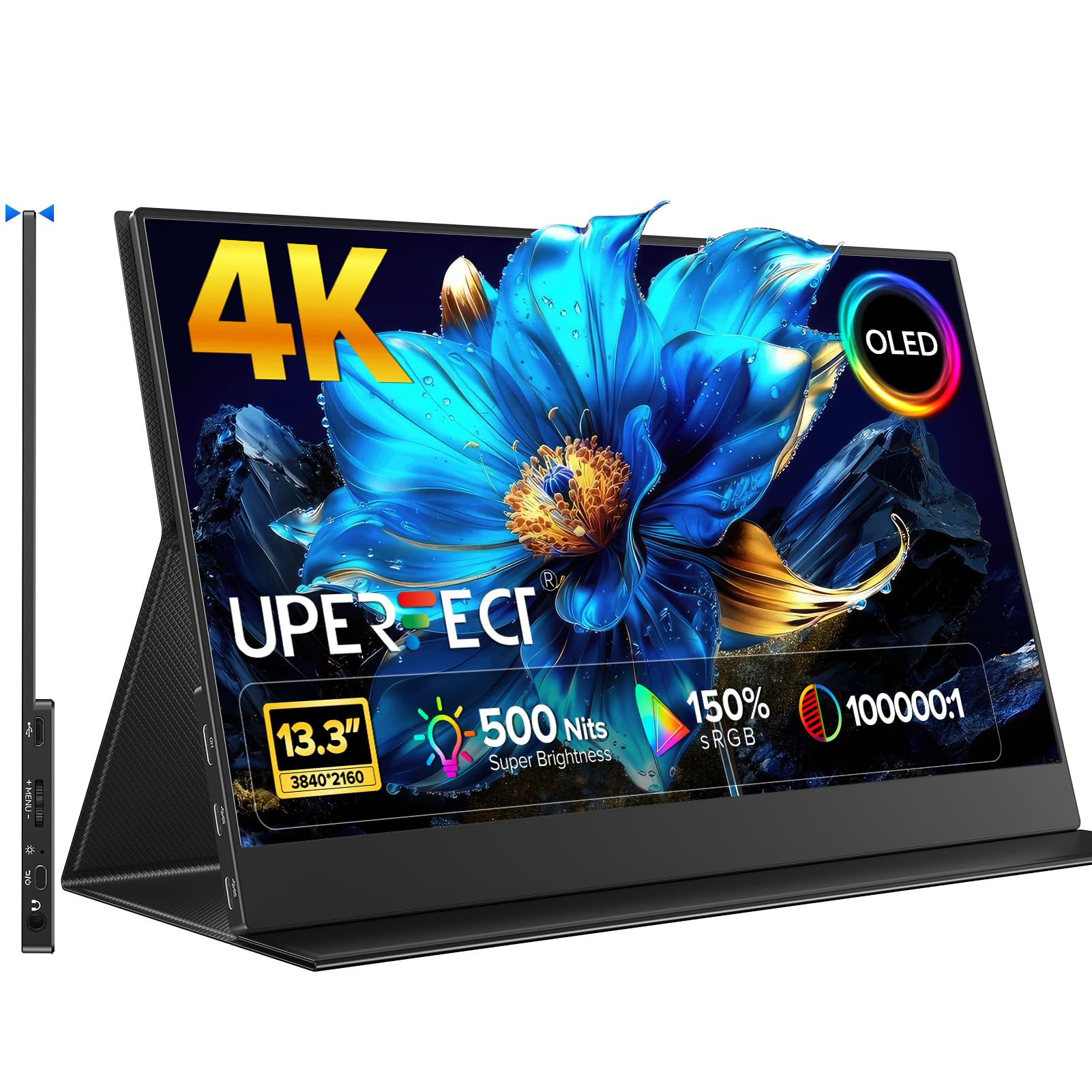
You get true blacks and cinema-grade contrast in a slim aluminum body that slides into any bag — this is the best image quality per pound.
If you care about contrast above everything else, pick this. The OLED panel delivers a 100000:1 contrast ratio, versus 1500:1 for the cocopar LCD. Black parts of an image look truly black, not gray. At 500 nits (a measure of brightness) and 150% sRGB (a color gamut standard) coverage, it is vivid enough for photo editing and bright enough for a well-lit room. Owners mention that the PS5 runs at 60 fps (frames per second) through the microHDMI port, and the magnetic folio cover doubles as a stand.
The trade-off is the 13.3-inch size. It is the smallest screen here, so you get the best image quality in a very compact package — ideal for sliding into a bag alongside a 14-inch laptop. It supports plug-and-play over USB-C if your laptop has DP Alt Mode or Thunderbolt, and it also works with an iPad Pro for a stunning second display.
At 1 ms response time (how fast a pixel changes color) and 60 Hz refresh rate (how many times the screen updates per second), it handles casual gaming and video well. Competitive gamers will want a higher 120 Hz refresh rate for smoother motion.
The OLED verdict: Pick this if you want a travel monitor where every shadow and highlight looks cinema-grade, and you are fine with a 13.3-inch screen.
The one compromise: The small size means less room for side-by-side windows compared to a 15.6- or 17.3-inch model like the UPERFECT 17.3″ QLED.
Ideal for: Photographers, remote creatives, and anyone who values contrast above all else.
Not for: Users who need a big screen for heavy spreadsheet work or multitasking.
2. UPERFECT 17.3” 4K Portable Monitor QLED, 600 Nits 150% sRGB UHD FreeSync

The brightest 4K portable monitor around — its 600-nit QLED panel is brighter than the cocopar LCD at 380 nits, so you can actually see it in a sunny room.
At 600 nits peak brightness, this QLED panel is brighter than the cocopar LCD at 380 nits. That makes a huge difference if you ever sit near a window or in a brightly lit room. The 2000:1 contrast ratio is higher than a standard LCD’s 1500:1, though it still cannot match the deep blacks of an OLED like the UPERFECT 13.3″. The 150% sRGB color gamut matches the OLED’s coverage, so colors look punchy and vibrant.
The big selling point is the 17.3-inch screen. You can comfortably run two documents side by side, and the virtually bezel-less design looks great in a dual-monitor setup. It comes with two fully functional USB-C ports and a standard HDMI port, plus VESA mounting holes (75×75 mm screw pattern) for clamping it to a desk arm. One reviewer noted that the first unit overheated but the support team sent a quick replacement — overall the reviews are strong for color accuracy and build.
One thing to keep in mind: it requires an external power source. You cannot run it purely off a laptop’s USB-C port. The maker states that full-function cables must be used for proper signal connection. Some buyers also say it feels a bit flimsy, so handle it with care during travel.
Bright Side
- 600 nits brightness — best for bright rooms
- Large 17.3″ screen with thin bezels
- Dual USB-C and standard HDMI port
Shadow Side
- Requires external power; not true single-cable
- Some units reported overheating (support resolved)
Best for: Users who need the largest screen and highest brightness, like video editors or travelers who work in varied lighting.
Look elsewhere if: You want a single-cable plug-and-play workflow or the absolute best contrast ratio — choose the UPERFECT OLED instead.
3. 17.3″ 4K Portable Monitor Touchscreen, 120Hz UHD Gaming Display with MPP Stylus Support
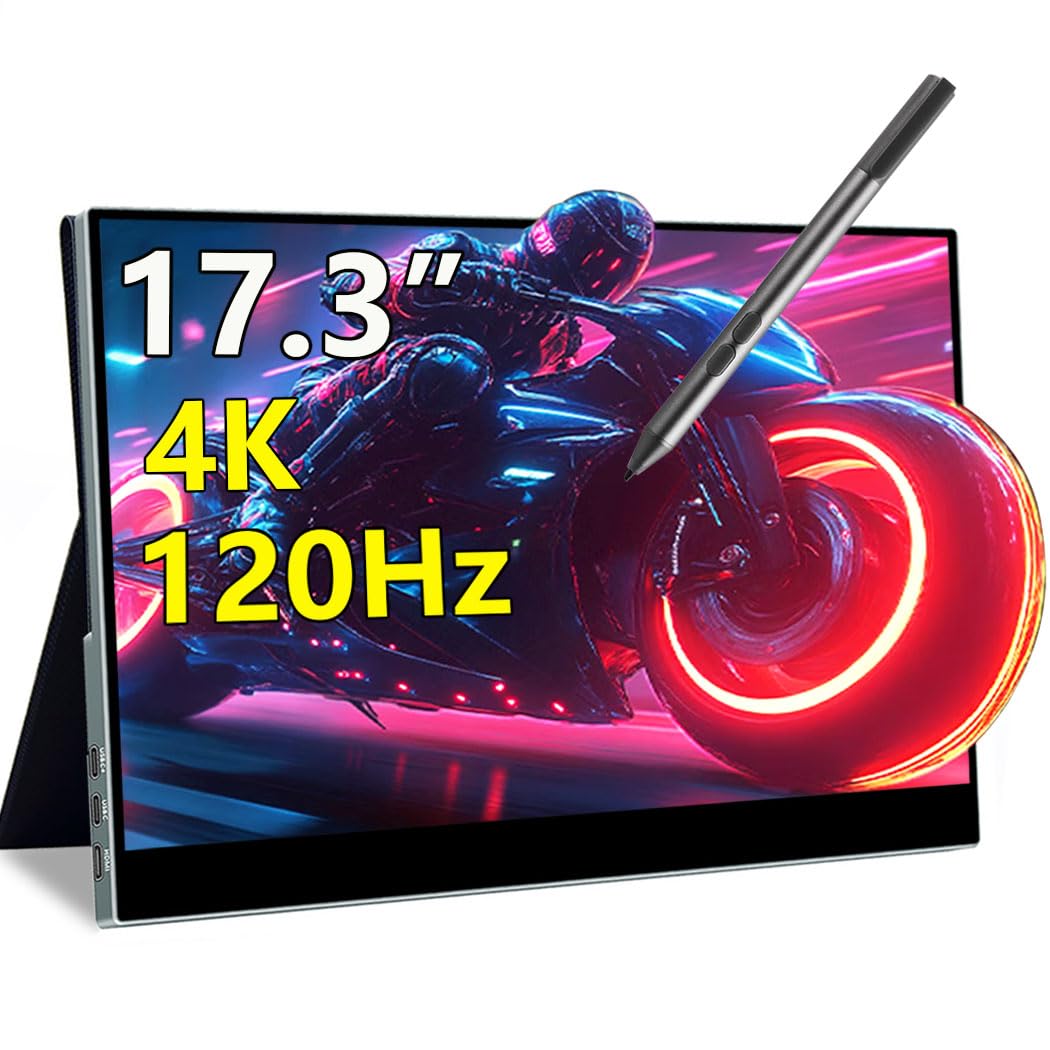
The only 17.3-inch 4K portable monitor that lets you draw, tap, and swipe directly on the screen — and it does it at a smooth 120 Hz.
This monitor combines 4K resolution with a 10-point capacitive touchscreen (supports ten simultaneous touches) that works with MPP (Microsoft Pen Protocol) styluses. That means you can sketch, annotate, and navigate without a mouse. It also runs at 120 Hz with a 1 ms response time, so scrolling and gaming feel much smoother than the standard 60 Hz monitors. The panel delivers 100% DCI-P3 (a wide color standard for video and photo) coverage, which is professional-grade.
Connectivity is strong: dual USB-C ports and HDMI 2.1 (the latest HDMI standard). The slim all-metal body and magnetic smart cover make it travel-friendly, and the 75 x 75 mm VESA mount lets you attach it to a desk arm. One buyer mentioned that the built-in speakers are tinny and quiet, so you will want headphones for any serious audio work.
The catch is the 400 lm brightness. That is adequate indoors, so it is not ideal near a window. Some buyers also noted that the clarity is not perfectly crisp compared to high-end desktop monitors.
The touch advantage: Perfect for artists, students, and presenters who want to draw or mark up documents on a large 4K screen without a separate tablet.
The brightness limit: At 400 lm it is fine indoors, but do not expect to use it comfortably in direct sunlight.
Reach for this if: You want a large 4K screen you can draw on with a stylus, plus smooth 120 Hz gaming.
skip it if: You prioritize peak brightness or the deepest contrast — an OLED like the UPERFECT 13.3″ would serve you better.
4. ViewSonic VX1655-4K-OLED 15.6 Inch 4K Portable Monitor

A big-name brand 4K OLED with an 80,000,000:1 contrast ratio and a 3-year warranty that protects your investment on the road.
ViewSonic is a well-known monitor brand, and the VX1655-4K-OLED brings that reliability to a portable 15.6-inch OLED. The panel has an 80,000,000:1 contrast ratio — the highest contrast ratio here, meaning blacks are truly black and colors pop dramatically. It is also very light at 1.5 lbs and only 0.6 inches thick, making it easy to slide into a backpack. It supports 60W USB-C connectivity, so one cable can carry video, data, and power from your laptop.
Buyers rave about the image quality, calling it “gorgeous” for movies and games. The built-in stand and protective screen cover work in both portrait and landscape orientations. The major downside is the speakers, which multiple reviewers describe as poor — expect to use headphones. The ports are also delicate, so handle the cables carefully. Compared to the UPERFECT 13.3″ OLED, this ViewSonic offers a larger 15.6-inch screen and a 3-year warranty, but it costs more and does not get as bright (400 nits vs 500 nits). One owner reported the brightness does not auto-sync with a MacBook, and the menu interface is confusing.
Pros
- 80,000,000:1 contrast ratio — the best on this list
- 3-year US-based warranty
- Light at 1.5 lbs with USB-C 60W power delivery
Cons
- Poor built-in speakers
- 400 nits is decent but not as bright as some competition
- Delicate ports and confusing menu interface
Right for: Professionals who want a premium brand, OLED quality, and the safety of a long warranty.
Consider the UPERFECT 13.3″ OLED if: You need 500-nit brightness instead of 400 nits for bright rooms or want a lower price.
5. cocopar Portable Monitor 15.6 Inch 4K UHD 60Hz 145% sRGB Travel Monitor
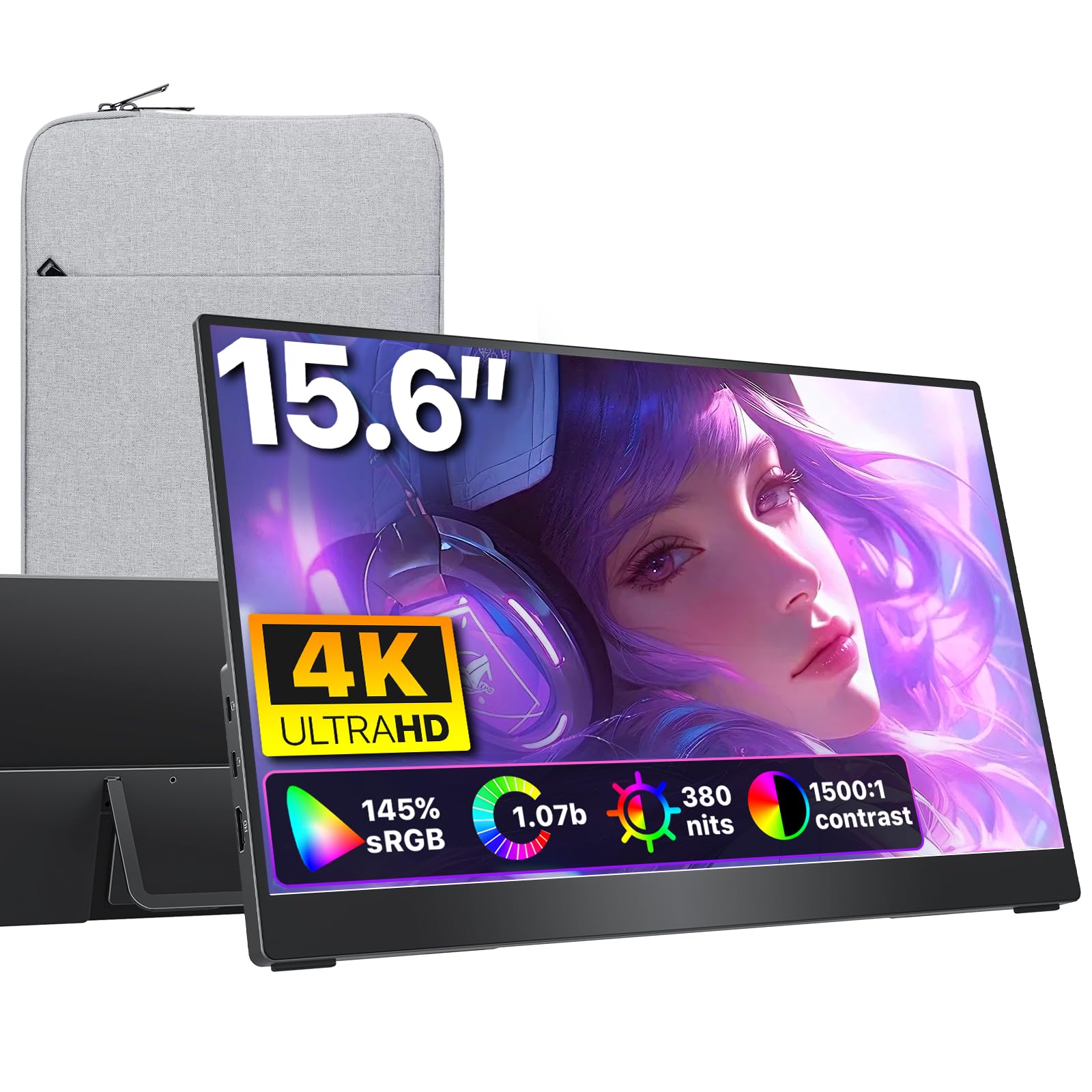
At 1.54 lb with a matte screen that cuts reflections, this is the lightest 15.6-inch 4K monitor for travelers who hate glare.
If weight and glare are your main concerns, the cocopar is a smart choice. It weighs just 1.54 lb and is only 0.24 inches at its thinnest, making it the most travel-friendly 4K option on this list. The premium metal chassis feels solid without adding bulk. It also has a matte display (an anti-glare coating that diffuses reflections), which makes it easier to use outdoors or near a window compared to glossy screens.
The LCD panel covers 145% sRGB and has a 1500:1 contrast ratio. That is solid for an LCD, versus 100000:1 on the UPERFECT OLED above. It comes with a built-in kickstand and is VESA mountable, so you can use it on a desk arm at home. One customer observed it works without external power when the Mac is on a 96W adapter, which is a nice convenience for single-cable setups.
The catch is the 380 nits brightness. It is fine for indoor use but will struggle in direct sunlight. Also, the 60 Hz refresh rate and 1500:1 contrast ratio mean it is better for productivity than for HDR gaming or movie watching. Buyers love the included padded case and the plug-and-play simplicity with MacBooks.
The travel edge: At 1.54 lb it disappears into a bag, and the matte screen helps when you are working in a coffee shop near a window.
The trade-off: Colors and contrast are good for an LCD but cannot match the richness of an OLED or QLED panel like the UPERFECT 17.3″.
Grab this for: Frequent travelers who want the lightest 4K screen with a matte finish and easy single-cable operation.
Pass if: You need high brightness for HDR content or deep blacks for movie watching.
Understanding the Specs
Contrast Ratio
This is the difference between the brightest white and the darkest black a screen can show. A 1500:1 ratio is typical for an LCD, where black looks like dark gray. An 80,000,000:1 or 100000:1 ratio is an OLED — here, black pixels turn off completely, producing true blacks that make images look three-dimensional.
Brightness (Nits / Candela)
Measured in nits (candela per square meter), this is how bright the screen gets. 300-400 nits works for typical indoor use. 500-600 nits is noticeably better for bright rooms, near windows, or outdoors under shade. Higher brightness also makes HDR (high dynamic range) video look more impactful because highlights stand out against darker scenes.
FAQ
Will a 4K portable monitor work with my laptop over a single USB-C cable?
Can I use a 4K portable monitor with a gaming console like the PS5 or Xbox?
What is the difference between OLED and QLED for portable monitors?
Is a 60 Hz refresh rate enough for a 4K portable monitor?
How much does a 4K portable monitor weigh for travel?
Can I use a 4K portable monitor as my primary work display?
Do these monitors have built-in batteries?
What is VESA mount compatibility and why does it matter?
Is a matte screen better than a glossy screen for a portable monitor?
Final Thoughts: The Verdict
For most buyers, the best 4k portable monitor winner is the UPERFECT 13.3″ OLED because it delivers OLED-grade contrast (100000:1) and 500-nit brightness in a truly portable size. If you want the brightest screen with the largest 17.3-inch canvas, grab the UPERFECT 17.3″ QLED. And for a touchscreen you can draw on with a stylus, the Magedok 17.3″ Touch is your only 4K option at this size.
How We Picked
We do not accept paid placement, and we did not hands-on test every unit. Instead, we match each pick to a real buyer and use-case by comparing the manufacturers’ published specifications against the patterns in verified customer reviews — so you get each pick’s real strengths and trade-offs instead of marketing copy.
Sources & Methodology
Specifications: manufacturer listings and product documentation. Review insights: verified customer reviews, as of July 2026. Pricing: not shown on this page (it changes often); check the current price via the retailer link.
As an Amazon Associate, Gadgets Feed earns from qualifying purchases. This does not affect which products we feature.
Product prices and availability are accurate as of the date/time indicated and are subject to change. Any price and availability information displayed on Amazon at the time of purchase will apply to the purchase of this product. As an Amazon Associate I earn from qualifying purchases.
CERTAIN CONTENT THAT APPEARS ON THIS SITE COMES FROM AMAZON. THIS CONTENT IS PROVIDED "AS IS" AND IS SUBJECT TO CHANGE OR REMOVAL AT ANY TIME.
Amazon and the Amazon logo are trademarks of Amazon.com, Inc. or its affiliates.