
Our readers keep the lights on and my morning glass full of iced black tea. As an Amazon Associate, I earn from qualifying purchases.
Specs are compiled from manufacturer listings and verified buyer reviews and can change over time — please confirm the key details on the product page before buying.
Choosing a 4K streaming box is rarely about the 4K itself — every pick here outputs native 4K. The real decisions come down to how fast the interface feels, whether the remote survives daily use, and which extra formats like Dolby Vision or Wi-Fi 6 you actually need. This guide separates the boxes that feel easy from the ones that make you wrestle with your TV setup.
I’m Min — the founder and writer behind Gadgets Feed. This guide is built by comparing the manufacturers’ published specifications and the patterns across verified customer reviews, so you get each pick’s real strengths and trade-offs instead of marketing spin.
The best 4k streaming box for you depends on how much you value voice control, gaming, or a clutter-free interface. This guide breaks down the top contenders on those axes.
Our Picks at a Glance

How To Choose The Best 4K Streaming Box
The market splits into two very different shapes: small sticks that hang off your HDMI port, and larger set-top boxes that sit on your shelf. Sticks are cheaper and hide away, but boxes usually pack more RAM, faster processors, and connectivity like Ethernet ports that sticks often skip. Your choice starts with which physical shape fits your TV stand and your patience for clutter.
Know Your TV’s Picture Formats
Check whether your TV supports Dolby Vision or HDR10. A box that plays Dolby Vision will look noticeably richer on a TV that also supports it, with deeper contrast and more vibrant colors. If your TV only supports HDR10, you don’t need to pay extra for a box advertising Dolby Vision — the TV itself can’t display it. Match the box’s picture formats to what your panel can actually show.
Storage Is the Sleeper Spec
Streaming boxes range from 4GB to 128GB of internal storage. The base 16GB found on many sticks is fine for a handful of apps, but if you plan on downloading games, recording live TV, or installing many services, look for 32GB or higher. A 4GB box fills up fast with just a few apps, while 128GB handles games, recordings, and dozens of services without management.
Remote Realities and Voice Control
Since you handle the remote daily, its durability and button layout deserve as much scrutiny as the processor’s speed. Look for backlit buttons for dark rooms, voice search that actually finds your shows across apps, and a “find my remote” feature if you lose things frequently. A flimsy remote can ruin an otherwise great box, so weigh its build quality and features as heavily as the hardware specs.
Quick Comparison
| Model | Best For | Storage | RAM | Connectivity | Amazon |
|---|---|---|---|---|---|
| Roku Streaming Stick+★ Best Overall | Simple, remote-controlled streaming | 16 GB | — | Wi-Fi | Amazon |
| Fire TV Stick 4K MaxTop Performer | Fast apps and Alexa voice | 16 GB | — | Wi-Fi 6E | Amazon |
| onn 4K ProBest Value | Big storage on a budget | 32 GB | 3 GB | Wi-Fi 6 / Ethernet | Amazon |
| Xiaomi TV Box S 3rd Gen | Compact Google TV with Wi-Fi 6 | 32 GB | 2 GB | Wi-Fi 6 / Bluetooth | Amazon |
| Infomir MAG544w3 | IPTV services and wired setups | 4 GB | 1 GB | Dual-Band Wi-Fi / Ethernet | Amazon |
| Raxxio MAG544w3 | Stable Linux-based IPTV | 4 GB | 1 GB | Dual-Band Wi-Fi / Ethernet | Amazon |
| Fire TV Cube (3rd Gen) | Hands-free voice control | — | — | — | Amazon |
| NVIDIA Shield TV Pro | AI upscaling and gaming | 16 GB | 3 GB | Gigabit Ethernet / Wi-Fi | Amazon |
| Formuler Z12 Ultra | High-end IPTV and recordings | 128 GB | 4 GB | Wi-Fi 6E / Gigabit LAN | Amazon |
In‑Depth Reviews
1. Roku Streaming Stick+
Our pick — over 4.5★ from 126,000+ verified ratings; the strongest balance of quality and price.
The best-selling pick that turns any TV into a simple, reliable streaming hub.
The Roku Streaming Stick+ is the pick that wins over the most owners by a wide margin, and the big reason is the long-range wireless receiver. It pulls in a stronger signal even in rooms far from your router, so a basement rec room or backyard movie night streams smoothly instead of buffering. Setup is genuinely a two-step process: plug it into the HDMI port, connect to the internet, and you’re watching within minutes.
The 16 GB of storage handles your apps with room to spare, and the interface is praised for being easy to navigate with fast app loading. What wins people over is the sheer performance it delivers for the price, with the snappy response making it feel far more expensive than it is. The remote controls your TV’s power and volume, and you can use your voice to search across channels or switch on captions — all without juggling multiple remotes.
You’ll likely hit a snag with the remote: buyers report failures within 8 months, with some saying “Remotes failed within 8 months; batteries/resync don’t fix.” If you lose the physical remote, you’ll have to fall back on the free Roku mobile app for control and private listening. The stick depends on that remote, so budget for a replacement or rely on the app. It also supports Apple AirPlay, so you can share videos and music from your iPhone straight to the TV.
What Owners Rave About
- Long-range Wi-Fi that reaches distant rooms without stuttering
- Snappy performance and clean, easy-to-navigate interface
- One remote handles power, volume, and voice search
- Free Roku mobile app adds private listening and remote backup
The Recurring Gripes
- Remote durability is the weak link — failures reported within months
- Roku Media Player app supports limited formats
- Stick keeps playing even when you switch off the TV
Reach for it if: you want a dead-simple, reliable streamer with excellent performance and a giant app library that works in far corners of the house.
Look elsewhere if: you’d rather not rely on a physical remote that has durability complaints — the mobile app is a solid backup, but not the same.
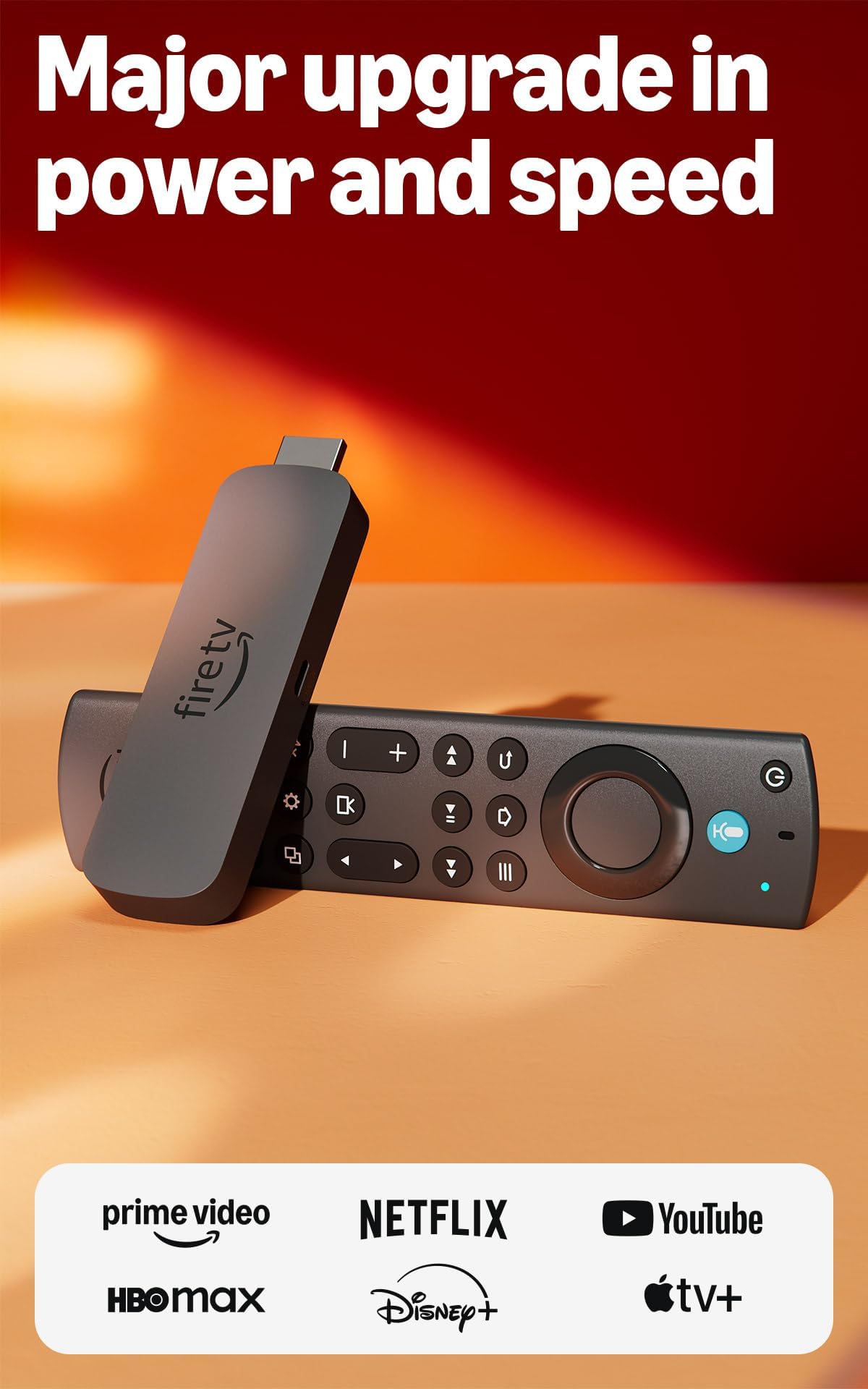
2. Amazon Fire TV Stick 4K Max
A powerhouse stick that launches apps instantly and handles heavy streaming without stutter
The Fire TV Stick 4K Max is built around speed, thanks to a powerful processor that owners mention delivers “fast app launches, smooth navigation, stunning 4K, extra storage, easy setup, great voice remote, no stutter during heavy streaming”. It doubles the storage of the standard Fire TV Stick 4K to 16GB, giving you space for more apps, games, and downloads without constantly cleaning house. This is the stick to grab if you hate waiting for apps to load or if you stream intense 4K content that chokes lesser devices.
You’ll get vibrant colors and theater-like sound with support for 4K Ultra HD, Dolby Vision, HDR10+, and Dolby Atmos audio—if your TV and soundbar support those formats. The upgraded remote adds voice control and dedicated channel buttons for instant live TV access. When you’re not watching, the Fire TV Ambient Experience can display over 2,000 pieces of museum-quality art on your screen.
The main trade-off is the home screen, which some buyers find cluttered with ads — a common complaint across Fire TV devices. Responsiveness also gets mixed feedback, with the occasional report of the remote acting up after a month of use. If you’re invested in the Amazon ecosystem, the voice remote and Alexa integration feel natural, but if you want a completely clean interface, a Roku might suit you better.
Speed Demon: The processor is the star here, making app launches and navigation feel instant even during heavy 4K streaming.
Worth Noting: The cluttered home screen with ads is the price you pay for the Amazon app ecosystem.
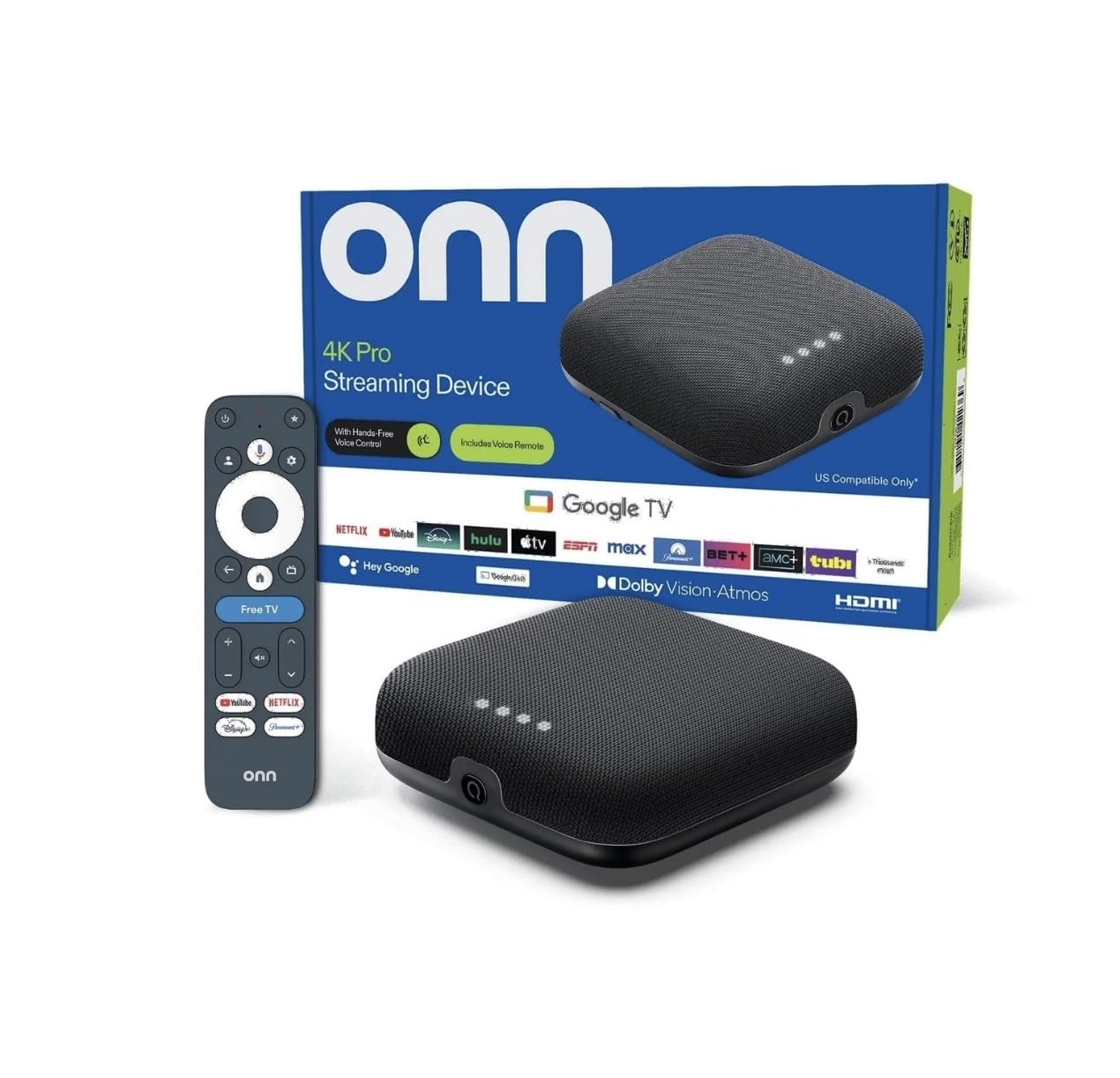
3. onn 4K Pro Streaming Device
A Google TV box that packs 32GB storage and 3GB RAM at a budget-friendly price
The onn 4K Pro proves you don’t need to spend a fortune for a feature-packed 4K streaming box. Owners describe it as a strong replacement for a 4K Fire Stick, with high image quality and a setup process that takes minutes rather than an afternoon.
It supports 4K Ultra HD and Dolby Vision for vivid colors and cinematic quality, plus Dolby Atmos Audio for theater-quality sound. The Google TV interface with Gemini brings personalized recommendations and cross-app search, so you can find content across Netflix, Prime Video, and others without hopping between apps. Connectivity is future-proofed with blazing-fast Wi-Fi 6, and there’s an optional Ethernet port for the most reliable wired connection.
The one thing to weigh is reliability — feedback is mixed, with some owners saying it works well while others report it occasionally stops working correctly and needs a few button presses to recover. One owner noted “when I turn it back on after awhile the video is froze have to push back button a few times”. For the price, the storage and RAM make it a compelling value, but think twice if you want a device that never requires a second thought.
Storage Champ: 32GB of storage at this price tier is exceptional — you won’t hit limits for a long time.
Fair Warning: Occasional freeze-ups after standby are the trade-off for the value pricing.
4. Xiaomi TV Box S 3rd Gen
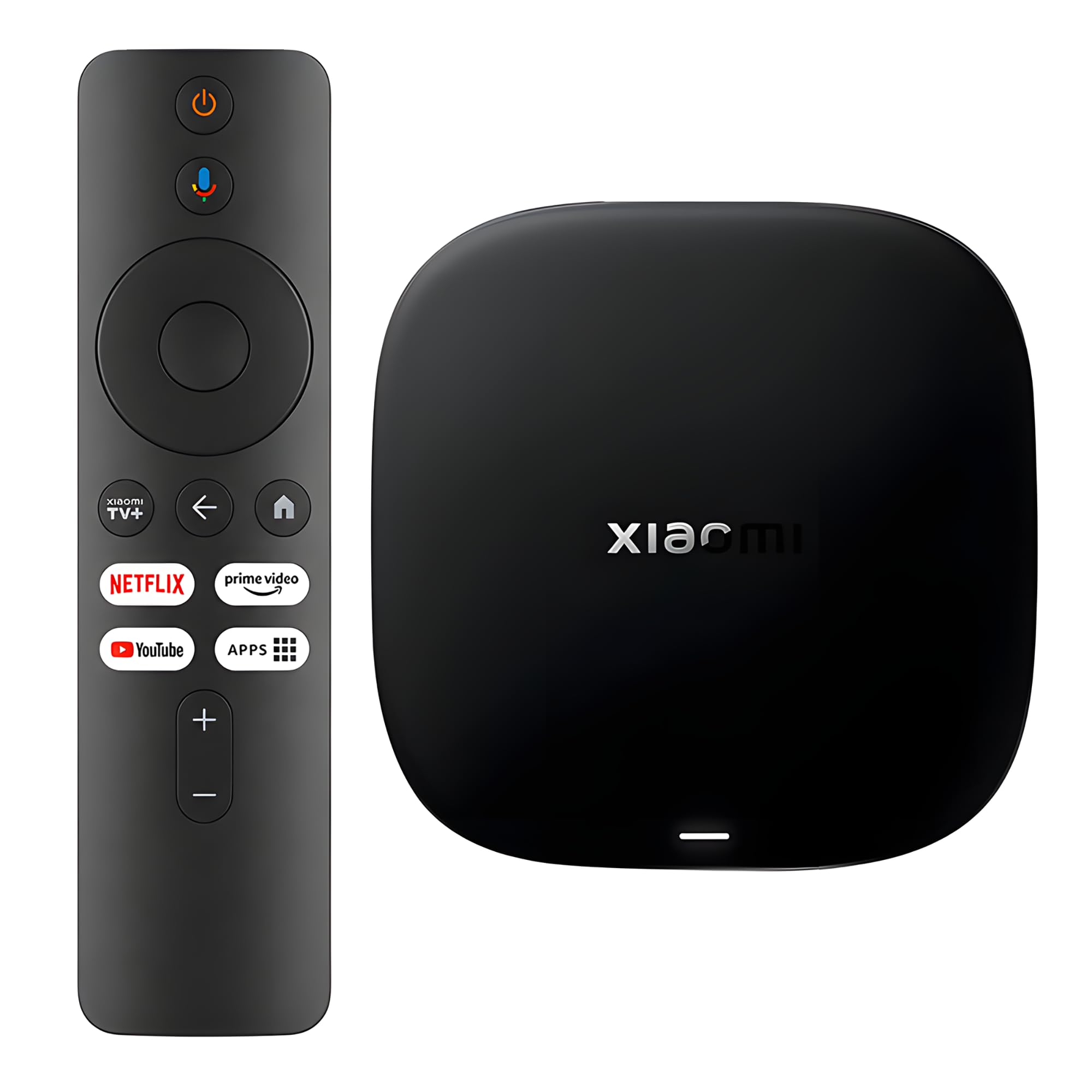
A tiny 91-gram box that delivers 4K upscaling and Wi-Fi 6 on a budget
The Xiaomi TV Box S 3rd Gen is remarkably compact at just 91 grams, yet it punches well above its size. Under the hood is a 64-bit 6nm platform with a quad-core A55 CPU running up to 2.5GHz, paired with 2GB RAM and 32GB of storage. That combination delivers smooth operation, and customers note the 4K upscaling is “actually noticeable compared to my old stick” — so even non-4K content looks sharper.
You’ll enjoy cinematic picture quality with 4K UHD, HDR10+, and Dolby Vision, plus Dolby Atmos and DTS:X for rich audio. Google TV gives you personalized recommendations and a powerful cross-app search. Wi-Fi 6 uses OFDMA and MU-MIMO technologies for greater bandwidth, so online content plays instantly if you have a Wi-Fi 6 router. The 360° Bluetooth remote has a voice button for Google Assistant, and you can cast from your phone to the TV with Google Cast.
The honest take: most owners love it, with several saying it’s better than their Fire Stick, but a small number report the unit failing after a few months with sudden audio loss across all speakers. The remote also gets mixed feedback, though the Google Assistant button is called out as a lifesaver for quick search. It’s an excellent compact pick if you value a clean Google TV interface, but treat it as a budget device, not a forever investment.
Great Upscaler: 4K upscaling that’s visibly sharper than older streaming sticks.
Know the Risk: A rare few report the box dying after a couple of months — warranty matters here.
5. Infomir MAG544w3

A Linux-based box built for IPTV services with 2160p at 60 FPS playback
The Infomir MAG544w3 is a different animal from the mainstream streaming sticks — it’s built on Linux 4.9 and tune for official IPTV and operator applications via Ministra PRO. If you subscribe to an IPTV provider, this box is designed to play 4K content smoothly, with owners noting it handles high-bitrate streams without a hiccup. The Amlogic S905Y4-B chipset with a Quad-Core ARM Cortex-A35 processor delivers 16,500 DMIPS for a smooth, lag-free experience.
You’ll get smooth, high-quality video with Ultra HD 2160p at 60 FPS and support for HEVC and AV1 codecs, which use less bandwidth. Connectivity is flexible: a built-in 2T2R ac Wi-Fi module plus a 100 Mbps Ethernet port for reliable wired streaming. Audio is cinematic with eight-channel Dolby Digital Plus for rich home theater sound. Storage is 4GB eMMC flash memory—enough for its purpose, since it’s not designed to store apps like Android boxes.
The biggest consideration is compatibility — some reviewers point out internet connection issues, and one reviewer noted their provider blocked this type of box entirely. Setup also gets mixed feedback, with confusing directions for some and easy setup for others. This is a niche device for IPTV enthusiasts who know their provider supports it, not a general-purpose streamer for Netflix and Prime Video. If that’s your use case, it works perfectly.
IPTV Focused: Plays 4K IPTV content smoothly with efficient HEVC and AV1 codecs.
Check First: Confirm your IPTV provider supports this box — some block it, so buyer beware.
6. Raxxio MAG544w3
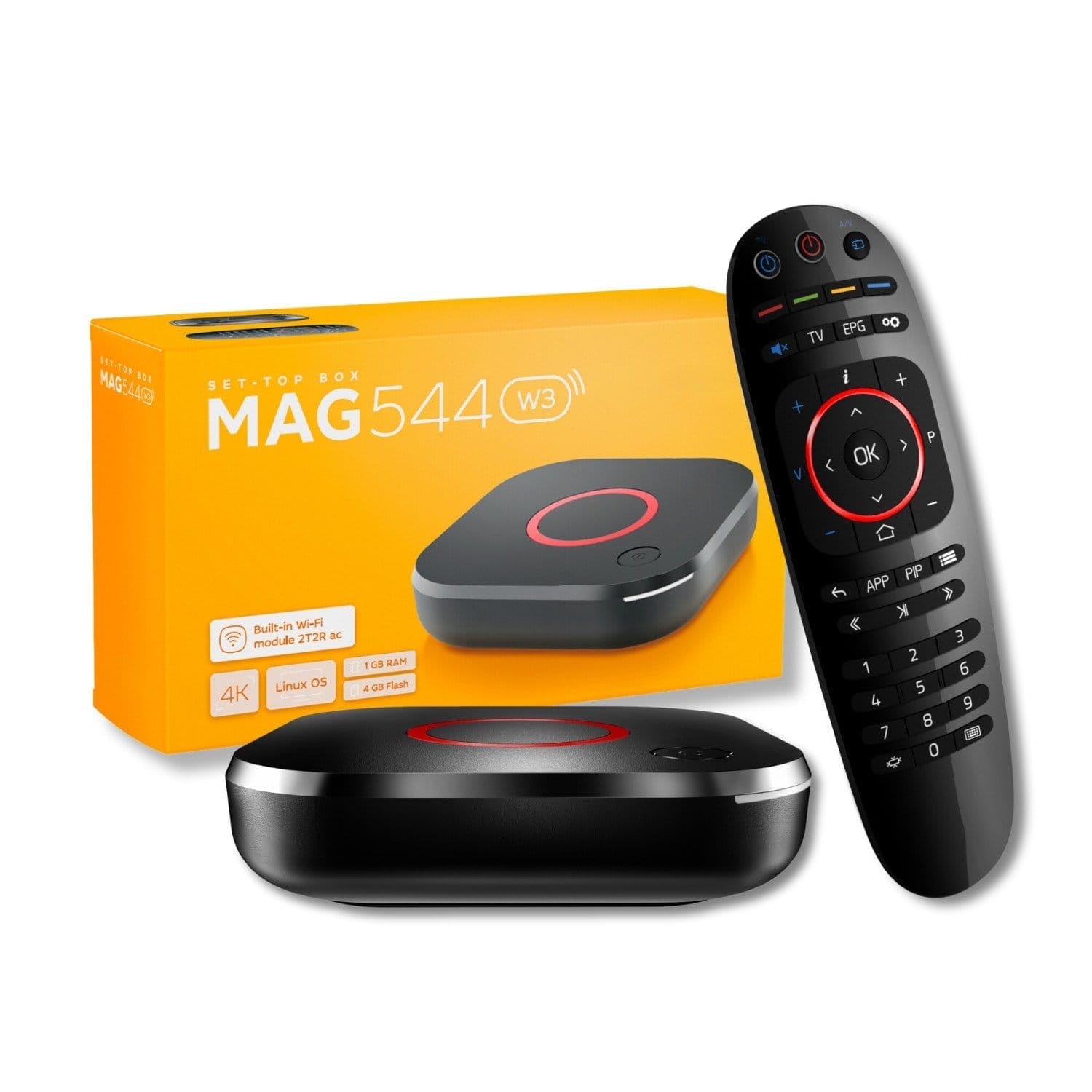
A hardware-only IPTV box with lightning-fast UI thanks to the Amlogic S905Y4-B chipset
The Raxxio MAG544w3 shares its DNA with the Infomir but adds a few unique selling points. The Amlogic S905Y4-B chipset with a quad-core ARM Cortex-A35 CPU delivers lightning-fast UI responsiveness, so navigation feels immediate rather than laggy. A key efficiency feature: HEVC codec playback requires only 16 Mbps compared to H.264’s 32 Mbps, so you get smooth 4K streaming without crushing your internet connection. Owners describe everything streaming flawlessly, calling it a standout for IPTV.
You’ll have versatile connectivity with a 100 Mbps Ethernet port for stability or built-in Wi-Fi that hits up to 550 Mbps on the 5 GHz band. Sound is rich with Dolby Digital Plus surround support, and you can connect up to seven audio speakers plus a subwoofer to spread audio tracks around the room. It ships with the device, HDMI cable, remote control, and power adapter in sealed retail packaging.
The critical thing to know: this is a Linux-based box — hardware only. It does not run Android apps and no subscription is included, so you must arrange service with a compatible third-party provider yourself. Not all services support this new model, so the maker advises confirming with your provider before buying. Some buyers find the interface outdated and app support poor, so this is strictly for IPTV users, not main-stream streaming fans.
Efficient Streaming: HEVC playback at 16 Mbps, half the bandwidth of H.264, keeps 4K smooth.
Not for Everyone: No Android apps and no included service — only buy if you have a compatible IPTV provider lined up.
7. Fire TV Cube (3rd Gen)
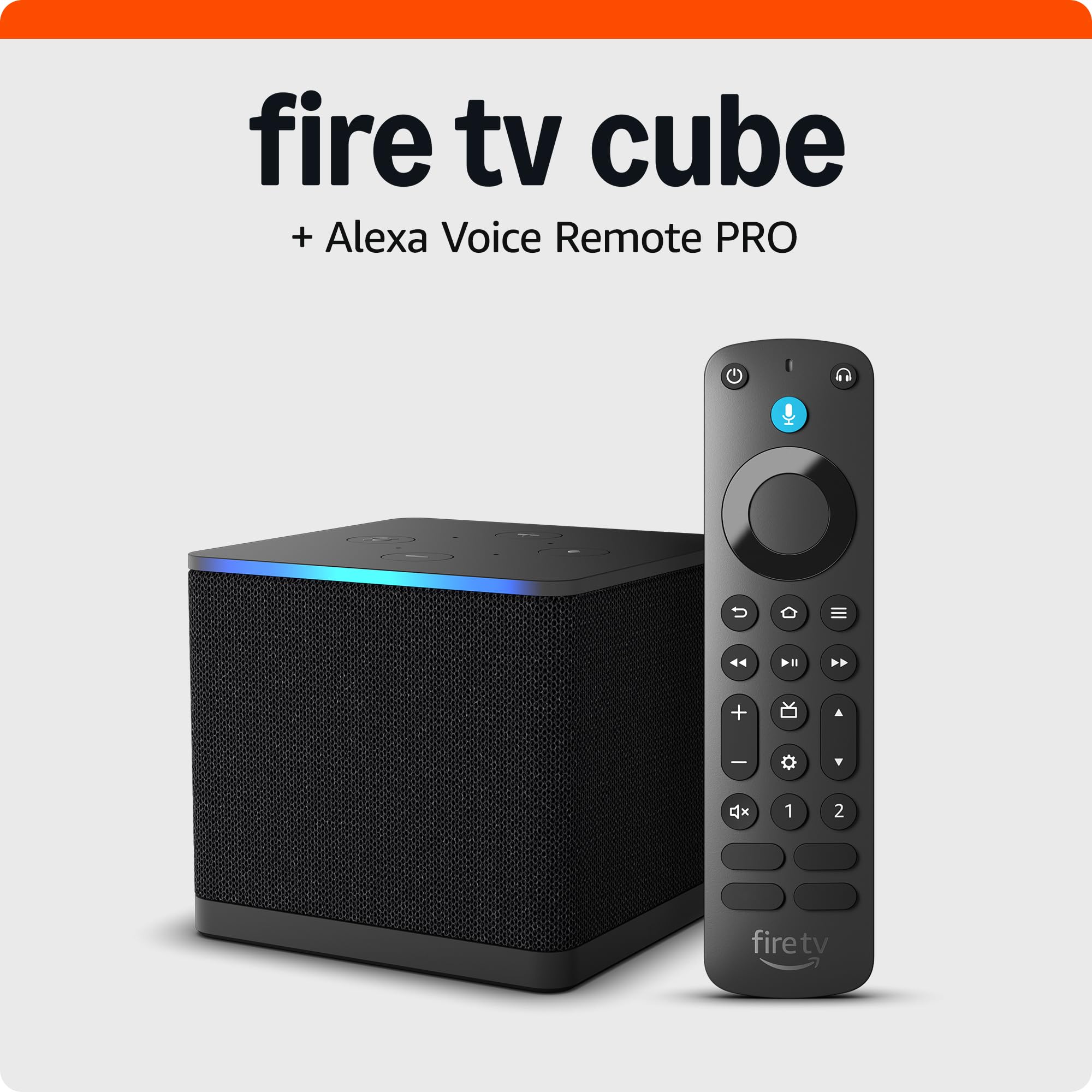
Our fastest-ever streaming player with hands-free Alexa built right into the box
The Fire TV Cube is Amazon’s most powerful streamer, with an octa-core processor that’s 2X faster than the Fire TV Stick 4K Max for instant app launches. What truly separates it is the built-in mic and speakers for hands-free Alexa—you can control your TV, soundbar, and receivers with your voice from across the room, no remote required. It’s also the centerpiece of a smart home, letting you manage compatible devices just by asking.
The included Alexa Voice Remote Pro adds motion-activated backlit buttons, two customizable shortcuts, and a find-my-remote feature that rings when misplaced. Picture quality is cinematic with 4K, Dolby Vision, HDR, and Dolby Atmos audio support. It even has an HDMI-in port so you can connect a cable box or game console and switch between sources with your voice.
Owners consistently praise the speed and the voice control, with one noting it can open streaming services with a single button. The trade-offs are the Amazon-standard cluttered home screen with ads and occasional false wake-word triggers from the always-listening mic. At this price, it’s for anyone who wants the most capable, voice-first streaming experience Amazon offers — not for those who want a minimalist interface.
Voice-First Powerhouse: Hands-free Alexa that works across the room plus the best remote Amazon makes.
Amazon Quirks: Expect a busy home screen with ads, and the always-on mic can occasionally trigger by itself.
8. NVIDIA Shield TV Pro

The Android TV king with AI upscaling that makes old content look sharper than ever
The NVIDIA Shield TV Pro is for enthusiasts who want the sharpest possible picture from their existing library. Its Tegra X1+ chip uses AI upscaling to sharpen 1080p and DVD content to near-4K clarity in real time. It delivers the most 4K HDR content of any streaming player, and owners who’ve switched from Roku say the snappy performance makes it hard to go back.
This is also the only pick here built for gamers and power users. It has 2x USB 3.0 ports for storage expansion, USB cameras, keyboards, or game controllers, plus Plex Media Server built in with 3GB RAM and 16GB storage. You can play popular games like Fortnite and GeForce Now with a compatible controller, or stream games from your phone with built-in Chromecast 4K. Connectivity is top-tier with Gigabit Ethernet, dual-band AC Wi-Fi, and Bluetooth 5.0, plus a remote with backlit, motion-activated buttons and a locator feature.
Shoppers say flawless wired Ethernet streaming and excellent 4K upscaling that beats Apple TV and Roku Ultra for audio and video enthusiasts. The honest downside is that the interface is showing its age with no AV1 support, and the premium price means it’s overkill for someone who just wants to watch Netflix. The remote also gets mixed feedback, with some finding it unresponsive until you perform a reset trick. For big screens and surround systems, this is still the benchmark — but you pay for it.
Why It’s the Benchmark
- AI upscaling sharpens HD content to true 4K in real-time
- Dolby Vision and Dolby Atmos deliver home theater immersion
- 2x USB 3.0 ports and Plex Media Server expand its utility
- Gigabit Ethernet and Bluetooth 5.0 for rock-solid connectivity
Who Should Skip It
- No AV1 support, so some newer content formats won’t play
- Premium price — overkill for casual Netflix-only viewers
- Interface shows its age despite the powerful hardware
Built for Enthusiasts: This is the pick if you want the absolute best upscaling, gaming capability, and storage expansion in one box.
Not the Bargain: It’s the most expensive here and the aging interface won’t impress anyone who just wants a simple streamer.
9. Formuler Z12 Ultra

A flagship box with 128GB storage and no ads, built for serious IPTV users
The Formuler Z12 Ultra is the flagship of the IPTV world, packing 128GB of storage and 4GB of DDR4 RAM for ultra-fast navigation and smooth multitasking. That storage is the standout—it’s 8 times the base 16GB on most sticks, giving you space for all your apps, games, and recordings without ever worrying about running out. Owners who’ve tried FireStick, Roku, ONN, and Chromecast say this one works much faster with far less buffering for daily use.
Picture quality is superb with Dolby Vision and Dolby Atmos for cinematic 4K playback, plus support for 4K 60fps 10-bit content with AV1, H.265 (HEVC), and H.264 codecs. It handles HDR10+ and HLG formats, ensuring compatibility with the latest streaming and live broadcast standards. Connectivity is next-gen with Gigabit LAN and Wi-Fi 6E for faster, more stable, interference-free streaming. The home screen is clean — no ads, no clutter, with direct access to MYTVOnline3 for the ultimate IPTV experience.
The biggest consideration is the GTV-BT3 Bluetooth Voice Remote, which gets harsh feedback — owners describe hidden side buttons, reversed volume controls, and a bulky curved design that’s hard to use. The device itself is praised for performance and picture quality, with the MyTV Online app allowing pause, rewind, and record features that IPTV users love. Stability is a concern for some, with reports of random reboots and freezing, so it’s not a flawless experience. This is a premium pick for existing Formuler users or IPTV enthusiasts who want the best possible hardware.
Storage Giant: 128GB of storage and no ads on the home screen make this a power user’s dream.
The Headache: The included remote is widely criticized — budget for a replacement and the occasional reboot.
Understanding the Specs
Dolby Vision and HDR10
Dolby Vision and HDR10 are picture formats that expand the range of colors and contrast a TV can display. Dolby Vision is the more advanced format, including dynamic metadata that adjusts scene-by-scene, so bright highlights and dark shadows both look their best. HDR10 is the standard baseline that most 4K TVs support. Before paying more for Dolby Vision, check if your TV supports it — a box playing Dolby Vision on a non-Dolby TV shows no benefit.
Makeup of RAM and Storage
RAM (random access memory) is the short-term memory your box uses to run apps and switch between them. More RAM, like 3GB or 4GB, means smoother multitasking and less app reloading. Storage is the long-term space for installed apps, games, and recordings. A 16GB box handles a few apps fine, but 32GB to 128GB gives you room to download games and store TV without micromanaging space.
FAQ
Will a 4K streaming box work with my older TV?
Does a 4K streaming box need a fast internet connection?
What is the difference between a streaming stick and a TV box?
Is 16GB storage enough on a streaming box?
Can I use a 4K streaming box without a subscription?
What is AI upscaling on a streaming box?
How does voice control work on streaming boxes?
Is the Fire TV Cube worth the extra cost over a Fire TV Stick?
What does Dolby Atmos do for a streaming box?
Final Thoughts: The Verdict
The crowd favorite for most buyers is the Roku Streaming Stick+ because it pairs rock-solid performance with the simplest, most reliable interface and an class-leading app library. If you want lightning-fast app launches and deep Alexa integration, the Fire TV Stick 4K Max is the stick to grab, especially with its Wi-Fi 6E support. For power users who demand the best picture quality, gaming capability, and storage expansion, the NVIDIA Shield TV Pro remains the benchmark you pay a premium for.
How We Picked
We do not accept paid placement. Every pick is matched to a real buyer and a real use-case; we do not hands-on test units.
Sources & Methodology
Specifications: manufacturer listings and product documentation. Review insights: verified customer reviews, as of August 2026. Pricing: not shown on this page (it changes often); check the current price via the retailer link.
As an Amazon Associate, Gadgets Feed earns from qualifying purchases. This does not affect which products we feature.