
Our readers keep the lights on and my morning glass full of iced black tea. As an Amazon Associate, I earn from qualifying purchases.
Specs are compiled from manufacturer listings and verified buyer reviews and can change over time — please confirm the key details on the product page before buying.
Hunting for a true 4K screen without burning through your budget is a game of trade-offs: you are weighing picture quality, smart platform, and size against each other. This guide cuts through the spec clutter to show you which sets genuinely deliver sharp 4K clarity, which platforms feel smooth, and where you might have to accept a compromise like a mixed review record.
I’m Min — the founder and writer behind Gadgets Feed. This guide is built by comparing the manufacturers’ published specifications and the patterns across verified customer reviews, so you get each pick’s real strengths and trade-offs instead of marketing spin.
You will leave knowing exactly which budget panel offers the most screen real estate, which one has the slickest interface, and which ones feel risky. So here is the practical shortlist for the best 4k tv under 200.
Our Picks at a Glance

How To Choose The Best 4K TV Under 200
Sticking to a tight budget means knowing which features are worth prioritizing. For most buyers, the size of the screen, the quality of the picture processing, and the smoothness of the smart interface are the three things that define daily enjoyment.
Prioritize Panel Size and Native Resolution
At this price point, you are looking at LED screens, but not all are created equal. A native 4K panel (2160p resolution) displays four times the detail of a standard Full HD screen. Some models use upscaling to boost lower-resolution content, which can look good, but a true 4K panel is the foundation you want.
Consider the Smart Platform as Your Daily Driver
You will interact with the operating system every single time you turn the TV on. Some platforms, like Roku, are praised for being simple and fast. Others, like Fire TV, integrate deeply with Alexa and Amazon services. The wrong platform can turn a good TV into a frustrating one, so weigh how you like to navigate apps.
Know Your HDR Formats
High Dynamic Range (HDR) improves the contrast and color of your picture. You will see terms like HDR10, Dolby Vision, and HDR10+. While HDR10 is the baseline, Dolby Vision is a more advanced format that adjusts the picture scene-by-scene. If you watch a lot of specific content, checking which formats the TV supports is worth a minute of your time.
Quick Comparison
| Model | Best For | Screen Size | Smart Platform | HDR Support | Amazon |
|---|---|---|---|---|---|
| Roku 43″ Select Series★ Best Overall | Easiest smart TV experience | 43 inches | Roku | HDR10 | Amazon |
| INSIGNIA 50″ F50 SeriesMost Screen | Massive screen for the money | 50 inches | Fire TV | HDR10 | Amazon |
| ONN 43″ Class 4K | Getting a free wall mount | 43 inches | Roku | — | Amazon |
| TOSHIBA 50″ C350 Series | Gaming features on a budget | 50 inches | Fire TV | Dolby Vision | Amazon |
| Westinghouse 43″ Xumo TV | Superior built-in speakers | 43 inches | Xumo | Dolby Vision | Amazon |
| VIZIO V4K43M | Gamers wanting VRR support | 43 inches | Vizio | Dolby Vision | Amazon |
In-Depth Reviews
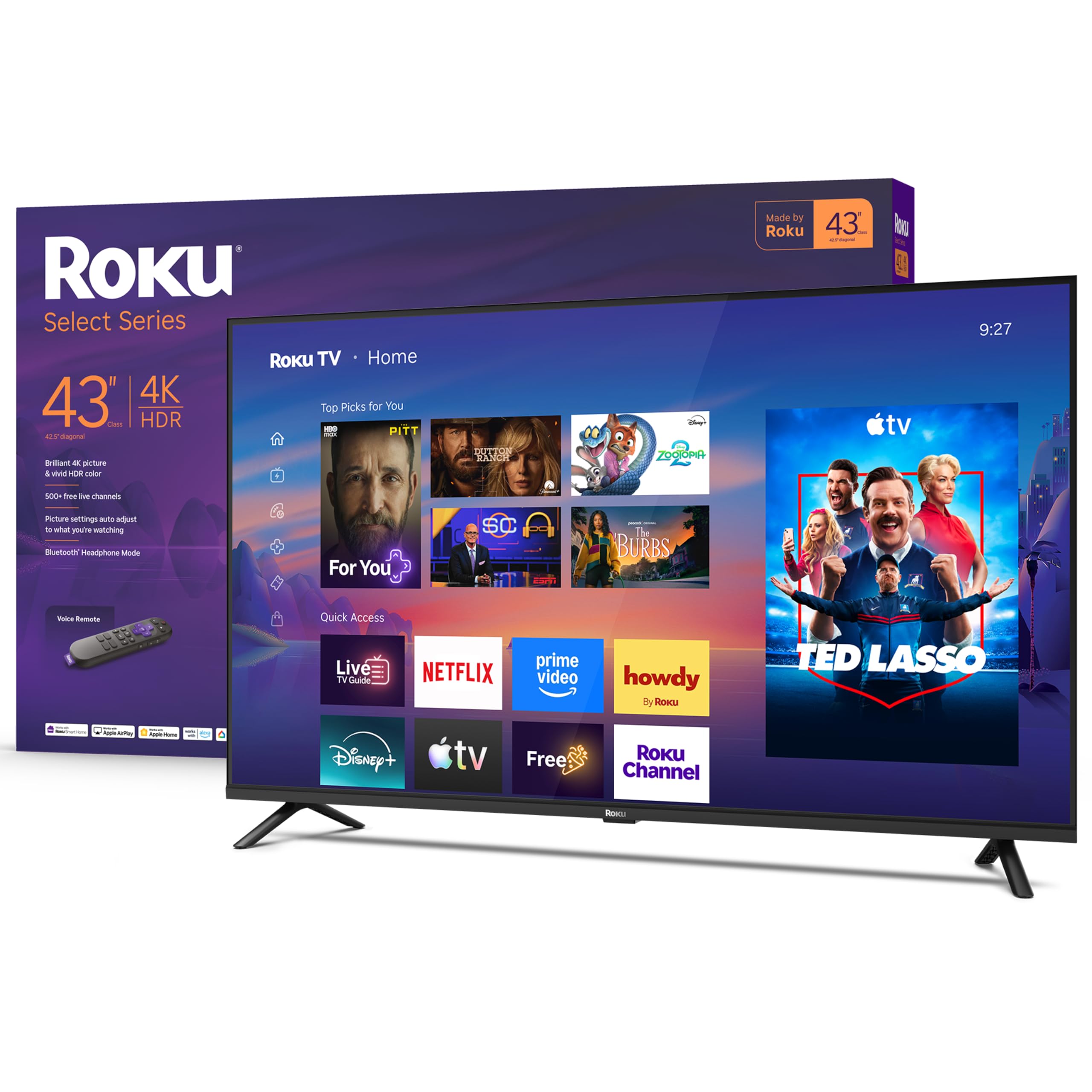
1. Roku 43-Inch Select Series Smart TV
Our pick — 4.5★ from 150+ verified ratings; the strongest balance of quality and price.
The 43-inch Roku that makes “it just works” feel like a luxury feature.
Your TV’s operating system is what you touch every day, and this one nails the basics. The Roku platform is famously simple, and buyers confirm it: the setup takes minutes, the home screen is easy to navigate, and apps launch without the sluggish feel that plagues other budget sets. It even has a Bluetooth Headphone Mode, so you can watch late at night through wireless headphones without waking anyone else in the house.
Picture quality holds up its end of the bargain. The 4K panel with HDR10 delivers sharp detail and colors that pop, while Roku Smart Picture automatically cleans up incoming signals and picks the right picture mode for you. Buyers report running it for years without slowdowns, and the voice remote works with Roku Voice, Siri, Alexa, or Google Assistant, so it fits into whatever smart home setup you already have.
The one thing to note is size. It is a 43-inch screen, which is 16% smaller than the 50-inch INSIGNIA on this list. If you have the wall space and want a bigger canvas, that larger set is the trade-off — but if you want the most dependable, frustration-free experience for your money, this is the one.
Why Buyers Are Smiling
- Easy setup and a simple, uncluttered interface that owners love
- Sharp 4K picture with HDR10 that makes colors pop
- Voice control works with Alexa, Siri, and Google Assistant
Keep In Mind
- 43-inch screen is smaller than some similar-priced rivals
- Speakers are decent, but a soundbar still helps for movie nights
Reach for this if: you want the most reliable, easy-to-use smart TV experience in this price range and value a smooth interface over maximum screen inches.
Look elsewhere if: a larger screen is your top priority — you will want to trade up to a 50-inch model.
2. INSIGNIA 50″ Class F50 Series Fire TV
A 50-inch 4K panel that throws the biggest picture possible at a budget price.
Screen real estate is the whole story here. At 50 inches, this INSIGNIA gives you a noticeably bigger image than the 43-inch Roku, and owners regularly call it a “great value” for the money. The 4K Ultra HD (2160p) resolution delivers four times the pixels of Full HD, and the HDR10 support upscales your current content to near-Ultra HD quality for a sharper picture overall.
Fire TV is the platform, so you get Alexa voice control built into the remote and easy access to Prime Video, Netflix, Disney+, Hulu, and more, plus free channels like Pluto TV and Tubi. The connections are generous too — 3 HDMI ports, an HDMI eARC for a single-cable soundbar hookup, a USB port, and Ethernet for a wired connection if your Wi-Fi is weak.
Reliability gets mixed feedback from owners. Many owners mention a flawless set, but others mention glitchy software or mediocre sound. Given the huge number of reviews, most people are satisfied, yet the occasional software hiccup means this TV suits you if you prioritize screen size and can accept that a budget-priced panel might have a quirk or two.
Who It’s For: The size-focused buyer who wants the biggest 4K screen their money can buy and already lives in the Amazon ecosystem, so the Fire TV interface feels natural.
3. TOSHIBA 50″ Class C350 Series Fire TV

The 50-inch Toshiba that sneaks serious gaming features into a value panel.
This Toshiba stands out for its picture processing. The REGZA Engine ZR (a dedicated image processor) and AI 4K Upscaler (a feature that sharpens lower-resolution content) work together to detect colors and textures, boosting Full HD (1080p) content to near-4K quality. It also supports Dolby Vision and Dolby Atmos, giving you a more advanced HDR format than the baseline HDR10 on cheaper sets, so you get scene-by-scene contrast and more rich sound.
Gamers should pay attention to the Game Mode. It supports ALLM (Auto Low Latency Mode) to reduce input lag and VRR (Variable Refresh Rate) to cut screen tearing, which is rare to see at this price. Owners praise the crisp picture and easy setup, though some note the screen can have durability issues or the interface can feel slow to load.
Compared to the Roku above, this is the better choice for a gamer or anyone who wants Dolby Vision for a richer movie experience. Compared to the INSIGNIA 50-inch, it offers smarter processing and better gaming features, though both share the Fire TV platform.
The Verdict: A feature-packed 50-inch for gamers and movie buffs who want Dolby Vision and low-latency play without jumping to a premium price tier.
4. Westinghouse 43-inch Xumo TV

The 43-inch Westinghouse that makes you question why you ever bought a soundbar.
Skip the soundbar with this one. Owners consistently praise the built-in speakers, with some saying they deliver better stereo sound than a separate soundbar they own. The 4K UHD panel with Dolby Vision and HDR+ provides enhanced contrast and deeper color accuracy, and the edgeless design keeps the focus on the picture.
The Xumo platform is the catch — it’s not as well-known as Roku or Fire TV. Customers note that apps can be slow to start and the interface takes some getting used to. However, it comes preloaded with major apps like Netflix and Prime Video, and the Xumo Play app alone offers 350+ free live channels and 70,000+ on-demand movies and shows with no subscription needed.
Connectivity is generous with 3 HDMI inputs, a USB port, and Bluetooth 5.1 for pairing wireless headphones. It also supports Apple AirPlay for mirroring from your iPhone or iPad. If you watch a lot of free content and care about audio more than app speed, this is a strong value play.
Standout Spec: Dolby Atmos and booming built-in speakers mean you can skip the soundbar upgrade — a rare money-saver in this category.
5. VIZIO V4K43M 43-inch Class 4K LED Smart TV
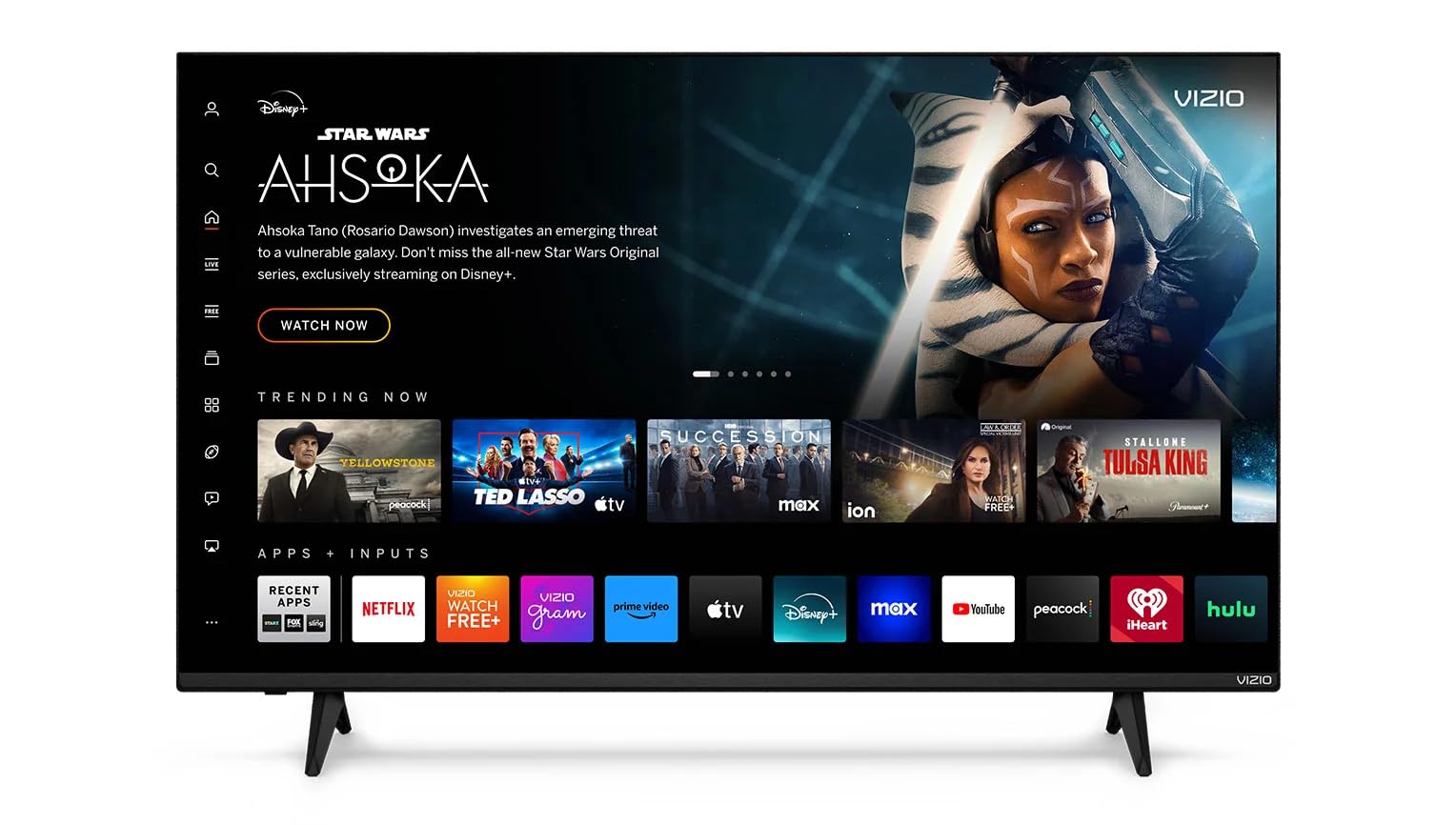
A 43-inch Vizio renewed that brings console-ready gaming specs to the budget tier.
If gaming is your priority, this Vizio speaks your language. It comes with a V-Gaming Engine, ALLM (Auto Low Latency Mode), and HDMI VRR (Variable Refresh Rate) to reduce input lag and screen tearing. Owners use it as a PS5 and PC monitor and report a sharp, vibrant 4K image with smooth streaming, made better by Dolby Vision and HDR10+ support.
The big asterisk here is the “Renewed” status. This is a refurbished unit, and while many reviewers point out it “works like new” and arrived in perfect condition, one owner received a set with a vertical black line on the screen, calling into question the inspection process. There’s also a complaint that the remote is unlit and impossible to use in a dark room.
For the price, you get a lot of gaming tech, but the refurb lottery is real. This is the pick for a gamer on a tight budget who’s willing to roll the dice on a renewed unit to get VRR and low-latency features that other sets this cheap simply lack.
The Gaming Upside
- HDMI VRR and ALLM for smooth, tear-free console play
- Dolby Vision and HDR10+ for richer HDR content
The Refurb Reality
- Renewed unit — quality control can be inconsistent
- Remote is unlit, which is frustrating in a dark room
Pick this if: you game on a console and want VRR support without paying a premium price.
Think twice if: you want the confidence of a brand-new unit.
6. ONN 43-Inch Class 4K LED Smart TV (Renewed)
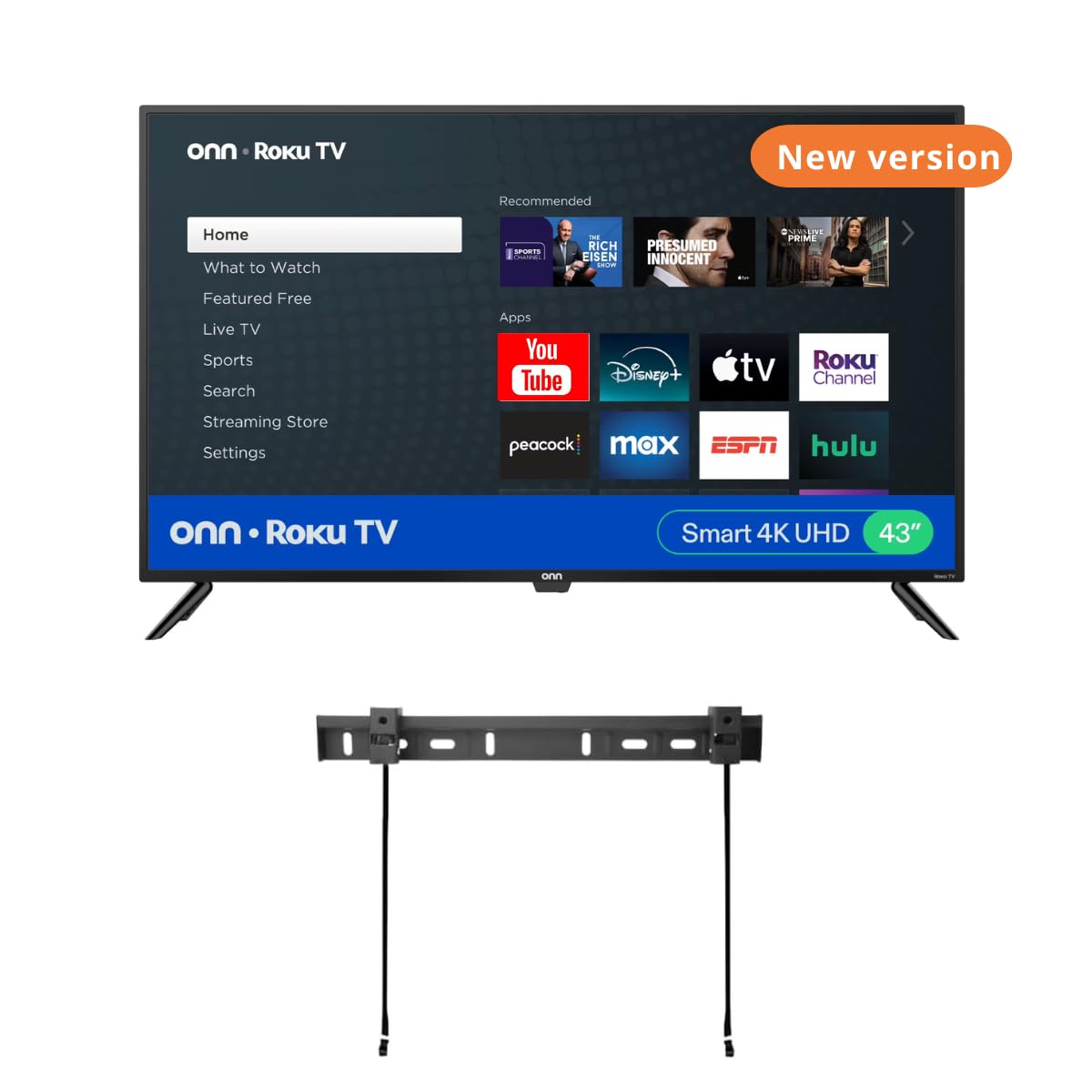
A 43-inch ONN that sweetens the deal by throwing a wall mount in the box.
The headline feature here is the free wall mount included in the package, which saves you the hassle and cost of buying one separately. It’s a solid idea for a bedroom, bar area, or trailer where wall-mounting is the plan. Owners who set it up find the picture quality and color to be excellent, with one putting it through 8-10 hours of daily use and praising the sound as better than their old 32-inch Sony.
But the mounting hardware is where things get dicey. Multiple shoppers say that the screws included are either too big or don’t fit properly into the TV mount holes, and there are complaints about missing remote batteries and a lack of wall-mount instructions. It’s a renewed unit, so consistency is a concern — one buyer had a unit fail within six months.
The platform is Roku, which is a big plus for ease of use, and it works with Amazon Alexa, Google Assistant, and HomeKit devices for voice control. The two built-in 8W speakers with Dolby Audio deliver strong sound. If you want a 43-inch TV for a secondary room and are handy enough to sort out mounting hardware, this is a decent budget bet.
The Catch: The included wall mount sounds like a perk, but the poorly fitting screws and missing hardware make it the most common complaint — be ready to source your own mounting kit.
Understanding the Specs
Native 4K Panel (2160p)
A native 4K panel has over 8 million pixels, which is four times the detail of a Full HD (1080p) screen. This means you see sharper text, finer textures, and more detail in everything from movies to sports. At this budget, look for a panel that is natively 4K rather than one that only upscales.
HDR10 vs. Dolby Vision
High Dynamic Range (HDR) expands the contrast between the brightest whites and deepest blacks, making colors look more lifelike. HDR10 is the baseline standard found on most budget TVs. Dolby Vision is a more advanced format that adjusts the picture scene-by-scene for better accuracy, and it usually indicates a better processor.
Smart Platform
The smart platform is the software that runs your apps and your remote. Roku is widely considered the simplest and most reliable. Fire TV integrates deeply with Alexa and Amazon services. Xumo is newer and less polished but offers free content. The platform you choose affects how smoothly you navigate every single day.
ALLM and VRR (for Gaming)
Auto Low Latency Mode (ALLM) automatically switches the TV into a low-lag mode when you start a game. Variable Refresh Rate (VRR) matches the TV’s refresh rate to your console’s output to reduce screen tearing. These features matter for console gamers who want smooth, responsive play.
FAQ
Will a 43-inch 4K TV fit in my small living room?
Is it worth buying a renewed or refurbished 4K TV to save money?
What is the difference between HDR10 and Dolby Vision on a budget TV?
Do I need a soundbar with a budget 4K TV?
Which smart TV platform is the easiest to use: Roku, Fire TV, or Xumo?
Can I use these 4K TVs as a computer monitor?
What are the best gaming features to look for in a cheap 4K TV?
Why is the included wall mount on the ONN TV a problem for some buyers?
Final Thoughts: The Verdict
For most people, the best 4k tv under 200 is the Roku 43-Inch Select Series because it nails the two things that matter most: a sharp 4K picture and a dead-simple smart platform that won’t drive you crazy. If you want the biggest screen for your money and live in the Amazon ecosystem, grab the INSIGNIA 50-Inch Fire TV. And if you’re a gamer looking for low-latency features, the TOSHIBA C350 is the one to reach for.
How We Picked
We do not accept paid placement. Every pick is matched to a real buyer and a real use-case; we do not hands-on test units.
Sources & Methodology
Specifications: manufacturer listings and product documentation. Review insights: verified customer reviews, as of August 2026. Pricing: not shown on this page (it changes often); check the current price via the retailer link.
As an Amazon Associate, Gadgets Feed earns from qualifying purchases. This does not affect which products we feature.