
Our readers keep the lights on and my morning glass full of iced black tea. As an Amazon Associate, I earn from qualifying purchases.
Specs are compiled from manufacturer listings and verified buyer reviews and can change over time — please confirm the key details on the product page before buying.
Your eyes will notice the extra space long before your graphics card does. A standard monitor shows one window at a time; a 5K2K ultrawide (5120 x 2160 pixels) across a 21:9 screen lets you stack a timeline, a spreadsheet, and a browser side by side without squinting. The harder choice is which panel technology — OLED, VA, or IPS-Black — gives you the speed, color, and screen size you can live with every day, depending on whether you game first or work first.
I’m Min — the founder and writer behind Gadgets Feed. This guide is built by comparing the manufacturers’ published specifications and the patterns across verified customer reviews, so you get each pick’s real strengths and trade-offs instead of marketing spin.
When you upgrade from a dual-monitor setup or buy your first panoramic display, this roundup of the best 4k ultrawide computer monitor options breaks down the contrast ratios, response times, and connectivity each model brings to your desk.
Quick Picks
- LG 45GX950A-B 45-inch Ultragear 5K2K WUHD OLED Curved Gaming Monitor — Best Overall
- Samsung 40” Odyssey G7 (G75F) WUHD Curved Gaming Monitor — Best Value
- Samsung 40″ ViewFinity S8 (S85TH) Curved Monitor — Mac Favorite
- Dell UltraSharp U4025QW 40″ Class 5K2K WUHD Curved Screen LED Monitor — Productivity Star
How To Choose The Best 4K Ultrawide Computer Monitor
Picking between a VA, OLED, or IPS-Backlit LED panel is the first fork in the road. Each technology handles contrast, speed, and text clarity differently — and your daily use (gaming, design, coding, or spreadsheets) decides which trade-offs you can live with.
Panel Type — OLED vs VA vs IPS-Black
OLED gives you per-pixel lighting, so blacks are truly black and the contrast ratio (the difference between the brightest white and darkest black) hits 1,500,000:1 versus a standard VA panel’s 3,000:1. The catch: OLED panels risk burn-in if you keep static toolbars on screen for hours, and their text clarity used to be worse, though newer subpixel layouts (like the LG’s 125 PPI, or pixels per inch) have closed that gap. VA panels (like the Samsung Odyssey G7) avoid burn-in entirely and cost less, but they can’t match OLED’s motion clarity or black depth. IPS-Black (used in the Dell UltraSharp) splits the difference — very good contrast for an LCD, wide viewing angles, and no burn-in worry, but the 5ms response time (the time a pixel takes to change color) is slower than OLED’s 0.03ms.
Refresh Rate and Response Time
For competitive gaming, you want 144Hz or higher and a sub‑1ms response time. A 180Hz VA panel with 1ms GtG (grey-to-grey) keeps fast motion smooth without tearing (where the screen shows two halves of different frames), especially paired with FreeSync or G-Sync (variable refresh rate technologies that match the monitor’s refresh to the GPU’s output). For productivity work, 60-120Hz is enough, but a 5ms response time (like the Dell’s) means you will see a tiny blur on fast-scrolling content. The OLED monitors jump to 165Hz or even 330Hz in dual-mode, with a near-instant 0.03ms response that eliminates ghosting entirely.
Connectivity — Thunderbolt, DP2.1, and Power Delivery
If you run a modern MacBook or a high-end PC, look for Thunderbolt 5 (a high-speed port that carries 140W charging) or DisplayPort 2.1 (the latest video standard, with full bandwidth for 5K2K at high refresh). A built-in KVM switch (Keyboard, Video, Mouse — a hardware switch that lets you control two computers with one keyboard and mouse) lets you control two computers with one keyboard and mouse, and a USB-C port with 90W power delivery charges a laptop through the monitor itself. Without DP2.1 or TB5, you may be limited to 60Hz at 5K2K over older HDMI standards.
Quick Comparison
On smaller screens, swipe sideways to see the full table.
| Model | Best For | Panel Type | Resolution | Refresh Rate | Amazon |
|---|---|---|---|---|---|
| LG 45GX950A-B | High-end gaming & creative work | OLED | 5120 x 2160 | 165Hz (330Hz dual-mode) | $1,447.55$1,999.99Limited time dealAmazon |
| Samsung Odyssey G7 G75F | Budget gaming & mixed use | VA | 5120 x 2160 | 180Hz | $650.24$999.99Amazon |
| Samsung ViewFinity S8 S85TH | MacBook productivity & creative | VA | 5120 x 2160 | 144Hz | $1,189.99$1,399.99Limited time dealAmazon |
| Dell UltraSharp U4025QW | Pro color work & office multitasking | IPS-Black LED | 5120 x 2160 | 120Hz | $1,804.00$1,919.99Amazon |
In‑Depth Reviews
1. LG 45GX950A-B 45-inch Ultragear 5K2K WUHD OLED Curved Gaming Monitor

The OLED king that wraps your peripheral vision in 800R of rich curve.
If you want the deepest blacks and the fastest motion, this is the panel. The LG 45GX950A-B uses an OLED display with a contrast ratio of 1,500,000:1 versus the 3,000:1 you get from a VA monitor like the Samsung Odyssey G7. Blacks are truly black because each pixel lights itself, and the 0.03ms response time (GtG, the time a pixel takes to change color) is 0.03ms versus the Dell UltraSharp’s 5ms, so you see zero ghosting in fast-paced shooters. At 45 inches versus the 40-inch models below, and with an 800R curve (the tightest bend on this list), it wraps the image around your field of view.
It is not just about gaming. The 5K2K WUHD resolution (5120 x 2160) hits 125 PPI (pixels per inch), which makes text noticeably sharper and reduces the color fringe that older OLED ultrawides suffered from. Buyers report after 4 months of use it is “rich, great HDR, 165Hz,” and that the USB-C port powers a MacBook at 90W. The dual-mode feature lets you switch to Wide Full HD at 330Hz for competitive shooters, though some owners mention the scaling in dual-mode “is terrible” and to avoid it for serious ranked play. You will need at least an RTX 5080-class GPU to drive this resolution smoothly.
The biggest trade-off is OLED burn-in risk — if you leave static taskbars or spreadsheets on screen for eight hours a day, you may see permanent image retention over years. A premium monitor arm is recommended because the stand is wide and the 45-inch chassis demands desk space. The DisplayPort 2.1 connection delivers full bandwidth for 5K2K at 165Hz, but the USB-A ports only work when you use USB-C input, which some buyers found frustrating.
What puts it ahead
- 1,500,000:1 OLED contrast — blacks that look like the screen is off
- 0.03ms response time eliminates ghosting completely
- Dual-mode: 165Hz at 5K2K or 330Hz at WFHD
- 125 PPI for sharp text with reduced color fringe
What holds it back
- OLED burn-in risk with static content (toolbars, spreadsheets)
- Dual-mode scaling is poor for competitive gaming
- USB-A ports are inactive unless you use USB-C input
- Requires a powerful GPU (RTX 5080 or similar) to drive 5K2K at 165Hz
Who it serves: Gamers and creative professionals who want the best contrast and motion clarity money can buy, and who game more than they run static spreadsheet content.
Who should pause: Anyone who keeps the same windows open all day — OLED burn-in is a real risk without a pixel-refresh routine.
2. Samsung 40” Odyssey G7 (G75F) WUHD Curved Gaming Monitor

The VA ultrawide that skips OLED worry while keeping a 180Hz pace.
This is the pick for anyone who wants ultrawide size without the burn-in anxiety of OLED. Customers note it “replaced older 34″ LG ultrawide; offers more screen real estate without dual monitors,” and the 40-inch size fits inside a 41-inch wide armoire for cramped desk spaces.
VESA DisplayHDR 600 (a certification standard for high dynamic range brightness and color) delivers brighter highlights and deeper blacks than standard HDR400 monitors, and AMD FreeSync Premium Pro (a variable refresh rate tech that prevents screen tearing) works with both AMD and newer NVIDIA GPUs. The 21:9 aspect ratio and 5120 x 2160 resolution give you the same desktop width as the more expensive models, but the VA panel avoids the permanent image retention that plagues OLED after years of static content. The 1000R curve is gentler than the LG’s 800R, so the image is rich without warping straight lines in photo-editing software.
The catch is that VA panels have narrower optimal viewing angles — if you sit off-center, the image loses contrast and washes out. Some buyers also noted the “base is ugly and awkward” and that the HDR mode “is weird and needs adjustment” from the start. Unlike the ViewFinity S8, this monitor lacks Thunderbolt connectivity, so you are limited to HDMI and DisplayPort inputs, which means MacBook users will need a separate USB-C to DP cable. Color calibration is recommended from the start, as the factory preset leans cool.
Best for mixed workloads: A great gaming-plus-office monitor that avoids OLED burn-in, with a fast 180Hz panel that still costs significantly less than the LG or Dell.
Know before buying: HDR needs manual tuning, the stand is bulky, and Mac users lose single-cable charging — but for pure PC gaming and multitasking, this is the most affordable 5K2K entry point.
3. Samsung 40″ ViewFinity S8 (S85TH) Curved Monitor
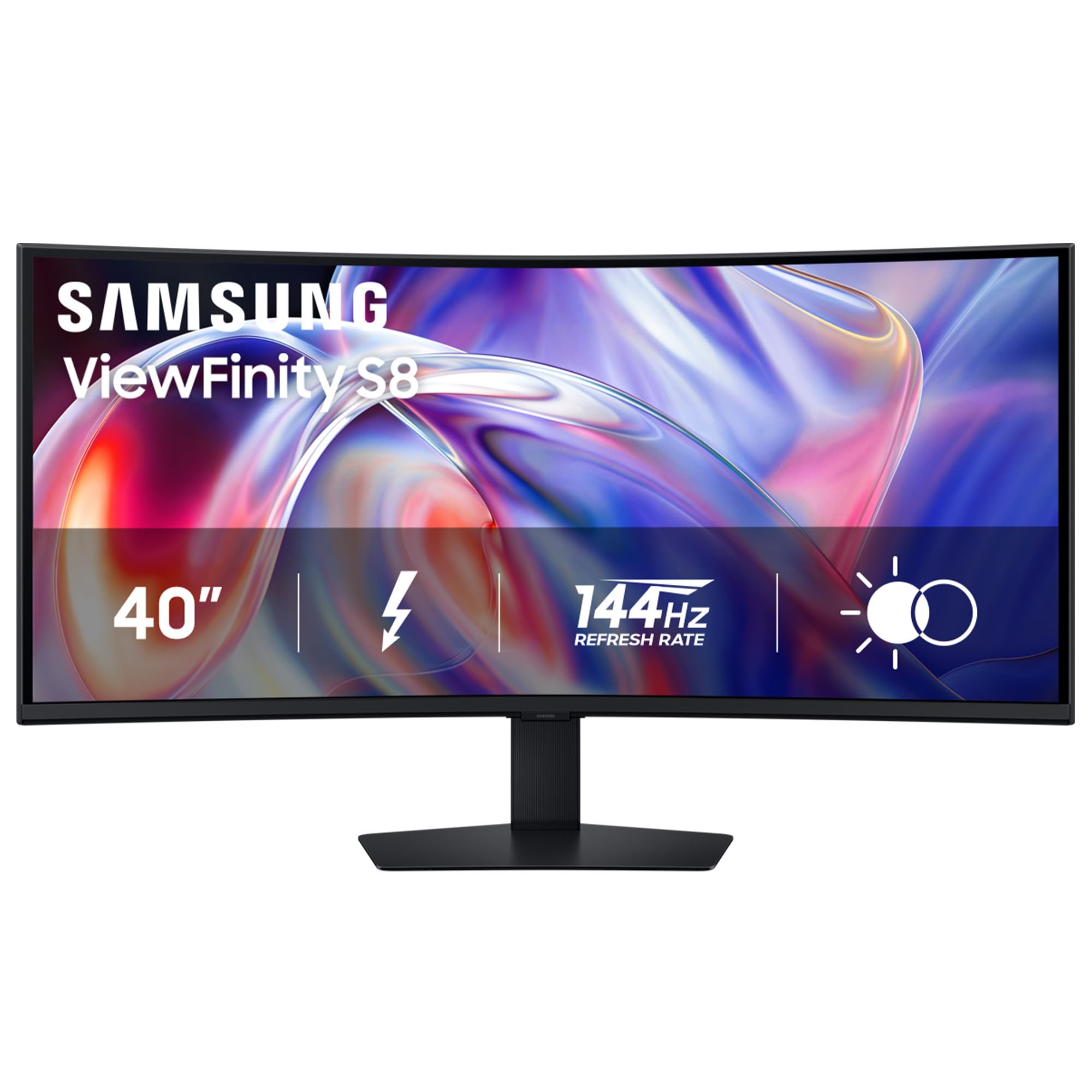
Built for MacBook buyers who want 140W charging and a KVM in one cable.
This is the ultrawide that treats your laptop like a docking station. The Samsung ViewFinity S8 carries Thunderbolt 5, which delivers up to 140W charging (enough to power a 16-inch MacBook Pro at full speed) and handles 5K2K resolution at 144Hz over a single cable. It also has a built-in KVM switch (a hardware switch that lets you control two computers with one keyboard and mouse), plus Ethernet and USB-A hub ports, so your desk stays clean. One buyer “replaced Samsung S65TC; S85TH works perfectly with M4 MacBook Pro” at native HiDPI 3840×1620 resolution with 144Hz and 140W charging.
The 40-inch VA panel matches the Odyssey G7 with a 3,000:1 contrast ratio and 99% color gamut, but Samsung tuned it for professional work rather than gaming. HDR10+ support (a high dynamic range format similar to Dolby Vision for monitors) adjusts brightness scene-by-scene, though the standard 350 cd/m² brightness is lower than the Odyssey’s HDR600 peak. The 144Hz refresh rate is still plenty smooth for casual gaming, and AMD FreeSync Premium (a basic version of variable refresh rate) reduces screen tearing. The stand offers height, tilt, and swivel adjustments that the Odyssey G7 lacks, so you can dial in your viewing angle precisely.
The downside: multiple MacBook Pro owners reported the display “goes to standby after 10 seconds” or blanks after 30 seconds to 3 minutes, with Samsung advising a return in one case. The same issue does not appear with Windows PCs or HP docks. For professional photo editing, one reviewer noted the “low contrast, light bleed, poor blacks” and advised against using it for color-critical work. Only a one-year warranty is included, which is thin for a premium-priced monitor. Samsung also hides the Dynamic Brightness setting by default, which you must disable to get full backlight output.
Ideal for MacBook power users: A single Thunderbolt 5 cable charges your laptop, runs USB peripherals, and drives Ethernet — all at 144Hz.
Heads-up: Mac compatibility issues (blank screen after seconds) are documented across multiple buyers, and VA panel limitations make it unsuitable for professional photo grading.
4. Dell UltraSharp U4025QW 40″ Class 5K2K WUHD Curved Screen LED Monitor

The IPS-Black workhorse that puts color accuracy and hub connectivity first.
If you live in spreadsheets, video timelines, or code editors, the Dell UltraSharp U4025QW is the most thoughtful productivity screen on this list. It uses IPS-Black technology — a variant of IPS that raises the contrast ratio to 2,000:1, which is noticeably deeper than standard IPS (usually ~1,000:1) and closer to VA, but without the viewing angle narrowing that VA panels suffer. The 39.7-inch viewable area runs 5K2K WUHD (5120 x 2160) at 120Hz, and with a 99% color gamut (DCI-P3 color space, the standard for digital cinema), colors come out accurate enough for design work. Reviewers point out it offers “excellent color, clarity, and text” with “huge screen real estate for editing timelines and spreadsheets.”
The built-in hub includes multiple USB-A ports, Ethernet, DisplayPort, HDMI, and Thunderbolt — with a KVM switch that lets you toggle between a Mac Studio and a Debian Linux PC with one keyboard and mouse setup. Connectivity is future-proof: the Dell supports DisplayPort 2.1’s predecessor and Thunderbolt 4 for 40Gbps data transfer. At 600 nits peak brightness (600 cd/m², a measure of luminance), it is the brightest panel here, ideal for well-lit rooms. Power consumption is impressively low — roughly 30W at 90% brightness, according to a reviewer, so it runs cool and saves energy over extended work sessions.
The biggest limitation is the 5ms response time — 5ms versus the LG OLED’s 0.03ms — which means fast-moving content will show noticeable blur, making it a poor fit for competitive gaming. Some buyers also noted that HDR mode “does not look good despite attempts” on a Mac, so this is not the monitor for HDR movie watching. The downward-facing ports make cable access slightly awkward, and the stand, while adjustable, is “stiff” according to one review. It is also the most expensive option here, though the build quality and Dell’s warranty reputation justify the premium for office use.
Where it excels
- IPS-Black gives 2,000:1 contrast without VA viewing-angle loss
- Built-in KVM, Ethernet, USB hub — one-cable desk
- 600 nits brightness for bright-room work
- 120Hz smooth enough for daily UI scrolling
Where it lags
- 5ms response time — not for fast-paced gaming
- HDR on Mac is poorly implemented
- Downward-facing ports make cable management fiddly
- Highest price on this list
Who it is made for: Office professionals, video editors, and coders who want the best color accuracy, the most ports, and no OLED burn-in risk — and who do not play competitive shooters.
One thing to check: If you expect HDR movie playback or console gaming on a Mac, this model’s HDR performance may disappoint — treat it as a pure productivity panel with an excellent built-in dock.
Understanding the Specs
Contrast Ratio — What Those Numbers Mean
Contrast ratio measures the difference between the brightest white and the darkest black a monitor can show. A 1,500,000:1 ratio (like the LG OLED) means blacks are nearly pitch black because each pixel turns off individually. A 3,000:1 ratio (VA panels) still looks rich compared to a typical office IPS at 1,000:1, but you will see faint gray glow in dark scenes rather than true black. For HDR movies and dark-room gaming, higher contrast is a bigger visual upgrade than higher brightness.
Response Time — Why 0.03ms vs 5ms Matters
Response time (GtG, grey-to-grey) measures how fast a pixel can switch from one color to another. A 0.03ms OLED response is effectively instant — you will never see ghost trails behind fast-moving objects. A 5ms IPS response is fine for office work and casual games, but in fast shooters or racing sims the trail behind moving cars or enemies will look soft. For competitive play, aim for 1ms or lower. For design and coding, 5ms is perfectly adequate and helps avoid the higher cost of OLED panels.
FAQ
Will a 4K ultrawide work with my current graphics card?
Can I use a 4K ultrawide with a MacBook Pro?
What is KVM and do I need it?
How does 5K2K compare to a 32:9 super ultrawide?
Is OLED burn-in still a problem on modern monitors?
Why does my monitor list two different contrast ratios for the same panel type?
Can I mount any of these monitors on an arm?
Does a 4K ultrawide make text too small for daily use?
How do I get full HDR performance on a Mac?
Is a 144Hz or 165Hz ultrawide worth it for non-gamers?
Final Thoughts: The Verdict
For most people, the best 4k ultrawide computer monitor winner is the LG 45GX950A-B because it combines the deepest OLED contrast, the fastest 0.03ms response time, and the most rich 45-inch 800R curved screen — a true do-everything panel for gaming and creative work. If you want to avoid OLED burn-in and need a Thunderbolt 5 docking hub for your MacBook, grab the Samsung ViewFinity S8. And for professional productivity with the most accurate colors and best built-in connectivity, the standout is the Dell UltraSharp U4025QW.
How We Picked
We do not accept paid placement, and we did not hands-on test every unit. Instead, we match each pick to a real buyer and use-case by comparing the manufacturers’ published specifications against the patterns in verified customer reviews — so you get each pick’s real strengths and trade-offs instead of marketing copy.
Sources & Methodology
Specifications: manufacturer listings and product documentation. Review insights: verified customer reviews, as of July 2026. Pricing: not shown on this page (it changes often); check the current price via the retailer link.
As an Amazon Associate, Gadgets Feed earns from qualifying purchases. This does not affect which products we feature.
Product prices and availability are accurate as of the date/time indicated and are subject to change. Any price and availability information displayed on Amazon at the time of purchase will apply to the purchase of this product. As an Amazon Associate I earn from qualifying purchases.
CERTAIN CONTENT THAT APPEARS ON THIS SITE COMES FROM AMAZON. THIS CONTENT IS PROVIDED "AS IS" AND IS SUBJECT TO CHANGE OR REMOVAL AT ANY TIME.
Amazon and the Amazon logo are trademarks of Amazon.com, Inc. or its affiliates.