
A dedicated 4K unicast encoder box pulls a single high-definition video feed from an HDMI or SDI source, compresses it into a network-friendly stream, and sends it directly to a specific viewer or server. This hardware-centric approach offloads the intense processing work from your computer, freeing up system resources and providing rock-solid, predictable latency that software encoders struggle to match.
I’m Min — the co-founder and writer behind Gadgets Feed. I’ve spent countless hours parsing the technical specifications and real-world performance data across the entire encoder landscape to separate the genuine workhorses from the underpowered alternatives. This guide is built on deep market research and direct analysis of what makes a unicast encoder reliable for professional streaming workflows.
A dependable 4k unicast encoder box must deliver consistent frame pacing, low latency, and robust protocol support to handle mission-critical live broadcasts without introducing a single dropped frame.
How To Choose The Best 4K Unicast Encoder Box
Selecting the right encoder is about matching hardware capabilities to your broadcast demands. Below are the critical factors that separate a reliable, production-grade device from a consumer gadget that might drop streams mid-show.
Video Inputs and Supported Resolutions
The encoder must physically connect to your camera or other video source. HDMI is the most common consumer and prosumer interface, while SDI remains the gold standard in professional broadcast for its locking connector and long cable runs over coax. For a true 4K unicast encoder box, confirm the maximum input resolution and frame rate — 4K at 30 fps is a baseline, but 4K at 60 fps offers a noticeably smoother image for fast-moving content like live sports.
Streaming Protocols and Unicast Reliability
Unicast means a one-to-one connection, but the protocol you choose determines the stream’s reliability through firewalls and over public internet. SRT (Secure Reliable Transport) is the modern standard for unicast, offering robust error correction and dynamic bitrate adaptation. RTMP is still widely used for pushing to platforms like YouTube and Facebook, while RTSP is common for IP camera and monitoring setups. The best devices support multiple protocols simultaneously, giving you flexibility for different destinations without reconfiguring hardware.
Encoding Chipsets and Bitrate Control
The heart of the encoder is its dedicated H.264 or H.265 chip. Hardware H.265 (HEVC) encoding halves the bitrate needed for the same quality compared to H.264, critical for maintaining 4K quality over constrained upload links. Look for Constant Bitrate (CBR) control for predictable stream bandwidth usage, and Variable Bitrate (VBR) for maximizing quality when bandwidth fluctuates. A good encoder allows fine-grained adjustment of bitrate, keyframe interval, and encoding profile without a system reboot.
Quick Comparison
On smaller screens, swipe sideways to see the full table.
| Model | Category | Best For | Key Spec | Amazon |
|---|---|---|---|---|
| URayCoder UHE265-4-4K | 4-Channel | Multi-platform 4K streaming | 4x stream output with WebRTC | Amazon |
| YoloLiv YoloBox Extreme | All-in-One | Multi-cam 4K production | 8x HDMI inputs & 4K60fps | Amazon |
| Blackmagic UltraStudio 4K Mini | Thunderbolt 3 | PC-based uncompressed capture | Thunderbolt 3 40Gbps capture | Amazon |
| YoloLiv YoloBox Pro | Portable Studio | On-the-go multi-cam switching | 3x HDMI inputs & 10,000mAh battery | Amazon |
| URayCoder UHE265-8 | 8-Channel | Multi-source broadcast | 8x HDMI inputs & H.265 | Amazon |
| Zowietek ZowieBox | NDI Converter | NDI HX3 SDI workflows | SDI to NDI HX3 certification | Amazon |
| URayCoder USE265-1L | SDI Encoder | SDI live streaming | 3G SDI input & loop-through | Amazon |
| SoundBeast 4K Capture Box | Standalone Recorder | SD video digitizing | 5-inch LCD preview screen | Amazon |
| DIRECTV Gemini Air | Streaming Stick | DIRECTV Stream service | 4K HDR & Android TV 11 | Amazon |
In‑Depth Reviews
1. URayCoder UHE265-4-4K
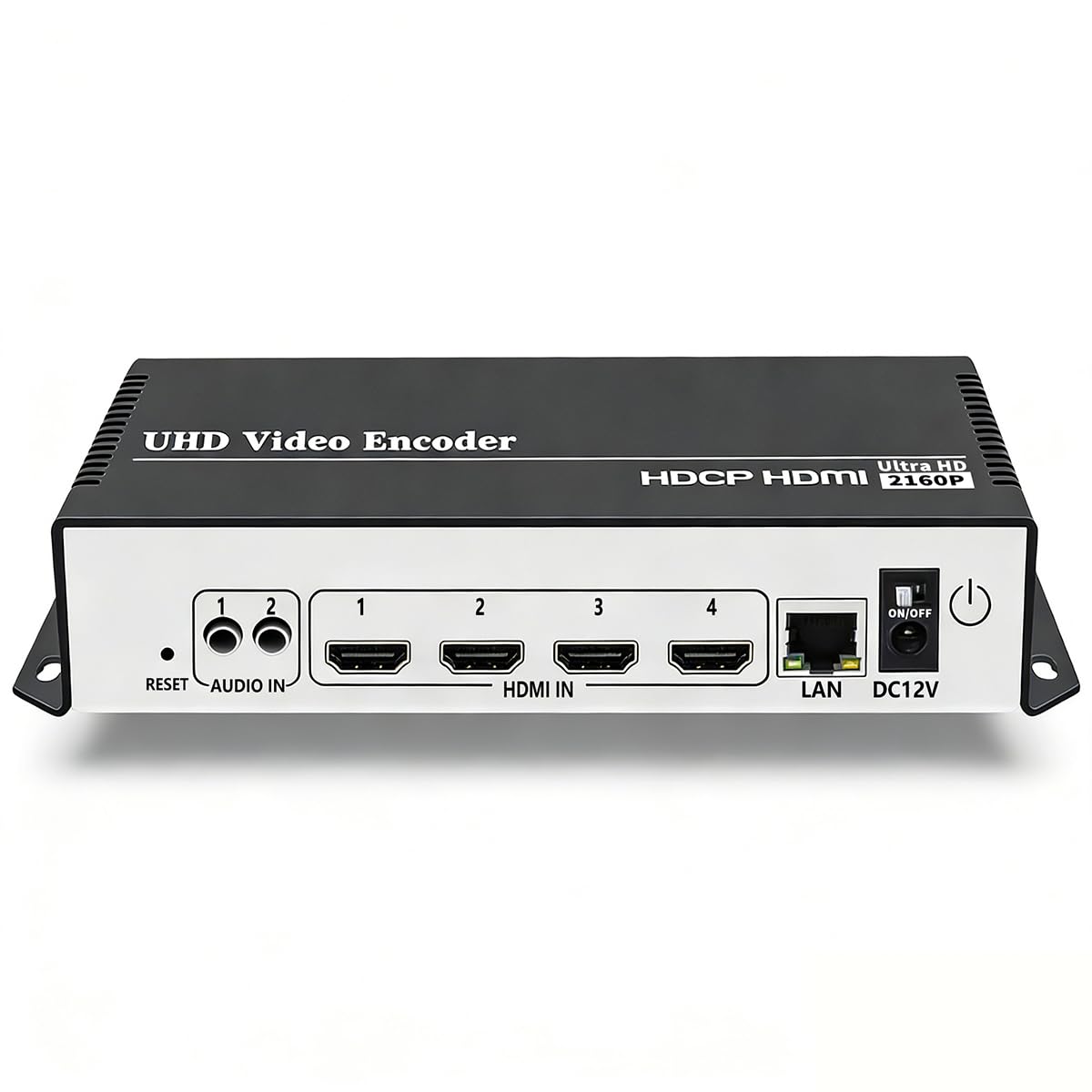
This 4-channel encoder is a versatile hub for any live production that demands simultaneous multi-platform streaming. It handles 4K input at 30 fps over HDMI, and its dual H.265/H.264 encoding engine lets you push four separate streams at once, each using a different protocol to different destinations — YouTube via RTMP, Facebook via RTMPS, and a private monitoring server via SRT, all concurrently.
WebRTC support on the UHE265-4-4K is a standout feature for reducing viewer latency to sub-second levels without needing a third-party CDN. The unit’s ability to add scrolling text, logos, and timestamps directly to the output stream is extremely useful for branding corporate webinars or live sports broadcasts without a separate graphics computer. Customer feedback from streaming sports and surveillance feeds confirms the device maintains stable, high-quality output around the clock.
Its compact chassis (4.72 x 3.94 inches) fits neatly into any rack or portable kit. Setup is sometimes opaque for absolute beginners — the DHCP is off by default, which can cause immediate connection headaches. Once configured, however, the unit is rock-solid and the web UI provides full control over bitrate, resolution, and encoding profiles. The lifetime technical support from URayCoder is a genuine safety net for professional users.
Why it’s great
- Four simultaneous streams with independent protocols
- WebRTC support for ultra-low latency unicast
- H.265 encoding at 4K saves bandwidth
Good to know
- DHCP disabled by default can confuse on first boot
- Instruction manual has poor English translations
- No built-in preview screen for local monitoring
2. YoloLiv YoloBox Extreme

The YoloBox Extreme is a complete live production switcher and encoder rolled into a single portable chassis. With eight HDMI inputs, three USB inputs, and support for six NDI sources, it can handle complex multi-camera setups without any external gear. Its 11.2-inch OLED touchscreen runs at a 120 Hz refresh rate and 1,000 nits brightness, making it usable even in brightly lit outdoor environments.
ISO recording at 4K30 on up to five inputs simultaneously is a game-changer for post-production — each camera angle is recorded as an individual file, preserving full editing flexibility. The built-in chroma key, instant replay for up to six cameras at 1080p60, and customizable overlays eliminate the need for a separate computer running OBS or vMix. Real-world user reports highlight flawless 4K streaming to three platforms simultaneously via its internal bonding technology, which is a massive reliability boost at remote venues.
The unit is a substantial investment, but it replaces a rack of separate equipment — encoder, switcher, recorder, monitor, and streamer. Some early units have exhibited audio level sensitivity that can cause camera dropouts when input levels spike unexpectedly. The extended 10-hour battery is enough for a full day of event coverage without searching for an AC outlet.
Why it’s great
- 8 HDMI inputs with 4K60 scaling on each source
- ISO recording for every input in 4K
- Integrated bonding for reliable remote streaming
Good to know
- Audio level sensitivity can cause camera dropouts
- High price point for small content creators
- Requires learning the custom UI and workflow
3. Blackmagic Design UltraStudio 4K Mini

The UltraStudio 4K Mini is a capture and playback interface designed for tightly integrated computer-based workflows. It connects via Thunderbolt 3, offering 40 Gbps of bandwidth that can handle uncompressed 4K60p video with 10-bit color depth. This is not a standalone encoder — it requires a connected computer running DaVinci Resolve, OBS, or Adobe Premiere to handle the actual encoding.
Its connectivity is comprehensive, featuring 12G-SDI input and output alongside HDMI 2.0, making it compatible with the highest-end broadcast cameras and monitors. The built-in hardware supports for HDR metadata and full 4:2:2 color sampling preserve maximum image fidelity for post-production color grading. Customer feedback consistently praises the exceptional capture quality, which delivers a pristine, artifact-free signal to the editing application.
Users must be careful to use a genuine Thunderbolt 3 cable — standard USB-C power cables will not be detected and can cause frustrating troubleshooting. The front panel buttons and menu navigation are often described as non-intuitive, and there is no integrated audio delay compensation for mic inputs. For uncompromising studio capture quality tethered to a well-specced Mac or PC, this device is the standard.
Why it’s great
- Uncompressed 4K60p capture over Thunderbolt 3
- 12G-SDI and HDMI 2.0 for high-end gear
- Full 10-bit 4:2:2 color sampling
Good to know
- Requires an external computer to encode
- Front panel UI is confusing without a manual
- No audio input delay adjustment
4. YoloLiv YoloBox Pro

The YoloBox Pro is built for mobile broadcasters who need a compact all-in-one solution for multi-camera switching and streaming. It accepts up to three HDMI inputs plus one USB camera and one NDI source, allowing live switching between up to eight sources. The 8-inch touchscreen provides a bright, responsive interface for managing transitions, overlays, and a built-in scoreboard without any portable monitor attachment.
A 10,000mAh battery delivers over four hours of operation, making it ideal for field sports or events without convenient power access. The unit supports 4G LTE tethering and its YoloCast bonding technology aggressively compensates for unreliable mobile internet connections. Users streaming youth sports report reliable 1080p60 output even in remote areas, and the built-in instant replay is a crowd-pleasing feature for highlighting key plays during a live broadcast.
Some batch units have had quality control issues, including loose port connections and audio glitches, and warranty support turnaround can be slow. The encoder is limited to 1080p60 output — it cannot produce a 4K stream despite accepting 4K HDMI input. It is a purpose-built mobile switcher and encoder, not a general-purpose 4K unicast encoder box.
Why it’s great
- All-in-one switcher and encoder for mobile use
- 4-hour battery for extended field operation
- Bonding technology for reliable remote streaming
Good to know
- Stream limited to 1080p, not true 4K
- Quality control issues reported on some units
- Warranty support can be slow
5. URayCoder UHE265-8

This 8-channel encoder is designed for situations where you need to ingest and encode multiple separate video sources simultaneously — think college lecture halls, surveillance control rooms, or multi-angle church broadcasts. Each HDMI input can generate two independent output streams, allowing a single unit to push 16 separate unicast streams to different destinations using mixed protocols.
Support for HTTP, RTSP, RTMP(S), SRT, HLS, UDP, and multicast gives the UHE265-8 immense flexibility. A single 1080p60 input can be encoded as a low-bitrate HLS stream for mobile viewing, a high-bitrate RTMP stream for YouTube, and an SRT stream for a remote production truck, all from one source. Real-world user feedback highlights its effectiveness as a Slingbox replacement for remote live-TV viewing and its zero-quality-loss HDMI loop-through for local monitoring.
There is a known firmware version split — newer units ship with a more capable chipset, while older stock may have limitations with 720x480i signals. The seller has been responsive about providing updated firmware to resolve such issues, but it is worth confirming the hardware revision before purchase. The unit is entirely fanless and runs silently, which is a major plus for studio and house-of-worship environments.
Why it’s great
- 8 HDMI inputs with dual streams per input
- Wide protocol support including SRT and HLS
- Fanless silent operation for studio use
Good to know
- Two hardware revisions with differing performance
- No integrated preview screen
- Configuring 16 streams requires careful planning
6. Zowietek ZowieBox

The ZowieBox is a dedicated SDI-to-NDI converter that brings camera feeds into a native NDI environment with certified NDI HX3 compatibility. It can function as both an encoder (SDI to NDI) and a decoder (NDI to SDI), though not simultaneously — a simple mode toggle switches its role. This dual functionality makes it a flexible tool in a mixed SDI and IP production workflow.
Power-over-Ethernet (PoE) support simplifies installation by running data and power over a single cable up to 100 meters, ideal for permanently mounted PTZ cameras in a house of worship or lecture hall. The ZowieBox also supports SRT, RTMP(S), and RTSP, allowing it to stream directly to platforms or a remote server without a separate NDI computer. The included ZowieUI web interface offers a live preview and full control over PTZ, tally, and OSD settings from any browser.
The internal antenna for WiFi is housed inside a metal chassis, which significantly reduces range and can cause dropouts when moving between access points. Some users have reported slow support responses, especially for firmware fixes. The ZowieBox records files that automatically split at 45 minutes or 4GB, which can introduce a freeze frame when stitching the clips together in post-production.
Why it’s great
- Certified NDI HX3 for seamless IP integration
- PoE capability for simple one-cable installation
- Dual encoder/decoder mode for workflow flexibility
Good to know
- Metal chassis blocks internal WiFi antenna
- File splitting at 4GB causes stitching issues
- Technical support can be slow to respond
7. URayCoder USE265-1L
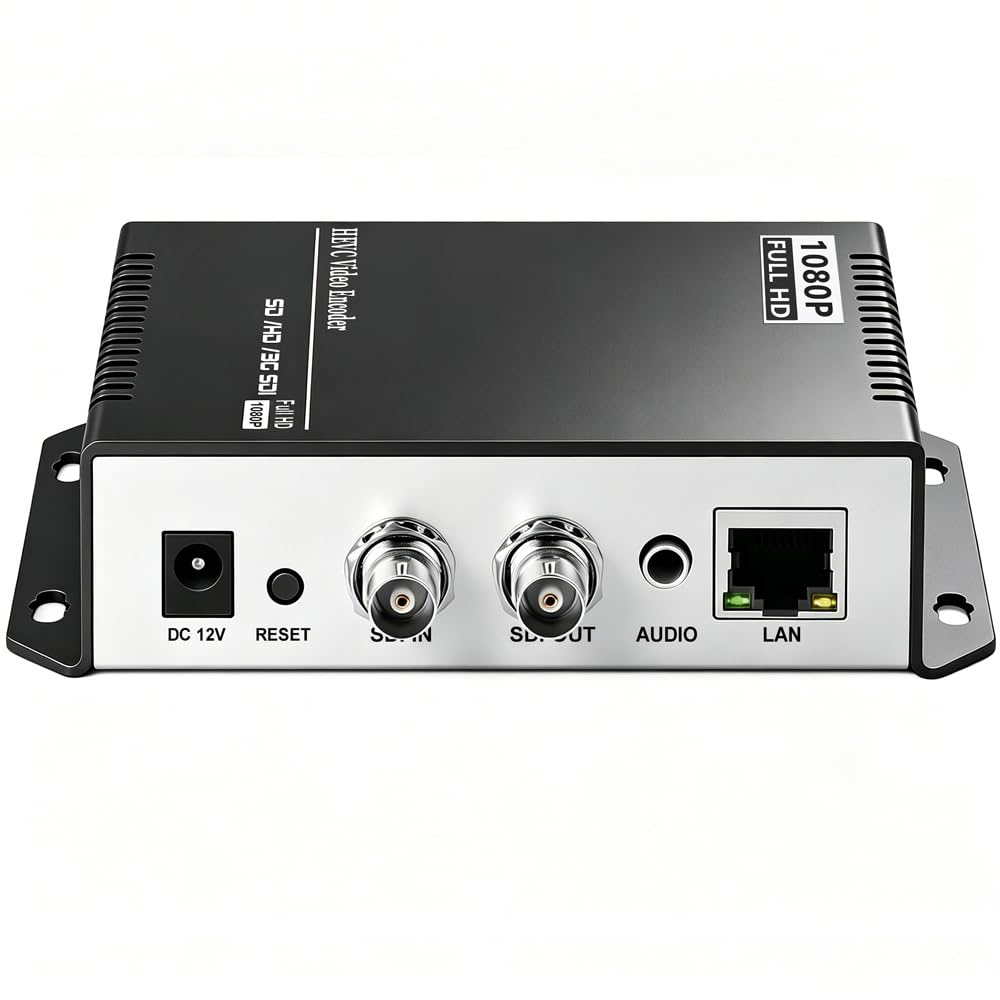
The USE265-1L is a single-channel SDI encoder that provides a straightforward, low-cost entry point for bringing SDI cameras into an IP streaming workflow. It accepts a 3G-SDI input at up to 1080p60 and supports the full suite of modern streaming protocols including RTMP, RTSP, SRT, HLS, and UDP. The loop-through output is a critical feature for professional setups, allowing the SDI signal to be sent to a local monitor or second recorder without signal degradation.
Users consistently praise its “set and forget” reliability — once configured, it streams for weeks without requiring a reboot or intervention. The audio setup can be finicky on first configuration, but the web UI provides detailed controls for audio source selection and gain adjustment. Several customers have deployed it for 24/7 remote monitoring of lobbies and loading docks, feeding a 24/7 RTMP stream to a local server or surveillance software.
The aluminum chassis is small (6.69 x 5.12 inches) and dissipates heat well without a fan, keeping it silent even in enclosed spaces. Its power plug uses an Australian/Chinese Type I connector, requiring a separate adapter for North American outlets. The hardware does not support 4K input or output, so it is strictly a 1080p HD encoder for professional SDI environments.
Why it’s great
- Rock-solid 24/7 streaming reliability
- SDI loop-through for local monitoring
- Full protocol support in a quiet aluminum case
Good to know
- No 4K support, maxes out at 1080p60
- Australian plug requires an adapter in the US
- Audio configuration can be tricky initially
8. SoundBeast 4K HD Video Capture Box
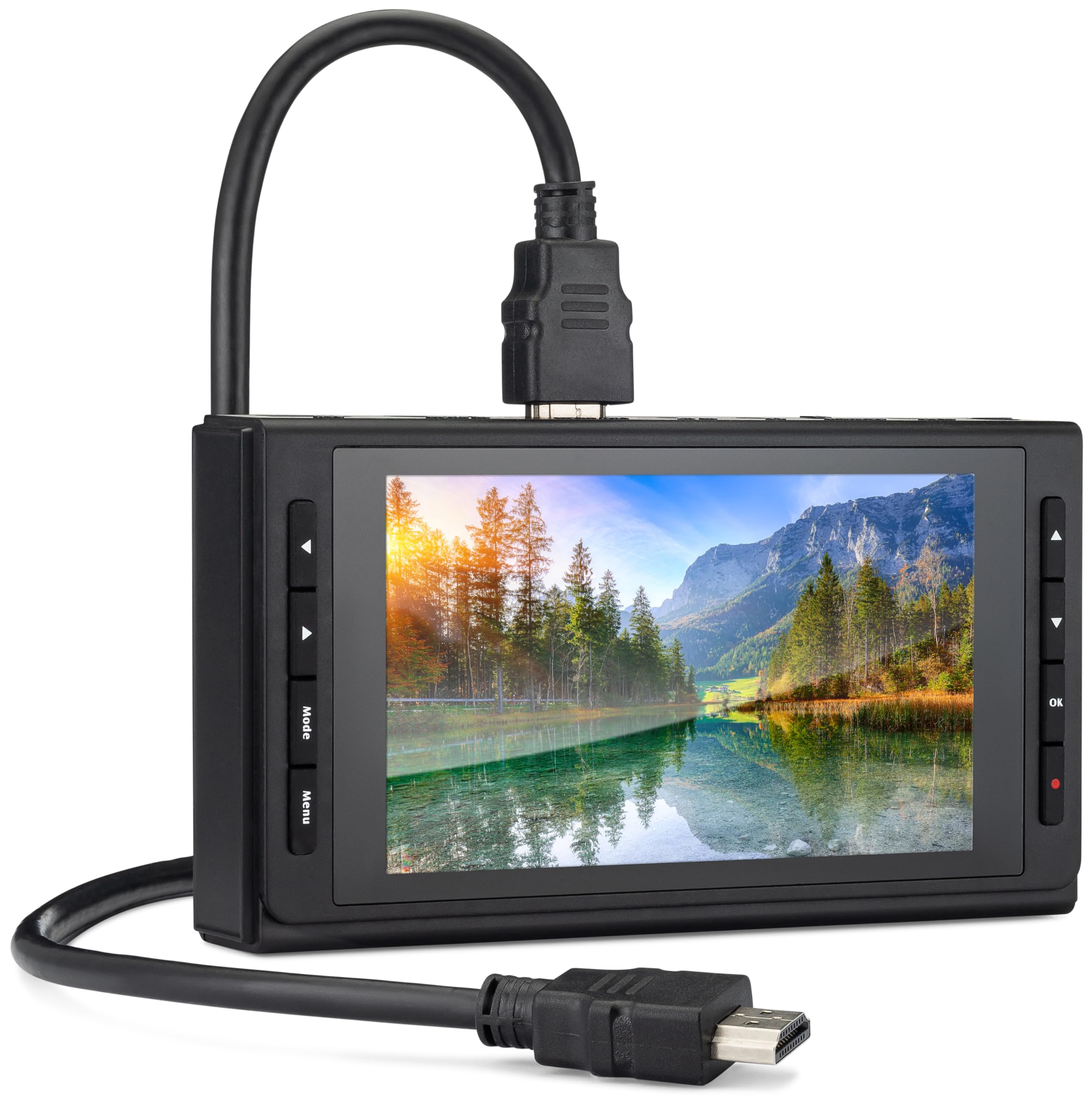
The SoundBeast 4K Capture Box is a standalone recording device that is primarily designed for digitizing analog video from VCRs, camcorders, and Hi8 players. It features a 5-inch preview LCD with a built-in speaker, allowing users to view and monitor content without connecting to a separate monitor. It records directly to an SD card or USB drive in MP4 format, no computer required.
Its HDMI input can capture up to 4K30 FPS, making it usable for some live streaming via USB to a PC running OBS, though it is limited to Windows for live streaming functionality. The device includes a remote control, HDMI cable, and an AV adapter for composite sources, making it a complete kit for converting old home videos. Customer reviews note it produces smooth 1080p60 MP4 recordings directly to SD cards.
It has a critical limitation: it cannot record or pass through HDCP-protected HDMI sources, showing a black screen for any content with copy protection. The 5-inch LCD is reported to be dull, blurry, and runs at around 20 FPS, making it unsuitable as a production monitor — it is strictly for basic status checks. This is not a network encoder; it has no Ethernet port and cannot stream directly to the internet without a connected PC.
Why it’s great
- Built-in 5-inch LCD preview and speaker
- Records 4K HDMI directly to SD/USB drive
- Complete kit for digitizing old AV tapes
Good to know
- No HDCP support — black screen with protected content
- Preview screen is low resolution and laggy
- No direct network streaming without a PC
9. DIRECTV Gemini Air
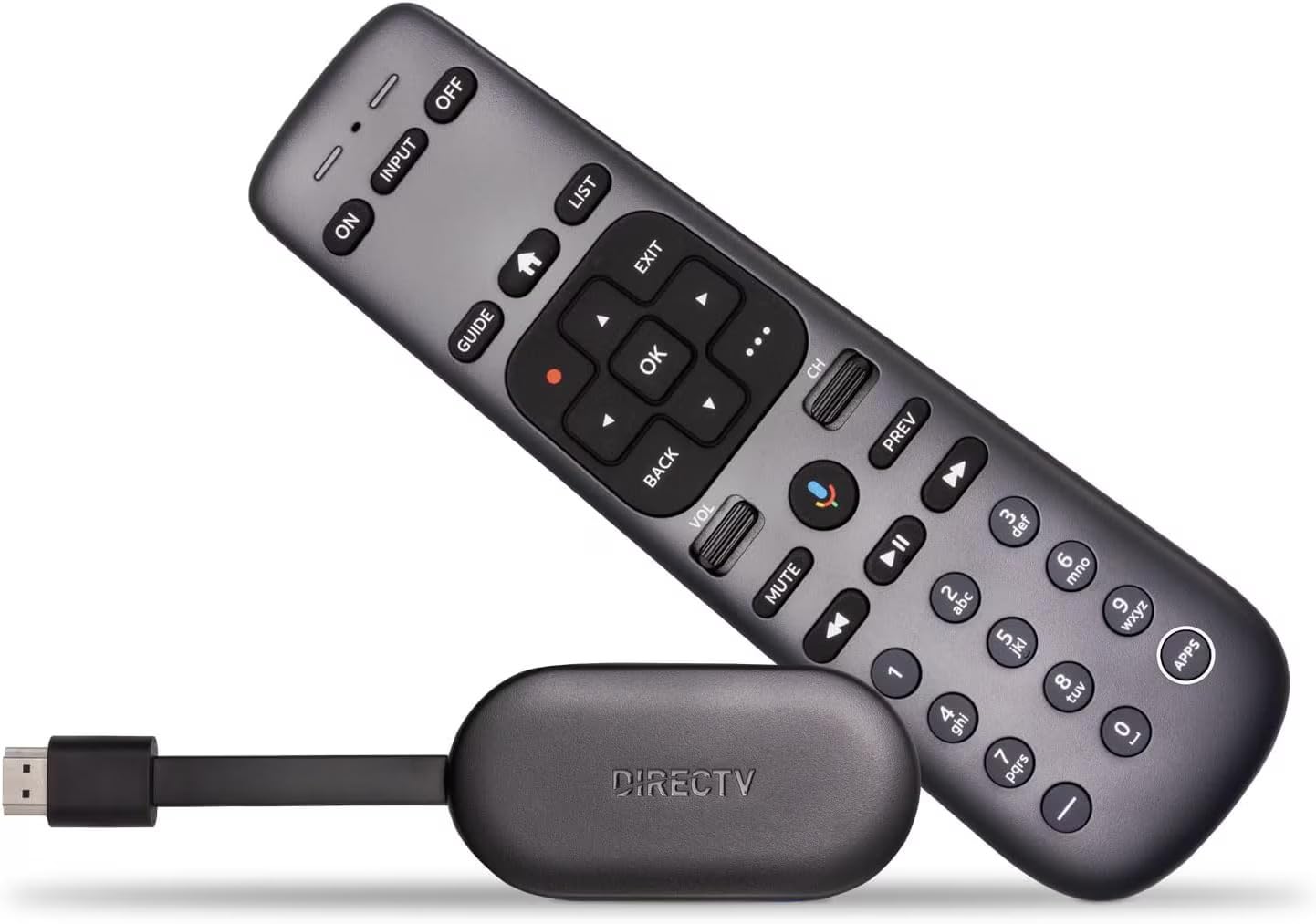
The DIRECTV Gemini Air is a streaming dongle that serves as a client device for the DIRECTV Stream subscription service, not a universal encoder. It plugs directly into a TV’s HDMI port and runs Android TV 11, providing access to live DIRECTV channels and streaming apps like Netflix and Prime Video. Its 4K HDR support ensures crisp picture quality on compatible televisions.
This device excels in its intended role — replacing a traditional cable box for cord-cutters who subscribe to DIRECTV Stream. The included voice remote with Google Assistant makes searching for content and controlling smart home devices seamless. Customer feedback highlights that it is a great value for existing DIRECTV Stream subscribers, offering a plug-and-play setup that takes about ten minutes to activate.
It is a mistake to confuse this product with a professional video encoder. It cannot accept external video inputs, encode video from cameras, or stream to custom RTMP/SRT destinations. Its sole purpose is decoding DIRECTV Stream content for display on a TV. Users with older Samsung TVs have reported needing a factory reset during initial setup to resolve mute and volume control issues with the remote.
Why it’s great
- Simple 4K HDR streaming for DIRECTV subscribers
- Android TV access to thousands of apps
- Voice remote with Google Assistant integration
Good to know
- Not a video encoder — no external input ports
- Requires a DIRECTV Stream subscription
- May have compatibility hiccups with older TVs
FAQ
Can a 4K unicast encoder box stream to multiple destinations at the same time?
What is the difference between unicast and multicast in video encoding?
Do I need a separate computer to run a 4K unicast encoder box?
Final Thoughts: The Verdict
For most users, the 4k unicast encoder box winner is the URayCoder UHE265-4-4K because it offers flexible multi-protocol streaming, WebRTC support, and a lifetime warranty at a balanced price. If you need an all-in-one production studio with deep HDMI input count, grab the YoloLiv YoloBox Extreme. And for uncompromised studio capture quality tethered to a powerful editing workstation, nothing beats the Blackmagic Design UltraStudio 4K Mini.