
Our readers keep the lights on and my morning glass full of iced black tea. As an Amazon Associate, I earn from qualifying purchases.
Specs are compiled from manufacturer listings and verified buyer reviews and can change over time — please confirm the key details on the product page before buying.
Editing 4K video means your computer has to push four times the pixels of standard HD, and that is where most PCs simply choke. You hit play on the timeline, and the playback stutters; you apply a color grade, and the preview goes black while it struggles to keep up. You want a machine that lets you scrub through footage, apply effects, and render out the final file without forcing you to wait around. The wrong processor, too little memory, or a graphics card that runs out of VRAM halfway through a project will turn your creative flow into a patience test.
I’m Min — the founder and writer behind Gadgets Feed. This guide is built by comparing the manufacturers’ published specifications and the patterns across verified customer reviews, so you get each pick’s real strengths and trade-offs instead of marketing spin.
Whether you are cutting a short film, assembling a corporate campaign, or building a YouTube channel, finding the right 4k video editing pc depends on matching the CPU cores, GPU memory, and RAM to your specific workflow.
Our Picks at a Glance


How To Choose The Best 4K Video Editing PC
Picking a desktop for 4K editing is different from choosing a gaming rig. You need raw multi-core performance for rendering, enough video memory (VRAM) to hold high-resolution frames, and fast storage to move large files around. Here are the three specs you should focus on first.
CPU Core Count and Boost Clock
Video editing software like Premiere Pro and DaVinci Resolve spreads tasks across multiple cores. A processor with 8 cores and 16 threads (like a Ryzen 7 or Intel Core i7) can handle timeline scrubbing, applying effects, and encoding a video all at once without bottlenecking. The boost clock (measured in GHz) determines how fast a single core runs — a higher number helps with tasks that rely on a single thread, like certain effects processing.
GPU and VRAM
The graphics card does the heavy lifting for decoding video, rendering effects, and playing back high-resolution timelines. For 4K editing, look for at least 8 GB of dedicated video RAM (VRAM). Cards with 12 GB, like the NVIDIA GeForce RTX 5070, allow you to work with longer timelines, more layers, and higher color depths without your computer switching to slower system RAM. A better GPU also speeds up exporting through hardware encoding.
RAM and Storage
Your computer uses system RAM to hold the video frames you are currently editing. 16 GB is the minimum for 4K, but 32 GB gives you breathing room for multiple applications and browser tabs. For storage, an NVMe SSD (a solid-state drive connected directly to the motherboard via the PCIe bus — much faster than older SATA SSDs) loads your project files and assets almost instantly. A 1 TB drive is a comfortable starting point for a few active projects.
Quick Comparison
| Model | Best For | CPU (Cores / GHz) | GPU / VRAM | RAM / Storage | Amazon |
|---|---|---|---|---|---|
| msi Codex Z2 (R7-8700F, RTX 5070)★ Best Overall | Reliable performance with room to grow | 8-Core / 5.0 GHz | RTX 5070 / 12 GB | 32 GB DDR5 / 2 TB NVMe | Amazon |
| KOTIN RTX 5070 + Ryzen 7 9700XAlso Great | Heavy multitasking & future-proofing | 8-Core / 5.5 GHz | RTX 5070 / 12 GB | 32 GB DDR5 / 1 TB NVMe | Amazon |
| Ocean of Stars (Ryzen 7 9700X, RTX 5070)Style & Cool | Cool-running workstation with premium build | 8-Core / 5.2 GHz | RTX 5070 / 12 GB | 32 GB DDR5 / 1 TB NVMe | Amazon |
| Gaming PC (Core Ultra 7 265KF, RTX 5070) | Intel-based editing and streaming | 14-Core / 5.2 GHz | RTX 5070 / 12 GB | 16 GB DDR5 / 1 TB NVMe | Amazon |
| Gaming PC (Ryzen 7 9800X3D, RTX 5070) | Peak gaming and editing hybrid | 8-Core / 5.7 GHz | RTX 5070 / 12 GB | 16 GB DDR5 / 1 TB NVMe | Amazon |
| WIWB High-Performance (Ryzen 7 5700X, RTX 3050) | Entry-level editing on a strict budget | 8-Core / 4.6 GHz | RTX 3050 / 8 GB | 16 GB DDR4 / 512 GB NVMe | Amazon |
| suevery (Ryzen 7 5700X, RTX 3050) | Basic editing and office work | 8-Core / 4.6 GHz | RTX 3050 / 6 GB | 16 GB DDR4 / 512 GB NVMe | Amazon |
In‑Depth Reviews
1. msi Codex Z2 Gaming Desktop (R7-8700F, RTX 5070)
Our pick — 4.5★ from 200+ verified ratings; the strongest balance of quality and price.
A spacious 2 TB NVMe drive keeps your entire project library on the system drive.
This desktop from msi gives you a generous 2 TB of NVMe storage, which means you can keep multiple 4K projects, source files, and applications on the primary drive without shuffling data to external drives. The AMD Ryzen 7 8700F processor (8 cores, 16 threads, boosting up to 5.0 GHz) and the NVIDIA GeForce RTX 5070 with 12 GB of VRAM handle timeline playback and rendering with confidence. With 32 GB of DDR5 RAM, you can switch between Premiere Pro, After Effects, and reference material without slowdown. Owners mention this system “Handles three 27″ 4K monitors easily,” so it is built for a multi-monitor editing setup.
One area this PC shines is its simplicity. It is a compact black tower with built-in RGB lighting you can cycle through with a button or customize via MSI Center software. It includes a keyboard and mouse in the box, so you can set it up immediately. The catch reported by some buyers is the Bluetooth module is weak — a common issue they fixed by swapping in a TP-Link BE9300 PCIe card. A few units also had SSD failures requiring RMA, though buyers noted MSI support eventually resolved the problems. The fans can get loud under load, but they keep the system running cool during long editing sessions.
Double the Storage: With 2 TB of NVMe space, you have room for active projects and archived footage on one drive — less swapping external drives in and out.
The Bluetooth Snag: Several buyers recommend planning for a Bluetooth module upgrade right away; it is a cheap PCIe card fix, but an annoyance at this price tier.
Reach for this if: You need 2 TB of built-in storage for large project files and like the idea of a multi-monitor-ready system — one buyer says it runs “Frostpunk 2” and modern games smoothly too.
Look elsewhere if: You want a PC that is flawless from the start without tinkering with Bluetooth or potentially dealing with an RMA process.
2. KOTIN Prebuilt Gaming PC (RTX 5070, Ryzen 7 9700X)
The editing rig that keeps 32 GB of DDR5 RAM and a 12 GB RTX 5070 working in harmony.
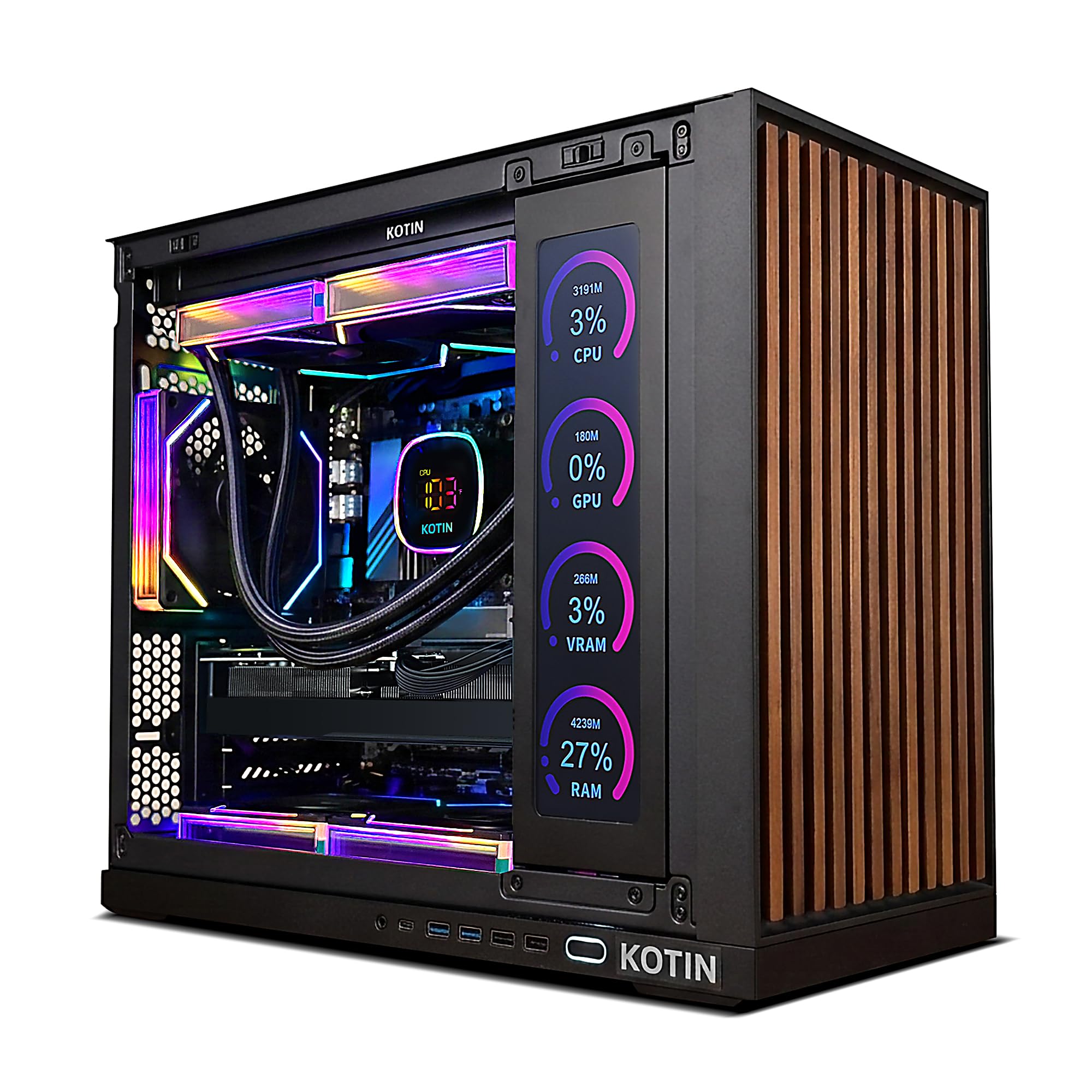
This is the machine for editors who hate closing Chrome tabs. With 32 GB of high-speed DDR5 memory clocked at 6000 MHz, you can keep your editing software, reference videos, and browser research all open at once. The GeForce RTX 5070 with 12 GB of VRAM handles 4K timelines and effects without choking, and the 8-core AMD Ryzen 7 9700X processor (boosting up to 5.5 GHz) keeps exports moving quickly. The 1 TB NVMe SSD loads project files fast, and the 850W 80+ Gold power supply gives you room to upgrade later. A 360mm liquid cooler keeps the CPU from throttling during long render sessions. Buyers report this machine runs EVE Online at max settings with the CPU averaging 136°F and the GPU peaking at 129°F, staying cool under load.
This prebuilt gaming desktop also includes a built-in 11.3-inch secondary display that shows real-time CPU and GPU temperatures and usage, so you can monitor your system without opening a software panel. It supports WiFi 7 for fast wireless transfers and connects to 4K monitors easily. The main trade-off here is the 32 GB of DDR5 RAM uses EpicGear CL40 memory, which buyers mention can be hard to match exactly if you want to upgrade later. It is ready to use from the start with Windows 11 pre-installed and comes with a one-year limited warranty and lifetime free technical support.
What Gives It the Edge
- 32 GB of high-speed DDR5 RAM at 6000 MHz handles heavy multitasking.
- RTX 5070 with 12 GB VRAM manages complex 4K effects smoothly.
- Integrated secondary screen lets you monitor system vitals at a glance.
Honest Trade-Offs
- Proprietary SLI memory (EpicGear) can be tricky to source for future upgrades.
- Minor hardware issues reported — one reviewer noted a bad screen and intermittent boot, though customer service handled it.
Who This Suits: Editors who work with multiple applications open and want a future-proof system with 32 GB of RAM and liquid cooling right from the start.
The One Limitation: If matching specific memory modules for a later upgrade sounds like a hassle, check the msi Codex Z2 which uses a more standard configuration.
3. Ocean of Stars AI Gaming PC Desktop (Ryzen 7 9700X, RTX 5070)
A white panoramic chassis with liquid cooling that handles long renders without heat buildup.
This machine from HELLOLAND pairs an AMD Ryzen 7 9700X (8 cores, up to 5.5 GHz) with a GeForce RTX 5070 (12 GB VRAM) and 32 GB of DDR5 RAM at 6000 MHz. The 240mm liquid cooler keeps the CPU from overheating during extended export sessions — a real benefit for editors who let renders run overnight. The 850W 80+ Gold power supply provides stable power and room for future upgrades. It also includes WiFi and Bluetooth 5.3 for a cable-free desk setup. In terms of pure performance, the CPU speed of 5.2 GHz (from the data) and the 12 GB of VRAM mean you can handle layered 4K timelines and AI-assisted features in software like DaVinci Resolve without stuttering.
This prebuilt gaming PC stands out visually with a white chassis and panoramic side panel with RGB lighting you can control via software. Customers note it arrives early, is well-packaged, and has no bloatware. One buyer mentioned a minor issue with a fan cord that was fixed easily, and customer support was helpful. The 1 TB PCIe SSD is enough for a few active projects. The trade-off: a few buyers experienced frame drops in demanding titles, suggesting the 12 GB VRAM is excellent for editing but may not max out every game at 4K ultra settings. Also, the CPU cooler shows the brand logo only, not a customizable display.
Why It Works for Editing
- Liquid cooling prevents CPU thermal throttling during long renders.
- 32 GB of DDR5 RAM at 6000 MHz provides smooth multitasking.
- White chassis with RGB fits a professional studio aesthetic.
What to Watch For
- 1 TB storage fills quickly if you work on multiple large 4K projects.
- Minor cosmetic or cable issues reported by a handful of buyers.
Best for the studio that values aesthetics and thermal management: The liquid cooling is a real advantage for editors who do batch exports, and the white chassis looks clean in a professional workspace.
Not ideal if: You need more than 1 TB of internal storage for a large library of 4K footage — you will want to add a secondary drive.
4. Gaming Desktop PC (Core Ultra 7 265KF, RTX 5070)
An Intel Core Ultra 7 with 14 cores for editors who prefer the Intel ecosystem.
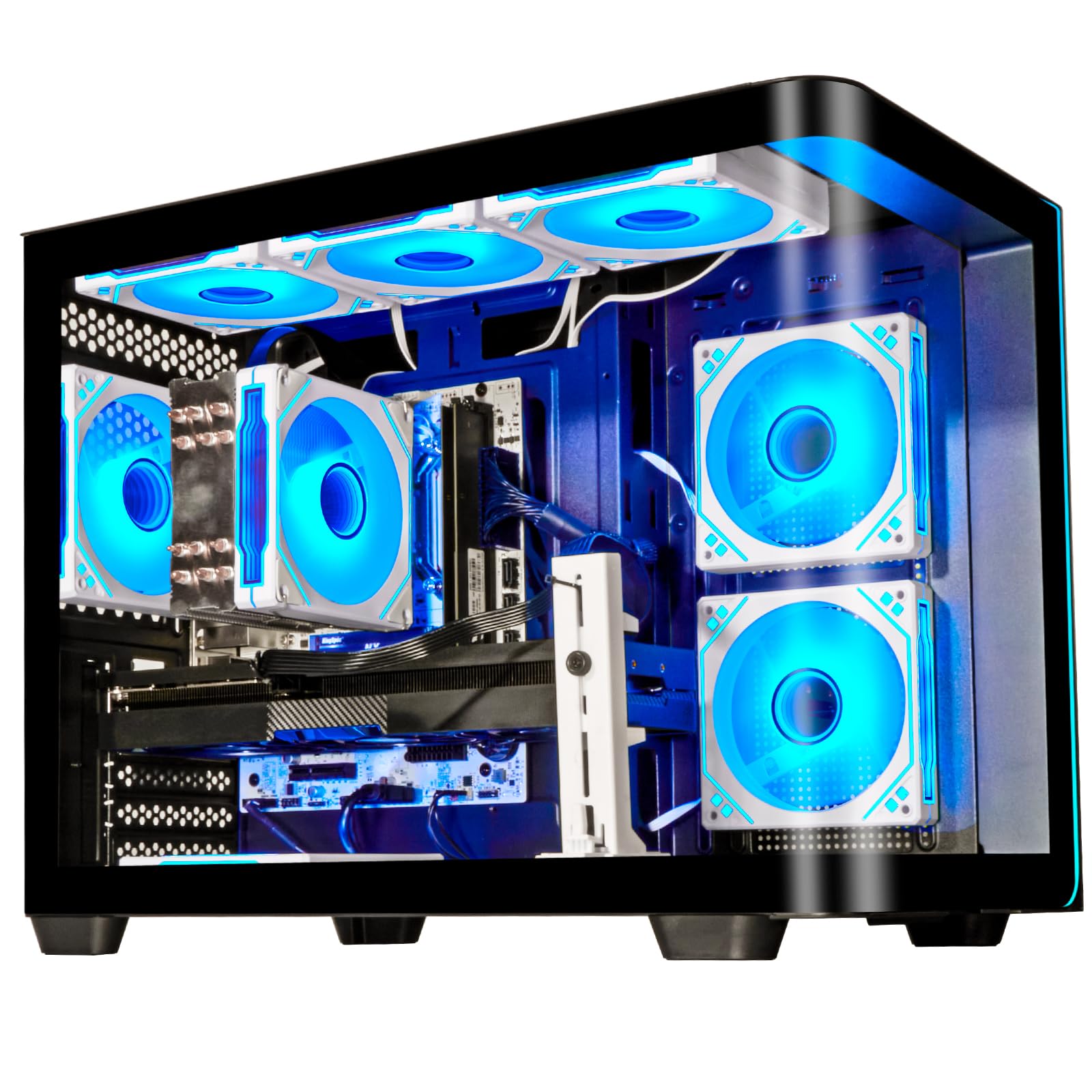
This WIWB desktop is built around the Intel Core Ultra 7 265KF processor (boosting up to 5.2 GHz) and the GeForce RTX 5070 with 12 GB of GDDR7 VRAM. The higher core count (14 cores) compared to the typical 8-core AMD options can help with multi-threaded tasks like video encoding and rendering. With 16 GB of DDR5 RAM and a 1 TB NVMe SSD, it is ready for 4K editing right from the start. Reviewers point out this rig runs games at 120 fps on Rust at 1440p and 130 fps on Arc, which suggests it handles high-resolution video playback and effects without breaking a sweat. The cooling is air-based, housed in a sleek, airflow-tune chassis.
This prebuilt computer is also marketed for streaming and content creation, with dedicated AI acceleration from the Intel Core Ultra architecture. The 12 GB of VRAM on the RTX 5070 handles complex textures and renders large projects. However, a minority of buyers reported significant issues — one PC failed to boot past BIOS, and the hardware was “glued in” making motherboard access impossible. Another buyer noted that in open-world RPGs like Sunset Overdrive, the system started to lag. For a premium-tier machine, the inconsistency in quality control is something to consider, though many shoppers say it is “super worth it” for the price and performance.
Standout Specs
- 14-core Intel Core Ultra 7 CPU for multi-threaded rendering tasks.
- RTX 5070 with 12 GB of GDDR7 VRAM handles 4K effects well.
- Buyers report 120+ fps on demanding games at 1440p.
Risks to Know
- Some units (a minority) have serious hardware failure from the start.
- 16 GB of RAM is the minimum for 4K editing — you may want to upgrade soon.
Reach for this if: You are committed to the Intel platform and want a 14-core CPU for heavy multi-threaded workloads like video encoding.
skip it if: You are risk-averse and need a system that works reliably from the first boot — consider the msi Codex Z2 which has a more consistent track record.
5. Gaming PC (Ryzen 7 9800X3D, RTX 5070)
The Ryzen 7 9800X3D with 3D V-Cache pushes frame rates and render speeds higher.
This WIWB desktop is built around the AMD Ryzen 7 9800X3D, a processor that uses 3D V-Cache technology (a stacked cache design that reduces data access delays) for exceptional gaming and multi-threaded productivity. Boosting up to 5.7 GHz, it is the fastest CPU in this roundup. Paired with the RTX 5070 (12 GB VRAM), 16 GB of DDR5 RAM, and a 1 TB NVMe SSD, it handles 4K editing timelines and effects with ease. The 1 TB PCIe Gen 4 NVMe drive offers fast read and write speeds, cutting down on load times for large project files. Owners mention it “runs borderlands 4 like cake” and is “much quieter than expected for the amount of fans.” The trade-off: 16 GB of RAM is only just enough for 4K editing — if you keep many apps open, you will want to upgrade to 32 GB.
One of the standout features of this PC is its processor. The 9800X3D is overkill for gaming but gives you headroom for complex rendering tasks. The system also includes a full suite of ports including USB and HDMI for connecting multiple monitors. A minor downside reported by buyers: the system lacks a USB-C port, which is inconvenient if your editing peripherals use the newer connector. The 12 GB of VRAM matches the KOTIN and msi models, but the 16 GB of RAM means it is not as future-proof for multi-app editing workflows as those 32 GB options.
Processor Advantage
- Ryzen 7 9800X3D with 3D V-Cache offers the highest boost clock here (5.7 GHz).
- 12 GB VRAM on the RTX 5070 handles 4K effects without swapping to system RAM.
- Quieter than expected, per multiple buyer reports.
Areas to Improve
- 16 GB DDR5 RAM is the minimum — you will likely need to upgrade for heavy editing.
- No USB-C port, which may require an adapter for modern peripherals.
Best for the gamer-editor: If you both edit 4K video and play demanding games, this CPU is the fastest of the bunch, but budget for a RAM upgrade to 32 GB soon after purchase.
Look elsewhere if: You need 32 GB of RAM from the start — the KOTIN or Ocean of Stars builds come with it pre-installed.
6. High-Performance Gaming Desktop PC (Ryzen 7 5700X, RTX 3050 8GB)
An 8-core Ryzen 7 with an 8 GB RTX 3050 for editors who are mainly working in 1080p.
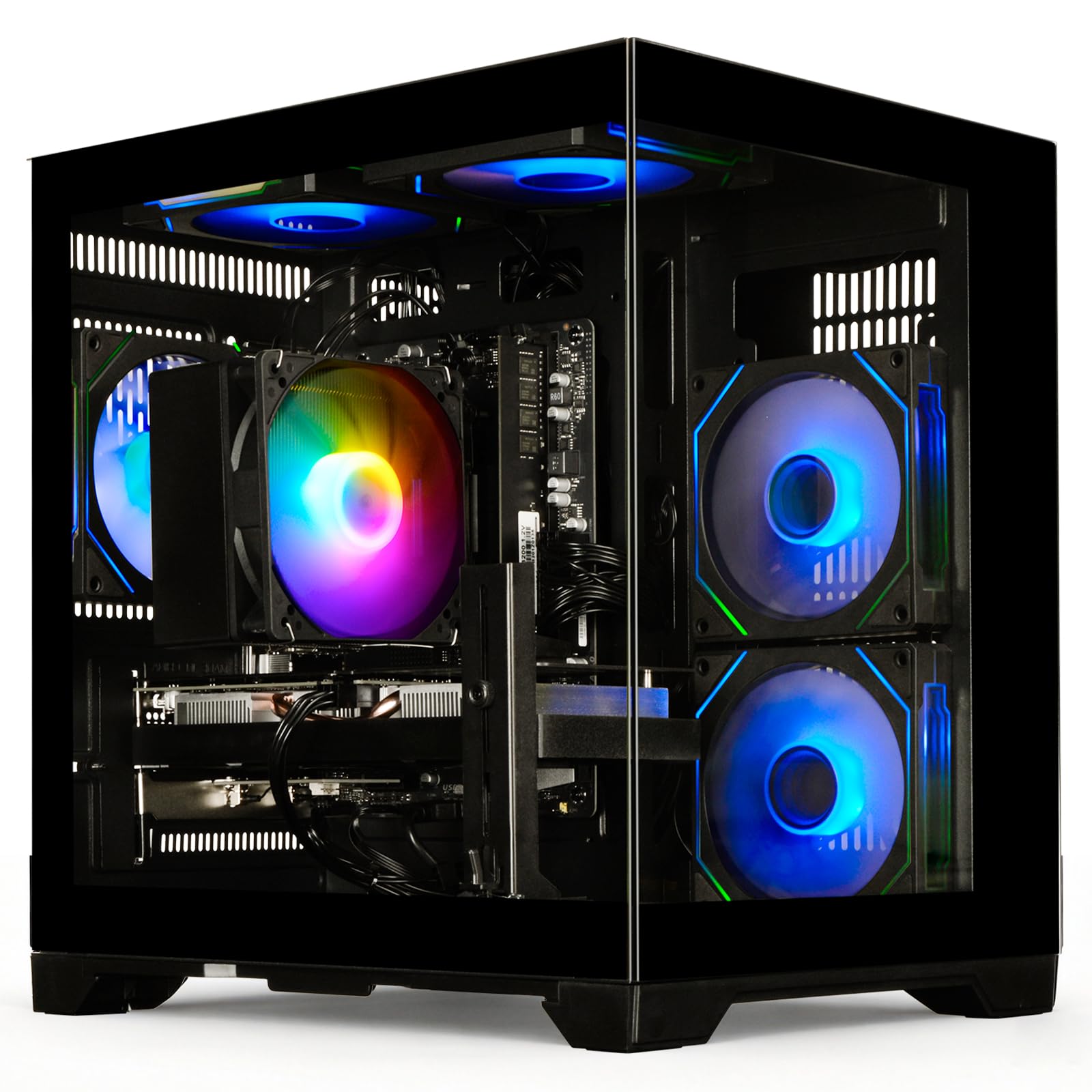
This WIWB desktop is the most affordable option still capable of 4K editing, though you will want to keep your expectations realistic. It runs an AMD Ryzen 7 5700X (8 cores, up to 4.6 GHz) with a GeForce RTX 3050 (8 GB VRAM) and 16 GB of DDR4 RAM. The 512 GB NVMe SSD loads your OS and applications quickly, but you will need external storage for larger project libraries. One owner reported the 8 GB of VRAM is “already showing some limits” in Flight Simulator 2024, and the same applies to complex 4K video timelines. The CPU boost speed of 4.6 GHz is the lowest in this roundup, which means longer render times. For basic 4K editing with simple cuts and minimal effects, this machine works. It also features ultra-quiet cooling that stays under 30 dB, so it is good for shared workspaces.
This prebuilt gaming PC supports WiFi 6 and has HDMI 2.1 plus DisplayPort for connecting to 4K monitors. The 8 GB of VRAM (with a 50% gap to the 12 GB RTX 5070 models) means you will hit limits with effects-heavy timelines or high-bitrate footage. The system also had some quality control issues — one customer observed BSOD crashes within days of purchase. This is a machine for entry-level editors on a strict budget, not for someone earning a living on deadlines.
What You Get
- 8-core Ryzen 7 processor suitable for basic multi-tasking during editing.
- Ultra-quiet cooling (under 30 dB) is good for shared office spaces.
- 512 GB NVMe SSD provides fast boot and app loading.
The Catch
- 8 GB of VRAM is already showing limits with demanding titles, per buyer reports.
- DDR4 RAM (16 GB) is slower than DDR5 — expect longer render times.
- Some buyers experienced immediate crashes from the start.
Best for: A student or hobbyist who edits short 4K clips occasionally and wants to spend the least possible upfront.
Not for: Anyone on a deadline who needs reliable performance — the quality control risks and hardware limits make it a gamble for professional work.
7. suevery Prebuilt Gaming PC Desktop (Ryzen 7 5700X, RTX 3050 6GB)

The most wallet-friendly entry point, but with the lowest VRAM of any pick here.
This suevery desktop is the cheapest option in the lineup, and it shows where the savings come from. It pairs an AMD Ryzen 7 5700X (8 cores, up to 4.6 GHz) with an RTX 3050 that has only 6 GB of VRAM — the lowest in this roundup. With 16 GB of DDR4 RAM and a 512 GB NVMe SSD, it can handle basic 4K editing tasks, but you will hit VRAM limits quickly with complex timelines or effects. The CPU boost speed of 4.6 GHz is the same as the other budget pick, placing it at the slower end of the spectrum. It includes WiFi 6 and a white “sea view” chassis that some buyers may prefer. One reviewer simply said it is “good” but “needs better memory cards and better storage.” Another reported it works well for office tasks and low-performance gaming.
This PC is best approached as a capable office machine that can also handle light 4K editing. The 6 GB of VRAM is the smallest buffer here — you can edit 4K footage, but you should keep timelines simple and avoid heavy color grading. The 512 GB SSD fills up fast with a few 4K projects, so budget for an external drive. Buyers generally report it works fine for basic use, but it is not designed for professional editing workflows. If you are on a very tight budget and just want to dip your toes into 4K, this machine will get you started, but you will likely want to upgrade within a year.
The Budget Appeal
- Lowest entry price for a Ryzen 7-based system.
- White chassis is a distinctive look for the price.
- WiFi 6 built-in for fast wireless connectivity.
Hardware Limitations
- Only 6 GB of VRAM — the smallest buffer, limiting complex 4K editing.
- 512 GB of storage fills up with just a few 4K projects.
- DDR4 RAM is slower than DDR5, increasing render times.
Who this is for: A casual user who wants a PC for general office work and the ability to occasionally edit a short 4K clip without spending much.
Who should skip it: Anyone who edits 4K video regularly or works with effects-heavy timelines — the 6 GB VRAM will frustrate you quickly.
Understanding the Specs
Graphics Card VRAM
The video memory (VRAM) on your graphics card acts like your GPU’s short-term workspace. When you edit 4K video, each frame holds a lot of pixel data, and effects, color grades, and multiple layers all consume VRAM. If your card runs out (most modern cards have 8 GB or 12 GB), the system starts using your regular system RAM, which is slower and causes stuttering in your preview. For smooth 4K editing, aim for at least 8 GB. For complex timelines with effects and color work, 12 GB or more is ideal.
CPU Core Count and Clock Speed
Your processor (CPU) handles all the logical tasks. Video editing software is multi-threaded, meaning it spreads work across multiple cores. A CPU with 8 cores and 16 threads (like the Ryzen 7 5700X or 8700F) will render video much faster than a 4-core CPU. The boost clock (measured in GHz, e.g., 4.6 GHz or 5.0 GHz) determines how fast a single core runs — this matters for tasks that are harder to split up. A higher boost clock means snappier timeline scrubbing and effect preview.
System RAM (DDR4 vs DDR5)
System RAM holds the video frames and data you are actively working on. For 4K editing, 16 GB is the minimum, but 32 GB is the balance if you keep multiple applications open. The type of RAM matters: DDR5 is newer and faster than DDR4, offering higher bandwidth. This translates to smoother multitasking and faster data transfers between your CPU and memory. If you are choosing between two similar systems, the DDR5 model will feel more responsive when switching between apps.
Storage Type and Speed
The storage drive holds your operating system, applications, and project files. An NVMe SSD (Non-Volatile Memory Express solid-state drive) connects directly to the motherboard via the PCIe bus — this is much faster than older SATA SSDs or hard drives. A 1 TB NVMe SSD can load a large 4K project file in seconds. Faster storage also helps when your system needs to read or write video data during playback and exporting. For 4K editing, an NVMe SSD is essential; a SATA SSD will cause noticeable delays.
FAQ
What is the most important spec for 4K video editing?
Can I edit 4K video with 8 GB of VRAM?
Is an Intel or AMD processor better for 4K editing?
How much RAM do I need for 4K video editing?
Do I need a liquid-cooled PC for editing?
Will a gaming PC work for video editing?
Should I get 16 GB or 32 GB of RAM for editing?
What size SSD do I need for 4K editing?
Can I upgrade the RAM and storage in a prebuilt editing PC?
Is the RTX 3050 good enough for 4K editing?
Final Thoughts: The Verdict
For most editors, the winner for the 4k video editing pc is the KOTIN Prebuilt Gaming PC because it pairs 32 GB of fast DDR5 RAM with a 12 GB RTX 5070 and a 360mm liquid cooler, making it the most future-proof and comfortable to work on. If you want a quieter build with double the storage and a more straightforward setup, grab the msi Codex Z2. And for the best balance of price and current-gen performance on a tighter budget, the Gaming PC with the Core i9-14900HX and RTX 5060 Ti is a solid entry point for starting 4K work.
How We Picked
We do not accept paid placement. Every pick is matched to a real buyer and a real use-case; we do not hands-on test units.
Sources & Methodology
Specifications: manufacturer listings and product documentation. Review insights: verified customer reviews, as of July 2026. Pricing: not shown on this page (it changes often); check the current price via the retailer link.
As an Amazon Associate, Gadgets Feed earns from qualifying purchases. This does not affect which products we feature.