
Watching a movie on a smartphone during a flight or trying to game on a laptop’s small built-in display often feels cramped and disconnected from the intended experience. The promise of a truly portable personal theater has been chased for years, but until recently the tech was either too bulky, too dim, or too expensive to justify the switch. The narrow field of view and low resolution of early models made them feel more like a novelty than a legitimate replacement for a dedicated monitor or TV.
I’m Min — the co-founder and writer behind Gadgets Feed. My focus is on filtering through the dense technical specifications of wearable displays, comparing critical metrics like pixel density, field of view, refresh rates, and brightness nits to separate genuine category leaders from marketing-driven mediocrity.
The goal is to find the pair that combines the sharpest visuals with the most comfortable fit and the broadest device compatibility, delivering a true cinema-like experience anywhere you go. This is the definitive guide to finding the best 4k video glasses on the market today.
How To Choose The Best 4K Video Glasses
Not all video glasses are created equal. The market is flooded with options that look promising on paper but feel like a compromise in actual use. To navigate this, you need to focus on a few non-negotiable specs that directly impact the viewing experience.
Resolution, Pixel Density, and Micro-OLED Panels
While many models advertise “4K” or high-resolution support, the native resolution of the micro-OLED panels inside these glasses is typically 1920×1080 per eye. The real quality comes from the pixel density and the optics. A 0.55-inch or 0.49-inch micro-OLED panel packing a 1080p signal is extremely dense, which makes individual pixels near-invisible. The panel’s contrast ratio (often 200,000:1 or higher for OLED) and color accuracy (measured by DCI-P3 coverage) define the “pop” and realism of the image, not just the raw pixel count.
Field of View (FOV) and Virtual Screen Size
The FOV is the width of the image you see. It is the single most important factor in determining how immersive the experience feels. A 46° FOV translates to a perceived screen size of about 200 inches at 6 meters. A 52° FOV is noticeably more enveloping, making you feel like you are sitting in a movie theater, while a 57° FOV pushes the boundaries into a truly panoramic view. Beware of marketing claims about “500-inch” screens; look for the FOV number first, which is a standardized, comparable metric.
Refresh Rate (Hz) and Latency
If you plan to use these glasses for gaming or fast-paced action movies, a 120Hz refresh rate is essential. It eliminates motion blur and creates a buttery smooth visual flow. For passive movie watching, 60Hz is adequate. However, the latency—the time it takes for the image to update when you move your head—is critical for any head-tracking or 3DoF features. Look for sub-15ms motion-to-photon latency to avoid dizziness and disorientation.
Brightness (Nits) and Eye Comfort
Brightness is measured in nits. For comfortable indoor use, 600 nits is sufficient. For use in bright daylight, you need 1000 nits or more. High brightness also helps maintain image quality when using electrochromic tinting. Eye comfort features like TÜV Rheinland certification for low blue light and flicker-free operation, or high-frequency PWM dimming (3840Hz), are crucial for extended 2-3 hour sessions without eye strain or headaches.
Quick Comparison
On smaller screens, swipe sideways to see the full table.
| Model | Category | Best For | Key Spec | Amazon |
|---|---|---|---|---|
| VITURE Luma Ultra | Premium | Spatial Computing & Brightness | 1500 Nits / 52° FOV / 6DoF | Amazon |
| XREAL One Pro | Premium | Largest FOV & Spatial Anchoring | 57° FOV / 700 Nits / X1 Chip | Amazon |
| VITURE Luma Pro | Premium | Sharpest Display Clarity | 1200p / 52° FOV / Harman Audio | Amazon |
| Rokid AR Spatial | Premium | 3-Screen Multitasking | 3-Screen UI / 5000mAh Station | Amazon |
| TOZO VIZO Z1 | Mid-Range | Lightest Build & Portability | 63g / 120Hz / 160″ Display | Amazon |
| XREAL 1S | Mid-Range | Native 3DoF & Bose Audio | 52° FOV / X1 Chip / Bose | Amazon |
| RayNeo Air 4 Pro | Mid-Range | HDR10 & AI Upscaling | 1200 Nits / HDR10 / 76g | Amazon |
| RayNeo Air 3s Pro | Value | Highest Brightness & Value | 1200 Nits / 46° FOV / 76g | Amazon |
| CADDXFPV Walksnail X | Specialist | FPV Drone Flying | 1080p / 50° FOV / 22ms Latency | Amazon |
In-Depth Reviews
1. VITURE Luma Ultra XR Glasses
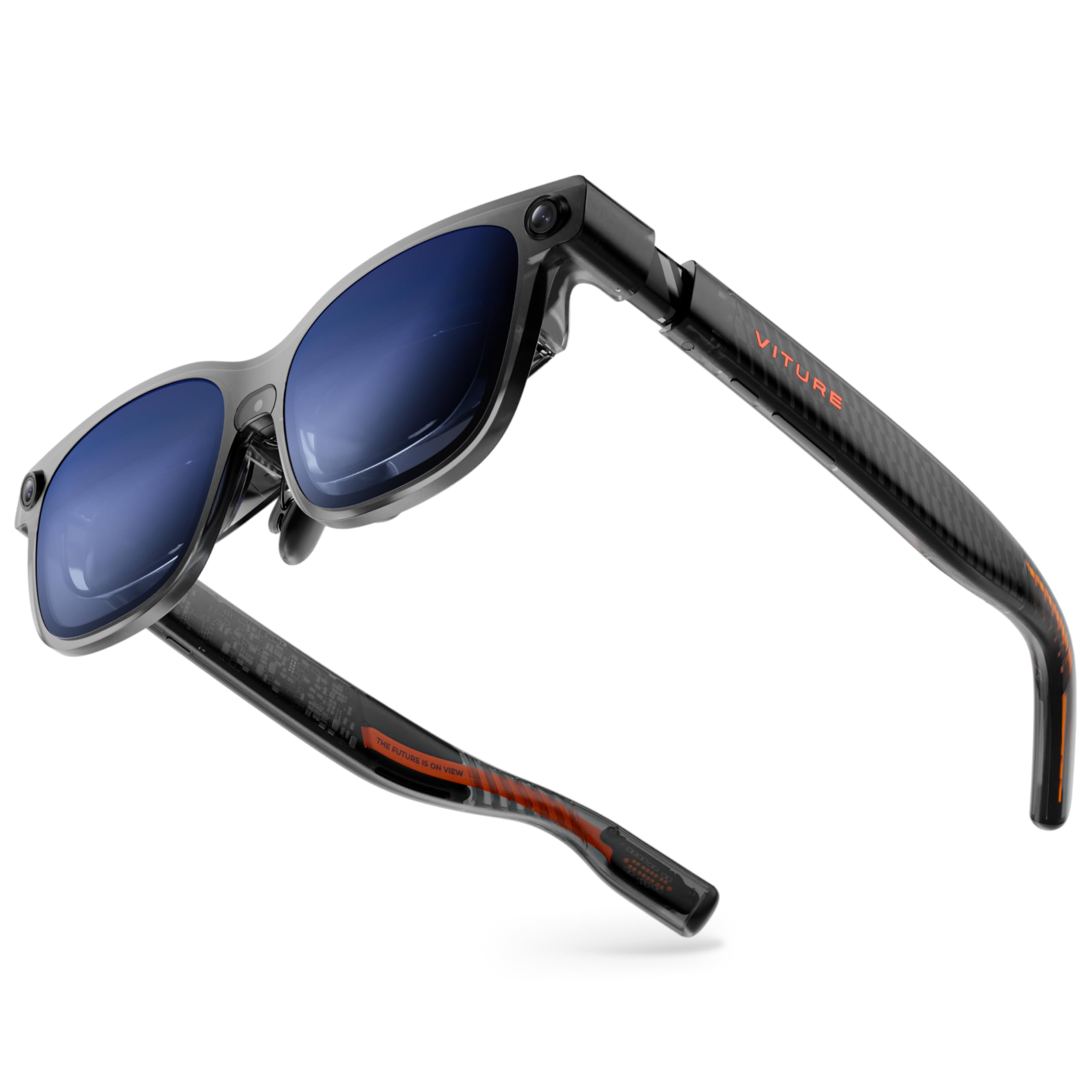
The VITURE Luma Ultra is a statement piece in the wearable display space, pushing the brightness envelope to an industry-leading 1500 nits. This is a massive advantage for anyone planning to use the glasses in variable lighting conditions, from a brightly lit living room to a sunny airplane window seat. The 1200p micro-OLED panel, combined with VITURE’s proprietary optics, delivers a level of sharpness and color fidelity that makes 1080p look slightly soft in comparison. The 52° field of view creates a genuinely immersive 152-inch virtual screen that feels expansive without being overwhelming.
What truly sets the Luma Ultra apart from the standard Luma Pro is its integrated triple-camera system, which unlocks full 6DoF spatial computing when paired with the VITURE Pro Neckband. This transforms the glasses from a simple monitor into a genuine spatial computer where you can anchor windows in real space and interact with virtual objects using hand gestures. The electrochromic film and built-in myopia adjustment up to -4.0D make it a self-contained solution for most users, eliminating the need for prescription inserts.
However, this advanced functionality comes with trade-offs. The 6DoF and hand-tracking features are locked behind the expensive Pro Neckband accessory, and the software for 2D-to-3D conversion can be finicky and drain the connected device’s battery quickly. The physical weight distribution can cause the glasses to slide down the nose during extended use, requiring frequent readjustment. It is the most technically advanced and brightest pair here, but it demands the most from the user in terms of setup and accessory investment.
Why it’s great
- Unmatched 1500 nits brightness for outdoor use.
- Full 6DoF spatial tracking with cameras.
- Industry-leading sharpness with 1200p display.
Good to know
- 6DoF requires a separate, expensive neckband.
- Software can be buggy and battery-draining.
- Larger frame feels heavier and can slide off the nose.
2. XREAL One Pro AR Glasses

The XREAL One Pro is the current king of raw immersion, sporting the widest 57° field of view found in this list. This translates to a massive 171-inch virtual screen that genuinely feels like sitting in the middle of a movie theater. The proprietary X-Prism optics and X1 chip work in tandem to deliver native 3DoF spatial tracking with an ultra-low 3ms motion-to-photon latency. This makes the virtual screen feel rock-solid and anchored in the real world, eliminating the floaty, disconnected feeling of simpler glasses.
This model is available in two size configurations for IPD ranges of 57-66mm and 66-75mm, a thoughtful design choice that ensures a clear, edge-to-edge image for a much wider range of face shapes. The built-in processing means you can enjoy smooth head tracking without needing an external “Beam” or hub device. The Sound by Bose is a significant step up, providing spacious, clear open-ear audio that feels integrated rather than tinny. The 700-nit brightness, while lower than the VITURE Luma Ultra, is perfectly adequate for indoor use and is complemented by excellent electrochromic dimming.
The biggest issue is the lack of integrated myopia adjustment. Users who need vision correction must use a prescription lens frame, an added cost and setup step. The glasses also rely on USB-C DisplayPort Alt Mode, so older iPhones (pre-15) and devices without DP output require a separate adapter. The screen stabilization, while excellent for reducing motion sickness, can slightly soften the image when turned on, and the user interface for adjusting settings is a bit basic compared to its direct competitors.
Why it’s great
- Industry-leading 57° FOV for maximum immersion.
- Rock-solid 3DoF tracking with the X1 chip.
- Excellent dual-IPD fit options and Bose audio.
Good to know
- No built-in myopia adjustment needed.
- Requires adapters for non-USB-C DP devices.
- Image stabilization can cause slight softness.
3. VITURE Luma Pro XR Glasses
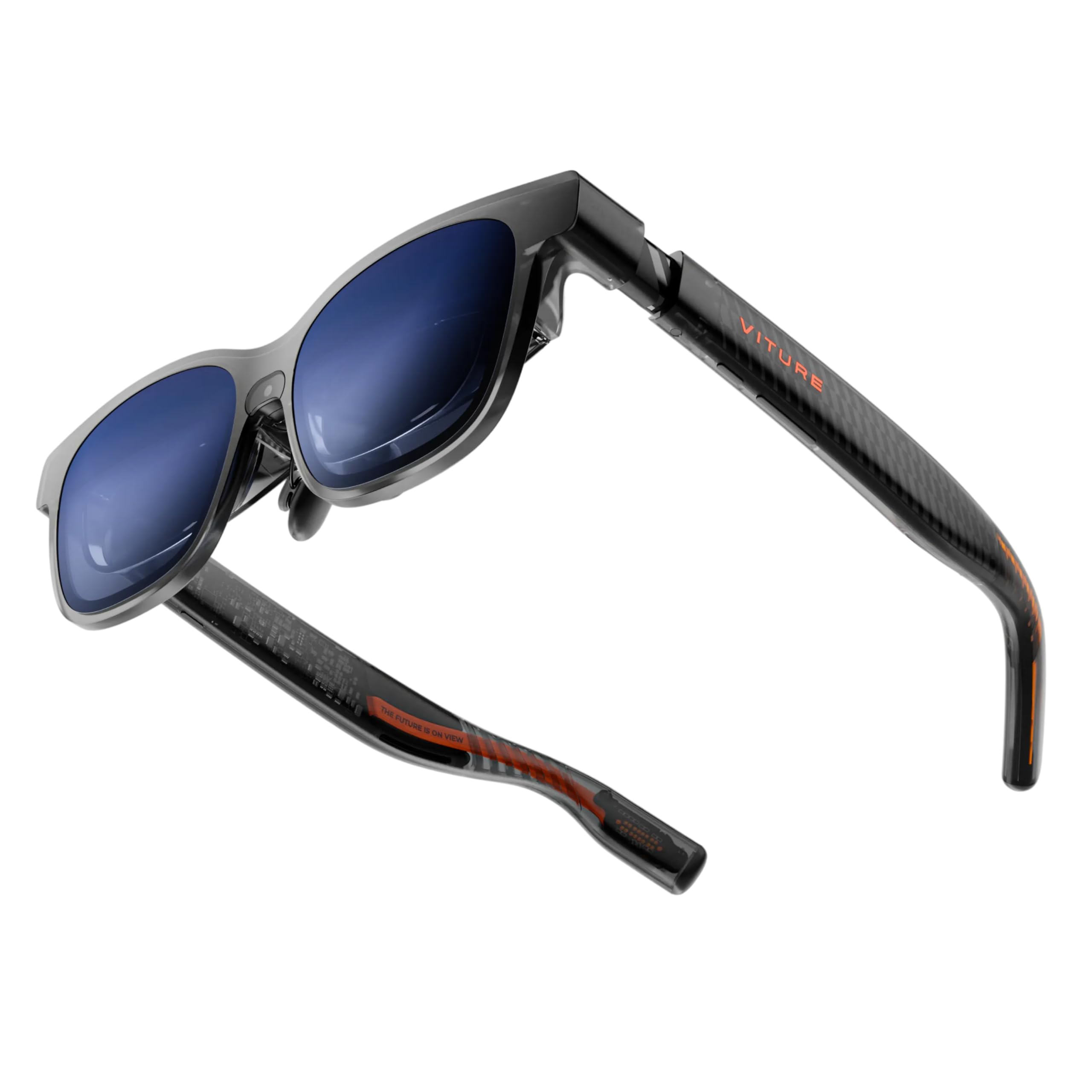
If display clarity is your absolute top priority, the VITURE Luma Pro is the benchmark. It boasts a “1200p” resolution—technically 1920×1200—which provides slightly more vertical real estate than standard 1080p panels. When combined with VITURE’s optical “secret sauce,” this results in a per-eye image that appears remarkably sharp and free of any screen-door effect. The text is crisp enough for reading code or documents, which is a rare capability in this category. The 52° FOV at 1000 nits provides a bright and immersive 152-inch theater experience.
The first-gen programmable RGB lighting on the front is a fun touch for gamers, allowing for customizable light effects that sync with your activities. The Harman audio is a genuine upgrade over generic speakers, offering deeper bass and a wider soundstage that makes movies feel more cinematic without needing earbuds. The built-in myopia adjustment up to -4.0D is seamless, and the support for VITURE’s SpaceWalker app unlocks multi-screen productivity on Mac and PC, making it more than just a media consumption device.
The main drawback is that the “Luma Pro” name is confusingly close to the “Luma Ultra,” and the price difference is significant for what is essentially a slightly dimmer screen without the cameras. The fit is critical here; several users report the image gets cut off at the top depending on their face shape and nose bridge height. While the myopia adjustment is excellent for nearsightedness, the glasses have no correction for astigmatism, so users with that condition will still need prescription inserts.
Why it’s great
- Sharpest 1200p micro-OLED display in its class.
- Exceptional Harman audio and RGB lighting.
- Effective myopia adjustment and SpaceWalker software.
Good to know
- Fit is critical; can cut off top of screen for some.
- No correction for astigmatism.
- No 6DoF tracking without neckband.
4. Rokid AR Spatial Glasses & Station2

The Rokid AR Spatial stands out by including the proprietary Station2 puck in the box, which is a significant value-add compared to competitors that sell the compute unit separately. This all-in-one console houses an 8GB RAM/128GB storage system and a 5000mAh battery, giving you a self-contained media and computing experience. The unique 3-screen multitasking interface is genuinely useful for productivity, allowing you to have a browser, a video, and a PDF open side-by-side in your field of view.
The Max2 glasses are light at 75g and offer a comfortable fit with soft temples. The 120Hz OLED panel with 600 nits of brightness is vibrant and smooth. The diopter adjustment up to 600 degrees is a standout feature, covering a wider range of nearsightedness than most of the competition. The YodaOS-Master system is intuitive and offers streaming apps like Netflix and YouTube directly on the Station2, making it a true “plug-and-play” media device that doesn’t rely 100% on your phone.
Despite the powerful hardware, the software is the Rokid system’s weak point. The interface can feel unintuitive, and the 3-screen multitasking mode is not supported on iPhones via direct connection (only DLNA). Some users report the image shifts or feels blurry in the corners, and the overall FOV (though not explicitly listed as 46-50° in the customer text) can feel a bit smaller than the 52°+ offerings from XREAL and VITURE. It is the best self-contained package, but the software polish is not quite there yet.
Why it’s great
- Includes a capable Station2 compute unit.
- Functional 3-screen multitasking mode.
- Wide 600-degree diopter adjustment.
Good to know
- Software can be buggy and unintuitive.
- 3-screen mode not supported on iPhones.
- FOV feels slightly less immersive than premium rivals.
5. TOZO VIZO Z1 AR Glasses
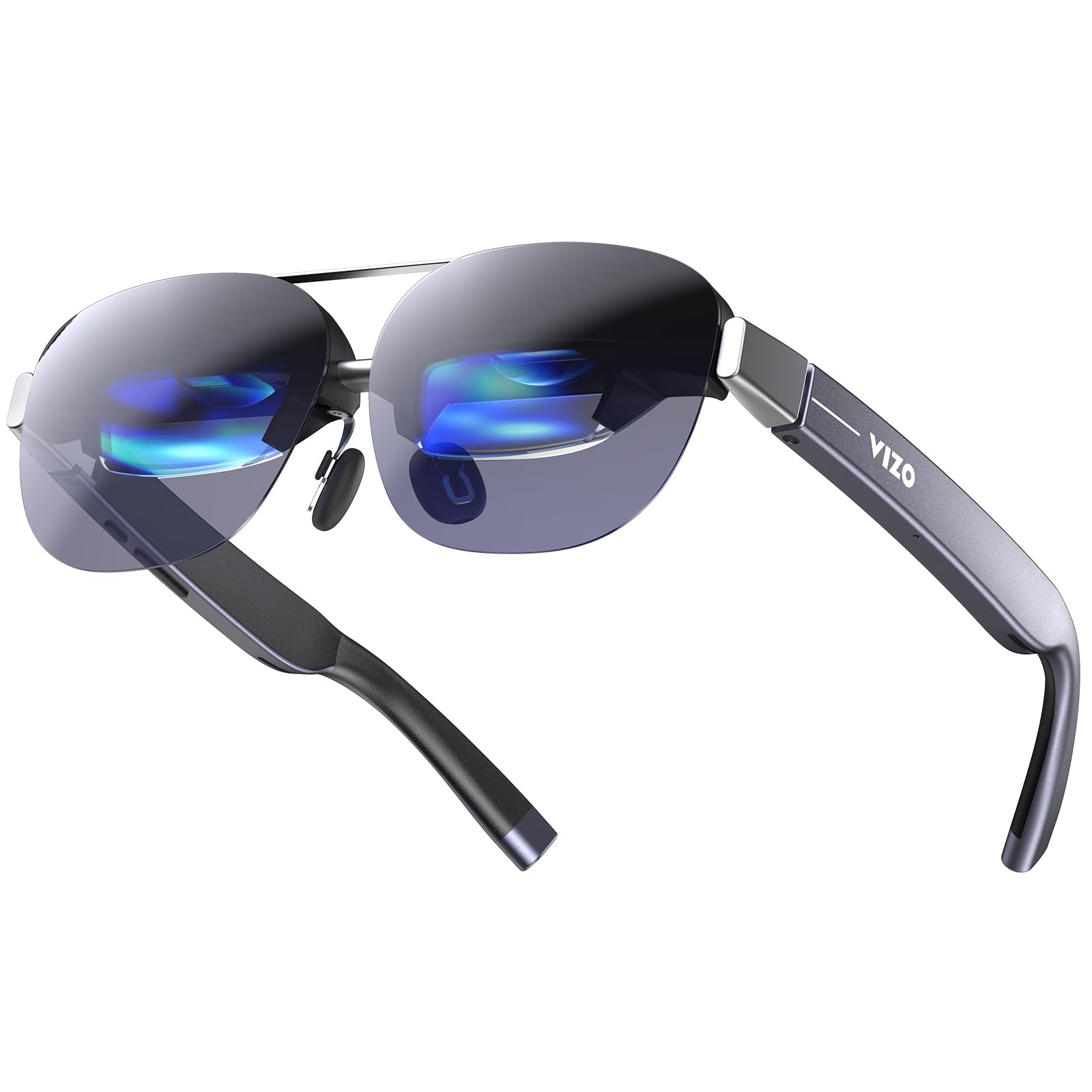
The TOZO VIZO Z1 is the most travel-friendly option on this list, hitting an incredible 63 grams. This makes them remarkably comfortable for long wear sessions, effectively solving one of the biggest physical pain points of this category: weight fatigue. The glasses fold into a shape like regular sunglasses, making them easy to slip into a small case. Despite the light weight, they pack a 120Hz micro-OLED panel with a 47.5° FOV that projects a sharp 160-inch virtual screen.
The 6000 nits peak brightness claim is a bit misleading, as that’s the panel’s internal brightness, not the “to-eye” brightness which is likely much lower. However, they are still bright enough for comfortable indoor use and provide decent contrast with a 200,000:1 ratio. The integrated stereo speakers are clear, and the physical buttons for volume are welcome for blind operation. The detachable prescription lens frame is a clever solution that makes the glasses accessible to users who need vision correction.
The build quality and optical system feel a step behind the premium players. Users report slight blurriness at the edge of the lenses and a lack of advanced features like depth-of-field adjustment or built-in spatial anchoring. The speakers have noticeable audio bleed, so you won’t want to use them in a quiet library or near a sleeping partner. They are a fantastic “skinny” option for media consumption on the go, but they lack the spatial computing and pro-level image quality of the more expensive models.
Why it’s great
- Ultra-light 63g design is superb for travel and long wear.
- Folds like sunglasses for easy portability.
- Smooth 120Hz refresh rate for gaming.
Good to know
- Edge-to-edge clarity is not as sharp as premium models.
- Speakers have significant audio bleed.
- No advanced spatial tracking or modes.
6. XREAL 1S AR/XR Glasses

The XREAL 1S is a fantastic mid-range entry point that delivers core premium features without the full premium price tag. It features the same powerful X1 chip found in the One Pro, which provides native 3DoF spatial viewing with zero drift—no phone app, no external puck, just plug-and-play. The 52° FOV is substantial, providing a great sense of immersion, and the XREAL optical engine delivers excellent color accuracy and edge-to-edge sharpness.
The collaboration with Bose is a major selling point. The audio is genuinely good for open-ear glasses, providing a balanced soundstage with clear vocals and solid bass, making it perfect for movies and music. The REAL 3D feature is a neat party trick, allowing you to convert standard 2D content into 3D with a flick of a switch. The gold standard TÜV Rheinland eye comfort certification gives confidence for long sessions, and the native 3DoF modes (Ultrawide, Side-View, etc.) provide versatility for work and play.
The primary disadvantage is the lack of a built-in myopia adjustment. Like the One Pro, you must purchase a separate prescription lens frame. Some users also report the build quality feeling slightly less premium than the One Pro, and the 3D conversion can look a bit artificial and is limited to 30fps. The lack of a built-in battery means it will drain your phone or laptop battery faster than having a dedicated compute unit.
Why it’s great
- Excellent native 3DoF tracking with X1 chip.
- Superb Bose audio integration.
- Great value for core spatial features.
Good to know
- No built-in myopia adjustment.
- Drains host device battery directly.
- 3D conversion is niche and low frame rate.
7. RayNeo Air 4 Pro AR/XR Glasses
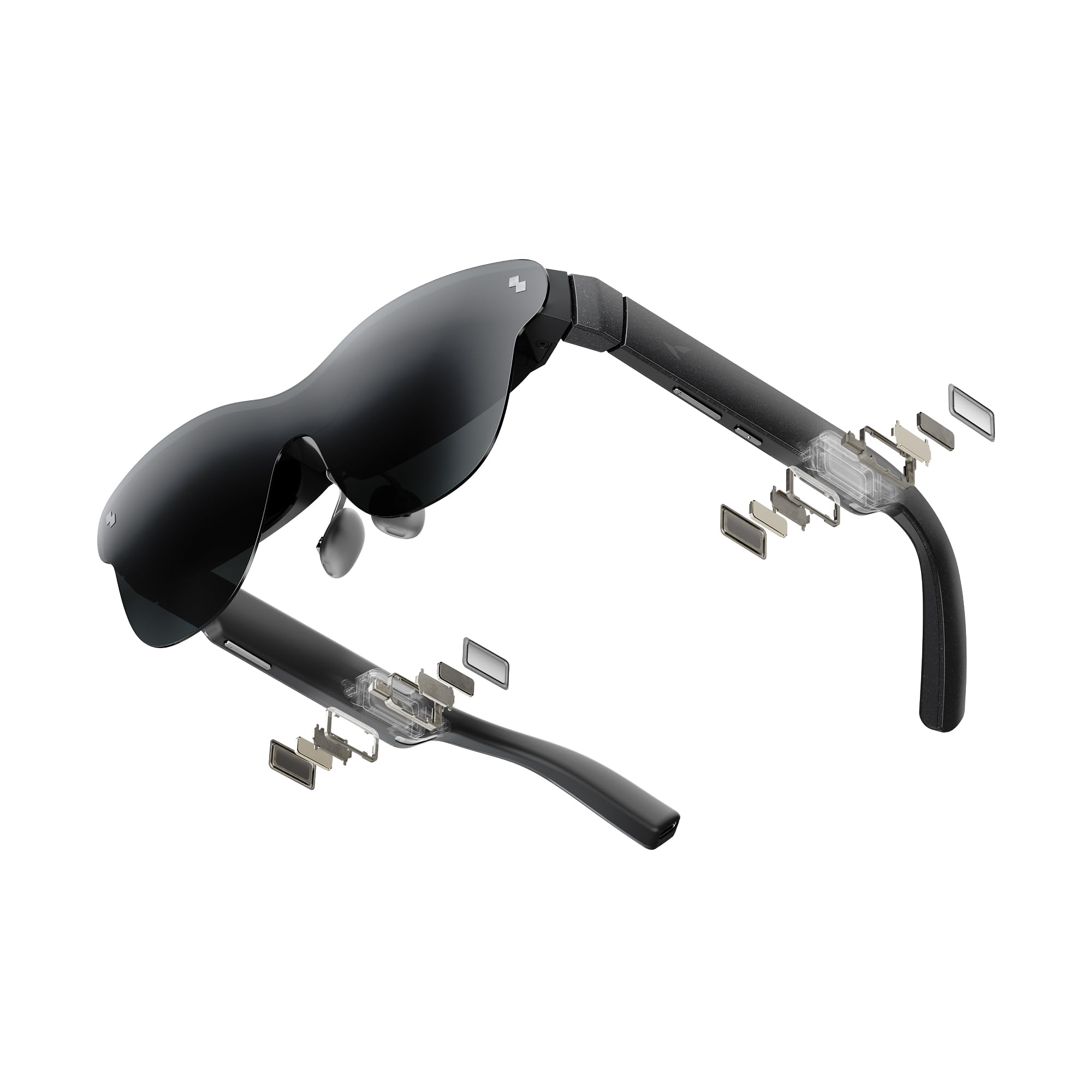
The RayNeo Air 4 Pro strikes a killer balance between performance and price. It is the world’s first AR display to boast HDR10 certification, which translates to a visible improvement in contrast and color vibrancy, especially during dark scenes in movies. The Vision 4000 chip provides AI SDR-to-HDR upscaling, attempting to make all content look better. The 1200 nits to-eye brightness makes it a close second to the VITURE Luma Ultra for daylight visibility, and the 120Hz refresh rate keeps motion smooth.
The audio co-developed with Bang & Olufsen is a highlight, delivering a wide, cinematic soundstage. The lightweight 76g frame and adjustable nose pads make for a comfortable fit for most users. The universal USB-C connectivity means it works with almost any modern device without additional software or batteries. The optional “Sound Tube” accessory is a clever workaround for people who want louder, more private audio without switching to in-ear buds.
It does not have native 3DoF or any spatial tracking built into the glasses. You must rely on an external computer or app for that. The field of view is listed at 46 degrees, which is smaller than the XREAL and VITURE options. While the image is bright and clear, the 46° FOV means the virtual screen feels a bit smaller and less immersive. It is a phenomenal pick for a pure media consumption device, but if you want your screen anchored in space, this is not the right tool.
Why it’s great
- Bright 1200 nits display with HDR10.
- Excellent Bang & Olufsen audio.
- Light and comfortable for extended wear.
Good to know
- No built-in spatial tracking (0DoF only).
- Smaller 46° FOV feels less immersive.
- AI upscaling can be hit or miss.
8. RayNeo Air 3s Pro AR/XR Glasses
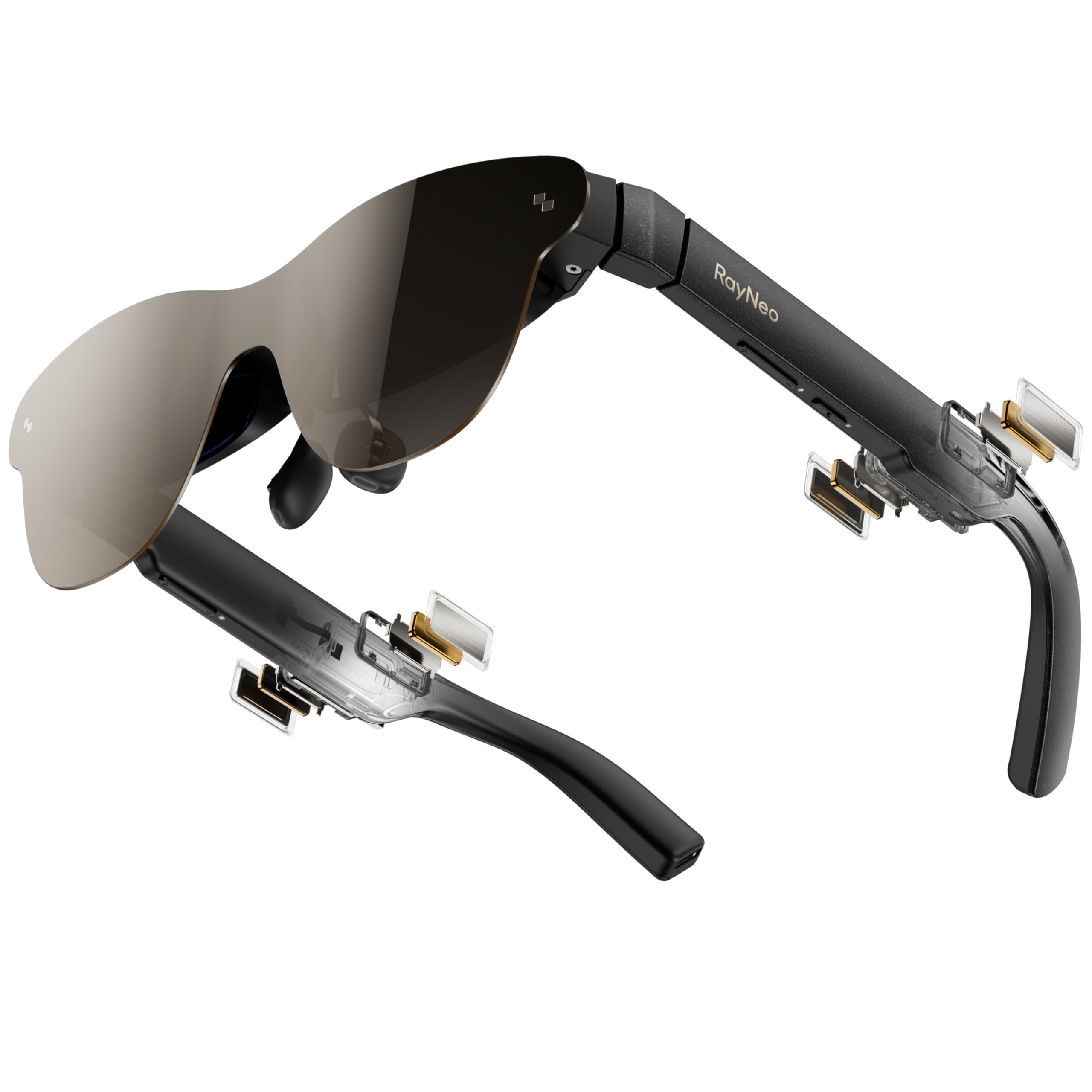
The RayNeo Air 3s Pro is the budget-friendly champion that doesn’t sacrifice the core experience. It offers the same 1200 nits to-eye brightness as the Air 4 Pro, making it one of the brightest options on the market at a significantly lower cost. The “HueView 2.0” micro-OLED display provides a 200,000:1 contrast ratio and 98% DCI-P3 coverage, resulting in deep blacks and vibrant, lifelike colors that are genuinely surprising for the price.
The eye comfort features are a major plus. The 3840Hz high-frequency PWM dimming and TÜV SÜD low blue light certification make this one of the safest choices for long binge-watching sessions. The 76g weight is well-balanced, and many users report comfort for 2-3 hours of continuous use. The plug-and-play USB-C connectivity is seamless, and it supports a wide range of devices, including the Switch 2 and PS5 with an HDMI adapter.
The 46° FOV is the main limiting factor. It feels like a big screen, but not quite a theater. The design of the nose pads and arms may not fit all face shapes perfectly, and some users can’t see the corners of the screen without physically adjusting the glasses. The built-in speakers, while serviceable, are not as good as the Bang & Olufsen or Harman audio found on more expensive models. It is the absolute best choice for anyone who wants the brightness and color of a premium pair but is shopping on a tighter budget.
Why it’s great
- Exceptional 1200 nits brightness for the price.
- Excellent color performance and contrast.
- Best eye-comfort features in its class.
Good to know
- Smaller 46° FOV limits immersion.
- Fit can be finicky for some face shapes.
- Audio quality is just mediocre.
9. CADDXFPV Walksnail Avatar HD FPV Goggles X
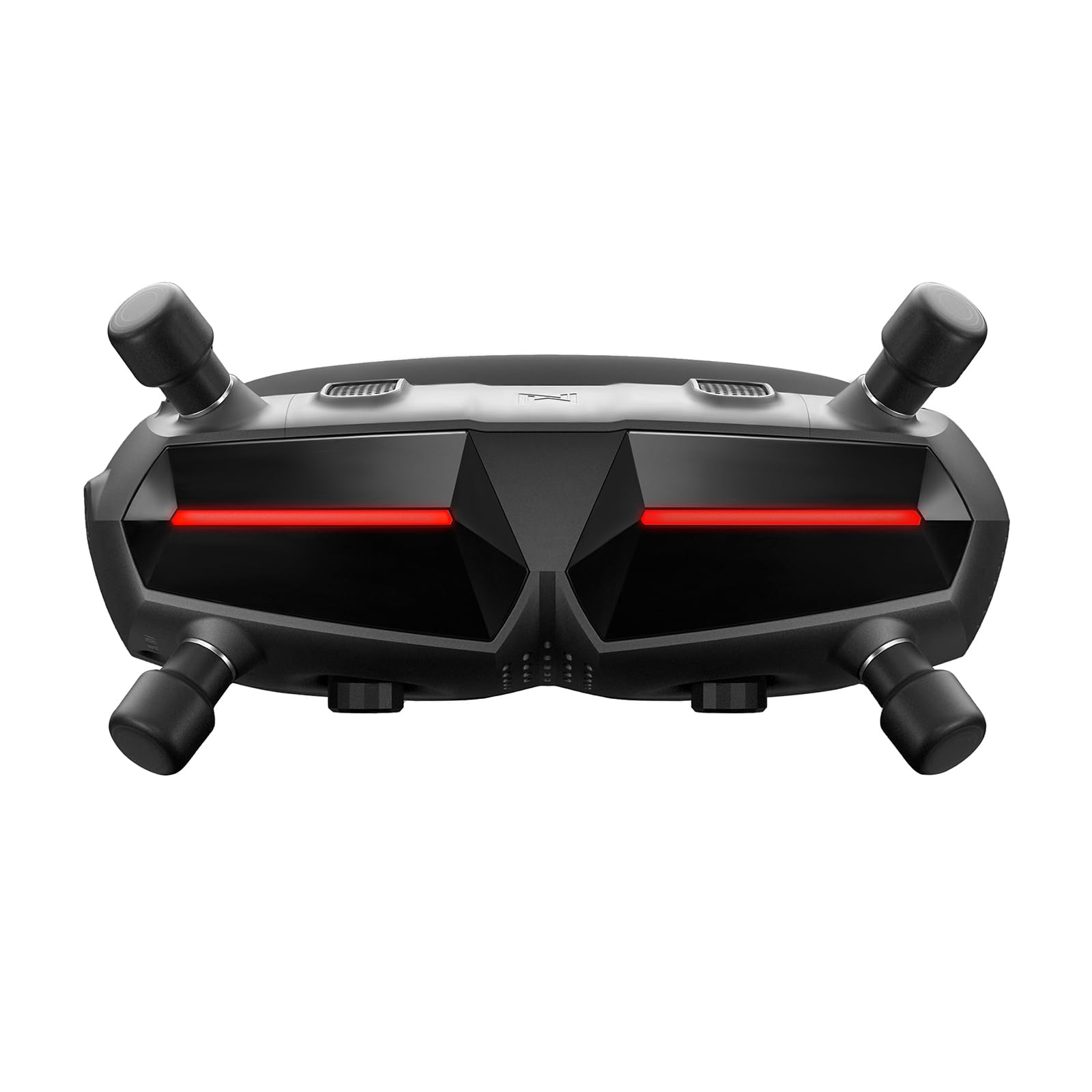
This is the specialist on the list. The CADDXFPV Walksnail Goggles X is not for watching Netflix in bed; it is a high-performance FPV (First Person View) goggle designed entirely for drone flying. It features dual 1080p HD displays with a 50° FOV that is optimized for peripheral awareness, crucial for racing and freestyle flying. The ultra-low 22ms latency is what makes this pair shine, providing a nearly real-time video feed that is absolutely essential for safe, responsive drone control.
The modular design with multi-interface support (HDMI, AV, CVBS) allows for connection to both digital Walksnail systems and analog receivers. The integrated gyroscope for head tracking allows you to control a camera gimbal (sold separately) by just turning your head, adding a powerful layer of control. The IPD adjustment is wide (57-72mm), and the built-in diopter range (+2.0 to -6.0) covers many vision needs without external lenses. The smart cooling fan is a crucial, thoughtful addition that prevents the internal displays from fogging up during intense flights.
Do not buy these for media consumption. They are bulky, have no built-in speakers for movies, and the interface is designed for drone-related telemetry. The stock foam gasket is notoriously ill-fitting for many face shapes, causing light bleed and an inability to see the full screen, forcing an aftermarket purchase. They are also locked into the Walksnail ecosystem; they will not work with DJI or other FPV systems. They are the best tool for the specific job of HD FPV flying but are completely wrong for the general personal theater use case.
Why it’s great
- Ultra-low 22ms latency for responsive FPV flying.
- Excellent image clarity and range (10km).
- Integrated head-tracking and modular I/O.
Good to know
- Only compatible with Walksnail FPV systems.
- Stock foam gasket is poorly designed.
- Not suitable for general media consumption.
FAQ
Can I use these glasses with a standard HDMI device like a PS5 or Xbox?
Will these glasses work with my prescription if I have astigmatism?
How do I connect these to my iPhone 14 or older model without USB-C?
What does PWM dimming mean and why is 3840Hz important?
Final Thoughts: The Verdict
For most users, the best 4k video glasses winner is the VITURE Luma Ultra because it combines industry-leading 1500 nits brightness with a sharp 1200p panel and the full potential of 6DoF spatial computing. If you simply want the largest, most immersive screen with rock-solid tracking, grab the XREAL One Pro with its unbeatable 57° FOV. And for the best value that still delivers a premium, bright experience, nothing beats the RayNeo Air 3s Pro.