
Our readers keep the lights on and my morning glass full of iced black tea. As an Amazon Associate, I earn from qualifying purchases.
Specs are compiled from manufacturer listings and verified buyer reviews and can change over time — please confirm the key details on the product page before buying.
If your stream looks soft and blotchy while your friends’ streams look like a studio broadcast, the camera is the weak link — and that is exactly what this guide fixes. A true 4K webcam captures roughly eight million pixels per frame, so fine text, hair strands and skin texture survive Twitch or YouTube compression. The tricky part is that plenty of “4K” webcams on the shelf do not actually deliver it, and almost none of them make a room full of clutter look good on its own. This guide sorts the real 4K streaming cameras from the marketing ones, and tells you plainly which one fits your setup.
I’m Min — the founder and writer behind Gadgets Feed. This guide is built by comparing the manufacturers’ published specifications and the patterns across verified customer reviews, so you get each pick’s real strengths and trade-offs instead of marketing spin.
The picks below range from budget-friendly streaming companions to premium broadcast-grade units, and each one was chosen because its sensor, focusing system and mounting design actually hold up under the pressure of a live broadcast. If your main goal is a clean, sharp picture that keeps you in frame for hours without babysitting the camera, this shortlist of the 4k webcam for streaming delivers that without the guesswork.
Our Picks at a Glance


How To Choose The Best 4K Webcam For Streaming
Your room’s light, how much you move on camera, and if you want a simple one-cable setup or a small production — these three things decide which streaming webcam works for you. Get them right and the camera choice becomes easy. Here is what separates a camera that makes you look good from one that fights you.
Sensor Size Is The Real Upgrade
A larger sensor gathers more light, which means cleaner skin tones and less grainy noise even when your room is dim. The physical size of the sensor — measured in fractions of an inch — matters far more than the resolution number on the box. A 1/1.3″ sensor, for example, is physically bigger than a 1/2″ sensor, so it holds onto detail in a poorly lit office where a small sensor turns your face into mush. If you stream at night with only a desk lamp, this is the spec to chase first.
Autofocus Speed
PDAF, or phase-detection autofocus, locks onto your face almost instantly and holds it — so reaching for a prop or leaning back in your chair does not produce a blurry, hunting picture. Ordinary contrast autofocus is slower and tends to hunt back and forth when you move. For a talking-head stream where you sit still, either works; for a show-and-tell stream where you wave objects at the lens, PDAF is the difference between watchable and frustrating.
Mounting And Placement
Most webcams clamp onto the top of a monitor with a clip or a magnetic base, but magnetic stands have a reputation for shifting when you bump the desk. A tripod thread — the standard 1/4″-20 screw size — gives you a far more stable setup, letting you angle the camera down at a desk or up at your face. If your monitor is thin or sloping, check how the camera attaches before you buy, because a loose mount will ruin an otherwise great picture.
Mics, Software And Compatibility
Built-in microphones have gotten genuinely usable, and some cameras now beam-form their mics to focus on your voice instead of the room. Be honest about your machine, too: some cameras lean on free companion software to open up their tracking and color tools, and a few run into trouble on Mac or on ARM-based Windows laptops. If you stream on a Mac and a camera’s advanced features need the software, verify that support exists before you commit.
Quick Comparison
| Model | Best For | Sensor | Max Video | Weight / Mount | Amazon |
|---|---|---|---|---|---|
| OBSBOT Meet 2★ Best Overall | All-round streaming pick | 1/2″ CMOS | 4K at 30fps | 40.5 g / magnetic | Amazon |
| YOLOLIV YoloCam S3Best Low-Light Picture | Best low-light picture | 1/1.3″ sensor | 4K at 30fps | Aluminum / magnetic + 1/4″-20 | Amazon |
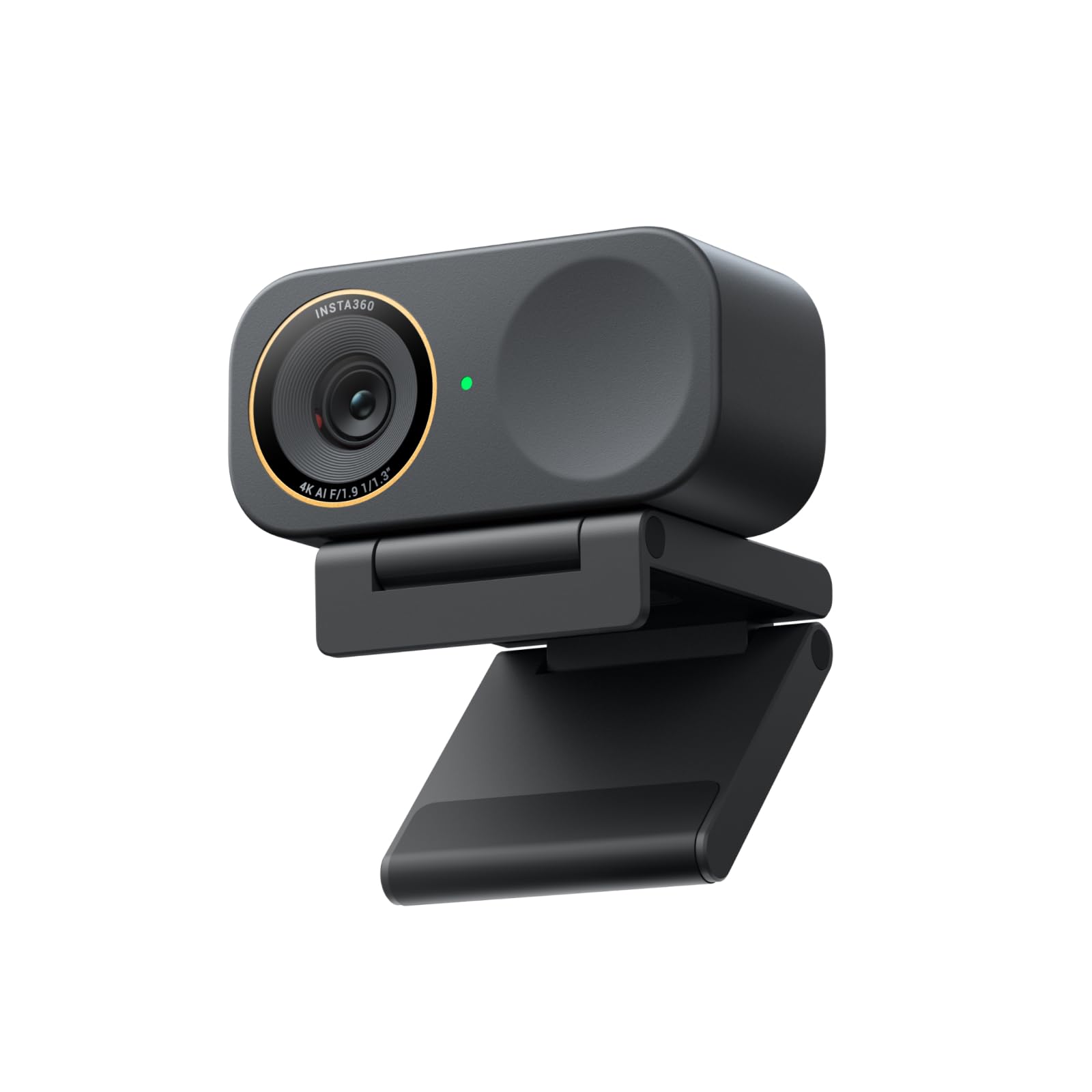
| Insta360 Link 2C ProMost Versatile | Auto-framing + Stream Deck | 1/1.3″ sensor | 4K | 113.5 g / magnetic | Amazon |
| Logitech MX Brio | Logitech ecosystem users | 8.5 mp still sensor | 4K at 30fps | Built-in USB-C / clip stand | Amazon |
| Elgato Facecam 4K | DSLR-style control | Sony STARVIS 2 CMOS | 4K at 60fps | USB-C both ends / monitor mount | Amazon |
| Hollyland Lyra | Wireless mic + green screen | 1/1.5″ CMOS | 4K at 30fps | Ultra compact / magnetic portrait-landscape | Amazon |
| OBSBOT Meet Flip | Travel and on-the-go streaming | 1/2″ CMOS | 4K | 37.7 g / foldable integrated stand | Amazon |
| EMEET S600 | Tripod streaming setup | Sony 1/2.55″ sensor | 4K at 30fps | 2 lb 11.6 oz / 6.7–18.5 in swivel tripod | Amazon |
| EMEET C960 Ultra | Budget Mac-friendly pick | 1/1.5″ sensor | 4K | Metal body / split base | Amazon |
In-Depth Reviews
1. OBSBOT Meet 2 4K Webcam
Our pick — 4.5★ from 2,000+ verified ratings; the strongest balance of quality and price.
The tiny camera that streams like a much bigger one — and never leaves you out of frame.
Start here if you want a streaming camera that quietly disappears into your setup. It runs 4K at 30fps (30 frames per second, a standard smooth video rate) or a smoother 1080p at 60fps, and the effective video resolution is 48 mp (megapixels, the amount of picture detail captured). That is 5.8x the EMEET C960 Ultra’s 8.29 mp, so it resolves noticeably more detail on the same subject. The 1/2″ CMOS sensor (CMOS is the chip inside that turns light into a picture) gives it a bigger light-gathering surface than a micro-sensor webcam. The payoff: a cleaner face in a normal home office, without extra lighting rigs.
Owners keep it in the frame because of its AI framing (automatic composition that keeps you centered), and the numbers back it up. Quality and video quality are the two most-praised things about it, with the streaming crowd especially vocal — as buyers put it, the picture is “so much better” than the 1080p 30fps camera they came from, and the 4K clarity is worth the jump. Between the 4K at 30fps and the 1080p at 60fps option, you can pick a sharper still image or smoother motion depending on whether your stream is mostly you talking or you moving props. AI framing adjusts the composition automatically, so when you lean or step to the side, the camera follows and keeps you centered instead of sliding off to the edge of the shot.
What you also get is a genuinely portable build. At 40.5 grams it is about the size of a pair of earbuds, so tossing it in a bag for a co-working trip is realistic rather than a hassle. The dual omni-directional noise-cancelling mics pick up your voice and filter out wind and keyboard clatter, so you can stream without a separate mic while you get started. Gesture control is a nice extra: an open-hand gesture toggles AI framing, and one finger controls the zoom, so you do not have to break eye contact to hunt for a slider. Mounting is where you need to pay attention, though — some setups find the magnetic stand awkward above a screen, and a few buyers switched to a stand of their own because it slid on their particular monitor. It also runs warm during long sessions, which the maker says is expected and does not damage the camera. As an all-around streaming pick, though, it is the one that keeps earning its spot on the shortlist.
Why it tops the list
- 48 mp effective video resolution — 5.8x the EMEET C960 Ultra’s 8.29 mp.
- 4K at 30fps or 1080p at 60fps, so you choose clarity or smooth motion.
- AI framing keeps you centered as you move, without touching a slider.
- 40.5 g and earbud-small — genuinely pocketable for travel streaming.
- Dual omni-directional noise-cancelling mics let you start without a separate mic.
Worth knowing before you buy
- The magnetic stand sits awkwardly on some monitors and can slide — a separate stand may be safer.
- It runs warm during long broadcasts, though the maker says this is normal and harmless.
- Plug-and-play is simple, but its deeper controls live in the OBSBOT Center software you need to download.
Best fit: the streamer who wants sharper-than-typical 4K, automatic framing, and a camera light enough to travel — all without a DSLR of setup.
Think twice if: your monitor has a sloping or thick top edge, where the magnetic stand may not sit securely and a separate mount would work better.
2. YOLOLIV YoloCam S3
The all-metal streamer that shrugs off low light and never hunts for focus.
Serious streamers shop by sensor size, and here it is the headline: this camera carries a 1/1.3″ sensor, which the maker calls likely the largest sensor ever in a webcam. A bigger sensor means each pixel collects more light, so the picture stays clean and the background blur looks natural instead of smeared. It delivers uncompressed 4K at 30fps and 1080p at 60fps, and the 82° field of view (the width of the scene the lens sees) keeps you framed without cropping off detail. If you stream at night with only a monitor light, this is the pick that holds your face together.
Focus is the other reason creators gravitate here. Its PDAF autofocus (phase-detection autofocus, the same idea that makes phone cameras snap onto a face fast) locks on with no hunting, so walking around your set or holding something close to the lens does not send the picture soft. What wins people over most, though, is sheer picture quality; the clarity and low-light behavior earn the strongest reaction, with build quality close behind. The all-aluminum body doubles as a heat sink, spreading internal heat to the surface so the camera can run long broadcasts without overheating or lagging. One owner even runs it through daily livestreams from a glassblowing studio and reports the image stays sharp and the autofocus stays reliable. That is about as tough a room as a webcam will meet.
Where you need to plan is storage. This model has no SD card slot, so if you want to record while you stream, you lean on your computer or a separate box. Its software also gives you DSLR-style manual control — contrast, sharpness, saturation, exposure, white balance and autofocus — and the maker’s color-grading tool runs on Windows, with Mac support noted as coming. On mounting, it uses a foldable magnetic stand with a 1/4″-20 thread, but the magnetic attachment can shift if you bump the desk. It is a superb picture-first camera for creators who care most about how they look on camera; just decide up front how you want to capture your recordings.
The low-light verdict: a 1/1.3″ sensor combined with AI-enhanced imaging and an 82° FOV makes this the strongest of the bunch for dim rooms, and the metal body means it can run all day without overheating.
Reach for this if: you broadcast often, your room is dim, and you want crisp, blur-free close-ups without fussing over focus.
Look elsewhere if: you need on-camera recording to an SD card — that is one thing this model leaves out.
3. Insta360 Link 2C Pro
A do-everything stream camera with gesture control and Stream Deck smarts built in.
If your stream is not one long talking head — you swap scenes, you drag guests in, you switch between channels — this camera targets exactly that workflow. It pairs a 1/1.3″ sensor with 4K resolution and a wide f/2.8 aperture, so it holds detail and pulls a cleaner picture out of a normally lit room. Autofocus snaps on quickly, and a redesigned dual-mic system with beamforming directional pickup (the mics aim at your voice rather than the whole room) isolates what you say while quieting background noise. For a multi-scene stream, that combination removes a lot of the manual fiddling.
what separates it is how much control it hands you. It integrates with the Elgato Stream Deck (a physical control pad with programmable buttons), so you can switch modes, fire off presets and run multiple cameras from one pad instead of clicking through menus mid-broadcast. You can also start tracking, zoom to 4x, or trigger Whiteboard Mode with a hand gesture, or run it from your phone as a remote. The software suite adds a natural DSLR-style bokeh effect (background blur), and dedicated DeskView, Whiteboard and 4K Portrait modes let you tilt down at your desk or shoot vertical for shorts. Owners of this camera report it is the best they have used, praising the 4K picture and how easily it mounts on a monitor or desk. It also performs well in low light — a monitor light alone is often enough for a well-exposed image.
One thing to know before you buy: there is a hardware caveat. The maker notes it isn’t compatible with ARM-based Windows systems or Windows Hello face recognition, so a Snapdragon-powered Windows laptop is a no-go. At 113.5 g it is the heaviest camera in this roundup by a wide margin, which is fine on a desk but not the one to toss in a travel bag. There is also a soft privacy shutter rather than a hard lens cap, and its magnetic mount lacks the 1/4″-20 tripod thread that some creators rely on. For a desk-bound, multi-scene stream, though, its control depth is hard to match.
Where it pulls ahead
- Stream Deck integration lets you switch modes and run multiple cameras from one pad.
- Gesture and smartphone control start tracking, zoom and Whiteboard Mode hands-free.
- 1/1.3″ sensor with f/2.8 aperture holds detail and looks clean in low light.
- Directional dual-mic pickup isolates your voice and cuts room noise.
- DSLR-style bokeh plus DeskView, Whiteboard and 4K Portrait modes cover every scene.
Before you commit
- Not compatible with ARM-based Windows systems or Windows Hello face recognition.
- At 113.5 g it is the heaviest pick here — not built for packing light.
- The magnetic mount has no 1/4″-20 tripod thread, and the privacy cover is a soft shutter rather than a hard cap.
Choose it when: your stream runs multiple scenes and cameras, and you want gesture control plus Stream Deck integration doing the heavy lifting.
Leave it on the shelf if: you run an ARM-based Windows machine, since the maker confirms it will not work there.
4. OBSBOT Meet Flip Foldable 4K Webcam
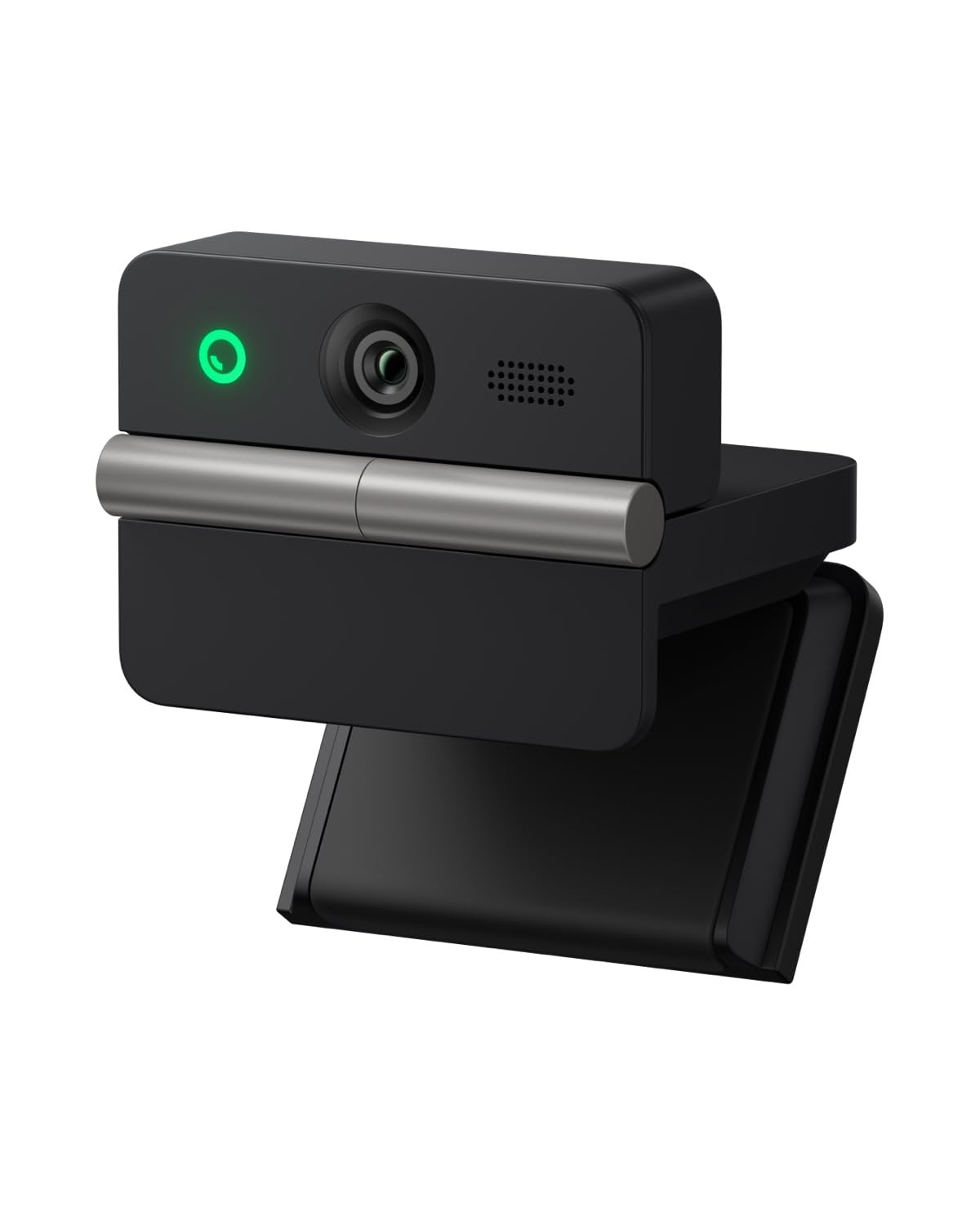
A fold-open camera light enough to live in a laptop bag and quick enough to set up anywhere.
For streamers who move around — hotel rooms, cafés, a friend’s kitchen table — weight is the whole game, and this one lands at 37.7 g with an integrated stand. That combination means the camera and its footing are one piece, so there is no separate bracket to forget at home. The single defining upgrade over a budget entry is its large 1/2″ CMOS sensor, the same class of imaging surface OBSBOT puts in its desktop cameras, and it delivers 4K with HDR (high dynamic range, which keeps bright windows and shadowed corners from blowing out). The result is a brighter, truer-to-life picture across shifting lighting rather than the washed-out look of a cheap travel cam.
Where it beats the deskbound alternatives is the extras it packs into that tiny body. A dual-microphone array with omnidirectional and directional pickup modes — four audio modes total — captures your voice clearly enough to skip a headset on the road. Phase Detection Autofocus keeps focus fast and precise, and AI auto framing recomposes the shot for you, whether you are on your own or sharing the frame with someone else. There is even a built-in teleprompter feature with adjustable speed and font size, an unusual addition for someone shooting polished talking-head content on the move. The moment you close the fold, it drops into sleep mode, which doubles as physical privacy protection.
The trade-offs are travel-shaped rather than deal-breaking. Its image is excellent and portable, but one recurring complaint is a blueish color cast that can crop up and take some tinkering to remove in a stream. Reach for the manual exposure controls — this camera gives you manual as well as automatic — and you can dial most of it out. The AI meeting tools that transcribe and summarize sessions are a productivity bonus if you use the camera for meetings, but they are table stakes for a streaming guide. If your priority is a genuinely pocketable camera that still shoots sharp 4K, this meets that brief without complaint.
The travel case: 37.7 g, a foldable all-in-one stand and PDAF autofocus add up to a camera that is easy to carry and fast to set up anywhere. The honest caveat: a blueish color cast can appear, and manual exposure control is how you clean it up.
Pick this for: portable streaming and content creation where you pack light but refuse to settle for a blurry built-in laptop camera.
Pass if: you want a permanently docked desk camera — its portable strengths are wasted sitting in one spot.
5. Hollyland Lyra 4K Webcam

The camera that wires straight into a wireless mic so you can walk and talk on stream.
If your stream involves moving your whole body — demonstrating a product, working a whiteboard, hosting from a standing desk — this is the pick built for that. Its headline spec is a 1/1.5″ CMOS sensor paired with a 50MP lens and a wide f/1.8 aperture. That wide aperture (a wide opening that lets in more light) is what keeps a dim home office from turning grainy, and the megapixel count gives you a natural, softly blurred background instead of a sharp, distracting room. It captures true 4K at 30fps, so the picture matches the resolution your platform can actually use.
The reason creators single it out is the audio routing. This camera connects directly to the LARK A1 wireless microphone with no extra receiver, and with 20dB intelligent noise cancellation, it strips out the AC hum, traffic and keyboard clicks that ruin a stream. That 20dB figure tells you it is actively clamping down on room noise, not just nudging it. Better still, you can roam up to 33 feet (about ten meters) while staying connected, which is exactly the range you need to step back and show something on camera. Fast PDAF autofocus and AI-powered tracking and auto-framing keep you centered as you move, and it can auto-frame to include a new speaker who joins the shot.
Where it asks a little of you is heat and platform support. The camera runs hot even when idle, which the maker says is normal but which some owners dislike enough to unplug it between sessions. There is also no on/off switch. On Macs specifically, the advanced HollyStudio tools — green screen, image overlay, skin smoothing and one-click color correction — are not available; the Mac version handles basic adjustments only, so plan for that if you are on an Apple machine. The software leans on one-click polish, and there is a green-screen feature that preserves fine hair detail for virtual backgrounds, plus up to 10 saved camera angles if you like switching on the fly. For a mobile streamer, the mic pairing is the feature no one else here matches.
What creators love
- Connects directly to the LARK A1 wireless mic with no receiver — roam up to 33 feet.
- 20dB intelligent noise cancellation cuts AC hums, traffic and keyboard clicks.
- 1/1.5″ sensor with f/1.8 aperture gives true 4K at 30fps with a naturally blurred background.
- Magnetic base snaps between landscape and portrait for vertical streaming.
- HollyStudio software adds green-screen removal, image overlays and 10 saved camera angles.
Fine print
- Runs hot even when idle and has no on/off switch — some owners unplug it between sessions.
- On Mac, the advanced HollyStudio tools are not available; only basic adjustments work.
Ideal for: the presenter who moves around the set and wants wireless mic audio without a receiver box cluttering the desk.
Not for: Mac-based creators who need the greenscreen and skin-smoothing tools, since those advanced features are not available on Mac.
6. Elgato Facecam 4K

A streamer’s camera that borrows DSLR habits — manual controls, filters and full 4K at 60fps.
This one is for the creator who wants to tinker rather than point-and-shoot. It is the only pick here that runs 4K at 60fps, which is double the frame rate of the typical 4K stream and makes moving subjects look smoother and more lifelike. It uses a premium Sony STARVIS 2 CMOS sensor with Elgato Prime Lens technology, and its free Camera Hub software hands you DSLR-like controls for exposure, white balance and framing. That toolbox is the whole pitch: if you enjoy dialing in the look of a shot, this camera rewards you.
If your desk already runs on Elgato gear, it fits straight in. It integrates with the Elgato Prompter and Stream Deck, and it supports any standard 49mm lens filter — the same add-on filters DSLRs use — so you can mount a UV or diffusion filter without an adapter. Its uncompressed video, HDR support and built-in flash memory (so your settings survive a reboot) round out the pro-leaning feature set. One particularly flexible touch is that it gives you both automatic and manual focus, so you can let it hunt for the face or lock focus yourself. For a dedicated streaming setup, that level of control is rare in a webcam.
Two practical points deserve your attention before buying. First, the cable is USB-C on both ends, so unless your desktop or motherboard has a USB-C port, or you own a USB-C-to-USB-A cable, you will need to sort that out on day one. Second, this camera wants good light to look its best; in a dim room its picture can go grainy, so it pairs best with a key light or a bright setup. Some software also routes through Camera Hub better than through native apps. Its performance leans on a specific niche — creators with strong lighting who love manual control — and for that buyer it holds up, but it rewards the effort you put in.
The enthusiast’s read: uncompressed 4K at 60fps, a STARVIS 2 sensor and full manual control make this the most tunable camera in the roundup. The trade-off: it needs proper lighting to shine, and the included cable is USB-C on both ends, so check your ports.
Made for: a streamer with a lit set and a tinkerer’s itch, who wants 4K at 60fps and manual control over the whole image.
Not your match if: you want plug-and-play in any light — this camera plays much nicer in a brightly lit room than a dim one.
7. Logitech MX Brio Ultra HD 4K Webcam

Logitech’s flagship 4K streamer with manual image controls and a tank-tough build.
The biggest draw here is the manual control the brand is known for, and the spec sheet backs it. The camera streams in 4K at 30fps or 1080p at 60fps, and its still resolution is 8.5 mp with a sensor the maker says has more pixels for crisper images. It carries both automatic and manual exposure, so you can let it run on its own or take the wheel and adjust ISO, shutter speed and tone by hand. Built-in dual microphones use noise reduction and beamforming to keep your voice clear, and AI-enhanced image processing keeps both of you visible when you share the frame. There is also a Show Mode that tilts the lens down to your desk — handy if you stream tutoring or walk through documents on camera.
Owners describe the build as solid and durable, with a built-in privacy shutter that twists over the lens via the focus ring, and a thick, quality USB-C cable in the box. Before and after a shoot it feels like a piece of equipment, not a plastic add-on. On a long call, its intelligent reframing keeps you centered, and one tester put it through weeks of Teams and WhatsApp calls, praising its resolution, color, field of view and handling of varied lighting. If you stream on Windows, setup is straightforward, and if you already use Logitech’s software ecosystem the settings integrate smoothly.
The honest catch is the stand. It clips on but can feel loose rather than snug, and one durable-built owner found it wiggled. The cable is built into the camera rather than detachable, which is fine at the desk but less convenient if you travel. There are also accounts of a failing unit arriving — the flips between good and bad mostly hinge on lighting, not luck. It is a premium-priced workhorse with the polish you would expect from the category’s biggest name, and for a permanent desk setup it is easy to live with. Just give it a stable, well-lit spot and it earns its place.
The ergonomics angle: a twist-to-close privacy shutter, Show Mode tilt-down and a manual exposure panel make this the most desk-friendly camera here. The honest caveat: the clip stand can feel loose on some monitors, and the USB-C cable is built in rather than detachable.
Choose it when: you want flagship build quality, manual image controls and a rock-solid Logitech setup for a permanent desk.
skip it if: you need a camera to pack and travel with — its built-in cable and heavier build suit a fixed desk better.
8. EMEET S600 4K Webcam with Tripod

A complete tripod-and-camera streaming kit for creators who move around the set.
For a stream that is not tied to a desk, this kit answers the mounting problem from the start. The included tripod adjusts from 6.7 to 18.5 inches, so you can set it low for a close face shot, mid-height for a guest beside you, or out to 18.5 inches for a full-body view. The 360° swivel head lets you angle the camera smoothly in portrait or landscape, and the tripod’s 1/4-inch screw also fits phones, action cameras and other webcams — so the stand outlives the camera. The camera itself runs on a Sony 1/2.55″ sensor, delivering 4K at 30fps or a smoother 1080p at 60fps, and it carries a built-in privacy cover on the body.
The focusing system is a genuine step up. Its PDAF, or phase-detection autofocus, locks on faster and more precisely than ordinary autofocus, and its automatic light balance keeps shadows and highlights in check so the picture stays legible in lower light. Owners describe the image as sharp and clear — one podcaster upgraded specifically for a “more defined image” and was pleased with the difference, and it has been used to film YouTube discussion videos reliably. The tripod is a real convenience, letting people angle the camera down for a desk or out for a group, and setup is pure plug-and-play with no software to install.
One caveat lives in the tripod’s friction joint. It adjusts by friction rather than a locked height, and can lose its set position over time, so an owner who moves it a lot may need to re-tighten. The image itself is judged better under direct light than under ceiling lights, where it can look slightly softer than expected. Those are small notes on a camera-plus-tripod package that covers streaming, video calls and creative projects at a budget-friendly entry point. If your stream involves standing, moving or multiple people, this is the kit that gets you there quickly.
Why it earns its spot
- Includes an adjustable 6.7–18.5 inch tripod with a 360° swivel head for portrait or landscape.
- Sony 1/2.55″ sensor shoots 4K at 30fps or 1080p at 60fps with PDAF autofocus.
- Automatic light balance keeps details visible in low-light rooms.
- Plug-and-play with no software, plus a built-in privacy cover.
- Universal 1/4-inch screw fits phones, action cameras and other webcams too.
Before you buy
- The tripod uses friction rather than a height lock, so it can slip position over time.
- Video can look softer under ceiling lights than under direct lighting.
The right call for: a stream that involves standing, moving or multiple guests, where a flexible tripod beats a monitor clip.
Consider elsewhere if: you always sit still at one desk and value a locked, wobble-free height over a flexible stand.
9. EMEET C960 Ultra 4K Webcam
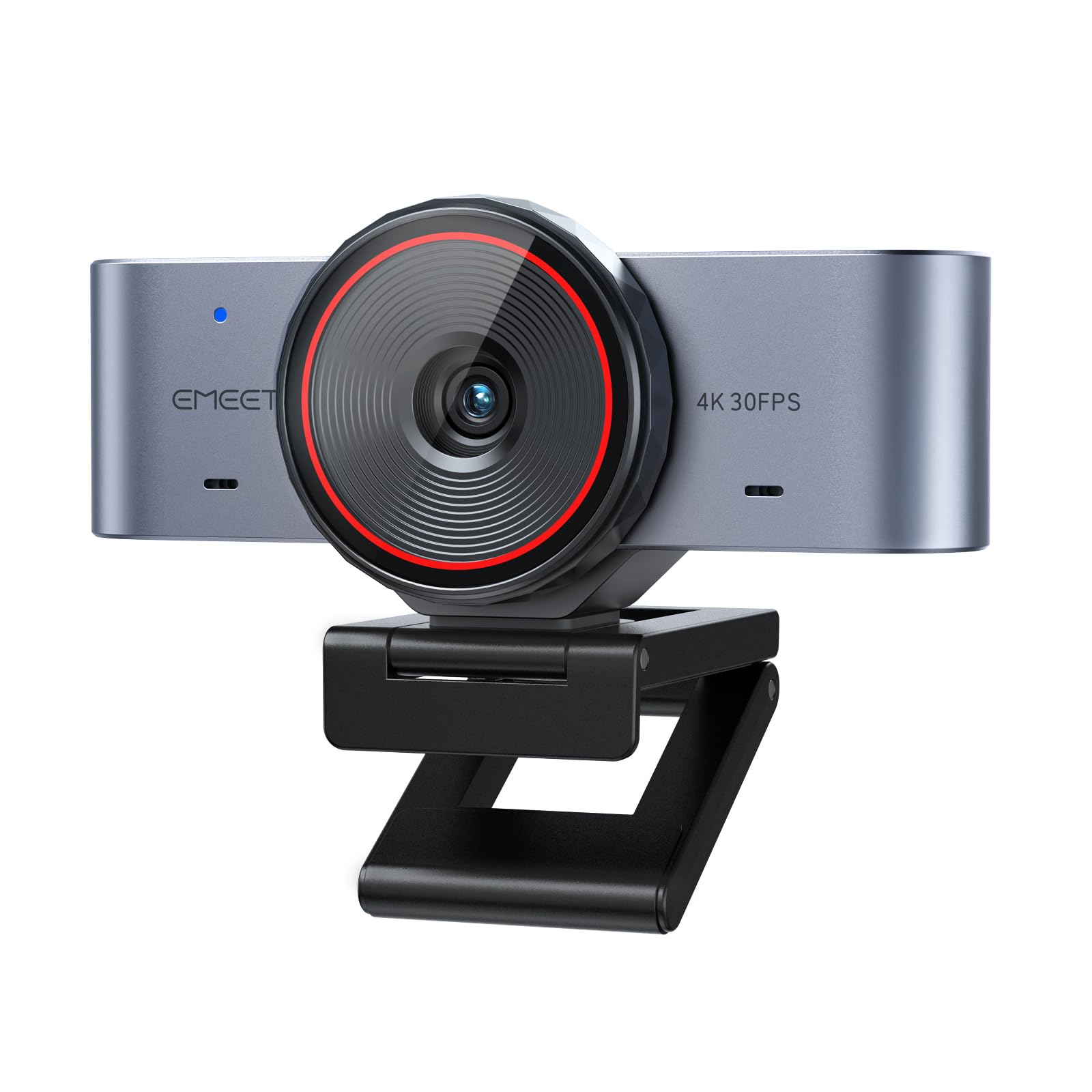
A low-cost 4K starter cam built for Mac users and first-time streamers.
For anyone stepping up from a blurry built-in laptop camera without overspending, this is the value pick. It pairs a 1/1.5″ sensor with 4K resolution and ultra-fast 0.2s autofocus, and the sensor is the standout — larger than a standard 4K webcam’s, so it pulls in more light for stronger detail and improved low-light clarity. Its effective video resolution comes in at 8.29 mp, which is a real step below the OBSBOT Meet 2’s 48 mp, so if maximum detail matters most to you, the OBSBOT is the one to look at. For a first stream or daily meetings, though, this delivers a clean, honest picture at an entry-level price.
Mac owners tend to like it for the setup side. It is built to work as a true Mac webcam with plug-and-play USB-C and a C-to-A adapter included, and it also works across Windows and supports use as a Switch 2 camera. The all-metal body is a durability and heat-dissipation upgrade over cheap plastic, and its split-base structure makes for a clean desktop. There is also a whiteboard mode that recognizes a wall whiteboard or desktop content, corrects the perspective and tune clarity for presentations. The dual-mic array handles voice pickup, and a built-in rotating privacy cover lets you switch the lens off in a shared space.
The honest fit note is compatibility. Windows 11 and Mac work fine for most buyers, but one user hit trouble with WebEx, so if that specific platform is central to your work, test it early. The camera also mounts with a split base that a few buyers found could fall off a monitor top — many owners simply lift it off between sessions. As an entry-level 4K camera with a metal body, an adapter in the box and a rotating privacy cover, it earns its place: buyers report excellent resolution, a beautiful image and easy setup, with the autofocus and 4K features doing exactly what the listing claims.
What makes it good value
- 1/1.5″ sensor with 4K resolution and 0.2s autofocus.
- Mac-first plug-and-play with a C-to-A adapter included — no drivers needed.
- All-metal body dissipates heat better than plastic and feels solid.
- Whiteboard mode corrects perspective and sharpens presentation content.
- Rotating privacy cover, dual-mic array and a 1/4″ thread for tripods.
Where it falls short
- 8.29 mp effective video resolution is well below the sharper 48 mp of the OBSBOT Meet 2.
- The split-base mount can slip off a monitor top, so some owners lift it off between uses.
- Compatibility is mostly smooth, but one user ran into trouble with WebEx.
Ideal for: a Mac-first streamer or meeting-heavy user who wants real 4K and a metal body without paying flagship money.
Step up if: maximum frame detail is your priority, since its 8.29 mp picture trails the 48 mp OBSBOT Meet 2.
Understanding the Specs
Sensor Size
Sensor size is the fraction-of-an-inch number you see beside a camera’s model name, and it describes the physical light-gathering chip inside. A smaller denominator means a bigger sensor — so a 1/1.3″ sensor is larger than a 1/2″ sensor, which is larger than a 1/2.55″ sensor. Bigger glass means more light reaches the picture, so dim rooms stay clean instead of turning grainy. If you stream at night with just a monitor light, a 1/1.3″ or 1/1.5″ sensor will look noticeably better than a small one. Chase sensor size alongside resolution, not instead of it.
Frame Rate and Resolution
Streaming cameras let you choose between resolution and frame rate. 4K at 30fps gives you maximum detail — 30 frames per second, so a slower, sharper picture that suits talking-head streams and product shots. 1080p at 60fps doubles the frame rate for smoother motion, which is the better choice for fast movement or handheld action. Watch for cameras that swap the numbers around, since a smoother 60fps mode usually drops the resolution. Match the mode to your content: crisp and detailed, or fluid and smooth.
Autofocus Type
Autofocus is either PDAF (phase-detection, which measures how far off focus your face is and snaps instantly) or ordinary contrast autofocus (which searches back and forth and hunts). PDAF locks on faster and holds steadier, so you can move your hands, lean in, or step back without the picture going soft. For a seated talking-head stream, either type works. For a streams where you show objects, wave props or move around the room, PDAF is worth seeking out — it is the difference between a live feed that stays crisp and one that pulses in and out.
Field of View and Mounting
Field of view, or FOV, is the angle the lens sees — a wider FOV fits you plus a guest or your desk, while a narrower one pushes in tighter on your face. Pair it with how the camera mounts. A magnetic base attaches fast but can slide when bumped, while a monitor clip stays put but may feel loose on some screens. A 1/4″-20 tripod thread — the standard screw size — gives you the most stable, adjustable footing, and it also lets you angle the shot down at a desk or up at your face. Check all three before you commit.
FAQ
Will a 4K webcam make my stream look better than my built-in laptop camera?
Should I stream in 4K at 30fps or 1080p at 60fps?
Do I need a separate microphone for streaming?
What is PDAF autofocus and why does it matter for streaming?
Will these webcams work with Zoom, OBS and Twitch on a Mac?
Do these webcams overheat during long streams?
How do I mount a streaming webcam for the best angle?
Is a larger sensor better than a higher megapixel count?
Can I use these webcams for vertical streaming on TikTok or Instagram Reels?
Do 4K streaming webcams need extra lighting to look good?
Final Thoughts: The Verdict
For most streamers, the 4k webcam for streaming winner is the OBSBOT Meet 2, because it balances a 1/2″ CMOS sensor, a 48 mp effective video resolution and AI framing into a 40.5-gram body you can set down anywhere. It is the friendliest starting point if you want a clean 4K picture without building a studio around it. If a dim room is your reality, reach for the YOLOLIV YoloCam S3 — its 1/1.3″ sensor is the biggest here, and the all-aluminum body keeps it running cool through long broadcasts. And if your stream runs multiple scenes and cameras, the Insta360 Link 2C Pro gives you Stream Deck integration and gesture control that none of the others match.
Whichever you pick, the pattern is clear: the sensor, the autofocus and the mount decide how you look on camera far more than the marketing around the 4K label. Buy for the kind of stream you actually run — seated and steady, moving and mobile, or multi-scene and hands-on — and the right camera will make the difference obvious from the first broadcast.
How We Picked
We do not accept paid placement. Every pick is matched to a real buyer and a real use-case; we do not hands-on test units.
Sources & Methodology
Specifications: manufacturer listings and product documentation. Review insights: verified customer reviews, as of September 2026. Pricing: not shown on this page (it changes often); check the current price via the retailer link.
As an Amazon Associate, Gadgets Feed earns from qualifying purchases. This does not affect which products we feature.