
Our readers keep the lights on and my morning glass full of iced black tea. As an Amazon Associate, I earn from qualifying purchases.
Specs are compiled from manufacturer listings and verified buyer reviews and can change over time — please confirm the key details on the product page before buying.
When you’re shopping for a 32-inch 4K monitor, you’ll see “WOLED” in the specs. Here’s what it means for you: it’s a panel technology that turns each pixel off completely for black, so dark scenes look truly dark instead of washed-out gray. That single trait is why gamers and photo editors pay premium money for these displays. Below, you’ll find the three strongest WOLED options on the shelf right now, with the must-have specs separated from the marketing noise.
I’m Min — the founder and writer behind Gadgets Feed. This guide is built by comparing the manufacturers’ published specifications and the patterns across verified customer reviews, so you get each pick’s real strengths and trade-offs instead of marketing spin.
Weighing color accuracy, refresh rates, and real owner feedback to find your ideal 4k woled monitor 32 inch that balances vivid HDR performance with practical daily use.
Our Picks at a Glance
How To Choose The Best 4K WOLED Monitor 32 Inch
Choosing a 32-inch WOLED monitor depends on three things: how the screen surface handles light, how fast the panel refreshes, and how the brand protects your investment. At this size and resolution, every panel on this list delivers the contrast and color depth that makes OLED famous. Your job is to match the extras to your setup.
Glossy vs Matte Surface
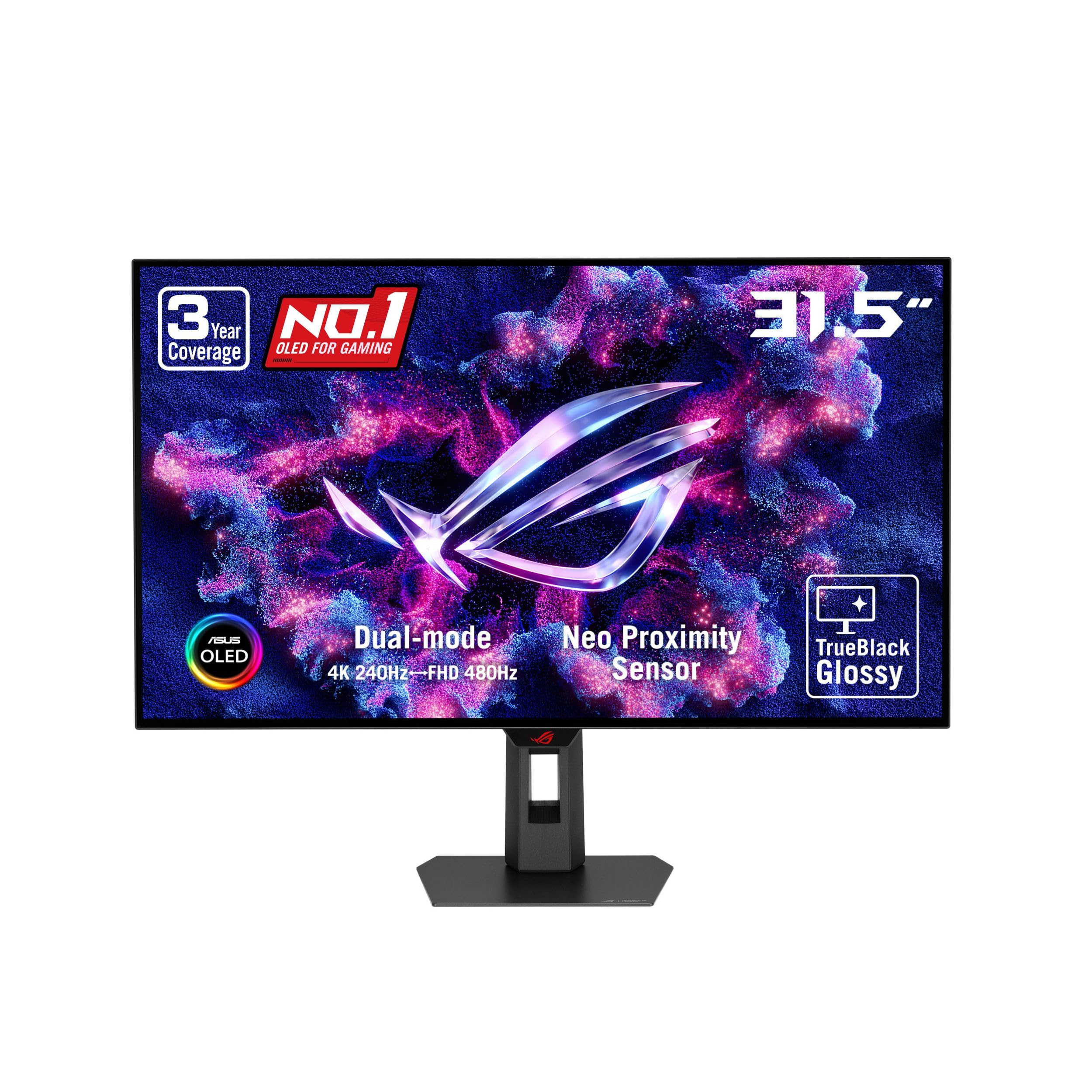
The surface coating changes how the monitor looks in a bright room. A glossy panel (like the ASUS XG32UCWMG) has a zero-haze finish that makes colors look punchier and images razor-sharp, but it reflects window light and lamps. A matte or anti-glare coating (like the LG) cuts reflections so you can play near a window, though some owners note a slight graininess on static web pages. Pick based on where the monitor will live.
Dual Mode Refresh Rates
Dual mode means one monitor gives you two refresh rates. You get 4K resolution at 240Hz for story-driven games with rich graphics, then you can flip to Full HD at 480Hz for fast competitive shooters where every millisecond counts. Both the ASUS and LG picks here support this, and switching is done with a simple hotkey. If you play a mix of single-player epics and online shooters, this flexibility is worth seeking out.
Burn-in Protection and Warranty
OLED panels can suffer burn-in if a static image stays on screen too long. The brands on this list fight this with software tools like pixel cleaning, which refreshes the panel, and features that dim or blank the screen when you step away. Warranty coverage matters too. ASUS offers a 3-year warranty with burn-in coverage on both of its picks, while LG includes a 2-year limited warranty with panel care tools. If you plan to use the monitor for desktop work with static toolbars, these protections are your safety net.
Quick Comparison
| Model | Best For | Color Gamut | Peak Brightness | Refresh Rate | Amazon |
|---|---|---|---|---|---|
| ASUS ROG XG32UCWMG★ Best Overall | Glossy color pop | 90% DCI-P3 | — | 4K@240Hz / FHD@480Hz | Amazon |
| LG 32GX870A-B | Anti-glare value | 98.5% DCI-P3 | 1300 nits | 4K@240Hz / FHD@480Hz | Amazon |
| ASUS ROG PG32UCDP | Full DCI-P3 coverage | 99% DCI-P3 | — | 4K@240Hz / FHD@480Hz | Amazon |
In‑Depth Reviews
1. ASUS ROG XG32UCWMG 32 Inch 4K 240Hz Glossy OLED G-SYNC Gaming Monitor
Our pick — over 4.5★ from 100+ verified ratings; the strongest balance of quality and price.
The glossy WOLED heavyweight that makes colors look wet and vivid, with a 0.03ms response time.
The defining trait here is the TrueBlack Glossy panel — a zero-haze surface that delivers exceptionally sharp imagery. Owners describe the effect as “pure beauty the blacks are black and the brights are bright,” noting zero pixel issues straight from the start. This is the monitor for anyone who craves that deep, saturated look you only get from a glossy finish.
Under the hood it runs a dual-mode system: 4K at 240Hz for graphically rich games, or Full HD at 480Hz for competitive shooters. The 0.03ms response time eliminates motion blur in fast-paced scenes., and G-SYNC Compatible technology matches the monitor’s refresh to your graphics card to stop screen tearing. ASUS backs it with a 3-year warranty that includes burn-in coverage, so the OLED anxiety is largely handled.
Owners consistently rave about display quality, with picture quality and color accuracy following close behind as the most-praised traits. Text stays sharp, wake-up from standby is fast, and the ASUS DisplayWidget Center software lets you adjust OLED Care settings with a mouse instead of fiddling with on-screen buttons. The two honest trade-offs are the price and the glossy reflections — in a bright, window-heavy room, the shine is noticeable.
Why owners love it
- Zero-haze glossy surface makes colors and contrast pop harder than matte panels
- Dual mode gives you 4K@240Hz and FHD@480Hz in one screen
- 3-year warranty includes burn-in coverage
The give-and-take
- Glossy finish reflects bright room lighting
- Premium pricing puts it above entry OLEDs
Reach for this if: you want the most vivid, sharpest image a WOLED can produce and you game in a room you can control the light in.
Look elsewhere if: your desk sits directly across from a bright window, where the glossy surface will throw reflections back at you.
2. LG 32GX870A-B 32-inch Ultragear 4K UHD OLED Gaming Monitor

The anti-glare workhorse with a brighter panel and built-in speakers for all-day play.
LG’s 32GX870A-B stands out for its Micro Lens Array+ technology, which pushes peak brightness to 1300 nits — noticeably brighter than typical OLED panels. That brightness, combined with a VESA DisplayHDR True Black 400 certification and a 1.5M:1 contrast ratio, means dark scenes stay deep while bright explosions genuinely pop. If you play near a window, the anti-glare screen minimizes reflections so you can focus on the game.
It shares the same dual-mode flexibility as the ASUS pick — 4K UHD at 240Hz or Full HD at 480Hz — toggled by hotkey. Owners note the W-OLED produces “perfect blacks even in bright rooms,” and that any initial vertical banding clears up after the pixel cleaning cycle. NVIDIA G-SYNC Compatible and AMD FreeSync Premium Pro support keep motion smooth on both major graphics card brands, and the 0.03ms response time virtually eliminates input lag..
What surprises most owners is the audio. The built-in speakers are described as crisp and clear, even better than a headset for casual play, which is rare for a monitor this thin. There’s also a 4-pole headphone jack for DTS Headphone:X 3D audio when you need private, positional sound for FPS comms. On the color side, it covers 98.5% of DCI-P3 — a 9% wider gamut than the ROG XG32UCWMG above. The trade-off is the matte coating, which some owners find slightly grainy on static pages, and the 2-year warranty is shorter than the 3-year burn-in coverage ASUS offers.
Brightness advantage: the 1300-nit peak makes this the pick for HDR content in a well-lit room, beating the competition on sheer luminance.
Sound surprise: built-in speakers that actually sound good mean you can skip a separate audio setup for everyday gaming.
Grab this if: you want a brighter, anti-glare panel with usable built-in audio and don’t need the longest warranty on the shelf.
Think twice if: you’re a stickler for crisp text on static pages, since the matte coating has a slight grain in some owner reports.
3. ASUS ROG PG32UCDP 32 Inch 4K 240Hz OLED Gaming Monitor
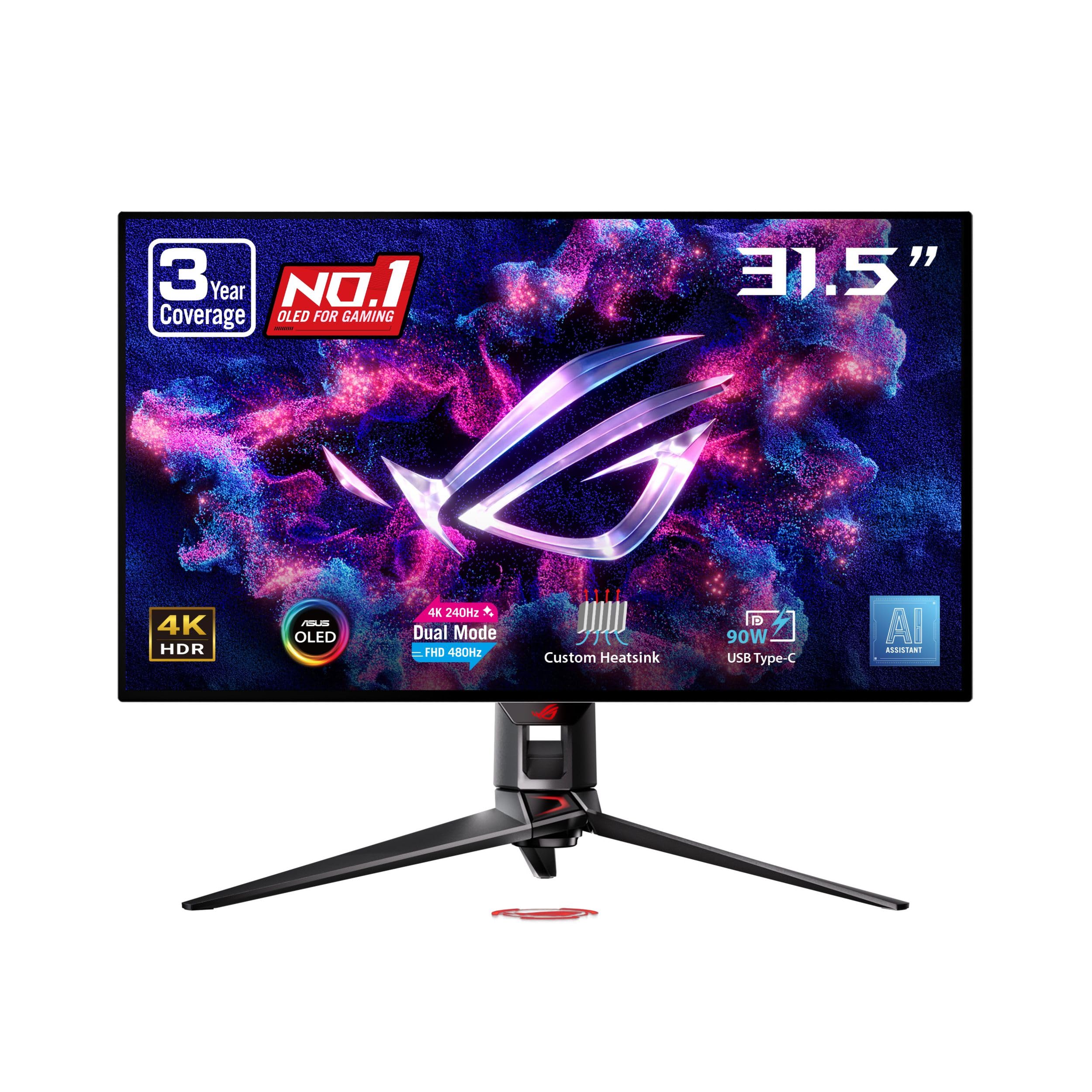
The color-accurate creator’s OLED with the widest DCI-P3 coverage and 90W laptop charging.
The PG32UCDP nips the color crown with 99% DCI-P3 coverage and true 10-bit color depth, making it the strongest candidate here if photo or video editing is on your agenda. On top of the dual-mode 4K@240Hz / FHD@480Hz setup, ASUS adds its OLED Anti-Flicker Technology to reduce eye strain during refresh-rate fluctuations over long sessions. A custom heatsink provides passive cooling to protect the panel from burn-in over time.
For laptop users, the USB-C port with 90W power delivery is the headline feature — it charges your laptop and carries the display signal through a single cable, a convenience neither of the other picks matches. Owners call the picture a “truly visually transformative experience,” with crisp text at 100% scaling and HDR that feels like a genuine upgrade over standard monitors. The matte finish keeps glare out of the picture in bright rooms, and the included ROG pouch and sticker add a touch of flair to the unboxing.
Owners do flag a couple of quirks worth knowing. The FHD 480Hz mode is described as non-functional by some, and there’s aggressive auto-dimming on static images that can be distracting during desktop work. A smaller number of reports mention reliability concerns after a month of use, and the value question comes up when you weigh the price against those quirks. For pure 4K gaming and color-accurate creative work, though, the display quality wins people over — it’s the most-praised trait by a wide margin.
Creator crossover: the 99% DCI-P3 gamut plus USB-C 90W charging makes this the one monitor that serves both a gaming rig and a laptop workstation.
Known quirks: treat the FHD 480Hz mode as a bonus rather than a feature you’ll rely on, and expect some auto-dimming on static screens.
Best fit: a gamer who also edits photos or video, and who wants to dock a laptop with a single USB-C cable.
Not the pick if: you need that secondary 480Hz mode to work flawlessly, or you want the longest possible reliability track record.
Understanding the Specs
Color Gamut (DCI-P3)
This number tells you how much of the professional cinema color range the monitor can display. A higher percentage means more vivid, more accurate colors — the LG covers 98.5% while the ASUS PG32UCDP reaches 99%. Look for 90% or higher if you care about how games and movies actually look.
Refresh Rate and Response Time
Refresh rate is how many times the screen updates per second, measured in Hz — 240Hz feels buttery smooth in fast games. Response time, measured here at 0.03ms, is how quickly a pixel changes color, which stops motion blur. Dual-mode monitors let you choose between high resolution or ultra-high speed depending on the game.
FAQ
What does WOLED mean and how is it different from standard OLED?
Is a glossy or matte WOLED screen better for gaming?
Will a 32-inch WOLED monitor fit on my desk?
What is dual mode and do I actually need it?
How long will a WOLED monitor last before burn-in?
Can I use these monitors with a gaming console?
Do these WOLED monitors have good built-in speakers?
What is G-SYNC Compatible and does it matter for NVIDIA users?
Final Thoughts: The Verdict
For most buyers, the 4k woled monitor 32 inch winner is the ASUS ROG XG32UCWMG because it pairs the most vivid glossy panel with a 3-year burn-in warranty, giving you both the best image and the best confidence. If you want a brighter screen with anti-glare and built-in speakers, the LG 32GX870A-B delivers the strongest value and all-day comfort. And for a gamer who also edits photos or docks a laptop, the ASUS ROG PG32UCDP with its 99% DCI-P3 coverage and 90W USB-C charging is the one to reach for.
How We Picked
We do not accept paid placement. Every pick is matched to a real buyer and a real use-case; we do not hands-on test units.
Sources & Methodology
Specifications: manufacturer listings and product documentation. Review insights: verified customer reviews, as of August 2026. Pricing: not shown on this page (it changes often); check the current price via the retailer link.
As an Amazon Associate, Gadgets Feed earns from qualifying purchases. This does not affect which products we feature.