
A 4TB hard drive sits right at the sweet spot between capacity and cost, but the choice between a portable external for everyday backups and a high-RPM internal for gaming or media production is where most buyers get stuck. The wrong pick means painfully slow transfers, a noisy rig, or a drive that fails under sustained load.
I’m Min — the co-founder and writer behind Gadgets Feed. I’ve spent countless hours combing through enterprise MTBF ratings, real-world transfer benchmarks, and the durability claims of every 4TB drive on the market to separate the true workhorses from the fragile duds.
This guide compares seven models — from rugged portables to SATA 7200 RPM internals — to help you pinpoint the best 4tb hard drive for your specific workflow and reliability needs.
How To Choose The Best 4TB Hard Drive
Picking the right 4TB drive comes down to three core tensions: speed versus noise, portability versus internal cooling, and new versus enterprise-remanufactured reliability. Here’s what to weigh for each use case.
Internal vs. External: Where You Put It Matters
An internal 4TB drive (like the WD Black) connects via SATA III, delivering consistent 7200 RPM rotational speed with a 256MB cache for lower latency in gaming and video editing. An external drive (like the WD Elements or Seagate Portable) connects via USB 3.0/3.2 — it’s bus-powered and easy to swap between machines, but its maximum sustained transfer rate is capped by the USB controller and the drive’s own RPM (typically 5400 RPM or a hybrid 7200 RPM). For metadata-heavy workloads (large photo libraries, code repos), an internal drive with a higher cache will feel faster.
MTBF and Warranty: The Real Reliability Metric
Mean Time Between Failures (MTBF) tells you how long a drive is expected to run under continuous load. An enterprise-grade HGST Ultrastar is rated at 2.5 million hours MTBF, while a consumer portable might be rated far lower. For a drive that runs 24/7 — in a NAS, a home server, or as a backup destination — look for a model with at least a 2-year warranty and an MTBF above 1 million hours. For occasional backup use, a standard 2-year warranty is adequate, but always factor in a secondary backup plan (e.g., cloud + local).
Interface and Transfer Speed: USB 3.2 vs. SATA III
A 4TB external drive with USB 3.2 Gen 1 (5Gbps) can move a 10GB file in roughly 30-40 seconds. USB 3.2 Gen 2 (10Gbps) becomes relevant only if the internal drive is an SSD — a mechanical drive can’t saturate 10Gbps. An internal SATA III (6Gbps) drive like the WD Black with a 256MB cache will push bursts up to 267 MB/s sustained, significantly faster than the ~130 MB/s ceiling of many portable HDDs. If you regularly transfer full 4TB backups, an internal 7200 RPM drive is the only sensible choice.
Quick Comparison
On smaller screens, swipe sideways to see the full table.
| Model | Category | Best For | Key Spec | Amazon |
|---|---|---|---|---|
| HGST Ultrastar 7K6000 | Internal Enterprise (Renewed) | 24/7 NAS and server use at a lower cost | 2.5M-hour MTBF, 7200 RPM | Amazon |
| WD Elements Portable | External Portable | Everyday file backups on Windows and Mac | USB 3.2 Gen 1, 5Gbps | Amazon |
| Toshiba Canvio Basics | External Portable | Plug-and-play storage with no software | USB 3.0, 5 Gigabits/sec | Amazon |
| Seagate Portable 4TB | External Portable | Mac and console compatibility | USB 3.0, 120 Megabits/sec | Amazon |
| LaCie Rugged Mini | External Rugged Portable | Field work and drops up to 4 feet | 130 MB/s, IP54 shock/dust | Amazon |
| WD Black 4TB Internal | Internal Gaming | High-speed gaming and creative workloads | 7200 RPM, 256MB Cache | Amazon |
| SanDisk Extreme Portable SSD | External Portable SSD | Fast, rugged storage for creatives on the go | 1050MB/s read, NVMe | Amazon |
In‑Depth Reviews
1. LaCie Rugged Mini, 4TB
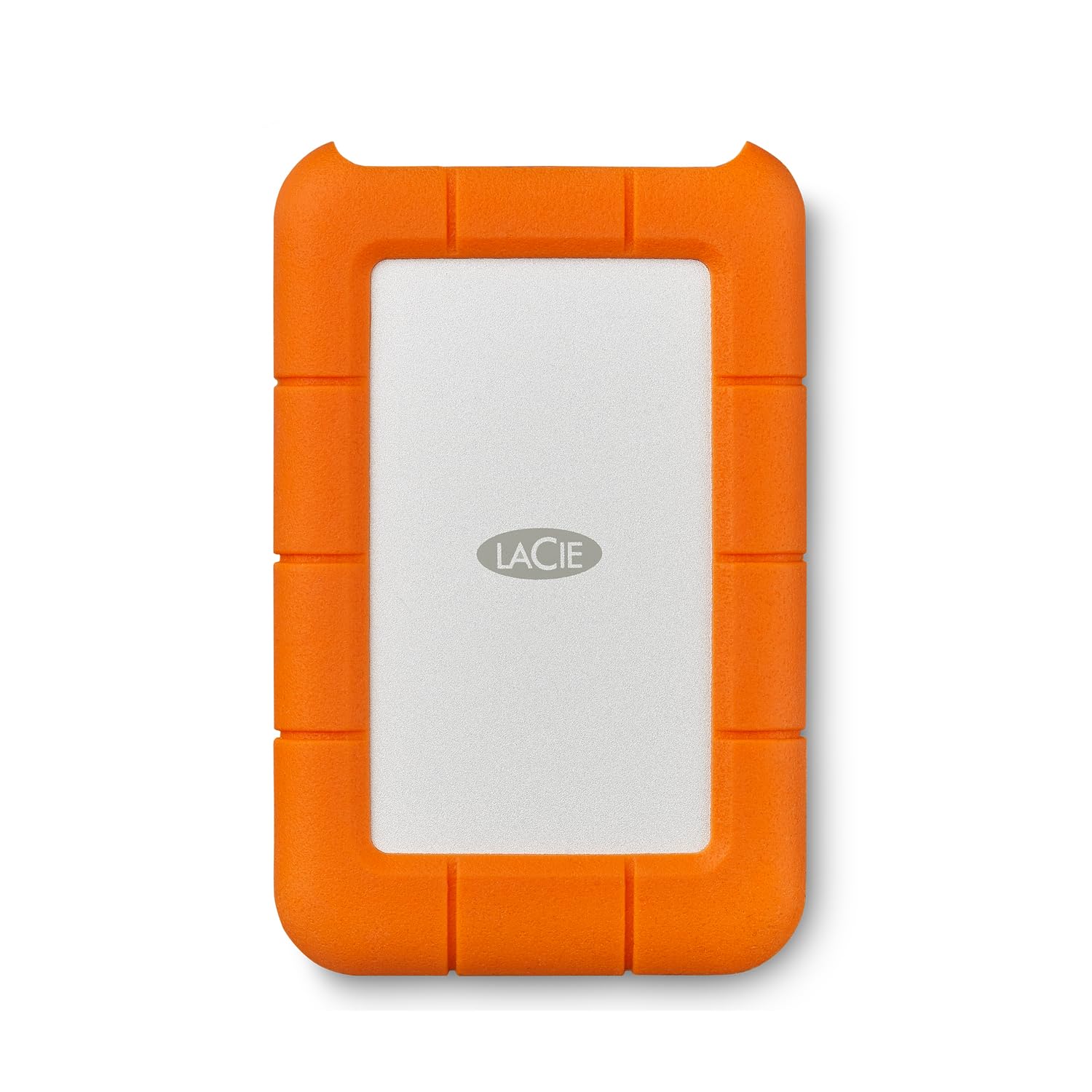
The LaCie Rugged Mini is the rare portable drive that doesn’t force you to choose between durability and decent transfer speeds. Its signature orange bumper absorbs drops from up to 4 feet, and the IP54 rating keeps dust and splashes out — essential for photographers or field techs who work in less-than-pristine environments. Inside, the 7200 RPM mechanism delivers a sustained 130 MB/s, fast enough for 4K video offloads or full-system backups without waiting forever.
It’s pre-formatted in exFAT, which means it works out of the box with both Windows and macOS — no reformatting required unless you need a native file system for Time Machine. The included 18-inch USB 3.0 cable is short but adequate, and the drive stays cool and quiet even during multi-hour transfers. The 1-month Adobe Creative Cloud trial is a small bonus for creative professionals.
On the downside, the micro USB 3.0 connection feels dated — a USB-C port would have made it future-proof. Some Mac users report intermittent mount issues related to the exFAT formatting on older macOS versions, though a quick reformat to APFS or Journaled usually solves it. For a rugged 4TB drive that travels well, this is the one to beat.
Why it’s great
- Shock, dust, and water resistance for field use
- 7200 RPM delivers 130 MB/s sustained reads
- exFAT pre-format works with PC and Mac out of the box
Good to know
- Uses micro USB 3.0 instead of USB-C
- exFAT can cause intermittent mount issues on older macOS
- Not the fastest option for sustained large-file writes
2. Western Digital 4TB WD Black Gaming Internal HDD
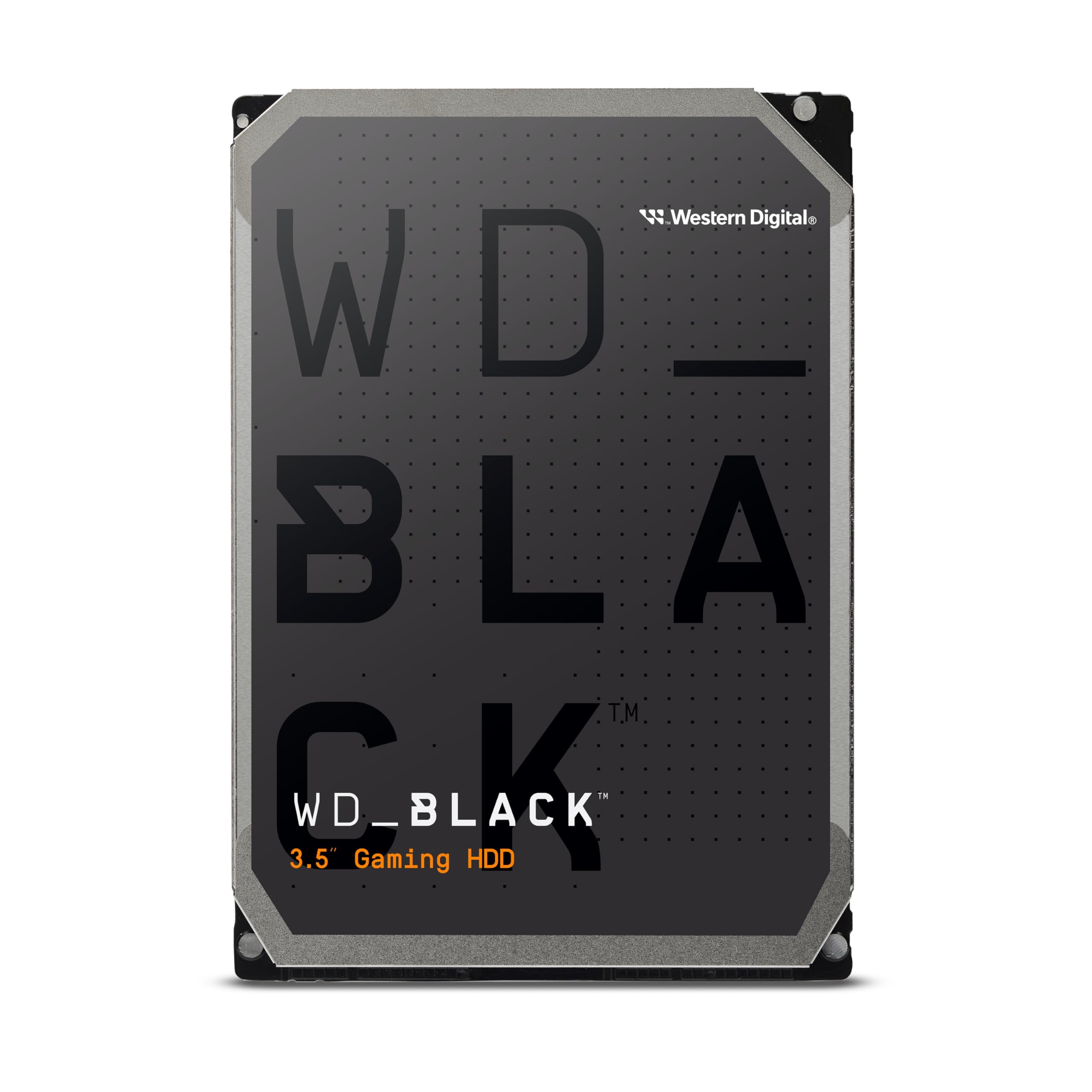
If you’re building a gaming PC or a video editing workstation, the WD Black 4TB is the internal drive to beat. Its 7200 RPM spindle and 256MB cache give it a marked advantage over standard 5400 RPM drives — expect burst transfer rates around 267 MB/s, which translates to faster game level loads and snappier scrubbing through 4K timelines. WD’s StableTrac technology holds the motor shaft steady, reducing vibration-related latency, while Dynamic Cache Technology optimizes read/write patterns for mixed workloads.
The drive is designed for sustained 24/7 operation in a desktop environment. Real-world tests show it running 7-8°C cooler than many competitors inside a well-ventilated case. It’s also one of the quietest 7200 RPM drives at idle, though the actuator clicks are audible during heavy reads and writes — something to note if you’re building a silent rig.
The catch is a high-pitched whine that some users report during heavy reads. It’s not loud enough to drown out game audio, but it could be annoying in a quiet office or bedroom studio. Also, because it’s an OEM / bulk drive, no SATA cable or screws are included. For raw performance in a desktop build, however, this drive is hard to match.
Why it’s great
- 7200 RPM with 256MB cache delivers class-leading speed
- StableTrac and Dynamic Cache reduce latency and boost reliability
- Runs cool and quiet at idle
Good to know
- Audible high-pitched whine during heavy reads
- Bulk packaging with no accessories included
- Not suitable for silent PC builds
3. HGST Ultrastar 7K6000 4TB Enterprise HDD (Renewed)
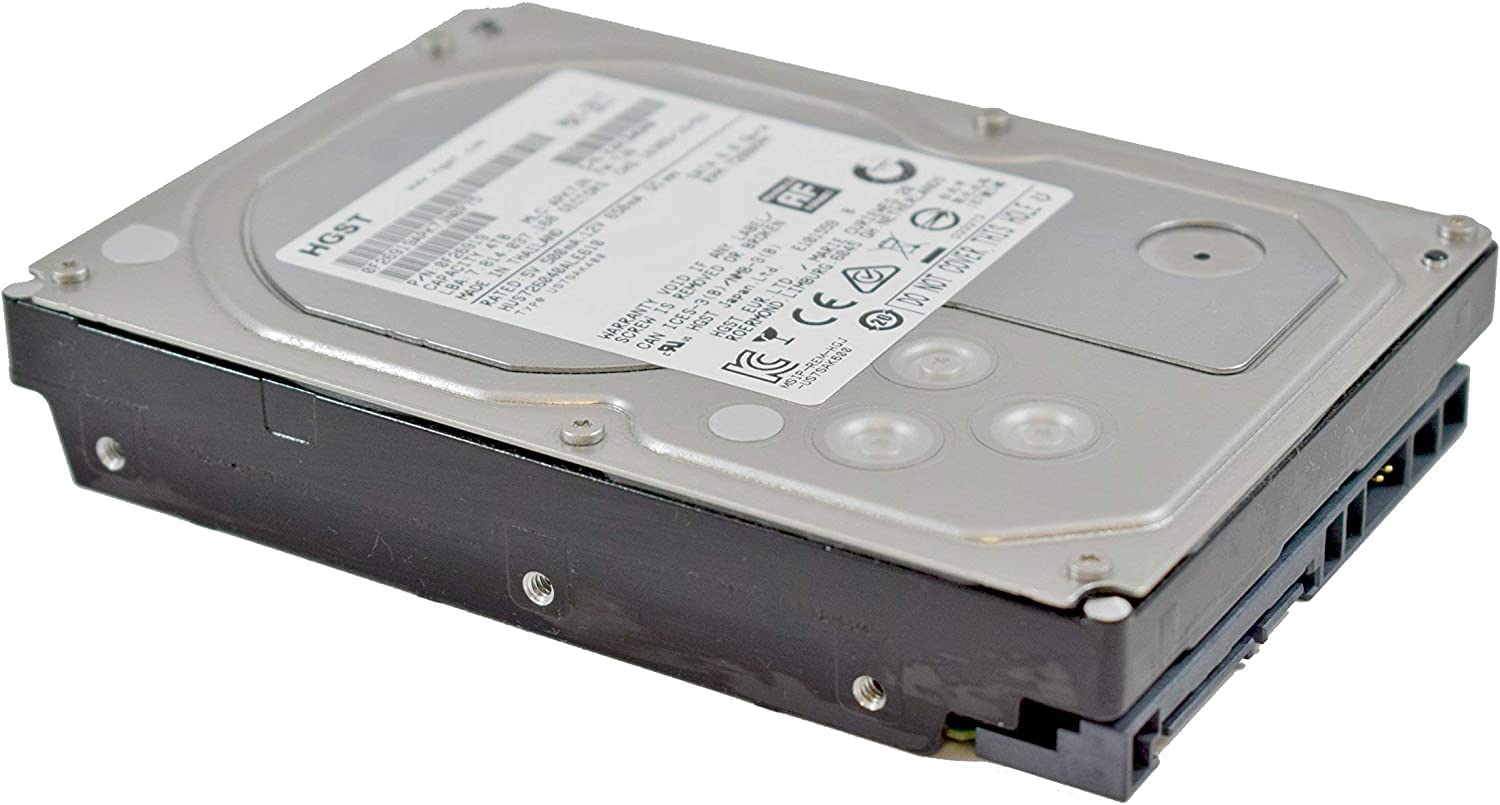
Don’t let the “Renewed” label scare you — the HGST Ultrastar 7K6000 is an enterprise-grade drive with a 2.5-million-hour MTBF rating, originally designed for data center servers running 24/7/365. The refurbished units have been data-wiped to DoD standards and passed HGST’s own diagnostic tests. For a home lab, NAS, or RAID array where uptime matters, this is one of the most reliable 4TB drives you can buy without spending premium new-drive money.
It spins at 7200 RPM and packs a 128MB cache, which translates to solid sequential performance for backups and file transfers. The SATA 6.0Gb/s interface works with any standard NAS, server, or desktop motherboard. Because it’s an enterprise model, it handles sustained workloads — think constant surveillance camera recording or large database operations — much better than a consumer desktop drive.
The main downsides are the noise and the form factor. At 3.5 inches, it’s larger and heavier than a portable drive, and it requires a SATA power and data cable (not included). Some users report that these renewed drives have cleared SMART counters, meaning you lose visibility into how many hours they’ve actually run. The 5-year warranty from the seller helps, but it’s still a refurbished product — buy knowing there’s some risk on the longevity side.
Why it’s great
- Enterprise-grade 2.5M-hour MTBF for 24/7 reliability
- 7200 RPM with 128MB cache delivers strong sequential throughput
- 5-year warranty on a refurbished drive is exceptional
Good to know
- SMART counters may be cleared, hiding actual usage history
- No cables, screws, or accessories included
- Louder and heavier than consumer desktop drives
4. SanDisk Extreme Portable SSD (Old Model) 4TB

If your workflow revolves around large files — RAW photos, 4K video, or game libraries you need to move often — the SanDisk Extreme Portable SSD offers a fundamentally different experience than a spinning HDD. With NVMe architecture driving up to 1050 MB/s reads and 1000 MB/s writes, it’s roughly 8x faster than a typical 130 MB/s portable HDD. That means a 50GB project folder copies in under a minute.
The rugged credentials are genuine: IP65 water and dust resistance, 3-meter drop protection, and a built-in carabiner loop for attaching to a backpack. The included USB-C to USB-C cable and USB-A adapter ensure broad compatibility with modern laptops, phones, and desktops. The 256-bit AES hardware encryption keeps your data safe if the drive is lost or stolen.
The big trade-off is price — you’re paying a significant premium for that speed. Also, this is the older model (SDSSDE61), which tops out at USB 3.2 Gen 2 (10Gbps) rather than the newer 20Gbps standard. And like any SSD, if you fill it close to capacity, write speeds can slow down dramatically as the controller manages NAND wear. For pure bulk storage where speed matters, it’s the king of this list.
Why it’s great
- NVMe SSD delivers 1050 MB/s reads — 8x faster than HDD
- IP65 dust/water resistance and 3-meter drop protection
- Hardware encryption and carabiner for travel security
Good to know
- Premium price compared to HDDs of the same capacity
- USB 3.2 Gen 2, not the latest 20Gbps standard
- Write speeds degrade when drive is near full capacity
5. WD 4TB Elements Portable External Hard Drive

The WD Elements is the portable 4TB drive that gets the basics right without asking you to pay for extra frills. It’s a 2.5-inch form factor, slim enough to slide into a laptop bag pocket, and powered entirely through the USB cable — no wall wart needed. The USB 3.2 Gen 1 interface (5Gbps) provides ample bandwidth for the mechanical drive inside, so you’ll see real-world transfer speeds of about 120-130 MB/s for large sequential files.
Out of the box, it’s pre-formatted NTFS for Windows — plug it in and it shows up instantly. For Mac users, you’ll need to reformat to APFS or exFAT, which is a quick process in Disk Utility. The drive runs whisper-quiet and stays cool, even during extended backup sessions. Many users report years of trouble-free use as a daily backup destination.
The one consistent complaint is the included USB cable, which some users find prone to failure after a few months of regular use. It’s a minor hassle to replace, but it’s worth upgrading to a higher-quality USB-A to Micro-B cable immediately. Also, like all 2.5-inch portable HDDs, it’s bus-powered, so if your USB port can’t supply enough juice (e.g., some older laptops), the drive may need a Y-cable or powered hub.
Why it’s great
- Ultra-slim 2.5-inch design for true portability
- USB 3.2 Gen 1 delivers fast enough speeds for daily backups
- Bus-powered — no external power supply needed
Good to know
- Included cable prone to early failure
- Requires reformat for Mac (NTFS pre-format)
- Bus-power can be finicky on low-power USB ports
6. Toshiba Canvio Basics 4TB Portable External Hard Drive

The Toshiba Canvio Basics 4TB strips out every unnecessary extra and focuses on being a reliable, no-hassle 2.5-inch portable external drive. Its matte, smudge-resistant finish is a small but welcome detail — it stays looking clean even after being tossed into a bag alongside keys and pens. The drive connects via USB 3.0 (backward compatible with USB 2.0) and offers real-world sequential transfer rates of roughly 120-130 MB/s, on par with the WD Elements and Seagate Portable at this tier.
One of its strongest selling points is the plug-and-play simplicity. No software to install, no registration required — plug it into a Windows PC and it’s immediately recognized as a new drive. The LED on the front blinks slowly when the drive is active, giving clear visual feedback during transfers. For Mac users, a quick reformat to exFAT is needed, which is straightforward.
The polycarbonate enclosure feels less premium than the aluminum-clad competitors, and the drive can get slightly warm during extended use. Some users report that the included USB cable is a bit short (about 12 inches), which can be inconvenient if your USB ports are far from your desk. For the price, though, it’s a rock-solid performer that handles daily backups and file storage without drama.
Why it’s great
- True plug-and-play, no software needed
- Matte finish resists smudges and scratches
- Compact and lightweight for daily carry
Good to know
- Polycarbonate shell feels less premium than metal
- Runs warm under constant load
- Short included USB cable may require an extension
7. Seagate Portable 4TB External Hard Drive

The Seagate Portable 4TB is the go-to external drive if you value cross-platform flexibility out of the box. It’s designed to work with Windows and Mac via drag-and-drop backup — no formatting or software required. Just plug in the 18-inch USB 3.0 cable, and the drive appears as a new volume. It also works with Xbox Series S and PlayStation consoles for game storage, making it a versatile companion for gamers who need to offload titles without losing access to them.
In practice, the drive delivers speeds around 120 MB/s for large sequential files, which is standard for a 5400 RPM portable HDD. It’s quiet enough to sit on a desk next to you during a workday, and the compact footprint means it doesn’t crowd your workspace. The included 1-year Rescue Service provides a data recovery option if the drive fails, which is a nice safety net for an external backup drive.
The main drawback is the write performance profile. Like many SMR (Shingled Magnetic Recording) portable drives, the Seagate Portable can experience a sharp drop in write speed — down to around 25 MB/s — after transferring about 100GB of data continuously. For large single backups (like a full 4TB system image), this means you’ll need to plan for multiple sessions or accept a slower throughput. It’s fine for daily incremental backups, but not ideal for massive one-shot transfers.
Why it’s great
- Drag-and-drop simplicity on both Windows and Mac
- Compatible with Xbox and PlayStation consoles
- Includes 1-year Rescue Service for data recovery
Good to know
- SMR technology causes write speed drops after ~100GB
- Slow for large single backup jobs
- Included cable is short (18 inches)
FAQ
Is a 7200 RPM 4TB drive too loud for a home office?
Can I use a 4TB internal drive in a gaming console?
How important is the MTBF rating for a 4TB drive used in a home NAS?
Does a 4TB external SSD last longer than a 4TB HDD?
Final Thoughts: The Verdict
For most users, the best 4tb hard drive winner is the LaCie Rugged Mini because it blends genuine durability (4-foot drop, dust, and water resistance) with 7200 RPM speeds that keep backup windows short, all in a portable form factor that travels without worry. If you need the fastest copying speeds for creative work, grab the SanDisk Extreme Portable SSD — its NVMe performance is in a completely different league from any spinning drive. And for a budget-minded home lab or NAS setup, nothing beats the value of the enterprise-grade HGST Ultrastar 7K6000 (Renewed), which offers data-center reliability for a fraction of the new-drive cost.