
Our readers keep the lights on and my morning glass full of iced black tea. As an Amazon Associate, I earn from qualifying purchases.
Specs are compiled from manufacturer listings and verified buyer reviews and can change over time — please confirm the key details on the product page before buying.
Picking a 4TB internal hard drive sounds simple until you realize the quiet one is slow, the fast one sounds like a coffee grinder, and the cheap one might die in a year.
I’m Min — the founder and writer behind Gadgets Feed. This guide is built by comparing the manufacturers’ published specifications and the patterns across verified customer reviews, so you get each pick’s real strengths and trade-offs instead of marketing spin.
After digging through the specs and hundreds of real owner reports, these are the picks that actually deliver on their promises for a 4tb internal hard drive.
Quick Picks
- WD Black 4TB Performance Desktop Hard Disk Drive (WD4003FZEX) — Top Performer
- Seagate IronWolf 4TB NAS Internal Hard Drive (ST4000VNZ08) — NAS Ready
- HGST Ultrastar 7K6000 HUS726040ALE610 4TB 7200 RPM (Renewed) — Value Pick
- Western Digital 4TB WD Blue PC Internal Hard Drive (WD40EZZX) — Everyday Workhorse
- MDD 4TB 64MB Cache 5900PM SATA 6.0Gb/s 3.5-inch Internal Surveillance Hard Drive (Renewed) — Surveillance Spec
How To Choose The Best 4TB Internal Hard Drive
The most common mistake is buying a 4TB drive without matching its rotational speed and intended use to your system. A drive built for a desktop PC can fail quickly inside a NAS running 24/7, and a surveillance drive tuned for video streams won’t give you the snappy load times you want for games. Here is what really matters.
Speed: 7200 RPM vs 5400 RPM
The rotational speed, measured in RPM, directly affects how fast your drive reads and writes data. A 7200 RPM drive spins the platters faster and delivers noticeably snappier load times for games, applications, and your operating system. A 5400 RPM drive is quieter and runs cooler, making it a better fit for backups or media storage where speed matters less than silence and low heat.
Intended Use: Desktop, NAS, or Surveillance
Not all 4TB drives are built the same. Desktop drives (like the WD Blue and WD Black) are designed for occasional reads and writes inside a PC that powers off at night. NAS drives (like the Seagate IronWolf) include vibration sensors and firmware tuned for 24/7 operation inside multi-bay enclosures. Surveillance drives (like the MDD) are optimized for the constant video stream of a DVR or NVR. Using the wrong type can cause premature failure or performance drops.
New vs Renewed (Factory Refurbished)
Renewed drives—especially enterprise models like the HGST Ultrastar—can save you money and deliver near-new performance, as many come with zero power-on hours. The trade-off is inconsistent packaging and a higher chance of receiving a dead-on-arrival unit. A new drive costs more upfront but comes with a full warranty and better return support.
Quick Comparison
On smaller screens, swipe sideways to see the full table.
| Model | Best For | Rotational Speed | Cache | RPM | Amazon |
|---|---|---|---|---|---|
| WD Black 4TB | Gaming & Performance | 7200 RPM | 64 MB | 7200 RPM | $195.00Amazon |
| Seagate IronWolf 4TB | NAS & RAID Arrays | 5900 RPM | 64 MB | 5900 RPM | $194.99Amazon |
| HGST Ultrastar 4TB | Enterprise Storage | 7200 RPM | 128 MB | 7200 RPM | $139.99Amazon |
| WD Blue 4TB | Everyday Computing | — | — | — | $179.99Amazon |
| MDD 4TB Surveillance | DVR & Security Systems | 5900 RPM | 64 MB | 5900 RPM | $129.99Amazon |
In‑Depth Reviews
1. WD Black 4TB Performance Desktop Hard Disk Drive (WD4003FZEX)

The 7200 RPM desktop champion that loads your games fast but won’t hide its mechanical noise.
You get a noticeable speed boost from the 7200 RPM spindle speed (how fast the metal platters inside spin)—buyers report burst reads around 250MB/s and continuous reads near 150MB/s, which makes it markedly faster than the WD Blue’s 5400 RPM alternative for loading programs and games. Western Digital backs it with a 5-year manufacturer limited warranty, and the dual-core processor plus StableTrac technology (which steadies the spindle motor) aim to keep the platters stable during heavy reads.
The catch, as several owners mention, is the acoustic profile. One buyer described it as “very loud (clanking noises),” and another agreed it is “fairly loud.” This drive is not the right choice for a quiet home theater PC or a bedroom server. It also ships with no screws or cables—you supply your own mounting hardware and SATA cable. For a primary gaming drive or a scratch disk for video editing where speed is the priority, the trade-off is worth it.
Speed Demon
- Fast 7200 RPM performance with burst reads around 250MB/s
- 5-year manufacturer limited warranty for long-term confidence
- Dual-core processor and StableTrac technology for stable operation
Noise Trade-Off
- Audible clanking noises during reads; not suitable for quiet environments
- No mounting screws or cables included in the package
- Premium price tag compared to standard 5400 RPM desktop drives
Reach for this if: you are a gamer or a creative pro who needs the snappiest load times from a mechanical drive and can tolerate the noise.
Look elsewhere if: you need a silent drive for a media center or a home server running 24/7.
2. Seagate IronWolf 4TB NAS Internal Hard Drive (ST4000VNZ08)

The CMR-based NAS drive that keeps your RAID array happy across years of 24/7 use.
Seagate built the IronWolf specifically for NAS enclosures (network-attached storage boxes) with up to 8 bays, using CMR (conventional magnetic recording) rather than SMR (shingled magnetic recording, which slows down during rewrites). That matters in RAID because CMR drives handle the constant rebuilds and parity calculations without the performance collapse SMR drives suffer. One reviewer used three 4TB IronWolf drives in a RAID 5 on an Asustor NAS for 13 months, running 24/7 security camera recording and home office file sharing, and reported zero issues. The drive includes IronWolf Health Management, which monitors the drive’s condition and can alert you before failure.
The main compromise is the 5900 RPM rotational speed, which is slower than the 7200 RPM you get from the WD Black. Buyers do report the drive is “loud on wake-up” with a sound “like head hitting spindle,” though it quiets down during normal operation. The 1M hours MTBF rating (mean time between failures, a reliability estimate) gives it a solid reliability floor, but a couple of long-term owners noted that the warranty period was shorter than advertised—one drive manufactured in Dec 2020 had a warranty that expired in Mar 2024 instead of the promised five years.
Built for NAS
- CMR recording technology for reliable RAID performance
- IronWolf Health Management system for proactive health monitoring
- 1M hours MTBF rating for long-term reliability
Slower &Noisier
- 5900 RPM speed is slower than 7200 RPM drives for desktop use
- Wake-up noise can be loud and jarring
- Actual warranty length may not match the advertised 5 years
For whom: anyone running a dedicated NAS—Synology, QNAP, Asustor—who needs vibration-tuned, RAID-safe hard drives for 24/7 file serving and media streaming.
Not for whom: a desktop PC user who wants the fastest possible load times; the 5900 RPM speed will feel sluggish compared to a 7200 RPM drive.
3. HGST Ultrastar 7K6000 HUS726040ALE610 4TB 7200 RPM (Renewed)
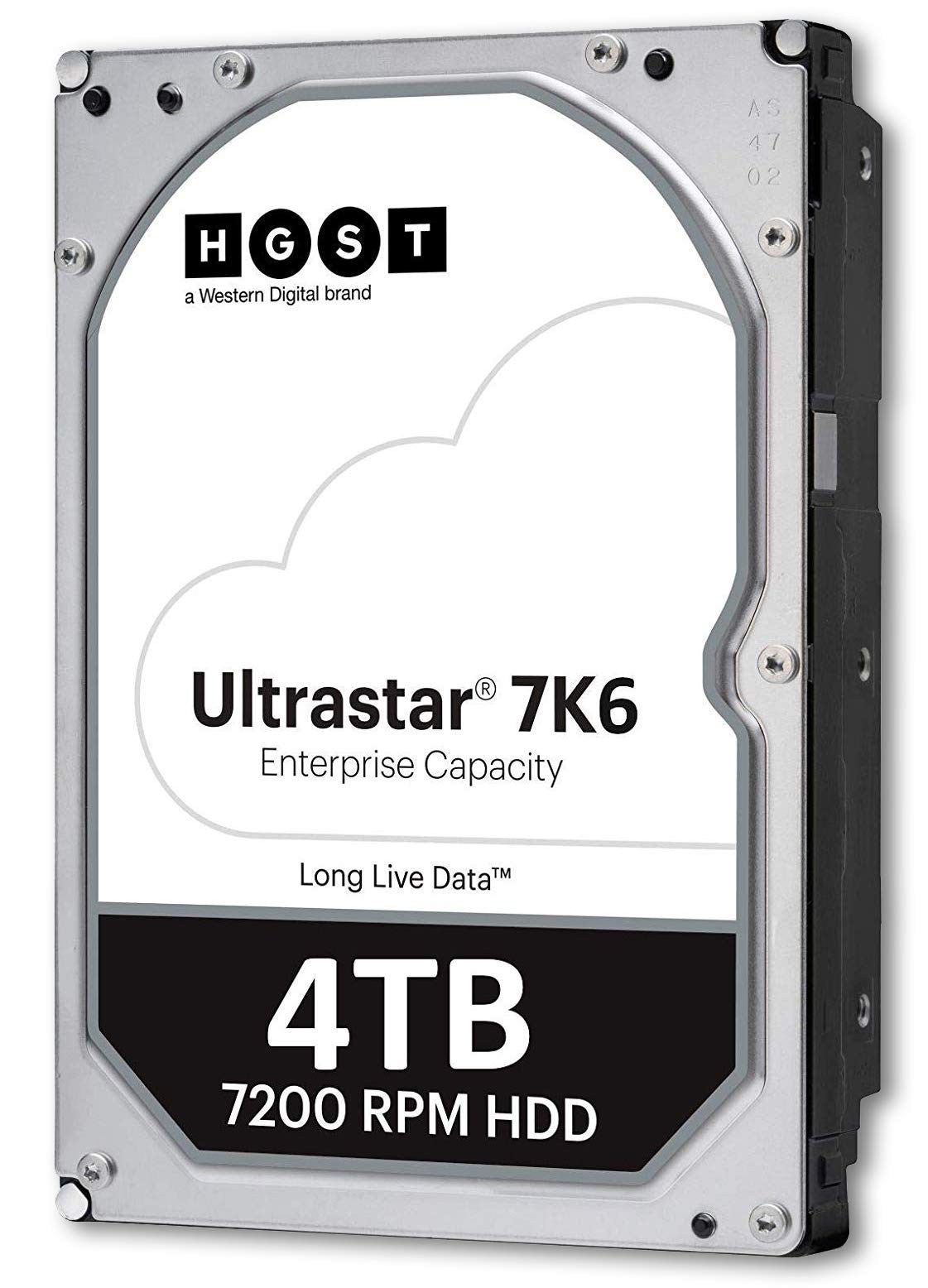
A renewed enterprise drive that can arrive with zero power-on hours at a much lower price.
The HGST Ultrastar line is legendary in data centers for its 2M hours MTBF and 0.44% AFR (annualized failure rate), and the 7200 RPM spindle combined with a 128 MB cache makes it a strong performer. One reviewer noted that their unit’s SMART data showed “0 power-on hours, 2 power-on counts, no reallocated sectors” and a surface scan found 0% damage—essentially a brand-new drive at a renewed price. It includes enterprise features like Instant Secure Erase (ISE) and Rebuild Assist, which helps speed up RAID array rebuilds if a different drive fails.
The real risk is the lottery of renewed drives. Another reviewer received two units dead on arrival—the first had a broken connector from shipping in a plastic bag, and the second failed with overheating and boot errors in a Unifi Dream Machine Pro. A third buyer reported the drive developed bad blocks and noise after several months. This is not a drive for someone who wants to install it and forget about it; you need to be comfortable running a full surface scan and SMART check on arrival and be prepared to return a dud.
Enterprise Specs
- 7200 RPM speed with a large 128 MB cache for fast data transfers
- 2M hours MTBF rating for extreme reliability
- Can ship with zero power-on hours despite being renewed
Lottery Factor
- Inconsistent packaging that can cause physical damage during shipping
- Higher DOA rate than a brand-new drive
- Some units develop bad blocks and noise over time
Take the gamble if: you are comfortable running a full diagnostic on arrival and want maximum performance per dollar, especially in a NAS or RAID array.
skip it if: you need a low-maintenance, plug-and-play experience and cannot afford the risk of a return.
4. Western Digital 4TB WD Blue PC Internal Hard Drive (WD40EZZX)
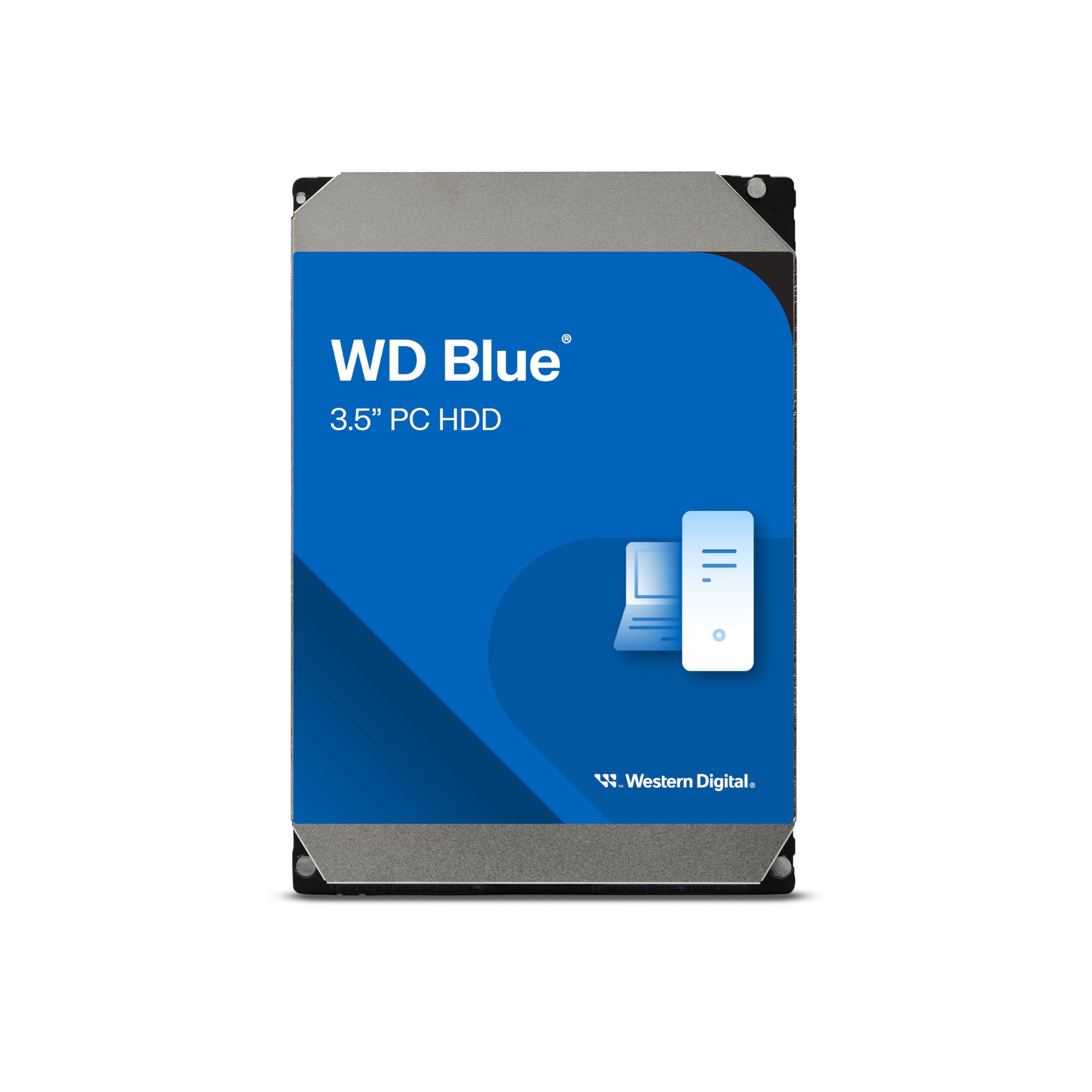
The quiet, reliable 5400 RPM desktop drive that pairs perfectly with a faster SSD boot drive.
The WD Blue line is the standard for general-purpose storage, and the 4TB model runs at a cooler, quieter 5400 RPM, which makes it an ideal companion for media libraries, backups, and less frequently accessed files. Buyers appreciate its ease of use—one buyer mentioned the drive was “easy installation, competitive price” and another praised its “excellent value.” WD includes a free download of Acronis True Image WD Edition software, which lets you clone your old drive or schedule backups without buying third-party software.
The downside is that it runs at 5400 RPM rather than 7200 RPM like the WD Black. A few long-term WD users also expressed frustration about Amazon’s return policy on this specific model—one noted that “Amazon does not allow returns on this drive” and raised concerns about the brand’s declining reliability. It is also important to note one review mentioning “1TB WD Blue, 7200rpm, single platter” refers to a smaller-capacity WD Blue, not this specific 4TB model.
Quiet &Cool
- Runs cool and quiet at 5400 RPM, ideal for silent PC builds
- Includes free Acronis True Image WD Edition cloning software
- Reliable everyday computing with Western Digital’s 2-year limited warranty
Slower Speed
- 5400 RPM is noticeably slower than 7200 RPM alternatives for gaming or OS boot
- Restrictive return policy on some models via Amazon
- Not optimized for 24/7 NAS or surveillance use
Best matched with: an SSD boot drive—use the WD Blue for your Steam library, photo archive, and backups where silence matters more than speed.
Pass if: you plan to use this as your primary operating system drive, where the 5400 RPM speed will create a noticeable bottleneck.
5. MDD 4TB 64MB Cache 5900PM SATA 6.0Gb/s 3.5-inch Internal Surveillance Hard Drive (Renewed)

The budget surveillance drive that has outlasted bigger brand-name rivals in harsh environments.
The MDD 4TB surveillance drive is optimized for the constant, sequential write stream of DVR and NVR security systems, not random reads and writes. Its 5900 RPM speed keeps power consumption and heat low, and the firmware is tuned to handle the video data rate without dropping frames. One owner reported running this drive “5+ years 24/7 in Lorex NVR, non-climate controlled workshop (dusty, hot, freezing)” and noted it outlasted Seagate Skyhawk and WD Purple drives that died in 1-2 years under the same conditions. Another buyer found it easy to install and format, with the full 4TB capacity recognized in under 10 minutes.
The trade-offs are clear: this is a renewed drive (not new), and the 5900 RPM speed and 64 MB cache make it too slow for desktop computing or gaming. It also lacks the advanced vibration protection and multi-bay firmware you get from a dedicated NAS drive like the Seagate IronWolf. If you are building a dedicated security recording system and want maximum durability for the price, this is a proven option—but do not expect it to shine outside its intended role.
Surveillance Proven
- Optimized for 24/7 video streaming with low power consumption and cool operation
- One customer observed 5+ years of 24/7 use in an extreme environment
- Easy plug-and-play setup for DVR and NVR systems
Limited Role
- 5900 RPM and 64 MB cache make it too slow for desktop use or gaming
- Renewed condition means inconsistent wear and shorter lifespan expectation
- Not suitable for multi-bay RAID or NAS environments without vibration dampening
Pick for your DVR if: you need a cheap, reliable workhorse for a dedicated security camera system and are willing to accept renewed condition for the price savings.
Avoid for desktop use: the low RPM and small cache will make everyday computing feel sluggish compared to any 7200 RPM or SSD alternative.
Understanding the Specs
Rotational Speed (RPM)
This is the speed at which the metal platters inside the drive spin, measured in revolutions per minute. A higher RPM means the read/write head can access data faster. The three speeds you will see are 5400 RPM (quiet and cool, good for media storage), 5900 RPM (a middle ground often found in surveillance and NAS drives), and 7200 RPM (fastest, best for games and your operating system, but louder and hotter).
Cache Memory
The cache is a small amount of super-fast memory on the drive’s circuit board that stores frequently accessed data so the drive can retrieve it quickly. A larger cache (64 MB or 128 MB) helps the drive handle quick repeated reads without spinning the platters as much. For general desktop use, 64 MB is fine; for a NAS or RAID environment where multiple users hit the drive at once, 128 MB gives you a slight buffer.
FAQ
Can I use a surveillance hard drive in a regular desktop PC?
What does “renewed” mean on a 4TB internal hard drive?
Is 7200 RPM always better than 5400 RPM for a 4TB drive?
What is the difference between CMR and SMR in a 4TB hard drive?
Will a 4TB internal hard drive work in my PS4 or Xbox One?
How long does a 4TB internal hard drive typically last?
Can I mix a 5400 RPM and a 7200 RPM drive in the same PC?
What is the SATA 6Gb/s speed rating on these drives?
Final Thoughts: The Verdict
For the majority of shoppers, the 4tb internal hard drive winner is the WD Black 4TB because it delivers the fastest 7200 RPM speeds and a 5-year warranty for gamers and power users. If you want a quiet, budget-friendly storage drive for a home NAS, the Seagate IronWolf 4TB handles RAID and 24/7 operation with CMR reliability. And for a dedicated security DVR system on a tight budget, the MDD 4TB Surveillance Drive has proven it can outlast more expensive brand-name alternatives in tough environments.
How We Picked
We do not accept paid placement, and we did not hands-on test every unit. Instead, we match each pick to a real buyer and use-case by comparing the manufacturers’ published specifications against the patterns in verified customer reviews — so you get each pick’s real strengths and trade-offs instead of marketing copy.
Sources & Methodology
Specifications: manufacturer listings and product documentation. Review insights: verified customer reviews, as of July 2026. Pricing: not shown on this page (it changes often); check the current price via the retailer link.
As an Amazon Associate, Gadgets Feed earns from qualifying purchases. This does not affect which products we feature.
Product prices and availability are accurate as of the date/time indicated and are subject to change. Any price and availability information displayed on Amazon at the time of purchase will apply to the purchase of this product. As an Amazon Associate I earn from qualifying purchases.
CERTAIN CONTENT THAT APPEARS ON THIS SITE COMES FROM AMAZON. THIS CONTENT IS PROVIDED "AS IS" AND IS SUBJECT TO CHANGE OR REMOVAL AT ANY TIME.
Amazon and the Amazon logo are trademarks of Amazon.com, Inc. or its affiliates.