
Our readers keep the lights on and my morning glass full of iced black tea. As an Amazon Associate, I earn from qualifying purchases.
Specs are compiled from manufacturer listings and verified buyer reviews and can change over time — please confirm the key details on the product page before buying.
Your laptop’s storage is full, and you are staring at the “delete something to install something” loop. A 4TB NVMe drive ends that cycle by giving you one massive pool for the whole game library, the video project, and the endless photo folder. The real question is which one balances raw speed, heat, and reliability for the machine you actually own.
I’m Min — the founder and writer behind Gadgets Feed. This guide is built by comparing the manufacturers’ published specifications and the patterns across verified customer reviews, so you get each pick’s real strengths and trade-offs instead of marketing spin.
If you are shopping for a 4tb laptop ssd, the drive you choose dictates how fast your system boots, how quickly games load, and whether it runs cool inside a thin chassis.
Our Picks at a Glance


How To Choose The Best 4TB Laptop SSD
Upgrading a laptop’s storage is one of the highest-impact changes you can make, but 4TB drives are not one-size-fits-all. The top concern is physical fit, followed by how the drive handles heat inside a tight chassis.
Check the Physical Fit First
The vast majority of modern laptops take an M.2 2280 drive — that is the 22mm-wide, 80mm-long stick format. A single-sided drive is safer for a thin notebook because every component sits on one side, leaving clearance under the motherboard. Double-sided drives can be too thick for some ultrabooks.
Match the PCIe Generation to Your Machine
Most current laptops run PCIe Gen 4, which is what these drives use to hit speeds above 7,000 MB/s. If your laptop only has a Gen 3 slot, a Gen 4 drive still works but runs at the slower Gen 3 speed. Check your laptop’s spec sheet before paying a premium for top-end read speeds you cannot fully use.
Plan for Heat in a Thin Chassis
At 4TB, these drives are doing heavy work, and heat is the silent killer of sustained performance. Look for drives with a graphene label or a nickel-coated controller, which help pull heat away. A laptop with no airflow around the M.2 slot may throttle a hot drive during long transfers.
Quick Comparison
| Model | Best For | Read Speed | Write Speed | Interface | Amazon |
|---|---|---|---|---|---|
| Crucial P3★ Best Overall | Budget-friendly upgrades | 3,500 MB/s | — | PCIe Gen 3 | Amazon |
| Lexar NQ780Fast & Single-Sided | PS5 & laptops | 7,000 MB/s | 6,000 MB/s | PCIe Gen 4 | Amazon |
| WD Blue SN5100Everyday Gen 4 | Everyday laptops | 6,900 MB/s | — | PCIe Gen 4 | Amazon |
| TEAMGROUP MP44 | Value-per-gigabyte | 7,000 MB/s | 6,000 MB/s | PCIe Gen 4 | Amazon |
| Kingston NV3 | Mainstream laptops | 6,000 MB/s | 5,000 MB/s | PCIe Gen 4 | Amazon |
| Samsung 990 EVO Plus | Balanced high-end | 7,250 MB/s | 6,300 MB/s | PCIe Gen 4 | Amazon |
| Crucial P310 | Handheld consoles | 7,100 MB/s | 6,000 MB/s | PCIe Gen 4 | Amazon |
| WD_BLACK SN850X | Hardcore gaming | 7,300 MB/s | 6,300 MB/s | PCIe Gen 4 | Amazon |
| Samsung 990 PRO | Top-tier performance | 7,450 MB/s | 6,900 MB/s | PCIe 4.0 NVMe | Amazon |
In-Depth Reviews
1. Crucial P3 PCIe Gen3 NVMe 4TB SSD
Our pick — over 4.5★ from 30,500+ verified ratings; the strongest balance of quality and price.
The 4TB workhorse that proves you do not need Gen 4 to feel a massive speed jump.
This is the drive for the vast majority of laptops still running on PCIe Gen 3 slots. It delivers up to 3,500 MB/s reads, which is still several times faster than any SATA drive, so boot times and app launches feel instantly snappier. The 4TB capacity handles large game libraries and heavy media collections without strain.
Built on Micron 3D NAND, it is rated for over 1.5 million hours MTTF (a durability measure that points to a long service life). It also includes Acronis True Image cloning software and a one-month Adobe Creative Cloud All-Apps subscription, so migrating your old system to the new drive is a guided process rather than a technical hurdle. The main trade-off is that its Gen 3 interface caps it well below the 7,000 MB/s class, but on an older laptop you would never see those faster numbers anyway.
A 4.8-star rating across 30,000+ owners signals consistent real-world satisfaction. What wins people over is the sheer functionality: owners praise it for being a simple screw-in install that works perfectly from the start. The most-discussed point is that it is a budget-friendly path to 4TB without sacrificing everyday speed.
The Everyday Case
- Massive 4TB capacity for the price
- Simple installation, recognized instantly
- Durable Micron 3D NAND build
The Honest Limits
- Gen 3 speeds cap out at 3,500 MB/s
- No DRAM or heatsink included
Best for: Anyone upgrading an older laptop who wants the maximum storage for the least money.
Think twice if: You own a Gen 4 laptop and want the full speed potential of a modern interface.
2. Lexar 4TB NQ780 NVMe SSD
A Gen 4 speedster built with laptops in mind, thanks to a slim single-sided design.
This Lexar hits read speeds up to 7,000 MB/s and writes up to 6,000 MB/s, which puts it ahead of the WD Blue’s 6,900 MB/s on paper. More importantly for laptop owners, its single-sided design means it fits cleanly in thin notebooks where double-sided drives might not. It also uses Intelligent Power Control to keep power draw sensible for battery life.
The 8-channel Gen 4 controller uses HMB (Host Memory Buffer, which borrows a little system RAM instead of needing a DRAM chip) and SLC cache to keep sustained writes fast and reduce latency. Buyers report the rated speeds hold up in practice, with one noting “speeds are as stated (just a bit higher)” after a year of daily use. The 5-year limited warranty backs the long-term bet.
The most-discussed point is speed, but the feedback is genuinely mixed — some owners see the full 7,000 MB/s, while others on older systems or NAS setups report more moderate results. That is a fit note rather than a flaw: the drive is only as fast as the slot it sits in.
Why it wins: Full Gen 4 speeds in a laptop-friendly single-sided package, with the PS5 compatibility as a bonus for multi-device owners.
Reality check: Speed results vary by host system, so temper expectations on older hardware.
Reach for this if: You want near-max Gen 4 performance in a thin laptop or a PS5 expansion drive.
Look elsewhere if: You are on a strict budget and your laptop only has a Gen 3 slot — the extra speed would go unused.
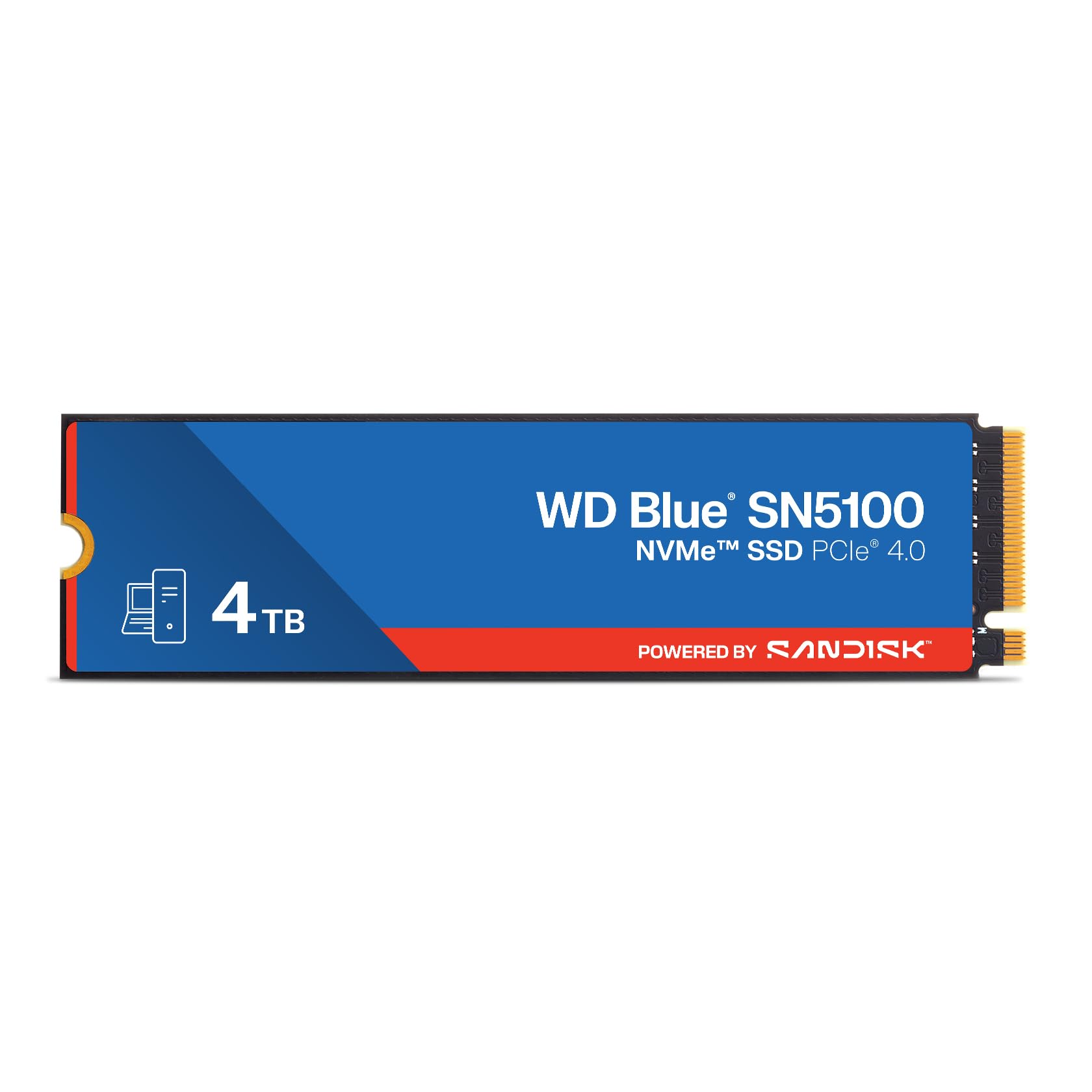
3. WD Blue 4TB SN5100 NVMe SSD
The reliable everyday upgrade that breathes new life into a struggling Windows laptop.
This drive sits right below the top-tier speeds with 6,900 MB/s reads, but its real strength is how it transforms an aging laptop. Owners mention it revived a Windows 11 machine with a failed SSD, making it feel like a new system. It is built on Sandisk 3D CBA NAND with nCache 4.0 technology to keep large file copies fast.
You can rely on this drive as your main laptop drive without worrying about heat—customers note it stays cool even under constant use. The bundled Acronis True Image (a disk-cloning tool) download lets you copy your old system over easily, so you don’t have to reinstall everything. And the 5-year limited warranty covers you for years of daily use, which is a long time for any SSD.
Owners praise its speed above all, and in real-world use it feels faster than the Lexar—many report a noticeable jump in boot-up time and everyday responsiveness, with one reviewer saying it’s nearly indistinguishable from a WD Black for gaming. One caveat: the product page notes this model has been superseded by a newer generation, so availability may change as stock rotates.
Where it shines: As a drop-in revival for a slow or failing laptop, with the smoothest install reports in this lineup.
Fair warning: It is marked as a prior generation, so check what actually ships before you buy.
Pick it if: You are reviving an older Windows laptop and want a proven, cool-running 4TB drive.
skip it if: You need the absolute highest write speeds for 4K video editing every day.
4. TEAMGROUP MP44 4TB SSD

A Gen 4 speed demon that undercuts the big names on price per gigabyte.
The MP44 matches the Lexar’s headline numbers with 7,000 MB/s reads and 6,000 MB/s writes, but it brings a unique thermal trick: a heat-dissipating graphene label that works with your motherboard’s heatsink. Owners running it without a heatsink during large installs report it stays cool, which is a real win for laptop builders with limited airflow.
This is the value pick because it delivers performance comparable to drives costing more. Owners running fleets of these — One owner managing 25 MP44 drives across desktops, external arrays, and Raspberry Pi 5s reports zero failures.. That kind of volume testimony is rare and speaks to consistent quality control.
Performance and speed are the most-praised aspects, with buyers confirming it runs as fast as pricier alternatives. The honest caveat is reliability feedback is mixed in a small slice of reviews, and cooling reports vary — some say it runs cool, others find it noticeably warmer. For a laptop, pair it with a motherboard heatsink if your chassis allows.
The case for it: Flagship-level Gen 4 speeds with an innovative graphene cooling label, at a friendlier price.
The trade-off: A few owners hit early failures, so keep your receipt and confirm the warranty period before installing.
Grab it for: A gaming or productivity build where you want max capacity and speed without the premium badge tax.
Hesitate if: You need the most bulletproof long-term track record — the bigger brands have longer sales histories here.
5. Kingston NV3 4TB NVMe SSD

The no-drama 4TB drive that works flawlessly with Macs, PCs, and everything between.
Kingston tunes the NV3 for high-speed, low-power storage, making it a natural fit for laptops where battery life matters. It delivers 6,000 MB/s reads and 5,000 MB/s writes, which is plenty for mainstream gaming and heavy productivity. Reviewers point out flawless compatibility in a Mac Studio hub, Dell Inspiron, and ThinkPad upgrades.
Boot times are a highlight, with apps opening almost instantly after the swap. It includes Acronis cloning software and a 5-year warranty, so the path from old drive to new is smooth and protected. The Gen 4×4 interface is backward compatible, meaning it slots into older systems without fuss.
Performance is the resounding theme in owner feedback, and it lands well on the price-versus-performance-versus-capacity graph. Installation is routinely described as easy, and it fits perfectly in standard M.2 2280 slots. The main caveat is a small number of shoppers say compatibility quirks on specific motherboards, so a quick check of your laptop’s M.2 support before buying is wise.
Why It’s Popular
- Cross-platform compatibility (Mac and PC)
- Low power draw for longer battery life
- Easy install with cloning software included
The Fine Print
- Slower than the 7,000 MB/s class
- Reliability feedback is mixed in a small minority
Reach for this: Anyone who wants a dependable, energy-sipping 4TB drive that just works across different systems.
Steer clear if: You are chasing benchmark-topping speeds for professional video work.
6. Samsung 990 EVO Plus 4TB

Samsung’s efficiency-focused flagship that runs cool while it flies.
This is the drive for the laptop owner who pushes hard and hates fan noise. The 990 EVO Plus hits 7,250 MB/s reads and 6,300 MB/s writes while sipping power thanks to a nickel-coated controller. It is compatible with both PCIe 4.0 x4 and PCIe 5.0 x2 slots, so it is future-proofed for the next laptop you buy.
Intelligent TurboWrite 2.0 boosts large-file performance, which owners feel directly: One owner reports boot time dropping from 25 to 8 seconds and Cyberpunk 2077 load from 30 to 9 seconds.. The Samsung Magician software keeps firmware updated and drive health monitored, adding a layer of control most rivals lack.
Performance and reliability are the twin pillars here, and both get glowing feedback. Owners consistently describe it as running flawlessly, with one calling it a real alternative to DRAM-based drives. The catch is heat — the controller can run hot, and the drive ships without a heatsink, so it is best paired with a motherboard heatsink or avoided in ultra-thin laptops with zero airflow.
Standout spec: The 7,250 MB/s read speed with Gen 5 x2 support makes it the most future-proof pick in the mid-premium tier.
Watch out for: No included heatsink and a hot-running controller means this is not ideal for the thinnest ultrabooks.
Choose it if: You want Samsung’s reputation for reliability with excellent thermals in a laptop that has a heatsink.
Avoid if: Your laptop has no way to cool the M.2 slot and you run long sustained writes.
7. Crucial P310 4TB SSD

The 4TB drive that slips into a handheld console and a laptop with equal ease.
If you own more than one device, this drive fits them all. It works with laptops, desktops, and handheld consoles like the ROG Ally X, Lenovo Legion Go, and AYANEO Kun, and it also runs on older PCIe Gen 3 (a previous-generation connection standard) systems. So you can buy one SSD and use it to upgrade both your gaming handheld and your laptop without needing a second drive.
Speeds hit 7,100 MB/s reads and 6,000 MB/s writes, and Crucial claims up to 2x faster performance than the previous Gen 3 generation. Buyers report applications launch instantly and file transfers feel immediate. The advanced G8 NAND and thermal control keep it reliable for gamers and home users alike.
Performance and value for money are the most-praised aspects, with the included Acronis data recovery software adding a layer of safety. Owners cite easy installation in everything from an HP ProBook to a Mac Mini, where it expanded storage by 50%. The main note is that some owners mention reliability concerns, so it is worth confirming your specific laptop’s M.2 slot works with the drive before installing.
What makes it special: The rare 4TB drive that officially supports handheld consoles, not just laptops and desktops.
Consider this: A minority of owners flag reliability issues, so buy from a retailer with a good return policy.
Best for: Gamers who own both a handheld console and a laptop and want one drive for both machines.
Not for: Anyone who wants the absolute fastest writes — the 6,000 MB/s write speed trails the top-tier drives.
8. WD_BLACK SN850X 4TB NVMe SSD

The gaming favorite with 7,300 MB/s reads and a Dashboard that tunes it for your games.
If your laptop is a gaming rig, this is the drive. It peaks at 7,300 MB/s reads and 6,300 MB/s writes, and it sustains those speeds under load — customers note holding 6,500 MB/s reads and 3,600 MB/s writes during extended transfers without throttling when a heatsink is present. The WD_BLACK Dashboard adds a Gaming Mode that tune the drive for game workloads.
The 4TB capacity built on SANDISK TLC 3D NAND means keeping your entire library installed, not just the two games you play most. It is compatible with PS5 as an expansion drive, and owners use it for OS, gaming, and media server workloads. Load times for demanding titles are the recurring praise, with owners calling it “lightning-fast” and “ridiculously short.”
Performance and value dominate the feedback, with owners calling out the excellent capacity-per-dollar when it is on sale. The honest catch is thermals — without a heatsink it runs warm, so a laptop with good M.2 airflow is important. A few owners also hit compatibility issues with specific docks, so check your laptop’s slot and any dock you plan to use.
The Gaming Edge
- Sustained high speeds under heavy load
- Dedicated Gaming Mode in WD Dashboard
- PS5 expansion compatibility
What to Watch
- Runs warm without a heatsink
- Premium price tier
Buy it for: A high-end gaming laptop where you want the fastest possible load times and the space to keep every game installed.
Hesitate if: Your laptop has no heatsink and poor airflow — this drive needs cooling to show its best.
9. Samsung 990 PRO 4TB NVMe SSD

The fastest 4TB drive in this lineup, built for 4K editing and high-end gaming.
This is the peak of PCIe 4.0 performance. The 990 PRO delivers up to 7,450 MB/s reads and 6,900 MB/s writes — the highest numbers in this entire lineup — making it the obvious choice for 4K video editing, 3D rendering, and data-heavy analytics. The Heat Spreader and Dynamic Thermal Guard technology keep it from overheating even when you push it hard.
It is available in a compact M.2 2280 form factor, ideal for high-performance gaming PCs and ultrabooks. Reviewers point out it moves over a terabyte of data in minutes and runs cool under load. The Samsung Magician software makes drive management simple, covering updates and performance optimization.
Reliability is the most-praised aspect, with owners calling it top quality, fast, and easy to install. The durability feedback is mixed in a rare few cases, with one owner reporting a failure after a few months. Samsung’s reputation and the 5-year warranty provide a solid safety net, but it is the most expensive drive here by a wide margin.
The definitive spec: 7,450 MB/s reads and 6,900 MB/s writes make it the undisputed speed king of this list.
Know before you buy: It costs significantly more than drives with similar real-world performance, so you are paying for the top benchmark and Samsung’s name.
Go with this if: Your work is 4K video or 3D editing where every gigabyte per second counts, and budget is secondary.
Save your money if: You are a mainstream gamer — the WD_BLACK or Samsung EVO Plus delivers 95% of the experience for less.
Understanding the Specs
Read/Write Speeds
This is the headline number — how fast data flows off the drive (read) and onto it (write), measured in MB/s (megabytes per second). A 7,000 MB/s drive loads a large game in seconds, while a 3,500 MB/s Gen 3 drive is still several times faster than any old spinning hard drive. For laptops, the write speed matters most when you are installing games or rendering video.
PCIe Generation
PCIe (Peripheral Component Interconnect Express) is the highway the drive uses to talk to your laptop. Gen 4 is the current standard on most modern laptops, offering double the bandwidth of Gen 3. A Gen 4 drive works in a Gen 3 slot but runs at the slower Gen 3 speed, so match the drive to your laptop’s slot to avoid paying for speed you cannot use.
FAQ
Will a 4TB M.2 2280 drive fit in my laptop?
Does my laptop need PCIe Gen 4 to use these drives?
Will a 4TB SSD overheat in a thin laptop?
Can I use a 4TB NVMe SSD in a PlayStation 5?
What is the difference between a Gen 3 and Gen 4 drive?
Do I need a heatsink for my new 4TB SSD in a laptop?
How do I move my operating system to the new drive?
Is a 4TB SSD worth it over a 2TB drive?
What does “DRAM-less” mean on an SSD and does it matter?
Final Thoughts: The Verdict
For most people, the 4tb laptop ssd winner is the Crucial P3 because it delivers massive capacity and reliable everyday speed at the friendliest price, backed by the highest owner satisfaction in this lineup. If you want full Gen 4 speeds and PS5 compatibility, grab the Lexar NQ780. And for the fastest possible performance in a gaming or creative laptop, the Samsung 990 PRO is the one to reach for.
How We Picked
We do not accept paid placement. Every pick is matched to a real buyer and a real use-case; we do not hands-on test units.
Sources & Methodology
Specifications: manufacturer listings and product documentation. Review insights: verified customer reviews, as of September 2026. Pricing: not shown on this page (it changes often); check the current price via the retailer link.
As an Amazon Associate, Gadgets Feed earns from qualifying purchases. This does not affect which products we feature.