
Our readers keep the lights on and my morning glass full of iced black tea. As an Amazon Associate, I earn from qualifying purchases.
Specs are compiled from manufacturer listings and verified buyer reviews and can change over time — please confirm the key details on the product page before buying.
If your games, video projects, or a growing photo library keep forcing you to delete things you would rather keep, a 4TB NVMe drive is the fix that lasts. The one most people should buy is the Crucial P3 — it holds a huge amount, plugs straight into most desktops and laptops, and has earned a loyal following among PC builders. Below are eleven drives that genuinely fit the brief, ranked by what each one does best.
I’m Min — the founder and writer behind Gadgets Feed. This guide is built by comparing the manufacturers’ published specifications and the patterns across verified customer reviews, so you get each pick’s real strengths and trade-offs instead of marketing spin.
Speed numbers on the box rarely match what you feel day to day, and the generation of your motherboard slot quietly caps everything. Among these picks, the smartest 4tb nvme is the one that fits your board today, not the fastest one on paper.
Our Picks at a Glance


How To Choose The Best 4TB NVMe Drive
Buying four terabytes of fast storage is really a three-question decision: what slot does your machine have, how much do you write in one sitting, and will you ever move the drive between systems. Get those right and the drive picks itself.
Match the PCIe generation to your slot first
Every drive here is an M.2 2280 stick, which is the short card-shaped format that screws flat onto your motherboard. What differs is the generation — the version of the data lane the drive speaks. A Gen5 drive such as the Crucial T710 talks over the fastest lanes available and claims far higher numbers than a Gen3 drive like the Crucial P3. Fit that Gen5 stick into an older Gen3 slot and it still works, but it drops to the slower lane speed the board supplies. So check your manual before chasing big read figures.
Decide if you need sustained speed or just snappy daily use
Most of the time a game loads, Windows boots, and files open in bursts, which any of these drives handles well. Sustained speed only matters when you push one huge file after another, like rendering video or cloning a disk. Drives with a bigger cache buffer and a fuller controller keep going; leaner drives slow down once that buffer fills. If your day is launching apps and games, you rarely notice the difference between tiers.
Think about heat, fit, and what is bundled
Fast drives generate heat and then slow themselves down to protect the chips, which is why several models ship with a heatsink or a graphene label. Some are single-sided, meaning all the chips sit on one face, so they slide easily under a laptop cover or into a tight enclosure. A few bundles include cloning software and a creative-app subscription, which can matter if you are migrating an existing system rather than starting clean.
Quick Comparison
| Model | Best For | Interface | Rated Read | Form Factor | Amazon |
|---|---|---|---|---|---|
| Crucial P3 4TB★ Best Overall | Most builders | PCIe Gen3 NVMe | Up to 3,500MB/s | M.2 | Amazon |
| WD Blue SN5100 4TBBest for Laptops | Laptop upgrades | PCIe Gen 4.0 | Up to 6,900MB/s | M.2 2280 | Amazon |
| Lexar NQ780 4TBTop Performer | PS5 and laptops | PCIe Gen 4×4 | Up to 7000MB/s | M.2 2280 | Amazon |
| BIWIN Black Opal NV7400 4TB | Power users | PCIe Gen 4×4 | Up to 7450MB/s | M.2 | Amazon |
| TEAMGROUP MP44 4TB | Big array builds | PCIe Gen 4×4 | Up to 7000/6000MB/s | M.2 | Amazon |
| Corsair MP600 Elite 4TB | PS5 and boot drives | PCIe Gen4 x4 | Up to 7,000MB/sec | M.2 2280 | Amazon |
| WD_BLACK SN850X 4TB | Serious gaming PCs | PCIe Gen4 | Up to 7,300 MB/s | M.2 2280 | Amazon |
| Acer Predator GM7 4TB | PS5 upgrades | PCIe Gen 4 x4 | Up to 7400 MB/s | M.2 2280 | Amazon |
| Crucial T710 4TB | Data-heavy workloads | PCIe 5.0 | Up to 14,900 MB/s | M.2 2280 | Amazon |
| Kingston FURY Renegade G5 4TB | High-end gaming builds | PCIe 5.0 x4 NVMe | Up to 14,800MB/s | M.2 2280 | Amazon |
| Samsung 990 PRO 4TB | Gaming and 4K editing | PCIe 4.0 NVMe | Up to 7,450 MB/s | M.2 2280 | Amazon |
In‑Depth Reviews
1. Crucial P3 PCIe Gen3 NVMe 4TB SSD
Our pick — over 4.5★ from 30,500+ verified ratings; the strongest balance of quality and price.
The budget Gen3 drive that turns a nearly full boot drive into four terabytes of free space.
This is the drive for the person staring at a nearly full boot drive, weighing whether a huge capacity upgrade is worth it. It is a Gen3 stick — a card that speaks the older, slower data-lane standard — rated up to 3,500MB/s read, which is far quicker than any spinning hard disk you are likely replacing. That speed shows up as near-instant bootups, snappy app launches, and file transfers that finish before you get up for coffee.
You get 4TB of storage built on Micron 3D NAND (stacked memory cells that hold your data), and the drive is rated for over 1.5 million hours MTTF (mean time to failure, a measure of how long a healthy drive should last). It runs in PCIe Gen3 slots and drops back to Gen2 speeds in older desktops and laptops, so a 2013-era tower still boots faster than before. What buyers like most is that it works right from the start, and the top speed claim holds up. Buyers report running it in a 2013 Mac Pro through an adapter and hitting 1280 MB/s write and 1350 MB/s read — limited by that machine’s PCIe 2.0 lane, but still beating the original drive’s 900/940 MB/s.
The honest catch: this is a DRAM-less design, meaning it has no dedicated cache chip and lean sustained speed under back-to-back huge writes. For everyday gaming, browsing, and creative work that never matters. Only heavy continuous transfers expose it. It also ships with Acronis cloning software for migrating your old system, plus a one-month Adobe Creative Cloud All-Apps subscription. Its compatibility with a huge range of machines is the aspect owners praise most warmly, and reliability chatter is the one mixed signal in an otherwise glowing record.
What buyers brag about
- Works the moment it is screwed in, no fuss
- Rated over 1.5 million hours MTTF on Micron 3D NAND
- Fits PCIe Gen2 and Gen3 machines, old and new
- Cloning software and a creative-app trial bundled in
Where it asks patience
- DRAM-less, so marathon write sessions taper off
- Gen3 ceiling means it can’t reach Gen4 or Gen5 figures
- No heatsink in the box
Buy this if: you want maximum space for the money and your board is Gen2 or Gen3.
Look elsewhere if: you run nonstop giant-file renders and need sustained speed through the whole job.
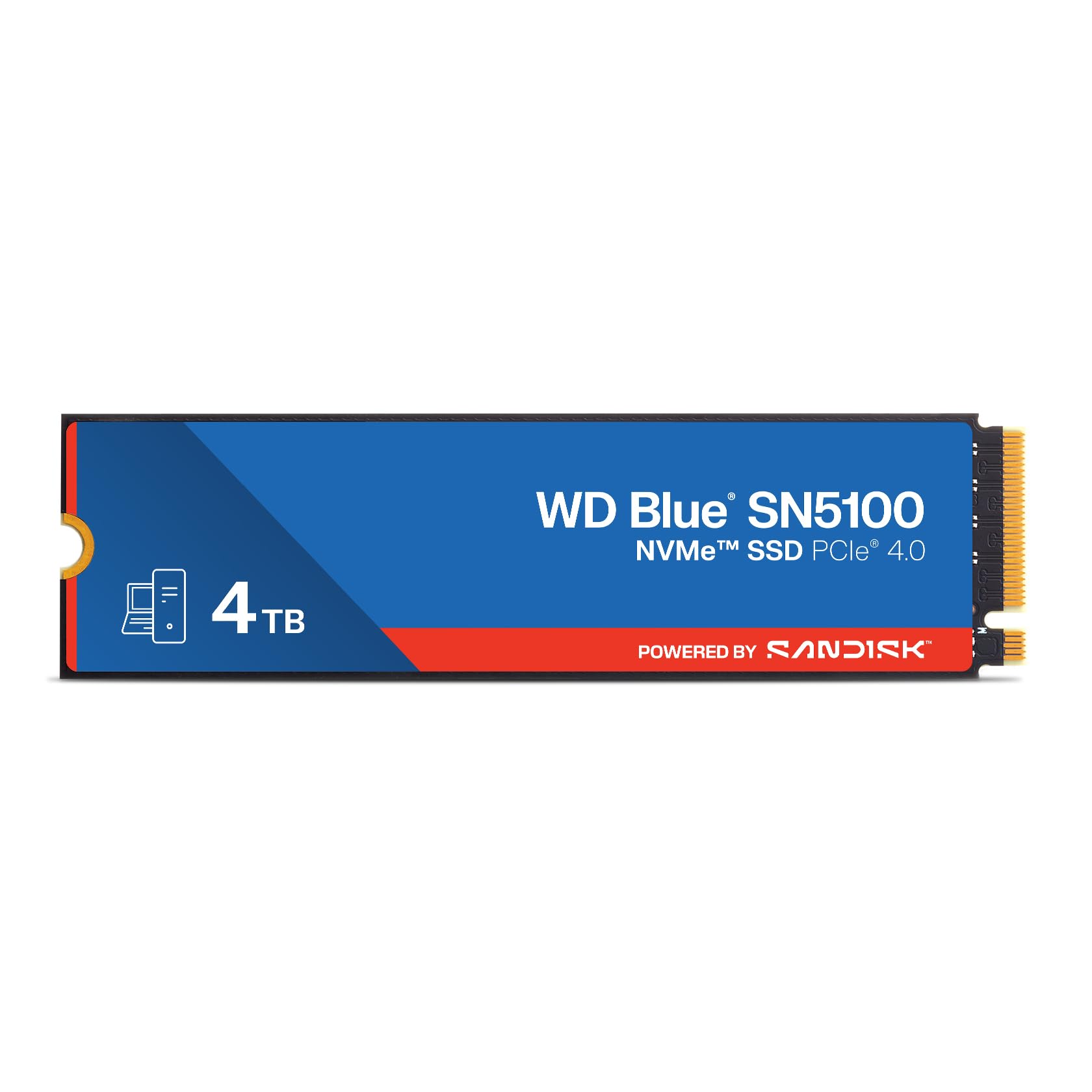
2. WD Blue SN5100 4TB NVMe SSD
The Gen4 stick that replaces a failed laptop drive with 6,900MB/s reads and a 5-year warranty.
When a laptop’s original drive fails and the repair shop shrugs, this is the stick that gets it running again. It reads up to 6,900MB/s over PCIe Gen 4.0 — the second-newest data-lane standard, roughly double the pace of an older Gen3 card — and that speed shows up as faster boots and quicker file copies. It matters most in a machine you intend to keep for a few more years rather than replace.
Capacity sits at four terabytes on Sandisk 3D CBA NAND, the stacked flash memory holding your files. It is backward compatible, so it happily drops into older slots too. The drive carries Sandisk’s 5-year limited warranty and comes with a download of Acronis True Image for data migration, which lets you clone the failing drive before the swap. What people notice first is the performance jump — the drive comes alive compared to whatever it replaced. Owners mention a 4TB install runs smooth, stays cool, and works perfectly as an external unit through an enclosure, with no compatibility trouble in their laptop.
The caveat worth flagging: compatibility feedback splits, with some setups reporting friction, so it is worth confirming your M.2 slot type before committing. Note too that this model has been superseded by a newer generation, which usually means stock moves on. If you simply need reliable Gen4 speed and a large amount of room without paying premium prices, it does the job.
Straight talk: a sensible Gen4 workhorse for laptops and desktops alike, with migration software and a 5-year warranty doing the convincing.
One to confirm: the split compatibility signals mean you should verify your slot before ordering.
Pick it for: reviving laptops and adding honest Gen4 speed on a normal budget.
Pass if: your board only has a Gen3 lane — you would be paying for speed it cannot deliver.
3. Lexar 4TB NQ780 Internal NVMe SSD
A single-sided Gen4 stick rated 7000/6000MB/s that slides under a tight laptop cover.
You get faster load times and quicker file copies: this drive reads up to 7000MB/s and writes up to 6000MB/s. That is the highest read speed among the more affordable drives here — 7000MB/s versus the Crucial P3’s up to 3,500MB/s, a clear step up. You notice it most in game level loads and large file copies, which finish noticeably sooner.
Inside sits a high-quality 8-channel Gen 4 controller, the chip that manages data flow, paired with HMB and SLC cache technologies. HMB lets the drive borrow a little memory from your system to speed things up, while SLC cache gives bursts of extra-fast storage. The result is better sustained write performance and lower latency. It is single-sided, meaning all components sit on one face, so it fits neatly under a laptop cover and is compatible with the PS5. It also lists dust, shock, and vibration resistance, and comes with Lexar’s DiskMaster tool for firmware updates and health monitoring.
Buyers highlight its quality, and one owner of a year reports speeds as stated, slightly above even. But wider feedback on speed and boot performance is mixed — some installations run fast, others boot slowly or not at all — so this drive suits a machine that already supports Gen4 NVMe cleanly. A 5-year limited warranty covers it. As one owner puts it: “I’ve had it for a year now. No problems.”
Lands for: builders wanting PS5-class capacity with a fast, tidy single-sided card.
Think twice if: your motherboard has known NVMe quirks — the mixed boot reports make a pre-check wise.
4. BIWIN Black Opal NV7400 4TB SSD

A Gen4 drive with a 0.5mm graphene heat sink and a 7450MB/s read rating.
If you want top-end Gen4 speed without reaching for a Gen5 board, this is the pick. Read speed tops out at 7450MB/s and write at 6500MB/s, with random read/write up to 1000K IOPS — the operations-per-second measure that governs how quickly small tasks pile through. That combination keeps a busy desktop or gaming laptop feeling responsive even with lots of work queued.
It runs PCIe Gen 4×4 over 3D TLC NAND, the three-bit-cell flash that balances speed with longevity. Power management comes via a composite PMIC chip that spreads the electrical load more efficiently, and a 0.5mm graphene aluminium heat sink — a thin heat-spreading layer — keeps temperatures down during long sessions. HMB, Smart Cache, and Zip data compression all work together to steady performance under heavy workloads. Storage is rated to 4TB, and the free Biwin Intelligence software handles performance tests, data migration, and firmware updates.
What owners celebrate hardest is raw performance: it rips through a full 4TB library of games and CAD files without complaint. It also beats the WD Blue SN5100 on rated read — 7450MB/s versus 6,900MB/s — for genuinely faster load times. The trade-off is compatibility, which reads mixed, so confirm your slot type. One buyer did note needing to adjust multiple Windows 11 power settings to stop a game from stuttering, though otherwise called it a very good drive.
Worth paying for
- 7450MB/s read and 6500MB/s write, top of the Gen4 field
- Slim 0.5mm graphene heat sink keeps thermals in check
- Free Intelligence software for tests and firmware
- Up to 1000K IOPS random for quick small-file work
Keep in mind
- Compatibility reports split — verify before buying
- Requires a Gen4 slot to see its real speed
Perfect for: desktop and laptop owners with Gen4 slots who want maximum Gen4 pace and built-in cooling.
Not for: an old Gen3-only machine, where the speed claim is largely untappable.
5. TEAMGROUP MP44 4TB SSD

The Gen4 drive builders buy in multiples for RAID arrays and multi-drive rigs.
This is the pick for the person building a multi-drive rig — a big desktop or a small home server where several cheap, fast sticks go in at once. It is a Gen4x4 M.2 card with SLC cache and read/write rated up to 7000/6000MB/s, and it ships with a graphene label that helps spread heat away from the memory chips, working alongside a motherboard heatsink. Storage capacity is the whole point: four terabytes at a stretch, ample for game libraries, media, or a workstation cache.
The reason builders keep coming back is consistency across many units. Customers note running dozens of these drives over years, with arrays of them in RAID and even pairs tucked into compact single-board computers, and zero failures in that run. What gets praised most is raw performance — the drive feels as quick as pricier names while costing considerably less, so a multi-drive build stays affordable.
The honest limits: cooling and reliability both carry a mixed signal, with some buyers noting heat while others find it runs cool, so a motherboard heatsink or airflow is worth planning. Capacity chatter mentions four-terabyte drives costing more than many people want to spend right now. Still, it measures up well against the WD_BLACK SN850X’s reliability question — where that drive shows mixed durability signals, the MP44’s heavy user keeps reporting none at all across years and dozens of units.
Why builders repeat-buy: years of multi-drive use and an on-record zero failures make it a dependable pick for a big array.
The catch to plan around: heat runs mixed across setups, so give it airflow or a heatsink.
Great for: desktop and NAS builders stacking several fast drives at once.
Skip if: you run a single drive in a near-no-clearance laptop and cannot manage heat.
6. Corsair MP600 Elite 4TB SSD

A Gen4 drive that arrives with an aluminium heatsink pre-fitted and 1,200TB Written of endurance.
The appeal here is the box: this drive arrives pre-fitted with an aluminium heatsink, so you do not have to source one separately. That matters for a PS5 install or any PC where sustained speed could otherwise trip thermal throttling. Sequential read runs up to 7,000MB/sec and write up to 6,500MB/sec over a PCIe Gen4 x4 interface, and the increase over a Gen3 drive is immediate in load times and file transfers.
Endurance is a headline strength: it is rated for up to 1,200TB Written, meaning the volume of data you could write before the cells wear out. That is a lot of headroom for a drive that may spend years as a Windows boot disk or a game library. It uses high-density 3D TLC NAND and works in a PS5, and the drive is compatible with desktop systems.
The trade-off to know: there is no DRAM cache, so very large file transfers run slower than the headline suggests. Owners also note it occasionally wants a specific driver to avoid corruption risk, though the drive itself runs reliably. Its rock-steady reliability is what buyers call out first, with no reported issues after extended use. If you just want a cool-running Gen4 drive that installs clean, the bundled heatsink makes it easy.
Choose it for: PS5 owners and builders who want cooling solved from the start and 1,200TB Written of endurance.
Not ideal if: you push single colossal file transfers — the DRAM-less design tapers, unlike the WD_BLACK SN850X’s larger buffer.
7. WD_BLACK SN850X 4TB NVMe SSD

The gamer’s Gen4 flagship that keeps four terabytes of titles instantly at hand.
Read speeds reach up to 7,300MB/s and write up to 6,300MB/s — an extraordinary pace that shows up as game levels appearing almost before the loading screen settles. It is built on SANDISK TLC 3D NAND and designed with gaming PCs and workstations in mind, so it fits a growing library without forcing you to delete anything.
Owners push these drives hard and it holds up. Sustained write tests land near 6,500/3,600 MB/s in real use, and the drive stays in the mid-50°C range with basic cooling and no throttling. The companion WD Dashboard software includes a Gaming Mode tuning option. It is compatible with desktops, laptops, and the PS5, and it is available with or without a heatsink.
The caveats are real for the right buyer. This is a premium drive, and one buyer felt it was overkill for lighter use. It can run warm without a heatsink and needs a PCIe Gen4 slot and some airflow to shine. One owner found the heatsink version did not fit a Sabrent enclosure and removing it voids warranty — so buy the bare version if you plan to slot it into a case. Its raw performance is the trait owners rave about most, and notably fewer owners flag durability concerns than with the Samsung 990 PRO’s mixed reliability signals.
What gaming buyers love
- Up to 7,300MB/s read and 6,300MB/s write
- Holds mid-50°C with modest cooling, no throttling
- Dashboard software with Gaming Mode
- Available with or without a heatsink
Where it needs care
- Premium-tier pricing
- Wants a Gen4 slot and airflow
- Heatsink version may not fit small enclosures
Ideal for: gaming PCs and workstations that can feed it Gen4 lanes and airflow.
Overkill if: you mostly browse and light-edit — the Gen4 speed rarely gets tapped.
8. Acer Predator GM7 4TB SSD

A gaming-brand Gen4 stick tuned to run cool while loading everything fast.
Read speeds reach up to 7400 MB/s and write up to 6500 MB/s over PCIe 4.0 and NVMe 2.0 — a pace that shrinks load times for games, apps, and big creative projects. It fits laptops, desktops, and the PS5, so it suits anyone consolidating storage across a couple of machines.
Acer built it around HMB and SLC cache, so smaller files move instantly while larger bursts get a speed boost. The controller and flash are chosen to deliver strong performance at lower power consumption, which means less excess heat under load. Thermal Throttling and Power Management work automatically to keep temperatures stable even during heavy sessions. The free Biwin Intelligence software handles performance tests, data migration, and drive cloning, and the drive supports TRIM for long-term maintenance.
The reality check: this is a speed-first drive, so its read claim outpaces the Samsung 990 PRO’s endurance focus — 7400 MB/s versus the Samsung’s up-to-7,450 MB/s on paper, near a draw in real terms. One owner did note that in an external enclosure, read hit 6000 but write capped at 3200, which is normal for an enclosure’s own limits. For a PS5 upgrade, the drive is installed easily, and one buyer reports read and write speeds staying fast after the swap.
Best matched to: PS5 owners and laptop builders with a Gen4 slot who want fast loads and low heat.
Weigh it if: you rely on an external enclosure — that connection caps real-world write speed.
9. Crucial T710 PCIe Gen5 NVMe 4TB SSD

A PCIe 5.0 monster that makes even huge data pipelines feel light.
This is the drive for someone moving a serious amount of data every day — video editors, developers, and hardcore players whose work stalls on storage. It reads up to 14,900 MB/s and writes up to 13,800 MB/s, and that number is dramatically higher than any Gen4 drive here, such as the WD_BLACK SN850X’s up to 7,300MB/s. The gap shows up as faster game loads, quicker bootups, and smoother multitasking under heavy loads.
Built on Micron G9 TLC NAND with a 5-year warranty, it is designed for Intel 13th/14th Gen and AMD Ryzen 7000 boards with M.2 2280 Gen5 slots. It supports a compatible heatsink for sustained sessions. Encryption is on board with AES-256-bit hardware security and TCG Opal 2.01+, protecting sensitive files at rest. It also bundles Acronis cloning software and a one-month Adobe Creative Cloud All-Apps subscription, and four terabytes hold plenty for 8K-plus footage.
Owners who push it hardest see the biggest win: one real-world pipeline of over 600,000 XML files dropped from roughly an hour to about 28 minutes, and write-heavy phases no longer stall. Sequential throughput in that run climbed from around 5.2 to roughly 9.6 GB/s. It does run hot without a heatsink, so cooling is not optional. The biggest signal to heed is its mixed reliability feedback, which makes a measured approach wise, plus one note that Windows formatting tools were awkward to use.
Why power users pay up
- Up to 14,900 MB/s read — far beyond any Gen4 here
- AES-256 hardware encryption with TCG Opal 2.01+
- 5-year warranty on Micron G9 TLC NAND
- Bundled Acronis and Adobe Creative Cloud trial
What to weigh
- Needs a Gen5 slot to reach its rated speed
- Runs hot without a heatsink
- Mixed reliability feedback signals — buy from a source with easy returns
The right call for: Gen5-board owners grinding through enormous data loads daily.
Money poorly spent if: your slot is Gen4 or older — the top speed stays locked away.
10. Kingston FURY Renegade G5 4TB NVMe SSD

A PCIe 5.0 gaming stick with serious cooling built into its board design.
Read speeds of up to 14,800MB/s and write up to 14,000MB/s put this firmly in Gen5 territory — the newest, fastest data-lane standard. That speed is aimed squarely at hardcore gamers and creators whose builds bottleneck on storage, and it applies across games and demanding apps alike.
You get cooler, more efficient operation thanks to its thermal design: an SM2508 controller built on 6nm lithography (a manufacturing process that helps the chip run efficiently), low-power DDR4 cache, a Buck IC for steady power delivery, and a 12-layer PCB. The M.2 2280 size fits desktops and motherboards that support Gen 5×4 lanes. Reviewers point out strong performance in compact notebooks and rank it among the best gaming NVMe drives, with one noting game download speeds about 1.5x faster than a rival’s drive.
The reality check is value: this is one of the priciest drives here, and one owner bluntly said it is not worth the money at current pricing unless you can find it near its original level. A few notes also suggest Gen5 delivers little launch-speed benefit over Gen4 for gaming alone, so the extra spend mainly rewards heavy transfer work. Sixteen gigabytes of extra cushion over a standard 4TB, at 4096GB, is a small bonus.
The draw: top-tier Gen5 speed with a genuinely thoughtful thermal and power design for sustained loads.
Be honest about: the price and the fact that pure gaming sees little real gain over a good Gen4 drive.
Meant for: high-end Gen5 builds where transfer speed genuinely pays off.
Not worth it for: gaming-only rigs with a Gen4 slot — a Gen4 drive gets you there for less.
11. Samsung 990 PRO 4TB NVMe M.2 SSD

The house-name Gen4 drive that keeps four terabytes cool while pushing peak speeds.
For high-end gaming PCs and 4K or 3D video editing, this drive reads up to 7,450 MB/s and writes up to 6,900 MB/s — a top Gen4 figure that keeps load times short and file handling fluid. It is a 4TB M.2 2280 card, compact enough for laptops and ultrabooks as well as full towers.
Samsung builds in a Heat Spreader and Dynamic Thermal Guard technology, which lets the drive run at lower temperatures even when pushed hard, protecting against overheating and preserving long-term performance. The user-friendly Magician software handles drive updates and tuning. Reliability is the standout: owners describe it moving over a terabyte of data in a few minutes and report lower operating temperatures under sustained load than many rivals.
You pay a premium price, well above value Gen4 drives, and durability feedback is mixed — one reviewer noted a drive crashing after months of use, though such cases are rare against its broader record. The 432GB cache memory size keeps big transfers moving longer before they slow, which is where it separates from leaner DRAM-less cards. If a trusted name and confidence matter more than squeezing cost, this is the one.
Why it earns trust
- Up to 7,450 MB/s read and 6,900 MB/s write
- Heat Spreader and Dynamic Thermal Guard for cooler running
- 432GB cache keeps long transfers fast
- Magician software for updates and optimization
What to accept
- Premium pricing, above value Gen4 drives
- Durability feedback is mixed, though failures are uncommon
For the buyer who: wants a trusted Gen4 name for gaming and 4K editing and can pay for confidence.
skip it if: your board is Gen3, or budget is tight and a mid-range Gen4 drive covers your needs.
Understanding the Specs
PCIe Generation and Read Speed
The PCIe generation is the version of the data highway your drive plugs into, and it caps how fast data can travel. A Gen3 lane tops out far lower than a Gen5 lane, so a Gen5 drive in an old slot simply runs at the older limit. Read speed is the rate at which the drive pulls data out — the number that governs loading. It is rated in megabytes per second, so 14,900 MB/s means far more data per second than 3,500 MB/s. Match the drive’s generation to your board to avoid leaving its speed stranded.
Cache, DRAM-less Designs, and Endurance
DRAM is a small dedicated memory chip some drives carry to track where data lives, which keeps speeds steady. DRAM-less drives skip that chip and lean on HMB and SLC cache instead — host memory borrowing and a fast write buffer that together keep everyday work snappy. Once a long write runs past the cache, speed can dip. Endurance, often rated in TBW or as MTTF hours, describes how much data a drive can absorb before the memory cells wear out, so heavy writers should favor higher figures.
FAQ
Will a 4TB NVMe drive work in my desktop PC?
Does a Gen3 or Gen4 drive slow down if it is fitted into a Gen5 slot?
Do I need a heatsink on a 4TB Gen4 or Gen5 NVMe SSD?
What does DRAM-less mean and does it hurt performance?
Can I use these drives in a PlayStation 5?
What does TBW mean and how long will a 4TB drive last?
Is PCIe Gen5 worth it over Gen4 for gaming?
Should I pick a single 4TB drive or two 2TB drives?
Do 4TB NVMe SSDs run hot enough to throttle?
Will a 4TB NVMe fit in a laptop and work as a boot drive?
Final Thoughts: The Verdict
For most people building or upgrading a PC, the 4tb nvme winner is the Crucial P3 because it gives you a genuinely huge capacity at a friendly price, fits everything from older PCIe Gen2 machines to modern Gen3 boards, and simply works the moment you screw it in — a 4.8-star average from over 30,000 owners backs that up. If you have a Gen4 slot and want more pace, grab the BIWIN NV7400 with its 7450MB/s read and graphene heat sink. And for Gen5 owners pushing enormous data loads, the Crucial T710 is the one to reach for.
How We Picked
We do not accept paid placement. Every pick is matched to a real buyer and a real use-case; we do not hands-on test units.
Sources & Methodology
Specifications: manufacturer listings and product documentation. Review insights: verified customer reviews, as of September 2026. Pricing: not shown on this page (it changes often); check the current price via the retailer link.
As an Amazon Associate, Gadgets Feed earns from qualifying purchases. This does not affect which products we feature.