
Our readers keep the lights on and my morning glass full of iced black tea. As an Amazon Associate, I earn from qualifying purchases.
Specs are compiled from manufacturer listings and verified buyer reviews and can change over time — please confirm the key details on the product page before buying.
You have an old internal Blu-ray burner or DVD drive sitting in a drawer, and you want it back on your desk. A 5.25 drive enclosure turns that orphaned hardware into a plug-and-play external drive—no soldering, no new motherboard. The trick is picking the one that actually fits your specific drive depth and doesn’t introduce software headaches or flimsy connections.
I’m Min — the founder and writer behind Gadgets Feed. This guide is built by comparing the manufacturers’ published specifications and the patterns across verified customer reviews, so you get each pick’s real strengths and trade-offs instead of marketing spin.
This guide cuts through the compatible-depth claims and data-transfer specs to help you choose the best 5.25 drive enclosure for repurposing your optical drive into a reliable external workhorse.
Our Picks at a Glance

How To Choose The Best 5.25 Drive Enclosure
The right enclosure fits your old optical drive securely and communicates without crashes or stutters. A few specs separate a reliable daily driver from a quick return.
Drive Depth and Compatibility
Optical drives come in different depths—some Blu-ray burners are deeper than standard DVD drives. Look for an enclosure that lists the maximum internal depth it supports (common limits are 171 mm, 172 mm, or 185 mm). If your drive is too deep, the rear panel won’t close; if it is too shallow, the SATA connector may not reach the drive’s port. Check the product’s drive depth spec against your specific model (LG, Pioneer, or ASUS).
USB Generation and Data Transfer Speed
USB 3.0 is the standard here; it runs at 5 Gbps enough for smooth Blu-ray ripping and disc burning. USB 2.0 (480 Mbps) is too slow for reliable Blu-ray playback or burning—skip any enclosure that doesn’t say USB 3.0.
Build Materials: Aluminum vs Plastic
An aluminum alloy or extruded aluminum case dissipates heat from the drive much better than plastic. It also damps vibration and noise—important if your drive sits on a desk next to you. Plastic enclosures are cheaper but can rattle and trap heat, shortening a drive’s lifespan over time.
SATA Bridge Chipset and Third-Party Software
The internal SATA-to-USB bridge chipset (ASMedia, JMicron, etc.) determines how well the enclosure works with different operating systems and whether it passes through SMART data from the drive. A known reliable bridge, like the ASMedia ASM1053E, reduces the chance of Windows Explorer crashes or OS incompatibility.
Quick Comparison
| Model | Best For | Max Drive Depth | Material | Data Transfer Rate | Amazon |
|---|---|---|---|---|---|
| NexStar DX2★ Best Overall | Best Overall | 185 mm | Aluminum alloy + ABS | 5 Gbps | Amazon |
| CENMATE 5.25″ Enclosure | Value Pick | 171 mm | Aluminum | 5 Gbps | Amazon |
| OWC Mercury Pro | Pro-Grade Build | 172 mm (6.77″) | Aluminum | 5 Gbps | Amazon |
| Dainty 5.25″ Enclosure | Budget Option | 185 mm | Aluminum (claims) | USB 3.0 | Amazon |
In‑Depth Reviews
1. NexStar DX2 USB 3.0 External Enclosure (NST-540S3-BK)
Our pick — over 4.5★ from 950+ verified ratings; the strongest balance of quality and price.
The aluminum alloy enclosure that fits drives you thought were too long.
This crowd favorite across nearly 1,000 ratings fits any SATA optical drive up to 185 mm deep. Not all enclosures do. Many cap out at 172 mm, meaning your deeper Blu-ray burner won’t seat properly. The NexStar DX2 uses an aluminum alloy case to cut vibration and noise, and its USB 3.0 port delivers a data transfer rate of 5 Gbps. Buyers report that it is easy to install and that the long USB 3.0 cable reaches even awkward desk placements without an extender.
Owners rave about the solid, reliable feel of the entire package. Functionality earns top praise, with easy setup a close second. One owner noted that a cold start was needed on a desktop PC before the drive was recognized, but after that it worked flawlessly with Linux, Windows, and even a TV’s USB port for direct Blu-ray playback. The enclosure also includes a power-saving function—it only draws power when connected to a working system—which matters if you’re careful about energy usage.
A small gripe from a few buyers: the adhesive rubber feet may come loose if you toss the enclosure in a backpack, and some units arrived missing the advertised screws (so keep your own spares handy). The value-for-money aspect gets a MIXED verdict from the review data, meaning a handful of owners felt the price was a touch high versus cheaper plastic enclosures. Still, the 185 mm depth allowance makes it the most versatile pick for most optical drives.
What wins owners over
- Aluminum alloy build keeps noise and vibration low inside the case
- Fits drive depths up to 185 mm—one of the deepest allowances you’ll find
The trade-offs to know
- Rubber feet may detach if moved frequently; a bit of glue sorts it
- Some units arrive missing the included screws—check the box before you start
Best for the widest range of drives: If your optical drive is deep (up to 185 mm) or you want the fastest USB transfer, this is the one to buy.
Think twice if: You’re on a strict budget—the Vantec costs more than bare-bones plastic enclosures, and the value trade-off is the most divided topic in the reviews.
2. CENMATE 5.25″ Blu-Ray/CD/DVD SATA Drive Enclosure
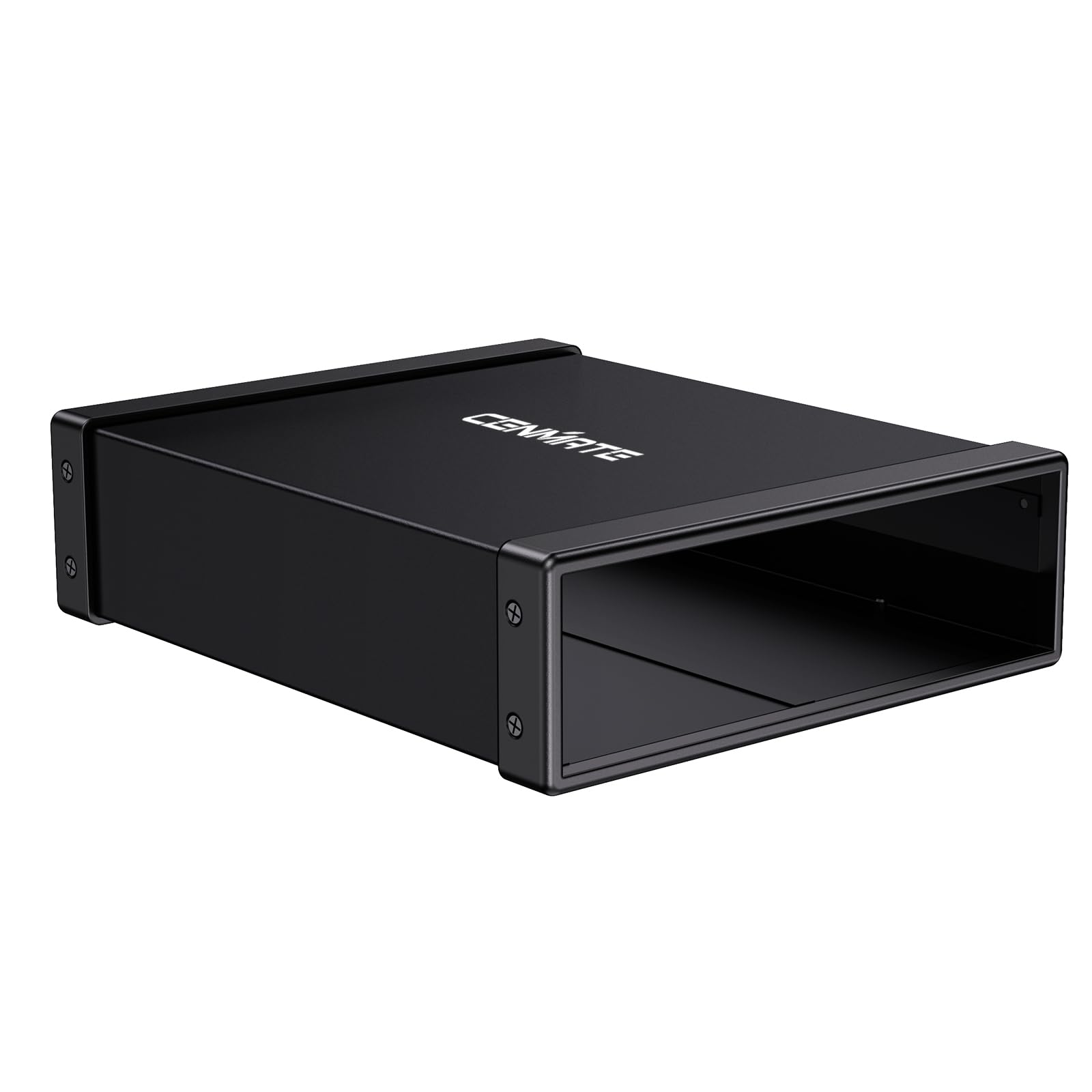
A solid aluminum case that gives you the essential speed without the premium markup.
CENMATE’s 5.25-inch enclosure strips away frills for an aluminum shell, USB 3.0 at 5 Gbps, and a 171 mm drive depth limit. That 171 mm depth is the key limit here—it fits most standard LG and ASUS Blu-ray drives, but it is 14 mm shorter than the NexStar DX2, so a deeper burner may not seat properly. The enclosure uses both USB-A and USB-C connectors on the enclosure side, which is handy if your modern laptop has only USB-C ports and no adapter is needed.
Buyers praise functionality and installation above all else, noting that the enclosure works flawlessly with Blu-ray players across Windows 11, Linux, and Android. The package includes a mini screwdriver and all needed screws, so you are not hunting for tools. One owner summed it up: “works, but drive does not seat into connector if screwed in as per instructions; screw holes don’t align with standard LG Blu-ray drive.” That is the main gotcha—some standard LG drives have screw holes in positions that don’t match the enclosure’s mounting pattern. CENMATE suggests watching a video on the product page for the correct installation method if you hit alignment trouble.
At this price point, you get an aluminum case that’s well-made and includes non-skid feet. The fit aspect gets a MIXED verdict in the review data, which ties directly to that screw-hole alignment issue with some specific drives.
Best for standard-depth drives: If your LG or ASUS Blu-ray burner fits within 171 mm and you want an aluminum enclosure without spending for the fastest USB interface, this is the smart value buy.
Watch out for: The screw holes may not align with every brand of optical drive—check your drive’s side screw positions before ordering.
3. OWC Mercury Pro DIY USB 5Gb/s Enclosure

The extruded aluminum chassis that turns noisy disc drives into deskmates you barely hear.
OWC’s reputation for reliable external storage gear is upheld by the Mercury Pro. The enclosure is a solid hunk of aluminum that doubles as a heat sink, keeping your drive cool during long ripping sessions. It uses a USB 3.2 interface (backward-compatible with USB 3.0, running at 5 Gbps) and supports 5.25-inch SATA I/II optical drives up to 172 mm deep. The included 12V, 3A external power brick provides enough juice even for power-hungry Blu-ray burners. Owners note that the entire unit weighs about 4.6 lbs once the drive is installed—heavy enough to sit solidly on a desk without sliding around.
Owners single out build quality and functionality as top aspects. The internal ASMedia ASM1053E SATA bridge chipset passes through SMART data and works reliably across operating systems without crashes—a clear edge over cheaper enclosures whose bridges sometimes cause Windows Explorer to freeze. One owner reported flawless tests with BD-R discs (25GB and 50GB, including M-Disc), DVD+R, and CD-R at full speed with zero errors. Another mentioned that the removable rear panel makes installation easy enough that “you can assemble everything with one hand.”
The honest trade-off is that not every drive fits. The 172 mm depth limit is shorter than the NexStar’s 185 mm, and Pioneer drives require a modification to seat properly. A few owners also found the included USB cable (0.6 m or 24 inches) too short for their desk setup, needing an extender. The fit aspect carries a MIXED verdict, reflecting these compatibility quirks. But for drives that do fit—especially an LG WH16NS40, which slots in perfectly—the OWC is the quietest, most vibration-free experience you will get in an external enclosure.
Why it earns the premium badge
- Extruded aluminum chassis soaks up drive vibration and dissipates heat effectively
- ASMedia ASM1053E bridge chipset is known for reliable performance with minimal software issues
- 12V, 3A power supply handles demanding Blu-ray burners without power drops
The compatibility catch
- Drive depth limit of 172 mm—measure yours before buying
- Pioneer drives need a physical modification to fit; this is not a universal enclosure
- Included USB cable is only 24 inches, often too short for desktop setups
Reach for this if: Your drive fits the 172 mm depth and you want the most solid, quiet, long-term enclosure available.
Look elsewhere if: You need to fit a deep drive (over 172 mm) or a Pioneer drive—the NexStar DX2’s 185 mm limit is more accommodating.
4. Dainty 5.25″ Optical Drive External Enclosure
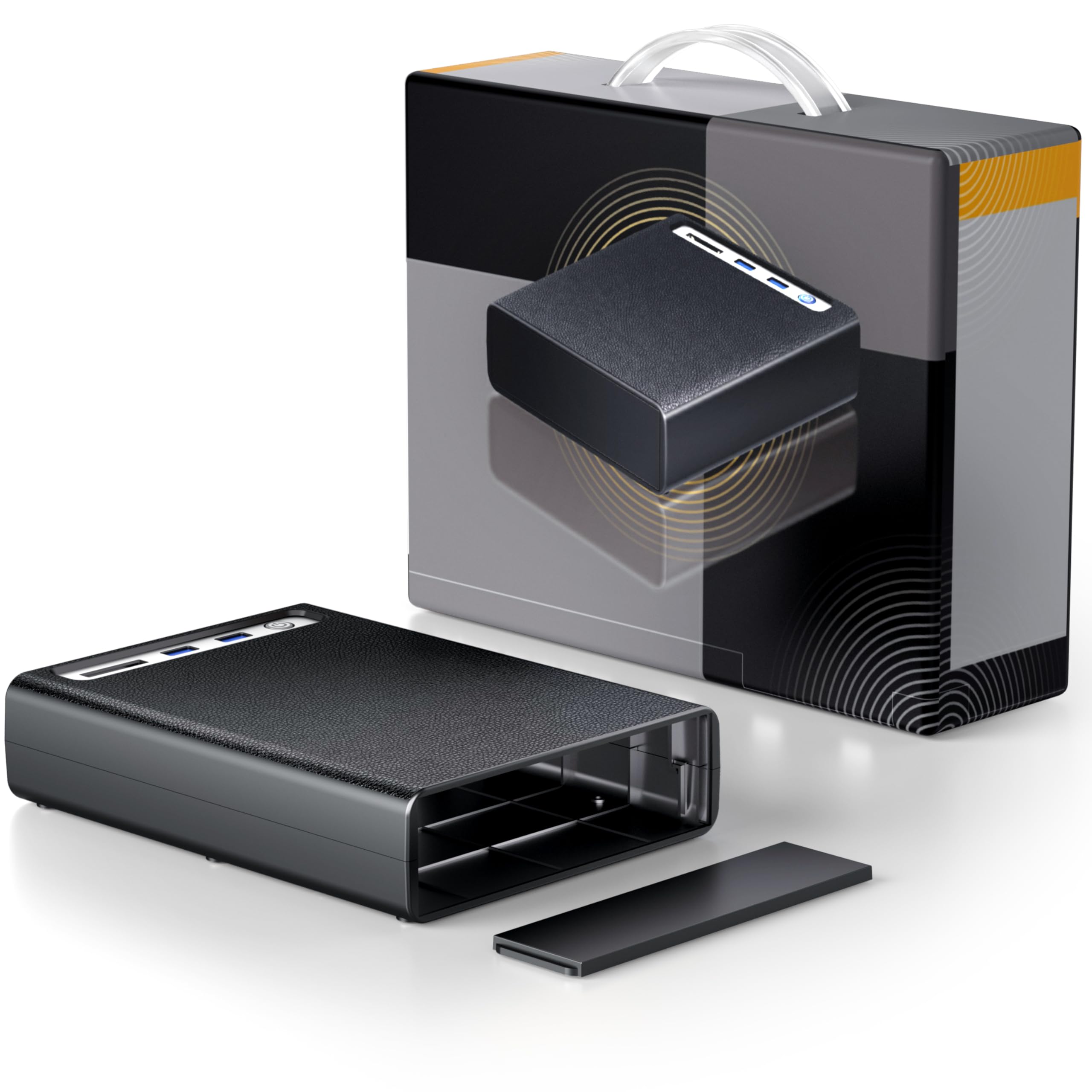
A low-cost entry point that claims 185 mm compatibility but divides owners on build quality.
The Dainty enclosure is the cheapest option in this list, and you see the compromise in the review split of 3.6 stars across fewer than 20 ratings. It supports drive depths up to 185 mm, matching the NexStar’s allowance, and it works with 5.25-inch SATA I/II optical drives. The product listing says “Aluminum Alloy” for the case, but multiple owners mention the chassis actually feels like plastic, with ports that do not sit flush and gaps that can let dust inside the enclosure. If you are budget-constrained and just need a working case, it may get the job done—one owner found it “sturdy” and “good heat dissipation,” while another called it “cheap plastic build, not aluminum as described.”
On the plus side, the enclosure is easy to install for a plug-and-play optical drive. It supports Blu-ray read speeds up to 16x, DVD read speeds up to 16x, and CD read speeds up to 40x. The enclosure also includes extra USB ports on top, though owners note the power cord is only 3.5 feet long and the USB cable is just 1.5 feet, which severely limits desk placement. One reviewer noted that the enclosure is not compatible with Linux (Debian 13 KDE), so Windows users will have the smoothest experience.
The honest reality is that this is a buy-on-a-shoestring option. It works with USB 3.0 on Windows and includes all necessary cables and a power adapter. But if you can stretch your budget by even a small amount, the CENMATE or NexStar enclosures give you a genuine aluminum case and a much larger community of owners who can confirm compatibility. The Dainty’s low review count and mixed feedback on material quality make it a riskier choice for anyone wanting a reliable long-term solution.
Stick to it if: Your budget absolutely cannot go higher and you only run Windows—the enclosure will plug-and-play your old optical drive.
But know that: The build material is disputed (owners say plastic, not aluminum), the cables are short, and there is no confirmed Linux support.
Understanding the Specs
Drive Depth Limit (mm)
This is the most important number in a 5.25 inch enclosure. It tells you the maximum length of optical drive that fits inside. Standard Blu-ray burners measure around 170 mm to 185 mm. If an enclosure says 171 mm and your drive is 183 mm, the rear panel will not close. Measure your drive’s depth before you buy—it is printed on the drive’s label or in its spec sheet. A 185 mm limit, like the NexStar DX2 offers, covers nearly every desktop optical drive on the market.
Data Transfer Rate (Gbps)
The speed at which data moves between the drive and your computer. USB 3.0 typically handles 5 Gbps, which is plenty for Blu-ray ripping (50 GB in a few minutes). USB 2.0 (480 Mbps) is too slow for Blu-ray—skip any enclosure that does not say USB 3.0 on the box.
FAQ
Will every 5.25 inch optical drive fit in any enclosure?
Can I use a 5.25 drive enclosure for a hard drive instead of an optical drive?
What is the difference between USB 3.0 and USB 3.2 in these enclosures?
Does the enclosure need external power to run a Blu-ray burner?
Can I hot-swap the drive without restarting my computer?
Why does my optical drive not appear in Windows after installing it in the enclosure?
Will a SATA Blu-ray drive from a laptop fit in a 5.25 inch enclosure?
What is a SATA bridge chipset and why does it matter?
Does the enclosure affect Blu-ray playback quality on a TV?
Can I use a 5.25 drive enclosure with a gaming console?
Final Thoughts: The Verdict
For the majority of shoppers, the 5.25 drive enclosure winner is the NexStar DX2 because it offers the deepest drive compatibility at 185 mm and a 5 Gbps transfer rate in a quiet aluminum body. If you need a solid everyday enclosure for a standard LG Blu-ray burner, the CENMATE delivers an aluminum build at a lower cost. And for those who want the most premium, vibration-free experience and own a drive within 172 mm depth, the OWC Mercury Pro is the one to reach for—it has one of the highest owner satisfaction rates in the category.
How We Picked
We do not accept paid placement. Every pick is matched to a real buyer and a real use-case; we do not hands-on test units.
Sources & Methodology
Specifications: manufacturer listings and product documentation. Review insights: verified customer reviews, as of July 2026. Pricing: not shown on this page (it changes often); check the current price via the retailer link.
As an Amazon Associate, Gadgets Feed earns from qualifying purchases. This does not affect which products we feature.