
The 5 GHz band is the express lane for your home network — it’s where 4K streams, cloud gaming sessions, and video calls live or die based on raw throughput and signal integrity. A flimsy router on this frequency turns your fiber plan into a buffering nightmare, especially when walls, interference, and a dozen competing devices fight for airtime.
I’m Min — the co-founder and writer behind Gadgets Feed. I track chipset releases, OFDMA adoption rates, and multi-gig WAN port trends across dozens of router SKUs to pinpoint which 5 GHz implementations actually deliver consistent throughput under real-world load.
After cross-referencing Wi-Fi 6 and Wi-Fi 7 throughput figures with range performance and VPN capability, this guide distills best 5 ghz router picks that match your home size, device count, and latency tolerance.
How To Choose The Best 5 GHz Router
The 5 GHz band offers faster speeds and less congestion than 2.4 GHz, but its shorter wavelength means range drops quickly through walls. The right router balances raw throughput, antenna design, and multi-device handling for your specific square footage and internet plan.
Assess Your Wi-Fi Generation and Throughput Ceiling
Wi-Fi 6 (802.11ax) routers push 5 GHz speeds beyond 2.4 Gbps and handle dozens of clients via OFDMA and MU-MIMO. Wi-Fi 7 routers add the 6 GHz band and Multi-Link Operation for even lower latency. Match the router’s 5 GHz data rate to your ISP plan — paying for gigabit fiber is wasted on a router that caps at 600 Mbps on 5 GHz.
Antenna Configuration and Beamforming
External high-gain antennas (6 dBi or higher) and phased-array beamforming focus the 5 GHz signal toward connected devices rather than broadcasting omnidirectionally. Routers with four or more antennas typically sustain stronger 5 GHz links at 50+ feet compared to internal antenna designs.
Wired Backbone: 2.5 GbE and Multi-Gig Ports
If your internet service exceeds 1 Gbps, a router with at least one 2.5 Gigabit WAN port prevents the 5 GHz wireless speed from being bottlenecked by the wired connection. Multi-gig LAN ports also benefit home NAS setups and wired gaming PCs connected to the same router.
Quick Comparison
On smaller screens, swipe sideways to see the full table.
| Model | Category | Best For | Key Spec | Amazon |
|---|---|---|---|---|
| TP-Link Archer AX80 | Wi-Fi 6 | Multi-Gig ISP plans | 4804 Mbps on 5 GHz, 2.5 GbE port | Amazon |
| GL.iNet Flint 3 | Wi-Fi 7 | Open-source VPN enthusiasts | Tri-band, MLO, 680 Mbps WireGuard | Amazon |
| NETGEAR RS500 | Wi-Fi 7 | Large home coverage | 12 Gbps aggregate, 3000 sq. ft. | Amazon |
| NETGEAR RS700S | Wi-Fi 7 | Maximum throughput & range | 19 Gbps aggregate, 10 GbE port | Amazon |
| Cudy WR3000S | Wi-Fi 6 | OpenWrt tinkerers | 2400 Mbps on 5 GHz, 256 devices | Amazon |
| Tenda RX12Pro | Wi-Fi 6 | Budget Wi-Fi 6 upgrade | 2402 Mbps on 5 GHz, 6 dBi antennas | Amazon |
| TP-Link Archer A7 | Wi-Fi 5 | Proven budget reliability | 1300 Mbps on 5 GHz, 2500 sq. ft. | Amazon |
In‑Depth Reviews
1. TP-Link Archer AX80

The Archer AX80 pushes 4804 Mbps on the 5 GHz band through Wi-Fi 6 — enough to saturate a gigabit fiber plan with headroom for multiple simultaneous streams. Its eight high-gain antennas with beamforming maintain strong signal at distances that typically force 5 GHz clients to fall back to 2.4 GHz.
The 2.5 Gigabit WAN/LAN port is the key differentiator here. If your ISP provides multi-gig speeds, this router won’t create a wired bottleneck between the modem and the wireless network. It also supports OneMesh, so you can pair it with TP-Link range extenders without breaking the 5 GHz SSID into a separate network.
HomeShield provides basic parental controls and IoT security scanning through the TP-Link Tether app. Users report that the 5 GHz signal covers three-bedroom homes and reaches backyard spaces without needing a separate access point in most cases.
Why it’s great
- 4804 Mbps 5 GHz throughput saturates multi-gig plans
- 2.5 GbE port prevents modem-to-router bottleneck
- Beamforming extends 5 GHz coverage through interior walls
Good to know
- QoS implementation caused dropouts for some users when enabled
- App-based setup can be finicky with certain ISPs
2. GL.iNet Flint 3 (GL-BE9300)

The Flint 3 is a tri-band Wi-Fi 7 router that delivers Multi-Link Operation for sub-millisecond latency on the 5 GHz band, but its real standout feature is crypto-accelerated VPN throughput — WireGuard and OpenVPN both hit 680 Mbps, which is rare at this price point. The 1 GB DDR4 RAM and 8 GB eMMC storage allow heavy plugin loads without stuttering.
Built-in AdGuard Home blocks trackers and ads at the router level, cleaning up browsing on every device connected to the 5 GHz SSID. The web UI is responsive and doesn’t require a mobile app for full configuration, which power users appreciate for scripted setups and VLAN segmentation.
Users report 750 Mbps actual throughput on 5 GHz and up to 950 Mbps on the 6 GHz band with a 1 Gbps fiber connection. The retractable antennas keep the footprint smaller than typical tri-band routers, though some reviewers note the 5 GHz range is adequate but not exceptional compared to dedicated long-range designs.
Why it’s great
- 680 Mbps WireGuard/OpenVPN throughput for secure remote access
- Built-in AdGuard Home for network-wide ad blocking
- Full OpenWrt support and 8 GB eMMC for custom plugins
Good to know
- 5 GHz range is moderate — not ideal for homes over 2000 sq. ft.
- USB 3.0 NAS speeds drop significantly after initial transfer spike
3. NETGEAR Nighthawk RS500 (BE12000)

The RS500 pushes BE12000 aggregate speeds across tri-band Wi-Fi 7, with a focus on 5 GHz range that covers up to 3,000 square feet. Users migrating from older Nighthawk models report immediate improvements in 5 GHz signal penetration through multiple floors and exterior walls, often eliminating the need for separate range extenders.
The 2.5 Gigabit internet port matches the AX80’s wired backbone, but the RS500 adds a second 2.5 GbE LAN port for daisy-chaining a switch or NAS without sacrificing speed. The Nighthawk app simplifies setup to under 15 minutes, including guest network creation and device prioritization for gaming consoles on the 5 GHz band.
Reviewers consistently mention that the RS500 handles 50+ connected devices without 5 GHz throughput degradation, which is critical for smart homes with multiple security cameras streaming high-bitrate feeds. The physical footprint is smaller than previous Nighthawk generations despite the antenna array.
Why it’s great
- Covers 3000 sq. ft. on 5 GHz without repeaters
- Dual 2.5 GbE ports for wired backhaul and NAS
- Handles 50+ devices with consistent 5 GHz throughput
Good to know
- Some units sold as “new” on Amazon arrived as refurbished
- Minor firmware update glitch reported during initial setup
4. NETGEAR Nighthawk RS700S (BE19000)

The RS700S is the most powerful Nighthawk ever built, with BE19000 aggregate throughput and a 10 Gigabit WAN port that future-proofs against multi-gig fiber plans exceeding 2 Gbps. Users report full 1 Gbps wireless speeds on the 6 GHz band and 600-700 Mbps on 5 GHz, with the 5 GHz signal covering 3,500 square feet without dropouts.
The 10 Gigabit Ethernet port is the headline feature — it directly connects to multi-gig modems without a bottleneck, and the four 1 Gigabit LAN ports handle wired gaming consoles and smart TVs. The antenna design leverages 25+ years of NETGEAR engineering, delivering consistent 360-degree coverage that penetrates concrete walls better than most competitors.
Reviewers note that the 5 GHz band is stable with 30+ devices, including security cameras and streaming sticks simultaneously. The main caveat is an ongoing firmware issue where the 6 GHz band intermittently drops connection at close range — buyers should verify the latest firmware version addresses this before purchase.
Why it’s great
- 10 GbE WAN port for multi-gig fiber plans
- 3500 sq. ft. 5 GHz coverage through concrete walls
- Full 1 Gbps wireless throughput on 6 GHz band
Good to know
- 6 GHz band firmware bug causes intermittent dropouts for some users
- Nighthawk app can be buggy compared to web interface
5. Cudy WR3000S
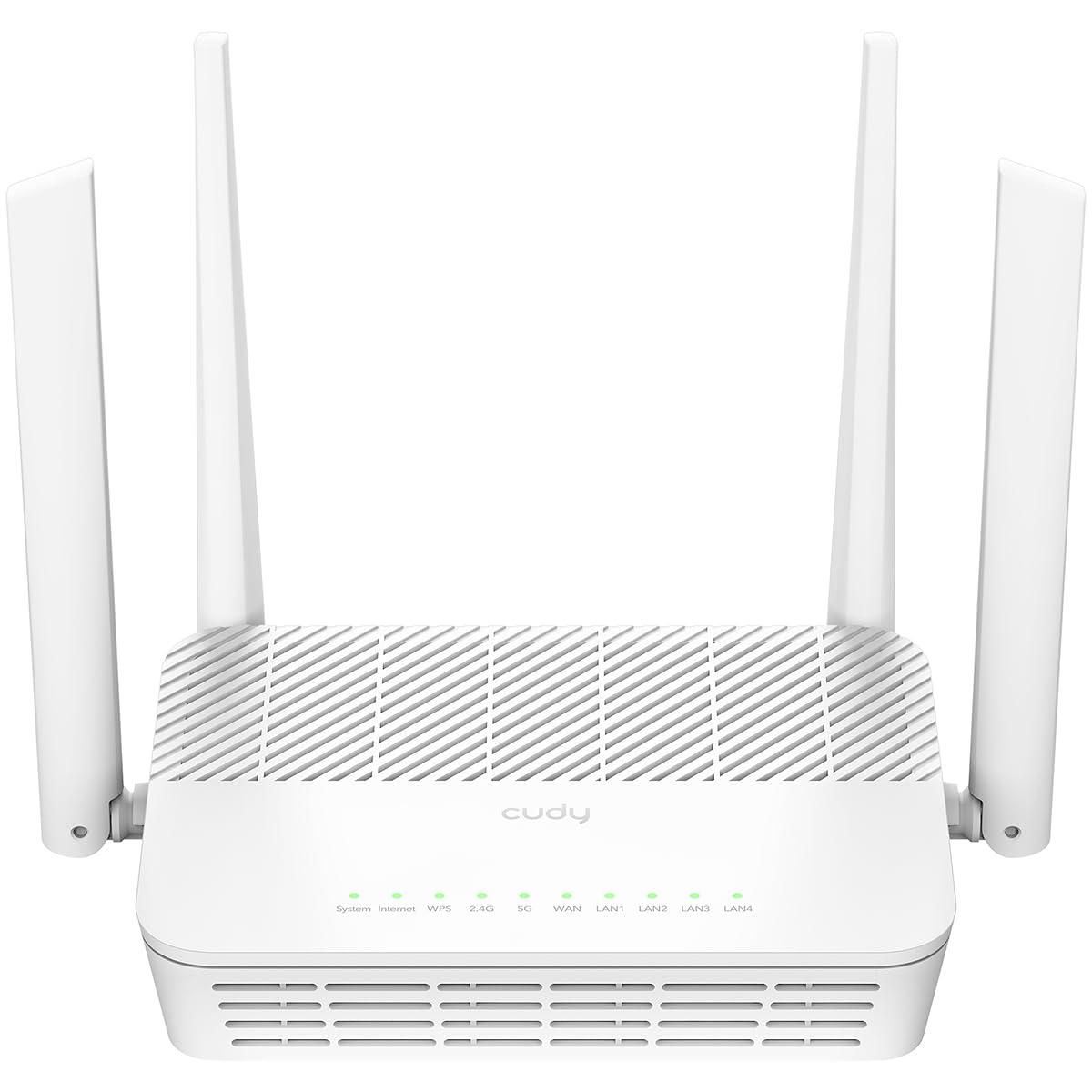
The WR3000S is an AX3000 dual-band Wi-Fi 6 router that supports 2400 Mbps on the 5 GHz band, but its real draw is native OpenWrt support. The stock firmware is based on OpenWrt with source code available, and users can flash a signed OpenWrt image without voiding warranty — a major advantage for network engineers who need custom firewall rules or VLAN configurations.
The 1.3 GHz dual-core Cortex A53 processor handles 256 simultaneous device connections with OFDMA and MU-MIMO active on the 5 GHz band. The five Gigabit Ethernet ports include a WAN port plus four LAN ports, and the hardware supports WireGuard, OpenVPN, Ipsec, and Zerotier VPN protocols out of the box.
Users report that the 5 GHz range beats older TP-Link A7 units and covers 2,000 square feet homes without dead zones. The built-in recovery mode makes the router nearly unbrickable — if a custom firmware flash fails, the hardware boots into a safe mode that accepts a signed image via Ethernet.
Why it’s great
- Native OpenWrt support with vendor-signed images
- 256-device capacity with OFDMA on 5 GHz
- Multi-protocol VPN support (WireGuard, OpenVPN, Ipsec)
Good to know
- Stock firmware lacks some advanced features out of the box
- No USB port for storage sharing or media server
6. Tenda RX12Pro
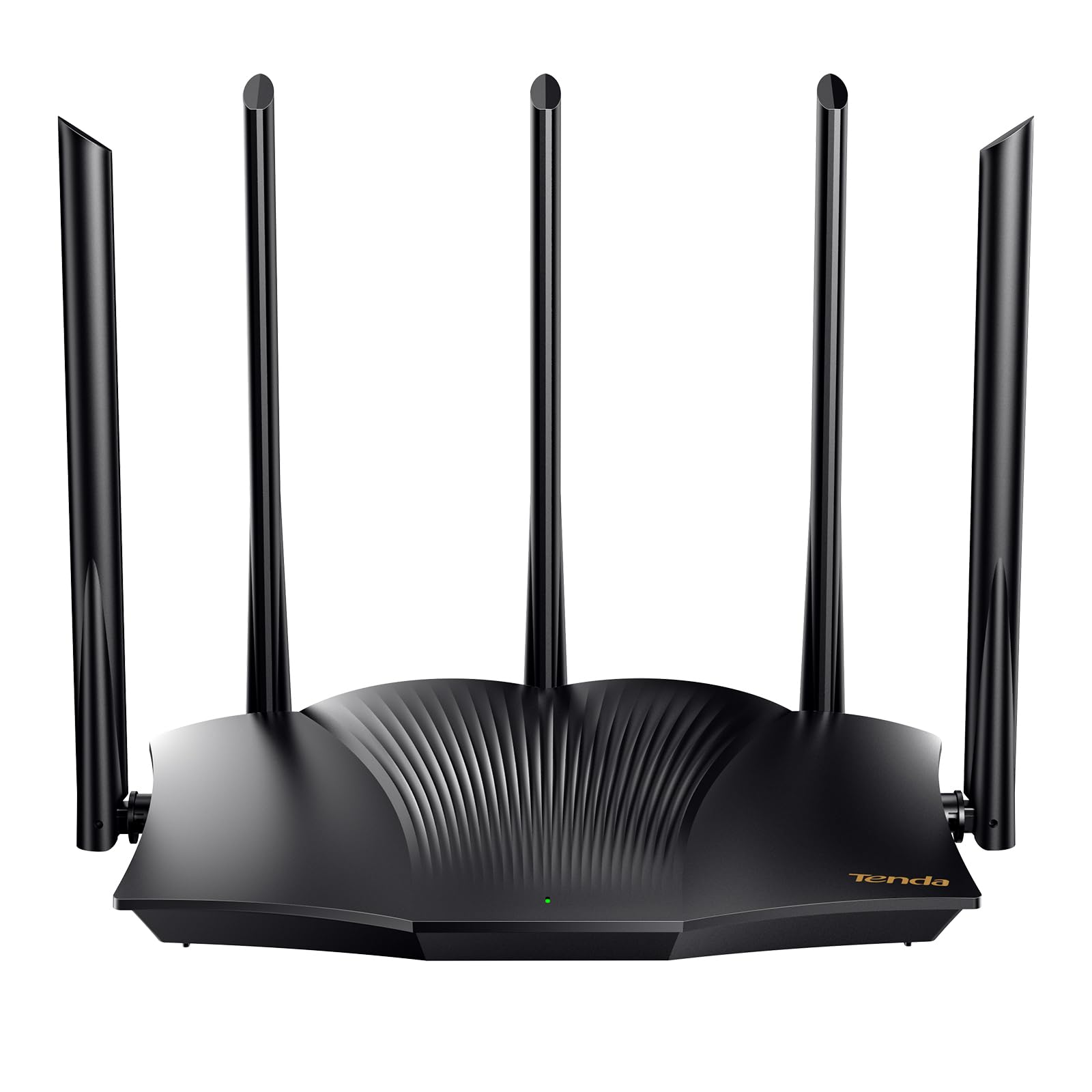
The RX12Pro brings Wi-Fi 6 to an entry-level price point, delivering 2402 Mbps on the 5 GHz band via AX3000 specifications. The five external 6 dBi high-gain antennas provide stronger 5 GHz penetration than most budget routers, which typically skimp on antenna quality to cut costs.
Setup is straightforward through the web interface, and the router includes one-key intelligent diagnosis that automatically detects and repairs common network issues. OpenVPN and WireGuard support via the latest firmware update adds secure remote access capability rarely found at this tier.
Users report mixed experiences with range — some achieve stable 5 GHz connections throughout a steel-sided shop, while others find the signal drops quickly past 50 feet. The RX12Pro works best as an access point for smaller spaces or as a mesh node paired with additional Tenda units for whole-home coverage.
Why it’s great
- Wi-Fi 6 AX3000 performance at a budget-friendly price point
- 5 external 6 dBi antennas for improved 5 GHz penetration
- WireGuard and OpenVPN support via firmware update
Good to know
- 5 GHz range is inconsistent in larger homes or through multiple walls
- Requires modem restart during initial setup to avoid connection issues
7. TP-Link Archer A7 (AC1750)

The Archer A7 is a Wi-Fi 5 (AC1750) router that delivers 1300 Mbps on the 5 GHz band — sufficient for sub-gigabit internet plans and households with 5-10 devices. The Qualcomm CPU provides stable throughput even after years of continuous operation, with many users reporting zero issues after five years of daily use.
Setup takes under four minutes through the Tether app, and the web interface offers well-organized menus for QoS, guest network, and parental controls. The 2500 square foot coverage estimate is accurate for open floor plans; signal drops to 250-300 Mbps at the opposite end of a 1,700 square foot home according to user speed tests.
The Archer A7 integrates with Amazon Alexa for voice control of guest Wi-Fi toggling. It lacks MU-MIMO and OFDMA, so simultaneous multi-device streaming on the 5 GHz band will show more contention compared to Wi-Fi 6 routers, but for basic browsing, video calls, and single-stream 4K, it remains a reliable entry-level option.
Why it’s great
- Proven long-term reliability — many units run 5+ years without issues
- Fast 3-4 minute setup through Tether app
- Solid 2500 sq. ft. coverage for open floor plans
Good to know
- AC1750 Wi-Fi 5 caps at 1300 Mbps on 5 GHz, no Wi-Fi 6 features
- No MU-MIMO or OFDMA for congested multi-device environments
FAQ
Why does my 5 GHz signal drop when I move one room away from the router?
Is Wi-Fi 6 on 5 GHz enough for cloud gaming and 4K streaming?
Should I disable the 2.4 GHz band and force all devices to 5 GHz?
Final Thoughts: The Verdict
For most users, the best 5 ghz router winner is the TP-Link Archer AX80 because its 4804 Mbps 5 GHz throughput and 2.5 GbE port cover current and near-future ISP speeds without Wi-Fi 7 markup. If you want VPN throughput and open-source control, grab the GL.iNet Flint 3. And for maximum 5 GHz range across a large home, nothing beats the NETGEAR Nighthawk RS500.