
Our readers keep the lights on and my morning glass full of iced black tea. As an Amazon Associate, I earn from qualifying purchases.
Specs are compiled from manufacturer listings and verified buyer reviews and can change over time — please confirm the key details on the product page before buying.
Choosing the wrong laptop can waste your money and frustrate you daily, whether you’re a student, gamer, or professional. Marketing jargon like “AI TOPS” and “military-grade durability” only adds to the confusion. This guide cuts through marketing jargon to rank the best 5 laptops for your needs.
I’m Min — the founder and writer behind Gadgets Feed. This guide is built by comparing the manufacturers’ published specifications and the patterns across verified customer reviews, so you get each pick’s real strengths and trade-offs instead of marketing spin.
We’ve analyzed performance, battery life, and user feedback to rank the top contenders for work, school, or play. 5 laptops that truly stand out from the crowd for their value, power, and portability.
Our Picks at a Glance



How To Choose The Best 5 Laptops
Choosing a laptop doesn’t have to be a technical nightmare—focus on your daily tasks first. It’s about matching the machine’s capabilities to your real-life daily tasks. Before you look at any fancy specs, answer one question: what will you spend most of your time doing on this laptop?
Processor: The Engine for Your Tasks
Think of the processor (CPU) as the laptop’s brain. For basic tasks like browsing and streaming, a modern quad-core chip like the Intel N100 is perfectly fine. But if you’re editing videos or playing games, you need the muscle of an AMD Ryzen 7 or an Intel Core i7. The clock speed, measured in GHz, tells you how fast it can process a single task—a 3.4 GHz chip is snappy, but a 5.2 GHz one is a speed demon.
Memory and Storage: Your Multitasking Limits
RAM (Random Access Memory) is your laptop’s short-term memory for running apps. 8GB is the bare minimum for today, but 16GB is the balance for smooth multitasking without lag. Storage, usually an SSD (Solid State Drive), is where your files live. A 512GB SSD gives you fast boot times and plenty of room for apps, while a 1TB drive is essential for large game libraries or video projects.
Quick Comparison
| Model | Best For | Processor | RAM / Storage | Display | Amazon |
|---|---|---|---|---|---|
| Apple MacBook Air 15”★ Best Overall | All-Around Premium Portability | Apple M5 chip | 16GB / 512GB | 15.3″ Liquid Retina | Amazon |
| ASUS ROG Strix G16Top Performer | High-Performance Gaming | Intel Core i7 14650HX | 16GB / 1TB | 16″ FHD+ 165Hz | Amazon |
| Acer Nitro V 16S AIAI Powerhouse | Future-Proof Gaming | AMD Ryzen 7 260 | 32GB / 1TB | 16″ WUXGA 180Hz | Amazon |
| ASUS TUF Gaming F16 | Durable Mid-Range Gaming | Intel Core 5 210H | 16GB / 512GB | 16″ FHD+ 144Hz | Amazon |
| Acer Nitro V 15 | Entry-Level 1080p Gaming | Intel Core i7-13620H | 16GB / 1TB | 15.6″ FHD 165Hz | Amazon |
| Lenovo V15 | Productivity & Business Use | AMD Ryzen 5 5500U | 16GB / 512GB | 15.6″ FHD | Amazon |
| HP 14″ Laptop | Budget Student with Extras | Intel Processor N150 | 16GB / 628GB | 14″ HD | Amazon |
| Dell 15.6 Laptop | Reliable Everyday Work | Intel Core 3 100U | 8GB / 256GB | 15.6″ FHD | Amazon |
| HP OmniBook 3 | Touchscreen Multitasking | AMD Ryzen 3 30 | 8GB / 256GB | 16″ 2K Touch | Amazon |
| Lenovo 15.6″ FHD | Basic Home & School | Intel N100 | 4GB / 628GB | 15.6″ FHD | Amazon |
| FUNYET 16″ Laptop | Maximum Budget Value | Intel Celeron N95 | 16GB / 512GB | 16″ FHD+ | Amazon |
In‑Depth Reviews
1. Apple 2026 MacBook Air 15-inch
Our pick — over 4.5★ from 550+ verified ratings; the strongest balance of quality and price.
The silent, fanless powerhouse that outlasts an entire day of classes or meetings.
The MacBook Air is the closest thing to a “just works” laptop you can buy. Its defining feature is the M5 chip, a processor so efficient it needs no fan, which makes the machine whisper-quiet. Performance is the thing everyone raves about—it handles demanding multitasking and creative workflows without a hint of lag. The 15.3-inch Liquid Retina display supports 1 billion colors, making photos, movies, and class presentations look sharp and vibrant.
Battery life is the stuff of legend. With up to 18 hours on a single charge, you can leave the charger at home. This is a huge advantage over the ASUS ROG Strix G16, which gets about 2 hours of heavy gaming use. The Air is also incredibly portable at just 3.32 pounds, making it much lighter than many 15-inch Windows laptops like the FUNYET, which weighs in at 3.5 pounds. Buyers report it’s “much lighter than previous models makes for easier travel.”
The 12MP Center Stage camera auto-frames you during video calls, while the six-speaker Spatial Audio system delivers rich sound for movies and music. For connectivity, you get two Thunderbolt 4 ports, support for two external displays, and the Apple N1 chip for Wi-Fi 7 and Bluetooth 6. It’s a premium choice for students, professionals, and Apple ecosystem users.
The All-Rounder Appeal
- Exceptional 18-hour battery life
- Fanless, silent M5 performance
- Stunning 15.3″ Liquid Retina display
- Lightweight and durable build
The Trade-Offs
- Premium price point
- Setup can be complicated for new users
- Windows-only software like some games won’t run natively
- Limit of two external displays
The confident pick: If you want a silent, powerful, and ultra-portable laptop for work, school, or everyday use, this is the clear winner.
Think twice if: You’re a hardcore gamer needing a dedicated NVIDIA GPU, as this is not a Windows gaming machine.
2. ASUS ROG Strix G16
A 165Hz gaming beast with the cooling tech to keep the frame rates flying.
The ROG Strix G16 is built for one thing: serious gaming. Its standout spec is the NVIDIA GeForce RTX 5060 laptop GPU paired with a powerful Intel Core i7 processor 14650HX. This combination handles demanding titles at high settings, with owners reporting they can run most games at over 100 fps with zero hiccups. The 16-inch FHD+ display features a 165Hz refresh rate with a quick 3ms response time, crucial for competitive play.
Unlike thinner laptops, this one packs state-of-the-art ROG Intelligent Cooling with a vapor chamber, tri-fan technology, and Conductonaut extreme liquid metal. This keeps the system cool and quiet even under heavy load, although the bottom center can get hot during marathon gaming sessions. You’ll find a full-surround RGB light bar to show off your style, which you can turn off with Stealth Mode for a professional look in the office.
You can hold an extensive game library thanks to the 1TB PCIe Gen 4 SSD, so you won’t run out of space for AAA titles. However, battery life is a classic gaming laptop weakness at just 2 hours under heavy use. The build quality is top-notch, praised for its premium feel and sturdy construction. For a desktop-replacement level of gaming power, this is a stellar choice.
Gaming powerhouse: The RTX 5060 and 165Hz display make this one of the best-performing laptops here for modern gaming.
Portability trade-off: It’s powerful but not made for all-day unplugged use; keep the charger handy.
3. Acer Nitro V 16S AI
Future-proofed with a dedicated AI engine and a buttery-smooth 180Hz screen.
For gamers and content creators who want the latest technology, the Nitro V 16S is a compelling package. Its centerpiece is the NVIDIA GeForce RTX 5060 laptop GPU, boasting an incredible 572 AI TOPS (Trillions of Operations Per Second—a measure of AI processing power). This enables full ray tracing and DLSS 4 for high-frame-rate gaming with realistic lighting. It’s paired with a speedy AMD Ryzen 7 260 processor that adds up to 38 AI TOPS of its own.
The visual experience is superb, thanks to a 16-inch WUXGA IPS display with a 1200p resolution and a blazing 180Hz refresh rate. With 100% sRGB coverage, colors are accurate and true-to-life. This machine is a workhorse for multitasking, equipped with a massive 32GB of DDR5 5600MHz RAM, ensuring you can run a game, stream, and have a dozen browser tabs open without breaking a sweat.
Storage is a fast 1TB PCIe Gen 4 SSD, and there’s a free M.2 slot to expand further. While performance is stellar, the trade-off is battery life, which suffers under load—owners note you’ll need to stay plugged in for serious gaming sessions. Reliability feedback is mixed, with some praising its cooling and others noting fan noise and heat under pressure. It’s an excellent machine if you prioritize raw performance and future-proofing.
Spec sheet king: The 32GB RAM and RTX 5060 make this the most future-proof pick here.
The catch: Expect fan noise and a short unplugged battery life during intense gaming.
4. ASUS TUF Gaming F16

A rugged, dependable gaming laptop that’s built to survive the bumps of daily life.
The TUF Gaming F16 is the pick for gamers who need durability along with performance. It meets the MIL-STD-810H military-grade testing standard, meaning it’s built to withstand harsh conditions like drops, vibration, and extreme temperatures. Under the hood, it houses an Intel Core 5 210H processor and an NVIDIA GeForce RTX 4050 laptop GPU with a Max TGP (Total Graphics Power) of 115W, providing solid performance for modern titles.
Visuals come from a 16-inch FHD+ display with a fast 144Hz refresh rate and 100% sRGB color coverage. Adaptive-Sync technology minimizes screen tearing and stuttering for smooth gameplay. While it’s a mid-range gaming chipset, it’s a marked step up from the integrated graphics you’d find in a standard productivity laptop like the Dell 15.6. Efficiency is handled by Arc Flow Fans and 5 dedicated heat pipes to keep things cool under pressure.
The main compromises are battery life and portability. Owners describe it as “very large, not portable for daily backpack use,” and battery life is a common negative point, as it is with most gaming laptops. It’s a fantastic desktop replacement for gaming at home, but less ideal if you need to carry it to class all day.
Built Tough & Fast
- Military-grade durability standard
- Smooth 144Hz Adaptive-Sync display
- RTX 4050 delivers great 1080p gaming
- Efficient cooling system
Know Its Limits
- Poor battery life for a laptop
- Too bulky for everyday backpacks
- Loud fans at maximum load
- Mixed feedback on screen quality
Reach for this if: You want a sturdy gaming machine with solid performance and a sturdier build than most rivals.
Look elsewhere if: You need something light for travel or plan on long gaming sessions away from a power outlet.
5. Acer Nitro V 15

A high-fps gaming machine that delivers massive storage and speed without the premium price.
The Nitro V 15 hits a fantastic balance for gamers on a budget. It’s powered by an Intel Core i7-13620H processor and an NVIDIA GeForce RTX 4050 laptop GPU, which owners say handles demanding games with ease. The AI-powered graphics (194 AI TOPS) support DLSS 3.5, improving ray-traced visuals for smoother, more rich gaming. It’s a step up in raw power compared to the value-focused Lenovo V15, which relies on integrated Radeon graphics.
You get a 15.6-inch FHD IPS display with a quick 165Hz refresh rate and an 82.64% screen-to-body ratio, giving you minimal bezels and a more rich view. It’s a gamer’s dream for fast-paced shooters where every millisecond counts. The internal specs are impressive for the price tier: 16GB of DDR5 memory and a huge 1TB PCIe Gen 4 SSD ensure plenty of space for AAA titles and fast load times.
Connectivity is well-covered with Wi-Fi 6 and a Killer Ethernet E2600 Gigabit port for stable online play. However, like the ASUS TUF F16, battery life and loudness are the trade-offs. Owners mention it “runs loud/hot” and the 5-hour battery depletes much faster when gaming. It also comes with some pre-installed bloatware that you may want to remove during setup.
Performance per dollar: The RTX 4050, 1TB SSD, and 165Hz screen make this exceptional value for 1080p gaming.
An honest warning: Expect fan noise and high temperatures; a cooling pad is a smart accessory to consider.
6. Lenovo V15 Laptop

A serious productivity tool with a hexa-core processor for heavy multitasking.
The Lenovo V15 is a productivity-focused laptop that packs a surprisingly powerful punch. Its defining feature is the AMD Ryzen 5 5500U processor, which offers 6 cores and 12 threads. This allows it to handle multiple demanding applications simultaneously without breaking a sweat, making it far more capable than the entry-level Dell 15.6 with its Intel Core 3 chip. It’s the right choice if your day involves spreadsheets, databases, and dozens of browser tabs.
The 15.6-inch FHD (1920 x 1080) display gives you sharp text and images for a clear, comfortable viewing experience. It comes with 16GB of high-bandwidth RAM and a 512GB PCIe NVMe M.2 SSD, which provides fast boot times and quick data transfers. For connectivity, it includes essential ports like HDMI and RJ45 (Ethernet), perfect for stable office networks, plus a numeric keypad for quick data entry.
One of its major advantages is the operating system: Windows 11 Pro. Unlike Windows 11 Home on most consumer laptops, Pro includes features like Group Policy, BitLocker encryption, and Active Directory/Azure AD support, which are essential for business environments. While performance is praised, owners note the screen quality is a point of contention, with some finding it “mediocre” and better suited for use with an external monitor.
Business-ready: The Ryzen 5 processor and Windows 11 Pro make this ideal for professional environments.
Consider this: Display quality is a common complaint, so plan for an external monitor if color accuracy is critical.
7. HP 14″ Laptop
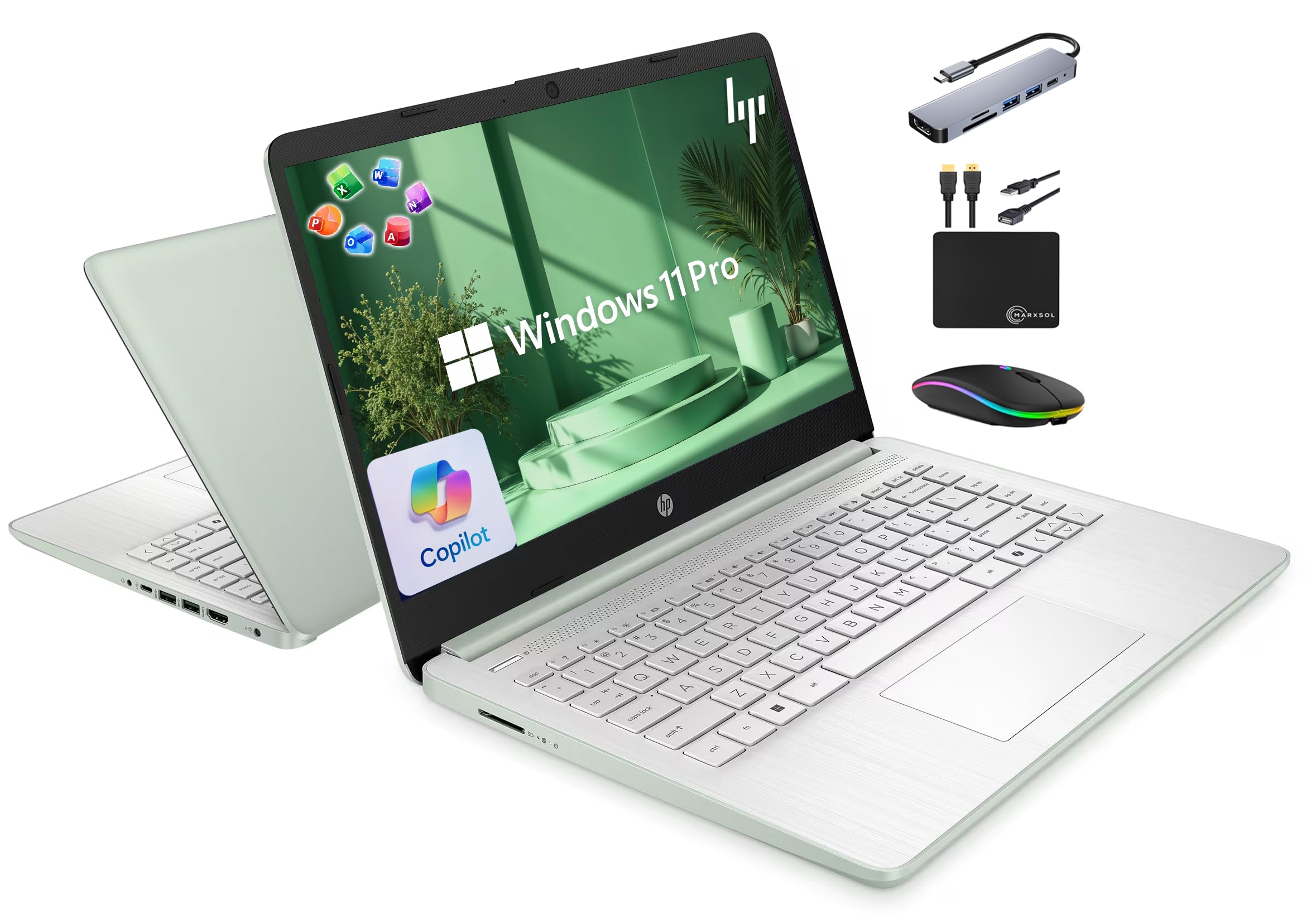
A budget-friendly laptop that throws in lifetime Office software and a bundle of accessories.
This HP 14 is a fantastic value proposition for students and budget-conscious buyers. The headline feature isn’t just the laptop itself but the included bundle: a 6-in-1 USB-C docking station, a 500GB external drive, a wireless mouse, and a lifetime license for Microsoft Office 2024. This means you’re getting a complete workstation setup right from the start, saving you from buying those extras separately.
For a budget laptop, it doesn’t skimp on memory. It features 16GB of DDR4 RAM, which allows you to run numerous programs and browser tabs at once smoothly, according to the specs. The quad-core Intel Processor N150 is capable of up to 3.6 GHz, making it snappy for everyday tasks like web browsing, document editing, and streaming. It runs Windows 11 Pro, which adds security features over the standard Home edition, though the 14-inch display is only 1366×768 resolution, which is sharp enough for basic use but not for detailed video editing.
The real-world experience is positive for the price point. The performance is praised for its smoothness and ease of setup. The main caveats are the low screen resolution and some mixed feedback on reliability over the long term. It’s also note that the 128GB internal UFS storage is supplemented by a 500GB external drive, so you’ll need to keep the external drive connected or use it for backups.
What You Get
- Includes Lifetime Microsoft Office 2024
- 16GB RAM for smooth multitasking
- Comes with docking station and accessories
- Good value for money
What to Manage
- 1366×768 display is low-resolution
- Internal storage is just 128GB UFS
- Mixed long-term reliability feedback
- No touchscreen or backlit keyboard
Grab this for: Students or home users who want a complete, low-cost setup with all the essential accessories and software included.
Be aware: The screen and internal storage are entry-level, so prioritize this for basic tasks rather than heavy creative work.
8. Dell 15.6 Laptop

A dependable and clean-looking workhorse with a roomy keyboard for long typing sessions.
The Dell 15 is a solid, no-frills laptop built for everyday computing. It’s powered by an Intel Core 3 100U processor, which is efficient for standard workloads like email, web browsing, and word processing. It’s a clear step up in reliability and build quality from the lowest-cost options, making it a trustworthy choice for a family member or student. However, it’s not designed for heavy gaming or demanding creative software.
Typing comfort is a major focus here. It features a full-size keyboard with a separate numeric keypad and a calculator hotkey, which is a godsend for anyone who works with numbers or spreadsheets. The lifted hinge design provides an ergonomic typing angle for better wrist comfort. Dell ComfortView software filters blue light to reduce eye strain during extended work sessions.
The 15.6-inch FHD display is larger and sharper than the HP 14’s HD screen, making it nicer for streaming movies. The reviews are clear about its limits, stating it’s “great” for light duties and schoolwork, but emphasizing it’s “not for gaming.” A common complaint is the battery life, with some users finding it drains quickly. Others mention the laptop fan can be “horrifically loud,” and the webcam quality is poor for video calls.
Dependable daily driver: If you need a sturdy, easy-to-use machine for school or office tasks, this is a safe pair of hands.
Set expectations: The weak battery and subpar webcam are compromises to keep in mind for all-day use.
9. HP OmniBook 3
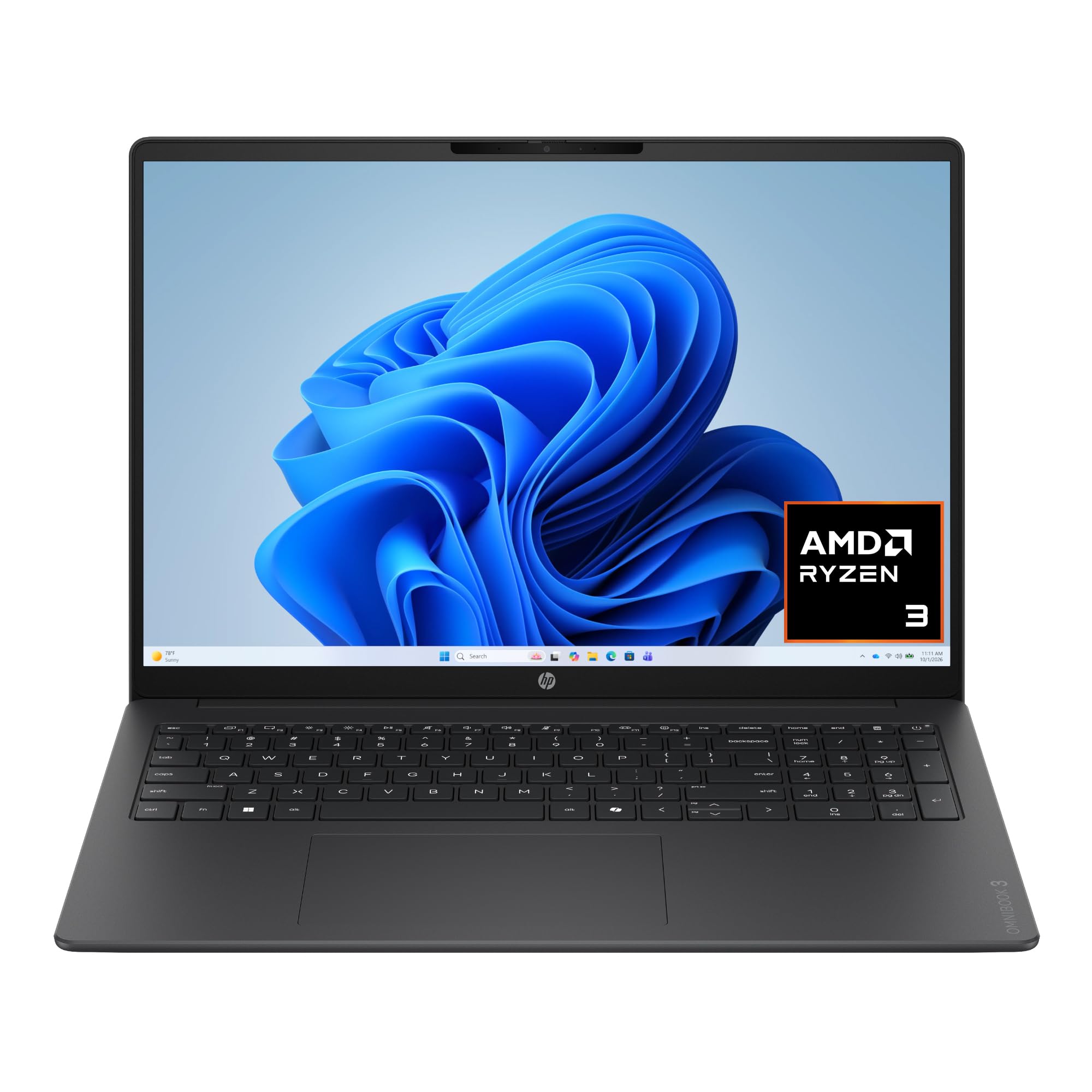
A big 16-inch touchscreen that makes multitasking feel interactive and intuitive.
The HP OmniBook 3 is all about the display and interaction. Its standout feature is a large 16-inch 2K IPS touchscreen with a 1920 x 1200 resolution. This makes it perfect for anyone who likes to tap, swipe, and pinch their way through tasks. Owners love the touch screen, and the large canvas is ideal for multitasking with multiple windows open side-by-side without feeling cramped. It offers a spacious screen experience that rivals the Apple MacBook Air, but with the versatility of touch input.
It’s powered by an AMD Ryzen 3 30 processor with integrated AMD Radeon 610M graphics. This is capable of smooth performance for everyday tasks like streaming, multitasking, and casual gaming and photo editing. The 8GB of LPDDR5 RAM is sufficient for most users, though it’s less future-proof than the 16GB options like the Lenovo V15. A major highlight is its battery life, which can last up to 14 hours and 15 minutes, and HP Fast Charge can get you from 0 to 50% in about 45 minutes.
For communication, it includes a 1080p FHD camera with HDR auto-switch and Advanced AI Noise Reduction to filter out background noise during calls. Wi-Fi 6 and Bluetooth 5.4 keep you connected. One complaint is the lack of a backlit keyboard, which is disappointing for typing in the dark. The bundled 256GB SSD provides a decent amount of storage, though it fills up quickly if you store large files locally.
Interactive and bright: The 16-inch touchscreen is the star here, offering a unique and productive way to work.
Smart shopper note: This is a great choice for touch lovers, but budget for more storage if you have a large media library.
10. Lenovo 15.6″ FHD
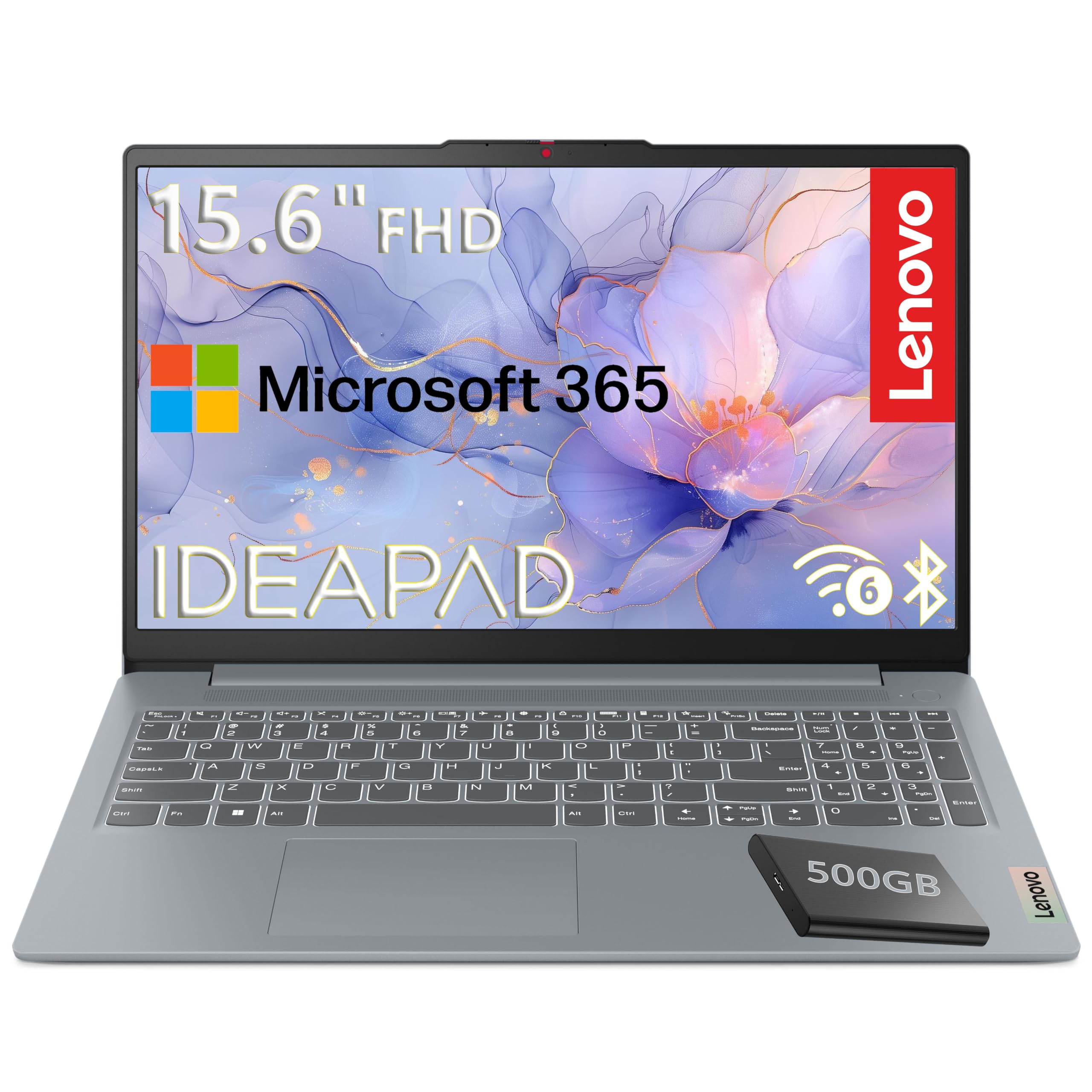
Super lightweight at 3.42 lbs with a huge external drive for all your files.
The Lenovo 15.6″ is a budget-friendly workhorse designed for students, home users, and families. Its key strengths are its lightweight portability and its bundled 500GB external hard drive, giving you a total of 628GB of storage right from the start. The laptop itself has a 128GB UFS 3.1 drive for the operating system and essential programs, which provides fast boot times. It’s a practical and affordable solution for anyone who needs reliable performance for schoolwork and web browsing.
Under the hood, it runs on an efficient Intel N100 processor with 4 cores and integrated Intel UHD Graphics. This provides smooth performance for everyday computing, streaming, and productivity tasks. The 15.6-inch FHD (1920×1080) TN display has an anti-glare coating, which helps reduce reflections when working near a window. However, the panel type is TN (Twisted Nematic), which means viewing angles and color are not as good as IPS panels found on pricier laptops like the Acer Nitro V 15.
It comes with 4GB of LPDDR5 RAM, which is the minimum recommended for modern computing and can feel limiting if you like to keep many tabs open. The build quality holds a MIL-STD-810H military-grade certification, meaning it’s built to survive some bumps and drops. While performance is generally seen as acceptable for basic tasks, some customers note the laptop can freeze on occasion, and the screen is often described as “very dull.”
Easy on the Wallet
- Very lightweight at 3.42 lbs
- Bundled 500GB external hard drive
- Military-grade durability standard
- Includes Microsoft 365 subscription
Entry-Level Limits
- Only 4GB of RAM
- TN screen has dull colors
- Occasional freezing reported
- Performance can stutter with many apps open
Best for: Basic home use, kids’ schoolwork, or as a reliable backup computer where the price is the priority.
skip it if: You’re a power user or gamer; 4GB of RAM will choke on heavy multitasking or modern games.
11. FUNYET 16″ Laptop

A huge 16-inch screen and 16GB RAM on a budget that’s hard to believe.
The FUNYET 16″ Laptop is a value-focused machine that boost the specs you get for the money. For a very low price, it offers a massive 16-inch FHD IPS display, a substantial 16GB of RAM, and a fast 512GB SSD. This makes it a compelling option for budget buyers who want a large screen for streaming and enough memory to avoid lag in everyday tasks. The 1920×1200 resolution display offers crisp text for reading and browsing.
It’s powered by a 12th-generation Intel Celeron N95 processor with 4 cores running up to 3.4 GHz. While the Celeron brand is entry-level, it’s sufficient for web browsing, document editing, and light productivity. The 16GB RAM helps the system feel responsive even with multiple applications open. You also get a backlit keyboard and a fingerprint open up for fast, secure sign-in, which are nice-to-have features at this price point. It ships with Windows 11 Pro, offering a more secure and feature-rich operating system than most budget laptops.
The trade-off for the low price is performance and reliability. Owners say it’s a “budget-friendly powerhouse” for tasks like Minecraft and LoL, but it’s not for AAA gaming. Reviews also flag durability as a concern, with one buyer noting “reliability and durability receive mixed feedback.” Battery life is a known weak spot, improved from 5 to 6 hours by the manufacturer, but still on the short side. It includes a 2-year warranty for confidence, though.
Screen size champion: At this price, nothing else offers this large a display with 16GB of RAM.
An honest caution: Treat this as a home and basic-work laptop; demanding games or heavy multitasking aren’t its strength.
Understanding the Specs
Refresh Rate (Hz)
This number tells you how many times your screen updates its image every second. A standard laptop is 60Hz, which is fine for office work. Gaming laptops push this to 144Hz or 165Hz (and even 180Hz on the Acer Nitro V 16S). A higher refresh rate makes motion look smoother and can give you an edge in fast-paced games by reducing motion blur and screen tearing.
RAM Explained
RAM (Random Access Memory) is your laptop’s short-term memory for running apps. 8GB is enough for basic web browsing and word processing. 16GB is the balance for modern multitasking and light gaming. Heavy content creators and gamers will want 32GB, like the Acer Nitro V 16S offers, to ensure smooth performance with demanding software and large files.
FAQ
Is 8GB or 16GB of RAM better for a laptop in 2026?
What does a 144Hz or 165Hz display refresh rate mean for gaming?
What is the difference between an SSD and an external hard drive?
Which processor is better for laptops, Intel Core or AMD Ryzen?
How long should a gaming laptop battery last?
Is Windows 11 Pro worth it over Windows 11 Home?
What does a dedicated graphics card (GPU) do?
What is a 2-in-1 or touchscreen laptop good for?
How much storage space do I really need in a new laptop?
What is a good battery life for a student laptop?
Why are gaming laptops so much heavier and louder than regular laptops?
Final Thoughts: The Verdict
For most people, the 5 laptops winner is the Apple MacBook Air 15-inch because it offers the best balance of exceptional performance, all-day battery life, and a beautiful display in a lightweight design. If you want top-tier gaming performance with the latest AI features, the Acer Nitro V 16S AI is the one to grab. And for the most dependable and powerful productivity machine for business, the Lenovo V15 with Windows 11 Pro is the smart choice.
How We Picked
We do not accept paid placement. Every pick is matched to a real buyer and a real use-case; we do not hands-on test units.
Sources & Methodology
Specifications: manufacturer listings and product documentation. Review insights: verified customer reviews, as of August 2026. Pricing: not shown on this page (it changes often); check the current price via the retailer link.
As an Amazon Associate, Gadgets Feed earns from qualifying purchases. This does not affect which products we feature.