
That single USB-A port on your laptop has become a bottleneck. Every peripheral you plug in — a mouse, a keyboard, a flash drive, an external hard drive, a printer — demands a piece of your finite connectivity. The moment you need to transfer a file while your mouse and keyboard are connected, the swapping begins. A dedicated splitter ends that shuffle, turning one port into a permanent docking station for your desk.
I’m Min — the co-founder and writer behind Gadgets Feed. After analyzing the transfer rates, chipset reliability, power delivery specs, and build quality of dozens of models in this price tier, I can tell you exactly which ones earn their keep on a crowded desk.
Whether you need to connect a handful of flash drives or feed a legacy printer alongside your peripherals, the best 5 port usb extender keeps your workflow uninterrupted without introducing data drops or speed bottlenecks.
How To Choose The Best 5 Port USB Extender
Not every USB hub delivers the same experience. The difference between a frustrating, disconnecting hub and a reliable desk companion comes down to three key decisions you make before clicking “buy”.
Powered vs. Bus-Powered
The single biggest mistake buyers make is assuming any hub can handle an external hard drive without external power. A bus-powered hub draws all its power from your laptop’s USB port — fine for a mouse and a keyboard, but the moment you plug in a 2.5-inch HDD or a high-power gaming peripheral, the voltage drops and devices disconnect. A powered hub includes a wall adapter (typically 5V/3A) that keeps every port at full spec regardless of load. If you plan to connect storage drives, a separate power brick is non-negotiable.
Transfer Speed vs. Real-World Throughput
The USB 3.0 spec promises 5Gbps, but shared bandwidth across all ports means that number drops when every port is active. A well-designed hub with a quality chipset (like the GL3510 or similar) maintains stable throughput even under load. Look for models that advertise individual port management rather than simple passive splitting. The difference between a hub that stutters during file transfers and a hub that cruises is all in the controller chip.
Enclosure Material and Cable Length
Plastic enclosures trap heat. Aluminum dissipates it — critical when you’re running multiple drives or high-speed flash sticks for hours. Cable length is equally practical: a 3.3-foot or 4-foot cable lets you route the hub under a desk or behind a monitor mount. Shorter 12-inch cables force the hub to sit on your desk, taking up valuable surface space. Match the cable to your setup before you buy.
Quick Comparison
On smaller screens, swipe sideways to see the full table.
| Model | Category | Best For | Key Spec | Amazon |
|---|---|---|---|---|
| Acer USB Hub 4 Ports | Premium | Travel & compact desktops | 4 USB-A ports, 4ft cable | Amazon |
| ABFCRTTW 7-Port Hub | Premium | USB-C device expansion | 4 USB-A + 3 USB-C, 4ft cable | Amazon |
| Wenter Powered USB 3.0 Hub | Mid-Range | Powered hub with per-port switches | 5 ports, 5V/3A adapter included | Amazon |
| ORICO 7-Port USB 3.0 Hub | Mid-Range | Aluminum build with heat dissipation | 7 USB-A ports, Type-C power port | Amazon |
| FORIDA Aluminum 8 Port Hub | Mid-Range | Long cable desk setups | 7 USB-A + 1 USB-C power, 47in cable | Amazon |
| atolla 7-Port USB 3.0 Hub | Mid-Range | Premium aluminum aesthetic | 7 USB-A ports, 1m cable | Amazon |
| iDsonix 7 Ports USB 3.0 Hub | Budget | Value multi-port expansion | 7 USB-A ports, 3.3ft cable | Amazon |
In‑Depth Reviews
1. Acer USB Hub 4 Ports

The Acer USB Hub distills everything you need from a desktop extender into a compact, no-nonsense package. Four USB 3.0 ports push data at the full 5Gbps spec when connected to a powered source — the built-in GL3510 chip prevents thermal throttling during sustained transfers, a common failure point in cheaper hubs. The 4-foot cable is a standout: long enough to route behind a monitor or under a desk without dangling midway.
At just 4.13 inches wide and made from ABS plastic with an anti-slip base, this hub stays planted even when you yank cables in a hurry. The USB-C power input (5V printed directly on the port) is strictly for stabilizing data transfer — plugging a power source here eliminates the dropouts that plague bus-powered hubs when an external SSD is connected. Users running gaming peripherals or file backups will find this reliability essential.
Compatibility stretches across Windows, macOS, ChromeOS, and Linux with zero driver installation. The LED indicator provides instant power status feedback, and the slim profile slides into a laptop bag without adding bulk. For a clean, professional extension solution from a trusted brand, this is the benchmark.
Why it’s great
- GL3510 chip prevents overheating during heavy transfers
- 4-foot cable offers flexible desk routing
- Anti-slip base keeps the hub secure
Good to know
- USB-C port is power-only, not a data port
- ABS plastic enclosure runs warmer than aluminum under sustained load
2. ABFCRTTW 7-Port USB Hub 3.0
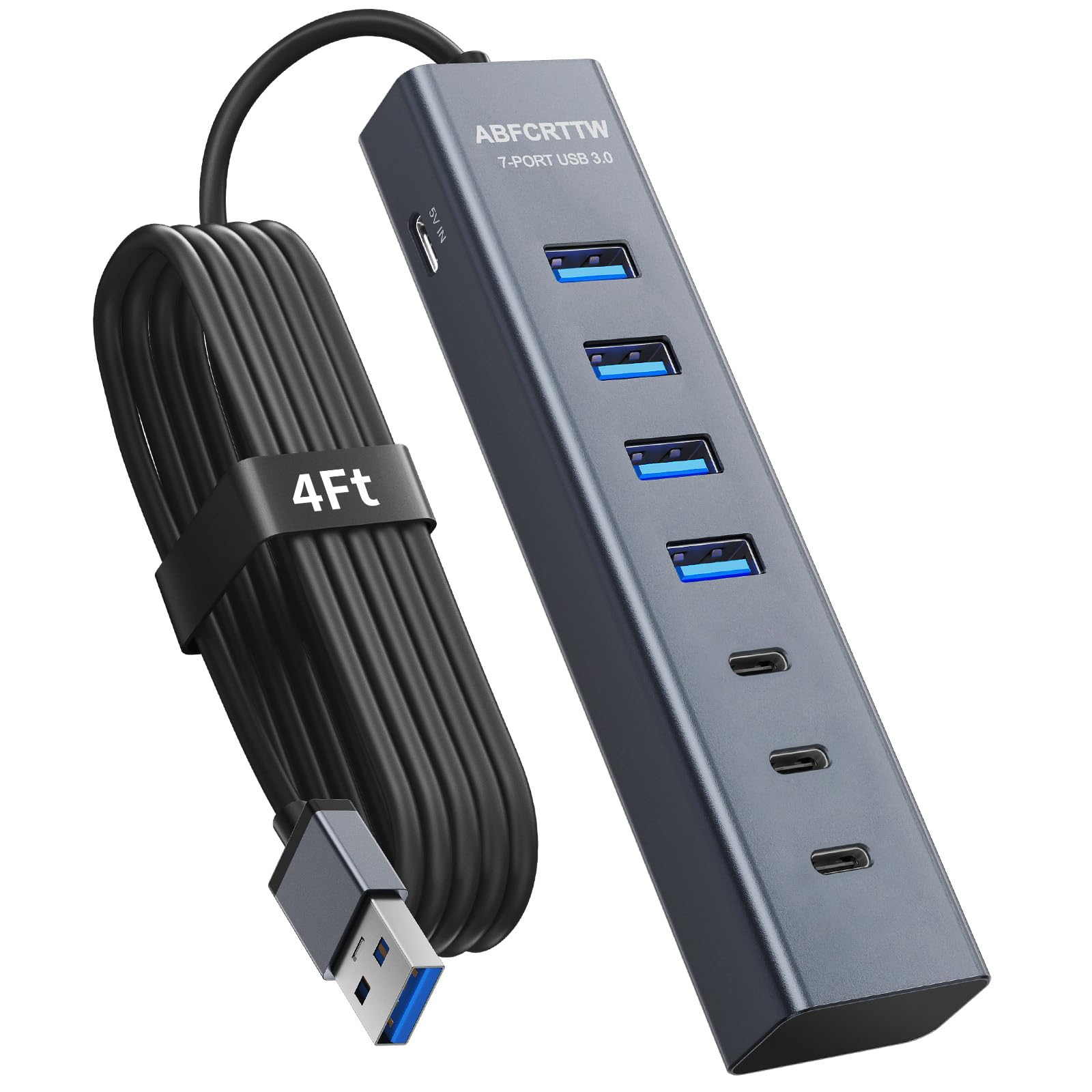
This hub solves a specific modern problem: your device has USB-A ports but your peripherals increasingly ship with USB-C connectors. The ABFCRTTW delivers 4 USB-A 3.0 ports and 3 USB-C ports, all running at 5Gbps. The aluminum enclosure pulls heat away from the dual-chip processor, which handles simultaneous data streams from different port types without the latency spikes that single-chip hubs exhibit.
The 4-foot tangle-resistant cable gives you real placement freedom — mount this under a standing desk or route it behind a monitor arm. A dedicated 5V/3A Type-C power port supplies the 15W needed to keep external HDDs and SSDs stable, eliminating the disconnection issues that frustrate users who plug high-power storage into a bus-powered hub. The compact footprint (5.3 x 0.66 x 1 inches) disappears behind a monitor stand.
Compatibility is broad across Windows, Mac OS, Linux, and ChromeOS. The dual-chip design specifically improves reliability when you’re running a USB-C drive and a USB-A flash stick simultaneously — a common workload that chokes cheaper passive splitters. If your desk has a mix of old and new connectors, this hub bridges the gap seamlessly.
Why it’s great
- Three USB-C ports alongside four USB-A ports
- Dual-chip processor maintains stable throughput
- Aluminum enclosure provides effective heat dissipation
Good to know
- Data-only hub — no port charges devices
- USB-C ports are 3.0 speed, not Thunderbolt
3. Wenter Powered USB 3.0 Hub

The Wenter hub brings a crucial missing feature to the USB extender game: individual on/off switches with soft LED indicators for each port. When you have a printer, a scanner, and a backup drive all connected simultaneously, being able to cycle power on a single peripheral without unplugging the cable saves time and reduces wear on the ports. The powered design ships with a 5V/3A adapter rated for 2.4A per charging port, though the USB-C port is dedicated to charging only — no data passes through it.
Data transfer across the four USB 3.0 ports hits the expected 5Gbps ceiling, and the included cables (3.3-foot USB and 4-foot power) provide enough slack for a tidy desk layout. Users running external hard drives report zero power drops after switching from a bus-powered hub — the external adapter delivers the consistent voltage that rotating platter drives demand. The 24-month warranty backs the unit, longer than most competitors in this price tier.
Plug-and-play compatibility spans Windows, Mac OS, and Linux. The ability to toggle individual ports makes this hub particularly useful for musicians running USB audio interfaces — you can cycle power on a misbehaving controller without disrupting the audio interface connected to an adjacent port. The build is plastic, but the soft-touch LEDs won’t glare in a dark studio or bedroom.
Why it’s great
- Individual on/off switches for each data port
- Includes 5V/3A power adapter for stable drive operation
- 24-month warranty exceeds industry standard
Good to know
- USB-C port is charging-only, no data transfer
- Plastic enclosure — not as thermally efficient as aluminum
4. ORICO 7-Port USB 3.0 Hub
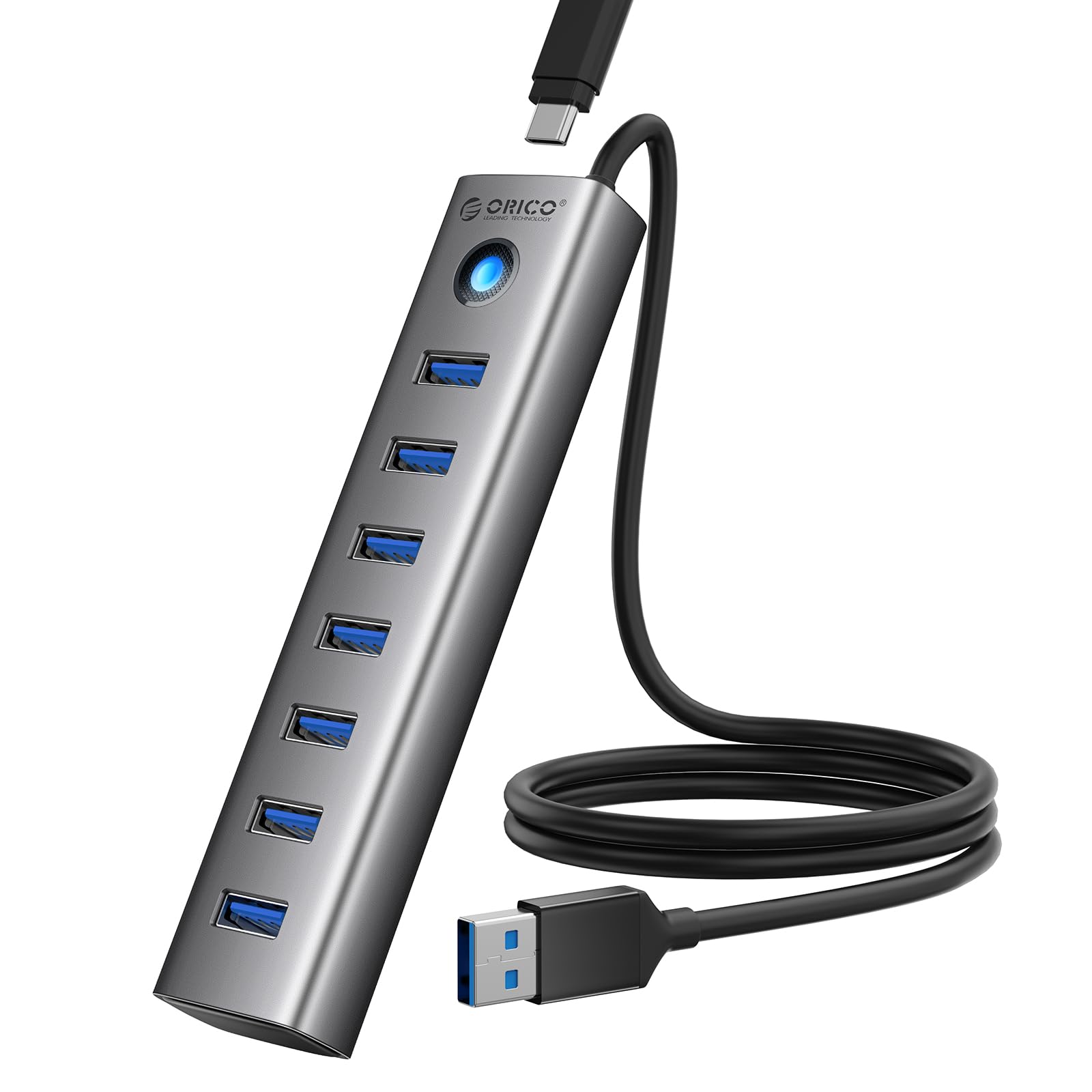
ORICO has built a reputation on aluminum enclosures, and this 7-port hub is no exception. The CNC-machined aluminum shell acts as a passive heat sink, keeping the internal controller cool even when all seven USB-A ports are transferring data simultaneously. At 80 grams and measuring only 3.94 inches long, it’s one of the most portable full-size hubs on the market — small enough to slip into a laptop sleeve without adding noticeable weight.
The 3.28-foot cable feels appropriately matched to the hub’s size, offering enough reach for a tidy desk without excessive cable slack. A 5V/3A Type-C power port is available for connecting an external adapter (not included) when you need to run power-hungry devices like external hard drives. Without external power, this hub is strictly for data — no device charging passes through the USB-A ports. The surge protector integrated into the circuit guards against voltage spikes during plug-in.
Compatibility covers Windows, Mac OS, and Linux. The aluminum finish resists corrosion and moisture better than plastic alternatives, making this a solid choice for humid environments or workshop desks. Users consistently rate the build quality above expectations for the price, with the metal chassis providing a premium feel that plastic hubs cannot match.
Why it’s great
- Aluminum alloy enclosure for superior heat dissipation
- Compact and lightweight at 80 grams
- Integrated surge protection circuit
Good to know
- No power adapter included — requires separate purchase for stable HDD use
- USB-A data ports do not support device charging
5. FORIDA Aluminum Alloy 8 Port USB Hub
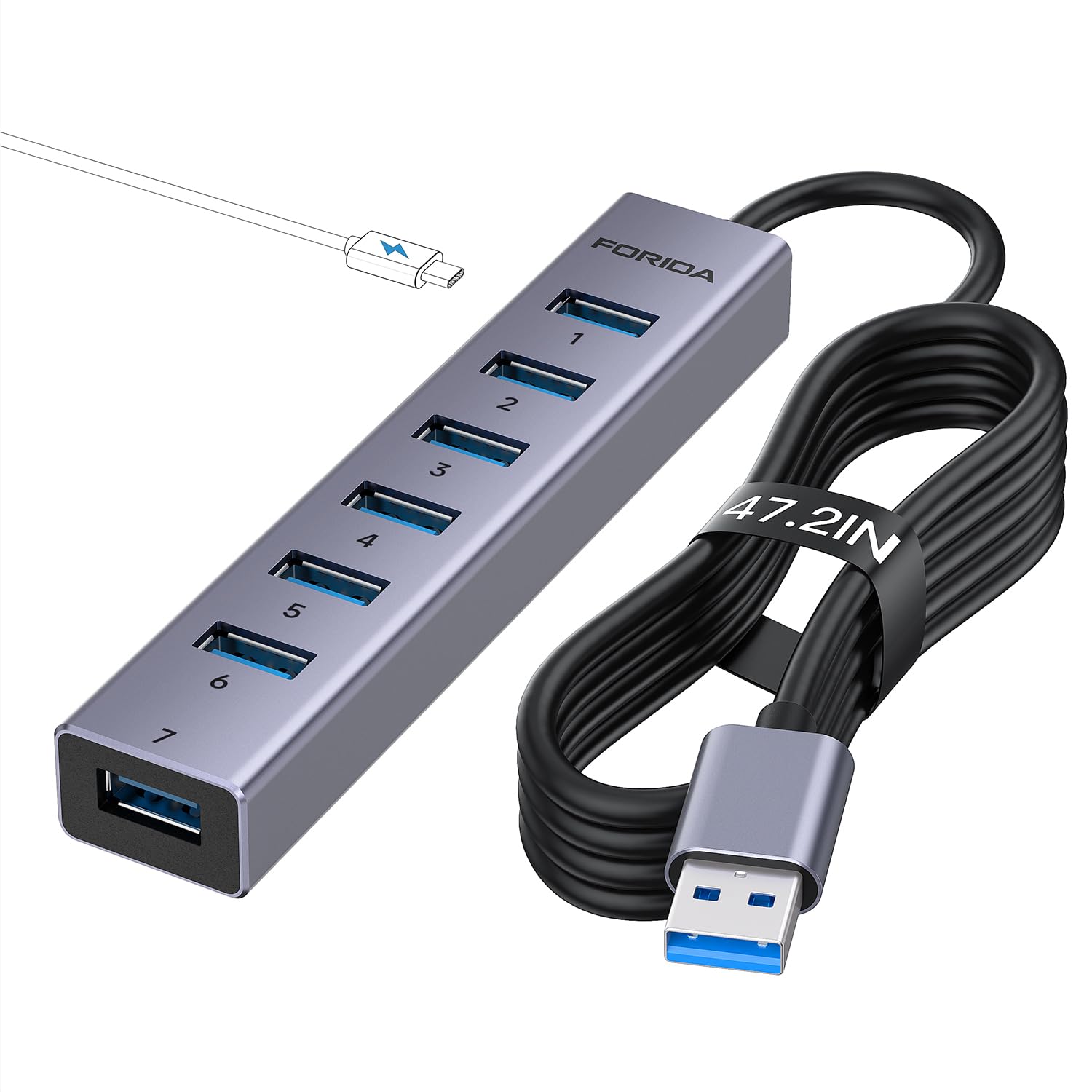
The FORIDA hub answers a specific complaint that runs through USB extender reviews: cable length. At 47 inches (roughly 4 feet), this is one of the longest integrated cables you’ll find on a compact aluminum hub. If your desktop tower sits on the floor or your monitor stand is positioned far from your laptop, this cable reaches without a separate extension cord. The aluminum enclosure mirrors the ORICO in thermal performance, with a similar machined finish that feels dense in hand.
Seven USB-A 3.0 ports handle the usual peripheral load, while a dedicated USB-C power port accepts a 5V/3A input (cable not included) to stabilize data transfer when multiple high-power devices are connected. The built-in chip manages hot-swapping and provides basic over-voltage protection. At 0.1 kg, it’s slightly heavier than the ORICO but still portable enough for a laptop bag. Users running Xbox setups report reliable connectivity with headphone dongles and external drives connected simultaneously.
Compatibility stretches back to Windows Vista and XP — useful for legacy hardware. The long cable means you can mount the hub underneath a desk with adhesive strips, keeping the ports accessible but the unit out of sight. If cable reach is your primary bottleneck, this model eliminates the problem without needing a separate extension cable.
Why it’s great
- 47-inch cable — longest integrated cable in this comparison
- Aluminum alloy build provides passive cooling
- Works with legacy OS like Windows Vista and XP
Good to know
- USB-C port is power-only — no data passthrough
- Power adapter not included in the package
6. atolla 7-Port USB 3.0 Hub

The atolla hub targets the visual-first buyer who wants their gear to match. The space gray aluminum finish nearly perfectly matches the aesthetic of a MacBook Pro or a modern ThinkPad, making it the most visually cohesive option for a premium laptop setup. At 6.81 inches long, it’s slightly larger than the compact ORICO and FORIDA units, but the extra length accommodates the 7 USB-A ports with adequate spacing — no crowded plugs blocking adjacent ports.
The 1-meter (3.28-foot) cable provides standard reach, and the USB-C power input accepts a 5V/3A adapter to stabilize transfers. The built-in smart chip manages over-current and over-voltage protection, and users consistently report no data dropouts during multi-device operation. The anodized aluminum finish resists fingerprint smudges better than raw aluminum, keeping the hub looking clean on a desk long after other hubs show wear.
Compatibility covers Windows, Mac OS, and Linux. The hub is plug-and-play with zero driver installation. The milled craft edges and uniform gap tolerance indicate higher manufacturing precision than the cheapest plastic alternatives. If your desk aesthetic matters, this is the hub that won’t clash with your Mac setup.
Why it’s great
- Space gray aluminum matches MacBook Pro aesthetic
- Widely spaced ports prevent connector blockage
- Fingerprint-resistant anodized finish
Good to know
- USB-C port is power-only — no data capability
- Larger footprint than compact aluminum alternatives
7. iDsonix 7 Ports USB 3.0 Hub

For the buyer who simply needs more USB-A ports without any bells or whistles, the iDsonix hub delivers the essentials at a price that undercuts almost everything in this list. Seven USB 3.0 ports operate at the standard 5Gbps ceiling, and the built-in smart chip provides the basic safety suite — over-current, over-voltage, short circuit, and temperature protection. The plastic enclosure keeps weight down to 80 grams, identical to the aluminum ORICO but without the thermal benefits of metal.
The 3.3-foot cable provides standard desk reach, and the hub works across Windows, Mac OS, and Linux with zero driver installation. Users consistently note that this hub outlasted their previous cheap splitters — the key differentiator here is the protection circuitry that prevents the sudden port failure common in unbranded, no-protection hubs. The iDsonix is strictly for data transfer; no charging passes through any port, and high-power devices like external hard drives require the auxiliary power port (adapter not included).
Compatibility covers Chrome OS, Linux, and macOS. The 1-year warranty covers defects. If your needs are limited to connecting a few flash drives, a mouse, and a keyboard — and you don’t need individual power switches or a metal chassis — this hub gives you seven functional ports at the lowest entry cost.
Why it’s great
- Seven USB 3.0 ports for the lowest entry price
- Built-in protection circuits prevent port failure
- Lightweight and easily portable
Good to know
- Plastic enclosure doesn’t dissipate heat as effectively
- Power adapter not included for high-power device support
FAQ
Can I charge my phone through a USB data hub?
Why do my external hard drives keep disconnecting from a bus-powered hub?
Does connecting multiple devices slow down the transfer speed on a USB 3.0 hub?
Final Thoughts: The Verdict
For most users, the best 5 port usb extender winner is the Acer USB Hub 4 Ports because it balances compact portability, a 4-foot cable for desk flexibility, and a reliable GL3510 chipset that keeps data stable without overheating. If you need individual control over each connected device, grab the Wenter Powered USB 3.0 Hub. And for a mixed USB-A and USB-C setup with an aluminum chassis, nothing beats the ABFCRTTW 7-Port Hub.