
A 50-inch 4K OLED monitor isn’t just a bigger screen — it’s a fundamental shift in how you experience gaming, creative work, and media. The self-emissive pixels deliver perfect blacks, infinite contrast, and response times that destroy any LCD display. But picking the right one means navigating panel generations, brightness capabilities, connectivity standards, and burn-in mitigation features that matter at this scale.
I’m Min — the co-founder and writer behind Gadgets Feed. My research for this guide involved analyzing hundreds of hours of technical specifications, cross-referencing panel data sheets with real-world user feedback across multiple OLED generations and sizes, and comparing measured brightness, color gamut coverage, and HDR performance across the premium options in this space.
Whether you are upgrading from a standard IPS panel or building a no-compromise setup from scratch, the right choice hinges on understanding these nuanced trade-offs. This guide breaks down the top contenders so you can confidently choose the best 50 inch 4k oled monitor for your specific needs and setup.
How To Choose The Best 50 Inch 4K OLED Monitor
Selecting a 50-inch class OLED display for your desktop or living space requires understanding a few critical parameters that define the experience more than the diagonal measurement itself. The panel technology, peak sustained brightness, refresh rate capabilities, and connectivity options will determine whether the monitor feels like a true upgrade or just a very large TV.
Panel Technology: QD-OLED vs WOLED
The core debate in premium OLED monitors centers on Quantum Dot OLED versus White OLED panels. QD-OLED typically delivers higher color volume in bright scenes, achieving a wider DCI-P3 gamut coverage and higher peak brightness for HDR highlights, but often uses a glossy screen finish that may cause reflections in bright rooms. WOLED panels, such as LG’s evo technology, generally offer more consistent black levels across the entire brightness range and are often available with a matte anti-glare coating, making them the better choice for well-lit workspaces. The subpixel structure also affects text clarity — WOLEDs with updated layouts can reduce the color fringing seen on standard text in productivity apps.
Brightness and HDR Certification
HDR performance is not just about peak highlights. The VESA DisplayHDR True Black standard (400, 500, or 600) measures sustained brightness across a larger portion of the screen. A monitor certified for True Black 500 can maintain higher luminance in scenes with moderate to high average brightness without aggressively dimming. For a 50-inch display used in a living room, this makes a significant difference in daytime viewing. Separately, the maximum peak brightness (often measured in nits on a 10% window) determines how punchy specular highlights appear in games and movies. Premium QD-OLED panels can exceed 1000 nits peak, while WOLED panels typically hover in the 700-800 nits range.
Refresh Rate, Response Time, and Connectivity
At 4K resolution, driving a 50-inch panel at high refresh rates demands substantial GPU power and the right cable interface. HDMI 2.1 (48 Gbps) is the baseline for 4K at 120 Hz or 144 Hz, but achieving 240 Hz at 4K requires Display Stream Compression (DSC) over HDMI 2.1 or a native DisplayPort 2.1 connection. The input lag and response time (typically 0.03 ms GtG for OLED) are already class-leading, so the bottleneck becomes the interface bandwidth. If you plan to use the monitor with a high-end PC and an RTX 40-series or AMD Radeon RX 7000 series card, prioritize a model with DisplayPort 2.1 for full-bandwidth 4K 240 Hz. Console gamers using PS5 or Xbox Series X only require HDMI 2.1 for 4K 120 Hz.
Quick Comparison
On smaller screens, swipe sideways to see the full table.
| Model | Category | Best For | Key Spec | Amazon |
|---|---|---|---|---|
| MSI MPG 321URX QD-OLED | Gaming | High-refresh 4K gaming | 240 Hz / 0.03 ms | Amazon |
| ASUS ROG Swift PG32UCDM | Gaming | Burn-in warranty and matte finish | 240 Hz / True Black 400 | Amazon |
| LG C4 48″ OLED | TV/Monitor | Cinematic HDR and 144 Hz gaming | 144 Hz / Dolby Vision | Amazon |
| Samsung S85F 55″ OLED | TV/Monitor | AI upscaling and smart features | 120 Hz / Pantone validated | Amazon |
| INNOCN GA27W1Q | Gaming | Budget QD-OLED | 240 Hz / 99% DCI-P3 | Amazon |
| LG 27GX790B-B | Gaming | Extreme refresh rate | 540 Hz QHD / 720 Hz HD | Amazon |
| Samsung Odyssey G9 G95SD | Ultrawide | Immersive 32:9 gaming | 5120×1440 / 240 Hz | Amazon |
| LG 45GX950A-B | Ultrawide | 5K2K high-PPI productivity | 5120×2160 / 165 Hz | Amazon |
| LG 39GX950B-B | Ultrawide | Compact high-PPI ultrawide | 5120×2160 / 165 Hz | Amazon |
| Samsung Odyssey Neo G9 G95NC | Ultrawide | Dual UHD mini-LED | 7680×2160 / 240 Hz | Amazon |
In‑Depth Reviews
1. MSI MPG 321URX QD-OLED

The MSI MPG 321URX uses a 31.5-inch QD-OLED panel with 3840×2160 resolution, a 240 Hz refresh rate, and a 0.03 ms GtG response time that virtually eliminates motion blur. The QD-OLED technology delivers a 99% DCI-P3 color gamut and a Delta E of under 2, meaning out-of-the-box color accuracy is superb for both creative work and competitive gaming. The VESA DisplayHDR True Black 400 certification ensures deep blacks and bright highlights with minimal blooming, a hallmark of OLED technology.
Connectivity is comprehensive: two HDMI 2.1 ports, one DisplayPort 1.4a, and a USB Type-C port delivering up to 90W of power delivery for laptops. The built-in KVM switch with PiP/PbP functionality is a genuine productivity advantage, allowing you to control two input sources with a single keyboard and mouse. The four-way adjustable stand includes height, tilt, swivel, and pivot adjustments, paired with Mystic Light RGB lighting on the rear.
OLED Care 2.0 provides pixel refresh, panel protection, and burn-in mitigation features that run automatically when the monitor enters standby. Real user feedback confirms this monitor works well for both Mac productivity setups (after adjusting to 120 Hz to avoid DSC handshake issues) and high-end PC gaming with frame-generation technologies. The glossy screen finish adds punch to colors but is best placed away from direct light sources.
Why it’s great
- QD-OLED delivers vibrant color and perfect blacks at 240 Hz
- USB-C with 90W PD and KVM simplifies multi-device workflow
- Comprehensive OLED Care protects against burn-in over time
Good to know
- Glossy screen can reflect bright ambient light
- Base lacks front-to-back swivel range
2. ASUS ROG Swift PG32UCDM

The ASUS ROG Swift PG32UCDM positions itself as the enthusiast’s choice, combining a 32-inch 4K QD-OLED panel with a custom heatsink and graphene film to dissipate heat more effectively than standard designs. With a 240 Hz refresh rate, 0.03 ms response, and VESA DisplayHDR True Black 400, this monitor delivers 1000 nits peak brightness on small highlight areas, making HDR gaming exceptionally punchy. The matte screen finish reduces reflections in bright rooms without fully sacrificing the color vibrancy QD-OLED provides.
The uniform brightness setting is a welcome addition for productivity work, as it stabilizes luminance levels across the whole panel to prevent ABL fluctuations. The DisplayWidget Center software allows deep OLED Care control and settings adjustment with a mouse rather than the OSD joystick. The included 3-year warranty covers burn-in, providing peace of mind that is often lacking in premium monitors. Connectivity includes HDMI 2.1, DP 1.4a, and a USB-C port with 90W power delivery.
Users report that the matte coating reduces glare substantially compared to glossy QD-OLED alternatives, though some note a slight reduction in perceived contrast in very bright rooms. FreeSync Premium Pro and G-Sync compatibility ensure smooth variable refresh rate operation. The Delta E of under 2 out of the box means you can rely on it for color-critical creative work right off the stand, without needing immediate calibration.
Why it’s great
- Custom heatsink and graphene film reduce heat for better long-term health
- Matte finish counters reflections while retaining QD-OLED vibrancy
- Uniform brightness mode is excellent for day-long productivity
Good to know
- Peek brightness varies with APL; not a flat 1000 nits on full screen
- Requires pixel refresh cycle every few hours for best performance
3. LG C4 48″ OLED

The LG C4 series uses self-lit WOLED technology with over 8 million individually controlled pixels, delivering infinite contrast and 100% Color Volume across the DCI-P3 gamut. This 48-inch model operates at a 144 Hz refresh rate with a 0.1 ms response time, making it fast enough for competitive gaming while retaining the cinematic HDR quality that OLED is famous for. The a9 AI Processor Gen7 provides AI Super Upscaling that sharpens lower-resolution content, making it suitable for mixed-use scenarios like console gaming and streaming movies.
Connection options are generous with four HDMI 2.1 inputs, each supporting full 48 Gbps bandwidth, plus support for NVIDIA G-Sync, AMD FreeSync Premium, and VRR. Dolby Vision and Dolby Atmos are built-in, so you get the full cinematic experience without needing an external sound system that handles these formats. The WebOS 24 platform includes over 300 free LG Channels and supports all major streaming apps, though the smart TV software is slower than standalone streaming devices.
This panel is a strong option for users who want a single large display that functions as both a PC monitor and a living-room TV. However, using it as a desktop monitor at 48 inches requires a deep desk or wall mounting to avoid neck strain at standard viewing distances. The remote control with pointer functionality is helpful for navigating the smart TV interface, and the 5-year webOS RE:NEW program ensures software updates will continue.
Why it’s great
- Native 144 Hz with HDMI 2.1 and full VRR suite
- Dolby Vision and Dolby Atmos provide reference-level HDR
- Four HDMI 2.1 ports for multi-console setups
Good to know
- 48-inch size mandates a deep desk or wall mount for desktop use
- Built-in WebOS can feel sluggish compared to dedicated streaming hardware
4. Samsung S85F 55″ OLED
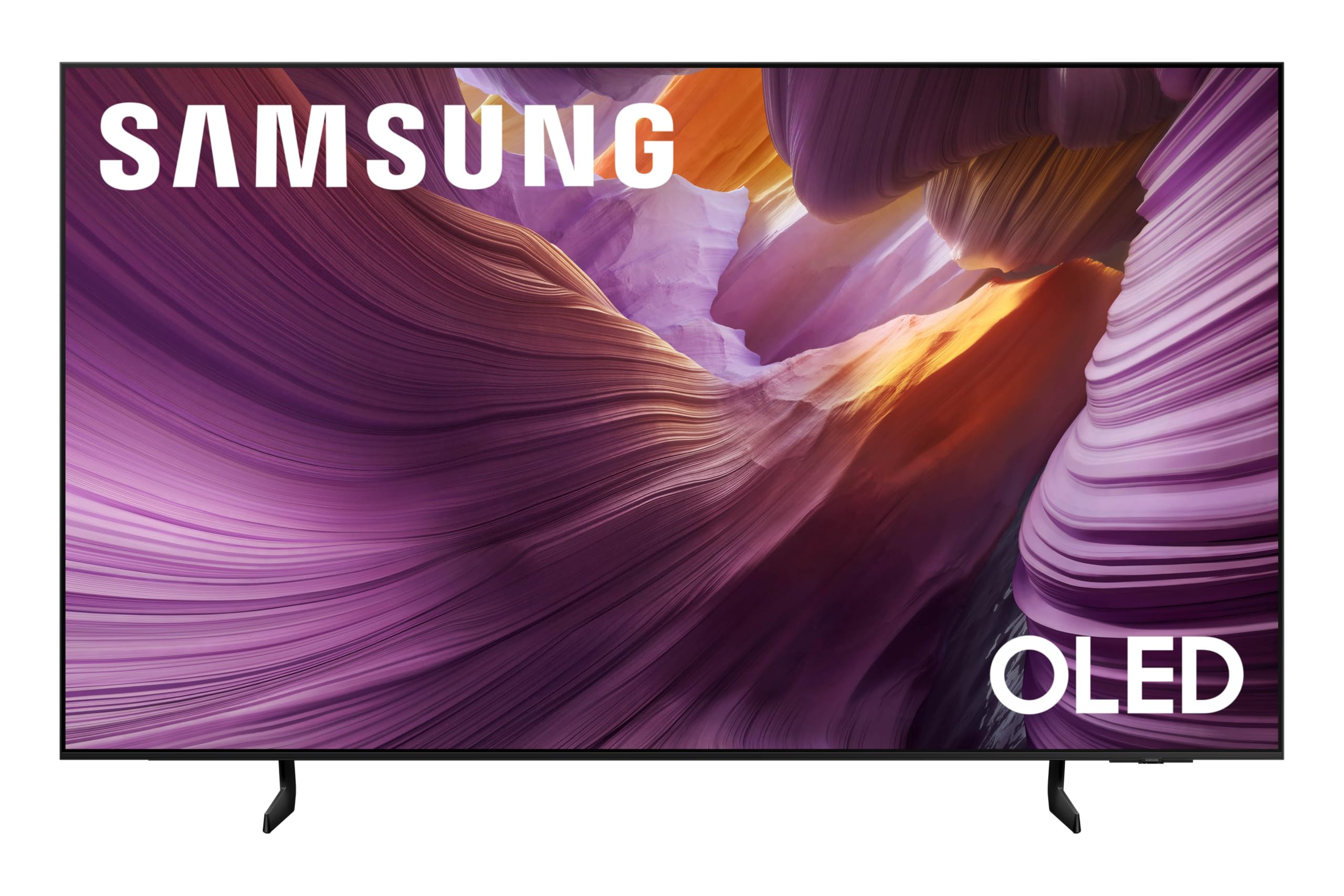
Samsung’s 55-inch S85F series uses the NQ4 AI Gen2 Processor with 20 AI neural networks to upscale content to near-4K resolution. It uses a WOLED panel with Color Booster Pro and Pantone-validated color accuracy, meaning skin tones and material textures appear natural and convincing across a wide dynamic range. The Dynamic Brightness and Contrast engine analyzes each scene to improve peak brightness, revealing more detail in darker gaming environments without washing out highlights.
The design is notably sleek, with a Contour Design that minimizes bezel intrusion. Object Tracking Sound Lite with Dolby Atmos creates a wider soundstage than typical TV speakers, though a separate soundbar is recommended for serious home theater use. Alexa is built-in, and Samsung’s Gaming Hub provides instant access to cloud gaming services without a console. Connectivity includes Wi-Fi, Bluetooth, Ethernet, HDMI 2.1, and USB.
The retail package includes a power cable, remote control, stand, and user manual. Customer feedback consistently praises the picture clarity and setup simplicity, with one 77-year-old user noting the easy on-screen instructions. However, a small subset of users report random screen blackouts across multiple HDMI sources, which suggests potential compatibility issues with certain devices or firmware that may require a software update to resolve.
Why it’s great
- 20 neural-network AI upscaling enhances sub-4K content brilliantly
- Pantone-validated color accuracy for realistic skin tones
- Contour design and slim bezels look elegant in any room
Good to know
- Some units report intermittent screen blackouts that require firmware workaround
- Built-in speakers are adequate; a soundbar improves immersion substantially
5. INNOCN GA27W1Q

The INNOCN GA27W1Q packs a 27-inch 4K QD-OLED panel with a 240 Hz refresh rate and 0.03 ms response time into a design that significantly undercuts the pricing of established gaming brands. It delivers 99% DCI-P3 color gamut coverage and a 1,500,000:1 contrast ratio, with VESA DisplayHDR 400 certification for handling bright scenes with detail. For users transitioning from 1440p or 1080p, the clarity jump is immediate and dramatic, as confirmed by real customer experiences.
Connectivity includes 2x DisplayPort, 2x HDMI 2.1, and a USB Type-C port that supports laptop, Mac, and phone connections. The MAC-View mode optimizes color matching for Apple devices, reducing the color unevenness that can happen when connecting a Mac to a non-Apple monitor. G-Sync compatibility and FreeSync support ensure tear-free gameplay across both high-end and mid-range GPUs. The included stand offers height, tilt, swivel, and pivot adjustments, along with LED atmosphere lights that add gaming ambiance.
The build quality, however, is a step below the premium-tier alternatives. The external power brick has short cables, and the OSD menu implementation lacks the polish of ASUS or LG offerings. The built-in speakers are weak, making a separate audio solution necessary for an immersive gaming experience. Despite these trade-offs, the core panel performs at a level that competes with monitors costing significantly more, making it a clear choice for buyers prioritizing panel performance over brand prestige.
Why it’s great
- QD-OLED panel matches much more expensive monitors in color and motion
- MAC-View mode ensures accurate colors for Apple ecosystem users
- 240 Hz and 0.03 ms response offer smooth competitive gaming performance
Good to know
- External power brick and short cables limit placement flexibility
- On-screen display menus are less intuitive than major brands’
6. LG 27GX790B-B

The LG 27GX790B-B is a 27-inch QHD (3440×1440) OLED gaming monitor built around LG’s 4th Gen Primary RGB Tandem OLED technology, reaching a sustained 335 nits typical brightness — among the highest for a small-format WOLED panel. Dual Mode allows you to toggle between QHD at 540 Hz and HD at 720 Hz, ideal for competitive esports players who prioritize frame rate over resolution. The 0.02 ms GtG response time is the fastest on this list, virtually eliminating reverse ghosting.
DisplayPort 2.1 provides the bandwidth needed for these extreme refresh rates without DSC compression artifacts. The monitor is VESA DisplayHDR True Black 500 certified, with a 1.5 million:1 contrast ratio and 99.5% DCI-P3 coverage at Delta E under 2. Adaptive-sync includes both NVIDIA G-Sync compatibility and AMD FreeSync Premium Pro. UL verification covers Perfect Black, Perfect Color, and Perfect Reproduction, ensuring the image displayed mirrors the game’s intended output faithfully.
User feedback highlights the outstanding peak brightness and quality build, but some find the large bottom bezel distracting and the proprietary power cable a frustration for cable management. The matte panel finish is ideal for bright rooms where reflections are a concern. The only significant compromise is resolution: at QHD rather than 4K, the pixel density is lower than some competitors, which matters for creative work but matters little for competitive gaming at extreme refresh rates.
Why it’s great
- Unprecedented 540 Hz / 720 Hz Dual Mode for esports-level responsiveness
- DisplayPort 2.1 enables full-bandwidth high refresh without DSC
- True Black 500 and 335 nits sustained brightness lead the WOLED pack
Good to know
- QHD resolution lacks pixel density for 4K creative work
- Large bottom bezel may be visually distracting for some users
7. Samsung Odyssey G9 G95SD

The Samsung Odyssey G9 G95SD uses a 49-inch QD-OLED panel with a 32:9 aspect ratio and Dual QHD resolution (5120×1440), effectively replacing two standard 27-inch monitors with a single seamless curved display. The 1000R curve matches the natural field of view for immersive gaming and wide productivity layouts. The 240 Hz refresh rate and 0.03 ms response time ensure smooth motion across the entire ultrawide span, and the Glare Free technology reduces reflections without needing a matte coating that could compromise OLED’s perfect black levels.
A Thermal Modulation System uses algorithms to predict surface temperature and automatically control brightness, reducing heat generation during long sessions. Samsung’s Gaming Hub provides built-in cloud gaming access, and CoreSync technology projects on-screen colors to the ambient lighting around the monitor. Connectivity includes DisplayPort 1.4 (not 2.1), HDMI 2.1, USB hub, and Wi-Fi. The included ergonomic stand supports height, tilt, and swivel adjustments.
Customer feedback is strongly split. Users who receive a fully functional unit describe it as a stunning upgrade for both gaming and productivity, with OLED blacks making HDR gaming deeply immersive. However, a notable subset reports DisplayPort connectivity failures where the input shows no signal, requiring HDMI as a fallback. The smart TV overlay and Game Mode lock on certain settings like HDR have frustrated some users who prefer a traditional monitor experience without a smart OS layer.
Why it’s great
- 32:9 QD-OLED with 1000R curve offers unmatched immersion
- Thermal Modulation reduces heat for sustained performance
- Glare Free technology preserves deep blacks in ambient light
Good to know
- DisplayPort connectivity issues reported across multiple units
- Smart TV OS and Game Mode lock interfere with standard monitor workflow
8. LG 45GX950A-B

The LG 45GX950A-B is the world’s first 5K2K OLED gaming monitor, using a 45-inch WOLED panel with a 5120×2160 resolution and an 800R curvature that deeply wraps around your vision. The pixel density of 125 PPI combined with an updated subpixel layout reduces color fringing, making text noticeably sharper than earlier ultrawide OLEDs. Peak brightness reaches 1300 nits on a 3% window, with a sustained 275 nits typical, and VESA DisplayHDR True Black 400 certification ensures deep blacks with respectable highlight punch.
Dual Mode lets you switch between full 5K2K at 165 Hz and WFHD at 330 Hz, providing flexibility for both cinematic single-player titles and competitive shooters. Connectivity includes DisplayPort 2.1, two HDMI 2.1 ports, and a USB-C port delivering 90W of power delivery. The monitor is FreeSync Premium Pro and G-Sync compatible. The 0.03 ms GtG response time combined with the 800R curve makes motion feel immediate and immersive in racing and flight simulators.
Users report the 45-inch ultrawide size is a significant upgrade from even a 49-inch 32:9 display due to the additional vertical pixels and deeper curve. The monitor powers a MacBook Pro via USB-C with a single cable for both video and power. However, HDMI HDR flicker has been reported on some units, and the input switching joystick is awkwardly placed. The firmware update process is also described as less user-friendly than competing brands.
Why it’s great
- 5K2K resolution with 125 PPI delivers excellent text clarity
- 800R curve provides deep immersion in sim and open-world games
- USB-C with 90W PD simplifies MacBook connectivity
Good to know
- HDMI input may exhibit HDR flicker on some units
- Input switching joystick placement and firmware process could be improved
9. LG 39GX950B-B
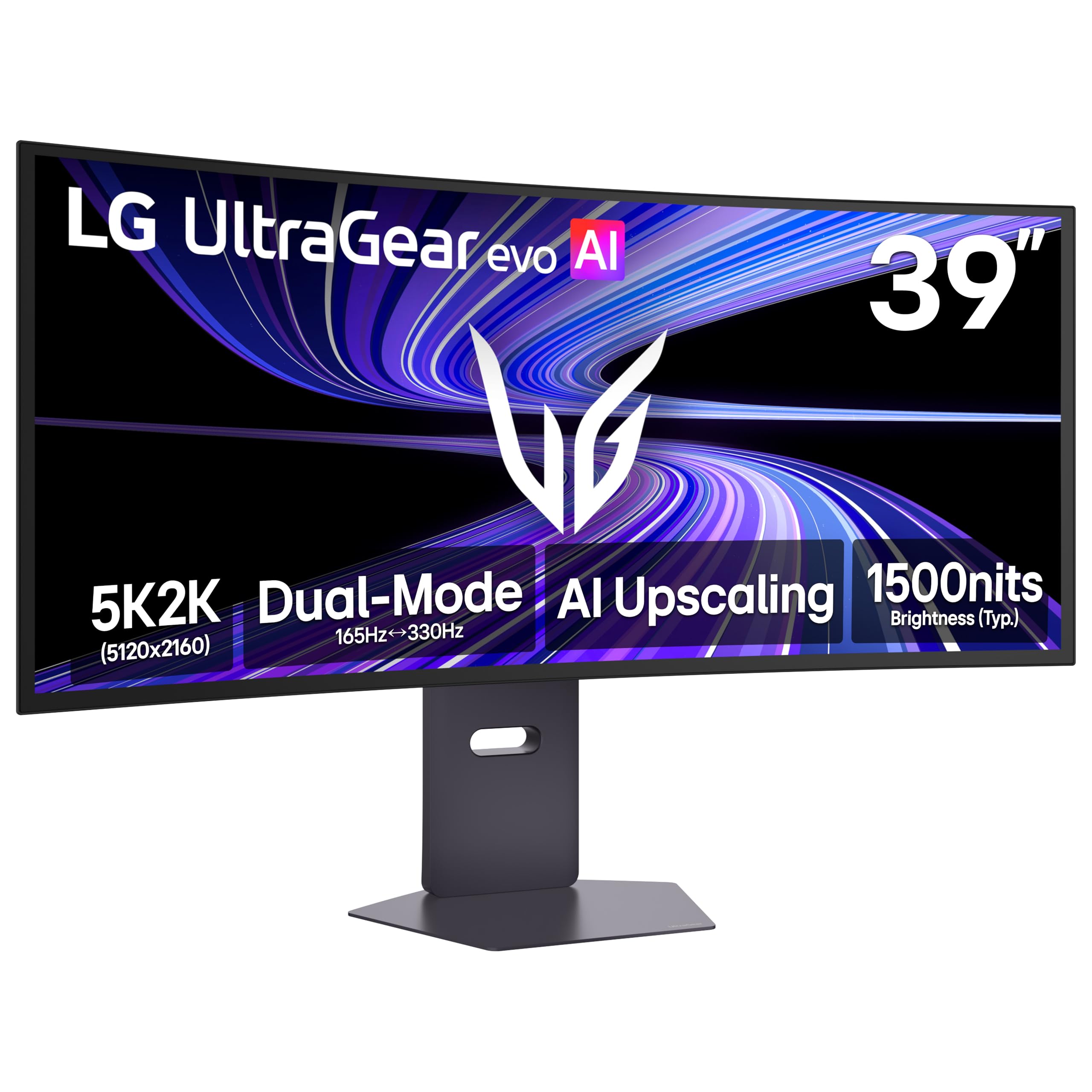
The LG 39GX950B-B is the smaller sibling in the 5K2K ultrawide family, using a 39-inch WOLED panel with a 1500R curve and a remarkable 143 PPI pixel density — the highest of any ultrawide OLED on the market. This makes it an excellent candidate for productivity-focused users who want sharp text and seamless multitasking across multiple windows without the massive footprint of larger ultrawides. The 4th Gen Primary RGB Tandem OLED reaches 335 nits typical brightness with improved power efficiency over earlier generations.
AI Upscaling analyzes source signals to bring lower-resolution content closer to the native 5K2K detail level, reducing the need for a GPU upgrade just to drive the panel. The Dual Mode allows switching between 5K2K at 165 Hz and WFHD at 330 Hz. VESA DisplayHDR True Black 500 certification, combined with 99.5% DCI-P3 coverage and Delta E under 2, provides accurate colors for creative professionals. UL-verified Perfect Black and Perfect Color ensure the image stays faithful across varying ambient lighting conditions.
Customers note that the matte coating has a very slight grainy speckle that is visible on pure white backgrounds, though most users get used to it after a few days. The text clarity is excellent with ClearType enabled on Windows, and the curve feels more subtle than the 800R of the 45-inch model, making it a better fit for general productivity and spreadsheet work. A small percentage of units experienced input switching glitches when connected to a KVM, requiring a return.
Why it’s great
- 143 PPI pixel density delivers crisp text and fine details
- 4th Gen RGB Tandem OLED with 335 nits and True Black 500
- 1500R curve is comfortable for both gaming and productivity
Good to know
- Matte coating has a subtle grain visible on white backgrounds
- Some units exhibit input switching issues with KVM setups
10. Samsung Odyssey Neo G9 G95NC

The Samsung Odyssey Neo G9 G95NC uses a 57-inch VA mini-LED panel with Quantum Matrix Technology, delivering Dual UHD resolution (7680×2160) — the equivalent of two 4K monitors side by side. It uses 2,392 local dimming zones to control brightness with precision, achieving VESA DisplayHDR 1000 with 1000 nits peak brightness. The 1000R curve and 32:9 aspect ratio create an enclosure-like field of view. The 240 Hz refresh rate and 1 ms GtG response time keep motion sharp across the massive screen.
Connectivity is built around the latest standards: DisplayPort 2.1 provides the bandwidth needed for Dual UHD at 240 Hz with full color depth, while HDMI 2.1 ports support console gaming at 4K 120 Hz. Picture-by-Picture mode allows viewing video from two sources simultaneously in their native resolution, and the ergonomic stand offers height, tilt, and swivel adjustments. CoreSync and Core Lighting+ project ambient lighting behind the monitor that matches on-screen colors.
Customer reviews highlight it as the best monitor on the market for day traders and split-screen productivity, with the horizontal resolution allowing eight or more windows to be tiled without overlap. The build quality is criticized as feeling lightweight relative to the premium price. Mac compatibility is good at 120 Hz over DP 2.1, and Better Display app can resolve resolution reset issues. The main compromises are the 3-foot DP cable that is too short for many setups and firmware issues with wake-from-sleep and Auto Source Switch+.
Why it’s great
- Dual UHD resolution replaces two 4K monitors seamlessly
- 2,392 local dimming zones with DisplayHDR 1000 for bright HDR
- DP 2.1 supports full 240 Hz at 7680×2160 without DSC
Good to know
- Build feel is not as premium as the price suggests
- Firmware issues with wake-from-sleep and input switching persist
FAQ
Does a 50 inch 4K OLED monitor require a special graphics card to run smoothly?
How long do 50 inch OLED monitors last before burn-in becomes visible?
Can I use a 50 inch OLED TV such as the LG C4 as a computer monitor?
What is the difference between QD-OLED and WOLED for a 50 inch display?
Does a 50 inch monitor consume more power than a typical 4K monitor?
Final Thoughts: The Verdict
For most users, the best 50 inch 4k oled monitor experience is best embodied by the MSI MPG 321URX QD-OLED because it combines a high 240 Hz refresh rate with a premium QD-OLED panel, comprehensive connectivity including 90W USB-C, and robust OLED Care software at a price that balances premium performance with real-world usability. If you need a matte finish and burn-in warranty for a bright workspace, grab the ASUS ROG Swift PG32UCDM. And for the most immersive cinematic experience with Dolby Vision and native console support, the LG C4 48″ OLED offers unmatched HDR for both gaming and movie watching in a living room or deep desk setup.