
NVIDIA’s Blackwell architecture finally arrives, bringing DLSS 4’s multi-frame generation, fourth-gen ray tracing cores, and a full PCIe 5.0 interface to the RTX 50 Series. The lineup spans from the 12GB GDDR7 RTX 5070 to the monstrous 32GB GDDR7 RTX 5090, each card defined by its core count, memory bus width, and thermal solution. Whether you’re targeting triple-digit frame rates at 1440p or pushing a multi-monitor sim rig at 4K, the 50 Series demands a deliberate pick — the wrong choice means paying for bandwidth you don’t need or settling for VRAM you’ll outgrow in months.
I’m Min — the co-founder and writer behind Gadgets Feed. I study GPU specifications obsessively, dissecting clock speeds, memory bandwidth, and thermal designs to find which cards deliver real raster and ray tracing gains per dollar, not just the highest factory OC number.
This guide cuts through the marketing noise to identify the best 50 series gpu for every build size, resolution target, and budget tier. If you’re upgrading from a 30 or 40 series card, the right 50 Series pick depends on your monitor’s refresh rate and the specific VRAM ceiling your games demand — here’s exactly how to decide.
How To Choose The Best 50 Series GPU
The 50 Series lineup spans four distinct silicon dies — 5070, 5070 Ti, 5080, and 5090 — each with different core counts, memory bus widths, and power envelopes. Your choice hinges on your target resolution, frame rate, and whether your workflow benefits from the 5090’s 512-bit memory bus and 32GB of GDDR7. Below are the three critical factors that separate a smart match from an expensive mismatch.
VRAM Capacity and Memory Bus Width
The 5070 and 5070 Ti use a 192-bit and 256-bit bus, respectively, while the 5080 sticks to 256-bit and the 5090 jumps to a massive 512-bit bus. Raw VRAM size alone doesn’t tell the full story — a 16GB card on a 192-bit bus will bottleneck before a 12GB card on a 256-bit bus in bandwidth-heavy scenarios like 4K texture streaming. If you play at 1440p, the 5070’s 12GB GDDR7 is comfortable; for 4K or local AI workloads, the 5080 or 5090’s 256-bit or 512-bit bus is non-negotiable.
Cooling Solution and Thermal Headroom
All 50 Series cards use GDDR7 memory, which runs hotter than GDDR6X. Look for models with vapor chambers (e.g., ASUS Prime RTX 5080, ROG Astral RTX 5090) or phase-change GPU thermal pads (ASUS TUF series). Dual-slot cards like the PNY RTX 5070 Slim are ideal for SFF builds but sacrifice thermal mass — triple-fan designs with larger fin arrays handle sustained 300W+ loads without throttling. The RTX 5090’s 600W TDP requires a 3.5-slot or larger cooler; anything less will thermally limit boost clocks.
PCIe Generation and SFF Compatibility
Every 50 Series card uses PCIe 5.0 x16, but running on a PCIe 4.0 motherboard costs less than 2% performance in real games — don’t upgrade your platform just for the slot. For small form factor builds, look for “SFF-Ready” certification: the ASUS Prime RTX 5070 and RTX 5080, and the PNY RTX 5070 Slim all fit sub-20L cases. The RTX 5090’s triple-fan designs exceed 14 inches in length and require full-tower chassis with 600W PSU support.
Quick Comparison
On smaller screens, swipe sideways to see the full table.
| Model | Category | Best For | Key Spec | Amazon |
|---|---|---|---|---|
| PNY RTX 5070 Epic-X | Mid-Range | 1440p gaming & value | 12GB GDDR7 / 192-bit / 2685 MHz Boost | Amazon |
| ASUS Prime RTX 5070 | Mid-Range | SFF builds & balanced performance | 12GB GDDR7 / 192-bit / 2542 MHz | Amazon |
| PNY RTX 5070 Slim | Mid-Range | Compact builds & quiet operation | 12GB GDDR7 / 192-bit / 2587 MHz Boost | Amazon |
| MSI Ventus 2X RTX 5070 | Mid-Range | Small cases & media servers | 12GB GDDR7 / 192-bit / 2557 MHz Extreme | Amazon |
| ASUS TUF RTX 5070 OC | Mid-Range | Durability & military-grade build | 12GB GDDR7 / 192-bit / 2610 MHz OC | Amazon |
| PNY RTX 5070 Ti Epic-X | Mid-Range | 1440p/3440×1440 high FPS | 16GB GDDR7 / 256-bit / 2640 MHz Boost | Amazon |
| ZOTAC RTX 5080 Solid Core OC | Premium | High-end 4K gaming & ray tracing | 16GB GDDR7 / 256-bit / 2640 GHz Boost | Amazon |
| ASUS Prime RTX 5080 OC | Premium | SFF-friendly 4K performance | 16GB GDDR7 / 256-bit / 2685 MHz OC | Amazon |
| Gigabyte AORUS RTX 5080 Master ICE | Premium | White builds & premium cooling | 16GB GDDR7 / 256-bit / 2.62 GHz | Amazon |
| MSI RTX 5080 SUPRIM SOC | Premium | Coolest & quietest 5080 | 16GB GDDR7 / 256-bit / 2760 MHz Extreme | Amazon |
| NVIDIA RTX 5080 Founders Edition | Premium | Reference design & compact footprint | 16GB GDDR7 / 256-bit / 2806 MHz | Amazon |
| ASUS ROG Astral RTX 5090 | High-End | Multi-monitor sim rigs & AI workloads | 32GB GDDR7 / 512-bit / 2512 MHz | Amazon |
| PNY RTX 5090 OC Triple Fan | High-End | Flagship 4K ultra & rendering | 32GB GDDR7 / 512-bit / 2527 MHz Boost | Amazon |
In‑Depth Reviews
1. PNY NVIDIA GeForce RTX 5070 Epic-X ARGB OC Triple Fan

The PNY RTX 5070 Epic-X sits at the sweet spot of the 50 Series lineup with a 2685 MHz boost clock and a full complement of 80 ROPs, delivering raw rasterization that beats the RTX 4070 Super without relying on DLSS frame generation. The triple-fan cooler keeps GDDR7 temperatures in check even during extended 1440p sessions, and the 192-bit memory bus provides enough bandwidth for high texture settings at that resolution. Owners report excellent out-of-box performance on B650 boards with the included dual 8-pin to 12VHPWR adapter.
DLSS 4’s multi-frame generation becomes available on this card, allowing Cyberpunk 2077 at 1440p with path tracing to run north of 100 FPS. The 12GB VRAM is adequate for current titles, though games like Monster Hunter Wilds already recommend 16GB for ultra textures. The Epic-X’s ARGB lighting and metal backplate give it a premium aesthetic without the premium price of ASUS or MSI variants.
For buyers moving from a 20 or 30 series card, this is the fastest 70-class GPU in years — roughly 45% faster than a 3070 in pure raster, with ray tracing performance that doubles in supported titles. The PNY card runs quietly at 65°C under load, making it ideal for air-cooled mid-towers. The only compromise is the memory bus width; at 4K, the 5070 Ti’s 256-bit bus and 16GB buffer will age better.
Why it’s great
- 80 ROPs enabled — full silicon, no cut-down die
- Excellent 1440p performance with DLSS 4
- Triple-fan cooler stays quiet under sustained load
Good to know
- 12GB VRAM may limit future ultra textures at 4K
- 192-bit bus reduces bandwidth for heavy workloads
- Requires 750W PSU with dual 8-pin adapter
2. ASUS SFF-Ready Prime RTX 5070

The ASUS Prime RTX 5070 is the first 50 Series card certified SFF-Ready, sliding into sub-20L cases like the Fractal Terra or Lian Li A4-H2O without compromising on cooling. Its 2.5-slot axial-tech fan setup uses a phase-change GPU thermal pad that outlasts traditional paste, maintaining optimal heat transfer over years of use. The dual BIOS switch lets you toggle between quiet and performance modes, with the quiet setting barely audible under 1440p gaming loads.
Performance aligns closely with the reference 5070 spec: 2542 MHz out of the box, with manual overclocking yielding roughly 10% gains (+300 core, +1500 memory) while staying under 70°C. The three DisplayPort 2.1b outputs and single HDMI 2.1b support up to 8K60 displays, though the 192-bit bus means 4K gaming requires careful DLSS selection. Buyers pairing this with a 7800X3D report Steel Nomad scores around 5839.
The card’s all-black aesthetic lacks RGB, which is a plus for minimalist builds. The included adapter requires two 8-pin PCIe power cables from your PSU — ensure your unit has them before purchase. The main trade-off is the smaller fin array compared to the TUF variant; sustained blender renders may push temps to 72°C.
Why it’s great
- SFF-Ready certification fits compact cases
- Phase-change pad for long-term thermal stability
- Dual BIOS with quiet mode for near-silent operation
Good to know
- No RGB lighting
- Smaller heatsink limits overclocking headroom
- Adapters may be tight in very small PSU compartments
3. PNY RTX 5070 Slim Dual-Fan OC
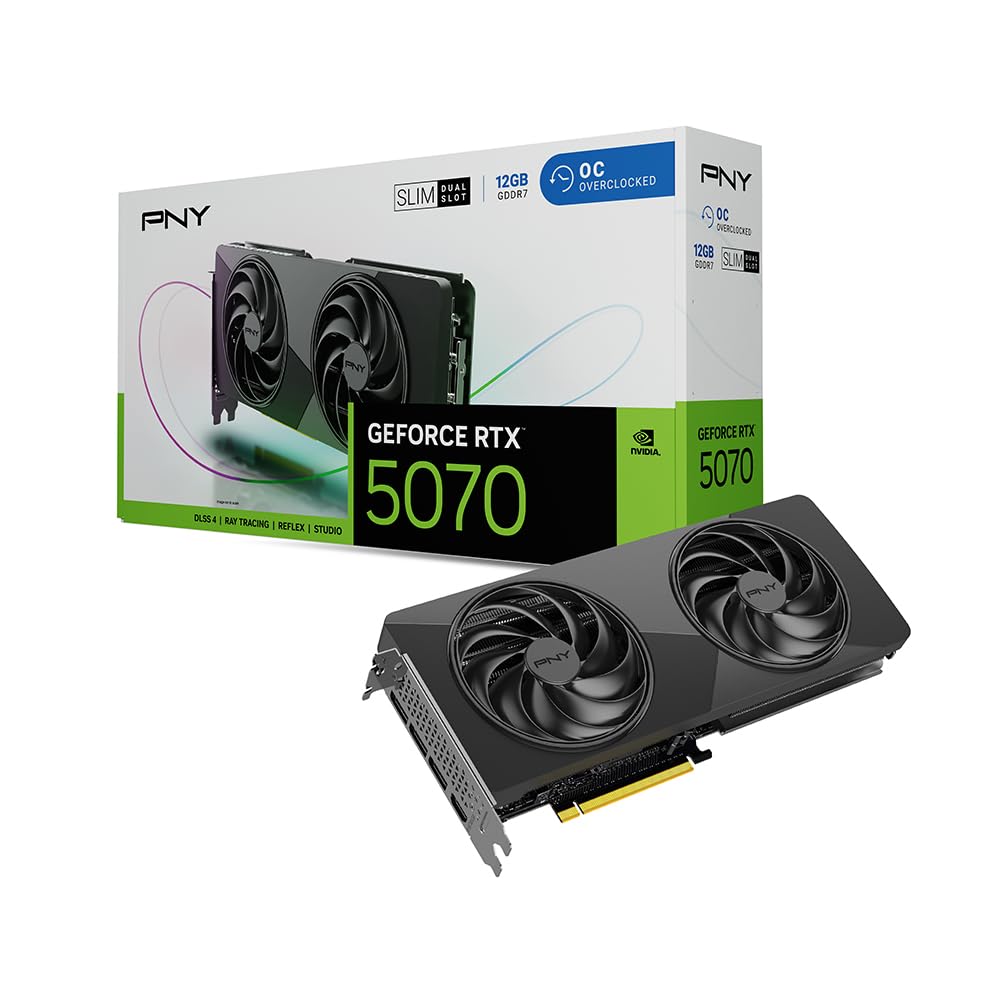
The PNY RTX 5070 Slim shrinks the 70-class die into a true dual-slot, 2.8-pound package without sacrificing the 80 ROPs or 2587 MHz factory overclock. The dual 100mm fans use an ultra-dense heatsink to dissipate heat efficiently, and the metal backplate adds structural rigidity. This is one of the few 50 Series cards that fits in an HP Z4 G4 mini tower or other compact OEM chassis with limited clearance.
Thermals are surprisingly good for a slim design — users report mid-60s Celsius during 1440p gaming, with fan noise remaining unobtrusive. The firmware and vBIOS are sourced directly from NVIDIA, ensuring full compatibility with DLSS 4 and the latest Studio drivers. The 192-bit memory bus handles 1440p textures without stutter, but the dual-fan design means it will spin up faster than triple-fan alternatives under heavy ray tracing loads.
The PNY VelocityX software provides granular fan curve and overclocking control, though most users will leave it at stock for the best noise-to-performance balance. The card includes a 12VHPWR to dual 8-pin splitter, making it compatible with 750W fully modular PSUs. The trade-off is reduced overclocking headroom — the slim heatsink saturates faster than the Epic-X triple-fan model.
Why it’s great
- True dual-slot design fits compact OEM cases
- Full 80 ROPs enabled, no cut-down die
- NVIDIA reference vBIOS ensures driver stability
Good to know
- Limited overclocking headroom vs. triple-fan models
- Dual fans spin up under sustained heavy RT loads
- No RGB lighting
4. MSI Gaming RTX 5070 Ventus 2X OC

The MSI Ventus 2X OC offers a 2557 MHz extreme performance clock in a compact 236mm length, making it one of the easiest 5070 cards to fit in mid-tower cases. The TORX Fan 5.0 design links the blades with ring arcs to stabilize airflow, and the nickel-plated copper baseplate captures heat from the GPU die and memory modules efficiently. Core Pipes with a square contact surface maximize thermal transfer, keeping the card under 72°C during extended gaming.
At 1440p max settings, the Ventus 2X delivers 100+ FPS in most titles without DLSS, and over 150 FPS in competitive shooters like PUBG. The 12GB GDDR7 buffer eliminates the VRAM stutter that plagued 8GB cards in the last generation. The single 16-pin 12VHPWR connector draws up to 250W, and the card includes a splitter for PSUs with two 8-pin outputs.
Where this card excels is value — it lacks the TUF’s military-grade coating or the Epic-X’s RGB, but it delivers identical raster performance at a lower entry point. The dual-fan design is not suited for heavy overclocking; the thermal mass is sufficient for stock operation but saturates quickly if you push core clocks beyond 2600 MHz. Ideal for the builder who wants 50 Series performance without paying for unnecessary extras.
Why it’s great
- Compact 236mm length fits small mid-towers
- TORX Fan 5.0 provides stable high-pressure airflow
- 125W typical gaming power draw is efficient
Good to know
- Dual-fan design limits OC potential
- No RGB or aesthetic accents
- Baseline cooler may run louder than premium models
5. ASUS TUF Gaming RTX 5070 OC Edition

The ASUS TUF RTX 5070 OC Edition brings military-grade components and a protective PCB coating to the 50 Series, defending against moisture, dust, and debris that can short-circuit standard cards. The 3.125-slot design packs a massive fin array cooled by three axial-tech fans with a phase-change GPU thermal pad that outlasts traditional paste. With a 2610 MHz OC clock, this is the fastest 5070 on paper among the reviewed models.
Real-world temps hover around 65°C under load thanks to the generous heatsink and the phase-change pad’s superior heat transfer. The card includes an anti-sag bracket and a GPU support stand that doubles as a screwdriver. At 13 inches long, it’s one of the largest 5070 cards — ensure your case has at least 340mm of clearance. The TUF design also uses a full metal backplate with airflow vents to reduce hotspot temperatures.
The trade-off for the durability and thermal headroom is the physical size — this card occupies 3.125 slots and may block adjacent PCIe slots on mATX boards. The protective coating is particularly valuable for builds in dusty environments or open-air test benches. Owners upgrading from a 3060 report dramatic gains in ray tracing performance at 2560×1440, with Cyberpunk 2077 path tracing running smoothly with DLSS 4 enabled.
Why it’s great
- Military-grade components with protective PCB coating
- Phase-change pad for long-term thermal performance
- Highest factory OC among 5070 cards reviewed
Good to know
- Large 13-inch length requires a wide case
- 3.125-slot blocks adjacent PCIe slots
- Heavier than other 5070 models at 3.4 pounds
6. PNY RTX 5070 Ti Epic-X ARGB OC

The PNY RTX 5070 Ti Epic-X bridges the gap between the 5070 and 5080 with 16GB of GDDR7 on a full 256-bit memory bus, delivering 672 GB/s of bandwidth — a 33% increase over the 5070’s 448 GB/s. The 2640 MHz boost clock and fifth-gen tensor cores unlock DLSS 4’s multi-frame generation at higher resolutions without bandwidth starvation. This card demolishes 1080p and 3440×1440 ultrawide gaming, and holds its own at 4K with DLSS Quality mode.
The triple-fan cooler uses a dense fin stack and multiple heat pipes to keep the 300W TDP in check, with users reporting no coil whine and mid-60s temperatures under load. The card draws a maximum of 300W and requires three 8-pin PCIe cables via the included adapter. For workstation tasks, the 16GB VRAM and 256-bit bus make this the cheapest 50 Series card that can comfortably handle local LLM inference and 3D rendering with Arnold or Blender.
The Epic-X design features bright ARGB lighting on the fan shroud, which can be controlled via PNY’s VelocityX software. The card is roughly 12 inches long and 4 inches thick — verify case clearance, especially width if you have front-mounted fans. The 5070 Ti is the sensible upgrade path over the 5080 for users who need 16GB VRAM but want to avoid the steep price jump.
Why it’s great
- 16GB GDDR7 on 256-bit bus for future-proofing
- 300W TDP with excellent thermal headroom
- Great for ultrawide gaming and AI workloads
Good to know
- Requires three 8-pin PCIe power cables
- Large physical footprint needs wide case
- Premium price over the standard 5070
7. ZOTAC Gaming RTX 5080 Solid Core OC
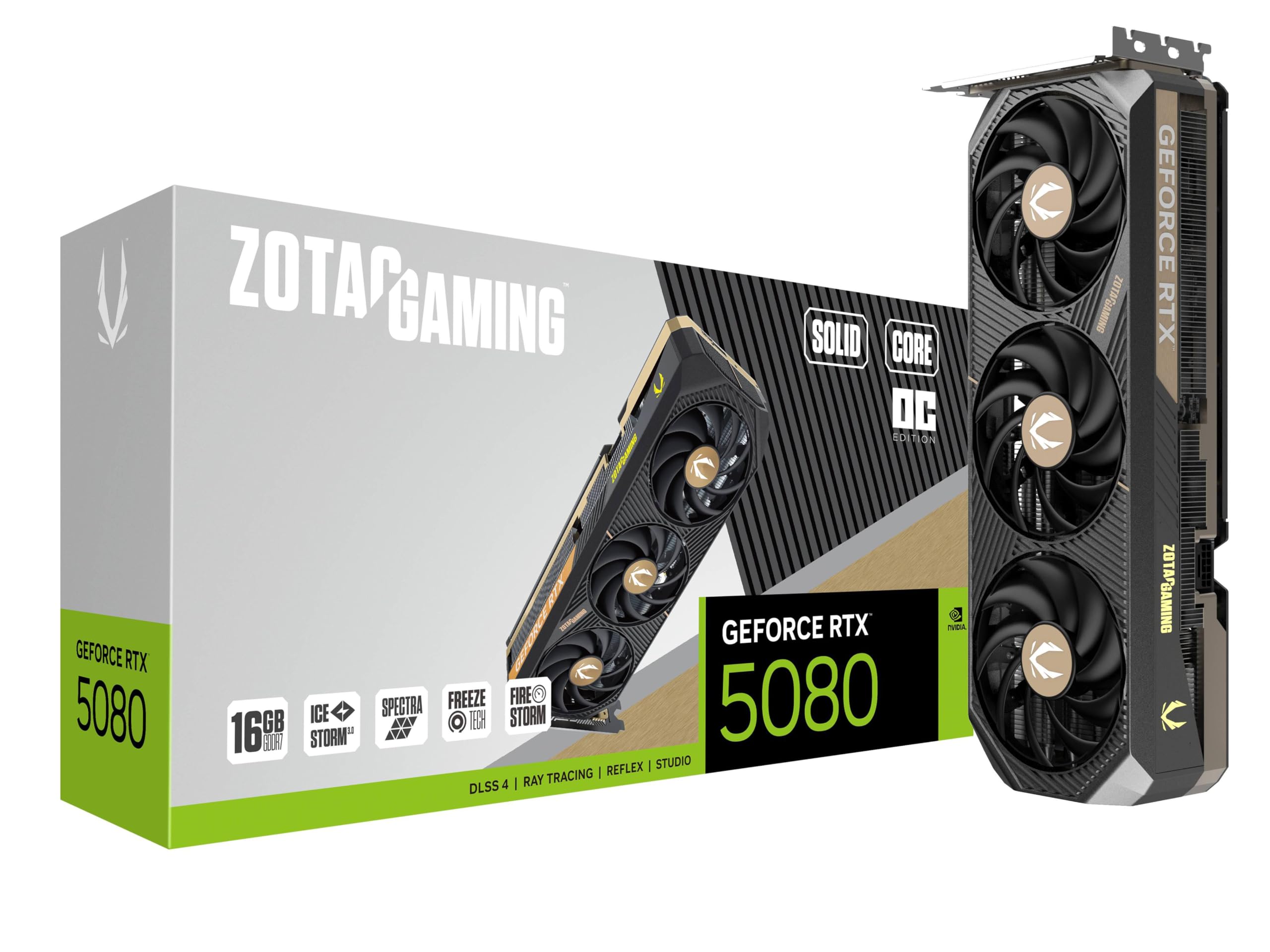
The ZOTAC RTX 5080 Solid Core OC uses IceStorm 3.0 advanced cooling with three 90mm BladeLink fans, a vapor chamber, and composite heat pipes to manage the 360W TDP efficiently. The 2.5-slot design is surprisingly compact for a 5080, measuring just 11.9 inches long — much smaller than the ASUS TUF or Gigabyte AORUS variants. The 2640 GHz boost clock and 256-bit GDDR7 interface deliver 30 Gbps memory speed for blistering bandwidth in 4K ray tracing workloads.
Real-world benchmarks show a 15-22% improvement over the RTX 3090 in rasterization, with ray tracing performance doubling in titles that support DLSS 4. The included GPU support stand prevents sag, and the metal backplate with reinforced frame structure provides excellent rigidity. The FREEZE Fan Stop feature keeps the fans off below 50°C for silent idle operation.
The Spectra RGB lighting is subtle and can be synchronized with motherboard ARGB headers. Owners upgrading from a 3080 Ti report dramatically lower case temperatures thanks to the more efficient Blackwell architecture and the vapor chamber’s heat dissipation. The card requires a 16-pin power input via the included triple 8-pin adapter. The main consideration is price positioning — the ZOTAC sits at the lower end of 5080 pricing, making it a strong value proposition for 4K gaming without the 5090’s premium.
Why it’s great
- Compact 11.9-inch length fits most mid-towers
- Vapor chamber and composite heat pipes for excellent thermals
- Quieter operation than many 5080 competitors
Good to know
- 16GB VRAM may limit future 4K ultra scenarios
- Requires triple 8-pin adapter for power
- Limited factory OC headroom vs. premium models
8. ASUS Prime RTX 5080 OC Edition

The ASUS Prime RTX 5080 OC Edition brings SFF-Ready certification to the 5080 class, packing a 2685 MHz boost clock and a vapor chamber into a 2.5-slot profile that fits cases like the Fractal Terra or Cooler Master NR200. The phase-change GPU thermal pad ensures consistent heat transfer across the die, and the axial-tech fans use a smaller hub for longer blades that increase downward air pressure. This is the card to buy if you want high-end 4K gaming in a space-constrained build.
Users coming from a 4080 report a noticeable performance jump in VR gaming titles and DLSS 4-enabled games, with the card staying quiet even under sustained loads. The no-RGB design appeals to builders who prefer a clean, professional aesthetic. The three DisplayPort 2.1b outputs and single HDMI 2.1b support 8K60 displays, though the 16GB VRAM on a 256-bit bus is the limiting factor for extreme multi-monitor setups.
The included adapter cable (1 to 3) provides flexibility for PSUs with limited 12VHPWR outputs. The card measures 12 inches long and 5 inches wide, fitting most SFF cases without modification. The dual BIOS feature lets you switch between quiet and performance modes, with the quiet setting barely audible under 1440p gaming. The main drawback is the premium pricing over the ZOTAC 5080, but you pay for the SFF compatibility and vapor chamber cooling.
Why it’s great
- SFF-Ready, fits sub-20L cases
- Vapor chamber keeps temps low in tight spaces
- No-RGB design for clean builds
Good to know
- Premium price premium over smaller 5080s
- 16GB VRAM ceiling for future 4K textures
- Some users report delivery issues with Amazon
9. Gigabyte AORUS RTX 5080 Master ICE

The Gigabyte AORUS RTX 5080 Master ICE stands out with its all-white aesthetic, LCD display panel for temps or custom GIFs, and Gigabyte’s WINDFORCE cooling system with Hawk fans. The 2.62 GHz boost clock and 256-bit GDDR7 interface deliver strong 4K performance, and the 16GB VRAM is sufficient for current ultra texture packs. The ICE edition is specifically designed for white-themed builds, with a silver-white shroud, white backplate, and ARGB lighting that can be set to match any pastel palette.
The WINDFORCE system uses alternate-spinning fans to reduce turbulence, and the large heatsink keeps the card under 70°C even during extended ray tracing sessions. The included anti-sag bracket is essential — the card measures 14.17 inches long and almost 6 inches wide, making it one of the largest 5080s on the market. The LCD screen on the side panel displays GPU temperature, clock speed, or a user-uploaded GIF, adding a unique touch to transparent side panels.
Owners praise the overclocking headroom and quiet fan operation, noting that the card performs well even in 4K path tracing scenarios with DLSS 4 enabled. The primary concession is the 16GB VRAM — for the price, some buyers expect 20GB or 24GB, though the 256-bit bus and 30 Gbps memory speed compensate somewhat. Verify your case has at least 360mm of GPU clearance before purchasing.
Why it’s great
- All-white ICE design for themed builds
- LCD screen for temps/GIFs
- Excellent WINDFORCE cooling performance
Good to know
- Very large — requires 360mm case clearance
- 16GB VRAM is limiting at this price point
- Premium cost over standard 5080 models
10. MSI RTX 5080 SUPRIM SOC

The MSI RTX 5080 SUPRIM SOC represents the engineering pinnacle of the 5080 lineup, with a 2760 MHz extreme performance clock that is the highest of any reviewed 5080. The massive heatsink and triple-fan design keep the card running at just 56°C during 1440p gaming, making it the coolest and quietest 5080 available. The 16GB GDDR7 on a 256-bit bus delivers consistent 200 FPS in competitive titles at 1440p with ray tracing enabled.
The SUPRIM’s build quality is exceptional — the full-metal shroud and backplate add substantial weight (6.77 pounds), requiring a sturdy PCIe slot brace. The three DisplayPort 2.1b outputs and single HDMI 2.1b support multi-monitor setups at high refresh rates. Users report the card draws approximately 260W in typical gaming scenarios, well below its 360W TDP, leaving headroom for manual overclocking.
The card is not recommended for 4K gaming by some users due to the 16GB VRAM ceiling, but at 1440p it’s the fastest 5080 money can buy. The SUPRIM is very large — verify your case supports at least 340mm length and 3.5-slot width. The primary competition is the MSI RTX 5080 Gaming Trio, but the SUPRIM offers better thermals and a more premium aesthetic for the additional cost.
Why it’s great
- Highest factory clock at 2760 MHz
- Runs exceptionally cool and quiet
- Premium build with full-metal shroud
Good to know
- Very heavy at 6.77 pounds
- 16GB VRAM limits 4K potential
- Takes 3.5 slots, blocks adjacent PCIe slots
11. NVIDIA GeForce RTX 5080 Founders Edition

The NVIDIA RTX 5080 Founders Edition is the reference design against which all custom cards are measured, featuring a compact 2-slot form factor with a 2806 MHz boost clock — the highest clock speed among all 5080 models reviewed. The dual-fan flow-through cooler exhausts heat out the back bracket, making it ideal for cases with limited top or side ventilation. The card weighs only 2 pounds, requiring no support bracket, and fits in smaller builds that cannot accommodate 3-slot custom designs.
Performance is outstanding at 1440p, with consistent 120+ FPS in ray-traced titles at max settings and up to 240 FPS in competitive games. The 16GB GDDR7 memory is fast enough for 4K gaming with DLSS Quality mode, though the 256-bit bus becomes a bottleneck for native 4K rendering with ultra textures. Owners upgrading from a 3080 FE report massive generational gains in both raster and ray tracing performance.
The Founders Edition’s main drawback is availability and pricing — it’s often listed above the official MSRP by third-party sellers. The 2-slot cooler runs louder than custom triple-fan designs under sustained load, reaching higher fan speeds to compensate for the smaller heatsink. For users who value compact design and reference aesthetics, the FE is the definitive choice, but for pure thermal performance, AIB cards like the MSI SUPRIM are superior.
Why it’s great
- Highest boost clock among 5080s at 2806 MHz
- Compact 2-slot design fits many cases
- Lightweight, no support bracket needed
Good to know
- 2-slot cooler runs louder than AIB models
- Limited availability and high street pricing
- 16GB VRAM ceiling for native 4K ultra
12. ASUS ROG Astral RTX 5090 OC Edition

The ASUS ROG Astral RTX 5090 OC Edition is a quad-fan behemoth with 32GB of GDDR7 on a 512-bit memory bus, delivering over 1.7 TB/s of bandwidth — more than double the 5080’s throughput. The 3.8-slot cooler combines axial-tech fans with a patented vapor chamber and milled heatspreader to manage the 600W TDP, keeping the card under 70°C even during sustained rendering. The quad-fan design boosts airflow by up to 20% compared to triple-fan alternatives, making this the most thermally capable 5090 on paper.
Owners report exceptional performance in multi-monitor sim racing setups, achieving 230 FPS on a 49-inch ultrawide at max settings. The 32GB VRAM future-proofs for local AI inference, 3D rendering, and upcoming game engines that demand larger texture pools. The ROG design includes a GPU support stand, a magnetic bracket, and velcro straps for cable management. The card measures 14.1 inches long and 5.9 inches wide — it will only fit full-tower cases with 360mm+ clearance.
The Astral’s main drawback is its pricing, which sits at the extreme end of the GPU market. Users should also consider that some units shipped with counterfeit returns, so purchase from reputable sellers and verify the card before installation. The 5090 provides the highest level of performance in the 50 Series, but for gaming at 4K, the 5080 delivers 85% of the performance at roughly one-third the cost.
Why it’s great
- 32GB GDDR7 on 512-bit bus for extreme bandwidth
- Quad-fan design with vapor chamber for best thermals
- Handles multi-monitor sim rigs at maximum settings
Good to know
- Extremely expensive, only for specific use cases
- 600W TDP requires a 1000W+ PSU
- Risk of counterfeit/scam units on marketplace
13. PNY RTX 5090 OC Triple Fan

The PNY RTX 5090 OC Triple Fan offers the same 32GB GDDR7 and 512-bit memory bus as the ASUS ROG Astral but in a slightly more approachable 3.5-slot design with a lower power floor. The 2527 MHz boost clock is conservative compared to ASUS’s quad-fan offering, but the triple-fan cooler is still remarkably effective — users report mid-60s temperatures under load with no coil whine. The card includes a support bracket and a 16-pin to four 8-pin power cable, requiring a 1000W+ PSU for headroom.
Performance benchmarks show Cyberpunk 2077 at 4K achieving 145-160 FPS with DLSS 4 enabled, and Time Spy Extreme scores around 25,400. The card undervolts efficiently — a .895V undervolt runs faster than stock settings while staying at 63°C, cutting power consumption significantly. The 512-bit bus and 32GB VRAM make this the definitive choice for high-resolution gaming, modded titles, AI inference, and 3D rendering workflows.
The triple-fan design is quieter than the quad-fan ROG under load due to fewer moving parts, though the ASUS card runs slightly cooler. The main limitation is availability — like all 5090s, stock is scarce and pricing is volatile. For buyers who need the absolute fastest GPU for professional workloads or cutting-edge 4K gaming, the PNY 5090 is the most sensible flagship option.
Why it’s great
- 512-bit bus and 32GB GDDR7 for ultimate bandwidth
- Undervolts to run faster at lower temps
- Quieter than quad-fan 5090 alternatives
Good to know
- Very large, requires full-tower case
- 600W power draw needs robust PSU
- Price and availability are major barriers
FAQ
Does the RTX 5070 support all 80 ROPs?
Can a 750W power supply handle the RTX 5080?
Is PCIe 5.0 necessary for a 50 Series GPU?
Which 50 Series GPU is best for local AI inference?
Final Thoughts: The Verdict
For most users, the best 50 series gpu winner is the PNY RTX 5070 Epic-X because it hits the perfect balance of 1440p performance, 12GB GDDR7, and accessibility without sacrificing the full 80 ROPs or DLSS 4 support. If you need the 256-bit bus and 16GB VRAM for ultrawide gaming or workstation tasks, grab the PNY RTX 5070 Ti Epic-X. And for uncompromising 4K gaming or local AI workloads, nothing beats the PNY RTX 5090 OC Triple Fan with its 512-bit bus and 32GB of GDDR7.