
Our readers keep the lights on and my morning glass full of iced black tea. As an Amazon Associate, I earn from qualifying purchases.
Specs are compiled from manufacturer listings and verified buyer reviews and can change over time — please confirm the key details on the product page before buying.
You are about to spend serious money on a machine that will define your gaming for the next five years, and the single biggest question is not which GPU is fastest—it is which prebuilt does not fumble the parts around it. A great RTX 50-series GPU is wasted if the CPU or power supply can’t keep up, so the right pairing matters more than raw specs. We compare real specs, fan noise, and owner feedback to help you choose a prebuilt that performs as advertised.
I’m Min — the founder and writer behind Gadgets Feed. This guide is built by comparing the manufacturers’ published specifications and the patterns across verified customer reviews, so you get each pick’s real strengths and trade-offs instead of marketing spin.
Every machine below carries a genuine NVIDIA RTX 50-series card, but they differ wildly in cooling, memory speed, and reliability. Find the right balance of GPU power, CPU pairing, and build quality in this 50 series prebuilt pc breakdown.
Our Picks at a Glance


How To Choose The Best 50 Series Prebuilt PC
Choosing a 50-series prebuilt requires looking beyond the GPU label to the supporting components. The CPU, RAM speed, storage, cooling, and PSU determine whether the GPU runs at full potential or gets bottlenecked. Here’s what to prioritize when comparing prebuilts.
The CPU-GPU balance is everything
A weak CPU bottlenecks a powerful GPU, starving it of frames and capping your frame rates. Match the CPU to the GPU’s tier to avoid performance loss. The Ryzen 7 9800X3D and Intel Core Ultra 7 are the kinds of CPUs that let a high-end 50-series card stretch its legs. A modest Core i5 will handle a lower-tier 50-series card fine for most games, but it is the pairing that determines your real-world frame rates, not the GPU alone.
VRAM (video memory) decides your resolution ceiling
VRAM, measured in gigabytes, determines how much texture data the GPU can store for high-resolution gaming. At 1080p and 1440p gaming, 8GB is workable, but 12GB or 16GB gives you headroom for ultra settings and future titles. If you plan to game at 4K or do heavy creative work, 16GB or 32GB is the safer bet so you are not forced to lower texture quality.
Memory and storage set the pace of everything
DDR5 memory at higher speeds, like 5600MHz or 6000MHz, helps games load and multitasking stay smooth, while the capacity (16GB versus 32GB) decides how many programs you can run at once. Storage affects load times more than anything else you feel day to day. A 1TB or 2TB NVMe SSD (a solid-state drive that plugs directly into the motherboard) delivers near-instant boots and quick game loads.
Quick Comparison
| Model | Best For | GPU | CPU | Memory | Amazon |
|---|---|---|---|---|---|
| Lenovo Legion Tower 5i★ Best Overall | Best Overall Balance | RTX 5070 Ti 16GB | Core Ultra 7 265F | 32GB DDR5 | Amazon |
| Thermaltake LCGS ViewShowpiece Pick | White Showpiece Mid-Range | RTX 5070 12GB | Core i7-14700F | 32GB DDR5 6000 | Amazon |
| Skytech King 95Gaming CPU King | Fastest Gaming CPU | RTX 5070 Ti 16GB | Ryzen 7 9800X3D | 32GB DDR5 5600 | Amazon |
| CyberPowerPC (i5-14400F) | Budget 1440p Entry | RTX 5060 8GB | Core i5-14400F | 16GB DDR5 | Amazon |
| NINGMEI Prebuilt | Budget with 32GB RAM | RTX 5060 8GB | Ryzen 7 5700X | 32GB DDR4 | Amazon |
| CyberPowerPC (Ryzen 9) | 12-Core Workhorse | RTX 5070 12GB | Ryzen 9 9900X | 32GB DDR5 | Amazon |
| iBUYPOWER Y40 PRO | 2TB Storage Value | RTX 5070 Ti 16GB | Ryzen 9 7900X | 32GB DDR5 5200 | Amazon |
| Alienware Aurora | Brand + Onsite Support | RTX 5080 16GB | Core Ultra 9 285 | 32GB DDR5 | Amazon |
| Ultra 50 V3 | Out-of-Box Experience | RTX 5080 16GB | Ryzen 7 9800X3D | 32GB DDR5 6000 | Amazon |
| Skytech Azure 3 | 4K Ultra High Refresh | RTX 5080 16GB | Ryzen 7 9800X3D | 32GB DDR5 6000 | Amazon |
| STORMCRAFT Phantom | Best 5080 Warranty | RTX 5080 16GB | Ryzen 7 9800X3D | 32GB DDR5 6000 | Amazon |
| Cooler Master NR2 Pro | Compact Mini-ITX | RTX 5080 16GB | Ryzen 7 9800X3D | 32GB DDR5 6000 | Amazon |
| Panorama XL | Ultimate 5090 Power | RTX 5090 32GB | Ryzen 7 7800X3D | 32GB DDR5 | Amazon |
In‑Depth Reviews
1. Lenovo Legion Tower 5i
Our pick — over 4.5★ from 90+ verified ratings; the strongest balance of quality and price.
The 5070 Ti tower that stays whisper-quiet through an 18-hour marathon session
The Legion Tower 5i earns its top spot because it pairs the mid-range RTX 5070 Ti with 16GB of video memory, which is double the 8GB you get on the entry CyberPowerPC below — that gap is exactly what lets you crank textures at 1440p without stutter. The Intel Core Ultra 7 265F inside is a 40% step up from the Core i5-14400F in the budget pick, giving you headroom for streaming and multitasking while you game.
Thermals are the story owners keep telling. The cooling keeps the GPU in the mid-60s and the CPU in the high 50s to low 60s, rarely touching 70°C even under pressure, and buyers report it holds a cool, quiet profile through long sessions. You get 32GB of 5600MHz DDR5 memory that expands all the way to 128GB, plus a tool-less transparent side panel that makes opening the case and upgrading parts genuinely easy.
Connectivity is future-ready with 2.5G Ethernet, WiFi 6E, and 3 months of PC Game Pass included for day-one titles. Performance (45) is what owners praise most by a wide margin, with quiet operation (20) and value for money (18) close behind — a rare trifecta in one prebuilt. The main trade-off is that RAM overclocking is locked, so memory tops out around 5500 MT/s instead of the advertised 6000, which is a minor real-world loss most players will never feel.
What Wins Owners Over
- Exceptional cooling keeps temps low even in 17-18 hour sessions
- Expandable memory up to 128GB for future-proofing
- Tool-less side panel makes upgrades simple
- Quiet operation praised second-most by owners
What to Know Going In
- RAM overclocking is locked via XMP
- Shipping times ran a full month for some buyers
- Higher price tier than entry 50-series builds
Reach for this if: you want a balanced 5070 Ti build that runs cool, quiet, and handles 1440p and even 4K gaming with 32GB of fast memory.
Look elsewhere if: you are on a strict budget and only need 1080p performance, since the entry-tier picks cover that for far less.
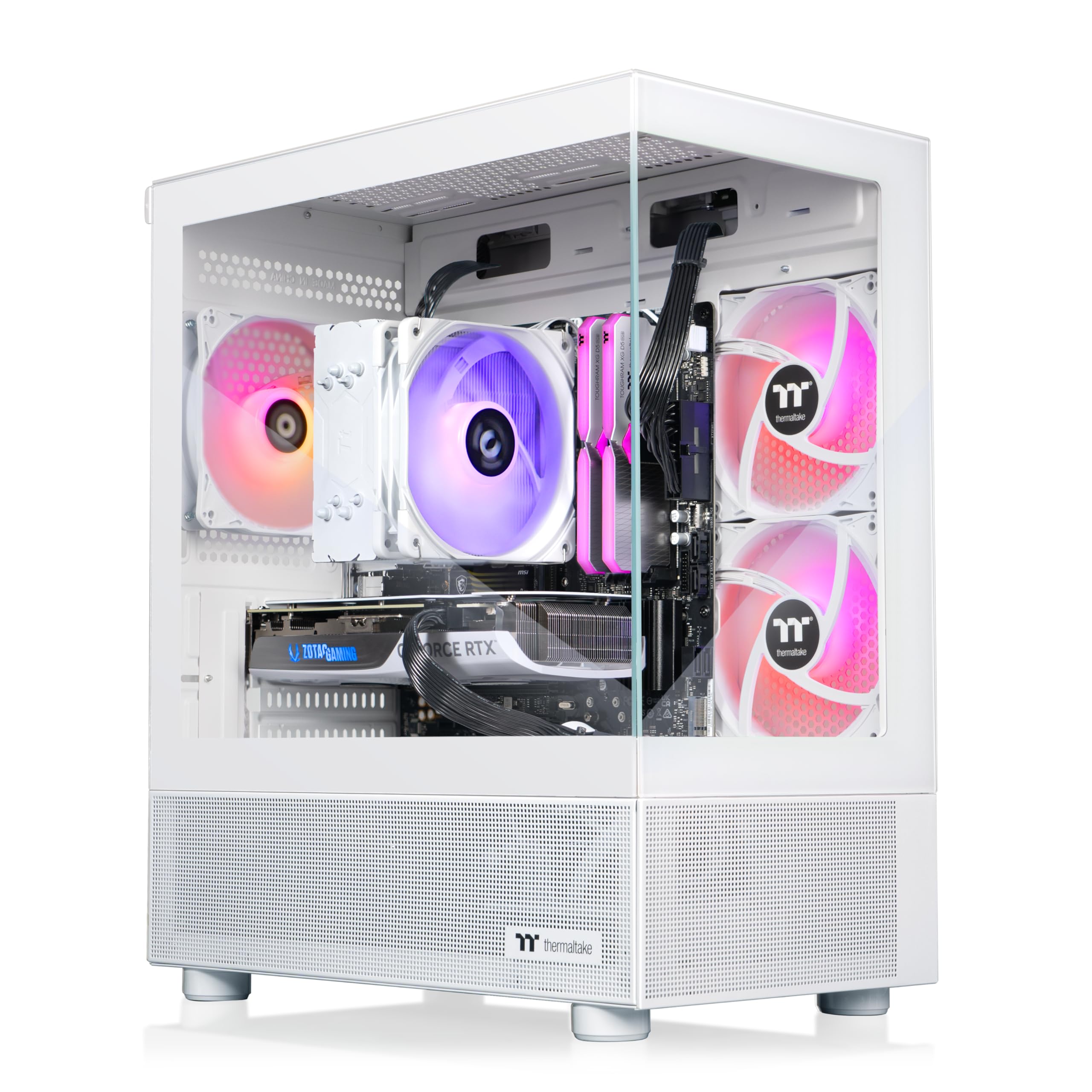
2. Thermaltake LCGS View i1470S-170
A white panoramic showpiece that ships with zero setup friction
If your gaming space doubles as a display piece, the Thermaltake LCGS View delivers a full RTX 5070 with 12GB of video memory wrapped in front and side tempered glass panels that give you a panoramic view of the white interior. The Intel Core i7-14700F pairs with 32GB of DDR5 6000MT/s RGB memory, creating what owners call a clean bottleneck test with a perfectly balanced build.
This is the anti-project prebuilt. Owners mention plugging in the mouse and keyboard was the entire setup, which lands in stark contrast to the GPU-install-required NINGMEI below. Performance (5) and setup ease (5) are the twin aspects owners mention most, and a long-time Dell and Acer owner called the jump “plug and play” that runs “amazingly fast” and very quiet.
Zero-friction setup: owners describe a genuinely plug-and-play experience that needed nothing but power and peripherals.
The honest catch: the missing top exhaust fans mean a small upgrade is worth budgeting for if you plan long sessions.
3. Skytech Gaming King 95
The 9800X3D gaming monster that pushes 4K max without breaking a sweat
The King 95 pairs the RTX 5070 Ti with 16GB of GDDR7 video memory to the fastest gaming CPU on the market, the Ryzen 7 9800X3D, which boosts up to 5.2GHz and is assembled in the USA. Owners describe it handling 4K max settings easily and running Unreal Engine titles “like a beast,” with the 360mm AIO liquid cooler keeping thermals in check.
Performance (30) is the runaway top praise here, with value for money (12) second, and owners call it near plug-and-play like a console. The white King 95 case is the visual centerpiece, and the 1TB Gen4 NVMe SSD (solid-state drive) is up to 30x faster than a traditional hard drive for instant loads.
The recurring gripe is the fans. Several owners describe jet-engine loudness from the start, with one faulty fan needing a controller tweak down to 20% speed to fix. The RGB lighting also draws mixed reactions — some love it, some find it gimmicky. This machine is a powerhouse, but you should budget a little time for fan tuning.
The Performance Story
- Ryzen 7 9800X3D is the top gaming CPU available
- 360mm AIO liquid cooler prevents thermal throttling
- Handles 4K max settings easily per owners
The Real Trade-Offs
- Fans are loud at default settings and need BIOS tuning
- Only one extra HDD slot for expansion
- Large case footprint
Who it beats: any 5070 Ti build with a lesser CPU — the 9800X3D lifts frame rates in CPU-heavy titles ahead of the Lenovo above.
Who it does not suit: noise-sensitive buyers who will not spend time adjusting fan curves.
4. CyberPowerPC Gaming PC (Ryzen 9 9900X)

Twelve CPU cores for gamers who also render, stream, and multitask hard
This CyberPowerPC trades a bit of GPU speed for serious processor muscle: the Ryzen 9 9900X packs 12 cores and 4.4GHz base clock, making it a demon for content creation, video rendering, and multitasking alongside gaming. The RTX 5070 with 12GB of GDDR7 memory is no slouch either, and it beats the entry 5060 builds by a clear step in GPU horsepower.
You get 32GB of DDR5 memory, a 1TB PCIe 4.0 NVMe SSD, liquid cooling on the CPU, and a tempered glass side panel. Owners working in Blender and UE5 report smooth performance, and one buyer — a returning customer on their fifth CyberPowerPC — notes it is future-proof since you can upgrade. During a pragmatic mention, it also doubled as a reliable office machine, which speaks to its versatility.
The catch: one unverified report of bad assembly (a forgotten protective film on a heat sink pad) after years of use. Treat that as a not-for-everyone caution rather than a pattern — the vast majority of owners praise the craftsmanship and quiet operation. Buyers also note the RTX 5070 is a step below the 5080 they originally wanted, but call current 5080 pricing “ridiculous.”
Core-count advantage: the 12-core Ryzen 9 9900X gives you rendering and streaming headroom most gaming prebuilts skip in favor of GPU spend.
Balance check: this leans creator-first, so pure gamers may prefer a 5070 Ti build like the King 95 above.
5. iBUYPOWER Y40 PRO

Double the storage of rivals with a 5070 Ti that chews through ultra settings
The Y40 PRO stands out for sheer capacity: a 2TB NVMe SSD doubles the storage you get on most 5070 Ti builds, so your whole game library lives on the fast drive without juggling external storage. The RTX 5070 Ti with 16GB of video memory pairs with the Ryzen 9 7900X, which boosts to 5.6GHz, and owners moving up from a 2080 Super report over 100 FPS on very high settings in main games.
Setup is a genuine 15-minute plug-and-play per buyers, with 6 USB 3.1 ports covering peripherals. Gamers praise the 16-color RGB lighting case, and owners working in Blender and UE5 report no issues creating 3D content. The appeal here is a gaming-and-creation machine that does not force storage compromises.
The honest caution is durability: a minority of customers note a power supply failing around the six-month mark, with a one-year warranty that adds shipping costs for repairs. One satisfied owner bought a three-year extended warranty for confidence. This is a capable rig, but the PSU (power supply unit) reliability makes extended coverage worth considering.
Why It Stands Out
- 2TB NVMe SSD — double most rivals’ storage
- 15-minute plug-and-play setup
- 100+ FPS on very high settings from a 2080 Super upgrade
Weigh These Risks
- Some reviewers point out PSU failure around six months
- One-year warranty involves shipping fees for repairs
- Support not available on weekends
Grab it for: the most storage per dollar in the 5070 Ti tier, ideal for huge game libraries and content creation.
Think twice if: you want the longest factory support period — the 2-year warranties on the STORMCRAFT and Ultra 50 V3 below cover you longer.
6. Alienware Aurora Gaming Desktop

The RTX 5080 flagship with techs who come to your home, not just a ticket queue
Alienware’s Aurora steps up to the RTX 5080 with 16GB of GDDR7 video memory and the Intel Core Ultra 9 285, and its defining advantage is service: Dell includes 1 Year Onsite Service, meaning a technician comes to your home if the hardware cannot be fixed remotely. That is a genuine safety net most prebuilt brands do not match.
Performance is the most-praised aspect by far, with owners setting world-record 3D Mark scores and noting the RTX 5080 build is worth it versus building yourself. The machine runs ice-cold and silent in the best reports, hitting 66°C under load with fans at 65%. The 240mm heat exchanger on the liquid cooling keeps temperatures consistently low during marathon sessions.
The honest split: multiple shoppers say motherboard failures within a month of purchase, and the repair process — depot visits and backordered parts — can stretch for weeks. One buyer also flagged that the bundled 5200MHz RAM trails the 6000MHz you find in cheaper 5080 builds. This is a premium brand experience, but reliability is the gamble.
The Brand Advantage
- 1-year onsite service sends a tech to your home
- RTX 5080 delivers world-record benchmark potential
- Quiet, ice-cold operation at 66°C under load
The Reliability Question
- Multiple reports of motherboard failure within a month
- Repair process can take weeks with backordered parts
- Bundled RAM is 5200MHz, slower than 6000MHz rivals
Choose this for: the onsite-support confidence and RTX 5080 performance with a household name behind it.
skip it if: you want the fastest memory speeds and a longer warranty — the STORMCRAFT below covers parts for 2 years and uses 6000MHz RAM.
7. Ultra 50 V3 by Andromeda Insights
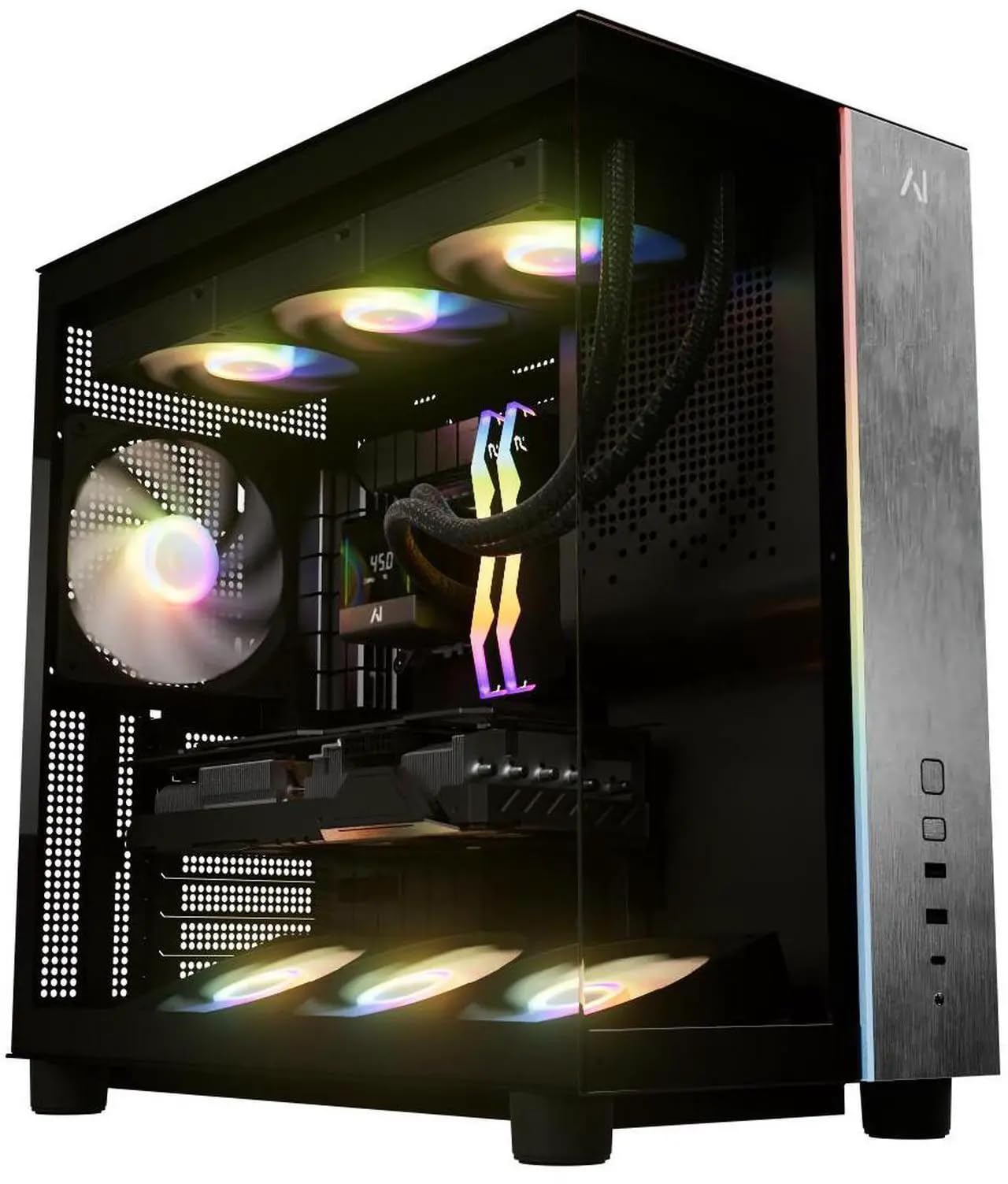
A flawless 5080 build that arrives stable-tested with a 2-year parts warranty
The Ultra 50 V3 nails the out-of-box experience, which is the thing owners rave about most. The 5080 16GB build ships with a single-page instruction sheet that includes stability test results, and buyers report it simply works right from the start — no driver hunts, no BIOS tweaks, no surprises. The Ryzen 7 9800X3D at 5.2GHz tops the gaming CPU charts, paired with 32GB of DDR5 6000MHz memory.
Andromeda Insights backs it with a 2-Year Parts Warranty, Lifetime Labor Warranty, and Lifetime Technical Support from a US-based company. Owners also praise the 360mm AIO liquid cooler for keeping the CPU free of throttling and the 850W Gold-certified power supply for clean delivery with upgrade headroom. Performance (10) and value for money (10) tie as the top-mention aspects.
The only recurring complaint is shipping logistics: signature-required delivery with some “out for delivery” notices that proved false, and multi-day delays for some buyers. One owner sums it up as “not for urgent needs, fine within weeks.” This is a premium pick for patient buyers who want zero tinkering.
Stability-first approach: the included stress-test paperwork and plug-and-play reality make this the least intimidating 5080 build on the list.
The patience tax: shipping can be slow and the signature requirement is annoying — plan ahead, do not buy it the day before a big launch.
8. Skytech Gaming Azure 3

The white 5080 tower built for 4K ultra with buttery-smooth 60+ FPS
If 4K is your goal, the Azure 3 pairs the RTX 5080 with 16GB of GDDR7 video memory and the Ryzen 7 9800X3D, and the specs are tuned for 4K ultra resolution at smooth 60+ FPS across the latest AAA titles. The 32GB of DDR5 RAM at 6000MHz is a genuine speed match for the GPU, and the 360mm ARGB AIO liquid cooler keeps things running free of thermal throttling.
Owners are effusive: owners mention it runs games at ultra quality with great frame rates, is quiet, and feels “simple for future upgrades.” One owner uses it for both gaming and channel editing without a single issue, only adding a second 2TB drive. The 2TB NVMe SSD (solid-state drive) is up to 30x faster than a traditional hard drive for instant boot and load times.
The Azure 3 case is the visual anchor with tempered glass and a white finish, assembled in the USA. It shares the King 95’s strong 9800X3D foundation but pushes the GPU one tier higher to the 5080. This is the balance for buyers who want 4K now, not later.
4K-Perfect Specs
- RTX 5080 16GB tuned for 4K ultra at 60+ FPS
- 32GB DDR5 6000MHz matches the GPU speed
- Quiet operation praised by owners
Consider Before Buying
- Wi-Fi is only 802.11ac, not the newer Wi-Fi 6E
- GPU brand may vary, so appearance differs from photos
- Premium price tier
Reach for this if: 4K ultra is the goal and you want the fastest gaming CPU paired with the 5080.
Look elsewhere if: you need the latest Wi-Fi standard built in — the Ultra 50 V3 above includes Wi-Fi 7.
9. STORMCRAFT Phantom RTX 5080
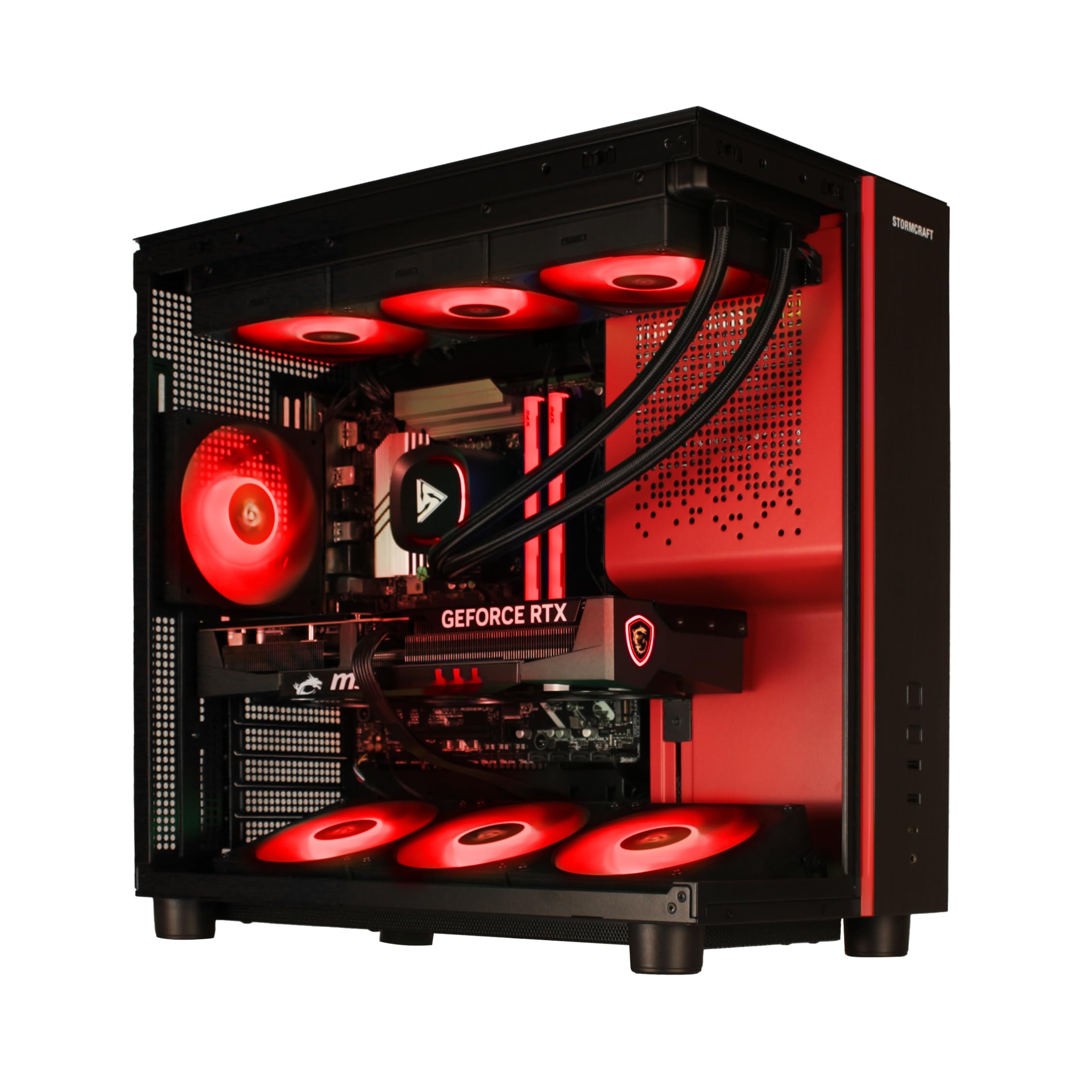
The 5080 with a 2-year parts and 3-year labor warranty that outlasts the field
The STORMCRAFT Phantom pairs the RTX 5080 16GB with the Ryzen 7 9800X3D and covers it with the best warranty in this class: 2 Year Parts, 3 Year Labor, 1 Year Shipping, and free lifetime technical support. That alone separates it from the one-year coverage most rivals offer, and the assembly happens in California, USA.
Gaming performance is stellar, with owners reporting Destiny 2 at 2K ultra hitting 140-160 FPS and 4K gaming with Gears 5 on ultra consistently above 100 fps. The 32GB of DDR5 6000MHz RGB memory and 2TB NVMe Gen4 SSD round out a build with zero compromises, and the 850W Gold-certified power supply (a high-efficiency PSU) leaves upgrade headroom.
Owners note the professional packaging, including a GPU support bracket, and quiet fans with RGB RAM running at full 6000MHz speed. The only minor gripe is the missing manual for adding a second M.2 drive — a tiny documentation gap on an otherwise excellent machine. For the warranty alone, this is the safest 5080 bet on the list.
Protection That Leads
- 2-year parts warranty beats most rivals’ 1-year coverage
- 3-year labor warranty is class-leading
- Full 6000MHz DDR5 RAM speed with no locks
Small Gripes
- No manual for the second M.2 slot installation
- Mid-range pricing vs some competitors
Pick this for: the best long-term protection in the 5080 tier — the warranty outlasts the iBUYPOWER and Alienware above.
pass on it if: you are not worried about post-purchase support and prefer to save on the base machine.
10. Cooler Master NR2 Pro Mini ITX

A 5080 in an 18.25-liter frame that hides on your desk like a shoebox
Space is the whole story here. The Cooler Master NR2 Pro crams the RTX 5080 16GB and Ryzen 7 9800X3D into an 18.25L Mini-ITX case, roughly the size of a large shoebox, making it the only compact pick that does not sacrifice flagship performance. Customers note BF6 maxed out at 1440p pushing over 200 FPS, with temps staying under 80°C.
The NR200P Max case includes a 280mm AIO liquid cooler and an 850W 80+ Gold efficiency power supply (a high-efficiency PSU), and the Gigabyte B850I AORUS PRO motherboard gives you a Type-C and USB 3.2 Gen 2 port. Storage comes at 2TB Gen4 M.2 SSD with fast NVMe transfer speeds, plus 32GB of DDR5 6000MHz RGB RAM with heatsinks.
Mini-ITX (small form factor) builds have trade-offs. Owners praise the build quality as the top aspect — calling it a fantastic prebuilt — but noise gets mixed feedback: fans run loud from the start until you adjust them via the GCC app, and some top exhaust fans rattle at high speeds. One owner adds 2x120mm bottom intakes for better temps. Powerful, but it asks for a little tuning patience.
The Compact Advantage
- 18.25L case fits on a desk like a shoebox
- 200+ FPS at 1440p in demanding titles
- 280mm AIO and 850W Gold PSU in a small frame
The Small-Form Compromise
- Fans are loud from the start and need app tuning
- Some top exhaust fans rattle at high speeds
- Requires a micro 4-pin GPU fan adapter for extra fans
Reach for this if: floor space is tight or you want a powerful rig that travels or moves between rooms easily.
Look elsewhere if: you hate tweaking fan curves and want whisper-quiet operation with zero setup — the Lenovo at the top runs quiet from the start.
11. Panorama XL RTX 5090

The 32GB VRAM 5090 flagship that turns 4K max into a 300 FPS playground
This is the no-compromise endgame. The RTX 5090 carries 32GB of GDDR7 video memory — double the 5080s above — and one owner moving from a 4090 saw FPS jump from 100-120 all the way to 190-300 on max settings, even without DLSS upscaling. Paired with the Ryzen 7 7800X3D, it is built for content creators, streamers, and VR-ready gaming at 4K ultra.
The Panorama XL case features front and side full tempered glass panels with 11 ARGB PWM fans for dynamic airflow. Reviewers point out GPU temps around 50-53°C and CPU at 36°C under load, which is remarkably cool. Empowered PC assembles in the USA, stress-tests before shipping, and backs it with a 3-Year Limited Hardware Warranty plus lifetime technical support.
The downsides are minimal but real: the motherboard specs are not listed in the product details, which annoys tinkerers, and one owner had a disconnected fan cable that support walked them through fixing. The machine also heats a room 5-7°F during heavy use. This is the fastest consumer GPU money can buy, full stop.
The Flagship Case
- 32GB GDDR7 VRAM is double the 5080’s capacity
- GPU runs at 50-53°C with 11 ARGB fans
- 3-year hardware warranty is the longest on this list
The Premium Reality
- Motherboard specs are not disclosed
- Heats a room by 5-7°F during heavy use
- The most expensive machine here by a wide margin
Grab this for: the absolute pinnacle of 4K performance with 32GB of video memory that future-proofs for years.
Think twice if: you are on any kind of budget — the 5080 builds deliver 80% of the experience for a fraction of the cost.
12. CyberPowerPC Gaming PC (i5-14400F)
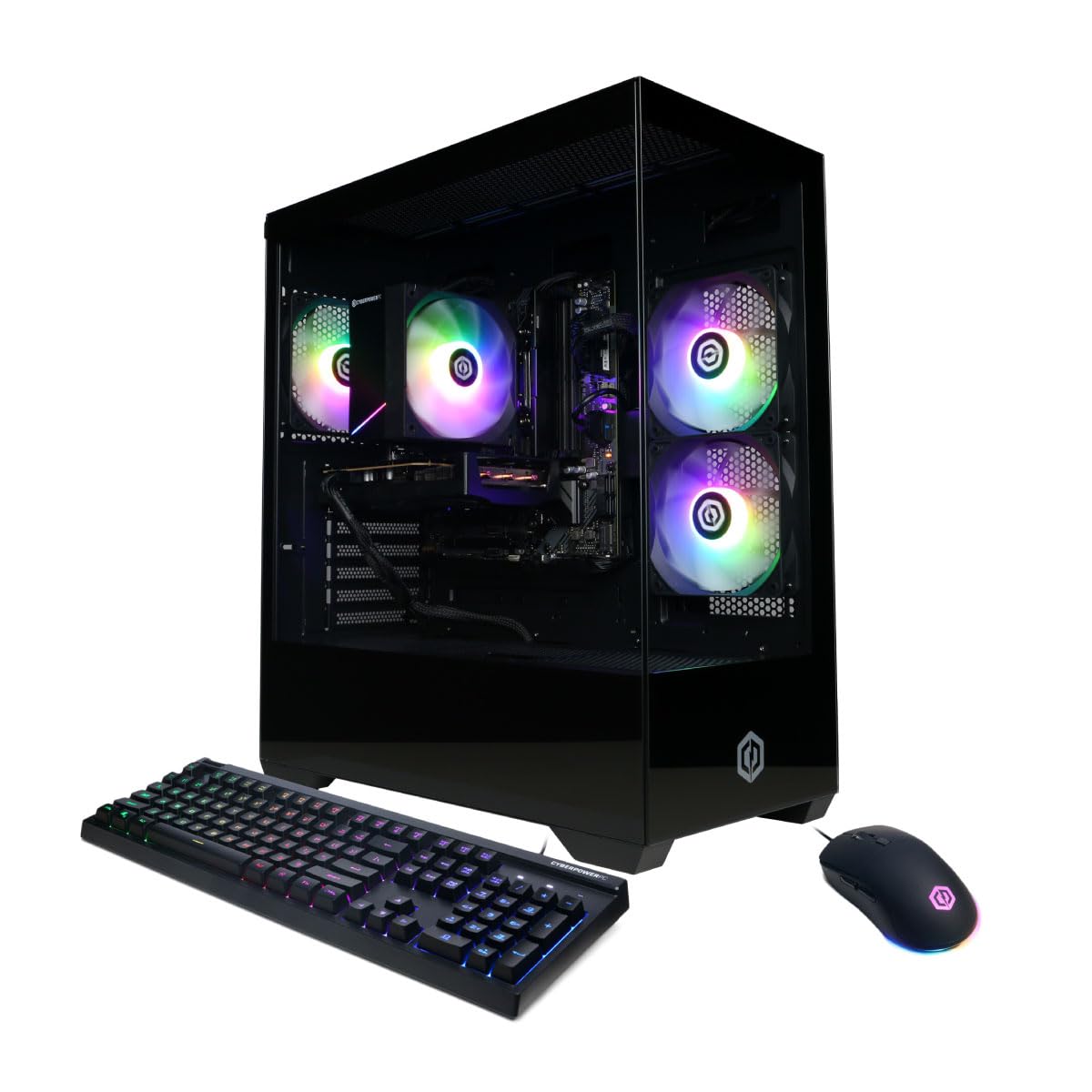
The value entry point that runs Overwatch at 70+ fps on highest settings
The CyberPowerPC with the RTX 5060 8GB is the budget-savvy gateway into the 50-series generation, and it delivers where it counts: at Overwatch on the highest graphics settings, shoppers say a smooth 70+ fps. It also handles Genshin, Roblox, and modded Minecraft well, making it a solid 1080p machine for casual and mid-tier gamers.
The Core i5-14400F with 10 cores and 16GB of DDR5 memory handles everyday gaming without frame drops, and the 1TB PCIe 4.0 NVMe SSD (solid-state drive) provides fast boot and load times. Connectivity is generous for the tier with 2 USB-A 3.2, 6 USB-A 2.0 ports, WiFi 6, Bluetooth 5.3, and 7.1 channel audio, plus a tempered glass side panel with RGB lighting.
Performance (19) is the top-praised aspect by a wide margin, with value for money (7) second, and buyers call it an “unbeatable price” given what parts cost separately. The catch for heavier users: 16GB of RAM, while fine for most, “is limited for massive gaming” per owners, and the 1TB SSD “fills fast” — an external drive is recommended. The RGB lighting is preset-only via the case button, not customizable, which is a small aesthetic limitation.
What Makes It Worth It
- 70+ fps on highest graphics in competitive titles
- WiFi 6 and Bluetooth 5.3 built in
- Easy setup, plug-and-play experience
Know Before You Buy
- 16GB RAM is limited for massive gaming
- 1TB SSD fills fast — budget for external storage
- RGB lighting is preset-only, not customizable
Pick this for: a genuine 50-series card at the lowest entry point, ideal for 1080p competitive gaming and first-time prebuilt buyers.
it’s not for you if: you are a heavy multitasker or want headroom for 1440p — the Lenovo above with 32GB and the 5070 Ti is the smoother path.
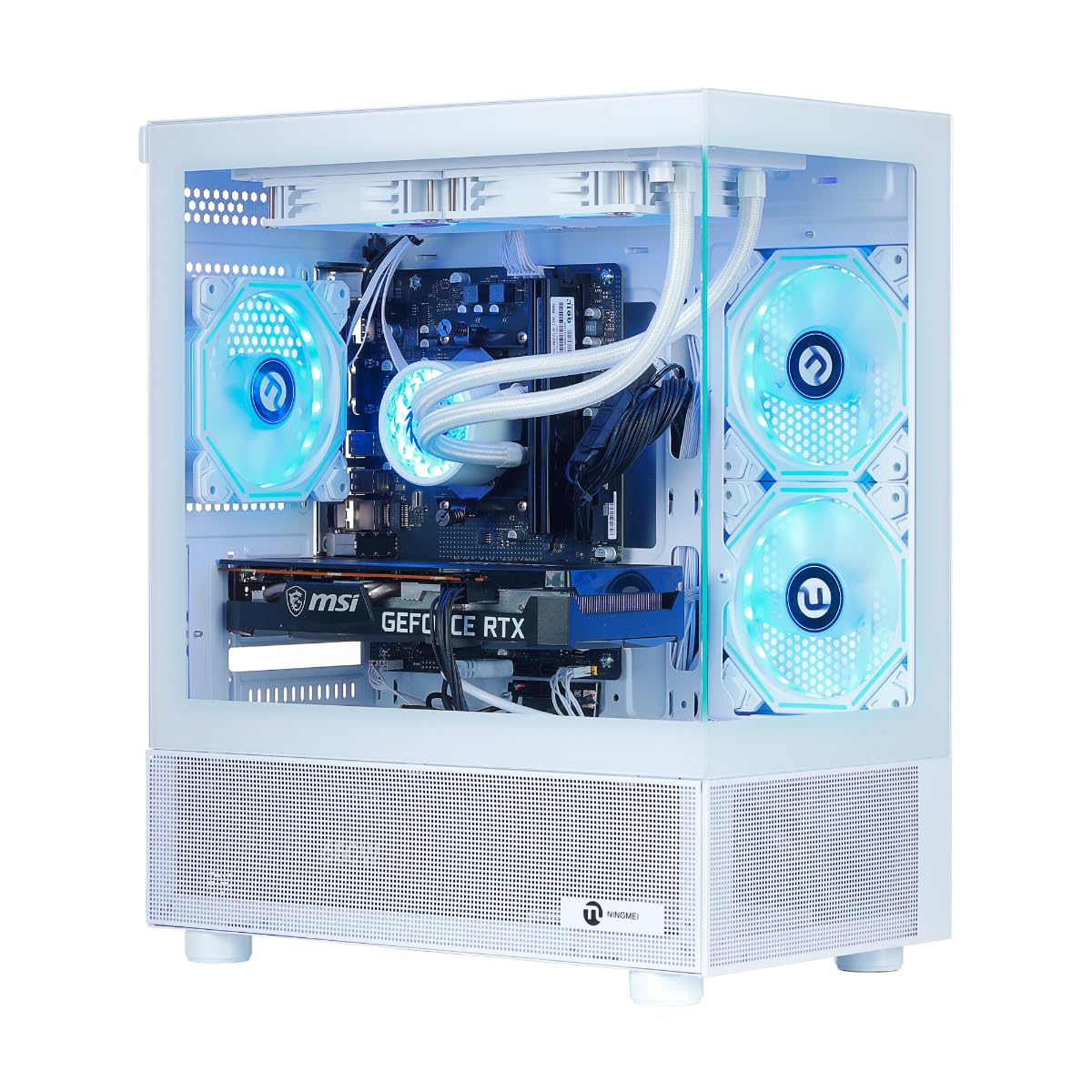
13. NINGMEI Prebuilt Gaming PC
A budget RTX 5060 with 32GB RAM and liquid cooling that college budgets love
The NINGMEI brings a distinctive value angle: it pairs the RTX 5060 8GB with the AMD Ryzen 7 5700X and doubles the memory to 32GB of DDR4 — a full 2.0x the 16GB in the CyberPowerPC above — which makes it a multitasking beast for students running graphic arts, web design, and office tasks alongside games. The white tower with premium liquid cooling keeps noise down during long sessions.
Buyers report it runs demanding AAA games at max settings with superb graphics, and one college graphic arts student works comfortably in design software. The 1TB NVMe SSD (solid-state drive) provides fast boot times, and the ATX 3.0 power design supports future PCIe 5.0 graphics cards, memory upgrades, and extra storage. Windows 11 Home comes pre-installed.
The honest caveats: the GPU ships separate from the tower, requiring a 10-15 minute installation with tools — not a true plug-and-play. The port layout is also a frustration, with only one HDMI port, which annoyed a buyer who needed two displays for classes. A crash report from one owner after 2 hours (a motherboard issue) shows the budget-tier reliability variance. Ships from China, so allow a week for delivery.
The Budget Upside
- 32GB RAM doubles the rival budget pick’s memory
- Liquid cooling keeps it quiet under load
- Some owners mention 144-220 FPS in games
Weigh These
- GPU ships separately and needs a 10-15 min install
- Only one HDMI port — multi-monitor users beware
- One crash report within 2 hours of ownership
Reach for this if: your budget is tight but you need 32GB of memory for college work or multitasking alongside 1080p gaming.
Look elsewhere if: you want zero assembly or a flexible multi-monitor port setup — the CyberPowerPC above is more plug-and-play.
Understanding the Specs
GPU Memory and Generations
Video memory (VRAM) on a GPU handles the textures and detail data for your games. The RTX 5060 carries 8GB, which covers 1080p and entry 1440p. The RTX 5070 steps up to 12GB, the 5070 Ti and 5080 offer 16GB for comfortable 4K, and the 5090 tops out at 32GB, giving you the most headroom for future games and creative work. More VRAM means you can run higher texture quality without stuttering.
CPU-GPU Bottlenecking
The processor feeds work to the graphics card. If your CPU is too weak, it becomes a bottleneck and your GPU sits idle waiting for data. A Ryzen 7 9800X3D or Intel Core Ultra 7 pairs well with a 5070 Ti or 5080. Budget i5 and older Ryzen 7 chips work fine with the RTX 5060. Match the tiers and you get the full value from your graphics card.
DDR5 Memory Speed and Capacity
RAM speed, measured in mega-transfer per second (MT/s), affects how fast your system handles game assets and multitasking. Faster memory at 6000MT/s gives you snappier performance than 5200MT/s. Capacity matters too: 16GB covers most gaming, while 32GB gives you headroom for streaming, background apps, and future titles.
Cooling and Power Supply
Liquid cooling (AIO) keeps high-end CPUs like the 9800X3D from throttling under sustained load, maintaining stable frame rates during long sessions. The power supply (PSU) must deliver clean, stable energy; a Gold-certified 850W unit gives you ample headroom for the 5080 and 5090. Both factors quietly decide whether your expensive components last.
FAQ
Is 8GB VRAM on the RTX 5060 enough for modern gaming?
What is the difference between the RTX 5070 and RTX 5070 Ti?
Will a Ryzen 7 9800X3D bottleneck an RTX 5080?
Is 32GB or 16GB of RAM better for a gaming PC?
Do these 50-series prebuilts include a keyboard and mouse?
How important is a gold-rated power supply in a prebuilt?
Can I upgrade the RAM and storage in these prebuilts later?
Which RTX 5080 prebuilt has the best warranty?
Final Thoughts: The Verdict
For most buyers, the winning 50 series prebuilt pc is the Lenovo Legion Tower 5i because it pairs the RTX 5070 Ti 16GB with a strong Ultra 7 CPU, 32GB of expandable memory, and cooling that owners consistently praise. If you want raw 4K performance today, the Skytech Azure 3 delivers the 5080 with the fastest gaming CPU for smooth 4K ultra. And if budget is the priority, the CyberPowerPC RTX 5060 gets you into the 50-series generation with solid 1080p performance at the lowest entry point. Whichever tier you pick, match the GPU to your resolution goals and your machine will serve you well for years.
How We Picked
We do not accept paid placement. Every pick is matched to a real buyer and a real use-case; we do not hands-on test units.
Sources & Methodology
Specifications: manufacturer listings and product documentation. Review insights: verified customer reviews, as of August 2026. Pricing: not shown on this page (it changes often); check the current price via the retailer link.
As an Amazon Associate, Gadgets Feed earns from qualifying purchases. This does not affect which products we feature.