
A 50-inch touch screen monitor is not a desktop accessory you casually add to your cart. It is a spatial investment — a device that replaces whiteboards, projectors, and standalone TVs in a classroom, meeting room, or retail floor. The buying decision hinges on one question: do you need a display that simply accepts touch input, or a full Android computer that runs apps natively? The difference determines everything from brightness and resolution to the operating system and app ecosystem you can access.
I’m Min — the co-founder and writer behind Gadgets Feed. I’ve spent countless hours analyzing the technical specifications, build quality, and real-world usability of large-format touch displays to help you separate advertising claims from actual performance in this specific category.
After comparing capacitive touch latency, panel brightness ratings, processor power, onboard storage, and OS compatibility across nine distinct models, I’ve assembled this guide to help you find the 50 touch screen monitor that truly fits your workflow — whether you’re teaching, presenting, or running a commercial kiosk.
How To Choose The Best 50 Touch Screen Monitor
A 50-inch touch screen is a specialist device. You are not buying it for casual web browsing; you are buying it because you need to present, annotate, interact, or engage at a scale a regular monitor cannot match. Nail these three factors before you start comparing models.
Touch Technology: Projected Capacitive vs Infrared
For a screen this size, you want projected capacitive touch (PCAP) — the same tech in a modern smartphone. It supports true multi-finger gestures (pinch, zoom, rotate), works with light glove touch, and delivers sub-10 millisecond response times. Infrared bezels are cheaper and still support 10+ touch points, but they can be fooled by bright ambient light or dirt on the frame. If you need palm rejection or precision stylus writing, capacitive is the clear choice.
Brightness and Viewing Angle
Brightness is measured in nits (candelas per square meter). A standard office monitor sits at 250–350 nits. A 50-inch touch screen in a commercial or educational environment needs at least 350 nits for a well-lit room, and 600–1000 nits if it faces a window, glass storefront, or outdoor area. Pair that with a 178-degree viewing angle so the people sitting off-centre can still read the content.
Native Smart OS vs Dumb Display
Some models are purely a touch monitor — you plug in an external computer via HDMI and USB, and the screen acts as a massive tablet. Others run a full Android OS with a processor, RAM, and storage onboard, letting you install apps like Zoom, Google Meet, YouTube, and whiteboarding software directly. The smart-board route is more expensive but eliminates the need for a separate mini-PC, which simplifies the setup and reduces cable clutter.
Quick Comparison
On smaller screens, swipe sideways to see the full table.
| Model | Category | Best For | Key Spec | Amazon |
|---|---|---|---|---|
| JAV 55″ Smart Board Pro | All-in-One Smart Board | High-end classrooms & hybrid meetings | 8GB RAM + 128GB ROM, Android 14 | Amazon |
| NEWORK NewBoard 65E | Google EDLA-Certified | Schools needing Google Suite | 50-point touch, 4K VA panel | Amazon |
| KEINONE 55″ Smart Board | All-in-One Smart Board | Interactive classrooms & presentations | 20 touch points, 6ms latency | Amazon |
| COOLHOOD 65″ Smart Board | All-in-One Smart Board | Large-room collaboration | Octa-core CPU, 6ms response | Amazon |
| EUNIVON Interactive Whiteboard (55″) | Android Smart Board | Budget-friendly all-in-one | Android 14, Cortex-A55 CPU | Amazon |
| TouchWo 55″ 4K Capacitive Monitor | Standalone Touch Monitor | High-res plug-and-play setups | 4K resolution, 10-point touch | Amazon |
| JASZDOT 43″ Floor Standing Kiosk | Freestanding Kiosk | Retail & lobby signage | 600 nits, freestanding design | Amazon |
| Canlarriz 50″ Digital Signage | High-Brightness Signage | Bright retail & menu boards | 1000 nits, 2000:1 contrast | Amazon |
| TouchWo 43″ Capacitive Monitor | Standalone Touch Monitor | Entry-level interactive display | 1080p, 10-point USB touch | Amazon |
In‑Depth Reviews
1. JAV 55″ Smart Board Pro (EDLA Certified)
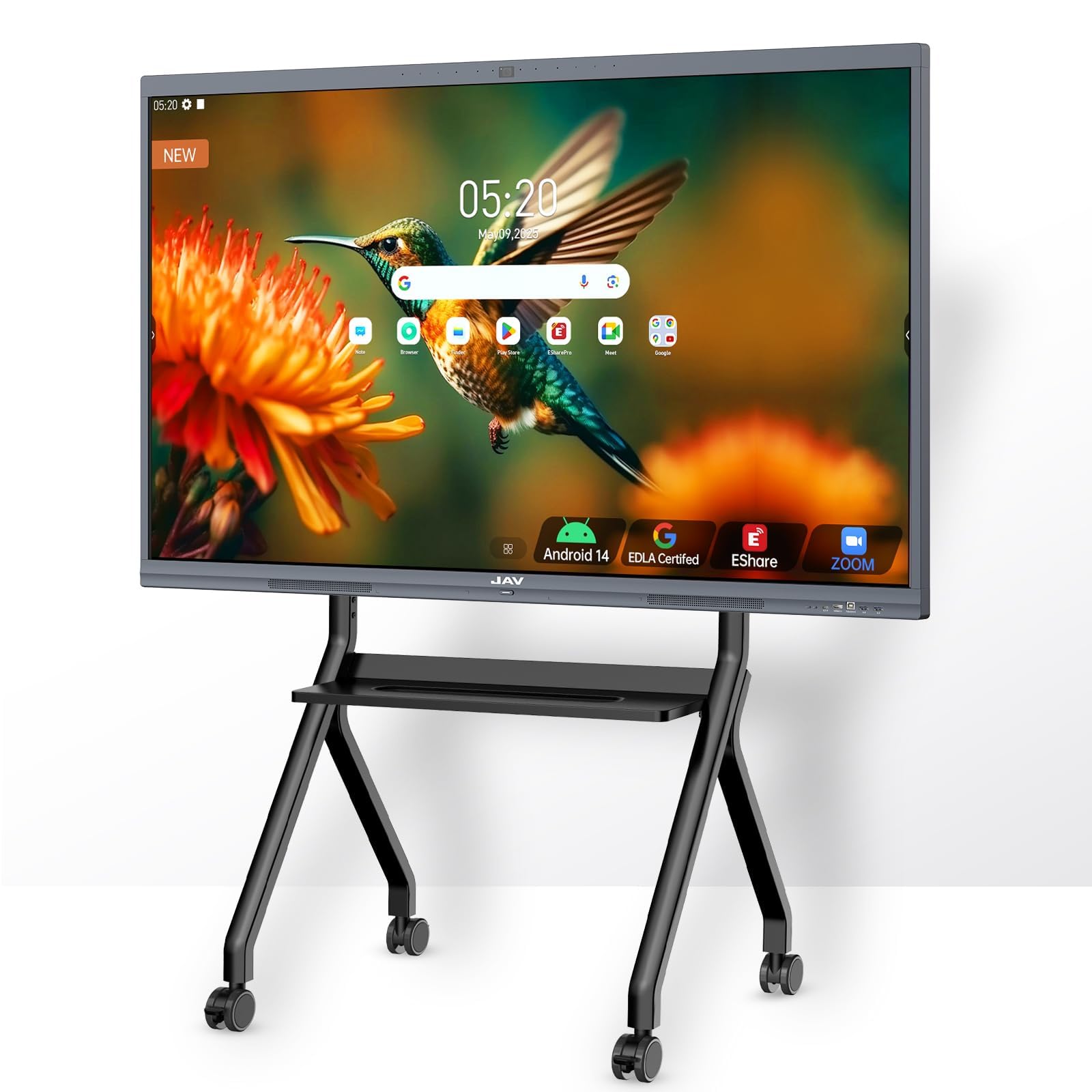
The JAV Smart Board Pro combines the most complete hardware package for a 50-inch-class touch display: a 4K UHD touchscreen with 20-point multi-touch, a built-in 48MP AI camera, an 8-array microphone with noise suppression, and a 100W soundbar. The Google EDLA certification means you get the full Google Play Store, Google Workspace, and enterprise-grade security — not a locked-down Android fork that only runs preloaded apps.
The 8GB RAM and 128GB ROM handle multitasking without stuttering, whether you are running a Zoom meeting, annotating a PDF, and streaming a video simultaneously. The AI camera includes speaker tracking and intelligent framing, which is rare at this price tier and makes hybrid meetings feel far more natural than a standard webcam on a cart.
Users report zero-lag touch response and excellent customer support from the JAV team. The main caveat is that some advanced AI features — like echo cancellation in large rooms — are still being tuned via firmware updates. If you need a future-proofed all-in-one that works out of the box for education and professional collaboration, this is the benchmark.
Why it’s great
- Google EDLA certified with full Play Store access
- Integrated 48MP AI camera and 8-array microphone for zero-clutter video conferencing
- 100W soundbar delivers room-filling audio without external speakers
Good to know
- AI noise suppression and echo cancellation still improving via firmware updates
- Premium pricing reflects the all-in-one camera/speaker hardware
2. NEWORK NewBoard 65E
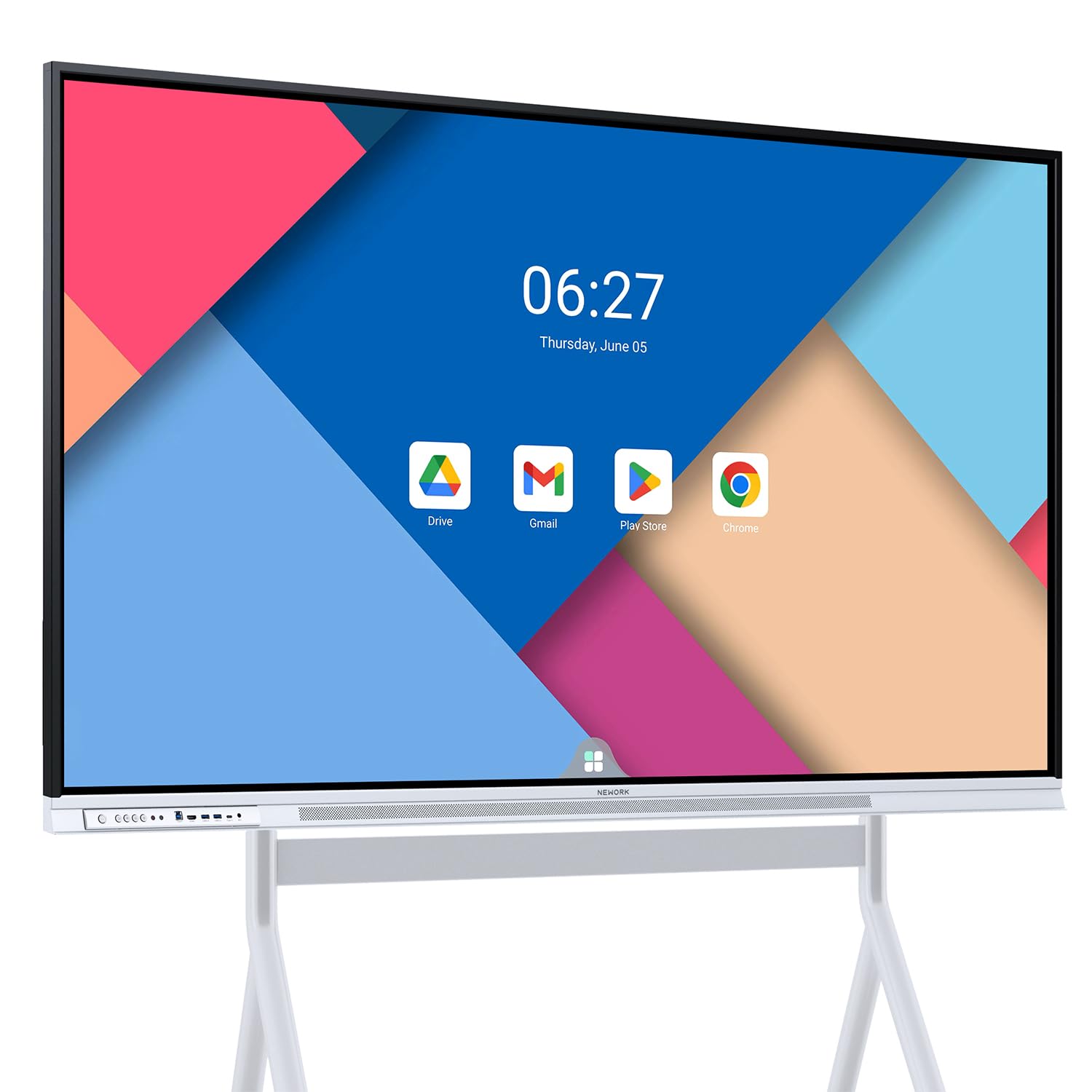
The NewBoard 65E is a 65-inch Google EDLA-certified interactive whiteboard that runs Android 14 natively. The headline feature is 50-point multi-touch, which allows up to 10 users to write or annotate simultaneously — essential for collaborative brainstorming sessions where multiple students or team members need to interact with the board at the same time without waiting for a turn.
The VA panel delivers a 3000:1 contrast ratio and 450 nits of brightness, which means deep blacks and solid readability even in rooms with overhead fluorescent lighting. Wireless casting supports up to 16 devices at once, and with full Google Workspace integration, you can log into your school or business account and access Drive files directly without pairing an external laptop.
Customer feedback consistently praises the crisp 4K display, the lag-free touch experience, and responsive technical support for setup issues. The 64GB ROM is adequate for most users, though power users who install many apps may prefer the 128GB found on the JAV model. For schools and offices already deep in the Google ecosystem, this is the most natural fit.
Why it’s great
- 50-point multi-touch enables true multi-user collaboration
- Google EDLA certification ensures full Play Store and Workspace access
- Wireless casting supports up to 16 devices simultaneously
Good to know
- 64GB storage is fine for most apps but not future-proof for heavy local storage
- No built-in camera or microphone array for video conferencing
3. KEINONE 55″ Smart Board

The KEINONE 55″ smart board targets educators and business professionals who need a responsive, feature-rich smartboard without the premium upcharge of EDLA-certified models. It runs on an Android-based system with 8GB RAM and 128GB SSD storage, which is generous for running multiple whiteboarding apps, PDF annotators, and video conferencing tools simultaneously.
The 20-point touch system operates with a stated 6ms latency, and the IPS panel offers wide viewing angles with a 3000:1 contrast ratio. The board supports AirPlay, Wi-Fi, USB-C, and HDMI for connectivity, so you can mirror a phone, plug in a laptop, or use a wired presentation system without hunting for adapters. Built-in whiteboard tools include text recognition, shape detection, and QR code sharing for exporting notes.
Users describe the screen as bright and clear, with smooth touch response that feels natural for handwriting. A few reports mention that the built-in app ecosystem is not as curated as Google-certified boards, but the hardware reliability and responsive customer service — quick to replace units with issues — earn high marks. For a mid-range price, this board balances performance and storage capacity exceptionally well.
Why it’s great
- 128GB SSD provides ample room for apps and local file storage
- 6ms touch latency feels instantaneous for writing and drawing
- USB-C and AirPlay connectivity simplify device pairing
Good to know
- Not Google-certified, so app store selection may be more limited
- Some users report needing online assistance for advanced troubleshooting
4. COOLHOOD 65″ Smart Board

The COOLHOOD 65″ smart board packs an octa-core processor (4 A73 + 4 A53) and Android 13 into a 65-inch frame, making it one of the more powerful smart boards for large-format collaboration. The 20-point multi-touch and 6ms response time with ±1mm precision mean that sketching, writing, and dragging objects on screen feels precise — there is no visible cursor lag or ghosting.
Wireless screen sharing works across Mac, Windows, iOS, and Android, and the board integrates with Zoom, Google Meet, Microsoft Teams, and Webex for video conferencing. The open app ecosystem allows you to download industry-specific tools from the Play Store, while the cloud storage feature lets you save whiteboard sessions for later access. The unit ships with a wall mount, and a rolling stand is available separately.
Buyers note that the board is easy to use without heavy IT support, and the build quality feels robust enough for daily classroom wear. The notable omission is a built-in camera — you will need an external USB webcam for video calls. If you run a larger boardroom or lecture hall where screen real estate is critical, the 65-inch diagonal gives everyone a clear view from the back row.
Why it’s great
- Octa-core processor ensures snappy app switching and multitasking
- ±1mm touch precision makes handwriting and annotation feel natural
- Cloud storage integration allows saving and sharing whiteboard sessions
Good to know
- No built-in camera; an external webcam is required for video calls
- Stand is sold separately, adding to the total cost for mobile setups
5. EUNIVON Interactive Whiteboard (55″)

The EUNIVON 55-inch interactive whiteboard is the most affordable all-in-one smart board in this roundup, running Android 14 on a Cortex-A55 octa-core CPU with 8GB RAM. It includes a wall mount in the box, and the 4K UHD panel supports annotation, screen casting, and video conferencing tools out of the box — making it a viable entry point for classrooms and small offices that need smart board features without a five-figure budget.
The board supports wireless screen sharing from iOS, Android, Mac, and Windows devices, and the open app ecosystem lets you install whatever software your organization uses. Users report good writing response with the included stylus, and several buyers mention using the board for gaming and home theater alongside its primary role as a whiteboard — proof that the panel quality holds up beyond pure utility.
The main tradeoffs are a less-polished user interface compared to Google-certified boards, and a few buyers experienced HDCP handshake issues with HDMI sources. However, the lightweight aluminum frame and 55-inch size make it much easier to wall-mount than a 65-inch or larger panel. If your budget is tight but you need Android-native smart board functionality, this model delivers the core experience at a lower entry cost.
Why it’s great
- Runs Android 14 with an octa-core CPU for smooth daily operation
- Wall mount included, reducing total setup cost
- Versatile enough for classroom, office, and home theater use
Good to know
- Not EDLA certified; app store is curated by the manufacturer
- Some users report HDMI compatibility issues with certain source devices
6. TouchWo 55″ 4K Capacitive Monitor

The TouchWo 55-inch 4K capacitive monitor is a display-first device: it does not run its own operating system. You connect it to a laptop, mini-PC, or gaming console via HDMI for video and USB for touch data, and it behaves exactly like a 55-inch tablet. The 3840×2160 resolution gives you 4x the pixel density of a 1080p panel, which makes text rendering and fine detail look sharp even when you are standing close to the screen.
The projected capacitive touch layer supports 10 simultaneous touch points and works with gloves — useful for industrial, medical, or food-service environments where bare-finger touch is impractical. The aluminum alloy frame carries an IP65 rating on the front bezel, meaning it is sealed against dust and low-pressure water jets, making it suitable for production floors or busy retail kiosks.
User feedback highlights the optically bonded display (which reduces glare and parallax) and the plug-and-play simplicity with Windows machines. A small number of buyers experienced loose port connections or backlight uniformity issues, but the 4K resolution and industrial build quality make this a strong pick for anyone who needs a high-resolution touch monitor without the Android overhead.
Why it’s great
- True 4K resolution delivers crisp text and fine detail at close distance
- IP65-rated front bezel resists dust and water in demanding environments
- Optically bonded display reduces glare and eliminates parallax gap
Good to know
- No built-in Android OS; requires an external computing source
- 300-nit brightness may be insufficient for rooms with direct sunlight
7. JASZDOT 43″ Floor Standing Kiosk
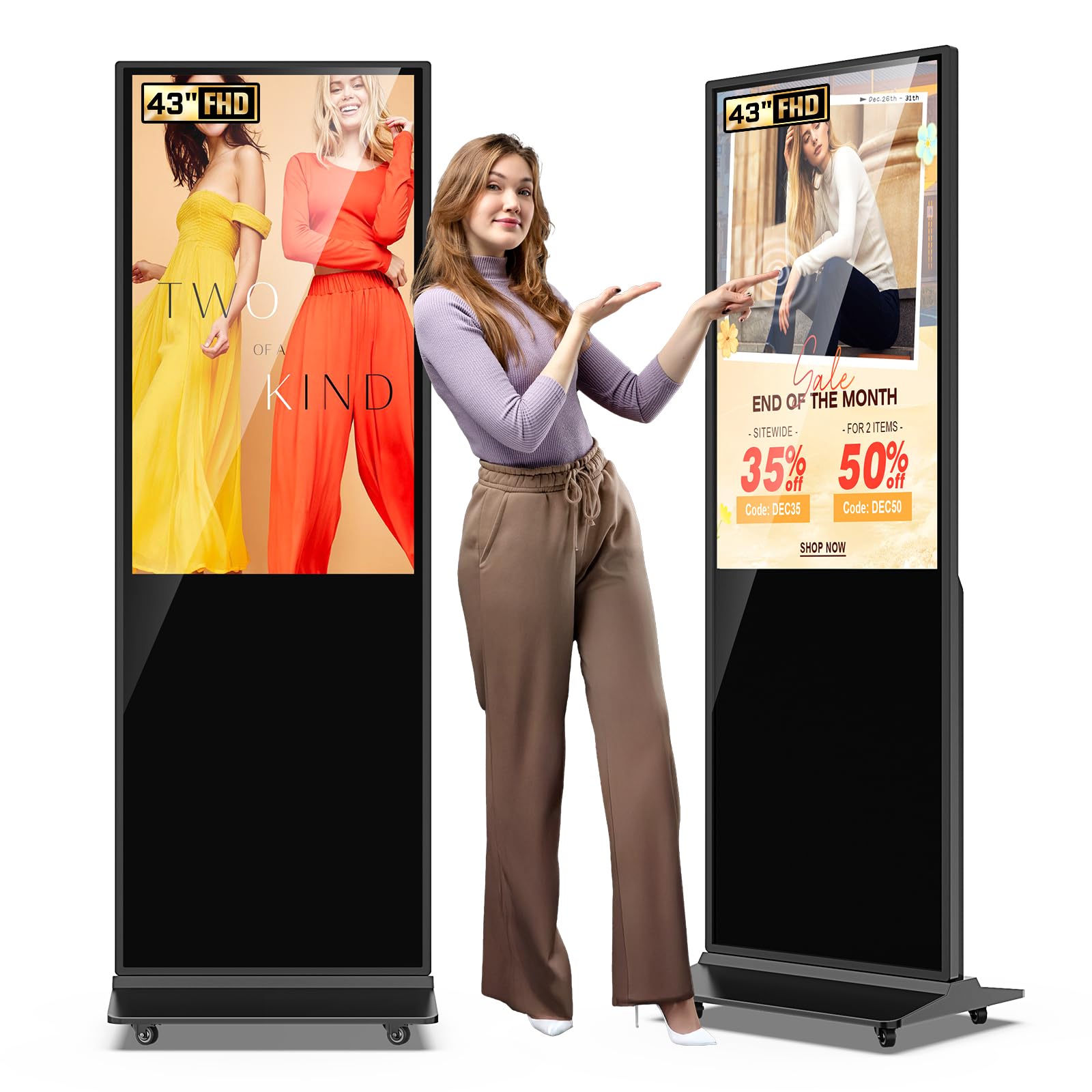
The JASZDOT 43-inch floor-standing kiosk is purpose-built for retail, hospitality, and public-space advertising. It runs Android OS and includes a split-screen function so you can show a video on one side and a menu or promotion on the other simultaneously. The 600-nit brightness rating makes it readable in brightly lit lobbies and near storefront windows — a critical advantage over the 300-nit panels aimed at dim conference rooms.
The freestanding design with locking wheels lets you reposition the kiosk without heavy lifting, and the built-in auto power-on/off scheduling means you can program it to start at opening time and shut down at closing. Users report straightforward assembly (about 15 minutes), good touch sensitivity, and sharp 1080p image quality that looks crisp from standard viewing distances.
Content can be loaded via USB stick or managed wirelessly through the Android interface and Google Apps. The 1080p resolution is adequate for signage text and video, though graphic designers may want 4K for product close-ups. The remote control feels cheap, but the overall build and three-year warranty make this a solid choice for anyone who needs a self-contained, ready-to-deploy interactive kiosk.
Why it’s great
- 600-nit brightness ensures readability in bright commercial environments
- Freestanding with locking wheels for easy repositioning
- Split-screen feature allows simultaneous video and static content display
Good to know
- 1080p resolution is fine for signage but not ideal for detailed 4K content
- Remote control feels somewhat plasticky and basic
8. Canlarriz 50″ Digital Signage Display

The Canlarriz 50-inch digital signage display is designed for one specific job: delivering ultra-bright, readable content in environments where standard monitors wash out. With 1000 nits of brightness and a 2000:1 contrast ratio, this screen can compete with direct sunlight streaming through a storefront window — a capability that 300-350 nit panels cannot match.
The built-in Android system with 4GB RAM and 32GB storage runs a custom CMS that lets you schedule content by time of day (breakfast, lunch, dinner menus), manage multiple screens remotely, and divide the display into 2 to 6 interactive zones showing video, social feeds, QR codes, and countdowns simultaneously. The 6.8mm bezel and 3.5cm profile make multi-screen tiling visually seamless, ideal for lobby video walls.
Buyers confirm the brightness is genuine and sufficient for outdoor-facing use, though the software interface receives mixed feedback — it works reliably once configured, but the learning curve is steeper than consumer Android. The three-year warranty provides peace of mind for commercial buyers. If your installation site has direct or indirect sunlight, this is the only display on the list built to handle it.
Why it’s great
- 1000-nit brightness handles sunlit retail environments and windows
- 6.8mm ultra-narrow bezel enables seamless multi-screen video walls
- Three-year warranty backs commercial-grade reliability
Good to know
- Built-in CMS software has a steeper learning curve than standard Android
- 32GB storage is limited for heavy app installations
9. TouchWo 43″ Capacitive Monitor

The TouchWo 43-inch capacitive monitor is the most accessible large touch screen in this guide, offering 10-point projected capacitive touch and 1080p resolution at an entry-level price point. It is a pure plug-and-play display — connect HDMI for video and USB for touch, and Windows (XP through 11) recognizes it instantly without drivers. Mac and Linux users need a short configuration step to enable touch, but technical support is available.
The IP65 front bezel and aluminum alloy frame make it surprisingly durable for the price point, and the 300×300 VESA pattern supports both wall mounting and desktop stand setups. Built-in speakers save desk space, while the VGA, DVI, and HDMI ports ensure compatibility with older PCs and embedded systems. Several creative buyers report using it as a digital family calendar or a gaming table for board-game-style interactions.
The main limitation is the 1080p resolution, which makes text and fine details look slightly soft compared to a 4K panel at the same viewing distance. A few users experienced port looseness or backlight inconsistency, but for a low-cost interactive display in a school, break room, or light commercial setting, the TouchWo 43 delivers core touch functionality without the Android complexity or high price of an all-in-one smart board.
Why it’s great
- True plug-and-play USB touch with Windows — no driver installation needed
- IP65 front bezel provides dust and water resistance for busy environments
- Works as a gaming table, digital calendar, or interactive kiosk on a budget
Good to know
- 1080p resolution shows softer text than 4K alternatives at close range
- 300-nit brightness limits usability in brightly lit rooms with windows
FAQ
Can I use a 50-inch touch monitor without a computer attached?
Is the touch input on these monitors accurate enough for handwriting?
What is Google EDLA certification and do I need it?
Final Thoughts: The Verdict
For most users, the 50 touch screen monitor winner is the JAV 55″ Smart Board Pro because it combines a 4K display, Google EDLA certification, a built-in AI camera and microphone array, and a 100W soundbar into a single ready-to-deploy package that leaves almost nothing to buy separately. If you want the best multi-user touch experience with full Google Workspace access and the most modern Android 14 platform, grab the NEWORK NewBoard 65E. And for a high-brightness commercial installation where sunlight is a factor, nothing beats the Canlarriz 50″ Digital Signage Display at 1000 nits.