
That 500GB flash drive sitting in your cart might promise the world, but the gap between advertised burst speeds and sustained real-world writes can turn a quick file transfer into a wasted afternoon. The 500GB tier is a crossover point — cheap NAND controllers often buckle under sustained writes, while premium silicon delivers near-SSD performance in a thumb-sized package. Picking the wrong one means waiting minutes instead of seconds for a single video project.
I’m Min — the co-founder and writer behind Gadgets Feed. I’ve sifted through hundreds of hours of benchmark data, controller specs, and real user endurance reports to isolate which 500GB flash drives actually hold up under sustained multi-gigabyte loads versus those that throttle after the first 30 seconds.
This guide covers seven contenders that span the performance spectrum — from budget daily drivers to pocket SSDs — to help you find the best 500 gb flash drive for your specific workflow.
How To Choose The Best 500 GB Flash Drive
At 500GB, you are paying for the controller and NAND quality, not just capacity. Cheap controllers use QLC NAND that slows to a crawl during sustained writes, while premium options use TLC NAND with DRAM-less or DRAM-based architecture that maintains consistent throughput even when the drive is near full. Understanding these hardware differences separates a 50MB/s write drive from an 800MB/s one.
Interface Generation & Throughput Ceiling
The USB generation dictates the theoretical maximum speed. USB 3.2 Gen 1 caps at 5Gbps (around 500MB/s raw), while Gen 2 doubles to 10Gbps (around 1,000MB/s raw). A Gen 2 drive on a Gen 1 port will fall back and never reach its rated speed. Check your computer’s port specifications — most modern laptops have at least one Gen 2 port, but many desktops still use Gen 1. Gen 2×2 (20Gbps) is rare on flash drives at this capacity tier and typically reserved for external SSDs.
NAND Type: TLC vs. QLC Endurance Math
TLC (Triple-Level Cell) NAND stores three bits per cell, providing a balance of speed, endurance, and cost. QLC (Quad-Level Cell) stores four bits per cell, increasing density but reducing write endurance by roughly 30-40% and significantly lowering sustained write speeds once the SLC cache fills. At 500GB, most budget drives use QLC, while premium options use TLC. If you routinely write more than 20GB in a single session (video files, disk images, photo libraries), TLC is the better choice to avoid the post-cache crash to sub-30MB/s speeds.
Form Factor & Thermals Under Load
A metal enclosure isn’t just for looks — it acts as a heatsink. Flash memory generates significant heat during sustained writes; plastic-bodied drives can throttle to under 40MB/s after just 60 seconds of continuous writing. Look for zinc alloy or aluminum enclosures if you plan to use the drive for video editing or large backups. The tradeoff is that metal drives run hot to the touch under load — that’s normal and indicates effective thermal transfer away from the NAND die.
Quick Comparison
On smaller screens, swipe sideways to see the full table.
| Model | Category | Best For | Key Spec | Amazon |
|---|---|---|---|---|
| LinkMore NR770 | Gen 2 SSD-Class | Fast transfers, video backup | Up to 1000MB/s read / 800MB/s write | Amazon |
| MOVE SPEED 512GB Smart Display | Gen 2 LCD Drive | Real-time data monitoring, iPhone 4K | Up to 1090MB/s read, TLC NAND | Amazon |
| Samsung Type-C 512GB | Gen 1 Rugged | Rugged daily carry, cross-device | Up to 400MB/s read, IP68-rated | Amazon |
| SanDisk Ultra Flair 512GB | Gen 1 Metal Casing | Durable work/school drive | Up to 150MB/s read, metal body | Amazon |
| PNY Turbo Attache 3 512GB | Gen 1 Slider | Basic file storage, pocket carry | Up to 100MB/s read, cap-less slider | Amazon |
| TEAMGROUP C175 512GB | Gen 1 Budget | Boot drives, bulk storage | Up to 127MB/s read, matte plastic | Amazon |
| MOVE SPEED 1TB Dual Port | Gen 1 Dual Push-Pull | Max capacity, dual-port flexibility | 560MB/s read, 1TB, USB-A/C | Amazon |
In‑Depth Reviews
1. LinkMore NR770 500GB
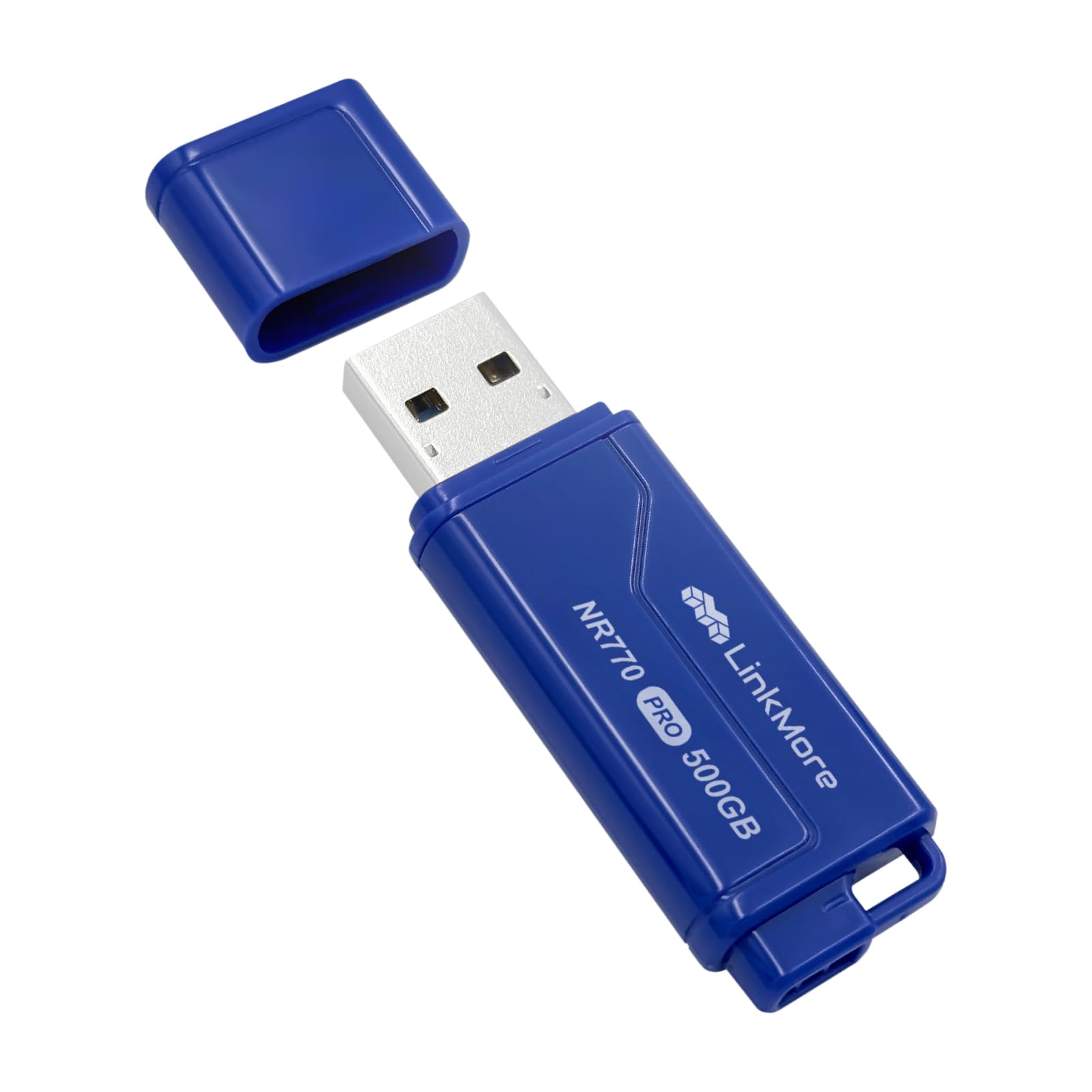
The LinkMore NR770 bridges the gap between a typical flash drive and a portable SSD, using a USB 3.2 Gen 2 controller rated for 1000MB/s reads and 800MB/s writes. That puts it in the same league as many SATA SSDs, but in a thumb-sized form factor that weighs just 8 grams. The controller uses TLC NAND, which maintains stable write speeds well beyond the SLC cache window — crucial for video files larger than 20GB.
Benchmarks from verified buyers show real-world sequential reads around 580-620MB/s and writes between 550-570MB/s on a USB 3.2 Gen 2 port — still far faster than any Gen 1 drive on this list. The all-black plastic casing is utilitarian and the included cap is unattached, which means it’s easy to lose. There is no activity indicator light, so you’ll rely on your operating system’s file transfer dialog to know when the operation is complete.
For backups, school projects, car audio libraries, and offloading dashcam footage, this drive delivers SSD-like throughput without the higher cost or bulk of a full 2.5-inch external SSD. It is manufactured in Taiwan and supports plug-and-play operation on PC, Mac, console, and car audio systems without any driver installation.
Why it’s great
- Gen 2 speeds rival entry-level SATA SSDs in a thumb drive form factor
- TLC NAND maintains consistent writes under sustained multi-gigabyte loads
- Ultra-light 8-gram weight makes it ideal for keychain or pocket carry
Good to know
- Plastic casing can feel cheap despite solid internals
- Detached cap is easy to misplace during daily use
- Some units show slightly lower speeds than advertised peak of 1000MB/s
2. MOVE SPEED 512GB Smart Display
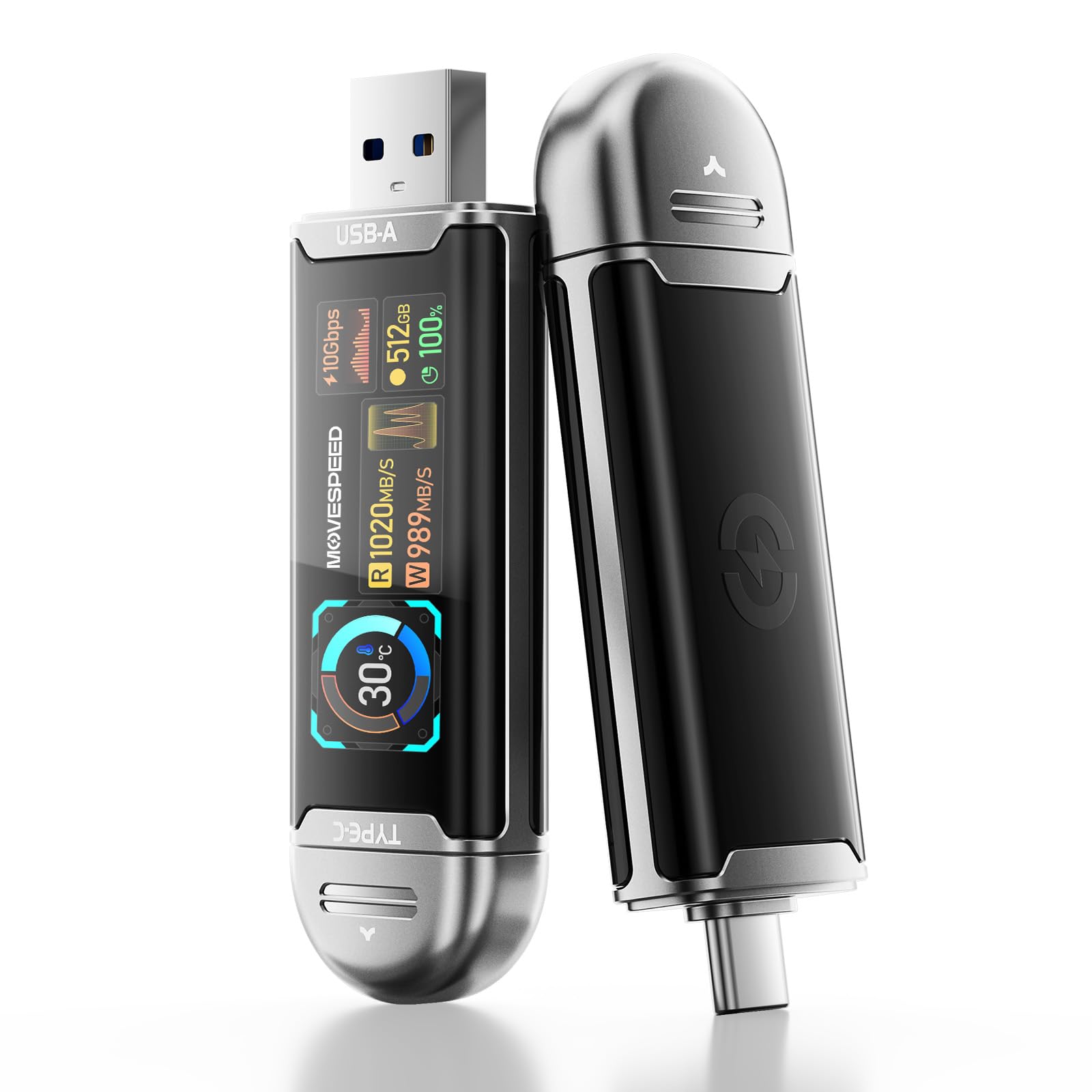
MOVE SPEED’s Smart Display drive stands out with a built-in LCD screen that displays remaining capacity, read/write speed, transfer progress, interface rate, and drive temperature in real time. This is genuinely useful for video editors and photographers who need to confirm space availability before offloading a card or know whether the drive is thermal-throttling during a large transfer. The screen auto-lights when inserted into any compatible device.
Under the hood, it uses a USB 3.2 Gen 2 controller with TLC NAND and an AI-driven temperature management algorithm that dynamically adjusts speed to prevent overheating during sustained writes. The rated 1090MB/s read speed is among the highest in this roundup, making it suitable for 4K ProRes HDR video recording directly from an iPhone 15/16/17 Pro. The dual Type-A and Type-C interfaces eliminate the need for adapters when switching between a laptop and a phone.
The zinc alloy shell adds thermal mass that helps dissipate heat, though the drive feels heavier than its plastic counterparts. A known quirk is that the LCD orientation can appear upside down depending on which port you plug into — some users report this as a minor annoyance. The drive supports LDPC intelligent error correction for data integrity, and the TLC endurance rating means it can handle heavy rewrite cycles without degrading as quickly as QLC alternatives.
Why it’s great
- Real-time LCD display shows capacity, speed, and temperature at a glance
- Dual Type-A and Type-C interfaces work with phones, laptops, and desktops
- TLC NAND with AI thermal management maintains performance under sustained load
Good to know
- LCD screen orientation may appear upside down depending on port orientation
- Slightly heavier than plastic drives due to zinc alloy shell
- Some users report needing a USB-C extension cable for easier handling
3. Samsung Type-C 512GB

Samsung’s Type-C flash drive is built around their own NAND flash memory and controller, which gives them tight control over firmware optimization. The rated read speed of 400MB/s puts it at the top of the Gen 1 class, and real-world testing shows sustained writes around 75-80MB/s even after transferring over 100GB — no post-cache crash that plagues QLC-based budget drives. Samsung claims you can transfer a 4GB file in 11 seconds.
The form factor is impressively compact at just 3.4 grams and thumbnail-sized dimensions, making it the most pocket-friendly 512GB drive available. It uses a USB-C connector with a reversible plug, so it works seamlessly with modern laptops, tablets, and phones without needing a dongle. The drive carries IP68-rated water resistance, plus shock-proof, magnet-proof, temperature-proof, and X-ray-proof certifications — meaning it can survive a dunk in water or a trip through a washing machine.
One caveat is that sustained reads exceeding 75-80GB can cause the drive to overheat and disconnect as a safety measure. This is a limitation of the compact passive-cooled design. The 5-year limited warranty is among the best in this category, and Samsung’s compatibility with modern USB-C devices is near-universal, including direct plug-in to the Samsung Galaxy S25 Ultra for phone storage cleanup.
Why it’s great
- Extremely compact 3.4-gram design fits on any keychain without bulk
- IP68 waterproof and military-grade shock, magnet, and X-ray resistance
- Sustained writes remain stable at 75-80MB/s even beyond 100GB of continuous transfer
Good to know
- Can overheat and disconnect during very long (75-80GB+) sustained reads
- USB-C only — Type-A devices require an adapter
- Write speeds are Gen 1 class, not competitive with Gen 2 options
4. SanDisk Ultra Flair 512GB

The SanDisk Ultra Flair is a well-established workhorse in the USB 3.0 flash drive market, and the 512GB version continues that reputation. It uses a USB 3.0 (Gen 1) controller with rated read speeds up to 150MB/s — enough to transfer a full-length movie in under 30 seconds. Write speeds in real-world testing land around 50-60MB/s for large sequential files, which is adequate for photo backups, boot disks, and dashcam offloads rather than demanding video editing workflows.
The brushed metal casing is a standout feature at this price point — it feels significantly more premium than the all-plastic budget alternatives and acts as a passive heatsink to prevent thermal throttling. The drive includes SanDisk SecureAccess software that provides 128-bit AES encryption for password-protecting private files, though the software requires a download for Mac users. The drive gets warm during heavy use, which is normal and indicates the metal shell is doing its job dissipating heat from the NAND.
At 512GB formatted capacity (around 460GB usable), it provides ample room for long-term photo archives, disk images, and project files. SanDisk’s reputation for reliability is backed by the 5-year warranty, and the compact design is small enough to leave plugged into a laptop as semi-permanent storage. Some users note that the write speed, while adequate, is not competitive with Gen 2 options on this list — it’s a steady performer rather than a speed demon.
Why it’s great
- Brushed metal casing provides durability and passive heat dissipation
- Reliable sustained write speeds around 50-60MB/s for everyday file transfers
- Includes 128-bit AES encryption software for password-protected storage
Good to know
- Write speeds are only about 50-60MB/s — not suitable for heavy video editing
- Gets noticeably warm during sustained write sessions
- USB 3.0 Gen 1 interface limits throughput regardless of host port capability
5. PNY Turbo Attache 3 512GB

The PNY Turbo Attache 3 uses a sliding collar to protect the USB connector when not in use — a meaningful design choice that eliminates the risk of losing a cap. The sliding mechanism is satisfyingly clicky and locks securely in both extended and retracted positions. The drive is rated for read speeds up to 100MB/s via its USB 3.2 Gen 1 interface, which is sufficient for photo albums, music libraries, and document backups.
Real-world benchmarks show sequential reads around 100-120MB/s and writes in the 30-50MB/s range, which aligns with the advertised specs. The plastic casing keeps weight low, but it lacks the thermal dissipation of metal alternatives — sustained writes of large files can cause the drive to become warm inside the plastic shell. It works well with BitLocker encryption and is compatible across Mac, Windows, and Linux without driver issues.
The 512GB capacity is formatted for immediate use, and the drive’s compatibility with USB 3.2 Gen 1 and USB 2.0 ports ensures it works on older machines. Some users note that the advertised read speeds can be slightly optimistic under real conditions, but for general file storage and transfer, the Turbo Attache 3 delivers consistent, predictable performance at a mid-range price point. The 1-year warranty is shorter than SanDisk or Samsung offerings, so keep that in mind for long-term investment.
Why it’s great
- Cap-less sliding collar design eliminates the risk of losing a USB cover
- Consistent read speeds around 100-120MB/s for everyday file access
- Works with BitLocker encryption for sensitive data security
Good to know
- Plastic casing provides limited heat dissipation during sustained writes
- Write speeds average 30-50MB/s — slower than metal-bodied competitors
- Only a 1-year warranty compared to 5-year coverage from SanDisk and Samsung
6. TEAMGROUP C175 512GB
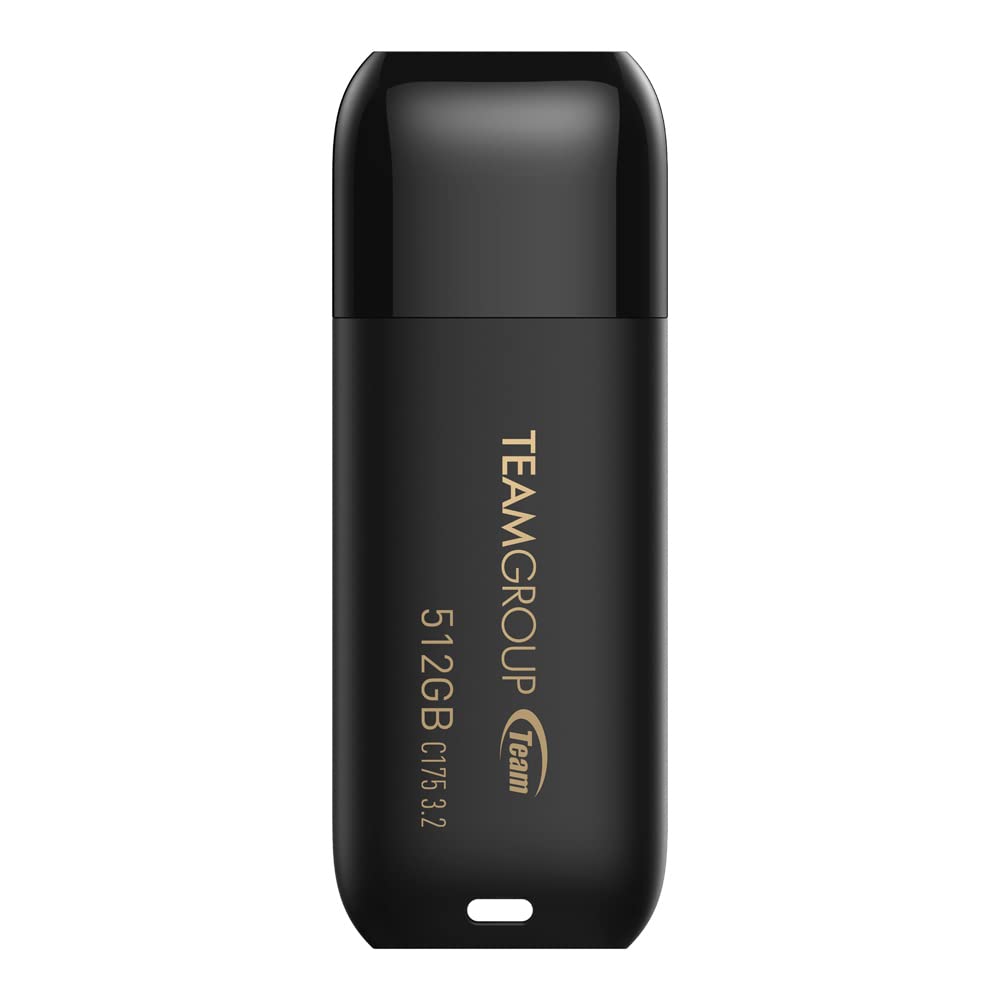
The TEAMGROUP C175 “Chess Master” is a no-frills entry into the 512GB flash drive market, featuring a rounded matte black plastic body with a snap-on cap and a strap hole for keychain attachment. It uses a USB 3.2 Gen 1 interface and, based on CrystalDiskMark V9 benchmarks, delivers average sequential reads of 127MB/s and writes of 88MB/s — outperforming its modest price tier and actually beating some more expensive drives in write performance.
The seamless cap design is thoughtfully done — the cap snaps on securely with a satisfying click and is difficult to lose accidentally, though it’s still a separate piece that can be misplaced. The drive supports hot swap and power saving mode, and TEAMGROUP backs it with a lifetime warranty along with free technical support. At 9 grams, it’s barely noticeable when plugged into a laptop or sitting in a pocket.
This drive works best for bootable OS disks, disk imaging, and bulk file storage where cost-per-gigabyte is the primary concern. The write speed of 88MB/s is competitive among Gen 1 drives at this capacity and price point, though it won’t keep up with Gen 2 options. Some users report that not all drives in multi-packs work out of the box, but those that do perform reliably over years of use. For budget-conscious buyers who need a 512GB drive for basic storage and transfer, this is the most cost-effective option.
Why it’s great
- Impressive write speeds around 88MB/s for its budget tier — beats many more expensive drives
- Lifetime warranty with free technical support provides long-term peace of mind
- Lightweight 9-gram design with secure snap-on cap and strap hole
Good to know
- Plastic body lacks the premium feel and heat dissipation of metal alternatives
- Snap-on cap is still a separate piece that can be lost
- Some multi-pack units may arrive with a defective drive
7. MOVE SPEED 1TB Dual Port

While technically a 1TB drive, this MOVE SPEED model deserves mention for buyers who find 500GB restrictive and want the upgrade path without changing form factors. The push-pull mechanism smoothly switches between USB-A and USB-C with a satisfying click — no caps, no adapters, no fuss. The rated 560MB/s read speed places it firmly in Gen 1 territory, but the dual-port flexibility makes it exceptionally versatile for moving between a desktop, a modern laptop, and a smartphone.
The zinc alloy body is robust enough for extreme environments — dust, drops, high temperatures, and magnetic fields are all handled by the metal enclosure. The drive uses SSD-grade NAND chips and includes a braided lanyard for keychain or backpack attachment. Verified buyers report real-world reads around 560MB/s and reliable writes for video files, though the USB-C side has been reported to bend under rough handling (the company replaced the unit for one user).
Compatibility extends to iPhone 15/16/17 Pro for direct 4K video recording, Android phones, laptops, PS5, and car audio systems — all without cables or drivers. The drive must be formatted to exFAT for iPhone compatibility, and a phone restart can resolve any connection issues. The 5-year care package and lifetime tech support add confidence, though the 1TB capacity means formatted space shows around 931GB on Windows due to binary vs. decimal measurement differences.
Why it’s great
- Push-pull dual-port design eliminates adapter needs between USB-A and USB-C devices
- Zinc alloy body withstands dust, drops, heat, and magnetic exposure
- 1TB capacity provides double the storage of 512GB drives without extra bulk
Good to know
- USB-C side can bend under heavy stress — handle with care when fully extended
- Gen 1 560MB/s read speed is slower than Gen 2 alternatives at this price point
- Requires exFAT format and potential phone restart for iPhone compatibility
FAQ
Why does my 500GB flash drive show less capacity than advertised on Windows?
Can I use a 500GB flash drive for video editing directly from the drive?
What is the actual difference between a 500GB flash drive and an external SSD at the same capacity?
How long will a 500GB TLC flash drive last if I write 20GB every day?
Does the USB C port on a 500GB flash drive work with iPhone 15 and 16 Pro models?
Final Thoughts: The Verdict
For most users, the best 500 gb flash drive winner is the LinkMore NR770 because it delivers Gen 2 SSD-class speeds (around 600MB/s sustained reads) in a thumb-sized form factor at a mid-range price that beats every Gen 1 alternative. If you need real-time capacity monitoring and dual-interface flexibility for hooking up to your phone, grab the MOVE SPEED 512GB Smart Display. And for a rugged, waterproof daily driver that fits on any keychain, nothing beats the Samsung Type-C 512GB — it’s the most compact and durable option here, backed by a 5-year warranty.