
Our readers keep the lights on and my morning glass full of iced black tea. As an Amazon Associate, I earn from qualifying purchases.
Specs are compiled from manufacturer listings and verified buyer reviews and can change over time — please confirm the key details on the product page before buying.
Choosing a 500 GB internal hard drive today is rarely about the capacity—it is about matching the right speed, size, and reliability to the machine you are trying to fix or upgrade. Whether you are resurrecting an old laptop, adding storage to a desktop, or bumping up a console, the right drive makes the difference between a sluggish system and a responsive one.
I’m Min — the founder and writer behind Gadgets Feed. This guide is built by comparing the manufacturers’ published specifications and the patterns across verified customer reviews, so you get each pick’s real strengths and trade-offs instead of marketing spin.
From 7200 RPM desktop workhorses to slim 7mm laptop upgrades, this breakdown of the best 500 GB hard drive options focuses on what actually matters when you install one.
Our Picks at a Glance

![Seagate Pipeline HD ST3500414CS [Renewed]](https://m.media-amazon.com/images/I/61EQMs-vyNL.jpg)

How To Choose The Best 500 GB Hard Drive
The first thing to decide is the physical size. A 3.5-inch drive is the standard for desktop towers and demands a power cable from your power supply. A 2.5-inch drive is the slim format for laptops, and it also fits neatly into a PS3 or PS4.
Match the Speed to the Job
Spindle speed—how fast the platters spin—sets the personality of the drive. A 7200 RPM model feels snappier for booting an OS and launching programs, which is why gamers and system builders prefer it. A 5400 RPM model runs cooler and quieter, making it a fine choice for media storage, backups, or a console where load times are less critical.
Understand the Cache and Interface
When you move many small files or run demanding software, a larger cache (a small buffer of fast memory that holds frequently accessed data) speeds things up—so a 64 MB cache outperforms a 16 MB one. The SATA interface is the cable plug; almost all drives here use it and are backward compatible. A drive rated for 6 Gb/s is the newer, faster standard than the older 3 Gb/s, but only if your motherboard supports it.
Don’t Overlook the Warranty
Hard drives are mechanical parts that wear out, so a longer warranty—like the 5-year coverage on some premium models—signals the maker’s confidence and gives you confidence. Always keep a backup of anything irreplaceable, regardless of the brand you choose.
Quick Comparison
| Model | Best For | Form Factor | Speed | Cache | Amazon |
|---|---|---|---|---|---|
| WD Black Performance★ Best Overall | Gamers & power users | 3.5-inch | 7200 RPM | 64 MB | Amazon |
| Seagate Pipeline HDSurveillance Pick | CCTV & DVR systems | 3.5-inch | 5900 RPM | 16 MB | Amazon |
| WD Blue DesktopEveryday Value | Everyday desktop use | 3.5-inch | 7200 RPM | 32 MB | Amazon |
| Seagate BarraCuda | Budget desktop storage | 3.5-inch | 7200 RPM | 32 MB | Amazon |
| WD RE Enterprise | Servers & RAID arrays | 3.5-inch | 7200 RPM | 64 MB | Amazon |
| Toshiba MQ01ACF | Laptop upgrades | 2.5-inch | 7200 RPM | 16 MB | Amazon |
| Hitachi Travelstar Z7K500 | Slim laptop swaps | 2.5-inch | 7200 RPM | 32 MB | Amazon |
| 500 GB Generic SATA | PS3 console swaps | 2.5-inch | 5400 RPM | 8 MB | Amazon |
| WD AV 5000LUCT | PS4 & media players | 2.5-inch | 5400 RPM | 16 MB | Amazon |
In‑Depth Reviews
1. Western Digital 500GB WD Black Performance (WD5003AZEX)
Our pick — over 4.5★ from 600+ verified ratings; the strongest balance of quality and price.
The desktop workhorse with 64 MB of cache that gamers and repair pros trust for heavy daily use.
This is the drive you pick when your desktop needs serious speed, not just storage. With a 64 MB cache and a 7200 RPM spin rate, it is built for loading games and running creative software without the lag you feel on slower mechanical drives. It is a 3.5-inch model, so it is meant for a desktop tower, and it ships with a 5-year warranty that most other drives simply don’t match.
Reliability is the story buyers keep coming back to. Repair technicians report buying these drives in bulk for client machines and never receiving a single bad unit, making it the go-to choice for hardware-dependent users. Owners also note it boots Windows quickly and runs so quietly they can’t hear it working at all, which is a rare combination in a high-speed mechanical drive.
This drive leads the field in the two things that matter most for a performance pick: the 175 buyers who single out its speed and the 133 who highlight its reliability. It is the crowd favorite for a reason, holding a 4.6-star rating across 600+ owners. The trade-off is the price—you pay a premium over budget drives—but the warranty and track record justify it for anyone who values their data.
Performance Credentials
- 64 MB cache speeds up demanding tasks like gaming
- 5-year warranty is among the longest you can get
- Owners consistently report trouble-free years of use
Things to Weigh
- 3.5-inch size means it won’t fit in a laptop
- Premium pricing for the WD Black name
Grab it if: you want the most dependable 3.5-inch drive for a desktop you rely on daily, especially for gaming or creative work.
Pass on it if: you are upgrading a laptop or console—this form factor is strictly for desktop towers.
2. Seagate Pipeline HD ST3500414CS [Renewed]
The renewed 3.5-inch drive built for CCTV DVRs and NAS boxes that run around the clock.
This Seagate Pipeline drive is designed for a specific job: writing endless streams of video footage from security cameras. Its 5900 RPM spin speed keeps it cool and quiet inside a DVR, and buyers confirm it works perfectly in that role—one owner reports storing around two weeks of footage from 4 cameras on it. It is a 3.5-inch drive with a 16 MB cache and a SATA II interface.
What makes this renewed unit a smarter buy than a used drive is the recertification process. Each one is passed through factory diagnostic software with a sector-by-sector test to ensure zero bad sectors before it ships. Buyers consistently report receiving drives with near-zero power-on hours, making it effectively new at a budget-friendly price point.
While it performs well for surveillance and basic desktop tasks, the majority of praise centers on its performance, which 63 buyers call out. It is a value-driven pick rather than a speed demon—several owners note you would want an SSD for gaming—so treat it as the reliable workhorse for always-on systems.
Solid buy for DVRs: The low-power 5900 RPM design and recertified reliability make it the sensible choice for security systems and NAS setups that run 24/7.
The limitation: It is not the drive for a gaming rig; its speed is all about steady, continuous writes, not quick launches.
3. WD Blue 500GB Desktop Hard Drive (WD5000AZLX)
The 7200 RPM 3.5-inch drive that pairs perfectly with an SSD for everyday desktop storage.
The WD Blue is the mainstream choice for a desktop that needs more room for files, games, and backups while staying affordable. It spins at 7200 RPM and carries a 32 MB cache, giving it a responsive feel for a mechanical drive. The 3.5-inch form factor is standard for desktop towers, and it connects via SATA 6 Gb/s for a fast link to modern motherboards.
This is a drive that works right from the start with minimal fuss. Buyers running older operating systems report it installing, formatting, and running without issue on the first try. The brand loyalty is strong here too—Long-time WD owners note they have not had a drive failure from the brand in decades, a key factor when storing important files.
The main thing winning people over is its overall functionality, mentioned 41 times in reviews, with performance right behind at 40 mentions. A few owners have reported receiving damaged units in transit, which is the risk of buying any mechanical part online, but it is not a pattern of the drive failing on its own. For a dependable, no-frills desktop drive, this is a hard one to beat.
Choose this if: you want a reliable second drive for a desktop to store files and games alongside a small, fast SSD.
Think twice if: you need the absolute longest warranty—the Black series above offers 5 years compared to this one’s standard coverage.
4. Seagate BarraCuda 500GB (ST500DM009)
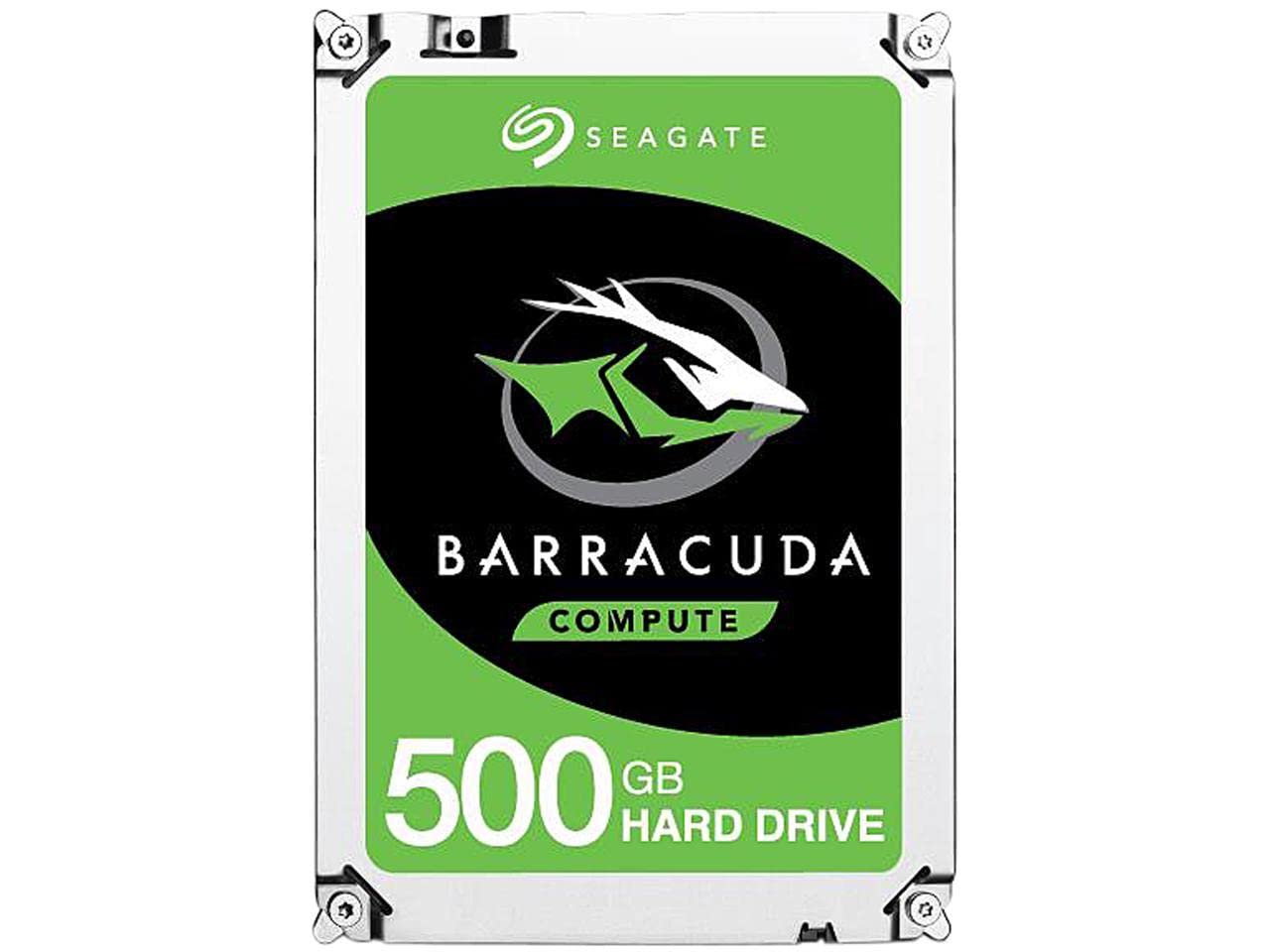
The budget 3.5-inch drive that brings a dead desktop back to life in minutes.
The BarraCuda line is Seagate’s mainstream answer to everyday storage needs, and this 500 GB model delivers the essentials without the premium price tag. It is a 3.5-inch drive spinning at 7200 RPM with a 32 MB cache, connected via SATA 6 Gb/s. It is backed by a two-year limited warranty and is explicitly built for desktop PCs.
The real-world appeal here is the rescue story. One owner reports that a failing SMART detection error (a self-monitoring warning of drive health) in their desktop was solved by installing this drive, taking less than 10 minutes to get the machine running again and saving the cost of a new PC. Gamers also use it as a budget-friendly alternative to an SSD for storing their game libraries, knowing it works fine for that extra space.
Functionality earns the most praise, with 23 owners highlighting how well it works from the start, and it is noted for being easy to install. It is not the fastest boot drive, and one owner wisely recommends not using any hard drive as a boot drive if you can help it. As a straightforward, cost-effective storage add-on, however, it delivers exactly what it promises.
Why It Wins
- Easy installation praised by buyers
- Two-year warranty included
- Proven Seagate reliability backed by over 20 years of innovation
Keep in Mind
- Only 32 MB cache compared to the 64 MB on premium drives
- Not recommended as a primary boot drive
Reach for this if: you need a cheap, reliable storage drive for a desktop and want a trusted brand name.
Look elsewhere if: you want top-tier performance specs—the WD Black is noticeably faster for demanding workloads.
5. WD 500GB RE Enterprise Drive (WD5003ABYZ)

The server-grade 3.5-inch drive engineered for 24/7 operation in demanding RAID environments.
When your data absolutely cannot afford downtime, this is the drive to reach for. The WD RE line is designed for business-critical applications, boasting a field-tested 1.2 million hour MTBF (mean time between failures) for around-the-clock operation. It is a 3.5-inch drive with a 64 MB cache and a dual processor that doubles the processing power to boost performance under heavy load.
For professionals, the standout is Enhanced RAFF technology (a system that monitors and corrects vibration in real time), which is critical in a server chassis where multiple drives vibrate against each other. Buyers running servers confirm this is now their exclusive drive of choice, appreciating the specs and the 5-year warranty that comes with it.
The primary praise centers on reliability, mentioned 26 times, with buyers also noting it runs silent and cool. The catch for some is that it is an OEM drive, meaning it may not be registered online for warranty support and it arrives without screws or cables—you supply those yourself. For a home user it is overkill, but for building a dependable array, it is a specialist’s tool.
Built for the rack: Vibration protection and a 1.2 million hour MTBF make this the serious choice for servers and RAID setups.
Not for everyone: The bare-bones OEM packaging and lack of mounting hardware mean you need to know what you are doing.
6. Toshiba 500GB 2.5-Inch Drive (MQ01ACF)

The 2.5-inch laptop drive with a shock sensor that survives the bumps other brands might not.
Laptops get knocked around, and that movement is the enemy of a mechanical drive. The Toshiba MQ01ACF includes a shock sensor designed to protect the drive when it gets bumped, and owners confirm it has kept their drives alive through falls that killed other brands. It is a 2.5-inch form factor with a fast 7200 RPM spin speed and a 16 MB cache.
For a laptop upgrade, the speed is the selling point. Buyers who cloned their old drive onto this one report a quieter, faster machine with no more of the noise that plagued the original. One owner was impressed enough to order a second one for a different computer because of the speed boost. It connects via SATA with a transfer rate of 750 megabytes per second.
This drive earns consistent 5-star feedback, with the shock sensor (a component that detects bumps and protects the drive) being the standout feature that separates it from cheaper laptop drives. It is not the highest-capacity or the cheapest, but for a laptop that travels with you, the added resilience is worth considering. The trade-off is a smaller cache than some rivals, which matters less for everyday laptop use.
Pick this if: your laptop moves around with you and you want a 7200 RPM upgrade that can take a few knocks.
skip it if: you need a lot of storage for media files—this is about speed and reliability, not maximum capacity.
7. Hitachi Travelstar Z7K500 (HTS725050A7E630)

The ultra-slim 7mm laptop drive that revives old notebooks and even a TiVo box.
At just 7mm thick, this Hitachi (HGST) Travelstar is the drive for slim laptops where a standard 9.5mm drive simply won’t fit. It packs a 7200 RPM spin speed and a 32 MB cache into that thin frame, delivering peak performance in PCMark Vantage tests. It was the first 2.5-inch drive with a SATA 6 Gb/s interface, making it a strong performer for its size.
The value story here is strong. Buyers report this drive bringing old machines back to life—one user notes a drive that cost around gave a ten-year-old T61 laptop new purpose, with more than enough room for a Linux system and program files. Another found it fixed a TiVo Edge that had been dead for three years after the original OEM drive failed, booting like new.
While the value for money earns praise, the reliability picture is more mixed. Some owners mention receiving drives that never worked, which is a caution to check the drive’s health immediately upon arrival using a tool like CrystalDiskInfo. The recommendation is to verify you received a new, unused unit with under an hour of power-on time for the best experience.
Why It’s a Catch
- Ultra-slim 7mm design fits the newest laptops
- Fast 7200 RPM speed in a small package
- 32 MB cache for a 2.5-inch drive
Be Careful With
- Reliability is mixed—check the drive health when it arrives
- Some sellers may send used units with high power-on hours
Reach for this if: you need a fast, thin drive for a modern slim laptop or a specialty device like a TiVo.
Proceed with caution if: you want zero risk—test this drive with health software as soon as you install it.
8. 500 GB Generic 2.5-Inch SATA Drive (5400 RPM)

The dirt-cheap 2.5-inch drive that gives an old PS3 a massive storage upgrade.
If you have an old PS3 collecting dust because its hard drive is full, this is the budget solution. It is a generic 2.5-inch SATA drive spinning at 5400 RPM with just an 8 MB cache, but buyers confirm it installs in a PS3 in about 5 minutes and works perfectly. One owner put it in their PS3 and reports it works flawlessly, replacing a tiny 80 GB drive with 500 GB of space.
The appeal is pure simplicity and price. This drive is explicitly compatible with the Sony PlayStation 3 per the specs, and owners note it enables large game installs like Gran Turismo 6 and GTA V that were impossible before. The listing also notes compatibility with laptops and Macs, making it a flexible cheap spare to keep around.
The trade-off is durability—customers note some of these drives dying within a year of use, so it is not the pick for your only copy of important files. The 16 MB to 32 MB cache on pricier drives will also feel snappier. For a dedicated game console or a secondary machine where data loss is a minor inconvenience, the low cost makes it worth the gamble.
Perfect for consoles: The easy 5-minute install into a PS3 and the jump from a tiny stock drive to 500 GB make this a no-brainer for retro gamers.
The gamble: Durability is the weak spot; treat it as a disposable upgrade, not a place to store irreplaceable data.
9. Western Digital AV 500GB Drive (WD5000LUCT)

The slim 7mm WD drive that fits laptops, PS4, and media players with a 12 ms access time.
This Western Digital AV drive is designed for the broad world of portable devices, explicitly listed for notebooks, the Sony PlayStation 4, and digital media players. It is a 2.5-inch drive at just 7mm thick with a 5400 RPM spin speed and a 16 MB cache. The 12 ms access time and up to 3 Gb/s SATA interface speed keep it responsive for its class.
The console story is strong here, with one owner describing how a “dead” PS3 that had been unusable for years was brought back to life for the kids, swapping a failing 40 GB drive for this 500 GB upgrade. The drive fit the chassis like a glove and plugged right in. Laptop users also report it resurrecting old Windows 7 machines from crippling slowness to full usefulness.
Functionality is the standout quality, mentioned 52 times, with quality coming in second at 32 mentions. It is a great value-for-money replacement for a laptop or console that needs more reliable space. Durability does get flagged as a concern, so it is a good idea to keep backups, but for reviving a single machine with minimal fuss, this is a solid WD pick.
Go with this if: you are upgrading a PS4, a PS3, or a slim laptop and want a trusted Western Digital name in a thin form factor.
Note that: Durability is the recurring owner concern, so pair it with regular backups for confidence.
Understanding the Specs
Form Factor (2.5-inch vs 3.5-inch)
This is the physical size of the drive and the first thing to get right. A 3.5-inch drive is larger and designed for desktop towers, requiring a connection to your power supply. A 2.5-inch drive is the slim, smaller format used in laptops and consoles like the PS3 and PS4. Choosing the wrong size means the drive simply won’t fit in your machine.
Spindle Speed (7200 RPM vs 5400 RPM)
The RPM, or revolutions per minute, tells you how fast the disk platters spin. A 7200 RPM drive reads and writes data faster, making boot times and program launches snappier. A 5400 RPM drive is slower but runs cooler, quieter, and uses less power, making it fine for storage, backups, and console use where speed is less critical.
FAQ
Will a 2.5-inch drive fit in my desktop tower?
Can I use a laptop hard drive in a PS3 or PS4?
What is the difference between a 7200 RPM and a 5400 RPM drive?
Does more cache memory make a big difference in a hard drive?
How long does a 500 GB internal hard drive typically last?
Is a 500 GB drive enough for gaming in 2025?
What does the SATA interface speed mean for my installation?
Why is a renewed or refurbished drive cheaper?
Final Thoughts: The Verdict
For most desktop users, the best 500 gb hard drive is the WD Black Performance because its 64 MB cache and 7200 RPM speed are backed by a 5-year warranty and a stellar reliability record. If you simply want dependable storage for an old console, the generic 2.5-inch drive is the budget-friendly pick for a PS3 swap. For a slim laptop upgrade, the WD AV 5000LUCT offers trusted brand reliability in a 7mm package that fits modern machines.
How We Picked
We do not accept paid placement. Every pick is matched to a real buyer and a real use-case; we do not hands-on test units.
Sources & Methodology
Specifications: manufacturer listings and product documentation. Review insights: verified customer reviews, as of August 2026. Pricing: not shown on this page (it changes often); check the current price via the retailer link.
As an Amazon Associate, Gadgets Feed earns from qualifying purchases. This does not affect which products we feature.