
Swapping out a sluggish hard drive or aging SATA SSD for a compact 500 GB M.2 NVMe drive is the single most effective upgrade you can make for an older laptop or a budget desktop build. The jump in boot times, application loading, and overall system responsiveness transforms a machine that feels outdated into one that feels modern — all from a single, thumbnail-sized component.
I’m Min — the co-founder and writer behind Gadgets Feed. I’ve spent countless hours combing through datasheets, real-world benchmarks, and verified buyer experiences to separate the genuine Gen4 performers from the marketing claims in this specific 500 GB capacity tier.
Whether you are resurrecting an old office PC, expanding your PlayStation 5 storage, or building a lean media server, choosing the right best 500 gb m.2 ssd means locking in the correct interface, controller, and NAND type for your specific workload without wasting a single dollar on overhead you do not need.
How To Choose The Best 500 GB M.2 SSD
The 500 GB M.2 market is split between two distinct worlds: SATA-based M.2 drives that cap at around 550 MB/s, and NVMe drives that range from 3,300 MB/s to over 6,600 MB/s. Choosing the wrong one for your motherboard’s slot can leave performance on the table — or leave you with a drive that simply will not fit.
Interface Match: NVMe or SATA M.2?
Not every M.2 slot is wired for NVMe. Older motherboards and some ultrabooks have M.2 slots that only support SATA protocol. If you slot a high-speed NVMe drive like a Crucial P310 into a SATA-only M.2 port, it will not be recognized. Check your motherboard manual for the specific keying (M-key for NVMe, B+M key for SATA) before you buy.
Real-World Speed vs. Box Numbers
Sequential read speeds like 6,600 MB/s matter most when moving large media files or game installs. For booting Windows or launching applications, random read/write IOPS and controller responsiveness matter far more. A Gen3 drive like the PNY CS2230 at 3,300 MB/s still feels snappy for general use — Gen4 is only mandatory if you move big datasets frequently.
Endurance, Warranty, and Thermals
Every 500 GB drive has a TBW (terabytes written) rating that indicates its lifespan. Drives without DRAM can throttle during sustained writes, leading to slowdowns when copying multiple gigabytes of data. A graphene heatsink label or aluminum heatspreader helps maintain peak speed during extended workloads, but most laptop users will never hit thermal limits during normal use.
Quick Comparison
On smaller screens, swipe sideways to see the full table.
| Model | Category | Best For | Key Spec | Amazon |
|---|---|---|---|---|
| Crucial P310 | Gen4 NVMe | Speed-focused builds | 6,600 MB/s read | Amazon |
| WD Blue SN5100 | Gen4 NVMe | AI & creative workloads | 6,600 MB/s read | Amazon |
| Kingston NV3 | Gen4 NVMe | Reliable all-rounder | 5,000 MB/s read | Amazon |
| TEAMGROUP MP44L | Gen4 NVMe | Budget Gen4 upgrade | 5,000 MB/s read | Amazon |
| WD Green SN3000 | Gen4 NVMe | Entry Gen4 value | 5,000 MB/s read | Amazon |
| PNY CS2230 | Gen3 NVMe | Legacy & Pi 5 builds | 3,300 MB/s read | Amazon |
| Transcend MTS825 | SATA M.2 | Old SATA-only M.2 slots | 530 MB/s read | Amazon |
In‑Depth Reviews
1. Crucial P310 500GB
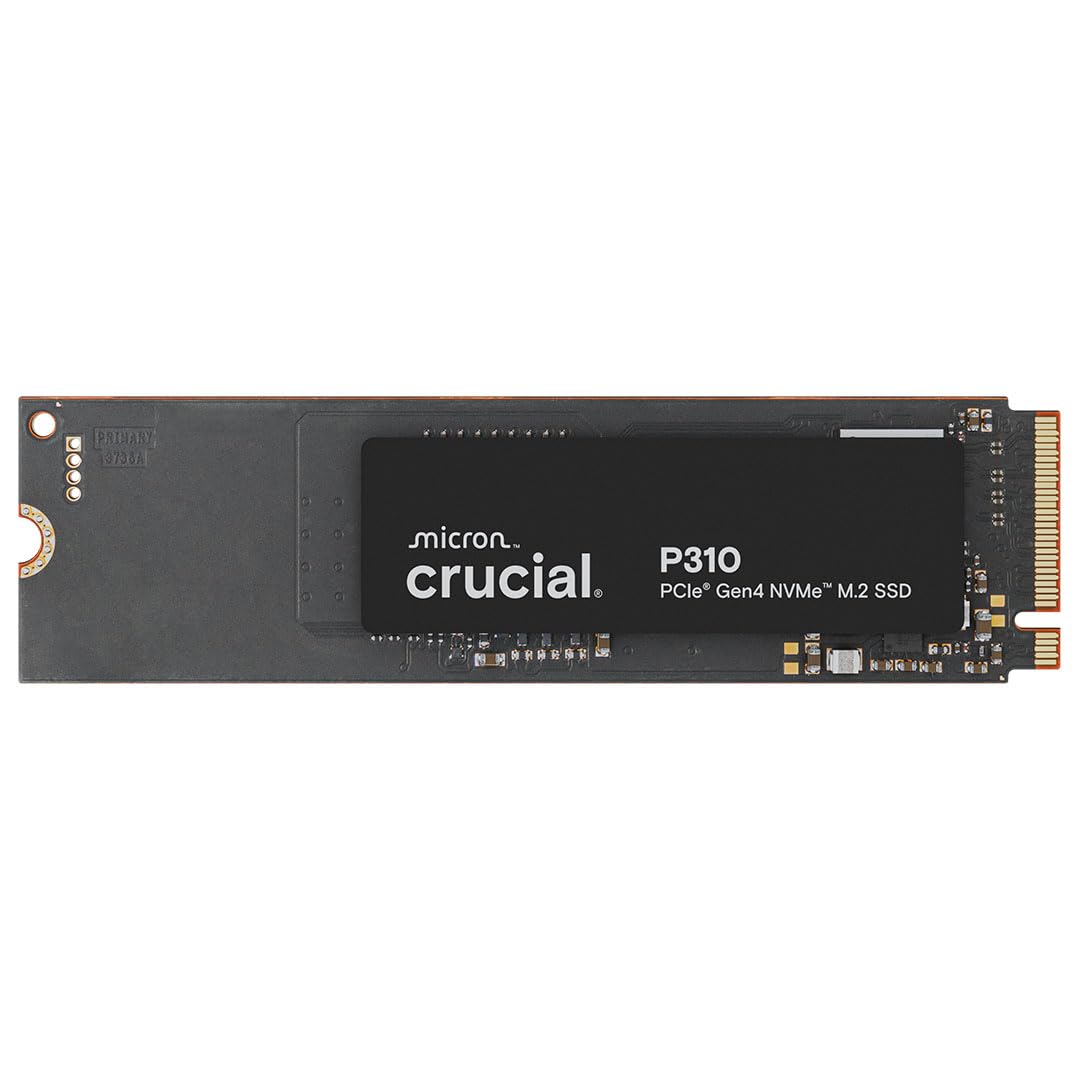
The Crucial P310 pushes the absolute ceiling for a 500 GB drive with its Micron G8 NAND and Phison E27T controller hitting 6,600 MB/s sequential reads and 5,000 MB/s writes. In real terms, that means large game installs and 4K video transfers complete in roughly one-third the time of a standard Gen3 drive. It also includes a 1-month Adobe Creative Cloud membership, which adds genuine value for creative users upgrading their workstation.
Backward compatibility with Gen3 slots means you can drop this into an older system now and still reap the benefits if you move it to a newer build later. The single-sided M.2 2280 design fits thin ultrabooks and the ASUS ROG Ally X without clearance issues. Owners report consistent speeds during extended Steam library writes and zero thermal throttling in SFF cases with adequate airflow.
Acronis migration software is bundled free, making the OS transfer from an old drive straightforward for users without cloning experience. If you want the fastest sequential throughput in this capacity class and your motherboard supports Gen4, this is the benchmark choice.
Why it’s great
- Industry-leading 6,600 MB/s read speed for this capacity
- Includes Acronis cloning software and Adobe trial
- Single-sided design fits thin laptops and handheld consoles
Good to know
- DRAM-less HMB design means sustained write performance relies on host memory buffer
- Premium price tier for a 500 GB drive
2. WD Blue SN5100 500GB
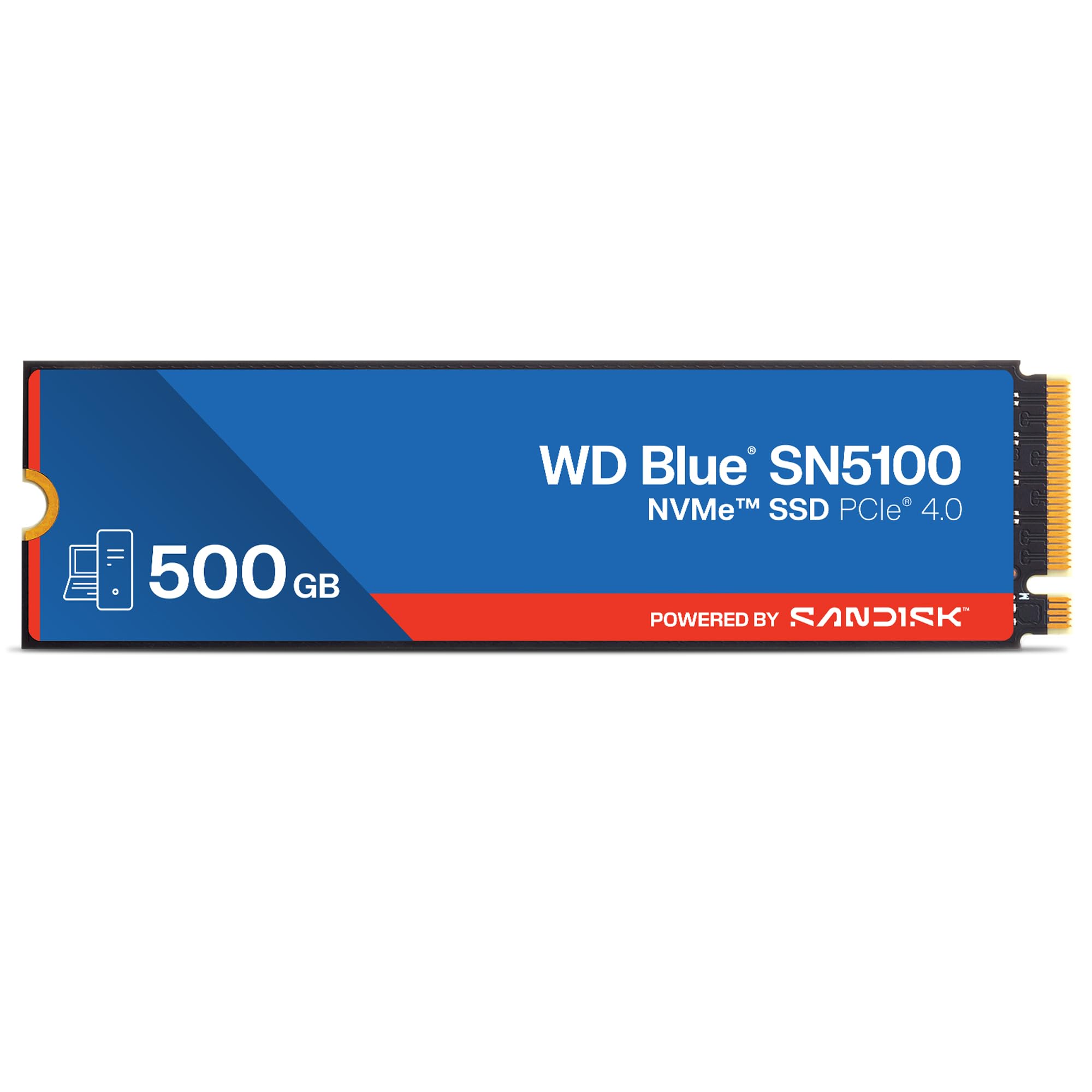
SanDisk’s WD Blue SN5100 leverages 3D CBA NAND and the proprietary nCache 4.0 technology to deliver the same peak 6,600 MB/s reads as the Crucial P310, but with an edge in sustained write behavior thanks to an adaptive SLC cache that holds longer before dropping to native TLC speeds. This matters if you routinely copy large project folders or RAW photo libraries.
BiCS6 162-layer NAND keeps power draw low, making this a strong candidate for battery-conscious laptops. The five-year warranty matches the industry standard, and SanDisk provides Acronis True Image for data migration. Builders have successfully used pairs in RAID 0 without controller complications, reporting consistent stripe performance.
One minor frustration: the mounting screw and standoff are not included in the retail package, so check your motherboard box or buy a standoff kit if you are building from scratch. Otherwise, the SN5100 is a high-speed workhorse for creative professionals who need steady throughput, not just burst speeds.
Why it’s great
- nCache 4.0 maintains high write speeds longer than typical DRAM-less drives
- Low power draw extends laptop battery life
- 5-year limited warranty with data migration software included
Good to know
- Mounting hardware not included — may require separate purchase
- Premium price tier for 500 GB capacity
3. Kingston NV3 500GB

Kingston’s NV3 is the entry point for Gen4 performance without the premium markup. Its 5,000 MB/s read and 3,000 MB/s write speeds are roughly 50% faster than older Gen3 drives, translating to noticeably snappier boot times and level loads in titles like Cyberpunk 2077. The controller uses a DRAM-less HMB architecture that pulls from your system RAM, keeping the BOM low while still delivering acceptable random performance.
Shock resistance is listed as an additional feature, which speaks to Kingston’s testing standards for mobile applications. Users report consistent behavior in both desktop Z690 boards and ThinkPad laptops, with the drive being recognized immediately after installation without BIOS tweaks. The five-year warranty is a strong vote of confidence given the competitive price bracket.
The included standard retail packaging is minimal — no heatsink or migration software card — so budget for a separate cloning tool if you are replacing a boot drive. For a straightforward Gen4 speed bump on a budget, the NV3 delivers exactly what the spec sheet promises without surprises.
Why it’s great
- Gen4 speeds at a Gen3-like price point
- Reliable out-of-box compatibility across modern laptops and desktops
- 5-year warranty for long-term peace of mind
Good to know
- No cloning software included in the package
- DRAM-less design may show slower sustained writes on file transfers exceeding 50GB
4. TEAMGROUP MP44L 500GB

The TEAMGROUP MP44L delivers 5,000 MB/s sequential reads and 3,700 MB/s writes for a price well below the premium tier, making it the value champion among Gen4 500 GB drives. Its unique conductive graphene coating on the label acts as a passive heatsink — less than 1mm thick — which prevents mechanical interference in tight laptop chassis while still providing real thermal benefit during extended workloads.
SLC caching is enabled out of the box, and the drive uses a Phison E21T controller paired with 3D TLC NAND. In testing scenarios reported by buyers, game maps load in roughly the same time as drives costing 30 percent more. The MP44L also plays nice with older Intel and AMD platforms that lack native Gen4 support, dropping back to Gen3 speeds without stability issues.
One caveat: the endurance rating of 300 TBW for the 500 GB model is on the lower side compared to some competitors. For a daily driver in a home or office machine, this is unlikely to be a problem, but heavy content creators writing multiple terabytes per month may hit that ceiling sooner.
Why it’s great
- Graphene heatsink label improves thermals without added thickness
- Gen4 speeds at a budget-friendly price
- Strong random IOPS performance for boot and app loading
Good to know
- 300 TBW endurance is modest compared to premium counterparts
- No bundled software for data migration
5. Western Digital WD Green SN3000 500GB
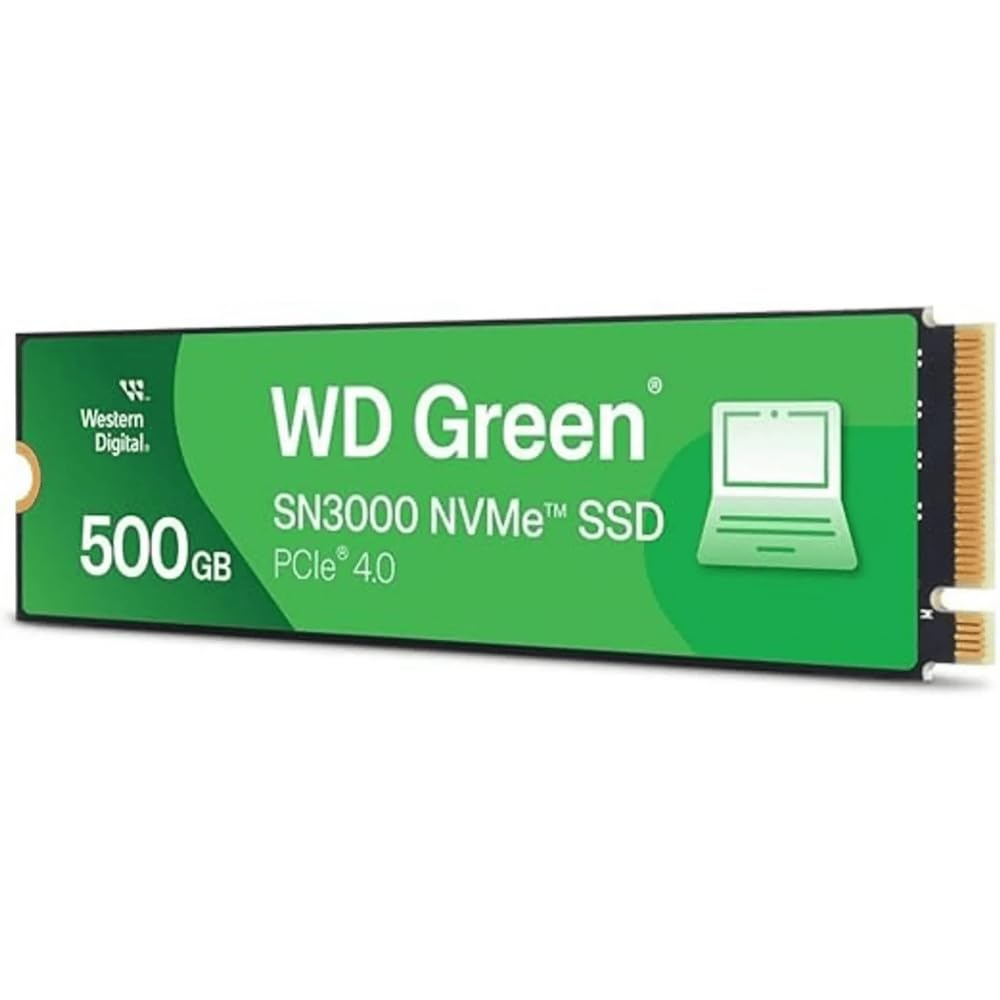
Western Digital’s Green series has historically been the entry-level choice, and the SN3000 marks its arrival into Gen4 territory. Sequential reads reach 5,000 MB/s, while writes top out around 3,500 MB/s — figures that align with the TEAMGROUP MP44L but come with the brand assurance of WD’s nCache 4.0 technology for intelligent write buffering.
The single-sided M.2 2280 design fits easily into compact builds, and the free Acronis True Image for WD software makes migrating an existing Windows installation simple. Linux users in the reviews report plug-and-play compatibility with no firmware hiccups. Power consumption is kept low enough for battery-conscious laptops, though the drive lacks a dedicated heatsink.
The Green naming connotes a focus on reliability and everyday computing rather than extreme throughput. If you are building a simple home server or upgrading a family laptop, the SN3000 provides Gen4 speed without the premium markup of the Blue SN5100. Just note that the 1 MB/s data transfer rate listed on the product page is a labeling error — real-world performance matches the stated 5,000 MB/s.
Why it’s great
- Gen4 speed with mature WD firmware and nCache 4.0
- Acronis migration software included for easy OS transfer
- Linux compatibility confirmed by real users
Good to know
- No integrated heatsink for sustained heavy workloads
- Product page has a spec discrepancy in the data transfer rate listing
6. PNY CS2230 500GB

If your motherboard lacks Gen4 lanes or you are building a budget-friendly storage server, the PNY CS2230 is the optimal Gen3 contender. Its 3,300 MB/s sequential reads are triple what any SATA M.2 drive can deliver, and the 2,500 MB/s writes handle game installs and OS boot tasks without bottleneck. The controller draws very low power, making it a favorite among Raspberry Pi 5 users who need a compact, cool-running NVMe drive with a Pimoroni adapter.
PNY backs the CS2230 with a competitive 5-year limited warranty and 24/7 US-based technical support, which is rare for a Gen3 drive at this price. The retail packaging includes a data recovery service — a thoughtful addition for users migrating a primary boot drive. Buyers report using it as a main boot drive in daily driver PCs without any issues after 8 hours of continuous writes.
The downside is that Gen3 bandwidth is a known bottleneck if you ever upgrade to a Gen4 platform later. For a secondary game drive or a dedicated OS volume on a budget build, however, the CS2230 offers unbeatable reliability per dollar.
Why it’s great
- Low power consumption ideal for Raspberry Pi 5 and SBCs
- 5-year warranty with US-based tech support
- Data recovery service included with purchase
Good to know
- Gen3 bandwidth limits future-proofing
- No DRAM cache, though HMB compensates on compatible systems
7. Transcend MTS825 500GB

Not every M.2 slot supports NVMe. The Transcend MTS825 is built specifically for older motherboards and ultrabooks that have a SATA-based M.2 connector (B+M key). Its 530 MB/s reads and 480 MB/s writes are the maximum possible over the SATA III 6 Gbps interface — faster than any 2.5-inch hard drive, but a fraction of NVMe speeds.
The 3D TLC NAND and SLC cache technology help with everyday responsiveness, and ECC/LDPC error correction maintains data integrity over long use cycles. Buyers have used it successfully as a boot drive for Windows 10 and Windows 11 installations on older hardware that lacks NVMe support. The form factor is M.2 2280, making it a direct replacement for existing SATA M.2 drives in identical slots.
Be aware of the keying mismatch: this drive will not fit into an NVMe-only M-key slot. Several buyers reported returns because they assumed all M.2 drives are NVMe compatible. If you have confirmed that your system requires a SATA M.2 drive, the MTS825 is a reliable drop-in upgrade that breathes new life into legacy hardware.
Why it’s great
- Only viable option for SATA-only M.2 slots
- LDPC ECC and SLC cache improve data reliability over basic SSDs
- Compact form factor fits thin laptops designed for M.2 SATA
Good to know
- SATA III speeds are a fraction of NVMe — not for performance builds
- High failure rate reported in a few early units; check manufacturing date
- Incompatible with NVMe-only M.2 slots — verify keying before purchase
FAQ
Can I use a Gen4 500 GB M.2 SSD in a Gen3 slot?
How do I know if my laptop supports NVMe M.2 or only SATA M.2?
Is 500 GB enough for Windows and modern games?
Final Thoughts: The Verdict
For most users, the best 500 gb m.2 ssd winner is the Crucial P310 because its 6,600 MB/s read speed, bundled migration software, and broad compatibility make it the best all-around performer for both new builds and laptop upgrades. If you want the best sustained write performance for creative workflows, grab the WD Blue SN5100. And for a budget Gen4 upgrade that does not compromise on boot speed, nothing beats the TEAMGROUP MP44L.