
Our readers keep the lights on and my morning glass full of iced black tea. As an Amazon Associate, I earn from qualifying purchases.
Specs are compiled from manufacturer listings and verified buyer reviews and can change over time — please confirm the key details on the product page before buying.
Your PC or laptop feels slow because of its spinning hard drive — the lag between clicks, the slow boot, the game stutters. Swapping it for any SSD here ends that wait, and a 500GB drive fits an operating system, your apps, and a few favorite games. You’ll pick the right one by matching your computer’s age, your budget, and if you need top-tier transfer speeds or just a reliable daily driver.
I’m Min — the founder and writer behind Gadgets Feed. This guide is built by comparing the manufacturers’ published specifications and the patterns across verified customer reviews, so you get each pick’s real strengths and trade-offs instead of marketing spin.
Whether you’re reviving an old laptop or building a new rig, these picks cover every fit and budget for a 500 gb ssd upgrade that will make your computer feel brand new again.
Our Picks at a Glance


How To Choose The Best 500 GB SSD
Before you click buy, you need to open your computer’s case or check its manual online to see what kind of storage slot it has. This single check determines which of the drives on this list will physically work for you, and it narrows your choices down dramatically.
What type of slot does your PC have?
There are two main physical types of internal SSDs. The first is the M.2 stick, which is a small, flat, gum-stick-shaped module that plugs directly into the motherboard. The second is the 2.5-inch SATA drive, which is a small rectangular box that connects with two cables, just like a traditional hard drive. Most modern desktops and laptops have an M.2 slot, while much older computers will require the 2.5-inch SATA form factor.
Understanding the three “generations” of speed
If you have an M.2 slot, you must then figure out which PCIe generation it supports. PCIe Gen3 is the older standard, with speeds up to around 3,500 MB/s. The current standard is PCIe Gen4, which doubles that ceiling to roughly 7,000 MB/s. A Gen4 drive will work in a Gen3 slot but will only run at the slower Gen3 speed. Buying a Gen4 drive for a Gen3 system isn’t a waste — it gives you headroom for a future upgrade and often costs the same.
Quick Comparison
| Model | Best For | Interface | Seq. Read Speed | Warranty | Amazon |
|---|---|---|---|---|---|
| Samsung 970 EVO Plus★ Best Overall | Older PCs & Macs (Gen3) | NVMe PCIe Gen3 x4 | 3,500 MB/s | 5-Year / 600 TBW | Amazon |
| Ediloca EN705PS5 Ready | PS5 Storage Expansion | NVMe PCIe Gen4 x4 | 4,300 MB/s | 5-Year / 160 TBW | Amazon |
| Kingston NV3Top Performer | Max Speed for the Money | NVMe PCIe Gen4 x4 | 5,000 MB/s | — | Amazon |
| PNY CS2230 | Raspberry Pi & Budget Builds | NVMe PCIe Gen3 x4 | 3,300 MB/s | 5-Year | Amazon |
| WD Green SN3000 | Simple 2015 MacBook Upgrades | NVMe PCIe Gen4 | 5,000 MB/s | — | Amazon |
| TEAMGROUP MP44L | Reliable Cool-Running Builds | NVMe PCIe Gen4 x4 | 5,000 MB/s | 5-Year | Amazon |
| Crucial P310 | Handheld Consoles & Top Speed | NVMe PCIe Gen4 | 6,600 MB/s | — | Amazon |
| SanDisk SSD Plus | Old Laptops (2.5-inch SATA) | SATA III 6 Gb/s | 545 MB/s | — | Amazon |
| WD Blue SN5100 | Prosumer Workflows | NVMe PCIe Gen4 | 6,600 MB/s | 5-Year | Amazon |
In-Depth Reviews
1. Samsung 970 EVO Plus
Our pick — over 4.5★ from 60,500+ verified ratings; the strongest balance of quality and price.
The crown jewel of the Gen3 era, proving that top-tier reliability beats raw numbers.
This drive is the one that set the standard, and it holds up brilliantly for most systems. It uses Samsung’s V-NAND technology (a type of flash memory that stacks cells vertically for higher density and efficiency) to deliver a blazing 3,500 MB/s sequential read speed. This translates to near-instant OS boots and snappier app launches on Gen3 systems.
The crowd favorite is the king of PCIe 3.0, with a 4.8-star average across tens of thousands of owners. What wins people over is its speed and reliability, two traits owners rave about in near-equal measure. It runs hot under heavy load, so it appreciates airflow in your case or a heatsink, but its Dynamic Thermal Guard automatically manages temperatures to prevent performance drops.
Revive an older machine with this drive — buyers report it works perfectly in a 2015 MacBook Pro with a Sintech adapter (~). It carries a 5-year limited warranty or 600 TBW (Terabytes Written, the total data volume you can write before the warranty ends — a huge endurance rating), and it works with Samsung Magician Software for easy cloning and firmware updates.
What Makes It a Legend
- Rock-solid reliability backed by a huge owner base
- Up to 3,500 MB/s reads, making boot times near-instant
- 5-year warranty with a high 600 TBW endurance rating
Where It Slips
- Uses the older Gen3 interface, slower on paper than Gen4 drives
- Runs warm enough that a heatsink is recommended
Your pick if: You want the most trusted, battle-tested drive for speed and reliability in a standard Gen3 slot.
Look elsewhere if: You’re building a brand-new PC with a Gen4 motherboard and want to boost raw transfer rates.
2. Ediloca EN705
The go-to pick for expanding PS5 storage without overpaying for a big-name badge.
If your PlayStation 5 is running out of room for games, this drive is your straightforward answer. It’s officially validated for PS5 storage expansion and uses the modern PCIe Gen4 x4 interface, hitting up to 4,300 MB/s sequential reads. That’s plenty of speed to match the console’s demands, delivering instant game loads and no noticeable slowdown.
Reliability is the aspect owners praise most, and the drive has held up without a hitch in many builds. The install is a well-documented process on a PS5, and owners mention an instantly recognized drive that formats quickly. It operates with dynamic SLC cache (a fast, temporary write buffer that keeps transfer speeds high) to sustain performance during large file moves.
One honest note from buyers: no heatsink is included, so you’ll need to budget for a separate one (an extra ) to keep it cool inside the console’s tight space. It’s backed by a 5-year warranty with 160 TBW endurance, and the kit even includes an installation screwdriver and mounting screw.
Cost-Smart Upgrade: The smart-value pick for PS5 owners who want genuine Gen4 speeds and easy installation at a friendlier price than the premium brands.
Reach for this if: You’re installing a second drive into your PS5 and want a no-nonsense, reliable solution.
Think twice if: You need a drive for a small laptop or slim PC where the absence of a built-in heatsink could matter.
3. Kingston NV3
Legit Gen4 performance that outruns the Samsung champ by a significant margin.
For those with a modern Gen4 motherboard, the Kingston NV3 is the speed champion at a fast-food price. It hits a massive 5,000 MB/s sequential read speed, which is a full 1,500 MB/s faster than the 970 EVO Plus’s 3,500 MB/s Gen3 limit. Expect near-instant OS boots and faster level loads in demanding games.
Performance is what owners love most, and the consensus is that it delivers genuine Gen4 speeds without breaking a sweat. It runs cool during operation, with owners noting it’s stable even without additional cooling. Compatibility is a strength, with users successfully running it in everything from older 2017 PC M.2 slots to a Mac Studio via a hub.
The build quality feels durable and well-made, according to owners, and installation is a breeze — it’s a standard M.2 2280 stick that plugs right in. It’s an ideal pick for high-speed, low-power storage that keeps your system snappy. Durability is the one mixed note in the feedback, with an occasional unit failing after extended use, but the overwhelming majority find it super durable.
The Speed Advantage
- Up to 5,000 MB/s reads for instant loading
- Runs cool and stable under load
- Great value for true Gen4 speed
The Durability Question
- Feedback is mixed on long-term durability, with rare failures reported
- No dedicated software suite for drive health checks from the start
Best for: Any gamer or power user with a Gen4 slot who wants maximum speed for the lowest cost.
skip it if: You’re on a strict budget and your motherboard only supports the older Gen3 standard, where you’d pay for speed you can’t use.
4. PNY CS2230

A flexible, dependable Gen3 stick that shines in quirky builds like the Raspberry Pi.
This is a mainstream NVMe upgrade that slots beautifully into DIY projects and everyday PCs alike. It’s a PCIe Gen3 x4 drive that delivers up to 3,300 MB/s sequential read speeds, a major leap over any SATA-based drive. Owners love its reliability and value for money, with both traits earning the top mention counts, making it a very safe bet for a primary or secondary drive.
This drive has a surprising fan base in the tinkerer community. Customers note it’s a perfect companion for a Raspberry Pi 5 running Home Assistant with a Pimodori NVMe adapter, where the speed is more than adequate. It also shines as a simple boot drive for a desktop, handling all your programs and games without issue.
Installation is famously easy — you plug it in, screw it down, and format it. A competitive 5-year limited warranty (or TBW) and 24/7 US-based technical support back it, so you get confidence on a budget-friendly buy.
Flexible & Friendly: The crowd-pleaser for budget builds and single-board computer projects where proven reliability and a low price matter more than maximum bandwidth.
Your move if: You’re building a budget gaming rig, upgrading a home server, or experimenting with a Raspberry Pi 5.
Not ideal if: You have a Gen4 system and demand the absolute fastest transfer rates possible.
5. WD Green SN3000
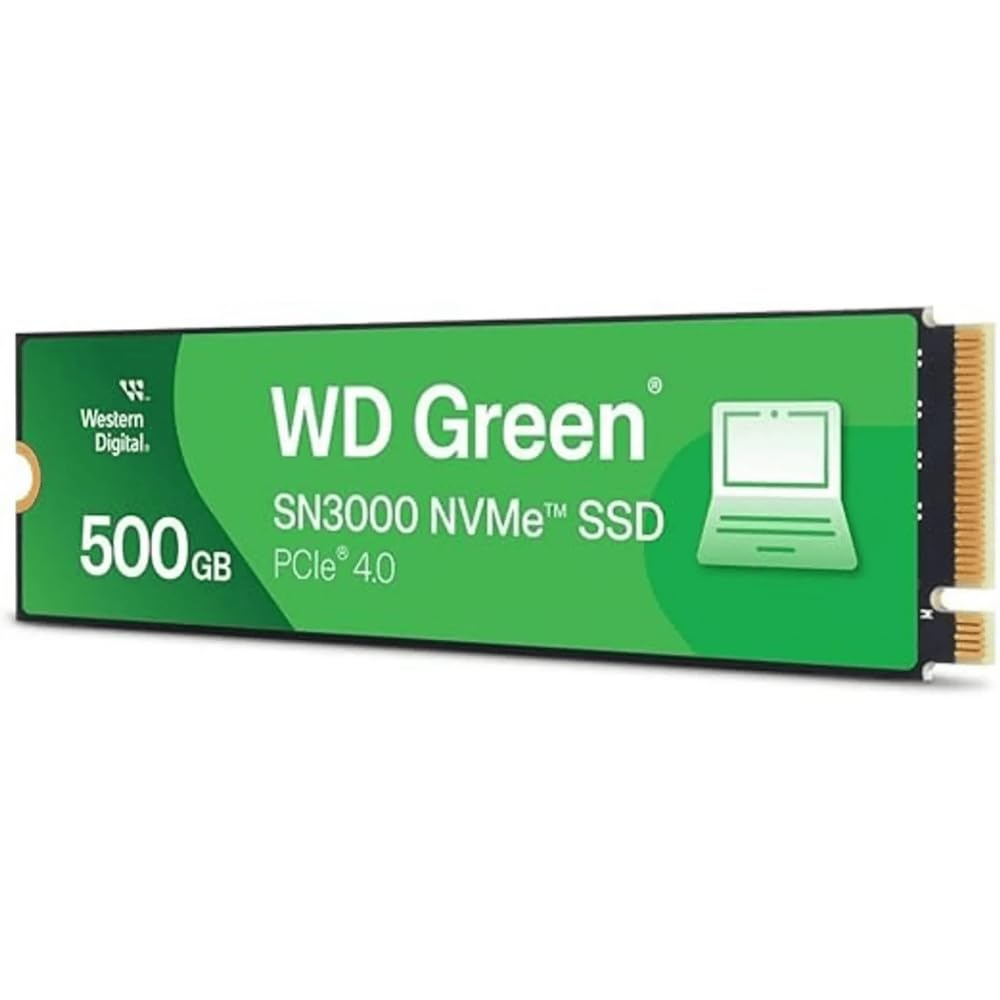
The resurrection drive that brings a 2015 MacBook Pro back to life with Gen4 speed.
This WD Green is a fantastic budget-conscious upgrade, especially for older MacBooks. It harnesses PCIe Gen4 performance for up to 5,000 MB/s reads, which owners say brought new life to an old MacBook Pro Retina 15-inch Mid 2015 using an NVMe adapter. Reviewers point out it turns a sluggish 2015 MacBook Pro into a snappy daily driver.
Storage capacity is what owners praise most, and its single-sided M.2 2280 design (chips on only one side of the stick) makes it slim enough to fit into thin laptops and small PCs. Even in a Gen3 slot, it runs at full PCIe 3.0 speeds, which is a major upgrade over the SATA or HDD it likely replaced.
A practical detail from owners: the usable capacity shows up as about 465 GB instead of the advertised 500 GB, which is normal due to how operating systems calculate space. It’s backed by Western Digital’s known reliability and includes free downloadable Acronis True Image software to migrate your old data easily.
New Life, Low Cost: One of the best ways to spend a little and get a lot — it revives old hardware with modern speeds and has been praised as the best performance upgrade for the money.
Reach for it if: You have a thin laptop or an older MacBook and want a fast, dependable, and slim Gen4 drive.
Look beyond if: You need a drive with a large dedicated cache or top-tier sustained write speeds for massive file transfers.
6. TEAMGROUP MP44L

A graphene-coated Gen4 drive that runs cool and handles heavy workloads with ease.
Push your system hard with the TEAMGROUP MP44L, a sturdy performer. It’s a PCIe Gen4 x4 drive (a fast connection standard for SSDs) hitting up to 5,000 MB/s reads and 3,700 MB/s writes, more than doubling the previous Gen3 interface’s speed. Large game files load faster and 4K video editing timelines stay responsive.
Its unique design separates it: the SSD label uses a conductive graphene coating on aluminum foil less than 1mm thick, plus an onboard M.2 heat sink (a metal piece that draws heat away). Shoppers say this thermal management is highly effective, keeping the drive cool and stable during demanding tasks. One owner reported transferring a 50GB game in about 10 seconds, showing its real-world speed.
Reliability is the aspect owners praise most, making it a solid long-term investment. It’s suitable for both desktops and laptops with M.2 2280 slots, supporting the next-generation Intel and AMD platforms. The 5-year warranty (or TBW limit) adds further confidence to the purchase.
Why It’s a Workhorse
- Excellent thermal design with graphene label and heatsink
- Up to 5,000 MB/s reads, breaking through heavy loads
- Reliable, with owners praising its stability
What to Keep in Mind
- Requires a motherboard and BIOS that support the drive
- Slightly higher cost than some entry-level Gen4 rivals
Step up for this if: You’re a creator or gamer who runs heavy software and wants a drive that stays cool without extra aftermarket parts.
Pick something else if: You’re on a very tight budget and only need a basic boot drive for light web browsing.
7. Crucial P310

The fastest stick on this list, boasting speeds that even the two champions can’t match.
If you want the absolute peak of Gen4 performance, the Crucial P310 is it. It delivers up to a colossal 6,600 MB/s sequential read speed and 5,000 MB/s writes. That’s 1,600 MB/s faster than the Kingston NV3 and 3,100 MB/s faster than the Samsung 970 EVO Plus. It’s built with Micron’s advanced G8 NAND (the flash memory cells themselves) and thermal control for reliable top-tier performance.
It’s phenomenally popular with a 4.8-star average across thousands of owners, and its broad compatibility is a huge draw. It’s officially compatible with handheld gaming consoles like the ROG Ally X, Lenovo Legion Go, and AYANEO Kun, in addition to laptops and desktops. It’s also backward compatible with PCIe Gen3 systems, so it works in older builds too, just at the slower speed.
Installation is simple — it screws straight onto the motherboard and is recognized immediately. The included Acronis Data Recovery Software is a valuable extra for data migration. For gamers and home users, it’s a future-proof pick that ensures your storage will keep up with your system for years.
The Speed King: For pure transfer rates and future-proofing, this is the definitive pick, offering double the speed of the previous Gen3 generation.
Buy this if: You own a handheld console like the ROG Ally or Lenovo Legion Go and want to drop in the fastest storage available.
Choose another if: You’re on a strict budget for a basic office PC, where the massive speed advantage won’t be noticeable.
8. SanDisk SSD Plus

The essential fix for older computers that only accept the classic 2.5-inch drive format.
Many older laptops and desktops don’t have an M.2 slot, but they all have a bay for a 2.5-inch drive. This SanDisk is the go-to reliable SSD for those machines. It uses the SATA III interface for sequential read speeds of up to 545 MB/s — a massive leap over any spinning hard drive and the easiest way to give an old PC a new lease on life.
Reliability and quality are the traits owners praise most, with a strong track record of working from the start. It’s shock-resistant for proven durability, so you don’t have to worry if you drop your laptop. The drive is a fantastic replacement for a standard HDD, making your PC run faster and quieter.
Owners have used it in clever ways, from giving a modded PS2 a silent, faster loading storage solution to handling a security camera setup. It’s the straightforward drop-in upgrade for any machine with a 2.5-inch bay.
The Safe Upgrade
- Works in any machine with a standard 2.5-inch SATA bay
- Proven, reliable brand with a long track record
- Shock-resistant design adds durability
The Speed Limit
- Topped out at 545 MB/s — far slower than any NVMe drive
- Requires power and data cables, unlike M.2 sticks
Ideal if: You’re upgrading a pre-2015 desktop or laptop that has no M.2 slot and want the biggest performance jump possible.
Forget it if: You have a modern M.2 slot and would be wasting the huge speed potential of an NVMe drive.
9. WD Blue SN5100
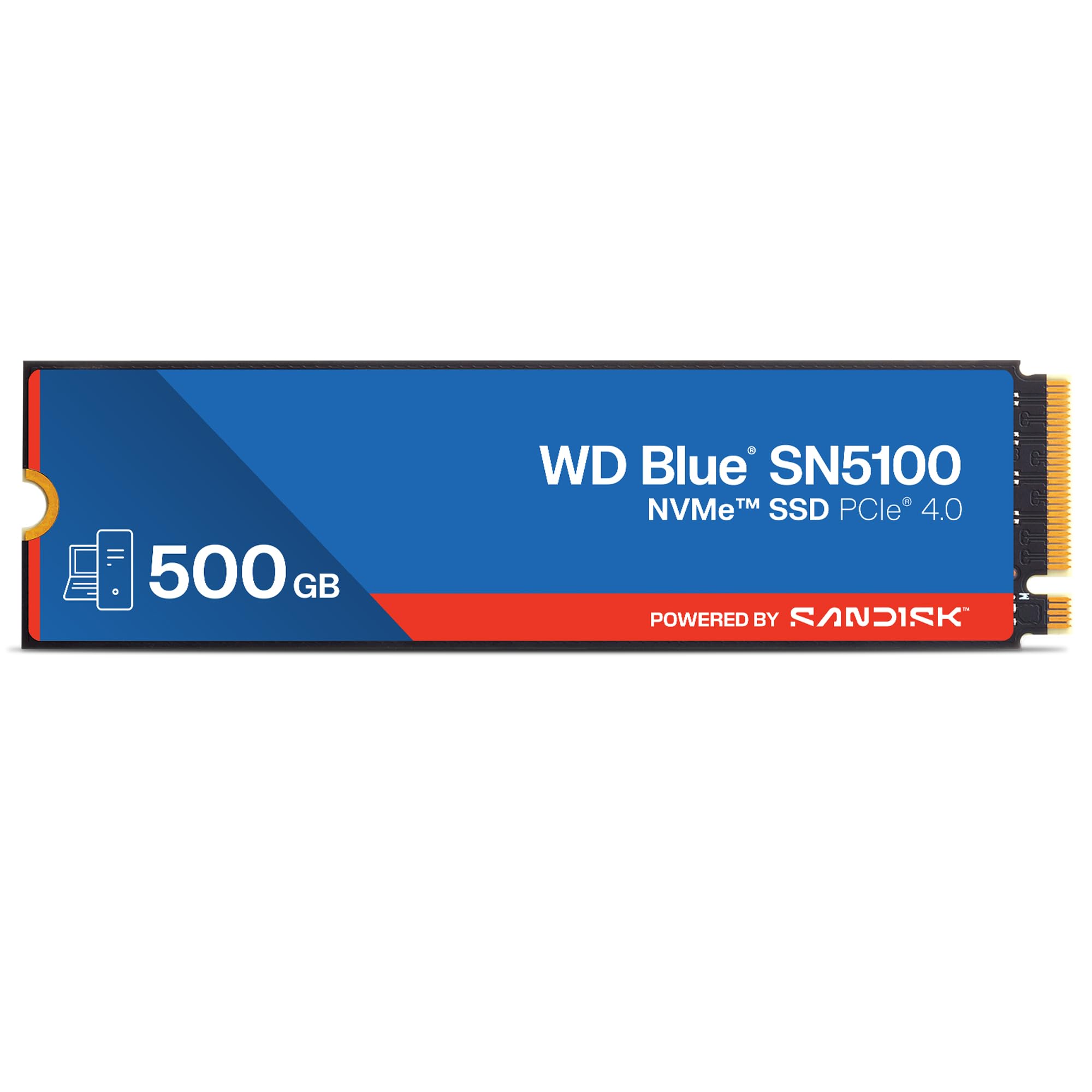
A high-speed Prosumer drive tuned for AI workflows and heavy multitasking.
This is the drive for demanding creative professionals and AI enthusiasts. It accelerates your workflow with PCIe Gen 4.0 speeds up to 6,600 MB/s on this 500GB model, matching the Crucial P310. It leverages Sandisk 3D CBA NAND technology and Sandisk nCache 4.0 technology to make copying large files or project folders blisteringly fast.
Owners consistently report noticeably faster boots and snappier app launches. Reliability and speed are the top praised aspects, making it a trustworthy choice. One owner revived a 4-year-old Dell AIO with it, praising its beginner-friendly setup and saving the cost of a new PC.
A critical piece of buyer wisdom: it runs hot, so it’s essential to have a heatsink or some form of cooling on the M.2 slot to maintain optimal performance. It’s covered by Sandisk’s 5-year limited warranty and includes a download for Acronis True Image to migrate your data easily.
Pro-Grade Speed: The perfect pick for creators and pros who need top-tier transfer speeds and have the cooling setup to handle sustained performance.
Step up to this if: You work with large project folders, videos, or AI models and want a 6,600 MB/s drive to eliminate wait times.
Choose another if: You’re building a basic PC without a dedicated M.2 heatsink, as this drive needs one to perform at its best.
Understanding the Specs
Sequential Read Speed
This is the headline number you’ll see on the box — like 3,500 MB/s or 5,000 MB/s. It measures how fast the drive can read large, contiguous files, and it directly impacts how quickly your games load and your OS boots. Higher read speeds cut game load times and OS boot delays.
Endurance (TBW)
TBW stands for Terabytes Written, and it’s a measure of how much data you can write to the drive over its lifetime before the NAND flash cells wear out. A rating of 600 TBW is very high, while 160 TBW is more standard. For almost all home users, even the lowest rating will last many years.
FAQ
Will a PCIe Gen4 SSD work in my older Gen3 motherboard slot?
What’s the difference between an M.2 stick and a 2.5-inch SATA SSD?
How do I migrate my operating system to a new SSD?
Is a heatsink necessary for an NVMe SSD?
Can I use an NVMe SSD to expand the storage on my PS5?
Why does my 500GB SSD show as less than 500GB in Windows?
Will a Gen4 SSD improve game load times compared to a Gen3?
Is it safe to use a 500GB SSD as my main boot drive?
Final Thoughts: The Verdict
For most people, the 500 gb ssd winner is the Samsung 970 EVO Plus because its proven reliability and 3,500 MB/s speeds are a perfect match for the millions of Gen3 PCs and Macs still in active use. If you want the absolute fastest Gen4 performance, grab the Crucial P310 with its 6,600 MB/s read speed. And for a straightforward PS5 storage expansion, the Ediloca EN705 is a cost-smart choice that the crowd favorite can’t match.
How We Picked
We do not accept paid placement. Every pick is matched to a real buyer and a real use-case; we do not hands-on test units.
Sources & Methodology
Specifications: manufacturer listings and product documentation. Review insights: verified customer reviews, as of August 2026. Pricing: not shown on this page (it changes often); check the current price via the retailer link.
As an Amazon Associate, Gadgets Feed earns from qualifying purchases. This does not affect which products we feature.