
Our readers keep the lights on and my morning glass full of iced black tea. As an Amazon Associate, I earn from qualifying purchases.
Specs are compiled from manufacturer listings and verified buyer reviews and can change over time — please confirm the key details on the product page before buying.
The leap from a standard gaming monitor to a 500 Hz one isn’t just a number bump — it’s a whole new way of seeing motion. At this speed, blur isn’t reduced; it’s eliminated, turning frantic firefights into fluid, frame-by-frame clarity your eyes can actually track. The real question isn’t if you want that — it’s which panel technology (QD-OLED, Fast IPS) and resolution (QHD 1440p or FHD 1080p) matches your GPU and your budget.
I’m Min — the founder and writer behind Gadgets Feed. This guide is built by comparing the manufacturers’ published specifications and the patterns across verified customer reviews, so you get each pick’s real strengths and trade-offs instead of marketing spin.
If you are upgrading from a 240Hz panel or building your first esports rig, this breakdown of the six best 500 Hz gaming monitors on Amazon right now will show you exactly which one fits your setup and your play style.
Our Picks at a Glance

How To Choose The Best 500 Hz Gaming Monitor
Buying a 500 Hz monitor means you are prioritizing motion clarity above everything else. Not every panel type handles this speed the same way, and your graphics card needs to be strong enough to feed those frames. Here are the three things to get right.
Panel Technology: QD-OLED vs Fast IPS
QD-OLED panels deliver the deepest blacks and richest colors, with a 0.03 ms response time (the time a pixel takes to change color) that is effectively instant — so you see zero ghosting on fast-moving enemies. Fast IPS panels are more affordable and still very fast at 0.5 ms, but their contrast ratio (1000:1) cannot match the infinite blacks of an OLED. If you play in a dark room or want high dynamic range (HDR) that makes bright explosions pop, OLED is the way to go. If you are on a tighter budget or play in a bright room, a Fast IPS panel is still a huge upgrade.
Resolution: 1440p vs 1080p at 500 Hz
A 1440p (2560 x 1440) monitor at 500 Hz is the ultimate combination — sharp visuals plus buttery motion — but it demands a top-tier GPU (think an RTX 4090 or 7900 XTX) to actually hit those frame rates in competitive games. A 1080p 500 Hz monitor is easier to drive and can be a smarter pick if you play esports titles like Valorant or Counter-Strike where raw frame rate matters more than pixel density.
Connectivity: DP 2.1 vs DP 1.4
To run 1440p at 500 Hz without compression, you need DisplayPort 2.1 (a newer cable standard with higher bandwidth). Monitors with DP 1.4 require Display Stream Compression (DSC) (a visually lossless way to squeeze more data through) to hit that bandwidth, which is visually lossless but can cause issues with some graphics cards or multi-monitor setups. If you want a pure uncompressed signal, look for DP 2.1 support — it is among the most future-proof features you can get today.
Quick Comparison
| Model | Best For | Resolution | Response Time | Panel Type | Amazon |
|---|---|---|---|---|---|
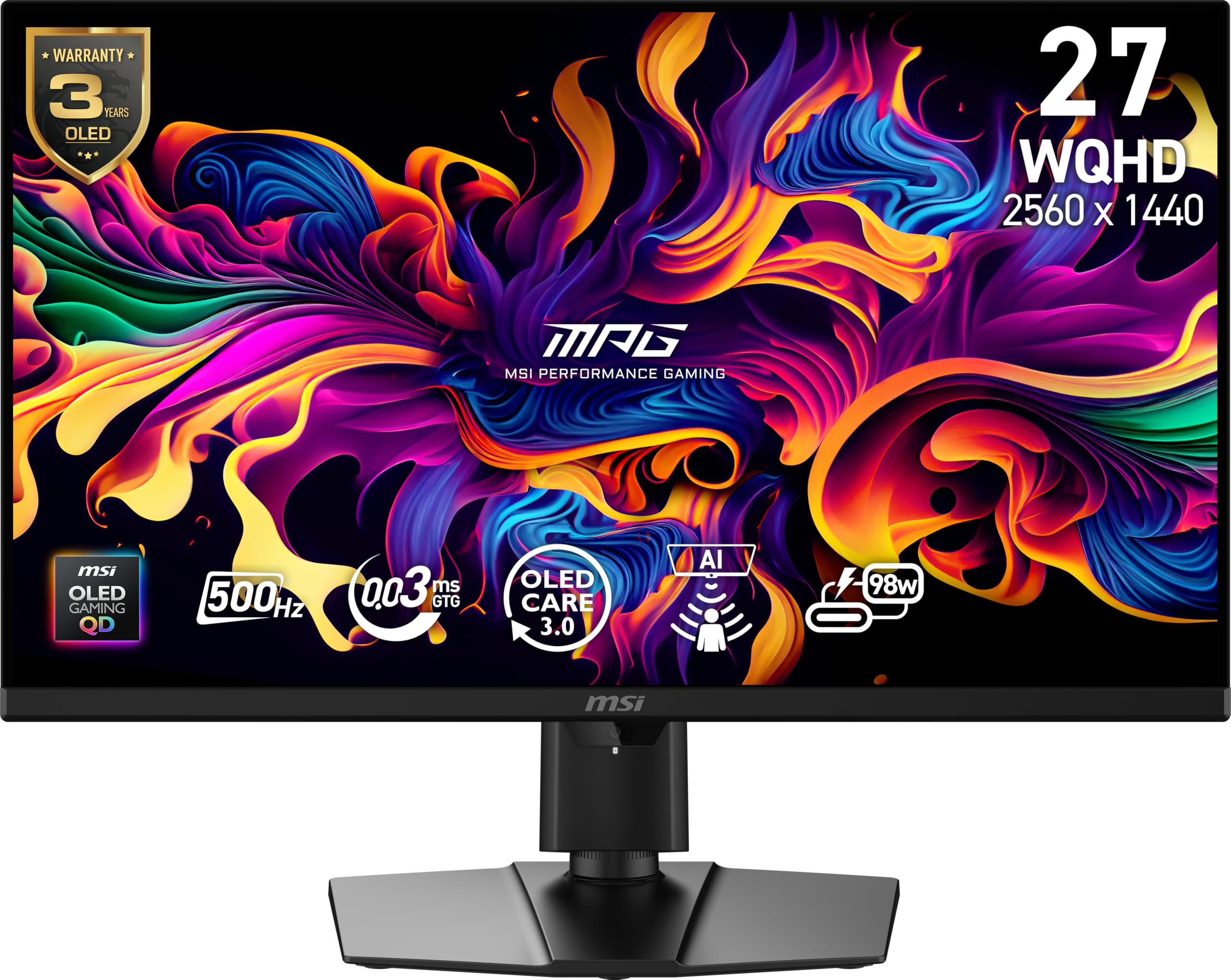
| MSI MPG 271QR QD-OLED X50★ Best Overall | Overall Enthusiast | 2560 x 1440 | 0.03ms GtG | QD-OLED | Amazon |
| INNOCN 27″ GA27M1QBest Value | Best Value | 2560 x 1440 | 0.03ms | QD-OLED | Amazon |
| Dell AW2524HF | Budget 1080p Speed | 1920 x 1080 | 0.5ms GtG | Fast IPS | Amazon |
| Samsung Odyssey OLED G6 | Glare-Free OLED | 2560 x 1440 | 0.03ms GtG | QD-OLED | Amazon |
| MSI MAG 272QP QD-OLED X50 | Premium Colors | 2560 x 1440 | 0.03ms GtG | QD-OLED | Amazon |
| ASUS ROG Strix XG27AQDPG | Top-Tier HDR | 2560 x 1440 | 0.03ms | QD-OLED | Amazon |
In‑Depth Reviews
1. MSI MPG 271QR QD-OLED X50
Our pick — over 4★ from 60+ verified ratings; the strongest balance of quality and price.
This is the only 500 Hz 1440p monitor that runs its full speed without compression — no other monitor here can claim that.
This monitor hits the balance few others can touch: a 27-inch 2560 x 1440 QD-OLED panel that screams along at 500 Hz with a 0.03 ms (GtG) response time. what separates it from most of the pack is DisplayPort 2.1a (the newest cable standard) — a connection that lets it run the full 500 Hz at 1440p without Display Stream Compression (DSC). As buyers put it, this is the rare monitor achieving “500Hz without DSC via DP 2.1.” For anyone running an RTX 40-series or newer GPU, that means zero compromise on image quality even at maximum refresh.
Color performance is equally impressive. The Quantum Dot OLED panel (a technology that uses tiny dots to produce very pure colors) covers 99% of the DCI-P3 color space (a wide color standard used in movies and gaming) with Delta E ≤2 accuracy (meaning colors are extremely accurate to the original source), and it is VESA DisplayHDR True Black 500 certified (a standard for deep blacks in HDR content), giving you a native contrast ratio of 1,500,000:1 (so dark scenes look inky). The included AI Care Sensor uses a CMOS camera (a small image sensor like in a webcam) to detect when you step away and dim the screen every 0.2 seconds — a practical burn-in prevention feature that works automatically. The standout feature owners rave about is the display quality: the inky blacks and vivid colors make this feel like a generational leap over any IPS panel.
The honest trade-off here is the price — it sits at the higher end of the mid-range and demands a powerful GPU to justify the 500 Hz ceiling. A few owners also mention the AI auto-off feature can be too sensitive, occasionally blanking the screen mid-game. Compared to the INNOCN GA27M1Q below, this MSI costs more but gives you uncompressed 500 Hz — the INNOCN uses DP 1.4a and requires DSC.
What wins people over
- 500 Hz at 1440p without DSC thanks to DP 2.1a
- Vivid QD-OLED colors and deep blacks at 1,500,000:1 contrast
- AI Care Sensor adds real burn-in protection
The trade-offs
- High price for a mid-range tier monitor
- AI auto-off can trigger too often for some
Reach for this if: you have a high-end GPU and want uncompressed 1440p 500 Hz with top-tier QD-OLED color.
Look elsewhere if: you are on a tight budget or still gaming on a 1080p-targeting graphics card.
2. INNOCN 27″ GA27M1Q
Buyers report this QD-OLED gives you 90% of the experience for less money than the ASUS or MSI options.
INNOCN delivers a 27-inch 1440p QD-OLED monitor with a 500 Hz refresh rate and 0.03 ms response time that undercuts the big brands by a significant margin — and owners absolutely love it for that. Buyers call it “the best 500hz oled monitor for the price,” with one noting that if you are “doubting to buy a more known brand for more price you will be wasting your money.” The QD-OLED panel covers 99% DCI-P3 with a 1,500,000:1 contrast ratio, and it includes both G-Sync compatibility (which matches the monitor’s refresh rate to an Nvidia GPU to prevent screen tearing) and VRR (Variable Refresh Rate) (which does the same for any GPU) support from 48 Hz to 500 Hz. It even packs built-in speakers, which are rare at this tier.
The color and display quality are the most-praised aspects here, with seven buyers each calling out the rich colors and sharp image. from the start, some owners recommend five to ten minutes of brightness adjustment to dial it in, but once set, the picture is described as “outstanding.” The monitor also features LED atmosphere lights and a fully adjustable stand with height, tilt, swivel, and pivot — a level of ergonomic flexibility that rivals monitors costing twice as much.
The catch is that pushing 500 Hz at 1440p demands serious hardware; one owner paired it with a 9800X3D and a 7900 XTX just to hit the frame rates it deserves. The build is impressively thin, though the white color scheme might not suit every setup. Unlike the Dell AW2524HF, this monitor uses OLED, so you get infinite blacks, but you also have burn-in risk — the Dell’s IPS panel avoids that worry entirely.
Why it stands out
- QD-OLED 500 Hz at a price that shocks competitors
- Rich colors and deep blacks from the start
- Includes G-Sync, VRR, and usable built-in speakers
What to know
- Needs a top-tier GPU to actually hit 500 fps
- White chassis won’t match every desk
Your move: Grab this if you want true QD-OLED 500 Hz performance without paying the ASUS/MSI premium.
Pass if: you need a darker monitor or you are not ready to upgrade your GPU to match the speed.
3. Dell AW2524HF (Alienware)

This is the cheapest way into 500 Hz, and it does not need a top-tier GPU to be useful — a mid-range card is enough for Valorant or CS2.
If your primary game is Valorant, Overwatch, or CS2, this 24-inch FHD (1920 x 1080) Fast IPS monitor delivers 500 Hz (overclocked from 480 Hz native) with a 0.5 ms gray-to-gray response time. Unlike every other monitor on this list, it uses an LCD panel — not OLED — which keeps the price down and avoids burn-in concerns entirely. The trade-off is a 1000:1 contrast ratio and 400 cd/m² brightness, which won’t match the inky blacks of an OLED, but in a bright room or a tournament setting, the anti-glare coating and 99% sRGB coverage (a standard color space for web and PC content) hold up well.
The real story here is motion fluidity. Owners with high-end rigs report that hitting 400-500 fps in competitive titles transforms the feel of the game — “instant response time” is a recurring theme. The monitor includes AMD FreeSync Premium and VESA AdaptiveSync certification (both standards that synchronize your monitor’s refresh rate with your GPU to eliminate screen tearing and stuttering), so tearing and stuttering are eliminated whether you have an AMD or Nvidia GPU. It also comes with a fully adjustable stand offering 4.3 inches of height adjustment, pivot, swivel, and tilt, plus a built-in USB 3.2 hub.
Honestly, picture quality is the most-discussed aspect — and it is a mixed bag. At 1080p and 24 inches, this monitor is not designed for rich HDR or deep blacks; it is designed for speed. A few owners have flagged reliability issues, with isolated reports of pixel distortion or a black bar appearing after several months. If you are choosing between this and the INNOCN GA27M1Q, know that the INNOCN gives you OLED blacks and 1440p sharpness, but the Dell gives you a lower GPU requirement and zero burn-in anxiety.
Strengths
- 500 Hz motion at a price that pairs with mid-range GPUs
- 0.5 ms response time with anti-glare coating
- FreeSync Premium and VESA AdaptiveSync for tear-free play
Limitations
- 1080p resolution means less screen real estate
- IPS contrast can’t match OLED black levels
Ideal for: the esports-first gamer who wants 500 Hz while staying affordable or needing a GPU.
skip it if: you want 1440p sharpness, rich HDR, or deep blacks for single-player titles.
4. Samsung Odyssey OLED G6 (G60SF)
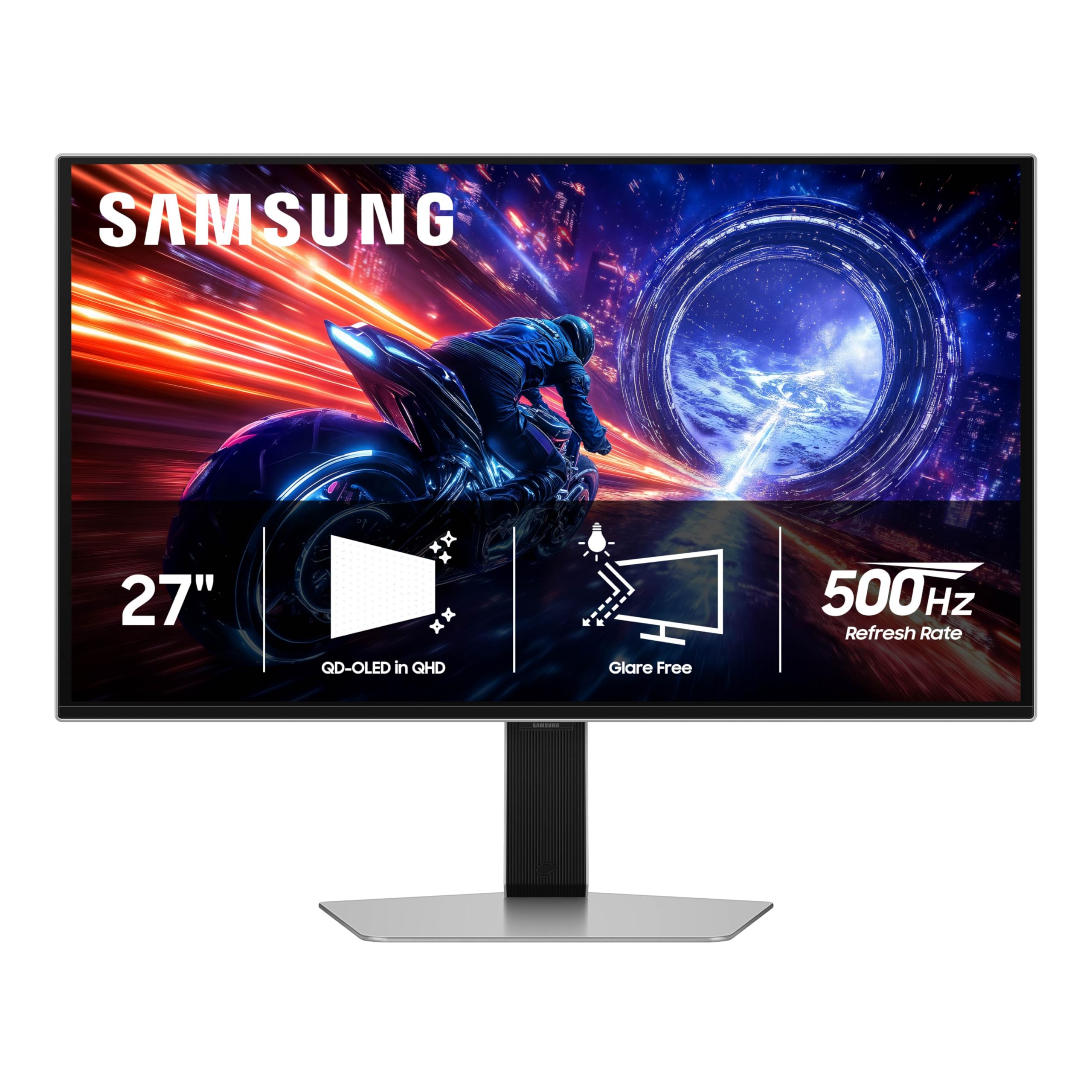
This QD-OLED uses a special anti-glare coating that glossy OLEDs lack — a real advantage if you sit by a window.
The 27-inch Odyssey G6 is the world’s first OLED monitor to feature a 500 Hz refresh rate, and Samsung pairs that speed with a Glare Free technology (a special coating that scatters reflections) that keeps the screen clear of reflections from external light sources. That is a meaningful advantage over glossy OLED panels if your desk sits near a window or under bright overhead lights. The QD-OLED panel delivers QHD (2560 x 1440) resolution with a 0.03 ms GtG response time and VESA DisplayHDR TrueBlack 500 certification, peaking at 1000 nits (a measure of brightness — one nit is about the brightness of one candle) for vivid highlights.
Owners consistently praise the build quality — 16 people single it out as a standout feature. The colors are described as “beautiful” and the motion clarity as a “massive upgrade” from 165 Hz, with one buyer comparing the crispness to a CRT monitor (an old cathode-ray tube monitor known for perfect motion clarity). It includes G-Sync compatibility and FreeSync Premium Pro, so screen tearing is a non-issue regardless of your GPU brand. The ergonomic stand offers tilt, height adjustment, and pivot, giving you plenty of flexibility without needing a third-party arm.
Where this monitor stumbles is the power button. It is the most-mentioned negative aspect, with eight owners calling it flimsy and prone to breaking. A few also note instability in the base-to-arm connection. For a monitor at this price tier, those build details are frustrating. If you plan to mount it on a VESA arm (a standard 100mm mounting pattern for monitor arms) from day one, the power button issue becomes less relevant. Compared to the MSI MPG 271QR, this Samsung has Glare Free but uses DP 1.4a with DSC instead of DP 2.1’s uncompressed signal.
High points
- Glare Free coating handles bright rooms better than any other OLED here
- 1000 nits peak brightness for effective HDR
- G-Sync and FreeSync Premium Pro compatible
Low points
- Power button feels fragile according to multiple owners
- Base-to-arm connection has some play
Best for: the gamer in a bright room who wants an OLED’s color and 500 Hz speed without reflections washing out the screen.
Think twice if: you need a rock-solid built-in stand and a power button you can mash blindly.
5. MSI MAG 272QP QD-OLED X50

One owner upgrading from a 360 Hz OLED called this “the absolute KING of 1440p” — and 27 buyers give it a 4.4-star average.
This 26.5-inch WQHD (2560 x 1440) monitor from MSI uses the same Quantum Dot OLED technology as its pricier sibling but steps down to DP 1.4a connectivity, which means it needs Display Stream Compression (DSC) to hit 500 Hz. For the vast majority of gamers, DSC is visually lossless and causes no visible artifacts — but if you are a purist who wants uncompressed signal, the MPG model above is the one to choose. The MAG still delivers the same 0.03 ms GtG response time, VESA ClearMR 21000 rating (a standard that measures motion blur — 21000 means fewer than 2% of pixels show blur during fast motion), and VESA DisplayHDR True Black 500 certification with a 1,500,000:1 contrast ratio.
The 10-bit panel (which can display 1.07 billion colors for smooth gradients) covers 99% DCI-P3 with Delta E ≤2 accuracy, and owners describe the transition from IPS to this QD-OLED as “night and day.” One buyer upgrading from a 360 Hz OLED called it “the absolute KING of 1440p,” praising its brightness, useful HDR, and blazing speed in competitive games. The MSI Gaming Intelligence software includes OLED Care 2.0 to prevent burn-in, an AI-supported crosshair, and console mode support. The graphene heatsink is fanless, so the monitor runs silently even during long sessions.
The most common practical complaint is the cable length — owners note that the included DisplayPort and HDMI cables are “extremely cortos” (very short), which can force a non-standard desk layout. And while 27 owners give it a strong 4.4 stars, a couple of reports mention the screen is delicate and scratches easily during cleaning. If you compare it to the ASUS ROG Strix XG27AQDPG below, this MSI saves you significant money but lacks the ASUS’s Neo proximity sensor for burn-in prevention.
What is special
- Vibrant QD-OLED colors that owners call a standout
- Fanless graphene heatsink for silent operation
- OLED Care 2.0 software for burn-in prevention
What is not
- Short included cables frustrate setup
- DP 1.4a requires DSC for 500 Hz
Go for it if: you want a top-tier QD-OLED color experience and the 500 Hz speed to match, without the highest price tag.
Hold off if: you need uncompressed 500 Hz signal or you prefer monitors with longer stock cables.
6. ASUS ROG Strix XG27AQDPG

This is the most feature-rich 500 Hz QD-OLED, with a Neo sensor (a proximity sensor) that detects when you step away and blacks the screen to protect against burn-in.
At the top of the price spectrum sits the ASUS ROG Strix XG27AQDPG, a 27-inch QHD (2560 x 1440) QD-OLED gaming monitor with a 500 Hz refresh rate and a 0.03 ms response time. What justifies the premium is ASUS’s OLED Care Pro suite, which includes a Neo proximity sensor (a small sensor that detects your presence) that detects exactly when you step away and switches to a black screen to reduce burn-in risk — a more precise system than simple timer-based dimming. The panel also features Anti-Flicker OLED 2.0, which uses a new luminance compensation algorithm to reduce flicker by 20% (compared to earlier generations, according to ASUS) — so your eyes may feel less strained during long sessions.
HDR performance is excellent here: VESA DisplayHDR 500 True Black compliance, 99% DCI-P3 coverage, 10-bit true color, and Delta E < 2 color difference. The monitor includes a DisplayPort and HDMI connection, both capable of running 500 Hz natively, and owners mention that “dp y hdmi perfectos a 500hz” with no dead pixels and excellent factory calibration. The ASUS DisplayWidget Center app lets you tweak OLED Care Pro features and monitor settings with a mouse instead of fiddling with on-screen menus.
The price is the obvious barrier — it sits well above any other monitor on this list — and at 6.6 kg (14.5 lbs) it is the heaviest of the bunch, so you will want a sturdy desk or arm. A few owners note that the HDMI connection can reach 12-bit color while DP stays at 10-bit, which is a niche but interesting detail for color enthusiasts. If you are deciding between this and the MSI MAG 272QP, know that the ASUS costs more but gives you the Neo sensor and Anti-Flicker tech — the MSI saves money but has shorter cables and no proximity sensor.
Top features
- Neo proximity sensor for intelligent burn-in prevention
- Anti-Flicker OLED 2.0 reduces flicker by 20% (according to ASUS)
- Factory-calibrated HDR with 99% DCI-P3
Trade-offs
- Significantly more expensive than similar 500 Hz QD-OLEDs
- Heavier build at 6.6 kg
Choose this for: the best burn-in protection in the business and a flagship ASUS build that leaves nothing on the table.
pass on it if: your budget is more mid-range — the INNOCN or MSI MAG deliver 90% of the experience for less.
Understanding the Specs
Response Time (GtG)
Gray-to-Gray (GtG) response time measures how fast a pixel can change from one shade of gray to another — the standard metric for gaming blur. At 0.03 ms, QD-OLED panels are effectively instant: motion is so crisp that you see individual frames without any smearing behind fast-moving objects. At 0.5 ms, Fast IPS panels are still excellent and far faster than typical 4 ms displays, but the difference is visible in edge-case scenarios like a spinning camera at 500 fps.
Display Stream Compression (DSC)
DSC is a visually lossless compression technology that lets a DisplayPort 1.4 cable carry a 1440p 500 Hz signal without reducing color depth. In practice, almost no one can see artifacts, but a small number of users report multi-monitor or GPU handshake issues with DSC enabled. Monitors with DisplayPort 2.1 — like the MSI MPG 271QR — avoid DSC entirely, delivering a pure uncompressed signal. If you plan to run multiple high-refresh monitors, DP 2.1 is worth seeking out.
FAQ
Do I need a special graphics card to run a 500 Hz monitor?
Is 500 Hz noticeably better than 240 Hz or 360 Hz?
Will a 500 Hz monitor reduce eye strain?
What is the difference between 0.03 ms and 0.5 ms response time?
Does DSC (Display Stream Compression) affect image quality?
Can I use a 500 Hz monitor with a console like the PS5 or Xbox Series X?
How long do QD-OLED monitors last before burn-in?
Is 500 Hz worth it for single-player games?
What is VESA ClearMR 21000?
Do all 500 Hz monitors support G-Sync or FreeSync?
Final Thoughts: The Verdict
Across the board, the best 500 Hz gaming monitor is the MSI MPG 271QR QD-OLED X50 because it delivers uncompressed 1440p 500 Hz via DP 2.1 with brilliant QD-OLED colors and smart burn-in protection. If you want the best value, grab the INNOCN 27″ GA27M1Q. And for the pure esports frame warrior on a budget, the Dell AW2524HF is the one to reach for.
How We Picked
We do not accept paid placement. Every pick is matched to a real buyer and a real use-case; we do not hands-on test units.
Sources & Methodology
Specifications: manufacturer listings and product documentation. Review insights: verified customer reviews, as of July 2026. Pricing: not shown on this page (it changes often); check the current price via the retailer link.
As an Amazon Associate, Gadgets Feed earns from qualifying purchases. This does not affect which products we feature.