
Our readers keep the lights on and my morning glass full of iced black tea. As an Amazon Associate, I earn from qualifying purchases.
Specs are compiled from manufacturer listings and verified buyer reviews and can change over time — please confirm the key details on the product page before buying.
You are shopping in the most crowded spot in the gaming-laptop aisle — every brand throws an RTX 5060 into a chassis, calls it a “gaming machine,” and hopes you do not notice the corners they cut on RAM, screen quality, or cooling. The real question is which laptop keeps you gaming without crashes, dim screens, or loud fans. This guide reviews nine RTX 5060 laptops, matching each to your budget, preferred game genre, and noise tolerance.
This guide compares manufacturer specs and verified customer reviews to highlight each laptop’s real strengths and trade-offs.
Whether you prioritize a silky 240Hz panel, a deep-ink OLED display, or the raw multi-core punch of a desktop-class processor, the right 5060 gaming laptop for you balances screen quality, thermals, and memory capacity — because the RTX 5060 is only as good as the system around it.
Quick Picks
- Lenovo Legion 5 Gen 10 Gaming Laptop — Best Overall
- Lenovo Legion 5i 16″ Gaming Laptop — 240Hz Power
- ASUS ROG Strix G16 (2025) Gaming Laptop — Cool & Quiet
- Alienware 16 Aurora Laptop AC16250 — Service Included
- Lenovo Legion 5 15.1″ OLED Gaming Notebook — OLED Value
- Thunderobot Storm 17 5060 Gaming Laptop — Big Screen King
- MSI Crosshair A16 HX 16″ 240Hz Gaming Laptop — 240Hz QHD
- Acer Nitro V 16S AI Gaming Laptop — Budget 32GB
- GIGABYTE AERO X16 Copilot+ PC — Ultra-Portable
How To Choose The Best 5060 Gaming Laptop
The RTX 5060 is a capable GPU, but the laptop’s chassis, cooling, and memory determine real-world performance. Here are the three specs that separate a smart buy from a regret.
Memory: Why 32GB matters more than you think
Modern games and background apps can chew through 16GB of RAM quickly, causing stutter when you alt-tab or run a browser in the background. Many 5060 laptops ship with 16GB soldered or in a single stick, so check whether the memory is upgradeable. The Thunderobot Storm 17 packs 32GB of DDR5 from the factory, giving you a noticeable multitasking head start over the 16GB models.
Display: Refresh rate vs resolution — choose your poison
A 240Hz panel like the one on the MSI Crosshair A16 HX makes fast-paced shooters feel buttery, while a QHD resolution (2560×1600) gives you sharper textures in single-player worlds. The RTX 5060 can drive either resolution or refresh rate, but not both at max detail simultaneously. Choose the panel that matches the games you play most.
Cooling: The loud truth about thin laptops
The RTX 5060 generates significant heat under load. Ultra-thin designs like the GIGABYTE AERO X16 are easier to carry at 4.18 pounds, but they often run fans louder under load. Laptops with vapor-chamber cooling (ASUS ROG Strix G16) or dual-fan systems with bigger heat pipes (Thunderobot Storm 17) stay quieter and hold boost clocks longer.
Quick Comparison
| Model | Best For | Screen & Refres | RAM | CPU | Amazon |
|---|---|---|---|---|---|
| Lenovo Legion 5 Gen 10 | Content creators who want OLED color | 15.1″ OLED 165Hz | 32GB DDR5 | Ryzen 7 260 | $2,019.00Amazon |
| Lenovo Legion 5i | Competitive gamers wanting 240Hz speed | 16″ IPS 240Hz | 32GB DDR5 | Core Ultra 9 275HX | from $2,349.99Amazon |
| ASUS ROG Strix G16 | Quiet gaming with vapor-chamber cooling | 16″ FHD+ 165Hz | 16GB DDR5 | Core i7 14650HX | $1,499.99Amazon |
| Alienware 16 Aurora | First-time Alienware buyers wanting onsite service | 16″ WQXGA — | 16GB DDR5 | Core 7 240H | $1,428.58Amazon |
| Lenovo Legion 5 15.1″ OLED | Portable high-contrast gaming | 15.1″ OLED 165Hz | 16GB DDR5 | Ryzen 7 260 | $1,399.99Amazon |
| Thunderobot Storm 17 | Desktop-replacement screen size | 17.3″ QHD 165Hz | 32GB DDR5 | Core i7-13620H | from $1,099.00Amazon |
| MSI Crosshair A16 HX | High-refresh QHD for shooters | 16″ QHD+ 240Hz | 16GB DDR5 | Ryzen 9 8940HX | $1,343.99$1,439.99Amazon |
| Acer Nitro V 16S AI | Budget all-rounder with 32GB RAM | 16″ WUXGA 180Hz | 32GB DDR5 | Ryzen 7 260 | $1,999.99Amazon |
| GIGABYTE AERO X16 | Ultra-portable carry-everywhere gaming | 16″ WQXGA 165Hz | 16GB DDR5 | Ryzen AI 7 350 | $1,194.49Amazon |
In‑Depth Reviews
1. Lenovo Legion 5 Gen 10 Gaming Laptop
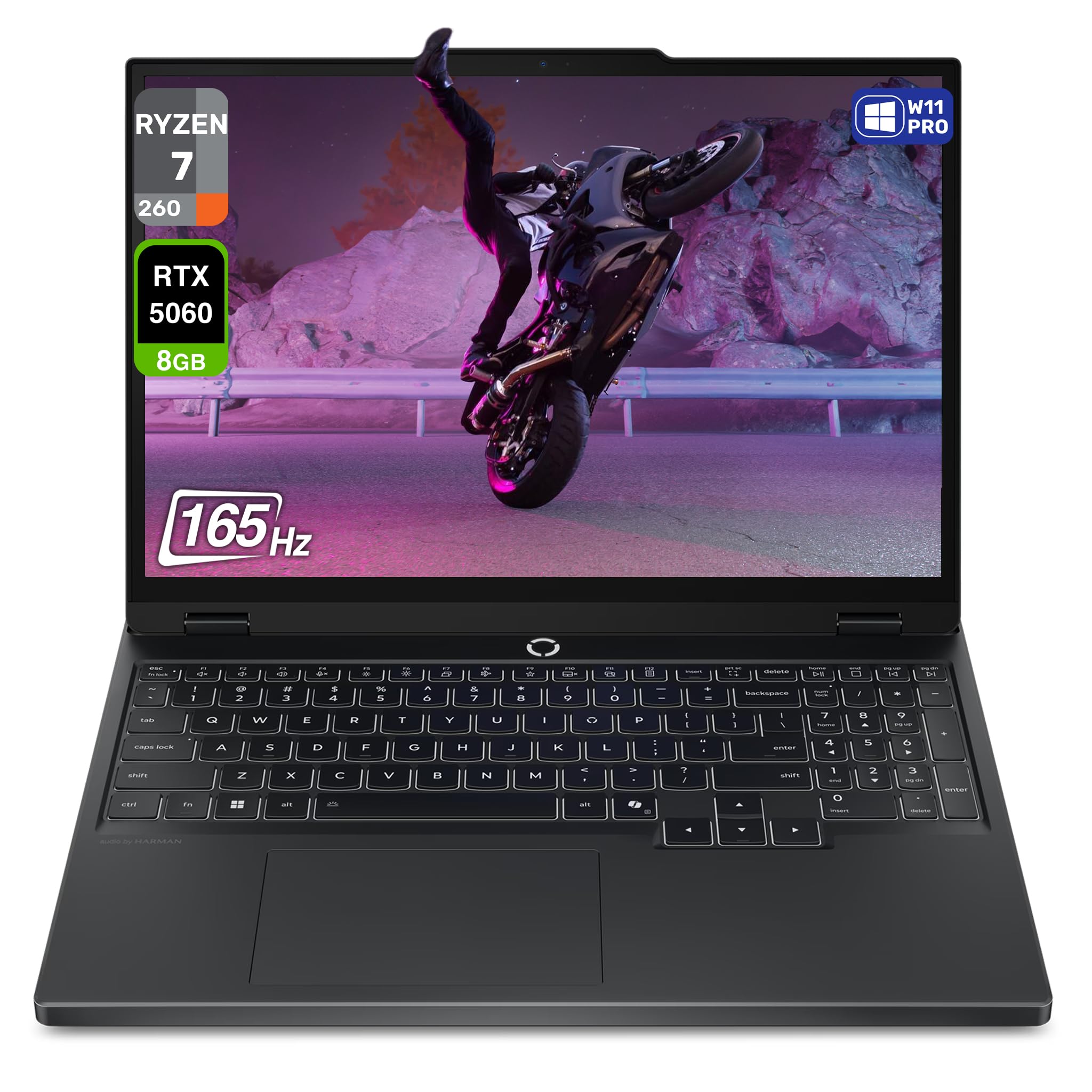
OLED colors that make every game pop, paired with a desktop-class Ryzen 7 and 32GB of RAM.
The first thing you notice on this Legion 5 Gen 10 is the 15.1-inch WQXGA OLED panel — 2560×1600 resolution, 165Hz refresh rate, and 500 nits brightness with HDR True Black 600. Blacks look black, not gray, which makes dark scenes in games like Alan Wake 2 or Cyberpunk 2077 feel genuinely rich rather than washed out. The AMD Ryzen 7 260 processor (8 cores, 16 threads, up to 5.1GHz boost) keeps frame times consistent even when you have a browser, Discord, and a streaming tool running alongside your game.
You get 32GB of DDR5 RAM and a 1TB PCIe SSD from the start, so you never hit that 16GB wall that plagues many 5060 laptops. Buyers report it is “great for price point” with a “nice keyboard” and “fast refresh, good brightness.” One owner noted the trackpad is inferior to an XPS or MacBook Pro, and that the 100W USB-C limit means dock gaming without native power can be tricky. The RTX 5060 with 8GB GDDR7 handles 1440p gaming with DLSS 4 comfortably, and the Wi-Fi 7 and Bluetooth 5.4 keep your connection future-proof.
Why it leads the pack
- OLED screen with HDR True Black 600 delivers class-leading contrast for a 5060 laptop
- 32GB DDR5 RAM eliminates stutter during heavy multitasking
- Windows 11 Pro instead of Home adds business-friendly features
The few trade-offs
- 100W USB-C limit makes power-hungry docks a hassle without the barrel charger
- No Thunderbolt port, so external GPU enclosures are not an option
- Trackpad placement can cause accidental clicks during typing
Reach for this if: You demand OLED-level contrast for creative work and rich gaming, and you want 32GB RAM so you never have to think about upgrading.
Look elsewhere if: You need Thunderbolt for an external GPU or a lower starting price — this is a premium investment.
2. Lenovo Legion 5i 16″ Gaming Laptop
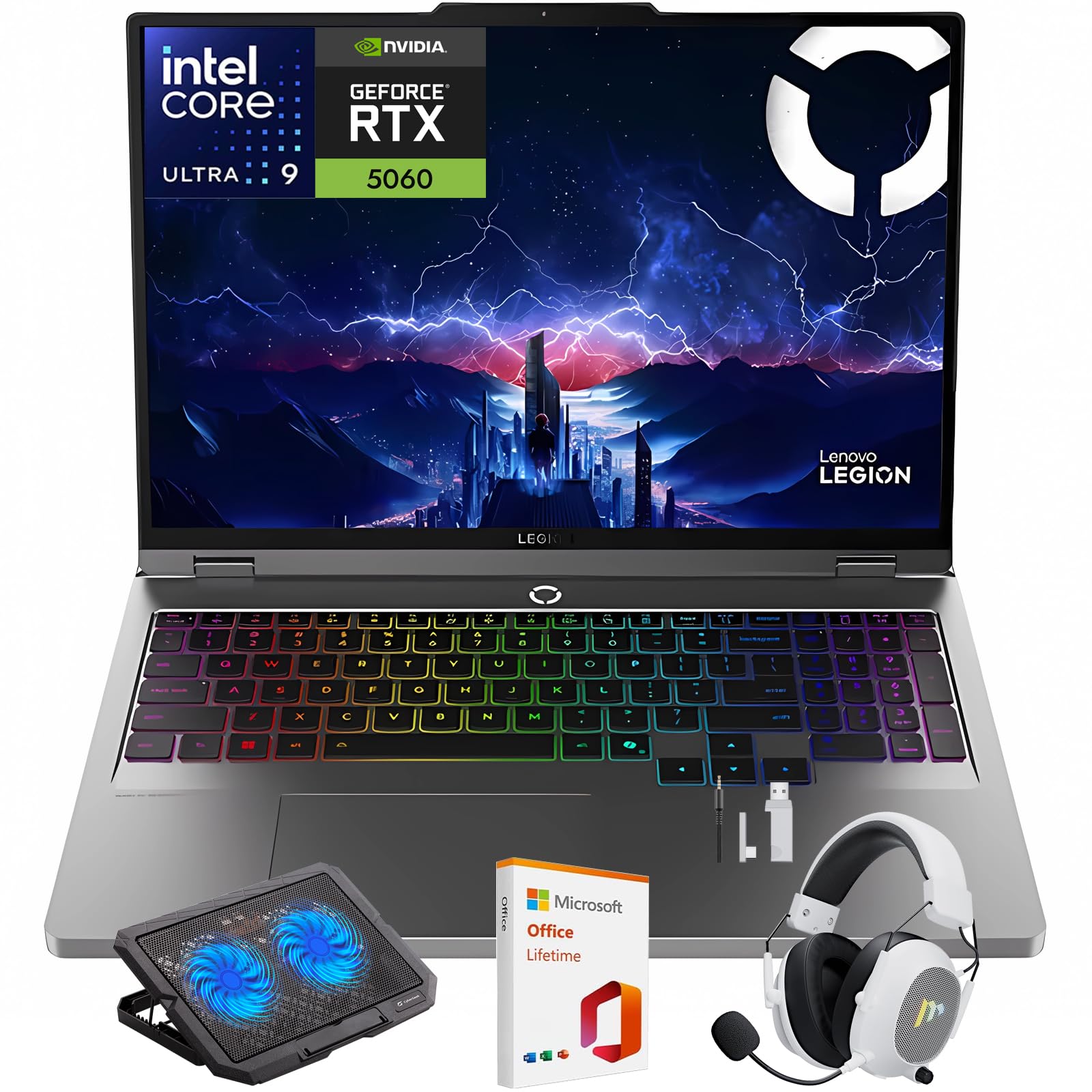
A 240Hz WQXGA panel and a 24-core Intel Ultra 9 CPU built for esports champions.
If your gaming diet is heavy on Valorant, Overwatch 2, or Call of Duty, the Legion 5i’s 16-inch 2560×1600 IPS display at 240Hz gives you the fluidity to track fast targets cleanly. The Intel Core Ultra 9 275HX processor (15th Gen, 24 cores) pushes frame rates high enough to actually use that refresh rate, and the RTX 5060 with DLSS 4 smooths out the demanding scenes. You also get 32GB of DDR5 RAM and a 1TB SSD, plus an included Mytrix wireless gaming headset and cooling pad in the box — a rare bundle that saves you a separate purchase.
The Legion Coldfront: Hyper cooling system uses turbo-charged stealth fans and copper heat pipes to keep the chassis quiet under load, and the Lenovo AI Engine+ adjusts performance based on what you are doing. One buyer called it “super confiable” and uses it for architecture work, praising its speed. A less happy owner reported the battery lasts only about 45 minutes to an hour off the charger, so plan to stay plugged in for serious gaming sessions.
Competitive edge
- 240Hz 2560×1600 IPS panel with 500 nits brightness and 100% DCI-P3 color
- Intel Core Ultra 9 275HX offers massive multi-core grunt for streaming while gaming
- Bundled gaming headset and cooling pad add real value
Where it stumbles
- Battery life is very short — around 45-60 minutes off the charger
- Windows 11 Home, not Pro, despite the premium price bracket
- Office activation key is delivered via email, not in the box
Grab it for: Competitive gaming at high frame rates where the 240Hz display gives you a real edge in fast-paced aiming.
Pass if: You need all-day unplugged battery life — this machine demands to be near an outlet.
3. ASUS ROG Strix G16 (2025) Gaming Laptop

Vapor-chamber cooling and a tri-fan setup keep the RTX 5060 running fast without the roar.
The ROG Strix G16 is engineered around thermal performance — an end-to-end vapor chamber, tri-fan technology, and Conductonaut extreme liquid metal on the Intel Core i7 14650HX chipset mean this laptop can sustain high boost clocks longer than most rivals without sounding like a jet engine. The 16-inch FHD+ 1920×1200 display runs at 165Hz with a new ACR film that cuts glare and boosts contrast, making daytime gaming in bright rooms more pleasant.
You get 16GB of DDR5-5600MHz memory and a 1TB Gen 4 SSD, plus Wi-Fi 7 for the fastest wireless speeds available today. Buyers consistently praise the performance: one reviewer noted “the RTX 5060 performs superb” and runs GTA V Enhanced with high RT over 100 FPS, while another noted the Dolby Atmos audio is excellent even without external speakers. The 360-degree RGB light bar adds flair, and Stealth Mode turns all lights off when you need to look professional. The battery lists only 2 hours of actual life, so this is strictly a plugged-in gaming machine.
Thermal leadership
- Vapor chamber + tri-fan + liquid metal = noticeably quieter under load
- Wi-Fi 7 support future-proofs your network for years
- ACR anti-glare film keeps the screen visible in bright light
The catches
- FHD+ resolution means less pixel density than the QHD competitors
- Only 16GB RAM in a chassis that could benefit from 32GB
- Listed battery life of 2 hours makes it a desktop replacement
Pick this for: Long gaming sessions where fan noise would drive you crazy — the cooling system genuinely makes a difference.
Avoid if: You need a sharper QHD display for creative work or a longer battery for travel.
4. Alienware 16 Aurora Laptop AC16250

Alienware’s iconic design meets a Cryo-Chamber cooling system and a 1-year onsite repair service.
The Alienware 16 Aurora packs the RTX 5060 with 8GB GDDR7 into a 16-inch 16:10 WQXGA (2560×1600) LED display with 300 nits brightness, and the newly designed Cryo-Chamber structure focuses airflow to the hottest components without needing a bulky rear thermal shelf. The Intel Core 7 240H Series 2 processor (up to 5.2GHz) pairs with 16GB DDR5 and a 1TB SSD, and Dell backs it with 1 Year Onsite Service — a tech comes to your home if they cannot fix a hardware issue remotely.
One long-time Alienware fan reported this laptop is “a smidge lighter than my MacBook Air M2” and that the screen resolution “is almost 3K” with excellent color reproduction. Another reviewer who experienced crashes noted “Your Device Has Ran Into a Problem” daily and that the device gets hot during gameplay, so your mileage may vary. The battery drains quickly when unplugged, but the build quality and the support contract give confidence that many budget laptops lack.
What stands out
- 16:10 aspect ratio gives extra vertical space for browsing and productivity
- 1 Year Onsite Service means a repair technician comes to you
- Sturdy build quality with Alienware’s hallmark design language
Where it falls short
- Multiple reports of daily system crashes that required RMA
- Battery life is very short — owners mention it “dies pretty quickly” unplugged
- No fingerprint reader in a premium laptop at this price tier
Buy it for: The confidence of onsite service and the Alienware ecosystem if you already own their peripherals.
skip it if: You have had reliability issues with Alienware in the past — some units seem to have software conflicts.
5. Lenovo Legion 5 15.1″ OLED Gaming Notebook
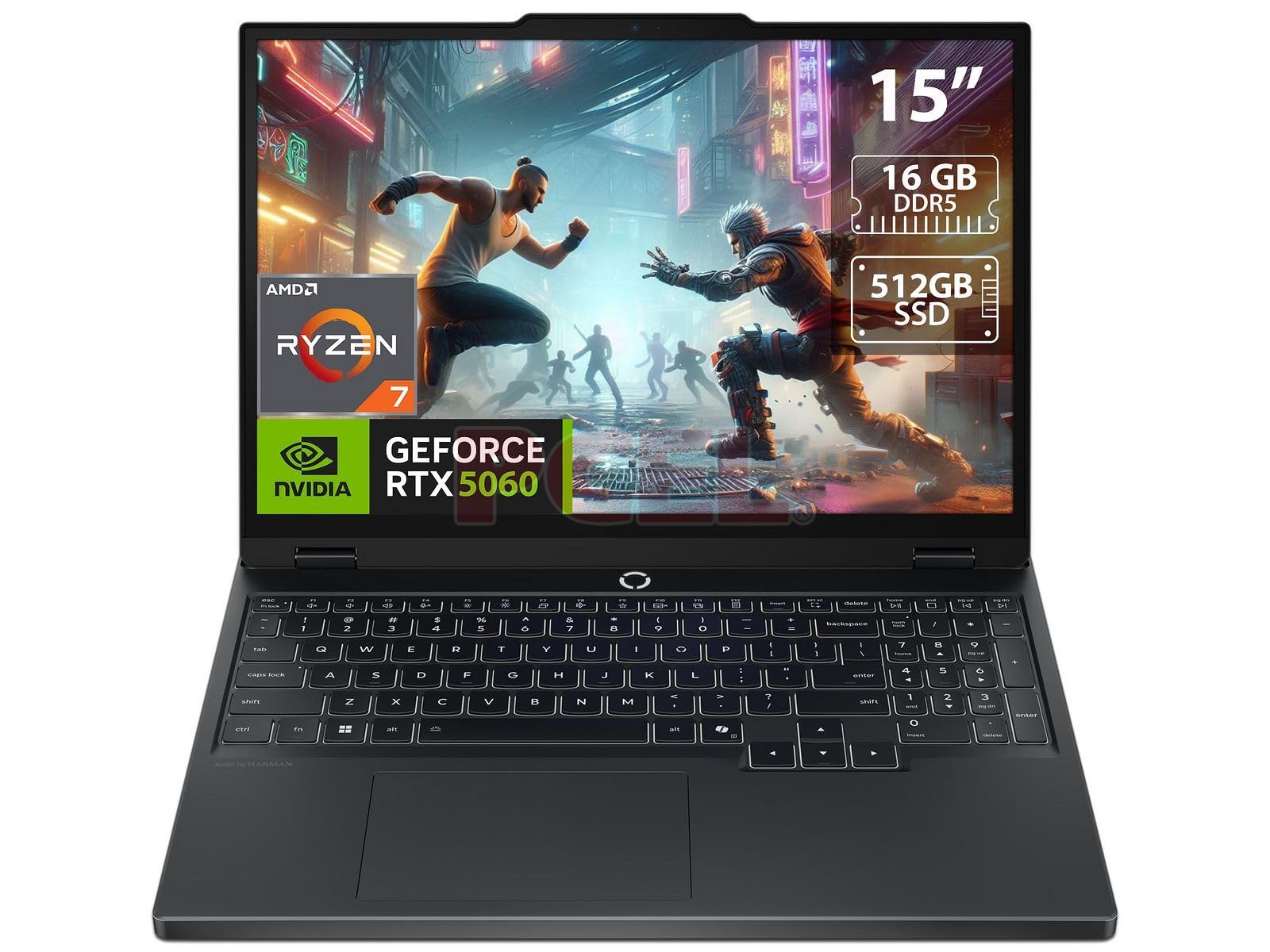
OLED vibrancy at a mid-range price, but prepare to upgrade the storage yourself.
This Legion 5 brings a 15.1-inch WQXGA OLED display with 165Hz refresh rate to the RTX 5060 ecosystem at a more accessible price point. The AMD Ryzen 7 260 (8 cores, 16 threads, up to 5.1GHz) handles modern games without breaking a sweat, and the OLED panel delivers deep blacks and punchy colors that IPS screens simply cannot match. One buyer called it “practically perfect” and said “can’t think of a better value at this price point.”
The catch is the storage: 512GB SSD fills up fast with modern game installs. Customers note that the 16GB RAM and 512GB SSD are both upgradable (one free SODIMM slot and one free M.2 2280 slot), so you can add more later, but that is an extra cost to factor in. The speakers are average, and the trackpad is decent but not class-leading. If you want OLED without paying the premium of the Legion 5 Gen 10, this is your entry point — just budget for a second SSD down the line.
Screen-first design
- 15.1-inch OLED at 165Hz delivers incredible contrast for gaming and movies
- Lightweight and portable for the performance class
- Both RAM and storage are user-upgradable
The known limits
- 512GB SSD is undersized for a modern gaming library
- Only 16GB RAM — you will want to upgrade to 32GB for heavy multitasking
- Average speakers and trackpad compared to premium rivals
Choose this if: You want that gorgeous OLED screen and are comfortable installing a second SSD yourself later.
Pass if: You need a ready-to-go machine with 1TB+ storage from the start — the base 512GB fills fast.
6. Thunderobot Storm 17 5060 Gaming Laptop

A massive 17.3-inch QHD screen and 32GB of RAM make this a true desktop replacement.
The Thunderobot Storm 17 is the largest display in this roundup — 17.3 inches at 2560×1440 QHD resolution with a 165Hz refresh rate — giving you a proper big-screen experience for strategy games, RPGs, and movies. The Intel Core i7-13620H (10 cores, 16 threads, up to 4.9GHz) and RTX 5060 handle 1440p gaming well, and the 32GB of DDR5 RAM ensures you can run a dozen browser tabs, Discord, and a game simultaneously without swapping. The cooling system uses dual 12V turbofans with 164 LCP blades pushing 19.8CFM through ultra-thin 0.2mm copper fins.
One buyer upgraded to dual 4TB SSDs and reported the system runs cool (C drive at 23°C), praising the “crisp display” and “sturdy build.” Another noted the fans “can be a little loud under heavy gaming loads” but that the 1440p monitor is “beautiful.” The 53Wh battery supports 100W PD fast charging, though battery life is short without the power brick. The BIOS is reportedly wonky, and the built-in webcam is poor, but for pure gaming performance per dollar this delivers.
Why size matters
- 17.3-inch QHD 165Hz display gives rich screen real estate
- 32GB DDR5 RAM is rare in this price range — great for multitaskers
- Dual 12V turbofans with 164 blades keep thermals manageable
The drawbacks
- Fans get loud under heavy gaming loads
- Battery life is short — you will stay plugged in most of the time
- BIOS interface is clunky and webcam quality is poor
Get it for: The biggest screen and most RAM for the money — perfect for gamers who hate upgrading memory later.
pass on it if: You need a quiet machine for shared spaces or you prioritize portability over screen size.
7. MSI Crosshair A16 HX 16″ 240Hz Gaming Laptop

A Ryzen 9 8940HX desktop-class CPU paired with a silky 240Hz QHD+ panel for the ultimate competitive edge.
The MSI Crosshair A16 HX stands out for its processor: the AMD Ryzen 9 8940HX is a 16-core, 32-thread beast. Paired with the 16-inch QHD+ 2560×1600 display at 240Hz, you get 2560×1600 resolution versus the Acer Nitro V 16S’s 1920×1200, and a 240Hz refresh rate versus the AERO X16’s 165Hz. Cooler Boost 5 uses dual fans and multi-direction airflow to keep temperatures under control during marathon sessions.
One reviewer called it “very good” and confirmed the Ryzen 9 + RTX 5060 handles max settings gaming and heavy multitasking smoothly. However, another buyer reported persistent problems: “Crashes 2-3x daily, Bluetooth mouse drops out, power plug loose, screen blacks on plug/unplug.” Battery life is also short at 2-3 hours, and the fans are loud enough to stay on even after sleep. The 16GB DDR5 RAM is the minimum for this class, and some games hit 80% memory usage even after removing bloatware.
Processor advantage
- Ryzen 9 8940HX delivers desktop-tier multi-core performance for streaming and CPU-bound games
- QHD+ 240Hz panel is the sharpest and smoothest in this lineup
- Fingerprint reader adds convenient Windows Hello login
Reliability concerns
- Multiple reports of daily crashes, Bluetooth dropouts, and loose power plug
- 16GB RAM is insufficient for heavy multitasking — expect 80%+ memory usage
- Battery life around 2-3 hours and fans stay on after sleep
Buy this for: The class-leading CPU power and 240Hz QHD+ screen if you are willing to gamble on QC — the specs are incredible on paper.
Avoid if: You need a reliable daily driver for work and gaming without potential crash issues.
8. Acer Nitro V 16S AI Gaming Laptop

32GB of RAM and a 180Hz screen at a budget-friendly price, but battery life is a dealbreaker.
The Acer Nitro V 16S packs an AMD Ryzen 7 260 CPU with the RTX 5060 (advertised at 572 AI TOPS) and 32GB of DDR5-5600MHz memory — the same RAM capacity as laptops costing hundreds more. The 16-inch WUXGA 1920×1200 IPS display runs at 180Hz with 100% sRGB coverage, giving you smooth motion without the resolution hit you might expect from a budget machine. One buyer confirmed Cyberpunk 2077 runs at 65 FPS with ray tracing on at 2K, or over 100 FPS with RT off, calling it “Best Mid Price Gaming PC Option in Summer 2025.”
The glaring problem is battery life. One buyer mentioned: “Disappointed: battery dropped from 100% to 21% in 24 minutes off charger.” Another said the “FHD screen dim” and the chassis is a “fingerprint magnet.” The fans are quiet during gaming (CPU max 79°C), but the included bloatware and forced Microsoft sign-in are annoyances.
Value proposition
- 32GB DDR5 RAM for the price of 16GB competitors — huge multitasking headroom
- 180Hz refresh rate gives smooth gameplay in fast-paced titles
- Quiet fans under load keep gaming sessions comfortable
Critical flaw
- Battery drains from 100% to 21% in 24 minutes off the charger
- FHD screen is dim and the glossy finish attracts fingerprints
- Pre-installed bloatware and forced Microsoft account sign-in frustrate setup
Pick this if: Your budget is tight but you refuse to compromise on RAM capacity — 32GB at this price is rare.
Do not pick if: You ever need to use your laptop away from a wall outlet for more than 30 minutes.
9. GIGABYTE AERO X16 Copilot+ PC
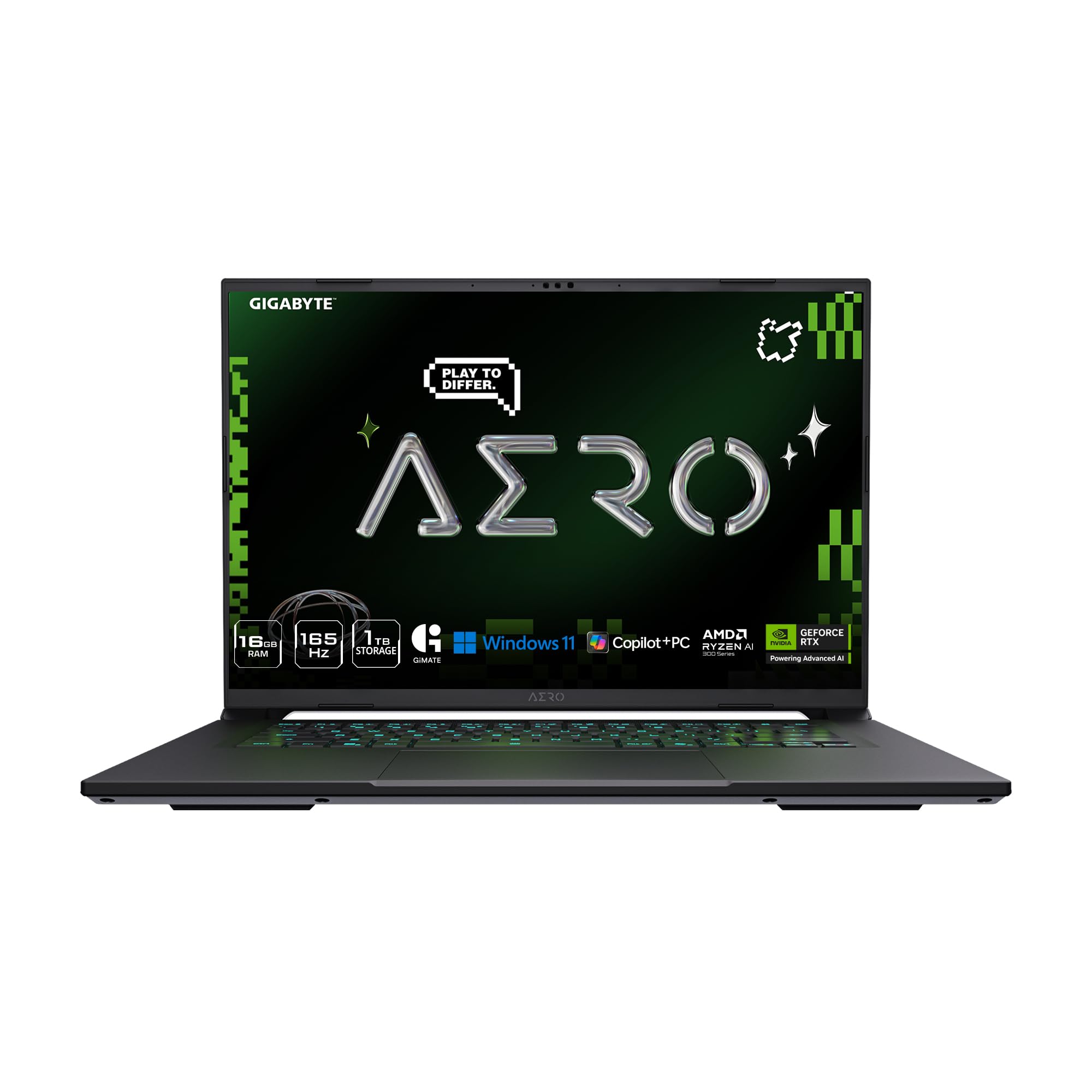
A stunningly thin 16.75mm chassis with a 165Hz WQXGA screen and a claimed 14-hour battery life.
The GIGABYTE AERO X16 is the thinnest and lightest laptop in this guide at just 16.75mm (0.65 inches) and 4.18 pounds. It packs a 16-inch WQXGA (2560×1600) 165Hz display, the AMD Ryzen AI 7 350 processor, and the RTX 5060 into a chassis that rivals ultrabooks for portability.
The trade-off is that thin laptops often compromise cooling and GPU power limits. One reviewer confirmed the GPU “doesn’t perform insanely well but is more than capable of running every game on at least 60fps.” Another had a hard crash on day one, required an RMA, and called it the “Worst Experience Ever.” The fan noise is silent during non-gaming tasks but loud while gaming, as expected for a thin chassis. If you need a laptop that doubles as a portable work machine and can game on the side, the AERO X16 is a compelling shape — just buy from a retailer with a good return policy.
Portability king
- Only 16.75mm thick and 4.18 pounds — truly ultrabook-class for a gaming laptop
- 165Hz WQXGA display looks sharp at 2560×1600 resolution
- Claimed 14-hour battery life is top-tier for an RTX 5060 laptop
Thin compromises
- GPU performance is limited by the thin chassis — expect around 60 FPS in demanding titles
- Multiple reports of hard crashes and RMA experiences with poor customer support
- Fans get loud during gaming due to limited thermal headroom
Choose it for: The class-leading portability and battery life if you need a single laptop for work flights and evening gaming.
Avoid if: You push graphical limits or have had bad experiences with Gigabyte support in the past.
Understanding the Specs
RTX 5060 Performance Tiers
The RTX 5060 laptop GPU is based on NVIDIA’s Blackwell architecture with 8GB of GDDR7 memory on a 128-bit bus. It supports DLSS 4 Multi Frame Generation, which uses AI to interpolate extra frames and boost FPS in supported games. However, the actual performance you get depends heavily on the laptop’s TGP (Total Graphics Power) setting — a thin chassis like the GIGABYTE AERO X16 may limit the card to around 60-70 FPS in demanding titles, while a thicker design like the Thunderobot Storm 17 can push higher sustained clocks.
Display Resolution vs Refresh Rate
You will see three common resolutions in this category: FHD+ (1920×1200), WQXGA (2560×1600), and QHD (2560×1440). Higher resolutions give sharper images but require more GPU power to drive, which can lower frame rates. Refresh rate (measured in Hz) determines how many times the screen updates per second — 240Hz feels noticeably smoother than 165Hz for fast-paced shooters. The RTX 5060 can drive QHD at 60-100 FPS in modern titles, making 165Hz a good balance, while 240Hz is best for esports at lower resolutions.
FAQ
Is the RTX 5060 worth it over the RTX 4060?
Does the RTX 5060 support ray tracing well on a laptop?
How much RAM do I need for a 5060 gaming laptop?
Is a 240Hz display overkill for the RTX 5060?
Will a 5060 gaming laptop run VR headsets?
How important is cooling system design on a 5060 laptop?
Can I upgrade the RAM and SSD on 5060 gaming laptops?
Does the RTX 5060 support DLSS 4 on all games?
Is a 5060 gaming laptop good for content creation?
What is the difference between the Ryzen 9 8940HX and the Ryzen 7 260?
Final Thoughts: The Verdict
For the majority of shoppers, the 5060 gaming laptop winner is the Lenovo Legion 5 Gen 10 because it marries a jaw-dropping OLED display, 32GB of RAM, and a fast Ryzen 7 processor into a single package that handles games and creative work equally well. If you want the highest possible refresh rate for competitive shooters, grab the Lenovo Legion 5i for its 240Hz panel and Intel Ultra 9 CPU. And for the biggest screen real estate with 32GB of RAM at a more accessible price, the standout is the Thunderobot Storm 17.
How We Picked
We do not accept paid placement. Every pick is matched to a real buyer and a real use-case; we do not hands-on test units.
Sources & Methodology
Specifications: manufacturer listings and product documentation. Review insights: verified customer reviews, as of July 2026. Pricing: not shown on this page (it changes often); check the current price via the retailer link.
As an Amazon Associate, Gadgets Feed earns from qualifying purchases. This does not affect which products we feature.
Related Guides
Product prices and availability are accurate as of the date/time indicated and are subject to change. Any price and availability information displayed on Amazon at the time of purchase will apply to the purchase of this product. As an Amazon Associate I earn from qualifying purchases.
CERTAIN CONTENT THAT APPEARS ON THIS SITE COMES FROM AMAZON. THIS CONTENT IS PROVIDED "AS IS" AND IS SUBJECT TO CHANGE OR REMOVAL AT ANY TIME.
Amazon and the Amazon logo are trademarks of Amazon.com, Inc. or its affiliates.