
Our readers keep the lights on and my morning glass full of iced black tea. As an Amazon Associate, I earn from qualifying purchases.
Specs are compiled from manufacturer listings and verified buyer reviews and can change over time — please confirm the key details on the product page before buying.
You want a card that plays your games smoothly at 1080p or 1440p without sounding like a jet engine. Every RTX 5060 here uses the same NVIDIA Blackwell chip (the latest graphics processor design) and 8GB of GDDR7 memory (fast video memory for textures), so your real choice depends on the cooler, the factory overclock, the size, and how quietly the fans run under load.
I’m Min — the founder and writer behind Gadgets Feed. This guide is built by comparing the manufacturers’ published specifications and the patterns across verified customer reviews, so you get each pick’s real strengths and trade-offs instead of marketing spin.
The best 5060 graphics card for you balances frame rate, noise, and card length against your specific PC build and game library.
Our Picks at a Glance


How To Choose The Best 5060 Graphics Card
All RTX 5060 cards use the same NVIDIA GPU and the same 8GB of GDDR7 memory, so you are really choosing between the brands’ cooling solutions, factory clock speeds, and physical dimensions. Match the card to your case size and power supply before you compare anything else.
Card Length And Case Fit
A dual-fan card is shorter than a triple-fan design, and some models are labeled SFF-Ready for small form factor builds. Measure your available clearance first — a card that is too long simply will not fit, no matter how good the specs are. The lightest and shortest models slip into compact cases that larger cards cannot enter.
Power Supply Requirements
RTX 5060 cards draw around 145W to 154W, but your whole system needs more headroom. Some builds run fine on a 550W unit, while others recommend a 750W PSU depending on your CPU. Check your power supply’s wattage and confirm it has the right 8-pin connector before buying.
Cooling And Noise
Dual-fan designs are the norm here, and buyers consistently report quiet operation during normal gaming. Larger heatsinks and advanced fan blade shapes move heat more efficiently, which keeps fan speeds and noise lower. If your case has poor airflow, prioritize a card with a beefier cooler.
Quick Comparison
| Model | Best For | GPU Clock | Card Length | Max Resolution | Amazon |
|---|---|---|---|---|---|
| GIGABYTE WINDFORCE OC★ Best Overall | Crowd-Favorite Value | 2512 MHz | 7.83″ | 7680×4320 | Amazon |
| ZOTAC Twin Edge OCCompact Pick | Small Form Factor Builds | 2527 MHz | 8.7″ | 7680×4320 | Amazon |
| GIGABYTE WINDFORCE MAX OC | High FPS At A Budget | 2512 MHz | 7.83″ | 3840×2160 | Amazon |
| PNY Dual Fan | Efficient Power Draw | 2497 MHz | — | 7680×4320 | Amazon |
| ZOTAC Twin Edge | 1080p Competitive Play | 2497 MHz | — | 7680×4320 | Amazon |
| MSI VENTUS 2X OC | Ray Tracing At 1080p | 2527 MHz | 197 mm | 7680×4320 | Amazon |
In‑Depth Reviews
1. GIGABYTE GeForce RTX 5060 WINDFORCE OC 8G
Our pick — over 4.5★ from 400+ verified ratings; the strongest balance of quality and price.
The dual-fan crowd favorite that balances price, quiet cooling, and genuine 1440p chops.
This GIGABYTE card is the reference point for the whole 5060 lineup, and the reason is simple: the WINDFORCE cooling system keeps the dual fans quiet while you game, and buyers report it runs cool even under load. It runs on the NVIDIA Blackwell architecture with DLSS 4, so you get the newest frame-generation tricks that stretch performance in supported games.
This card fits tighter spaces than the ZOTAC Twin Edge OC above, measuring 7.83 inches long versus 8.7 inches, so it suits smaller cases. The ZOTAC does edge ahead on boost clock (the maximum speed the chip reaches under load) at 2527 MHz versus 2512 MHz, but you will barely feel that gap in practice. The GIGABYTE also outputs up to 7680×4320 resolution (8K-class) through its DisplayPort and HDMI ports. Owners mention 250+ FPS in some titles like Cyberpunk and DOOM, and one reviewer notes it handles 1440p gaming really well.
Setup is the one wrinkle: the community strongly advises running a Display Driver Uninstaller (DDU) before swapping an old card for this one, especially on older motherboards. Do that and the installation is straightforward, with the fans staying quiet during operation — the noise level is a genuine win here.
What Wins People Over
- Performance is the top praised trait, with owners doubling their frame rate coming from an RTX 3060
- Value for money stands out — excellent output for the asking price
- Fans run quietly and the card fits easily in a medium-sized case
Consider This
- The 8GB VRAM means you manage settings at higher resolutions
- Run DDU before install to avoid driver conflicts on older boards
Reach for this if: you want the safest all-round 5060 — proven quiet cooling, easy install, and a performance-per-dollar story that earns its Best Overall spot.
The honest caveat: 8GB of VRAM is the ceiling here, so plan to tune settings for the most demanding 1440p titles.
2. ZOTAC Gaming GeForce RTX 5060 Twin Edge OC
The SFF-ready 2-slot card built for tight cases without giving up boost clock.
If your build is a small form factor case, this ZOTAC is the one buyers point to first. It is an SFF-ready compact card at 2-slot thickness, and the 8.7-inch length still fits most small cases — owners call it an excellent value specifically for compact PC builds. The two 90mm BladeLink fans pair with composite heatpipes and a pass-thru airflow design to keep temperatures in check where space is scarce.
At 2527 MHz boost clock it actually tops the GIGABYTE’s 2512 MHz, giving it the highest factory speed among these picks for the moment. It runs PCIe 5.0 with 8GB of GDDR7 on a 128-bit bus at 28 Gbps, and the port selection is future-proof: 3x DisplayPort 2.1b and 1x HDMI 2.1b. That setup is 8K Ready and 4-display ready, with HDCP 2.3 and VR Ready support.
Buyers call this card very efficient with excellent performance, but they are clear about its limits: it shines at 1080p, does well at 2K (2560×1440), and hits a wall at 4K because the 8GB VRAM (video memory) fills up fast. If your monitor is 1440p or below, the compact frame and quiet twin fans make a strong case for this pick.
Why It Fits Small Builds
- SFF-ready 2-slot design slides into compact cases other cards cannot enter
- Two 90mm BladeLink fans keep it cool in tight airflow situations
- Metal backplate adds rigidity and an 8-pin PCIe power connector keeps cabling simple
Know The Limit
- 4K gaming is not ideal given the 8GB VRAM ceiling
- The 8.7-inch length is slightly longer than the GIGABYTE’s 7.83 inches
The standout-spec mic-drop: the highest boost clock of this group at 2527 MHz, packed into an SFF-ready frame.
Look elsewhere if: you game at 4K — the 8GB VRAM will force compromises this card’s compact design cannot solve.
3. GIGABYTE GeForce RTX 5060 WINDFORCE MAX OC 8G
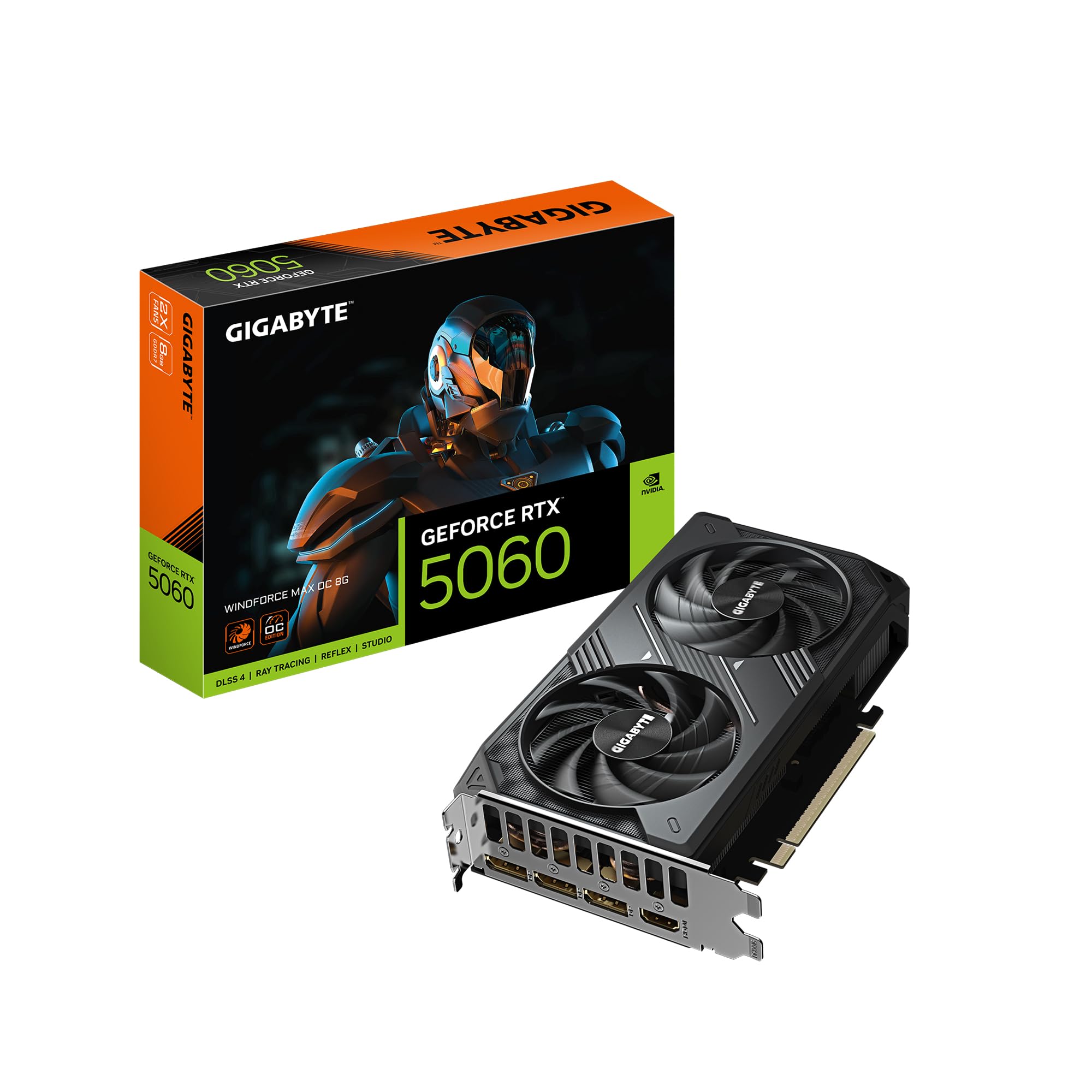
A featherweight 500-gram card that punches far above its price in raw frame rates.
For buyers coming from an older card, this WINDFORCE MAX OC is the upgrade story everyone likes. Owners who jumped from an RX 580 call it a solid upgrade that outperforms the RTX 3060, and it pushes 100+ FPS on very high settings in demanding games. One buyer ran Hogwarts Legacy at 1440p on ultra with ray tracing high and DLSS Quality plus frame generation — proof the 8GB is workable when you use DLSS 4 properly.
At 500 grams and 7.83 inches long, it is light and compact, making installation easy and friendly to smaller builds. The WINDFORCE cooling pairs a Hawk fan with server-grade thermal conductive gel and a reinforced structure, which buyers confirm runs cool. The peak resolution here is 3840×2160, which is 4K output rather than the 8K-class 7680×4320 found on other 5060 cards.
The catch is real but rarefied: one owner hit a black screen issue at launch that prevented the system from reaching BIOS, and noted the firmware fix is hard to apply if Windows won’t boot. That is an uncommon failure, not a pattern — most customers note flawless operation. Note that this card is recommended with a 750W PSU, so check your power supply before committing.
Why Budget Buyers Love It
- Beats an RTX 3060 and delivers 100+ FPS on very high settings
- The 500-gram weight and 7.83-inch length make it genuinely easy to install
- Runs cool during heavy sessions, helped by the Hawk fan and thermal gel
Read This Before Buying
- VRAM usage can crest around 7.6GB, so keep an eye on settings
- An occasional unit ships with a black screen issue tied to firmware
Grab it if: you are upgrading an old card on a budget and want 100+ FPS at high settings without paying flagship money.
Think twice if: your power supply is under 750W — this card wants the headroom.
4. PNY GeForce RTX 5060 8GB Dual Fan GPU

The efficiency-minded 5060 that sips 154W while keeping thermals well inside comfort.
PNY focuses this card on getting the most performance per watt (the amount of work done per unit of electricity). Its 154W max power draw is among the lowest you will see from a 5060, so it runs cool and quiet. Owners tracking their hardware report temperatures between 65-71°C at maximum load, with the hotspot (the hottest point on the chip) peaking around 81°C — cool numbers that keep fan noise down. One buyer measured real-world power draw at 145W, right in line with the spec.
The boost clock sits at 2497 MHz, slightly below the ZOTAC’s 2527 MHz, but the memory system is the headline: 448 GB/s of memory bandwidth over a 128-bit interface. That bandwidth is what feeds the 8GB of GDDR7 in fast-paced scenes. The dual-slot cooler handles the heat, and the rear panel offers 3x DisplayPort 2.1b plus 1x HDMI 2.1b for up to 8K-class output.
Buyers running heavy titles like Cyberpunk 2077 and Forza Horizon report solid ultra and high settings, and one notes DLSS extends the card’s lifespan by boosting effective memory performance in supported games to the level of larger cards. Compatibility is broad — it works with both Linux and PC — though the PSU cable needs to be long enough to reach the card in larger cases.
The Efficiency Story
- 154W max power draw keeps electricity use and heat low
- 448 GB/s memory bandwidth feeds smooth high-refresh gaming
- Cool operation in the 65-71°C range at maximum load
Minor Notes
- Boost clock trails the ZOTAC OC at 2497 MHz vs 2527 MHz
- You may need a longer PSU cable to reach the port in roomy cases
Choose this if: low power draw and cool thermals matter more to you than the last few megahertz of boost clock.
skip it if: your PSU cables are short and your case is huge — plan for a cable extension.
5. ZOTAC Gaming GeForce RTX 5060 Twin Edge
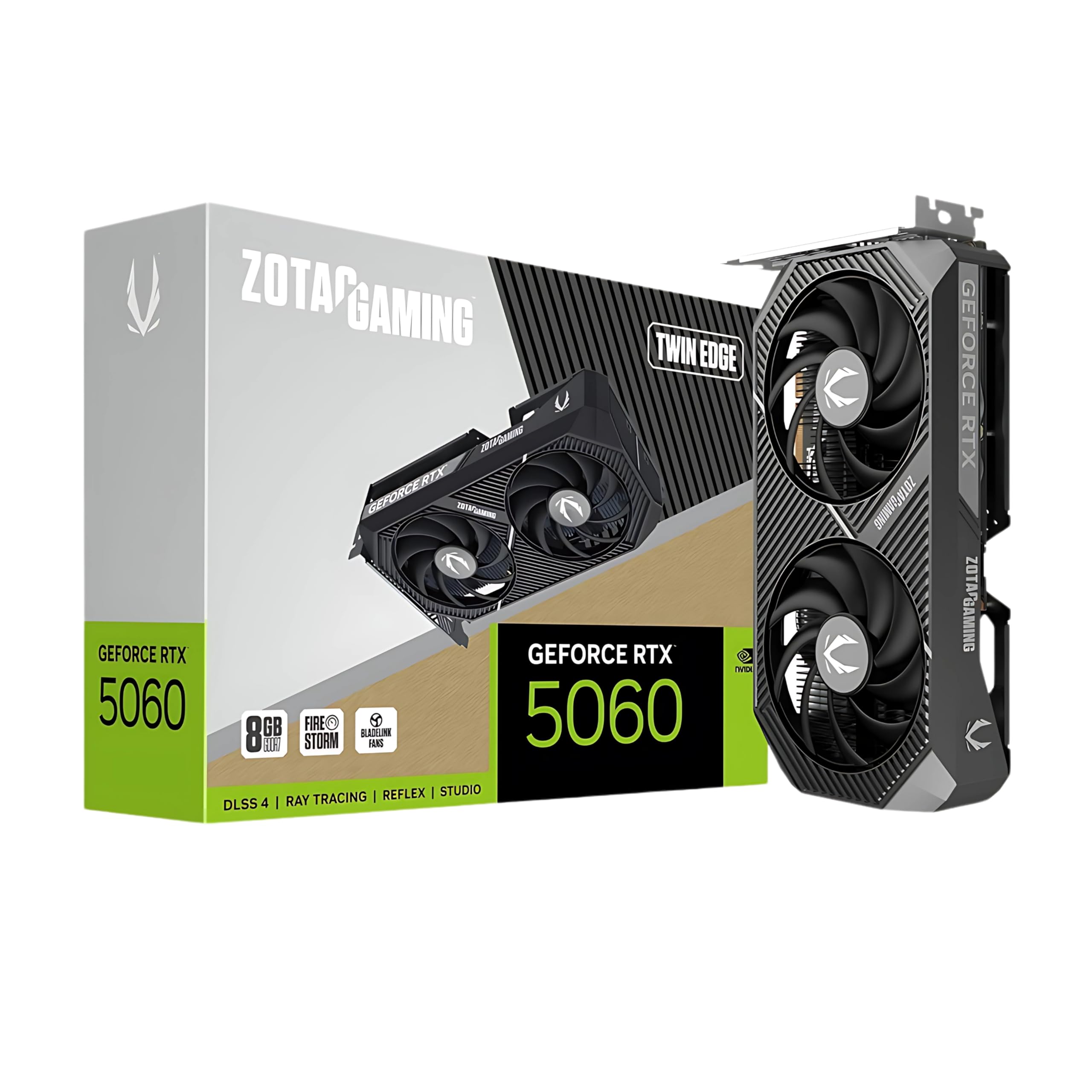
A no-frills Twin Edge that owners flatly call the best GPU for 1080p gaming.
This is the non-OC sibling in ZOTAC’s lineup, and its buyers have a clear message: at 1080p this card is exceptional. Owners describe amazing 1080p performance, and one calls it the best GPU for 1080p gaming with great build quality. For machine learning models and AI software tools it also earns praise — a useful bonus if your work spills beyond gaming.
This card packs 8GB of GDDR7 memory and an SFF-ready design (small form factor, so it fits compact cases). It is also 8K Ready and VR Ready, meaning it can drive ultra-high-resolution displays and virtual reality headsets. The NVIDIA Blackwell chip runs at a 2497 MHz boost clock. At 750 grams, it is heavier than the GIGABYTE MAX at 500 grams, but that extra mass points to a solid cooler and sturdy build.
Buyers are candid about the VRAM limit: at 1440p you will drop settings to medium because of the 8GB ceiling, so this is a card that knows its home is a 1080p monitor. A past owner who moved up from an old GT 1030 noticed a massive difference, running Hogwarts Legacy fluently on an i9-13400 with 16GB of RAM. The value math works best if you find this near its typical street price range.
Where It Excels
- Owners rate its 1080p gaming performance as outstanding
- Handles machine learning and AI software tools beyond gaming
- 8K Ready and VR Ready for high-resolution flexibility
The VRAM Trade-off
- 1440p gaming requires dropping settings to medium at 8GB
- At 750 grams it is heavier than the 500-gram GIGABYTE MAX
Reach for it if: your monitor is 1080p and you want a trusted, well-built card that nails that resolution.
Look elsewhere if: 1440p is your target — the 8GB VRAM will force setting compromises.
6. MSI GeForce RTX 5060 8G VENTUS 2X OC
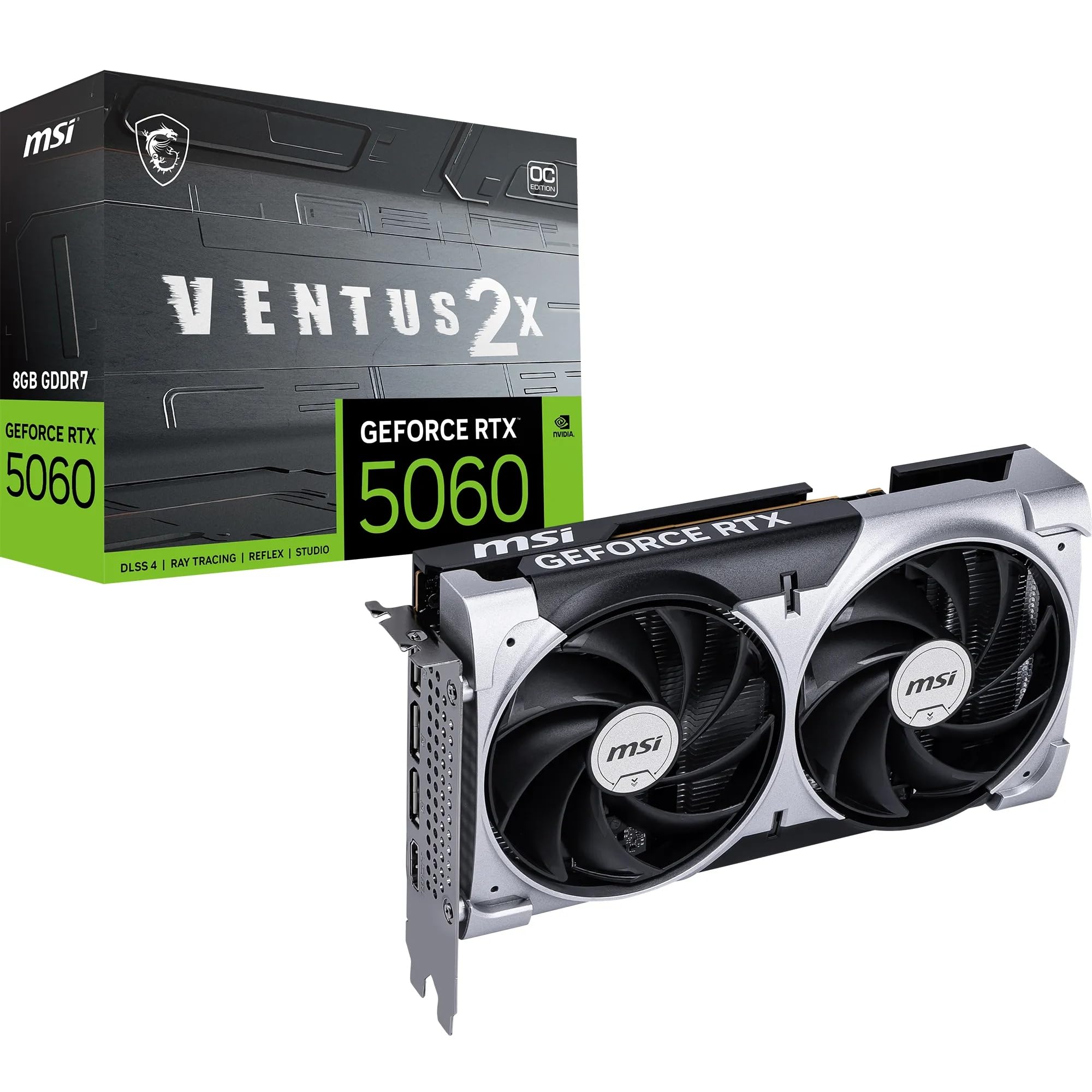
A factory-overclocked VENTUS with TORX Fan 5.0 cooling and a fanless idle mode.
MSI’s VENTUS is the factory-overclocked variant of the RTX 5060, and it comes with one of the strongest cooling stories in this lineup. The dual TORX Fan 5.0 design uses paired fan blades, and ZERO FROZR lets the fans stop spinning entirely at low load — meaning silent operation when you are just browsing or in menus. Heat pipes, a large heatsink, and thermal pads work together to move heat away fast during gaming.
The specs back up the performance pitch: a 2527 MHz boost clock matches the ZOTAC OC as the fastest here, with 8GB of GDDR7 running at 28 Gbps over a 128-bit interface. Owners coming from an RTX 2060 describe it as roughly double the power, easily hitting 120 FPS in most games. The rear ports include 3x DisplayPort 2.1b and 1x HDMI 2.1b that can drive 4K at 480Hz on a compatible display.
This card is efficient as well as fast — 145W power consumption with a recommended PSU of 550W or higher, which is more forgiving than the 750W some other cards ask for. At 197mm long and 511 grams it fits neatly in a 2-slot chassis. The one caveat is the most demanding 4K ray-traced titles, where the 8GB VRAM will still request settings management despite the strong 1080p and 1440p showing.
The Performance Package
- ZERO FROZR stops the fans entirely at low load for silent use
- 2527 MHz factory overclock delivers easy 120 FPS in most games
- 145W power draw runs fine on a 550W PSU
Keep In Mind
- Heavy 4K ray-traced titles will tax the 8GB VRAM
- The PCIe 5.0 x8 interface needs a compatible modern motherboard
Pick this if: you want the factory-overclocked performance and the luxury of silent fans at idle.
The honest note: 4K ray tracing will push the 8GB VRAM to its limit, so treat this as a high-refresh 1080p and 1440p card.
Understanding the Specs
GPU Clock Speed And Boost Clock
Measured in megahertz (MHz), this tells you how fast the graphics processor runs. A higher number means more raw compute per second, so the ZOTAC and MSI cards at 2527 MHz hold a slight edge over the PNY and standard ZOTAC at 2497 MHz. The difference is small — around one percent — so treat it as a tiebreaker, not a deciding factor.
Memory Bandwidth And VRAM
The 5060 family ships with 8GB of GDDR7 memory on a 128-bit interface. Memory bandwidth, measured in GB/s, controls how fast data moves between the GPU and its memory — the PNY card leads here at 448 GB/s. The 8GB VRAM is the real limit: it is comfortable for 1080p, workable at 1440p with setting tweaks, and tight for 4K.
DLSS 4 And Ray Tracing
DLSS 4 is NVIDIA’s frame-generation technology that renders fewer pixels and uses AI to fill in the rest, boosting frame rates in supported games. Buyers consistently call it a major upgrade — one noted DLSS effectively stretches the 8GB card’s performance toward larger cards in supported titles. Look for the DLSS 4 badge when comparing cards, as all these models include it.
Card Length And Power Draw
Physical length matters because it decides whether the card fits your case — the MSI is 197mm while the GIGABYTE cards are 7.83 inches, and the ZOTAC OC runs 8.7 inches. Power draw ranges from 145W to 154W here, which guides your PSU choice: the MSI runs on 550W while the GIGABYTE MAX wants a 750W unit. Check both before buying.
FAQ
Is 8GB of VRAM enough for an RTX 5060?
What power supply do I need for an RTX 5060?
Will an RTX 5060 fit in my small form factor case?
What is the difference between DLSS 4 and older DLSS versions?
Is the RTX 5060 good for 1440p gaming?
How does the RTX 5060 compare to an RTX 3060 upgrade?
Why does the card need a Display Driver Uninstaller before install?
Can the RTX 5060 handle ray tracing at 1080p?
Final Thoughts: The Verdict
For most buyers, the 5060 graphics card winner is the GIGABYTE WINDFORCE OC because it pairs proven quiet cooling with genuine 1440p performance and a strong value story. If you want the fastest factory boost clock in a tiny SFF-ready frame, grab the ZOTAC Twin Edge OC. And for silent fans plus 120 FPS muscle on a modest 550W PSU (power supply unit), the MSI VENTUS 2X OC is the one to reach for.
How We Picked
We do not accept paid placement. Every pick is matched to a real buyer and a real use-case; we do not hands-on test units.
Sources & Methodology
Specifications: manufacturer listings and product documentation. Review insights: verified customer reviews, as of September 2026. Pricing: not shown on this page (it changes often); check the current price via the retailer link.
As an Amazon Associate, Gadgets Feed earns from qualifying purchases. This does not affect which products we feature.