
Our readers keep the lights on and my morning glass full of iced black tea. As an Amazon Associate, I earn from qualifying purchases.
Specs are compiled from manufacturer listings and verified buyer reviews and can change over time — please confirm the key details on the product page before buying.
If you are building or upgrading a gaming PC right now, the short answer is simple: buy the 16GB version of the RTX 5060 Ti or don’t buy a 5060 Ti at all. That single choice matters more than brand, cooler size, or factory tuning. The 16GB cards in this list all share the same NVIDIA Blackwell graphics processor and DLSS 4 support, so the real differences come down to how big the card is, how loud it runs, how much power it sips, and which one actually fits inside your case without a fight.
I’m Min — the founder and writer behind Gadgets Feed. This guide is built by comparing the manufacturers’ published specifications and the patterns across verified customer reviews, so you get each pick’s real strengths and trade-offs instead of marketing spin.
Some models run nearly silent under load and some push past 250mm, so case clearance and power supply headroom decide your shortlist fast. This breakdown of the 5060 ti 16gb separates the genuinely quiet, cool-running cards from the overpriced ones.
Our Picks at a Glance


How To Choose The Best 5060 Ti 16GB
Every card in this roundup uses the same GeForce RTX 5060 Ti graphics processor with 16GB of GDDR7 video memory, so the chip itself is not the deciding factor. What separates a great buy from a frustrating one is everything wrapped around that chip: how long the card is, how many slots it eats, how loud the fans get, and how much power it pulls from your supply. Here is what actually matters when you are comparing these cards side by side.
Video memory first, always
The “16GB” in this card’s name refers to GDDR7 video memory, the fast on-board storage a graphics card uses for textures, frame data, and AI models. The RTX 5060 Ti also ships in an 8GB version, and that smaller card is the one to walk past. Games at 1440p and local AI work both lean on video memory hard, so the 16GB models here give you headroom the 8GB version simply does not have.
Case clearance and slot width
A graphics card plugs into a PCIe slot on your motherboard and then has to physically fit inside your PC case. These cards range from a compact 8.19-inch two-fan design up to a 12-inch card that eats two and a half slots of vertical space. Measure the open space in your case before you buy, because a card that is too long or too thick will not seat at all.
Power supply and connectors
The RTX 5060 Ti draws around 180W under load, and the cards here feed that through a standard 8-pin power connector. A quality 600W or higher power supply covers any of them comfortably. Check two things before ordering: that your power supply has the right connector free, and that your case has room behind the card for the cable to bend without strain.
Quick Comparison
| Model | Best For | Boost Clock | Card Length | Slot Width | Amazon |
|---|---|---|---|---|---|
| ASUS Dual RTX 5060 Ti 16GB OC★ Best Overall | Quiet 1440p all-rounder | 2632 MHz | 9″ | 2.5-slot | Amazon |
| ASUS Prime RTX 5060 Ti 16GB OCTop Performer | Fastest factory clock | 2647 MHz | 12″ | 2.5-slot | Amazon |
| GIGABYTE RTX 5060 Ti WINDFORCE OC 16G | Tight and small cases | 2587 MHz | 8.19″ | — | Amazon |
| ZOTAC RTX 5060 Ti Twin Edge OC White | White builds and SFF | 2602 MHz | 8.7″ | 2-slot | Amazon |
| MSI RTX 5060 Ti 16G SHADOW 2X OC PLUS | Creators watching temps | 2602 MHz | 226mm | 2-slot | Amazon |
| Palit RTX 5060 Ti Infinity 3 16GB | Three-fan cooling on a budget | 2572 MHz | — | — | Amazon |
| MSI RTX 5060 Ti 16G Gaming OC | RGB and premium cooling | 2647 MHz | 9.72″ | 2.5-slot | Amazon |
In‑Depth Reviews
1. ASUS Dual GeForce RTX 5060 Ti 16GB GDDR7 OC Edition
Our pick — over 4.5★ from 400+ verified ratings; the strongest balance of quality and price.
The quiet 1440p all-rounder with 16GB of GDDR7 and a 2632 MHz boost clock
Upgraders coming off an RTX 2060 Super or RTX 2070 are the crowd this card was built for. It pairs 16GB of GDDR7 video memory with a 2632 MHz boost clock (the top speed the GPU can hit when it needs extra power), and owners moving up from RTX 2060 Super and RTX 2070 cards report roughly double the frame rates at 1440p ultra. Warm air gets pushed down through the heatsink rather than trapped, which is why this card holds temperatures in the low 60s Celsius under a full gaming load — noticeably cooler than the older cards it replaces.
The design here is where it earns the top spot. ASUS uses axial-tech fans with a smaller hub so the blades can be longer, and a barrier ring that forces more air downward onto the heatsink fins. Those fans ride on dual ball bearings, which ASUS rates at up to twice the lifespan of standard sleeve bearings. Under light gaming the card drops its fans to a complete stop thanks to 0dB technology, so you hear nothing at all. There is also a dual BIOS switch that lets you toggle between a quieter profile and a higher-performance one without any software.
What wins people over most is raw gaming performance, and it holds up whether you are at 1080p, 1440p, or squeezing it into a small-form-factor build. The measurements help it fit more places than the ASUS Prime above — this asus dual runs 12-inch-class cards close in other ways, but the ASUS Prime stretches to a full 12 inches long, so a compact case favors the Dual every time. The 2.5-slot thickness keeps it out of the way of lower expansion slots too.
What earns it the badge
- 16GB GDDR7 memory — the headroom that makes it last
- Runs in the low 60s Celsius under full load, even 70°C overclocked
- 0dB mode shuts the fans off entirely during light gaming
- Dual ball-bearing fans rated by ASUS at twice the lifespan of sleeve bearings
Where it asks patience
- Factory overclock adds only about 30MHz over stock — most of the gain comes from manual tuning
- The Dual BIOS switch makes very little audible difference in practice
Grab this one if: you want quiet, cool 1440p gaming with the memory headroom to keep going for years and a card compact enough for most mid-tower and small-form-factor cases.
Think twice if: you are chasing every last frame and plan to push a manual overclock anyway — the factory tuning here is conservative, and the manual headroom is where the real gains live.
2. ASUS Prime GeForce RTX 5060 Ti 16GB GDDR7 OC Edition
The fastest factory-clocked 5060 Ti here, if your case has the room for it
If you want the least tuning and the most out-of-the-box speed, this is the card to look at. Its 2647 MHz boost clock is the highest of the group, and its 772 AI TOPS rating (a measure of how fast the card crunches AI workloads) edges past the ASUS Dual’s 767. The gap is tiny in absolute terms, but it is the top of the pile. AI TOPS measures how quickly the card can run AI tasks, which matters if you plan to do local image generation or LLM work alongside gaming.
The catch is size. This card runs a full 12 inches long, roughly 3 inches thick, and takes up 2.5 slots. Owners flat out call the “SFF-Ready” label comical once the card arrives, with reports of it barely fitting inside smaller chassis. If you have a standard mid-tower with room up front, that length is a non-issue and you get a reinforced metal backplate that keeps the board rigid and guarded against flex.
Where value matters, buyers keep coming back to what this card delivers for the money. It runs quiet even in its performance BIOS mode, and people upgrading from older cards note no heat problems and sharp frame rates once it is installed. Several owners also report it worked cleanly on older motherboards where a higher-tier card failed to be recognized — a real compatibility win if you are upgrading a machine that is already a few years old.
Top of the clock charts: 2647 MHz leads the group, and 772 AI TOPS beats the ASUS Dual’s 767 — small, but it is the number to quote.
The honest caveat: 12 inches long and about 3 inches thick means you need a roomy case; measure twice before ordering.
Suits you if: you have a full-size case and want the highest factory clock plus the most AI throughput without touching any tuning software.
Look elsewhere if: your build is compact — this card’s length is the one thing that will stop it cold.
3. GIGABYTE GeForce RTX 5060 Ti WINDFORCE OC 16G

The short card that slips into cramped cases without breaking a sweat
At just 8.19 inches long, this is the most compact card in the roundup by a wide margin. Compare that to the ASUS Prime’s 12 inches and the difference is obvious the moment you hold both — the GIGABYTE gives up nearly five inches of length to fit where the big cards cannot. It weighs in at 0.81 kg, and owners swapping out older full-size cards describe it as lighter and more compact. If you are building in a mid-tower or a tight Micro-ATX enclosure, this is the card that actually clears the drive cage and the front intake fans.
Frame rates at 1440p land right in the balance for the money. Owners upgrading from an EVGA GTX 1080 or Intel Arc A750 report roughly 100 fps in demanding titles at 1440p on a 165Hz display. Cooling is rated positively across the board, and idle draws sit between 5W and 10W at around 35 degrees Celsius, so it barely sips power when you step away.
What keeps it honest is one small hardware quirk: the PCIe edge connector is not a full-length tab, so it lacks the retention latch that some slots rely on to lock a card in place. That said, the card seats and stays put, and the 2587 MHz boost clock is the lowest here by a small margin — you will not notice it in a real game, but it is worth knowing the trade-off if you are chasing benchmarks rather than play sessions.
Why small-case builders want it
- 8.19-inch length gives up nearly five inches to the ASUS Prime — fits builds the big cards cannot
- Under 160W under load, well under the older cards it replaces
- Fans stay inaudible; temps rated positively across the board
- Runs quiet and cool even in ITX and Micro-ATX setups
The fine print
- No full-length PCIe interface with a retention latch — the slot lock works differently
- Lowest boost clock of the group at 2587 MHz
Best matched to: anyone with a tight case who cares more about fitting cleanly and running quiet than about chasing the last few megahertz.
You can pass if: you game in a full tower and want the highest factory clock — the longer cards give you a touch more from the start.
4. ZOTAC Gaming GeForce RTX 5060 Ti 16GB Twin Edge OC White Edition
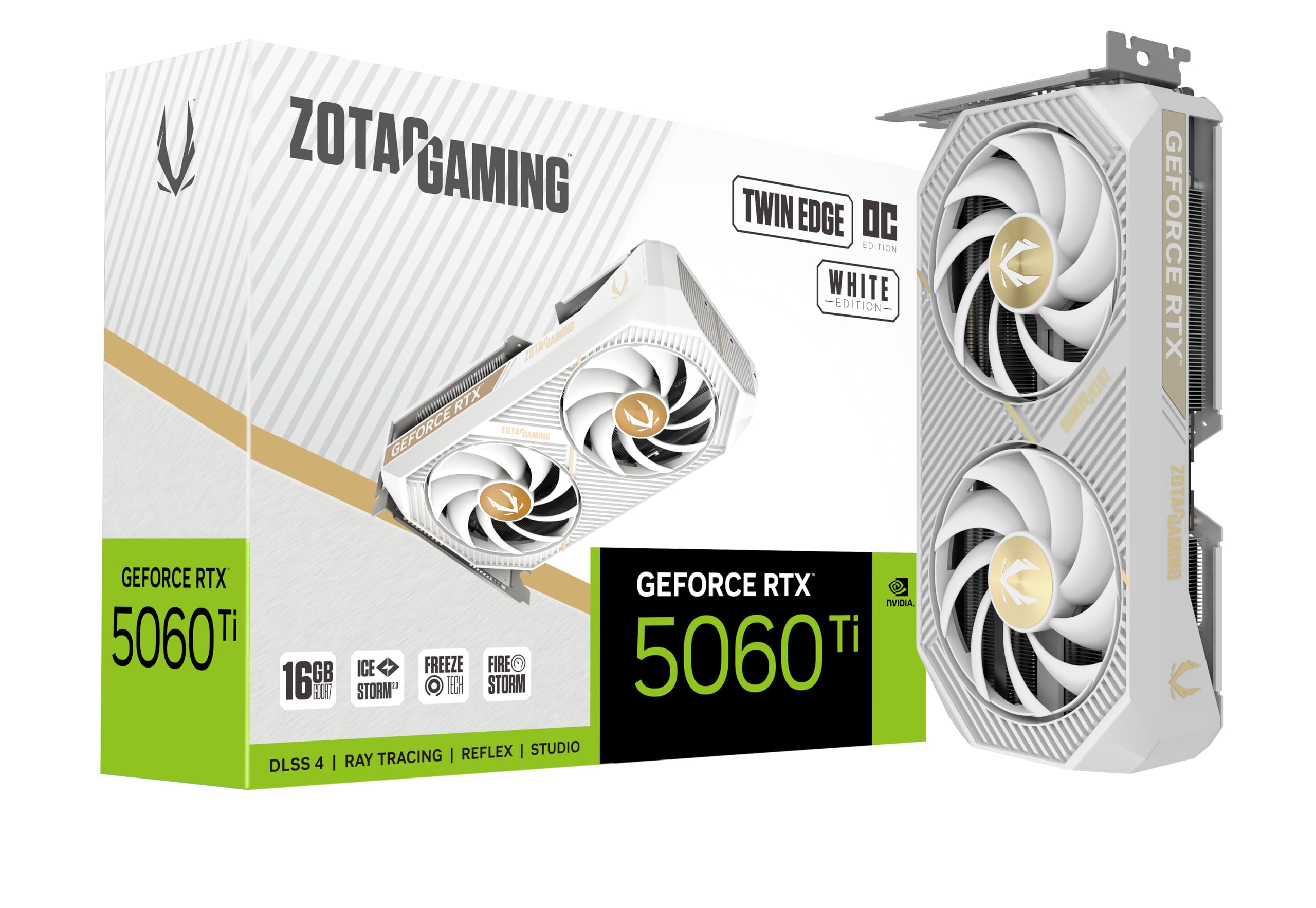
A white two-slot card that runs cool and looks the part in a light build
If your build is white inside and you want the card to match instead of breaking the theme, this is the one to shortlist. It pairs a white shroud with a 2-slot body just 8.7 inches long, so it stays slim and slips into snug chassis, and it crams 16GB of GDDR7 memory running at 28 Gbps onto a 128-bit bus. IceStorm 2.0 cooling handles the heat with a pair of 90mm BladeLink fans (two fans linked together that spin as one unit), composite heatpipes, and a pass-through airflow design that lets hot air escape through the back of the card rather than recirculating. When you are not gaming, FREEZE Fan Stop shuts the fans off completely, so idle is silent.
Output flexibility is where this one quietly beats several rivals. You get three DisplayPort 2.1b connections and one HDMI 2.1b port, and the card drives up to four displays at once and is rated 8K Ready and VR Ready. A 2602 MHz boost clock keeps it squarely in the middle of the pack, and its 650-gram weight makes it one of the lighter cards here — a real plus if you have ever worried about a heavy graphics card sagging in its slot over time.
Owners who push this card report it holds up to extended sessions and demanding titles, including running local AI models alongside games. The one thing to know before buying is that all RTX 5060 Ti cards use a narrower x8 link to the motherboard rather than the full x16 of higher-tier GPUs, and in a dual-card setup the secondary slot can drop to an even slower speed. For a single-card build, none of that matters — but plan around it if you were thinking of running two of these at once.
Connects to everything: three DisplayPort 2.1b plus one HDMI 2.1b, four displays, 8K Ready and VR Ready — more output flexibility than a few rivals offer.
Plan around this: RTX 5060 Ti cards run an x8 motherboard link, so a second card in a secondary slot can slow further.
Made for you if: you are building a white-themed or small-form-factor PC and want full display connectivity plus silent idle operation.
Not your card if: you plan a dual-GPU workstation — the x8 link is a limitation for that specific setup.
5. MSI GeForce RTX 5060 Ti 16G SHADOW 2X OC PLUS
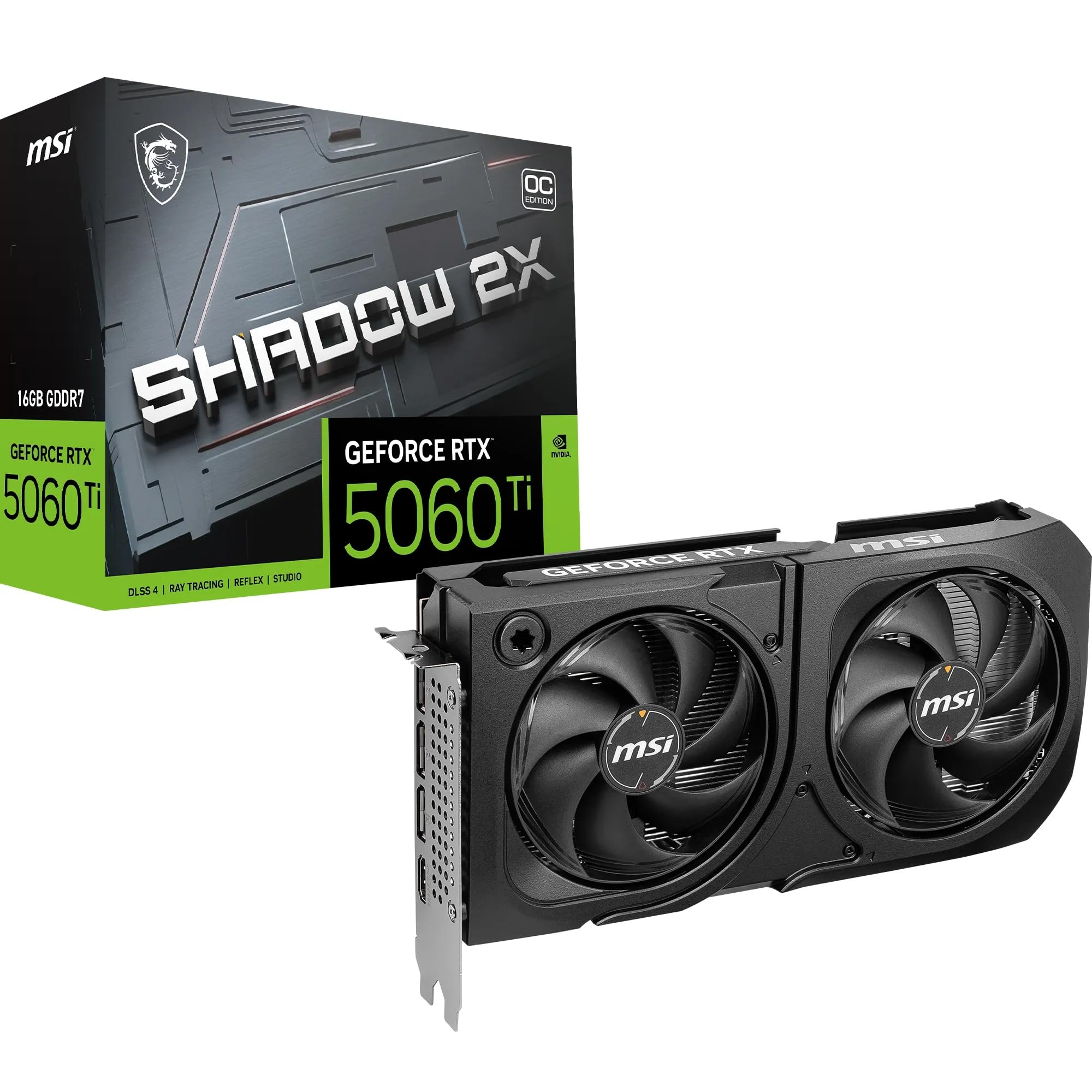
Two claw-bladed fans, a metal backplate, and a card built to stay cool all day
This is the pick for gamers and creators who care about thermals first. MSI’s dual STORMFORCE fans use seven claw-textured blades (a groove pattern that moves more air than a plain blade), backed by heat pipes, a large heatsink, and thermal pads to pull heat away from the chip. It runs in ZERO FROZR mode, a 0 RPM mode that stops the fans entirely at low loads so light work happens in silence. The specs are the same core recipe as the rest: 16GB of GDDR7 memory at 28 Gbps on a 128-bit bus, a 2602 MHz boost clock, and a PCIe 5.0 interface.
The details that separate it are about build and fit. It is a 2-slot card just 226mm long and 578 grams, so it slots into a wide range of builds and is one of the lighter cards in this roundup. The sturdy metal backplate with a flow-through design reinforces the chassis, and MSI adds premium electrical safeguards to the board. A standard 8-pin power connector feeds its 180W draw under load, and the recommended power supply rating is 600 or higher. Around back you get three DisplayPort 2.1b ports and one HDMI 2.1b port that supports up to 4K at 480Hz.
What tends to sell people on this one is how it balances value against performance once you factor in the cooling and the protections baked into the board. It shares the same Blackwell architecture and 4th-gen ray tracing as every card here, so the gaming experience is right on par. The card is a good fit for a creator workflow that runs for hours, because the cooling headroom is there to keep clocks steady rather than throttling back when things get warm.
The cooling story
- Seven-bladed STORMFORCE fans plus heat pipes and a large heatsink
- ZERO FROZR stops the fans entirely at low load for silent idle
- Metal backplate and premium electrical safeguards on the board
- 600W-or-higher PSU recommendation covers most mainstream builds
Weigh before you buy
- 226mm length still needs a standard case — not a true SFF card
- 2-slot thickness means it occupies a pair of expansion slots
Right for a creator: if you game and render or edit on the same machine and want cooling headroom that holds steady through long sessions.
Skip if: you are squeezing this into a shoebox-style ITX build — it needs a standard case and a pair of slots.
6. Palit GeForce RTX 5060 Ti Infinity 3 16GB

Three fans, generous memory, and a real focus on local AI work
The standout here is the cooling hardware: this is a triple-fan card, and owners running local AI image and video generation describe it staying cool with low temperatures and running quietly. It pairs 16GB of GDDR7 memory with a 2572 MHz core clock and a 28000 MHz memory clock over a PCIe 5.0 interface. It carries dedicated ray tracing cores and dedicated tensor cores (the hardware blocks that accelerate AI and ray-traced lighting), and it runs on the NVIDIA DLSS and Studio Driver software stack.
For anyone building a local AI rig, this card is the value argument. People doing AI art and video work say the extra video memory is what matters most, and that a 16GB 5060 Ti beats paying more for a higher-tier card with 12GB because the AI models simply need the memory headroom. The three-fan setup keeps it running cool during long generation sessions, which is exactly when a card with weaker cooling would slow down. Gamers benefit too — owners upgrading from older cards report over 120 fps at 1440p ultra in demanding titles.
The trade-off is physical space. A triple-fan design is bulkier than the two-fan cards in this list, and owners with Mini-ITX cases flag that it is a tight squeeze. Note also that the listing shows a 2407 MHz GPU clock while the description lists a 2572 MHz core clock — the higher figure is the manufacturer’s quoted boost spec, so treat it accordingly. If you have a roomy mid-tower and want maximum cooling surface for the money, this is a strong contender.
Built for AI and heavy gaming: 16GB GDDR7 on a 128-bit bus with three fans — the memory headroom AI work demands, without paying for 12GB.
Space check first: the triple-fan body is bulky, so Mini-ITX builds will find it a tight fit.
Ideal for: a local-AI builder or a gamer with a roomy case who wants three fans of cooling and full 16GB of memory.
Not ideal if: you have a small-form-factor case — the bulk of a triple-fan card fights tight enclosures.
7. MSI NVIDIA GeForce RTX 5060 Ti 16G Gaming OC
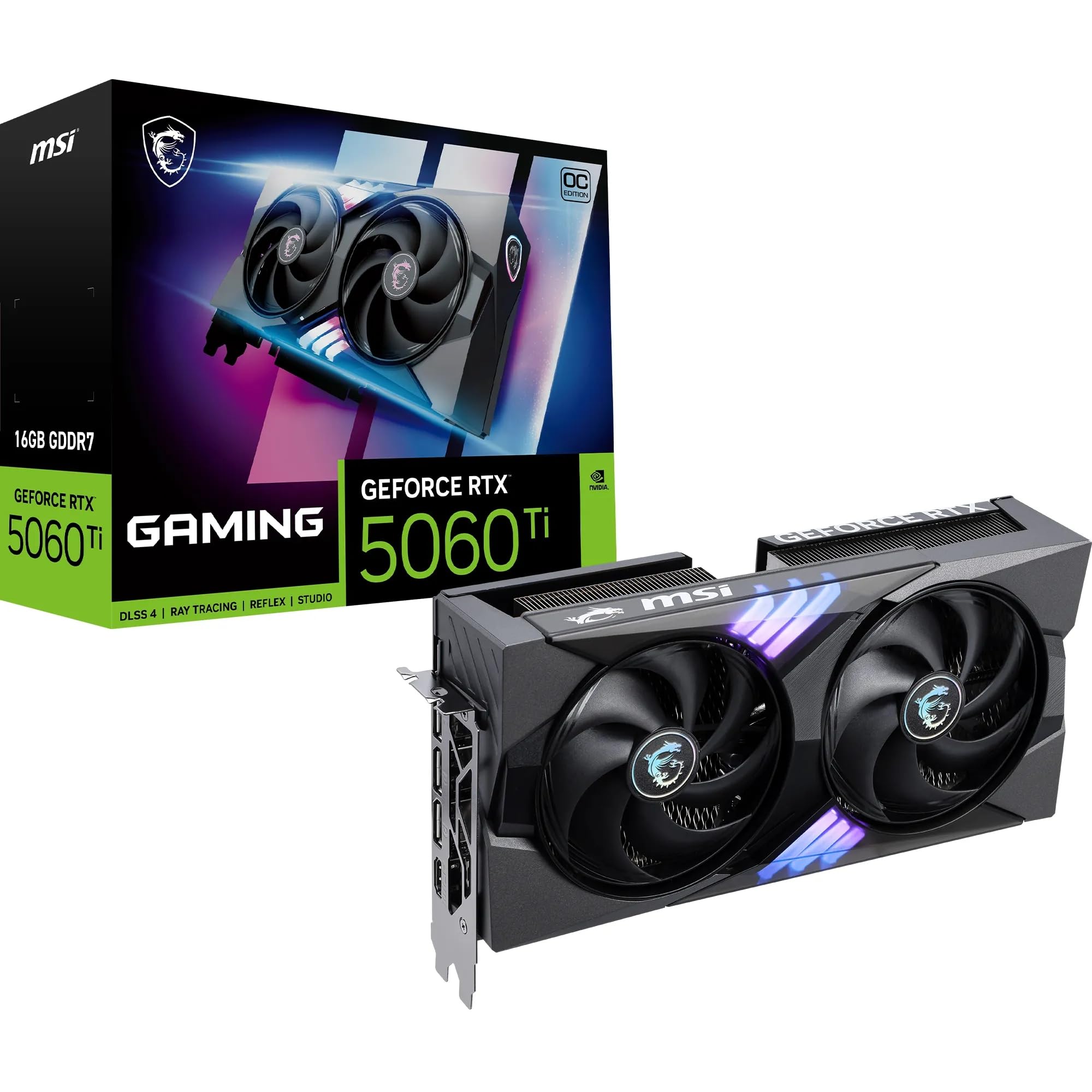
A factory-overclocked showpiece with RGB and MSI’s biggest air cooler
This is the card for the buyer who wants the whole package: performance, cooling, and a bit of show. The MSI GAMING style pairs a factory-overclocked GPU with RGB lighting, and the cooling comes from Twin Frozr 10 — seven textured blades, double ball bearings, a nickel-plated copper base, heat pipes, an Airflow Control radiator, and thermal pads working together. ZERO FROZR drops the fans to a full stop at low loads, so idle stays silent. The 2647 MHz boost clock matches the ASUS Prime for the top of the group.
It is physically the biggest card here at 247mm long and 780 grams, occupying 2.5 slots, so you want a full-size case to house it comfortably. That size buys you the cooling surface: the copper base and airflow-controlled radiator are designed to keep the chip running cool under sustained load. The metal backplate reinforces the frame, and its perforated design helps heat escape rather than collecting behind the card. Internally, MSI fits high power-limit circuits and high-end electrical protectors. A 600W-or-higher power supply is recommended, feeding a 16-pin connector for its 180W draw, and the rear gives you three DisplayPort 2.1b ports plus HDMI 2.1b.
Where it earns its place is in sustained use. Owners upgrading from an RTX 3060 Ti call the jump really noticeable, with temps rarely past 60°C and enough performance for any title — creators running DaVinci Resolve single it out as fast and quiet. The RGB and the oversized cooler are the reasons to pay more here; if you are chasing pure value, the smaller cards in this list get you the same chip for less bulk.
The showpiece package
- 2647 MHz boost clock ties the top of the group
- Twin Frozr 10 with a copper base and Airflow Control radiator
- RGB lighting plus a perforated metal backplate
- ZERO FROZR stops the fans for a silent idle
Size is the toll
- 247mm long and 780 grams — the largest, heaviest card here
- 2.5-slot thickness needs a full-size case with room up front
The one for a full tower: pick this if you want the biggest cooler, RGB flair, and the highest factory clock, and your case has the space to show it off.
Overkill if: you are working with a compact case or watching every dollar — the smaller cards deliver the same chip for less bulk.
Understanding the Specs
Video Memory (VRAM)
VRAM is the card’s own fast storage for the huge textures and frame data games and AI tools need in real time. These cards carry 16GB of GDDR7 running over a 128-bit interface. The 16GB figure is the headroom that matters at 1440p and beyond, and it is the single biggest reason to pick the 16GB version over the 8GB RTX 5060 Ti. More VRAM means fewer stutters when a scene gets busy and enough space for local AI models that would otherwise not fit.
Boost Clock and AI TOPS
The boost clock is the top speed the graphics chip reaches when it has power and cooling to spare, measured in megahertz. Higher is faster, but the difference of a few tens of megahertz between these cards is nearly invisible in a real game. AI TOPS rates how quickly the card handles AI calculations, and a higher number helps if you do local image generation or LLM work. Both figures scale with cooling — a card that runs cooler can hold its boost longer.
Card Length and Slot Width
Length and slot width decide whether a card physically fits your case. Higher-tier cards run from 8.19 inches to 12 inches here, and slot width ranges from a slim 2-slot design up to 2.5 slots. A 2.5-slot card blocks more expansion slots, and a long card needs open space in front of it. Always measure your case’s clearance and check that the card will not crowd your front fans before you commit.
Power Draw and PSU
The RTX 5060 Ti draws around 180W under load, fed through a standard 8-pin or 16-pin connector depending on the model. Manufacturers here recommend a 600W-or-higher power supply, which most modern gaming builds already have. Check that your power supply has the right connector free and enough total wattage, and that your case leaves room for the cable to bend without straining the connector.
FAQ
Is the 16GB RTX 5060 Ti worth it over the 8GB version?
Will an RTX 5060 Ti 16GB fit in a small-form-factor case?
What power supply wattage does an RTX 5060 Ti 16GB need?
Are all RTX 5060 Ti cards limited to a PCIe x8 link?
Is the RTX 5060 Ti 16GB good for local AI and LLM work?
How much noise does the RTX 5060 Ti 16GB make while gaming?
Does the 5060 Ti 16GB support DLSS 4?
What resolution is the 5060 Ti 16GB best suited to?
How do I install an RTX 5060 Ti 16GB?
Will an older power supply or motherboard work with the 5060 Ti 16GB?
Final Thoughts: The Verdict
The winner among these 5060 ti 16gb cards is the ASUS Dual RTX 5060 Ti 16GB OC, because it combines quiet 0dB cooling, low running temperatures, and a compact 2.5-slot body that fits builds the bigger cards cannot — a genuinely balanced pick for 1440p gaming. If you have a full-size case and want the highest factory clock plus the most AI throughput, reach for the ASUS Prime RTX 5060 Ti 16GB OC, though its 12-inch length demands the space. And if you are building in a cramped case, the GIGABYTE WINDFORCE OC 16G at just 8.19 inches is the one that slips in without a fight.
How We Picked
We do not accept paid placement. Every pick is matched to a real buyer and a real use-case; we do not hands-on test units.
Sources & Methodology
Specifications: manufacturer listings and product documentation. Review insights: verified customer reviews, as of September 2026. Pricing: not shown on this page (it changes often); check the current price via the retailer link.
As an Amazon Associate, Gadgets Feed earns from qualifying purchases. This does not affect which products we feature.