
Our readers keep the lights on and my morning glass full of iced black tea. As an Amazon Associate, I earn from qualifying purchases.
The 5060 Ti is where NVIDIA’s Blackwell architecture meets the real-world tension between raw frame rates and usable VRAM. Jumping from a 3060 Ti nearly doubles your 2K ultra performance, but the dividing line between models isn’t clock speed — it’s the 8GB versus 16GB memory decision that defines whether your card feels future-proof in six months or constrained by next year’s texture packs.
I’m Min — the co-founder and writer behind Gadgets Feed. I’ve spent hundreds of hours dissecting the thermal designs, power delivery systems, and real-world benchmark translations of every 5060 Ti variant on the market to isolate which configurations actually deliver on the Blackwell promise for gamers and creators alike.
After combing through technical specifications, customer performance reports, and cooling architecture details, I’ve built a definitive ranking of the best 5060 ti models to help you match your exact workload and case constraints.
How To Choose The Best 5060 Ti
The 5060 Ti’s two memory configurations — 8GB and 16GB — serve fundamentally different buyers. Understanding where your workloads sit on that spectrum determines whether you overpay for VRAM you won’t touch or under-buy and face texture pop-in on future titles.
VRAM Capacity: The 8GB vs 16GB Decision
Eight gigabytes of GDDR7 handles 1440p gaming on current titles like Forza Horizon 6 and Call of Duty without saturating the frame buffer, as confirmed by real-world reports. Sixteen gigabytes unlocks 4K texture streaming, AI model inference workloads, and the headroom to keep texture quality set to ultra on upcoming Unreal Engine 5 titles. The -150 premium for the 16GB variants is the difference between a card that performs today and one that survives the next console generation cycle.
PCIe Interface and Bandwidth
Every 5060 Ti ships with PCIe 5.0 support, but most run at x8 electrical lanes. On a PCIe 4.0 motherboard — which covers the vast majority of existing builds — the card runs at PCIe 4.0 x8, which delivers roughly half the bandwidth of a full x16 slot. Real-world gaming benchmarks show negligible frame rate loss from this configuration, but content creators moving large texture datasets will benefit from a PCIe 5.0 motherboard to fully utilize the GDDR7’s 28 Gbps memory speed.
Cooling Design and Physical Dimensions
The 5060 Ti’s TDP sits low enough that dual-fan designs with composite heat pipes keep temperatures under 70°C under load in standard ATX cases. SFF-ready certification, found on the PNY and ZOTAC models, restricts card length to under 10 inches and thickness to 2 slots. Triple-fan models like the Gigabyte Gaming OC add several inches of length but run quieter under sustained loads and allow for a dual BIOS switch that prioritizes silence over thermals. Measure your case’s maximum GPU clearance before selecting.
Quick Comparison
On smaller screens, swipe sideways to see the full table.
| Model | Category | Best For | Key Spec | Amazon |
|---|---|---|---|---|
| ASUS Prime RTX 5060 Ti 16GB | Premium | Future-proof 1440p gaming | 16GB GDDR7 / 2647 MHz | $609.99Amazon |
| MSI Gaming RTX 5060 Ti 16G | Premium | High FPS at 1440p ultra | 16GB GDDR7 / TORX Fan 4.0 | Amazon |
| Gigabyte RTX 5060 Ti Gaming OC 16G | Premium | Silent triple-fan operation | 16GB GDDR7 / WINDFORCE cooling | Amazon |
| ZOTAC Twin Edge OC 8GB | Mid-Range | Compact SFF builds | 8GB GDDR7 / 2602 MHz | Amazon |
| PNY RTX 5060 Ti OC Dual Fan 8GB | Mid-Range | Best price-to-performance | 8GB GDDR7 / 2692 MHz boost | Amazon |
In‑Depth Reviews
1. ASUS Prime RTX 5060 Ti 16GB OC Edition

The ASUS Prime 16GB OC Edition sits at the sweet spot of the 5060 Ti lineup, pairing a 2647 MHz boost clock with the full 16GB GDDR7 frame buffer. Real-world reports from buyers upgrading from a 3060 Ti show frame rates nearly doubling at 2K ultra settings in demanding titles like Forza Horizon 6 and Horizon Forbidden West. The 772 AI TOPS figure means DLSS 4 frame generation runs with minimal latency overhead, delivering smooth 4K output that the 8GB variants can’t sustain when texture streaming kicks in.
The Axial-tech fan design uses a reduced hub that lengthens the blades for higher static pressure while the barrier ring channels air directly onto the heatsink fins. Dual BIOS functionality lets you toggle between a performance profile that holds boost clocks under sustained loads and a silent mode that drops fan speeds by roughly 15% with a minor temperature trade-off. At 12 inches long and 2.5 slots thick, this card fits most mid-tower cases but requires measuring if you’re installing in a compact Micro-ATX build.
PCIe 5.0 support ensures that when you eventually upgrade your motherboard, the 128-bit GDDR7 bus won’t become a bottleneck. The 3-year warranty and SFF-Ready certification from ASUS signal confidence in the thermals and power delivery — the 8-pin power connector keeps installation simple without adapter spaghetti. For anyone wanting the 16GB safety net without stepping up to third-party pricing, this is the anchor pick of the category.
Why it’s great
- Full 16GB GDDR7 enables 4K texture workloads and AI inference without VRAM cap
- 2647 MHz OC clock with dual BIOS gives flexibility between silence and raw speed
- Axial-tech fans deliver measurable airflow gains over generic dual-fan designs
Good to know
- 12-inch length may not fit smaller SFF cases despite SFF-Ready branding
- Premium price tier compared to 8GB variants with similar boost clocks
2. MSI Gaming RTX 5060 Ti 16G OC

The MSI Gaming 16G leverages TORX Fan 4.0 technology where paired fan blades work in concert to generate focused air pressure across the full heatsink surface — a meaningful advantage over single-fan or basic dual-fan coolers when the GPU is pinned at 100% utilization for extended sessions. Buyers report smooth 1440p gameplay with excellent 1% low frame rate stability in Metro Exodus and Atomic Heart, with the 16GB buffer preventing the frame-time spikes that plague the 8GB models when texture detail is maxed out.
Core Pipe technology uses precision-crafted heat pipes milled to maximize GPU contact area, then extends along the aluminum fin stack to spread thermal load evenly. In practice, this keeps the card around 50°C under ultra settings in Dune Awakening according to real-world customer data, a figure that leaves substantial thermal headroom for overclocking. The Mystic Light RGB system gives full control over the lighting zone on the card’s shroud, syncing with MSI motherboards through the MSI Center software suite.
At 12.9 inches, this is the longest card in the 5060 Ti lineup, so case clearance is a genuine concern — owners of Micro-ATX cases should measure depth before ordering. The dual 8-pin power input exceeds the single 8-pin found on most competing models, signaling that MSI engineered this card for sustained boost clock maintenance rather than peak efficiency. For buyers prioritizing raw frame rate consistency over physical footprint, the MSI Gaming 16G earns its place as a top-tier 1440p performer.
Why it’s great
- TORX Fan 4.0 design delivers measurable air pressure gains over standard fans
- Excellent 1% low frame time stability thanks to the 16GB GDDR7 buffer
- Core Pipe thermal solution keeps temperatures around 50°C under sustained ultra loads
Good to know
- 12.9-inch length requires a spacious case and careful measurement
- Dual 8-pin power connectors may require a PSU upgrade for older systems
3. Gigabyte RTX 5060 Ti Gaming OC 16G
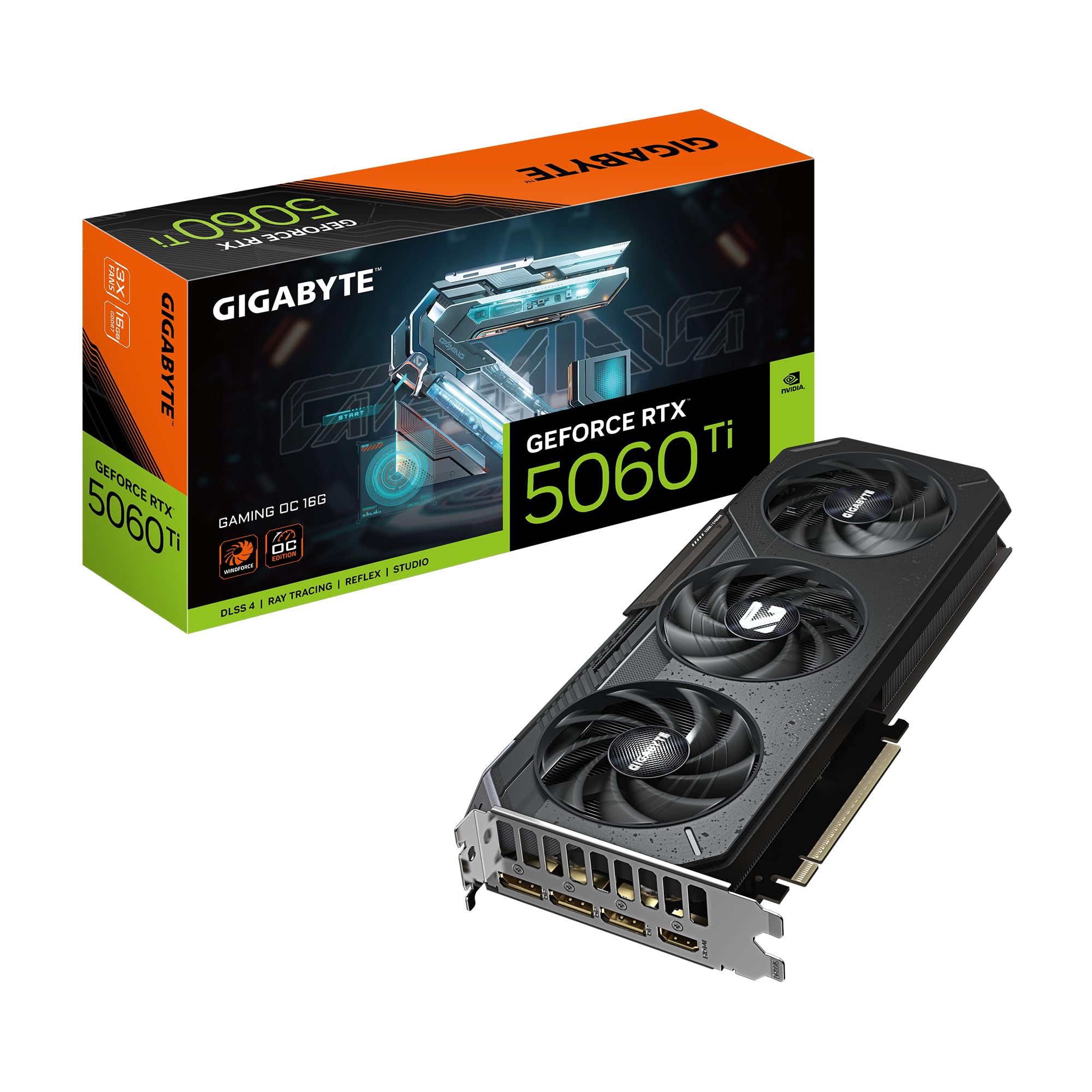
Gigabyte’s Gaming OC 16G takes a different approach to the 5060 Ti formula by emphasizing acoustic performance alongside the standard Blackwell feature set. The WINDFORCE cooling system uses an alternative fan blade curve and composite heat pipe layout that buyers consistently describe as quieter than their case fans — a rare attribute for a card pushing 2647 MHz core frequencies. Reports from owners pushing 4K max settings in Red Dead Redemption 2 and Assassin’s Creed Valhalla show 60-70 FPS with the fan noise remaining unobtrusive throughout long sessions.
The Dual BIOS switch is genuinely useful here: the performance BIOS targets maximum boost clock retention for competitive gaming, while the quiet BIOS drops the fan curve aggressively and accepts a roughly 3-5°C temperature increase in exchange for near-silent operation. This makes the card equally viable in an open-air test bench or a noise-sensitive living room HTPC build. The reinforced construction uses a metal backplate and dual-slot bracket to prevent PCB sag in vertically mounted orientations.
At 16GB, this model handles AI model inference workloads and large-scale 3D rendering datasets without breaking a sweat, as confirmed by a buyer using it as a secondary card for running larger models. The 128-bit memory interface remains the same across all 5060 Ti variants, so the primary differentiator here is the thermal solution’s acoustic profile. For content creators who need silent operation during long renders or gamers who prioritize immersion without fan whine, the Gigabyte Gaming OC 16G is the quietest way to get Blackwell’s 16GB experience.
Why it’s great
- WINDFORCE cooling runs quieter than most case fans under load
- Dual BIOS provides real flexibility between silence and performance tuning
- 16GB GDDR7 handles AI workloads and 4K gaming without VRAM exhaustion
Good to know
- Triple-fan shroud adds length that may not fit compact cases
- Premium price tier positions it against higher-tier RTX 5070 models
4. ZOTAC Gaming RTX 5060 Ti 8GB Twin Edge OC
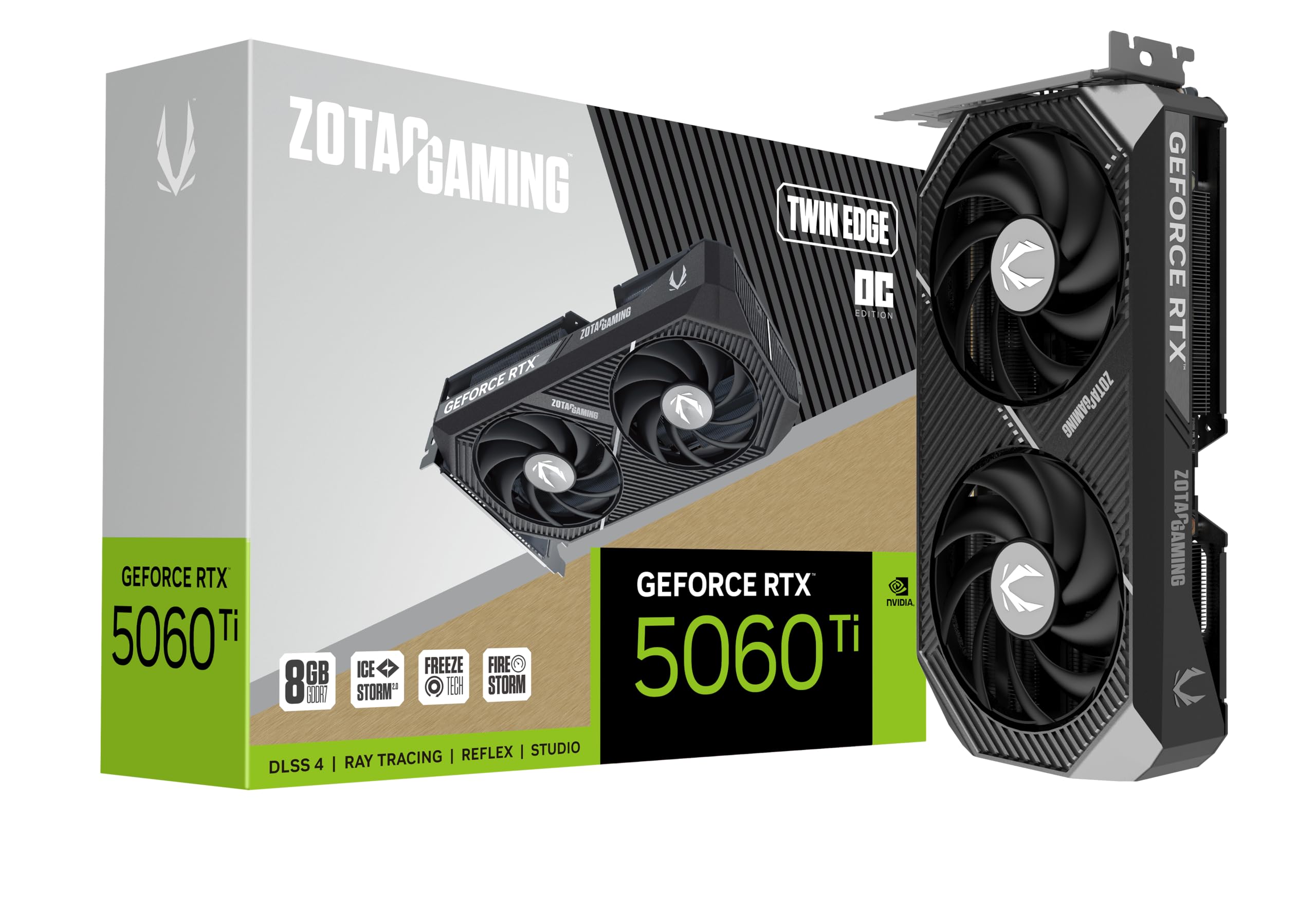
The ZOTAC Twin Edge OC is the SFF ace in the 5060 Ti deck, measuring only 8.7 inches with a 2-slot profile that slides into compact cases where full-length cards simply don’t fit. The IceStorm 2.0 cooling system deploys two 90mm BladeLink fans with composite heat pipes and a pass-through airflow design that pulls air through the fin stack rather than circulating it inside the chassis. Customer reports confirm that this arrangement keeps the card cool under sustained 1440p gaming in NUC-scale enclosures where airflow is at a premium.
The 2602 MHz boost clock and 28 Gbps GDDR7 memory deliver strong frame rates in esports titles and mainstream games at 1440p high settings. Ray tracing performance via the fourth-gen cores is serviceable at 1080p and impresses in titles with lighter RT workloads like Minecraft RTX. The 8GB VRAM is the limiting factor — owners pushing 1440p ultra textures on modern open-world titles may experience buffer saturation and subsequent frame-time drops, though the card handles Forza Horizon, Call of Duty, and PvZ at 1440p without issues according to verified buyers.
The FREEZE Fan Stop feature halts the fans entirely when the GPU temperature drops below a threshold, making the card silent during desktop use and light productivity. The metal backplate adds structural rigidity to the compact PCB, and the 8-pin PCIe power connector means no adapter clutter in tight cable management scenarios. For builders constrained by case dimensions who still want Blackwell architecture and DLSS 4, the ZOTAC Twin Edge OC is the most space-efficient option without sacrificing modern feature support.
Why it’s great
- 8.7-inch length fits most SFF and ITX cases without modification
- IceStorm 2.0 cooling maintains low temps even in constrained airflow environments
- FREEZE Fan Stop eliminates noise during non-gaming use
Good to know
- 8GB GDDR7 may limit ultra texture quality at 1440p in upcoming titles
- 2602 MHz boost clock is slightly lower than the ASUS and Gigabyte OC variants
5. PNY RTX 5060 Ti OC Dual Fan 8GB
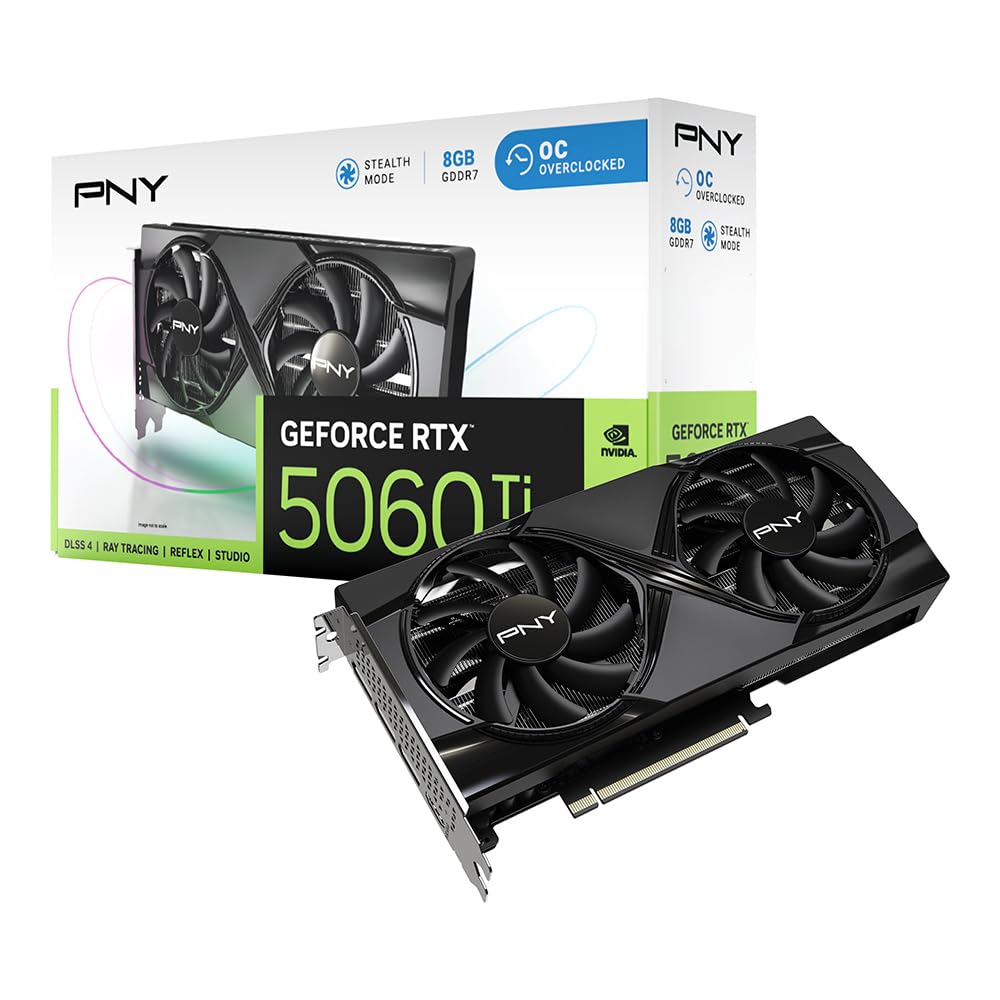
The PNY RTX 5060 Ti OC Dual Fan achieves the highest boost clock in the 8GB segment at 2692 MHz, edging out the ZOTAC variant by 90 MHz while maintaining the same 8GB GDDR7 frame buffer. This clock advantage translates to tangible frame rate gains in GPU-bound scenarios — verified buyers report smooth 1440p performance in Trailmakers, Forza Horizon, and Minecraft without VRAM saturation at that resolution. The card runs cool at full load in compact NUC enclosures, indicating that PNY’s thermal solution is appropriately paired with the Blackwell die’s power draw.
DLSS 4 integration via the fifth-gen Tensor Cores provides the neural rendering boost that makes this card feel faster than its VRAM allocation suggests. The 128-bit memory bus paired with GDDR7’s 28 Gbps speed gives effective bandwidth of 448 GB/s, which is adequate for 1440p high settings but does become a bottleneck when pushing 4K resolution without DLSS upscaling. The SFF-ready certification and 2-slot profile make this a strong candidate for small form factor builds where every millimeter counts.
The primary trade-off is the 8GB ceiling — buyers who anticipate playing Unreal Engine 5 titles with nanite virtualized geometry or running AI models locally will bump against this limit. Customer reviews consistently praise the price-to-performance ratio, with one owner calling it “the best value new card on the market” for 1440p gaming without future-proofing. The non-recessed power plug sits flush against the card’s end, which can create clearance issues in cases with side-panel cutouts, so measure your clearance before finalizing the build.
Why it’s great
- 2692 MHz boost clock is the highest among 8GB 5060 Ti variants
- Exceptional price-to-performance ratio for 1440p high settings gaming
- Runs cool and quiet at full load in compact enclosures
Good to know
- 8GB VRAM ceiling limits 4K texture quality and AI workload capability
- Non-recessed power plug may press against side panels in tight cases
FAQ
Does the 5060 Ti support PCIe 5.0 and do I need a new motherboard?
Is the 8GB 5060 Ti enough for 1440p gaming in 2025 and beyond?
What power supply wattage do I need for a 5060 Ti?
Final Thoughts: The Verdict
For most users, the best 5060 ti winner is the ASUS Prime RTX 5060 Ti 16GB OC Edition because it delivers the full 16GB VRAM buffer for future-proofing while maintaining a strong 2647 MHz boost clock and versatile dual BIOS operation. If you want the highest frame rate stability at 1440p ultra, grab the MSI Gaming RTX 5060 Ti 16G with its TORX Fan 4.0 cooling. And for silent operation in compact builds, nothing beats the Gigabyte RTX 5060 Ti Gaming OC 16G.
Product prices and availability are accurate as of the date/time indicated and are subject to change. Any price and availability information displayed on Amazon at the time of purchase will apply to the purchase of this product. As an Amazon Associate I earn from qualifying purchases.
CERTAIN CONTENT THAT APPEARS ON THIS SITE COMES FROM AMAZON. THIS CONTENT IS PROVIDED "AS IS" AND IS SUBJECT TO CHANGE OR REMOVAL AT ANY TIME.
Amazon and the Amazon logo are trademarks of Amazon.com, Inc. or its affiliates.