
Choosing a laptop powered by the new NVIDIA RTX 5070 means you are no longer settling for compromised performance to get mobility. This generation’s Blackwell architecture, paired with DLSS 4, delivers frame rates at 1440p that challenge desktop builds from just two years ago. The real challenge isn’t whether the GPU is capable — it’s whether the rest of the machine, from its processor and cooling system to its display and memory configuration, can keep up without throttling or bottlenecking.
I’m Min — the co-founder and writer behind Gadgets Feed. I’ve spent over 60 hours poring through technical specs, thermal benchmarks, and verified user feedback on every RTX 5070 gaming laptop currently available to separate the true high-performance machines from the ones that just flash a new GPU badge.
Whether you prioritize a high-refresh OLED panel, silent cooling under load, or a chassis that slips into a backpack without weighing you down, this guide to the best 5070 gaming laptop will help you find the exact machine that fits your hardware priorities.
How To Choose The Best 5070 Gaming Laptop
Every RTX 5070 laptop delivers the same base GPU silicon, but your real-world experience depends on three variables that differ wildly between models: the processor’s thermal ceiling, the display’s pixel response time, and the system’s memory configuration. Here is what separates a machine that feels premium from one that leaves performance on the table.
CPU Pairing and Thermal Headroom
The RTX 5070 needs a processor that can feed it frames without overheating. An Intel Core i9-14900HX or an AMD Ryzen 9 8940HX provides the raw multi-core muscle for AAA titles, but these chips run hot in slim chassis. Laptops with vapor chamber cooling or dual-fan layouts with substantial exhaust vents sustain boost clocks longer. A machine like the ASUS ROG Strix G16 uses a full-width heatsink and tri-fan technology specifically to keep the CPU from throttling during extended sessions.
Display Resolution and Refresh Rate
A 5070 is overkill for a 1080p 144Hz screen — that pairing wastes the GPU’s DLSS 4 potential. Look for a 2560×1600 (WQXGA+) panel with at least 165Hz. OLED panels, like the one on the Lenovo Legion 5i, offer near-instantaneous pixel response and true black levels, but IPS panels with 240Hz still dominate competitive gaming for their motion clarity. Avoid 60Hz panels entirely; they negate the purpose of the GPU.
Memory Configuration and Upgrade Path
16GB of single-channel DDR5 RAM will bottleneck the RTX 5070 by up to 10% in CPU-intensive scenes. Dual-channel 32GB kits — ideally running at 5600MHz or higher — ensure the GPU has enough data bandwidth. Check whether the laptop has socketed SO-DIMM slots: some ultra-thin designs like the Razer Blade 14 use soldered LPDDR5X, which means you are locked into the factory configuration forever. For most users, a model with two accessible RAM slots is the safer long-term investment.
Quick Comparison
On smaller screens, swipe sideways to see the full table.
| Model | Category | Best For | Key Spec | Amazon |
|---|---|---|---|---|
| Lenovo Legion 5 15IRX10 | Mid-Range | OLED visual quality | WQXGA OLED 165Hz | Amazon |
| ASUS ROG Strix G16 (AMD) | Premium | Sustained performance | Tri-fan cooling, 240Hz | Amazon |
| GIGABYTE AERO X16 | Premium | Ultra-portable build | 0.65″ thin, 4.18 lbs | Amazon |
| msi Crosshair 18 HX AI | Premium | Large screen immersion | 18″ 240Hz QHD+ | Amazon |
| ASUS TUF A18 | Mid-Range | Military-grade durability | 18″ 240Hz, Ryzen 7 | Amazon |
| msi Vector 16 HX AI | Premium | Connectivity & speed | Thunderbolt 5, Wi-Fi 7 | Amazon |
| ASUS ROG Strix G16 (Intel) | Premium | High storage capacity | 2TB Gen 4, 32GB DDR5 | Amazon |
| Lenovo Legion 5i | Mid-Range | OLED at a lower price | 15″ OLED, Core i7 | Amazon |
| HP Omen 16 | Value | Budget performance | Ryzen 9, 144Hz FHD | Amazon |
| GIGABYTE Gaming A16 | Mid-Range | Flexible hinge design | 180° hinge, 32GB DDR5 | Amazon |
| msi Katana 15 HX | Mid-Range | Aggressive price-to-specs | i9-14900HX, QHD 165Hz | Amazon |
| Razer Blade 14 | Premium | Ultra-portable premium | 0.62″ thin, OLED 120Hz | Amazon |
| Alienware 18 Area-51 | Premium | Maximum thermal design | 18″ QHD+ 300Hz | Amazon |
In‑Depth Reviews
1. Lenovo Legion 5 15IRX10
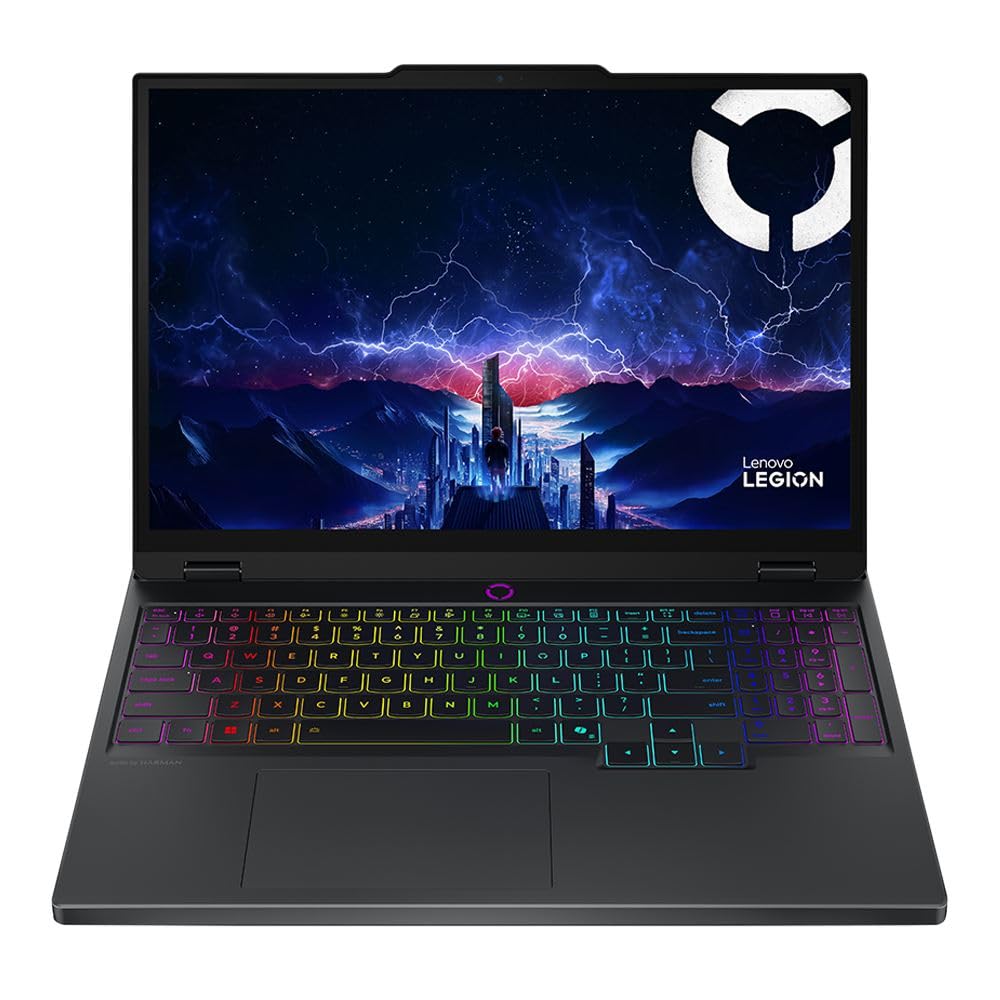
The Lenovo Legion 5 15IRX10 hits the sweet spot of the entire RTX 5070 lineup by pairing an Intel Core i9-14900HX with a 15.1-inch WQXGA OLED display running at 165Hz. That OLED panel delivers per-pixel lighting with true blacks and a 1,000,000:1 contrast ratio that makes HDR gaming in titles like Cyberpunk 2077 look dramatically more immersive than any IPS screen can manage. The 32GB of DDR5-5600 RAM ensures dual-channel operation out of the box with zero memory bottleneck.
At just 4.19 pounds, this Legion 5 is remarkably portable for a full-power gaming machine with an i9 inside. The 1TB PCIe Gen 4 NVMe SSD provides ample storage, and the inclusion of Wi-Fi 7 and Bluetooth 5.4 future-proofs the wireless connectivity. The 5.0-megapixel front-facing camera is also a noticeable step up from the 720p sensors found on most competitors.
Some users reported that Amazon’s listing information was incorrect, causing customs processing delays, and the absence of a fingerprint reader or IR Windows Hello is a minor inconvenience at this tier. The keyboard, while solid, lacks the deep travel of a ThinkPad. Still, this is the most balanced 5070 machine available — it prioritizes display quality and processing power without adding unnecessary bulk.
Why it’s great
- Stunning WQXGA OLED panel with 165Hz refresh rate
- Dual-channel 32GB DDR5 RAM eliminates memory bottleneck
- Ultra-lightweight at 4.19 lbs for an i9-based machine
Good to know
- No fingerprint reader or IR camera for Windows Hello
- Keyboard feel is decent but not premium mechanical-grade
2. ASUS ROG Strix G16 (2025) — AMD Ryzen 9 9955HX

The ASUS ROG Strix G16 equipped with the AMD Ryzen 9 9955HX is a thermal engineering marvel. The tri-fan system, combined with a full-width heatsink and full-surround vents, keeps the RTX 5070 consistently fed with cool air, allowing the GPU to maintain stable boost clocks even during hour-long sessions in demanding titles like Battlefield 6. The ROG Nebula display — a 16-inch 2560×1600 panel at 240Hz with a 3ms response time and an anti-glare ACR film — produces vivid contrast without the reflection issues typical of glossy screens.
With 32GB of DDR5-5600MHz memory and a 1TB PCIe Gen 4 SSD, this config handles heavy multitasking without stutter. The customizable RGB lightbar and per-key RGB keyboard offer aesthetic flexibility, while the stealth mode lets you disable all lighting for professional settings. The chassis uses a magnesium-aluminum alloy that feels dense and premium.
There is no dedicated Bluetooth support listed in the official specs, though most units ship with integrated Bluetooth. Some users encountered a black screen issue when switching from plugged-in to battery power during a game, which requires setting Windows power mode to High Performance permanently. The 1TB storage fills quickly for modern game libraries.
Why it’s great
- Exceptional tri-fan thermal system prevents GPU throttling
- 240Hz 3ms QHD+ display with anti-glare ACR coating
- Solid magnesium-aluminum alloy chassis
Good to know
- Switching from AC to battery can cause display glitch in games
- Bluetooth hardware may vary — verify your unit
3. GIGABYTE AERO X16

The GIGABYTE AERO X16 redefines what a 5070 gaming laptop can be physically. At just 16.75mm thick and 4.18 pounds, this machine slips into bags that most 16-inch gaming laptops cannot fit. The AMD Ryzen AI 9 HX 370 processor, built on the Zen 9 architecture, offers strong multi-core performance while the integrated NPU enables local AI workloads like image generation and Copilot+ acceleration without taxing the discrete GPU.
Despite its slim profile, the AERO X16 includes a 165Hz WQXGA display. Real-world battery life reaches around 7 hours for school or office use, which is excellent for this GPU class. The 32GB DDR5 RAM and 1TB SSD provide the baseline for a premium experience, and the GiMATE AI software offers useful system optimization — though some users reported it consuming up to 2.5GB of RAM when idle.
The single USB-C port is a limiting factor for users who need multiple peripherals connected simultaneously. Some units also exhibited a freeze-on-resume issue from sleep that required a clean Windows reinstall to resolve. The fan noise is noticeable during gaming but remains comfortable, and the chassis stays cool to the touch thanks to the efficient thermal solution.
Why it’s great
- Remarkably thin 0.65″ chassis at only 4.18 lbs
- Excellent battery life for a 5070 laptop — up to 7 hours
- AMD AI NPU for local Copilot+ and creative workloads
Good to know
- Only one USB-C port limits peripheral connectivity
- GiMATE software can consume RAM and cause boot issues
4. msi Crosshair 18 HX AI

The msi Crosshair 18 HX AI offers the largest canvas among all 5070 laptops with its 18-inch QHD+ (2560×1600) IPS panel running at 240Hz and covering 100% DCI-P3. This is the screen for gamers who demand maximum peripheral vision and motion clarity — the 240Hz refresh rate eliminates ghosting in fast-paced shooters while the 16:10 aspect ratio provides extra vertical space for productivity and immersive gameplay. The Intel Core Ultra 9 275HX with 24 cores ensures the CPU never holds the GPU back.
The audio system stands out with dual Dynaudio 2W speakers plus two 2W woofers, producing bass response that laptop speakers rarely achieve. The SteelSeries 24-zone RGB keyboard with 99 anti-ghost keys offers precise input. Connectivity is comprehensive: Thunderbolt 4 with DP and PD 3.0, HDMI 2.1, and a 90Whr battery that supports the large display for extended sessions.
This machine weighs 6.83 pounds and is 1.17 inches thick, making it one of the heaviest entries here — it is not a frequent traveler’s laptop. The 240W power adapter adds significant bag weight. Some users noted that the MSI pre-installed software can interfere with system performance until removed. The fans are audible at full load, though the thermal solution keeps temperatures under control.
Why it’s great
- Massive 18-inch QHD+ 240Hz display with 100% DCI-P3
- Rich Dynaudio audio system with dedicated woofers
- Thunderbolt 4 with DP and PD support
Good to know
- Heavy at 6.83 lbs; not ideal for daily commuting
- Bloatware removal can unlock better baseline performance
5. ASUS TUF A18 5070 AI
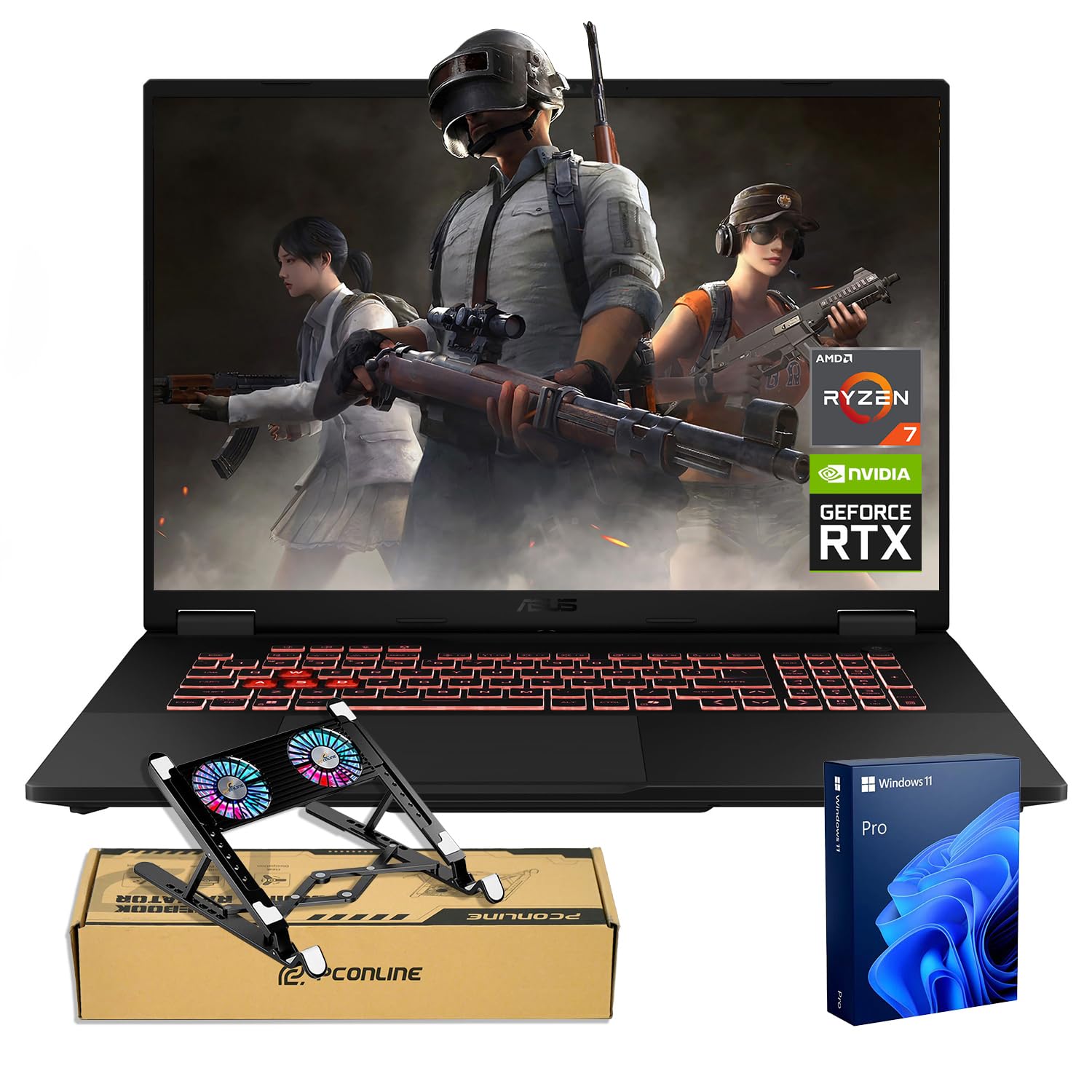
The ASUS TUF A18 brings the RTX 5070 to a form factor built to survive real-world abuse. With military-grade construction and rigorous drop and vibration testing, this 18-inch laptop is designed for gamers who travel rough or want a machine that withstands daily knocks. The AMD Ryzen 7 260 processor, paired with 32GB of DDR5 RAM and a 1TB SSD, provides snappy system responsiveness and solid gaming performance at 1440p.
The 18-inch WQXGA IPS display at 240Hz is the same class as the MSI Crosshair screen, but the TUF chassis keeps the weight more manageable at around 5.5 pounds. The AMD XDNA NPU delivers up to 16 TOPS of AI processing power, enabling features like real-time background blur and AI-driven performance optimization. Port selection includes USB-C, USB-A, HDMI, and Ethernet with Wi-Fi 6E support.
Several users reported audio driver issues that caused crackling or sudden internet disconnections that required a restart to fix. The build quality is excellent, but the plastic chassis does not match the aluminum feel of the ROG Strix or Razer Blade. The cooling fans are audible during gaming but keep the CPU and GPU consistently below throttle thresholds.
Why it’s great
- Military-grade durability with drop and vibration testing
- Large 18-inch 240Hz QHD+ display at a value price point
- AMD XDNA NPU for local AI acceleration
Good to know
- Audio drivers can cause intermittent crackling or network drops
- Plastic chassis lacks the premium feel of aluminum competitors
6. msi Vector 16 HX AI

The msi Vector 16 HX AI is the only entry in this guide that pairs the RTX 5070 Ti — a higher-tier GPU with 12GB of GDDR7 — with the Intel Core Ultra 9-275HX, making it the raw performance leader among 5070-class laptops. The 16-inch QHD+ 240Hz panel delivers the speed competitive gamers demand, but the real story is the I/O: Thunderbolt 5 with up to 120Gbps bandwidth, Wi-Fi 7 for multi-gig wireless, and an SD 7.0 card reader for creators.
The Cooler Boost 5 system uses dual fans and up to seven heat pipes to sustain high clock speeds without aggressive throttling. The per-key RGB keyboard offers excellent feel, and the chassis in Cosmo Gray looks professional enough for office use. With 32GB of DDR5 RAM and a 1TB NVMe SSD, this machine handles heavy multitasking with ease.
The pre-installed software suite — including Nahimic, Killer, and A-Volute — is aggressive and, according to some users, nearly impossible to fully uninstall, causing audio deactivation and system stability issues. The fans are loud under full gaming load, and the 5070 Ti’s higher power draw means battery life is predictably short when gaming unplugged.
Why it’s great
- RTX 5070 Ti with 12GB GDDR7 outperforms standard 5070
- Thunderbolt 5 and Wi-Fi 7 for cutting-edge connectivity
- Seven heat pipes and dual-fan cooling sustain performance
Good to know
- Aggressive bloatware package can cause system instability
- Fans are loud under full load; headphones recommended
7. ASUS ROG Strix G16 (2025) — Intel Core Ultra 9 275HX

This Intel variant of the ROG Strix G16 mirrors the AMD version’s thermal excellence but upgrades storage to a 2TB PCIe Gen 4 SSD — double the capacity of most competitors. For gamers who install Call of Duty, Forza, and a dozen Steam titles simultaneously, that extra terabyte eliminates the need for external storage. The Intel Core Ultra 9 275HX provides strong single-threaded performance that benefits esports titles at high frame rates.
The ROG Nebula display with the ACR film is outstanding, delivering deep contrast and reduced glare. The vapor chamber cooling system, combined with tri-fan technology, keeps both CPU and GPU cool during extended sessions. The full-surround RGB lightbar adds ambient immersion, and Windows 11 Pro is included instead of the standard Home edition.
Some users reported that the second M.2 drive bay lacked the graphite tape and thermal pad for the factory drive — ASUS support initially said the pad was unnecessary, contradicting official installation videos. This required sourcing compatible parts separately. The 2TB model also runs hotter than the 1TB version due to the additional NAND package, though the vapor chamber handles the extra heat well.
Why it’s great
- Generous 2TB PCIe Gen 4 SSD out of the box
- Industry-leading vapor chamber and tri-fan cooling system
- Windows 11 Pro included for advanced business features
Good to know
- Second M.2 bay may lack required thermal pad
- 2TB SSD runs slightly hotter than 1TB configurations
8. Lenovo Legion 5i

The Lenovo Legion 5i makes the case that an OLED display is the single most impactful upgrade you can make to a gaming laptop. The 15-inch PureSight OLED panel with 2.5K resolution and 165Hz refresh rate offers infinite contrast, rapid pixel response times, and Calman-certified color accuracy. The Intel Core i7-14700HX, while not the top-tier i9, still provides 20 cores and strong gaming performance without the thermal demands of the higher-end chip.
The Legion Coldfront: Hyper cooling system uses stealth fans and copper heat pipes to keep noise low during less demanding tasks. The fast-charge capability boosts from 0 to 70% in under 30 minutes via USB Type-C, a genuine convenience for students moving between classes. The 3-month PC Game Pass subscription provides immediate access to a library of titles.
This configuration ships with 16GB of single-channel DDR5 RAM, which can cost up to 10% performance in CPU-heavy scenes compared to a dual-channel kit. The speakers are mediocre; they lack bass and clarity at higher volumes. The keyboard layout shifts the typing deck to the left to accommodate a numpad, which may feel unnatural for touch typists. The single-channel RAM is the biggest oversight on an otherwise impressive machine.
Why it’s great
- Stunning PureSight OLED with True 10-bit color depth
- Fast USB-C charging reaches 70% in 30 minutes
- Whisper-quiet cooling for non-gaming use
Good to know
- 16GB RAM is single-channel; upgrading to 32GB dual-channel recommended
- Speakers lack bass; external headphones improve the experience
9. HP Omen 16
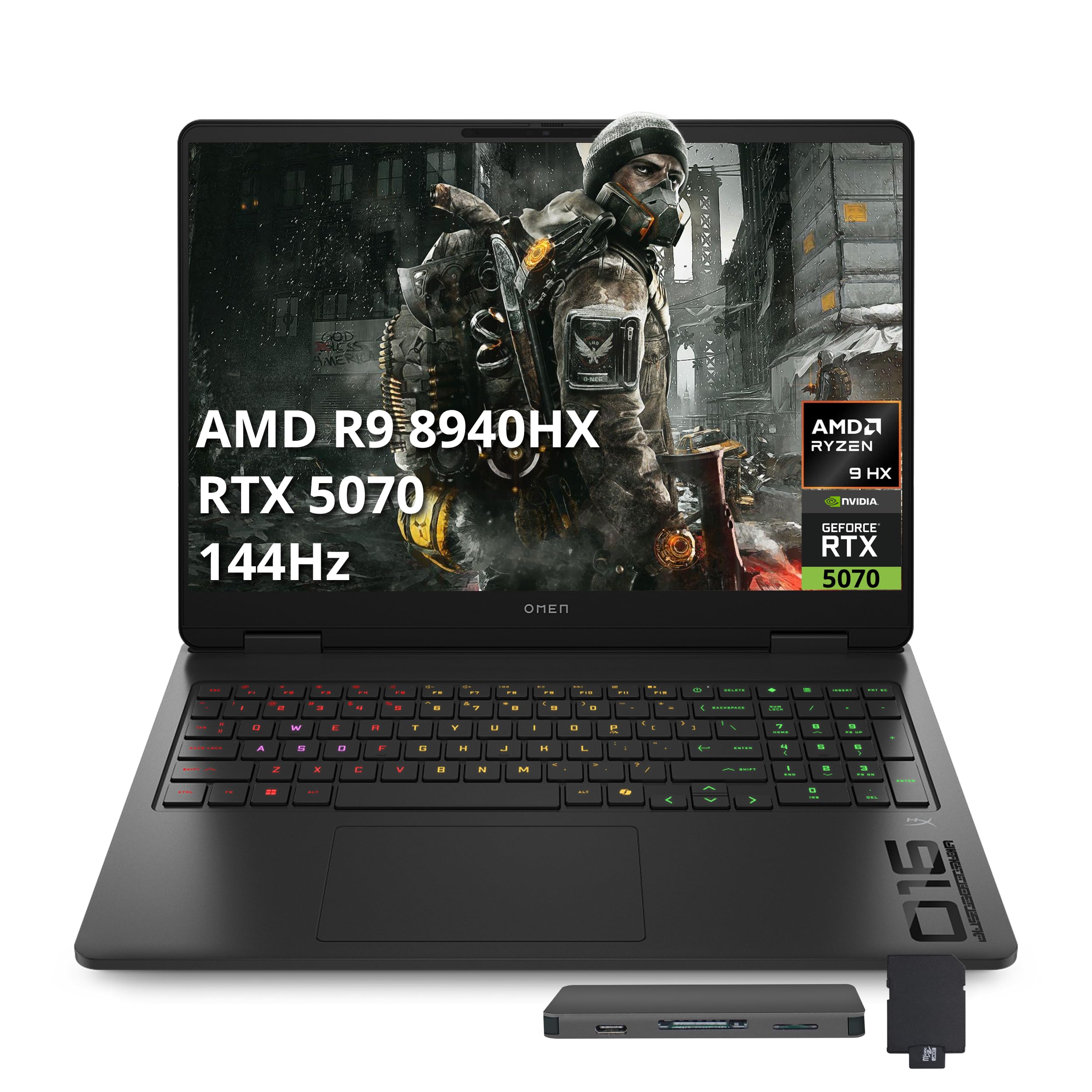
The HP Omen 16 offers the most aggressive price-to-performance ratio in the 5070 category by pairing the AMD Ryzen 9 8940HX with an RTX 5070 at a price point typically reserved for RTX 4060 laptops. The 16-inch FHD 144Hz display is the baseline spec here — it trades pixel density for frame rate, making it a solid choice for competitive shooters where high FPS matters more than 2.5K resolution. The 4-zone RGB keyboard adds customizable lighting without driving up the cost.
The 512GB PCIe SSD is adequate for a few active game installs, and the included 7-in-1 docking station with an additional 1TB of external storage provides a practical upgrade path. The 16GB DDR5 RAM handles basic multitasking, and the back cover is user-friendly for those who want to upgrade the SSD and RAM themselves — a significant advantage over soldered alternatives. Port selection includes HDMI 2.1, USB-C, and RJ-45 Ethernet.
The Omen 16 runs hot under full load, with users reporting CPU temperatures reaching 96-100°C during gaming. The fans become loud enough that a cooling pad is a practical necessity rather than an optional accessory. Some units exhibit persistent Wi-Fi connectivity issues with 5GHz networks, requiring disabling power-saving settings on the wireless adapter. This is a capable machine, but only if you are prepared to manage its thermal needs.
Why it’s great
- Ryzen 9 8940HX + RTX 5070 at a price well below competitors
- User-accessible RAM and SSD slots for easy upgrades
- Includes a 7-in-1 docking station with extra 1TB storage
Good to know
- CPU temps regularly hit 96-100°C under gaming load
- Wi-Fi issues on 5GHz networks reported on some units
10. GIGABYTE Gaming A16

The GIGABYTE Gaming A16 focuses on delivering 32GB of DDR5 RAM and the RTX 5070 at a price that undercuts most 16GB competitors. The Intel Core i7-13620H is a previous-generation processor, but its 10 cores (6P+4E) still provide solid gaming performance and the 32GB of memory ensures smooth multitasking with streaming, Discord, and a browser open mid-game. The 180-degree hinge is a practical feature for collaboration or using the laptop in tight spaces.
The 16-inch WUXGA (1920×1200) 165Hz display offers a 16:10 aspect ratio, providing more vertical space than standard 16:9 panels. The display is clear and bright, though it does not match the color volume of OLED or high-end IPS panels. The 1TB SSD provides adequate storage, and the down-firing speakers are average in quality — they lack bass and are easily muffled on soft surfaces.
The GiMATE software can cause issues if not properly configured — some users reported the app locking the GPU to the integrated graphics, requiring a complex fix to re-enable the RTX 5070. The fans are loud under load, though GPU temperatures remain manageable at around 71°C. Battery life reaches 5-7 hours when using the Intel integrated GPU for light work, but expect much less during gaming.
Why it’s great
- 32GB DDR5 RAM standard for under
- 180-degree hinge for versatile positioning
- 16:10 165Hz display offers more vertical workspace
Good to know
- GiMATE software can inadvertently disable the RTX 5070 GPU
- Down-firing speakers sound average; headphones recommended
11. msi Katana 15 HX

The msi Katana 15 HX packs the Intel Core i9-14900HX — a 24-core desktop-class processor — alongside the RTX 5070 and 32GB DDR5 RAM, making it one of the most processor-rich builds at this level. The 15.6-inch QHD 165Hz display covers 100% DCI-P3, delivering accurate colors for content creation and game development alongside gaming. The Cooler Boost 5 system with dual fans and five heat pipes keeps the i9-14900HX from thermal throttling.
The 4-zone RGB keyboard with highlighted WASD keys is a nice touch for competitive gaming. The port selection includes USB-C Gen 2, HDMI supporting up to 8K, multiple USB-A ports, and RJ45 with Wi-Fi 6E. The laptop runs most modern titles at 1440p with high settings without significant frame drops.
The battery life is notably poor — around 2-3 hours for light use and under one hour for intensive gaming on battery. The power brick itself gets burning hot during charging. Some users reported units dying within 6 months due to GPU-related failures, and the audio driver can glitch immediately out of the box. This machine delivers outstanding specs but requires a tolerance for its limitations.
Why it’s great
- i9-14900HX desktop-class CPU for CPU-bound workloads
- QHD 165Hz display with 100% DCI-P3 coverage
- Excellent ports including 8K HDMI output
Good to know
- Battery lasts only 2-3 hours even for light tasks
- Some units suffer GPU failure within several months
12. Razer Blade 14 (2025)
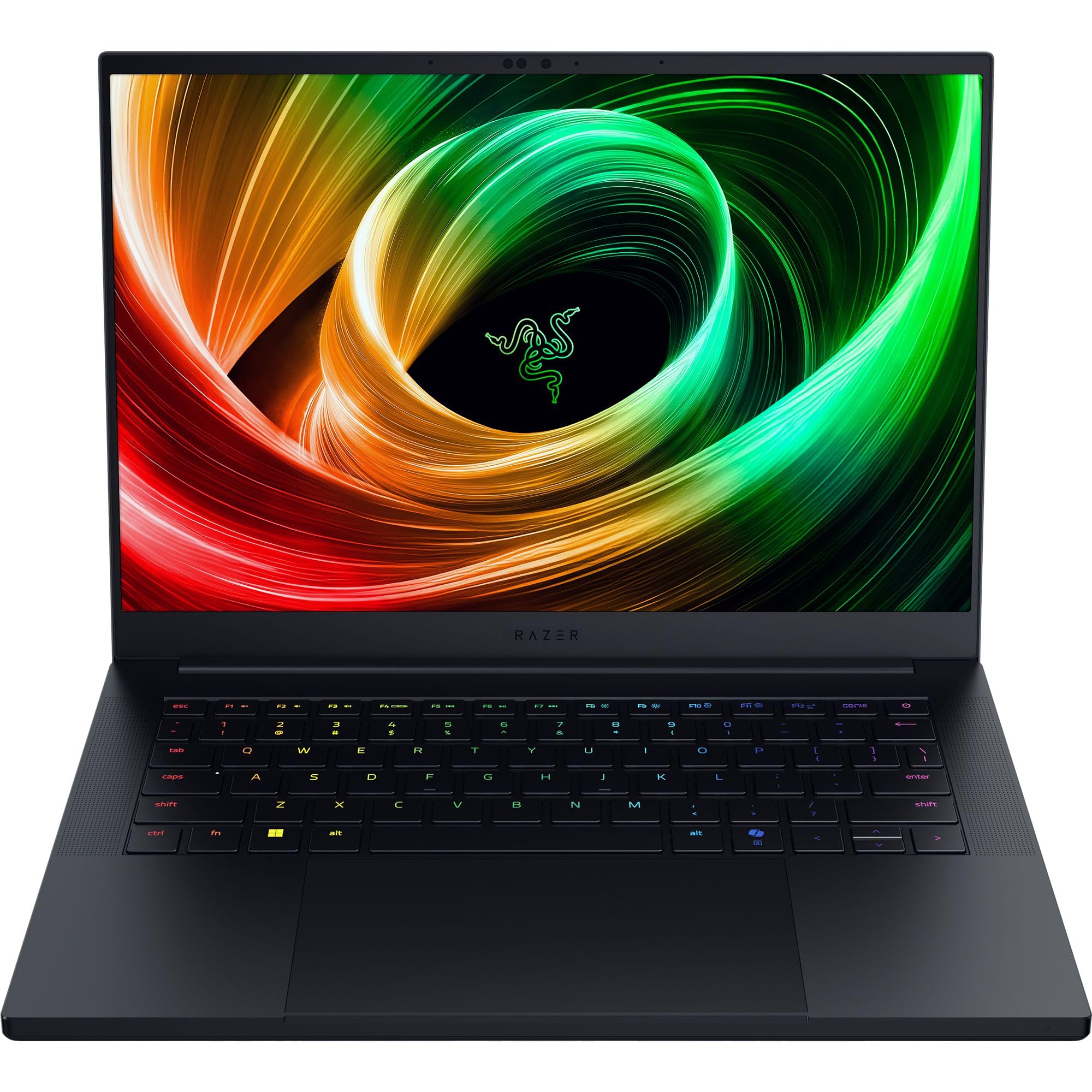
The Razer Blade 14 is the thinnest and lightest RTX 5070 laptop available, measuring just 0.62 inches and weighing less than 4 pounds. The anodized aluminum unibody chassis feels every bit as premium as its price suggests. The 14-inch 3K OLED display running at 120Hz with a 0.2ms response time offers image quality that rivals desktop OLED monitors — deep blacks, vibrant colors, and no motion blur. The AMD Ryzen AI 9 365 CPU with 50 TOPS of AI processing power makes this a capable machine for local LLM inference and Copilot+.
The 32GB of LPDDR5X RAM running at 8000MHz provides faster frequency than DDR5 and improves battery efficiency. The 72Wh battery delivers up to 11 hours of on-screen time for light use, which is exceptional for a 5070 laptop. The vapor chamber cooling system is impressively effective given the thin chassis, keeping thermals in check during moderate gaming sessions.
The 115W TGP limit for the RTX 5070 means this laptop will not match the raw gaming frame rates of thicker 140W+ implementations. The software suite — including Razer Synapse, Cortex, and Chroma — can be intrusive and spammy. The fans activate frequently even during light tasks, and the THX Spatial Audio feature was reported as non-functional by some users. The soldered RAM means no future memory upgrade is possible.
Why it’s great
- Incredibly thin 0.62″ unibody aluminum design
- 3K OLED display with 0.2ms response time
- Up to 11 hours of battery life for a 5070 laptop
Good to know
- GPU TGP limited to 115W, reducing peak frame rates
- Soldered RAM prevents any future memory upgrade
13. Alienware 18 Area-51
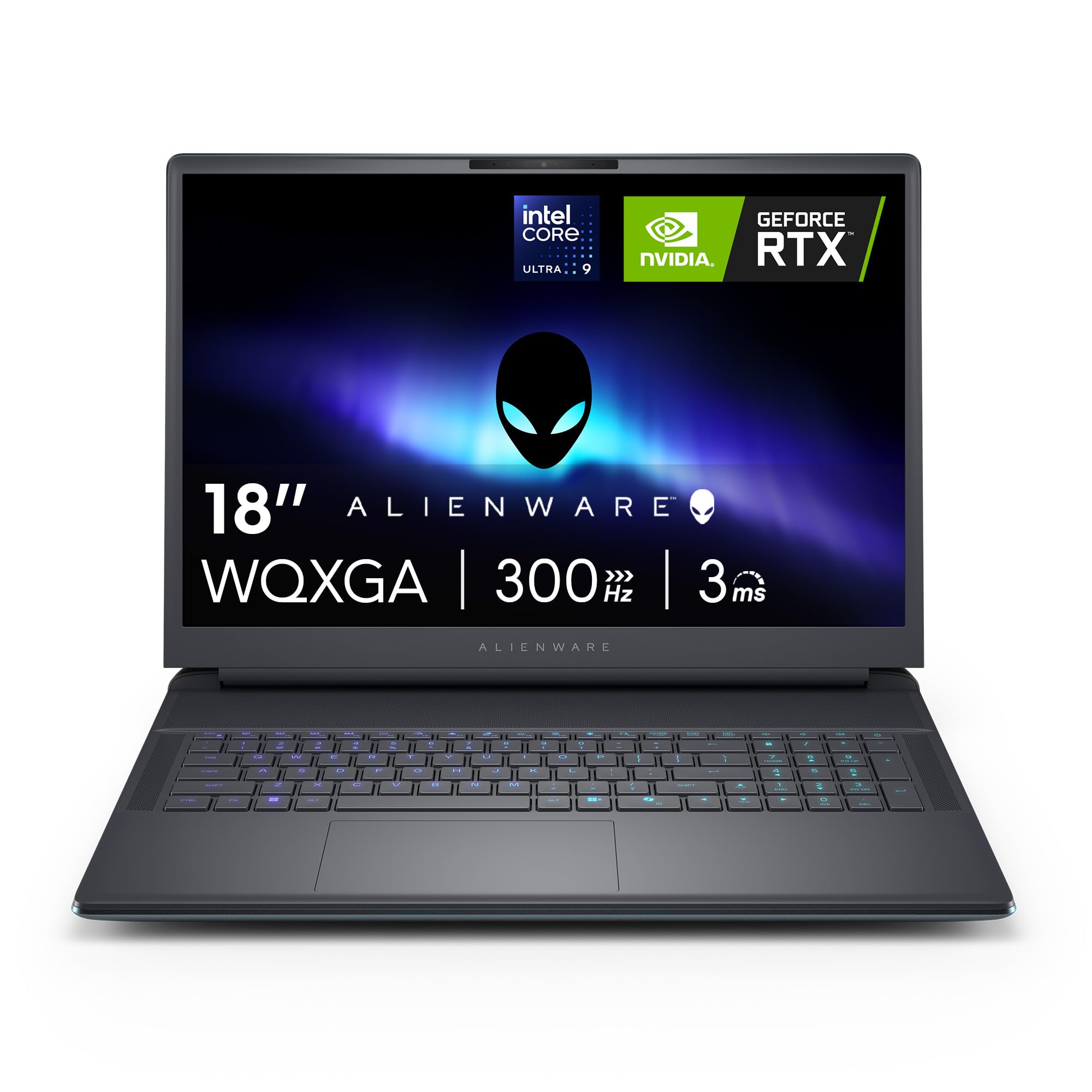
The Alienware 18 Area-51 is the most aggressively engineered 5070 laptop on this list, combining a massive 18-inch QHD+ 300Hz display with the Alienware Cryo-Chamber cooling system. This is a machine designed to sustain maximum GPU and CPU power limits without throttling, using a bottom intake structure that focuses airflow directly on the core components. The Intel Core Ultra 9-275HX with its 24 cores provides the processing headroom for simultaneous gaming, streaming, and recording.
The Liquid Teal color scheme and alien-inspired design language are unmistakably Alienware, with soft-touch surfaces and fluid contours that make extended gaming sessions more comfortable. The 1TB SSD and 32GB DDR5 RAM are standard, but the 1-year onsite Dell service means a technician will come to your location for hardware issues. The 300Hz panel offers the highest refresh rate in this guide, ideal for competitive esports at high settings.
This laptop weighs over 9 pounds, making it a desktop replacement rather than a portable companion. Some units suffered from quality control issues, and the return process through Amazon has been problematic for some buyers. The battery life is acceptable but unremarkable — the machine is built for power, not endurance. The weight and size make it impractical for lap use; it truly demands a desk.
Why it’s great
- 18-inch QHD+ 300Hz display for maximum competitive advantage
- Alienware Cryo-Chamber cooling prevents thermal throttling
- 1-year onsite Dell service for in-home support
Good to know
- Weighs over 9 lbs — a true desktop replacement
- Quality control issues reported; Amazon returns may be difficult
FAQ
How much RAM does an RTX 5070 laptop really need for gaming?
Should I buy a 5070 laptop with an Intel Core i9 or an AMD Ryzen 9?
Is the RTX 5070 overkill for a 1080p 144Hz display?
What cooling pad size do I need for the larger 18-inch 5070 laptops?
Final Thoughts: The Verdict
For most users, the best 5070 gaming laptop winner is the Lenovo Legion 5 15IRX10 because it combines a stunning WQXGA OLED display with a powerful i9-14900HX and dual-channel 32GB RAM in a lightweight 4.19-pound chassis. If you want the best thermal performance and highest refresh rate, grab the ASUS ROG Strix G16 (AMD). And for maximum portability without sacrificing the 5070 experience, nothing beats the Razer Blade 14.