
Our readers keep the lights on and my morning glass full of iced black tea. As an Amazon Associate, I earn from qualifying purchases.
Specs are compiled from manufacturer listings and verified buyer reviews and can change over time — please confirm the key details on the product page before buying.
You want a 50W fiber laser to turn a metal blank into a finished product in seconds — it marks, engraves, and even cuts with a beam you cannot see. The real question is not if you need one, but which one will still be running reliably a year from now, because every machine here sits in serious money territory.
I’m Min — the founder and writer behind Gadgets Feed. This guide is built by comparing the manufacturers’ published specifications and the patterns across verified customer reviews, so you get each pick’s real strengths and trade-offs instead of marketing spin.
Before you spend thousands, you need to know which 50w fiber laser delivers the engraving depth and speed your shop actually needs without becoming a support-ticket nightmare.
Our Picks at a Glance
How To Choose The Best 50W Fiber Laser
Choosing the right 50W fiber laser depends on three things: how fast it engraves, how deep it cuts, and how much the company stands behind it when something goes wrong. A fiber laser is not a toy — it is a production tool, so you want to buy the machine and the support together.
Speed and precision tell you about daily throughput
Engraving speed is measured in millimeters per second (mm/s), and it directly controls how long each piece takes. A machine rated at 15000 mm/s will finish a batch of challenge coins noticeably faster than one rated at 10000 mm/s. Precision, measured in millimeters (mm), tells you how fine the detail can be — 0.001 mm accuracy captures tiny lettering that 0.01 mm might blur.
The working area limits what you can place under the beam
Working area is the square your laser can reach without moving the part. A 150x150mm bed handles jewelry, tags, and small parts comfortably. If you engrave tumblers or cylindrical items, you need a rotary axis — a chuck that spins the item so the beam can wrap around it. Check that the machine supports rotary before you buy if you plan to do cups or pens.
Support and warranty protect your investment
Fiber lasers are durable, but electronics can fail, and lenses can arrive damaged. A one-year warranty with US-based help is different from a two-year warranty with a global team. Read the support terms before you order, because a dead controller or a wrong lens can halt your whole shop.
Quick Comparison
| Model | Best For | Engraving Speed | Working Area | Laser Type | Amazon |
|---|---|---|---|---|---|
| GWEIKE G2 Max★ Best Overall | Fast Production & Deep Engraving | 15000 mm/s | 150x150mm | Fiber, 1064nm | Amazon |
| ComMarker B4 | Desktop & Handheld Versatility | 0-15000 mm/s | 110x110mm & 200x200mm | Fiber, 1064nm | Amazon |
| OMTech 50W | Precision Marking with Rotary | 10000 mm/s | 5.9″x5.9″ | Fiber | Amazon |
| SFX 50W JPT | High-Volume Production Reliability | 7 m/s | 175x175mm | JPT Fiber | Amazon |
In‑Depth Reviews
1. GWEIKE G2 Max 50W Fiber Laser Engraver
Our pick — 4.5★ from 20+ verified ratings; the strongest balance of quality and price.
The fastest engraver here, built to chew through production batches of deep-engraved metal.
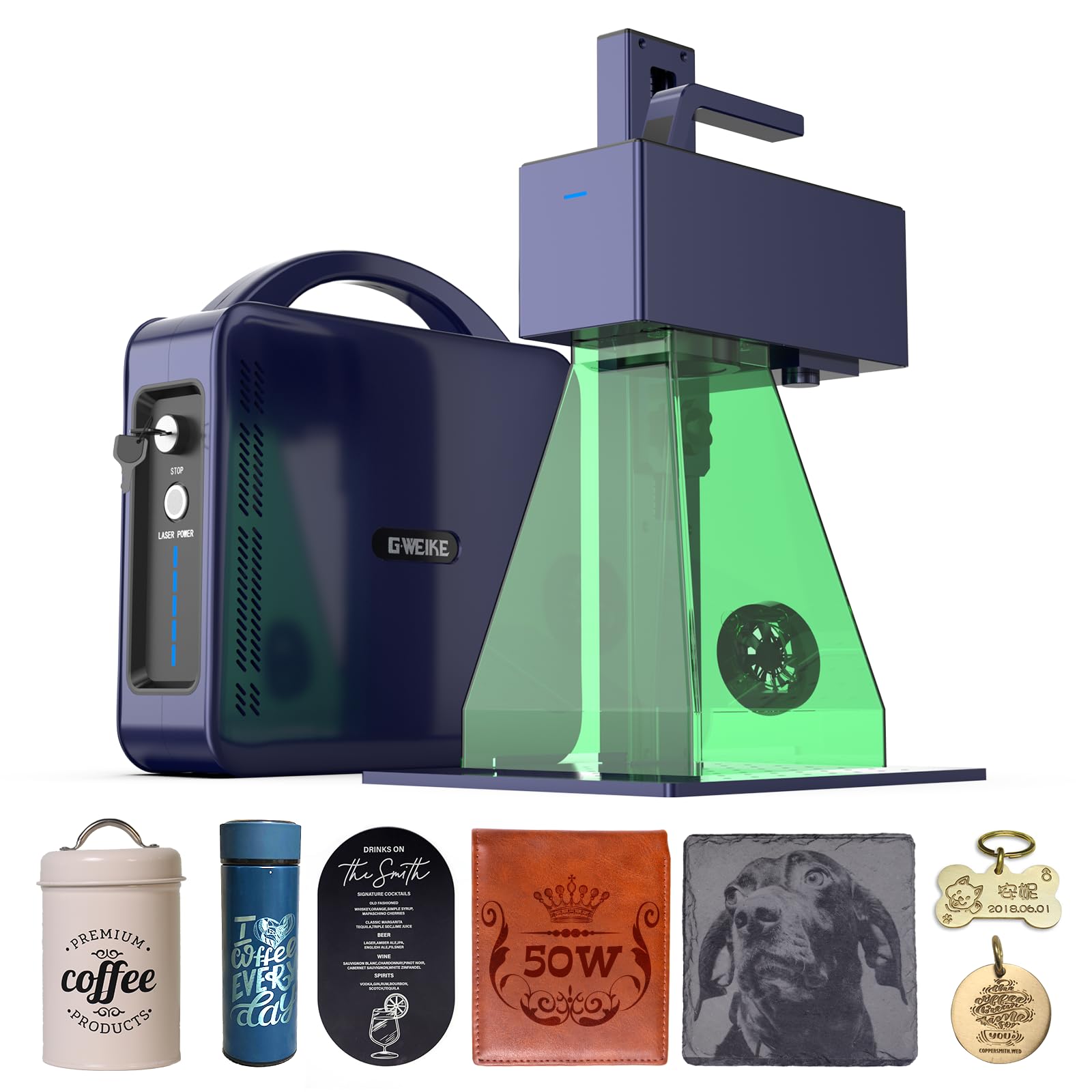
The GWEIKE G2 Max is the speed leader of this group, hitting up to 15000 mm/s — a full 50% faster than the OMTech’s 10000 mm/s — so large runs of parts finish in a fraction of the time. That speed pairs with 0.001 mm accuracy, which means tiny serial numbers and fine logos stay crisp even when you are moving fast. It also supports HD 8K engraving resolution for capturing intricate detail.
Deep engraving is its other headline trick. The 50W 1064nm fiber laser handles high-precision deep engraving on metals, with owners reporting easier cuts on thicker materials after upgrading from a 20W model. The 150x150mm working area comes with an electric lift column, so you adjust focus with a button push instead of manual turning — a small thing that adds up over a long day. It also marks 90+ vibrant colors on stainless steel and titanium, plus plastic, leather, dark glass, and stone.
The trade-off is the reliability record, which is genuinely mixed. A handful of buyers report failures after just two weeks — engraving weakening mid-batch on aluminum cards, a sweet smell from the fan, and no laser output despite troubleshooting. Others ran theirs for seven months before a failure, and the manufacturer arranged a replacement unit. Owners mention “Failed after 2 weeks: engraving weakened mid-batch on aluminum cards, sweet smell from fan, no laser output despite troubleshooting.” The build quality itself earns consistent praise, which makes the intermittent electronics failures feel like a lottery. It is also a Class 4 safety device with an emergency stop button, protective glasses, and a protective cover — and it weighs only 22 pounds, which is remarkably light for a machine that does this kind of work.
What wins people over
- Top engraving speed in class at 15000 mm/s
- 0.001 mm accuracy for fine detail work
- Electric lift column for button-push focus
- 90+ color marking on stainless and titanium
The honest caveats
- Reliability gets mixed owner feedback
- Reported failures as early as two weeks in
- Class 4 laser needs serious safety gear
Grab it if: you run high-volume deep engraving and want the fastest throughput per hour on the market.
Think twice if: your shop cannot risk a mid-batch failure, since the reliability record here is not flawless.
2. ComMarker B4 50W Fiber Laser Engraver

A desktop workhorse that also detaches into a handheld wand for engraving things that will not fit on a bench.
The ComMarker B4 is the chameleon of this list, working as both a fixed desktop marking machine and a detachable handheld laser you can point at objects too large to mount. It is also the heaviest pick here at 62.2 pounds — nearly three times the GWEIKE’s 22 pounds — which tells you it is built like a tank even if it is less portable than the name suggests. It ships with two field lenses, a 110x110mm and a 200x200mm, so you swap between fine detail work and larger area marking without buying extra optics.
Engraving speed runs up to 15000 mm/s with a minimum line width of 0.01 mm and an engraving depth of 0.3-0.5mm. It runs on the 1064nm wavelength and works with both LightBurn and EzCad2, and the package includes a rotary axis for tumblers and cylindrical parts. Owners who got a good unit call it “the perfect machine,” noting excellent support and great results on an iMac with LightBurn. What wins people over is the laser itself — it works flawlessly on stainless steel, aluminum, gold, silver, and jewelry.
The catch is not the machine; it is the logistics around it. Customers note “Wrong lens shipped twice; CS demanded return shipping each time.” The laser itself is “amazing,” but the customer service drew sharp criticism for charging return shipping on their own mistake — one buyer bought the correct lens online for rather than deal with the process again. Other owners had the opposite experience, with support helping a lost package claim and sending a replacement. The pattern is clear: the hardware is capable, but you may need patience with the seller’s fulfillment.
Why it stands out
- Detachable handheld and desktop modes in one
- Two lenses included: 110x110mm and 200x200mm
- Rotary axis included for tumblers and pens
- USB drive and data cable in the box
Watch out for
- Customer service flagged over return-shipping fees
- Heaviest unit here at 62.2 pounds
- Mixed owner experiences with support response
Choose it for: jewelry shops and small businesses that need both fixed and handheld marking from one machine.
Be prepared for: possible lens mix-ups on delivery, so check your optics immediately when it arrives.
3. OMTech 50W Fiber Laser Marking Machine
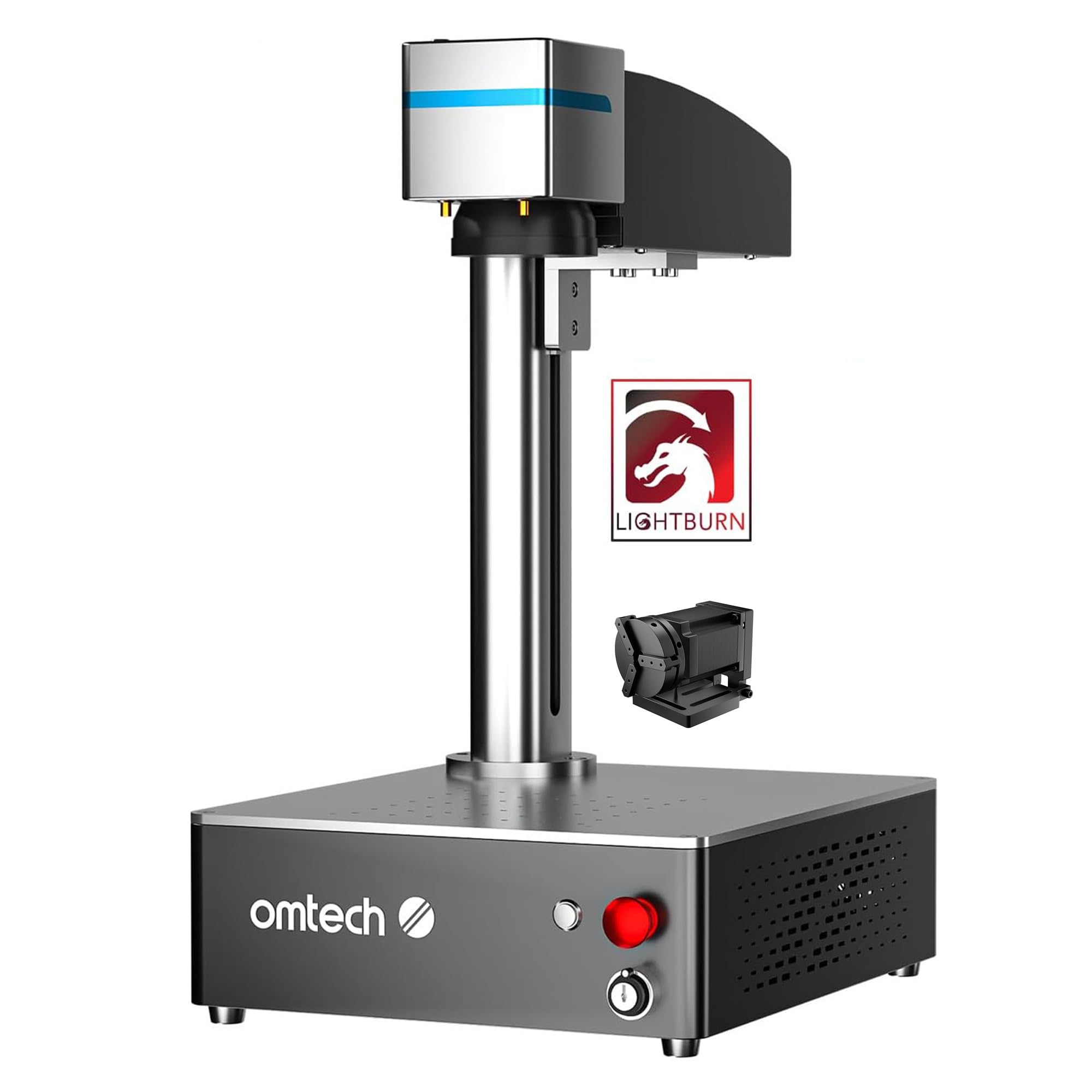
A precision-focused marker with a 0.01 mm spot and a 100,000+ hour laser lifespan behind it.
The OMTech is built around one idea: accurate marking you can trust. Its spot diameter of 0.01 mm, combined with an air-spaced field lens and anti-reflective coatings, keeps distortion under 1%, so even fine detail stays true to the design. It is slower than the GWEIKE — maxing out at 10000 mm/s versus 15000 mm/s — but for jewelry, tags, and precision parts, the accuracy matters more than top-end speed. Owners who have run one for a few months simply call it a “great laser worth every dollar.”
The all-metal body holds a 50W fiber source rated for 100,000+ hours of lifespan, which is the kind of longevity a production shop wants. It works with LightBurn and EzCad2 software on 32-bit and 64-bit Windows 7, 8, and 10, and it supports a wide range of image formats. The body even has text instructions printed next to each button, so a new operator can get oriented fast. A dual red dot locator helps you set focus with one finger on the focus button.
The weak spot is the connection reliability. After three months, one owner hit a failure where the controller “stopped handshaking w Windows” — customer service recommended new drivers, but Windows would not see the device. That is a frustrating failure mode for a production machine, though OMTech backs it with a 2-year support commitment and a 24H service team across the US, Philippines, and China, plus more than 50 demo room hosts in the US.
Built for precision
- 0.01 mm spot diameter for sharp detail
- Less than 1% distortion on the field lens
- 100,000+ hour rated laser lifespan
- 2 years of product support included
The weaker side
- Slower top speed than the GWEIKE at 10000 mm/s
- One reported controller handshake failure with Windows
- No handheld mode for large objects
Buy it if: your work is precision marking and you want a 100,000+ hour lifespan plus solid warranty support.
skip it if: you need maximum speed for high-volume batches, where the GWEIKE leads by 50%.
4. SFX 50W JPT Fiber Laser Engraver

The machine owners trust to replace a CNC mill, with a 70% electrical-optical conversion rate that saves power on every run.
The SFX is the quiet professional of this list, powered by a JPT LP+ Series laser source with a repetition rate of 1-600kHz and 200ns pulse duration. Its laser scanning system reaches marking speeds up to 7 m/s — roughly 7000 mm/s — with a re-position precision of 0.002mm. The 175x175mm lens gives you the largest working area here, beating the GWEIKE’s 150x150mm bed for larger parts. Its JPT source hits up to 70% electrical-optical conversion, wasting less power as heat on long runs.
The owner stories are the real selling point. One shop bought this machine specifically to engrave parts instead of tying up a 4-axis CNC mill — the laser does the same job without the risk of breaking a carbide bit. That is exactly the use case that makes a fiber laser pay for itself: faster setup, no tool wear, and more versatility. Another buyer uses it for both work and home, calling it easy to set up with a great finished product. The support team, led by Julie and Oscar, repeatedly shows up when issues arise — a damaged lens on arrival was replaced quickly, and a galvo head mirror problem was fixed within a week.
The machine runs EZCAD2 and is compatible with LightBurn on Windows XP/Vista/7/8/10, making it easy for a learner to get going. It works on all metals — aluminum, stainless steel, brass, copper — plus some non-metals like nylon, ABS, and PVC. SFX has been manufacturing laser products since 2004 and offers a one-year warranty on the entire machine plus lifetime one-on-one technical support with US-based teams. That warranty-plus-lifetime-support combo is the strongest safety net in this group, and it explains why owners overwhelmingly report positive experiences.
Why it earns trust
- JPT LP+ laser source with 200ns pulse duration
- Largest working area here at 175x175mm
- Up to 70% electrical-optical conversion efficiency
- Lifetime one-on-one technical support
Know before you buy
- Slower top speed than the two fastest picks
- Heavier footprint at 31.1 inches long
- Windows XP/Vista/7/8/10 software compatibility only
Pick it for: businesses replacing CNC work with laser marking, where reliability and support outweigh raw speed.
Note the limits: at 7 m/s it is not the fastest, but the JPT source and lifetime support make it the safest long-term investment.
Understanding the Specs
Engraving Speed (mm/s)
This number tells you how fast the laser beam sweeps across the metal. A machine rated at 15000 mm/s will finish a batch of parts significantly faster than one at 10000 mm/s — the review pages put that gap at exactly 50% more speed. If you are running high-volume production, this is the spec that determines your daily output.
Working Area
The square the laser can reach without you repositioning the part. A 150x150mm bed handles jewelry, tags, and small parts comfortably. If you need more room — like the SFX’s 175x175mm — you can mark larger items in a single pass. For tumblers or pens, you also need a rotary axis that spins the part under the beam.
FAQ
What materials can a 50W fiber laser engrave?
How deep can a 50W fiber laser engrave?
Is a 50W fiber laser safe to use at home?
Will a 50W fiber laser work with LightBurn?
What does a rotary axis do on a fiber laser?
How long does a 50W fiber laser last?
Can a 50W fiber laser cut metal?
What is the difference between a fiber laser and a CO2 laser?
Why is the SFX fiber laser heavier than the others?
What warranty should I expect with a 50W fiber laser?
Final Thoughts: The Verdict
Across the board, the 50w fiber laser winner is the GWEIKE G2 Max because it combines class-leading 15000 mm/s engraving speed with 0.001 mm accuracy and a button-push electric lift column — the fastest path from design to finished deep-engraved part. If you want maximum versatility and the ability to mark objects that do not fit on a bench, grab the ComMarker B4 with its 2-in-1 desktop and handheld design. And for the safest long-term investment with the strongest support net, the SFX 50W JPT is the one to reach for, backed by lifetime one-on-one technical support and a JPT laser source with up to 70% electrical-optical conversion efficiency.
How We Picked
We do not accept paid placement. Every pick is matched to a real buyer and a real use-case; we do not hands-on test units.
Sources & Methodology
Specifications: manufacturer listings and product documentation. Review insights: verified customer reviews, as of August 2026. Pricing: not shown on this page (it changes often); check the current price via the retailer link.
As an Amazon Associate, Gadgets Feed earns from qualifying purchases. This does not affect which products we feature.