
Our readers keep the lights on and my morning glass full of iced black tea. As an Amazon Associate, I earn from qualifying purchases.
Specs are compiled from manufacturer listings and verified buyer reviews and can change over time — please confirm the key details on the product page before buying.
If you’re chasing a 520Hz monitor, you’re not just looking for a display — you’re hunting for the last word in competitive motion clarity. This guide sorts through the fastest OLED and TN panels available, breaking down which one actually delivers on that ultra-high refresh rate promise for your favorite esports titles.
I’m Min — the founder and writer behind Gadgets Feed. This guide is built by comparing the manufacturers’ published specifications and the patterns across verified customer reviews, so you get each pick’s real strengths and trade-offs instead of marketing spin.
You’ll find panels running from 500Hz all the way up to 610Hz, explained in plain language so you can confidently choose the right 520hz monitor for your setup and your games.
Our Picks at a Glance

How To Choose The Best 520Hz Monitor
Choosing a monitor in this speed class means deciding between two very different panel technologies. OLED screens give you incredible colors and deep blacks, while the fastest TN panels sacrifice color for the absolute pinnacle of motion clarity and speed.
Refresh Rate vs Response Time
Refresh rate is how many times the screen updates per second (like 540Hz), but response time is how fast a pixel changes color (like 0.03ms). A high refresh rate feels smooth, but a low response time prevents ghosting and blur during fast movements — you want both low for the best competitive edge.
Resolution and Your Graphics Card
To actually hit these speeds, your GPU has to push that many frames per second. A 1080p panel is easier to drive than a 1440p one, so think about what your setup can handle before choosing a higher-resolution screen that you can’t fully utilize.
Quick Comparison
| Model | Best For | Refresh Rate | Response Time | Resolution | Amazon |
|---|---|---|---|---|---|
| ASUS ROG PG27AQWP-W★ Best Overall | Best Overall Speed & Color | 540Hz | 0.02ms | 2560 x 1440 | Amazon |
| MSI MPG 271QR QD-OLED X50Best Value OLED | Best Value QD-OLED | 500Hz | 0.03ms | 2560 x 1440 | Amazon |
| MSI MAG 272QP QD-OLED X50Entry OLED Speed | Entry OLED Speed | 500Hz | 0.03ms | 2560 x 1440 | Amazon |
| ASUS ROG XG248QSG | TN Panel Speed King | 610Hz | 0.1ms | 1920 x 1080 | Amazon |
| LG 27GX790B-B | Brightest OLED Option | 540Hz | 0.02ms | 3440 x 1440 | Amazon |
| Samsung Odyssey OLED G6 | First 500Hz OLED | 500Hz | 0.03ms | 2560 x 1440 | Amazon |
| BenQ Zowie XL2586X | Esports Focused DyAc2 | 540Hz | — | 1920 x 1080 | Amazon |
| BenQ Zowie XL2586X+ | Top Esports Pick | 600Hz | — | 1920 x 1080 | Amazon |
In‑Depth Reviews
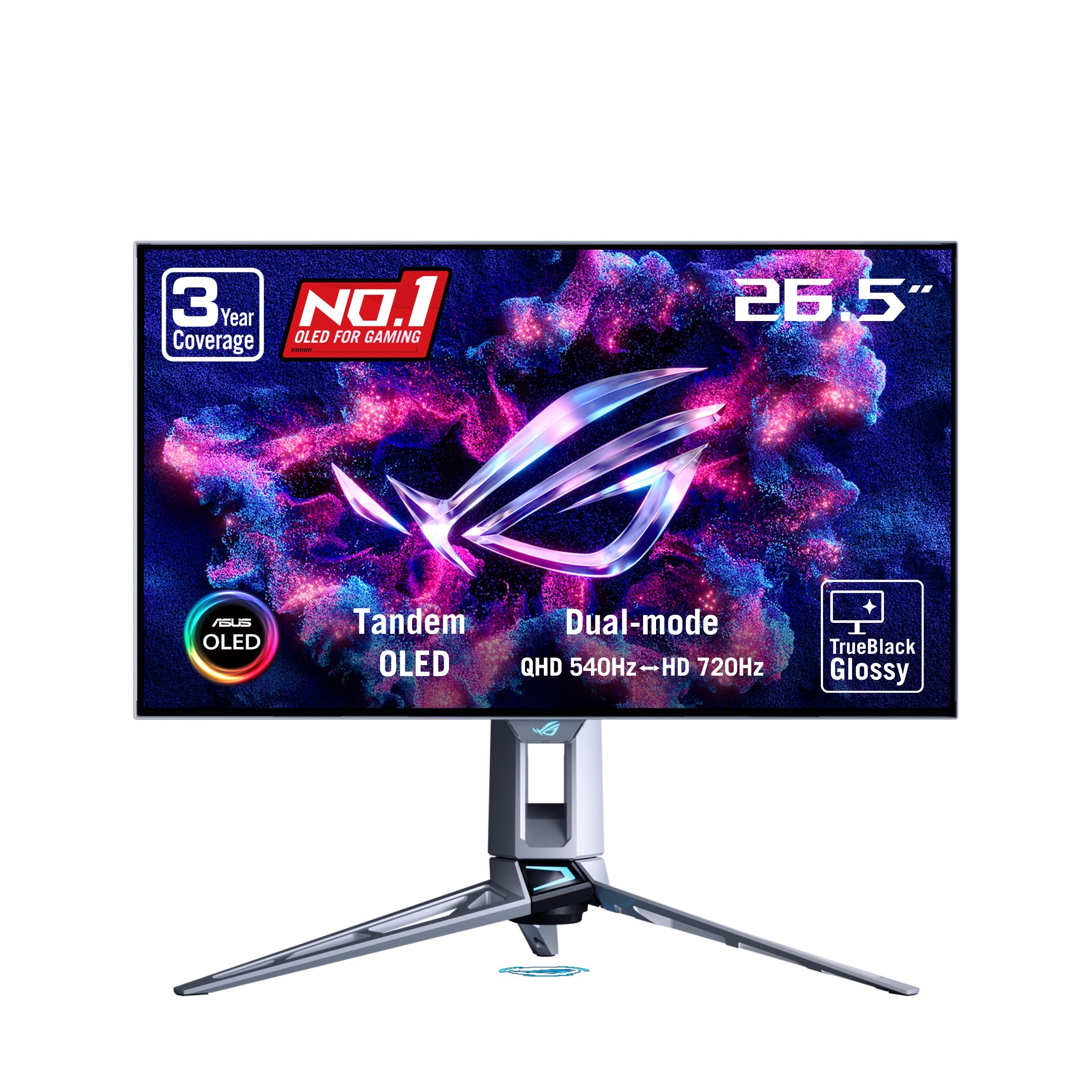
1. ASUS ROG PG27AQWP-W 27 Inch 1440p 540Hz Tandem OLED Gaming Monitor
Our pick — over 4★ from 60+ verified ratings; the strongest balance of quality and price.
The best of both worlds: OLED beauty with a blistering 540Hz refresh rate.
This monitor nails the competitive gaming brief — its 540Hz refresh rate feels transformative in fast-paced games, giving you a serious edge over players stuck on 240Hz panels. The crowd favorite here is the quality, with a rock-solid build and impressive performance that makes upgrading feel like a true leap forward.
It’s a 26.5-inch QHD (2560 x 1440) OLED with a dual-mode trick: you can run QHD at 540Hz or switch to HD at 720Hz for even higher speed. Its 0.02ms response time is lightning-fast, beating the MSI MPG 271QR’s 0.03ms., which is faster than the MSI MPG 271QR’s 0.03ms, meaning it handles motion with slightly less blur. This panel also brings Tandem OLED tech, which ASUS claims this Tandem OLED tech delivers 15% higher peak brightness and a 60% longer lifespan than previous-gen panels..
You get vivid colors, perfect blacks, and sharp text, plus the smooth motion that a high refresh rate delivers. One reviewer noted, “540Hz feels transformative vs 240Hz in competitive games; zero tearing; solid build; minimal quality drop vs 4K 240Hz; 9.5/10.” The catch: some buyers hit a “panel lottery” — receiving a unit with gray banding that needed a break-in period to improve, while others got defective panels and poor packaging for the premium price.
Why It Wins
- 540Hz refresh rate with lightning-fast 0.02ms response time
- Stunning OLED colors and deep blacks with a zero-haze glossy finish
- Extensive connectivity with DisplayPort 2.1 UHBR20 at full 80Gbps bandwidth
What To Check
- Some buyers report receiving units with defects or needing a break-in period
- Picture quality feedback is mixed, with some citing heavy visual issues
Reach for this if: you want a premium OLED that combines stunning visuals with top-tier esports speed, and your graphics card can push high frames at 1440p.
Look elsewhere if: you’re on a tight budget or want the absolute fastest TN panel, since this prioritizes gorgeous color and quality over raw pixel-pushing speed.
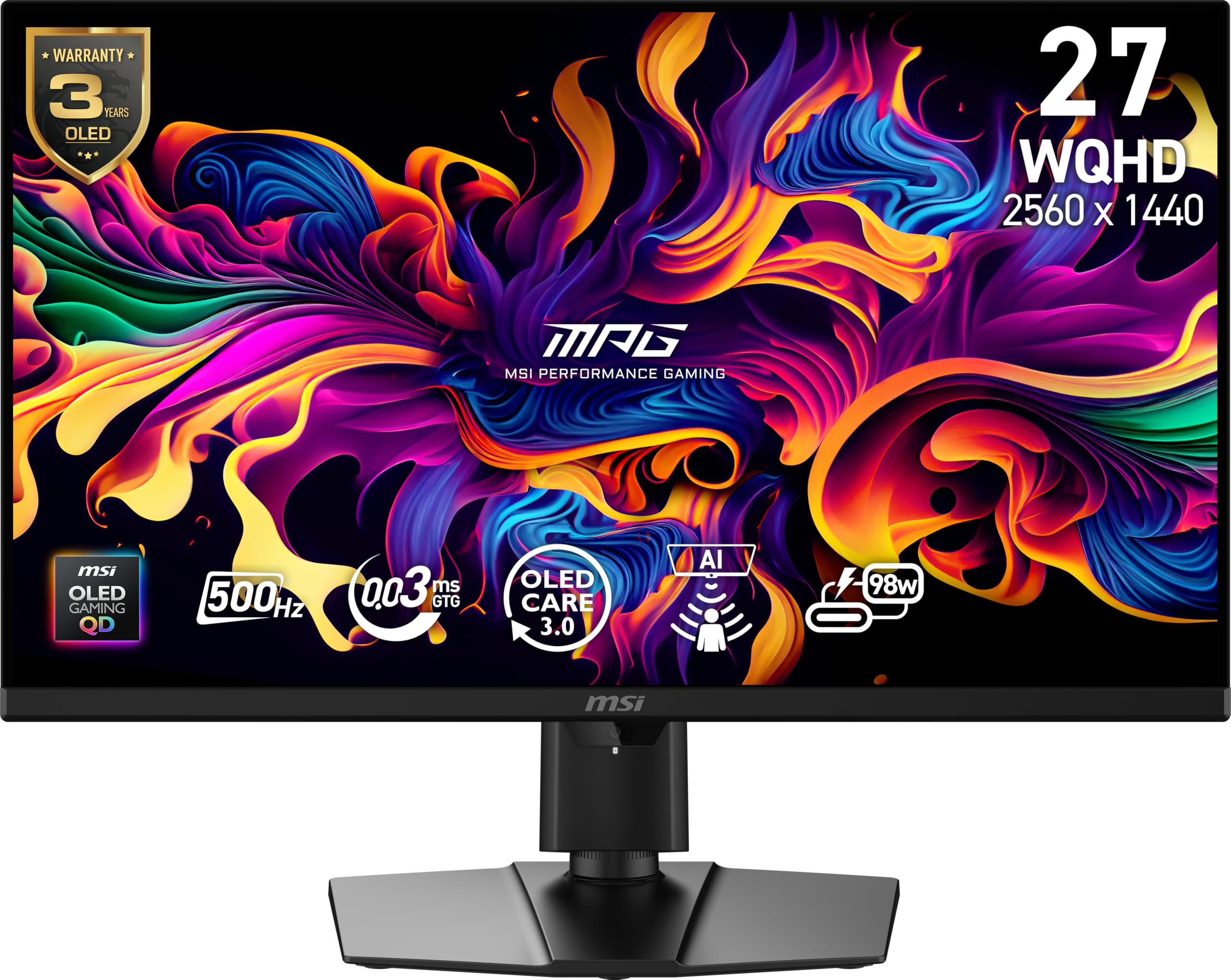
2. MSI MPG 271QR QD-OLED X50 27-Inch WQHD QD-OLED Monitor
Quantum Dot colors and a 500Hz refresh rate for less than the competition.
This MSI panel is a fantastic value pick in the ultra-high refresh rate space. The Its 0.03ms (GtG) response time keeps motion crisp. keeps motion incredibly crisp, and owners say the upgrade from a 144Hz IPS panel is immediately noticeable.
It’s a 27-inch WQHD (2560 x 1440) Quantum Dot OLED panel, which delivers the inky blacks and vibrant colors that OLED is known for. The display quality is the most-praised aspect, with buyers raving about the vivid colors and top-tier picture quality. One buyer summed it up as an “Upgrade from 144Hz IPS; 500Hz noticeable,” and others call it an “Endgame QD-OLED Monitor” thanks to its excellent HDR performance (DisplayHDR True Black 500) and true blacks.
The trade-off here is value for money, which gets mixed reviews. Some find it worth the price for the performance, but others think it’s overpriced. There are also a few software quirks: the AI Care Sensor performs unreliably at night, and the OLED care pop-ups can be frequent before a firmware update. Most importantly, to hit the 500Hz target, you’ll need to use the included DisplayPort 2.1a cable and possibly update the firmware.
Solid Speed, Amazing Color: The 500Hz refresh rate combined with the wide 138% color gamut makes this a top choice for gamers who want speed without sacrificing visual vibrancy.
Software Caveats: The AI features can be finicky, and setup requires a specific cable and firmware update to open up 500Hz, so be prepared for a bit of configuration.
Pick this if: you’re chasing a QD-OLED with a high refresh rate on a budget, and you’re comfortable managing a firmware update and some software quirks.
Think twice if: you want everything to work flawlessly from the start without any setup hassle, or if you’re sensitive to a higher price point for the brand.
3. MSI MAG 272QP QD-OLED X50 27-Inch WQHD QD-OLED Monitor
A more accessible QD-OLED path to 500Hz gaming speed.
This MSI MAG model is the sibling to the MPG above, offering a slightly different feature set at a similar price point. It’s built for gamers who want the OLED experience without some of the premium features.
Like the MPG, it uses a Quantum Dot OLED panel with 10-bit color depth and 99% DCI-P3 coverage, producing the deep blacks and vibrant colors that make OLED special. The “Gaming Intelligence” software includes OLED Care 2.0 to help prevent burn-in and features like AI Crosshair, which adds a layer of convenience for competitive play. Owners upgrading from standard IPS panels call it “Night and day difference” and “The absolute KING of 1440p.”
The main concern that comes up is panel fragility — one buyer mentioned accidentally scratching the screen just by cleaning it, calling the display “very delicate” (translated from Spanish). This is worth keeping in mind if you’re moving the monitor around frequently or have a busy desk setup. It’s not a knock on the image quality, which is universally praised for being bright and blazing fast, but a caution about handling.
Strong Points
- 500Hz refresh rate with a 0.03ms response time for blazing-fast play
- Excellent QD-OLED colors and deep blacks praised by owners
- Useful Gaming Intelligence software with OLED Care 2.0
Watch Outs
- Delicate screen surface that requires careful cleaning
- Lower USB-C power delivery (15W) compared to other models
Best for: budget-conscious gamers who want the speed and color of QD-OLED and have a gentle touch with their gear.
Not ideal for: those who need to charge a laptop via the monitor’s USB-C port, since the 15W output is quite low, or those who prefer a heftier, more premium-feeling build.
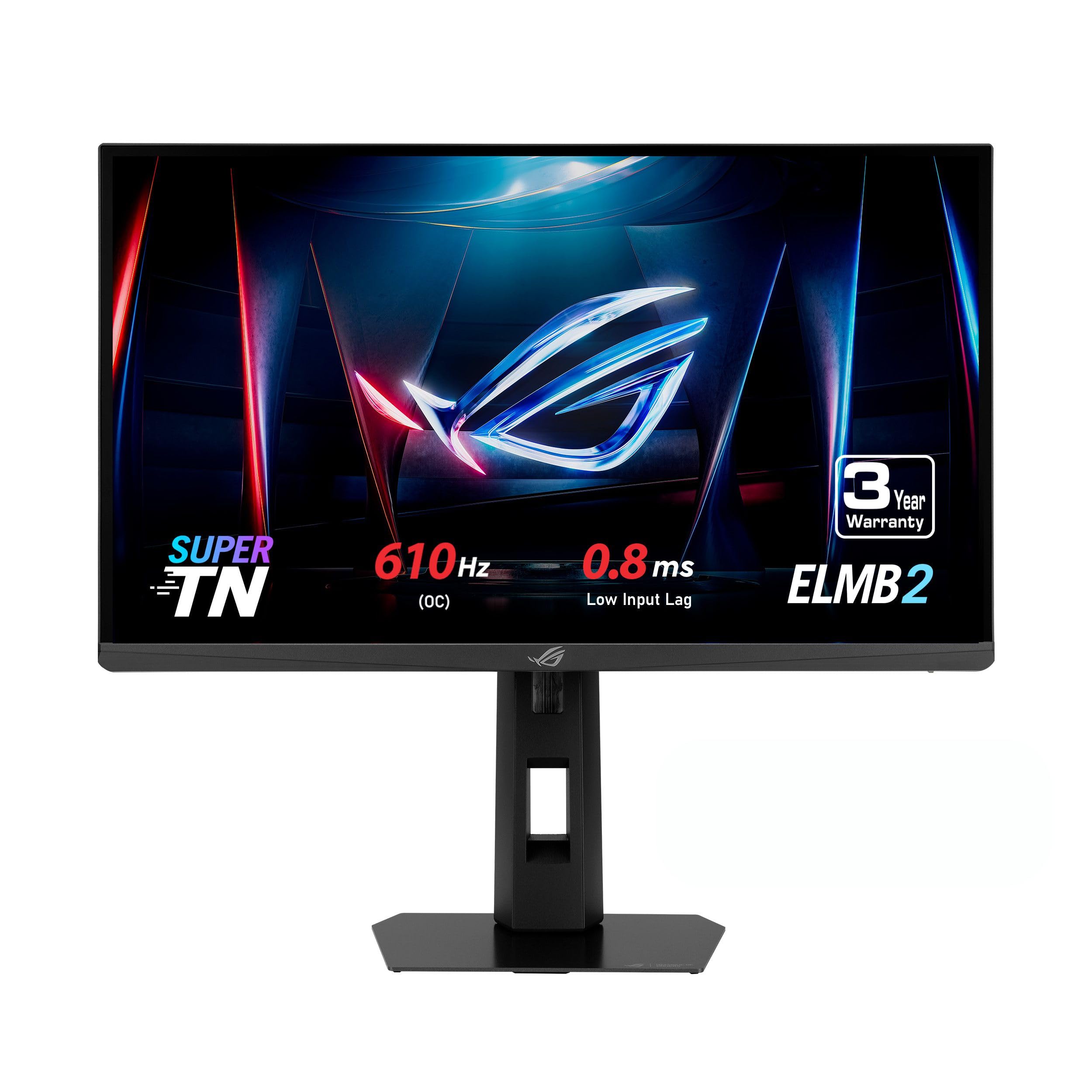
4. ASUS ROG XG248QSG 24 Inch 1080p 610Hz Esports Gaming Monitor
The fastest refresh rate here, built purely for professional esports.
Forget about color accuracy and wide viewing angles — this ASUS monitor is a single-purpose tool for competitive gaming. It’s the fastest panel on this list, with a 610Hz (OC) refresh rate on a 24.1-inch FHD (1920 x 1080) display. Its 0.1ms response time is blazing fast, keeping motion nearly instantaneous., ensuring that what you see on screen is as close to instantaneous as possible.
The panel is a “Super TN” type, which is the classic choice for esports because it offers the fastest pixel response. It comes with ASUS’s Extreme Low Motion Blur 2 (ELMB 2) technology, which helps reduce blur and is 3X brighter than the previous-gen version. In practice, one owner reported it’s “much more clear than my Alienware 240hz as tested on blur busters,” confirming it fixes ghosting issues that plague cheaper high-refresh IPS panels.
The honest limitations here are the panel technology itself. The picture quality gets mixed feedback, with some buyers loving the clarity but noting that colors need calibration from the start and can look washed out. The build quality is also a mixed bag — one buyer received a unit with a single dead pixel near the center of the screen, which is frustrating at this premium price.
class-leading Speed: You get the clearest motion possible at 610Hz with a 0.1ms response time (the time it takes a pixel to change color), so fast-moving targets stay sharp — ideal if you’re pushing 700fps in Valorant.
Hardware Realities: The TN panel means colors and viewing angles are a compromise, and QC issues like dead pixels can occasionally appear.
Get this if: your only goal is winning FPS matches (like Valorant or CS2) and you have a high-end CPU/GPU combo to hit those frame rates.
skip it if: you’re looking for a monitor for single-player games or media consumption — the color and contrast are far better on OLED panels.
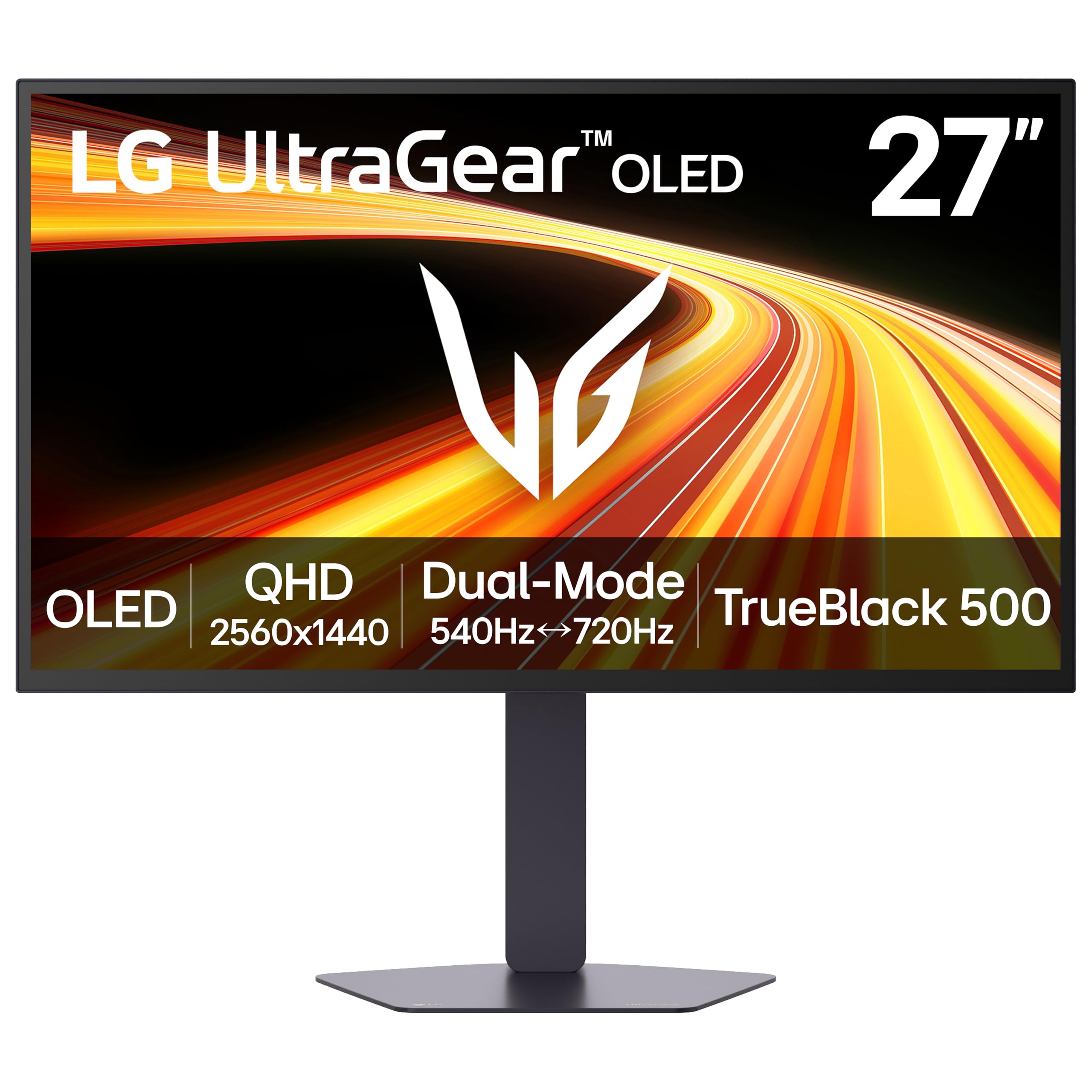
5. LG 27GX790B-B 27” Ultragear QHD OLED Gaming Monitor
LG’s brightest OLED yet, pushing dual-mode speeds up to 720Hz.
This LG monitor headlines with “4th Gen Primary RGB Tandem OLED” technology, making it LG’s brightest OLED gaming monitor to date. It hits 335 nits of typical brightness, a solid figure for an OLED. — a figure that often would be dimmer on older OLEDs — which helps keep visuals clear in bright scenes. This is a valuable trait for an OLED, which usually sacrifices brightness for perfect blacks.
It offers the dual-mode flexibility seen on other premium panels, letting you switch between QHD (3440 x 1440) at 540Hz or HD at 720Hz. The 0.02ms response time is the same as the ASUS PG27AQWP-W, making it exceptionally fast. Owners mention it’s “perfect for BattleRoyal games” and that “540hz worked from the start,” a great sign for those who don’t want to fiddle with settings. Brightness is a top praised aspect, reducing reflections in dark scenes.
The main frustrations revolve around reliability. Several users experienced a buggy 720Hz dual mode, which can cause system freezes and make the screen unclickable until a reset. While the 540Hz QHD mode is described as perfect, the reliability issues are enough for some to be cautious. One buyer also received a faulty unit that required a return, though this seems to be an isolated shipping or QC issue rather than a common pattern.
What Shines
- 540Hz refresh with 0.02ms response time, working from the start
- Bright 335 nits OLED panel with 4th gen Primary RGB Tandem tech
- Dual-mode options for both detailed QHD and fast HD gaming
Potential Concerns
- The 720Hz dual-mode setting can be buggy, causing system freezes
- Some units arrive with faults, and the image quality gets mixed feedback
Reach for it if: you want a bright OLED with a fast 540Hz refresh rate and appreciate having a dual-mode option for flexibility.
Be cautious if: you plan to rely on the 720Hz mode for serious play, as the current software makes it unstable — stick to 540Hz QHD for a flawless experience.
6. Samsung 27” Odyssey OLED G6 (G60SF) QHD QD-OLED Gaming Monitor
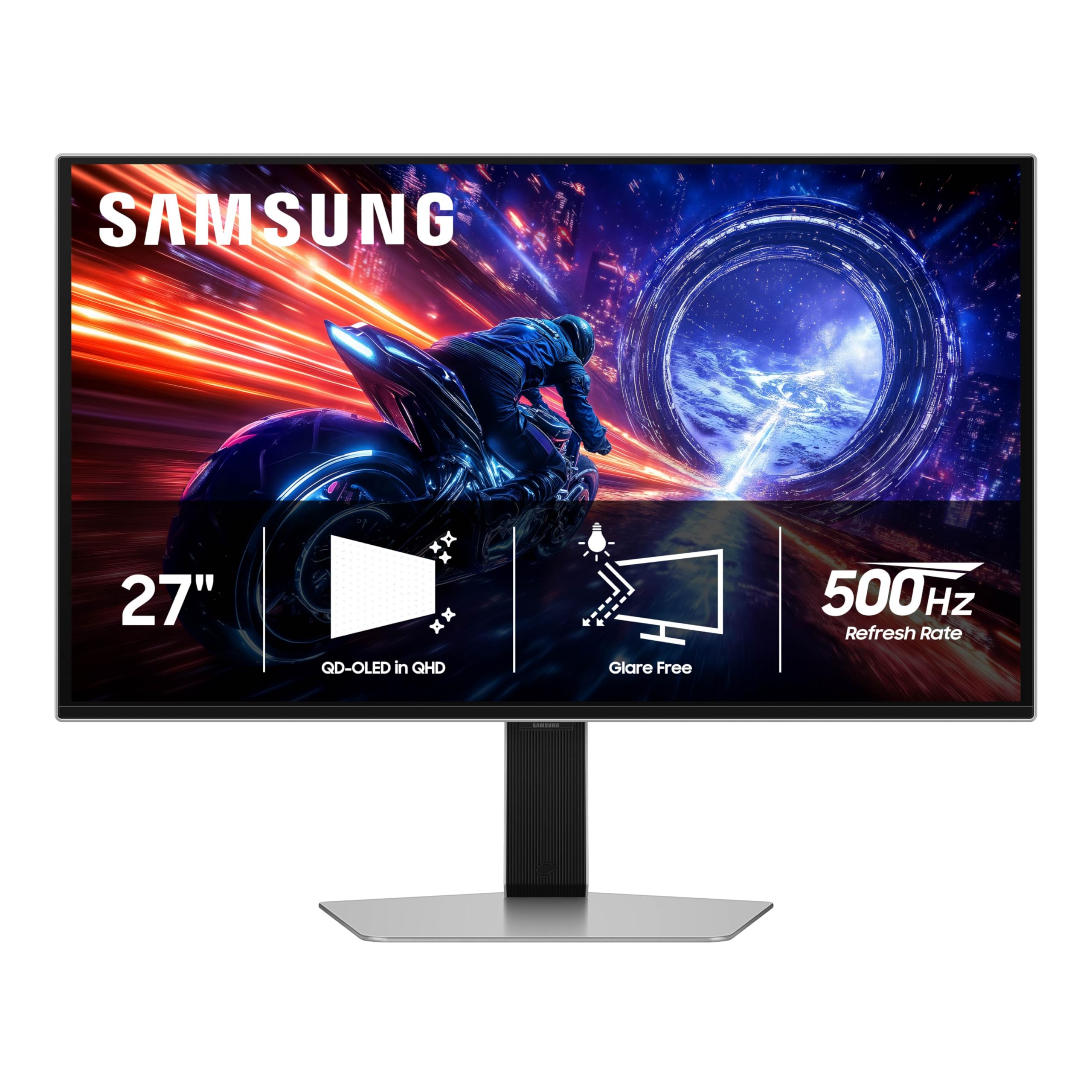
Samsung’s claim to fame: the world’s first OLED with a native 500Hz refresh rate.
The Odyssey G6’s headline feature is a 500Hz refresh rate on a QD-OLED panel, and buyers who’ve made the jump from 165Hz panels report a night-and-day difference. The motion clarity in a UFO test is crisp with zero blur, and the OLED colors, brightness, and black levels are excellent, making it a great pick for those who want both speed and picture quality. Its Glare Free technology also keeps reflections at bay in bright rooms.
This monitor is a 27-inch QHD (2560 x 1440) QD-OLED with It features a 0.03ms GtG response time for crisp motion.. It also features an ergonomic stand that allows for tilt, height, and pivot adjustments, which is a nice touch for long gaming sessions. Owners love the HDR performance, claiming the 1000 nits peak brightness is very noticeable in supported games.
The biggest drawback is the build quality, which gets mixed to negative feedback. The base has a noticeable amount of “play” between it and the arm stand, and the power button feels flimsy — durability concerns led at least one owner to return the monitor. Several buyers also report the button breaking within a month of use. It’s a case of excellent panel tech let down by cheaper materials and construction.
Speed With Substance: The 500Hz QD-OLED combination is a crowd-pleaser, delivering spectacular colors and clarity that feels like a huge step up from lower refresh rate screens.
Build Quality Gap: The standout weakness is the stand and button durability, which might be a concern if you frequently adjust your monitor or need it to last for years.
Choose this if: you value the panel’s performance and picture quality above all else and are willing to accept a less premium-feeling stand for a top-tier screen.
Avoid it if: a solid, stable, and durable physical build is your priority — the base instability and button issues are a known theme in the feedback.
7. BenQ Zowie XL2586X 24.1 Fast TN 540Hz Gaming Monitor for Esports

A purpose-built esports weapon with Zowie’s signature motion clarity tech.
BenQ’s Zowie line is a staple on professional esports stages, and the XL2586X is built for that exact environment. It uses a 24.1-inch Fast TN panel with a 540Hz refresh rate, but its real a neat extra is the DyAc2 (Dynamic Accuracy) technology. This dual backlight design reduces motion blur while providing a softer light output, helping your eyes adapt during long gaming sessions — a detail aimed squarely at pro players.
It runs at a 1920 x 1080 resolution and comes with Zowie’s “XL Setting to Share” feature. This automatically switches color modes based on screen content, so you don’t have to fiddle with menus when you jump between a bright game and a dark one. The new “Vivid Color Film” is another upgrade, This film boosts color performance by 35%, making enemy targets stand out more clearly..
The main caveats are typical for a TN panel: viewing angles are poor and the screen can look dark when viewed from an angle. More concerning are the reported reliability issues. Several owners have experienced dead pixels within the first week, with one going through two monitors for the same issue. Another buyer received a used unit with hair on it, which points to fulfillment problems rather than an inherent design flaw.
Built For Pros
- 540Hz refresh rate on a Fast TN panel for lower motion blur
- DyAc2 technology enhances blur reduction and eye comfort
- ‘XL Setting to Share’ auto-adjusts color modes for convenience
Trade-offs
- Poor viewing angles and dark visuals when viewed off-axis
- Some units arrive with dead pixels, and panel longevity is questioned
Best for: competitive players who play in a fixed position and want a monitor with proven esports pedigree and unique motion clarity features.
Think twice if: you need a monitor for a multi-use setup (like watching movies) or if you’re concerned about the QC reports of dead pixels.
8. BenQ Zowie XL2586X+ 24.1 DyAc 2 600Hz Fast TN Gaming Monitor
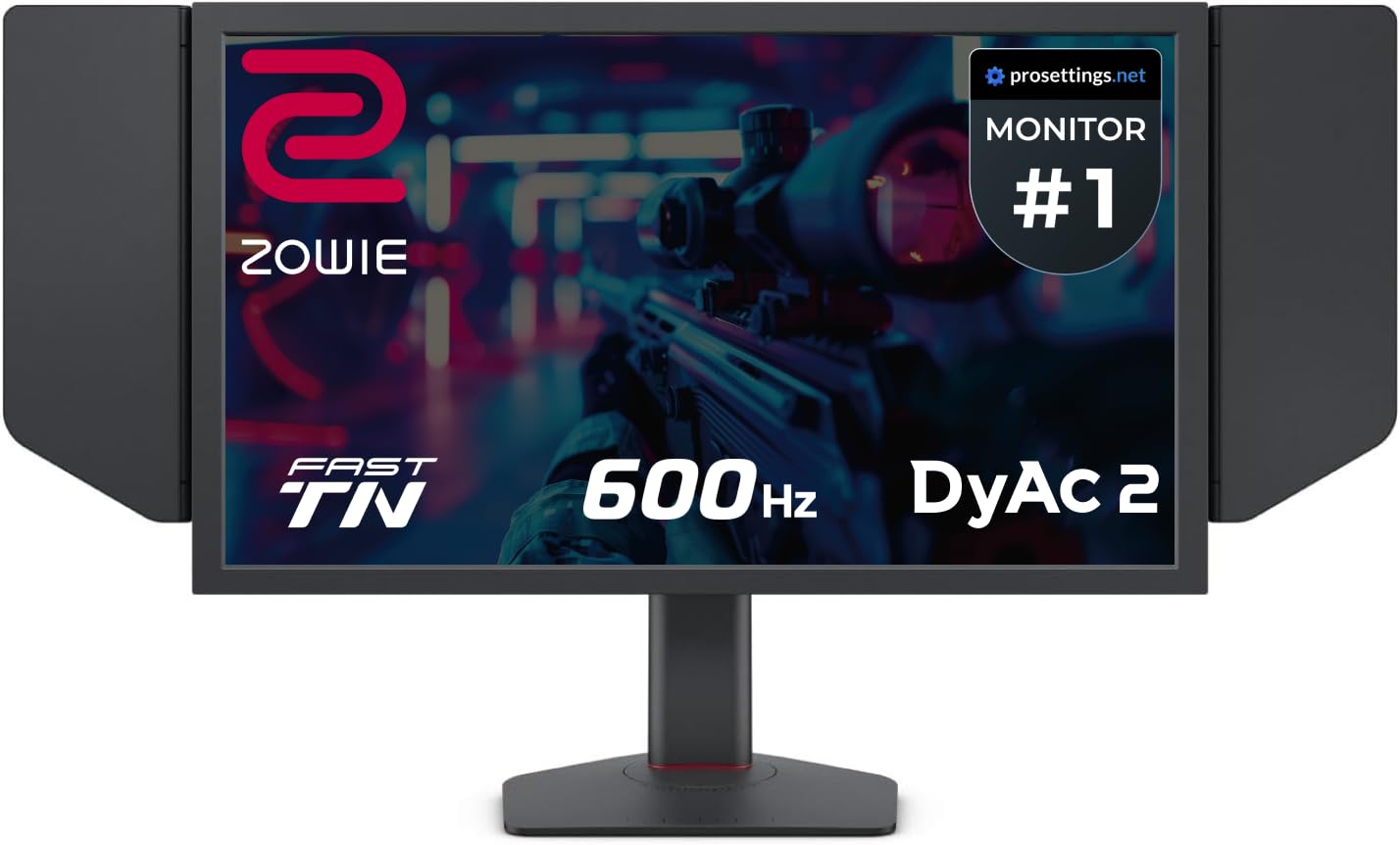
The premium Zowie with a 600Hz refresh rate, built for the highest level of esports.
The XL2586X+ is the flagship upgrade to the model above, pushing the refresh rate even higher to 600Hz on the same Fast TN panel foundation. It brings the latest DyAc 2 technology for the “best motion clarity in the industry,” according to BenQ, with a dual backlight design that reduces blur and softens light output to reduce eye strain. It’s a very fast screen that’s praised for being “insanely good for FPS games.”
At 1920 x 1080, it focuses on pure performance, and the “vivid color film” Its vivid color film improves color performance by 35% over standard TN panels for better target visibility.. Customers note it was “plug and play with 600 hz,” with no need to tweak Windows settings, which is a smooth out-of-box experience. The build quality and gaming performance are the top praised aspects, with owners lauding the aesthetics and the quick, responsive feel.
This is the most expensive monitor on this list, and the trade-offs are real. As with all TN panels, the color accuracy is poor and the viewing angles are limited. One succinct review noted, “Color accuracy? No. Viewing angles? not really. Refresh rate? Insane.” It also requires a graphics card capable of hitting 600fps to actually benefit, which is a tall order for most systems.
Elite Speed
- 600Hz refresh rate with plug-and-play 600Hz support
- DyAc 2 technology for top-tier motion clarity
- High praise for build quality and pure gaming performance
Niche Tool
- Poor color accuracy and viewing angles typical of TN panels
- Requires a very high-end system to actually reach 600fps
Perfect for: serious esports competitors or tournament players who demand the absolute fastest refresh rate and have a top-tier system to match.
Not for: general consumers or anyone who values color vibrancy, as the TN panel’s limitations are significant outside of competitive play.
Understanding the Specs
Refresh Rate: The Frame Rate Feeder
Measured in Hertz (Hz), this tells you how many times the screen redraws its image per second. A 540Hz monitor updates 540 times a second, which is crucial for smooth motion. To use it, your graphics card must also output 540 frames per second (fps) in your game. If your GPU can’t hit that, a higher refresh rate monitor is still a good future-proofing move, but you won’t see the full benefit immediately.
Response Time: The Ghosting Killer
This is the time it takes a pixel to change from one color to another, usually measured in milliseconds (ms). A faster response time (like 0.03ms) reduces “ghosting” — the blurry trail behind moving objects. It’s a different spec from refresh rate; you want both to be fast for the clearest possible picture during high-speed action.
FAQ
Is a 540Hz monitor worth it over a 240Hz one?
What’s the difference between OLED and TN panels for esports?
What is dual mode on these monitors?
Can my console run a 520Hz or 540Hz monitor at full speed?
What is DisplayPort 2.1 and do I need it?
How does VESA DisplayHDR True Black 500 help?
Is it better to get a 1440p 540Hz OLED or a 1080p 600Hz TN monitor?
How long do these fast OLED panels last?
Final Thoughts: The Verdict
For the majority of shoppers, the 520hz monitor winner is the ASUS ROG PG27AQWP-W because it perfectly blends a top-tier 540Hz refresh rate and 0.02ms response time with the gorgeous colors of an OLED panel. If you want the widest color gamut and best value, grab the MSI MPG 271QR QD-OLED X50. And for the absolute purest competitive speed at 1080p, the ASUS ROG XG248QSG or the BenQ Zowie XL2586X+ are the ones to reach for.
How We Picked
We do not accept paid placement. Every pick is matched to a real buyer and a real use-case; we do not hands-on test units.
Sources & Methodology
Specifications: manufacturer listings and product documentation. Review insights: verified customer reviews, as of August 2026. Pricing: not shown on this page (it changes often); check the current price via the retailer link.
As an Amazon Associate, Gadgets Feed earns from qualifying purchases. This does not affect which products we feature.