
Our readers keep the lights on and my morning glass full of iced black tea. As an Amazon Associate, I earn from qualifying purchases.
Specs are compiled from manufacturer listings and verified buyer reviews and can change over time — please confirm the key details on the product page before buying.
You want a giant touchscreen that lets you write, share screens, run apps, and join video calls — all in one package — without fighting the tech every day. The catch is that specs like RAM (the memory that lets you run multiple apps at once), storage (how many apps and files you can save), and Google EDLA certification (a Google license for full Play Store access and security updates) determine how smoothly it works. And the prices vary wildly without matching the performance you actually get.
I’m Min — the founder and writer behind Gadgets Feed. This guide is built by comparing the manufacturers’ published specifications and the patterns across verified customer reviews, so you get each pick’s real strengths and trade-offs instead of marketing spin.
This breakdown of the best 55 inch smart board options helps you match the right display to your real workflow — whether you are equipping a classroom, a hybrid office, or a home studio — without paying for features you will never use.
Quick Picks
- Shiarffe R9 55 Inch 4K Smart Board — Top Performer
- JAV 55″ Smart Board Pro — Best All-in-One
- NEWORK NewBoard 55E — Best for Groups
- YCKJNB 55″ Smart Board — Best Built-In Camera
- Shiarffe X5 Smart Board 55 Inch — Classroom Tough
- Dornium 55″ Smart Board — Best Value
- JASZDOT 55″ Smart Board — Ports Galore
- EUNIVON 55″ Interactive Whiteboard — Budget Champion
- Vibe S1 4K UHD Smart Board — Chrome OS Power
How To Choose The Best 55 Inch Smart Board
Picking the right smart board depends on how your team or class actually works. The core specs — operating system (the software that runs the board, like Android or Chrome OS), processing power, touch technology, and connectivity — determine whether the board feels like a giant tablet or a frustrating screen. Here are the three biggest factors to weigh before you buy.
Google EDLA Certification and App Ecosystem
An EDLA-certified (Enterprise Devices Licensing Agreement) smart board gives you full access to the Google Play Store, Google Workspace (Gmail, Drive, Meet), and automatic over-the-air security updates (software fixes sent wirelessly). Without it, you are stuck with whatever closed app store the manufacturer preloads, which might lack the tools your school or office already relies on. If your workflow depends on Zoom, Google Classroom, or Microsoft Teams, EDLA certification is the difference between a board that grows with you and one that stays frozen in time.
Touch Points and Writing Accuracy
The number of touch points tells you how many people can write or draw at the same time. A 20-point touch board works well for a teacher with a few students at the screen. A 40-point or 50-point touch board lets a whole group brainstorm simultaneously without anyone waiting their turn. Look for ±1mm touch accuracy (how precisely the screen detects your finger or pen), which makes handwriting feel natural rather than clumsy, and a fast response time (around 6ms to 8ms, the delay between your touch and the screen reacting) so your strokes keep up with your hand.
Built-In Camera, Microphone, and Audio
If you plan to run hybrid meetings or remote classes, a built-in 4K or 48MP AI (artificial intelligence) camera and an 8-array microphone (eight microphones working together to pick up sound from all directions) save you from buying and mounting extra gear. A board with speaker tracking and noise suppression keeps remote participants in the conversation. For rooms where sound matters, a 60W or 100W built-in speaker system fills a classroom or conference room without external speakers, while cheaper boards may leave you listening through thin laptop-like audio.
Quick Comparison
| Model | Best For | Touch Points | RAM / Storage | Display / Brightness | Amazon |
|---|---|---|---|---|---|
| Shiarffe R9 | Power users & hybrid teams | 20-point | 16GB / 256GB | 4K UHD IPS, anti-glare | Amazon |
| JAV Pro | All-in-one collaboration | 20-point | 8GB / 128GB | 4K UHD, 350 cd/m² | Amazon |
| NEWORK NewBoard | Large group interaction | 50-point | 8GB / 64GB | 4K UHD, 81% NTSC | Amazon |
| YCKJNB | Built-in camera meetings | 20-point | 8GB / 128GB | 4K UHD LED, 10000:1 | Amazon |
| Shiarffe X5 | K-12 classroom durability | 20-point | 8GB / 128GB | 4K UHD IPS, 450 cd/m² | Amazon |
| Dornium | Multi-device connectivity | 20-point | 8GB / 128GB | 4K UHD, anti-glare glass | Amazon |
| JASZDOT | Versatile port selection | 20-point | 8GB / 128GB | 4K UHD, 400+ nits | Amazon |
| EUNIVON | Budget-friendly entry | — | 8GB / — | 4K UHD | Amazon |
| Vibe S1 | Chrome OS ecosystem | 10-point | 8GB / 128GB | 4K UHD | Amazon |
In‑Depth Reviews
1. Shiarffe R9 55 Inch 4K Smart Board
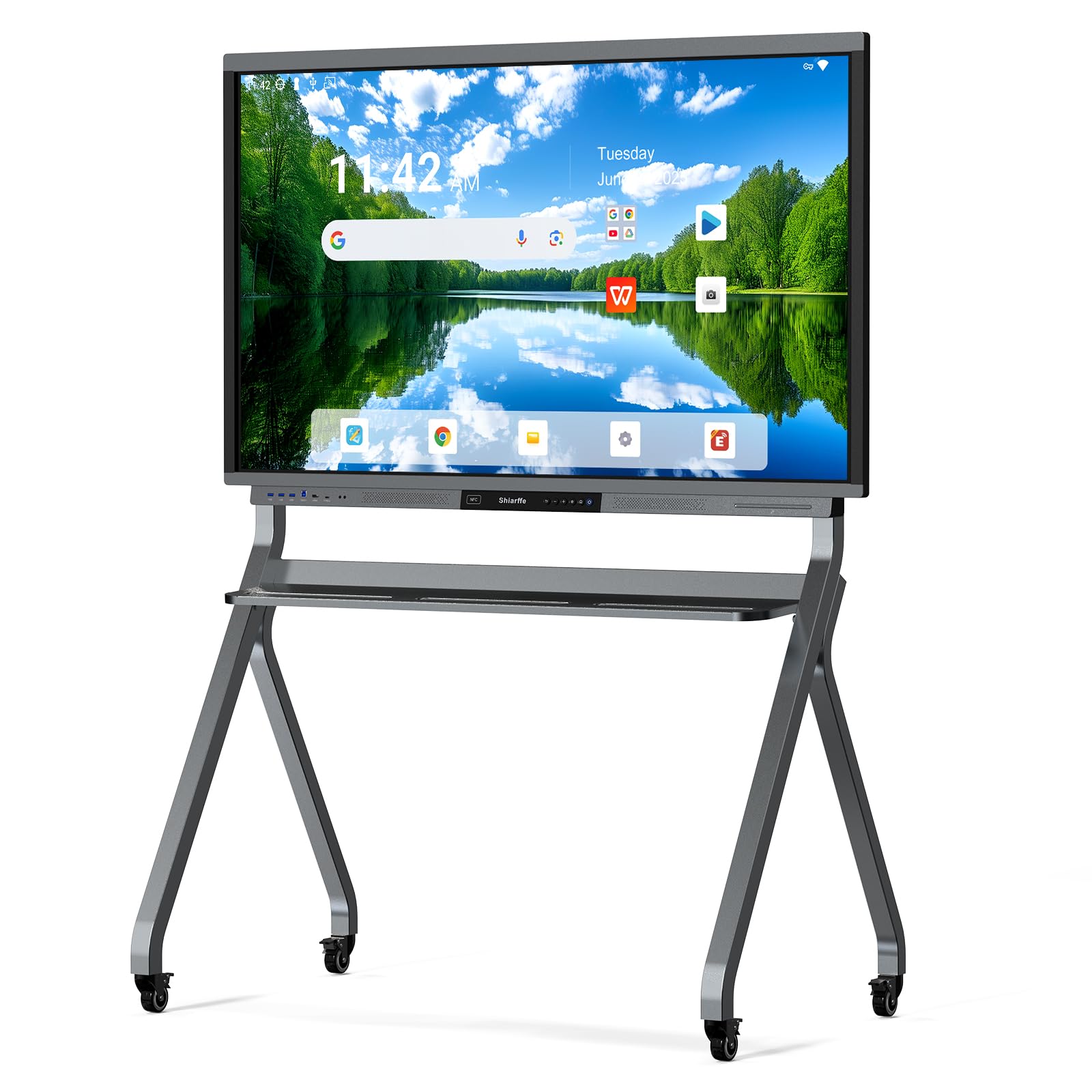
The only board here with 16GB RAM and 256GB storage, built for heavy multitasking without slowdowns.
If your team jumps between multiple apps, video calls, and whiteboarding sessions all day, the Shiarffe R9 keeps up where 8GB boards start to stutter. The 16GB RAM (memory for running apps) and 256GB storage (space for saving files) of this Google EDLA-certified board — meaning full Google Play Store access and automatic security updates — let you keep dozens of apps installed and switch between them without reloading. The 4K UHD (Ultra High Definition, 3840×2160 pixels) IPS (In-Plane Switching, a screen technology with wide viewing angles) touchscreen uses an anti-glare coating that keeps reflections down, so small text stays legible from the back of a room — which reviewers confirmed for real use.
Buyers report that the R9 supports live browser-based whiteboarding via QR code (a square barcode scanned with a phone to join a session), letting remote participants annotate in real time without logging in or installing an app, and everything auto-saves to the cloud. The 20-point multi-touch lets multiple people write at once, and the 60W built-in speaker system delivers clear audio for presentations without external speakers. Unlike the standard Shiarffe X5, the 55-inch R9 does not include a built-in camera or microphone, so factor that in if hybrid video is a daily need.
One important distinction: the R9 holds 16GB of RAM and 256GB of storage — double the RAM and double the storage of the standard Shiarffe X5, which has 8GB RAM and 128GB storage. For IT teams managing fleet devices, the Google EDLA certification means zero subscription fees and automatic security updates.
What Makes It Fast
- 16GB RAM is double the standard 8GB boards, so multitasking stays smooth
- 256GB storage holds all your apps, files, and recordings without running out
- Anti-glare 4K UHD IPS display reduces reflections in bright rooms
- Google EDLA certified with zero subscription fees and automatic updates
What to Know Before Buying
- The 55-inch model lacks a built-in camera and microphone for video calls
- Costs more upfront than 8GB boards, though the spec advantage is real
The pick for power users: Buy this if your daily workflow involves heavy multitasking, multiple apps open, and you want the highest RAM and storage available in a 55-inch smart board.
The one catch: No built-in camera or microphone on the 55-inch version, so plan for external peripherals if you run video meetings.
2. JAV 55″ Smart Board Pro
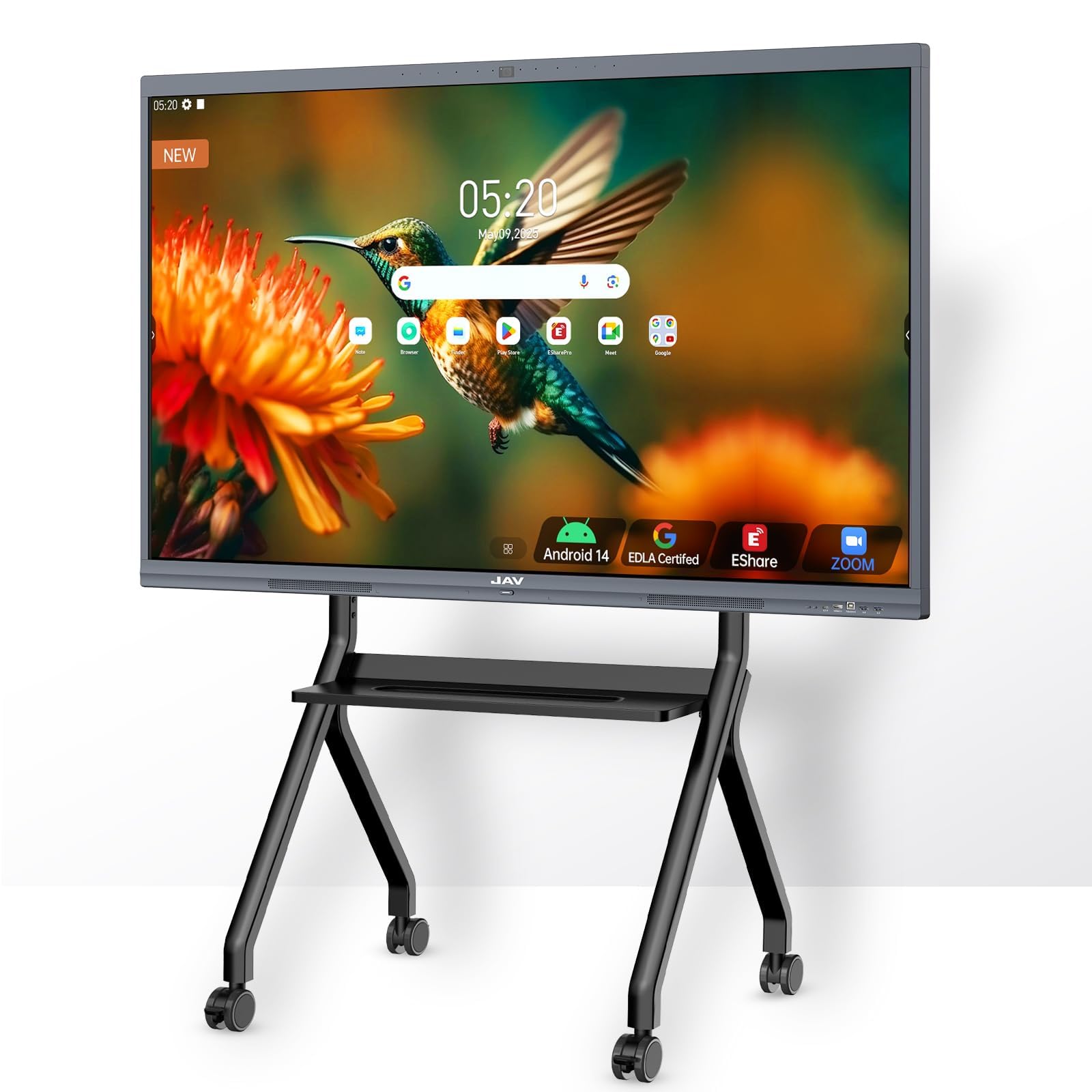
A full media and meeting hub with a 48MP AI camera and a 100W soundbar built right in.
This board packs everything you need for hybrid work into one chassis, saving you from buying separate webcams, microphones, and speakers. The 48MP AI (artificial intelligence) camera handles face recognition and speaker tracking, while the 8-array microphone with 180-degree pickup and AI noise suppression keeps your voice clear even in noisy rooms. The 100W soundbar fills a large conference room or classroom without external speakers — noticeably more powerful than the 60W or 2x20W systems on most other boards.
The JAV Pro runs Android 14 on an 8-core CPU (Central Processing Unit, the brain of the board) with 8GB RAM and 128GB storage, and it is Google EDLA certified, so you get the full Play Store and Google Workspace. It supports 20-point multi-touch with palm-erase technology and dual-user writing. Owners mention the 4K display and smooth multi-touch work great for presentations and brainstorming, and the customer support team responds quickly. One reviewer did report Wi-Fi connectivity issues, so check your network setup before installing.
Why It Stands Out
- 48MP AI camera with speaker tracking and face recognition for hybrid meetings
- 100W soundbar delivers room-filling audio without extra speakers
- 8-array microphone with AI noise suppression for clear voice pickup
- Google EDLA certified with full Play Store access
Watch Out For
- Some users reported Wi-Fi connectivity troubles from the start
- Premium price reflects the integrated camera and sound system
The all-in-one choice: Grab this if you want a single device that handles video calls, whiteboarding, and presentations without external webcams or speakers.
Before you buy: Make sure your Wi-Fi infrastructure is reliable, as some buyers hit connectivity issues with this model.
3. NEWORK NewBoard 55E
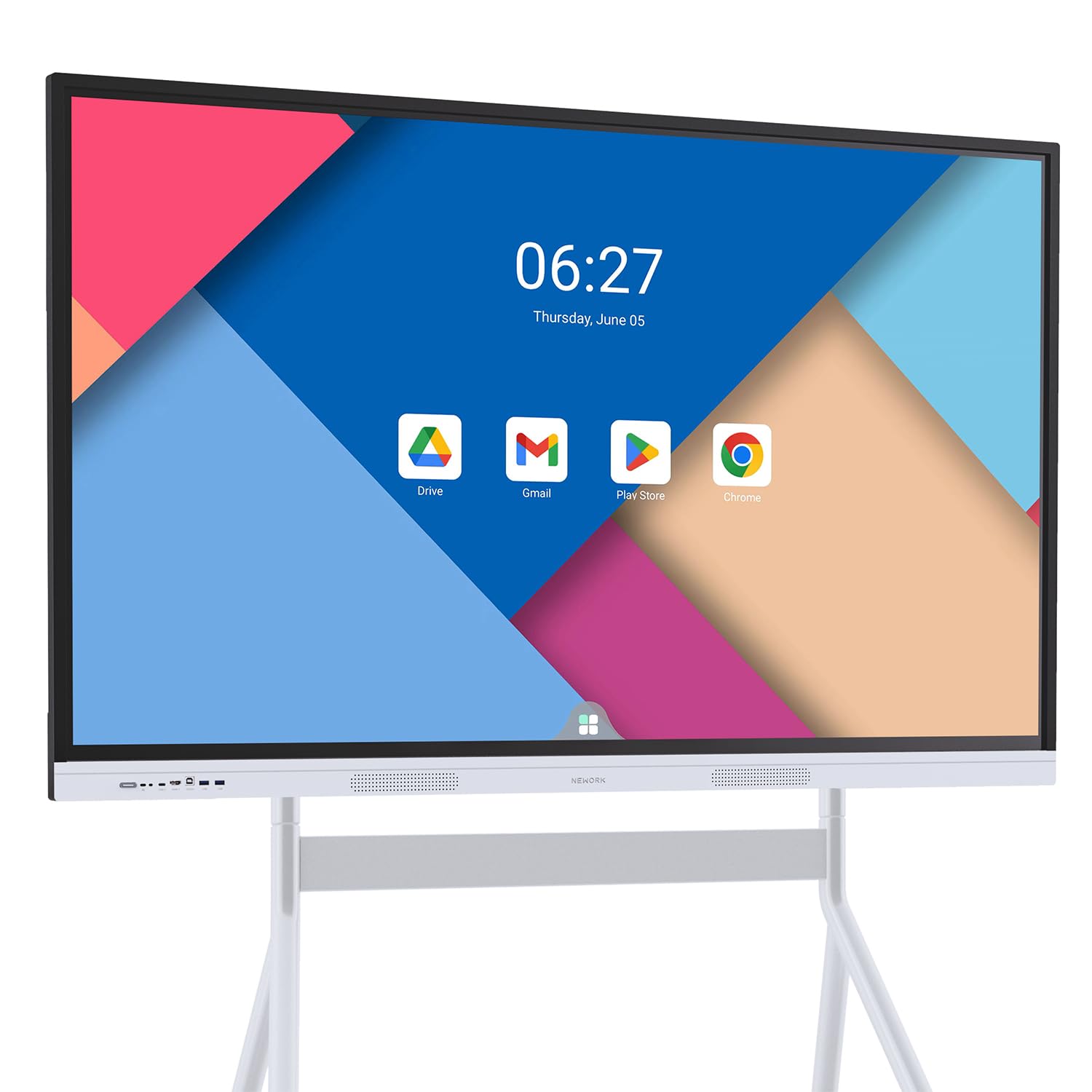
The only 55-inch board here with 50-point touch, letting up to five people write simultaneously.
For classrooms and brainstorming sessions where multiple people need to interact at once, the NewBoard 55E’s 50-point multi-touch is the standout spec — most boards in this size top out at 20 points. That means up to five users can write on the screen at the same time without lag, which changes how group work flows. The 4K UHD display has an 81% NTSC (National Television System Committee, a color gamut standard) color gamut and a 178-degree viewing angle, so colors stay accurate and readable from any seat in the room.
This board is Google EDLA certified and runs Android 14 with 8GB RAM and 64GB storage. Wireless screen casting supports up to 16 devices at once, which is useful for hybrid classrooms where students present from their own screens. Reviewers highlight the responsive 50-point touch and the value at the price point. One thing to note: the 64GB storage is half what other boards at similar prices offer, so if you plan to install many large apps, factor that in.
Group Collaboration Power
- 50-point multi-touch allows up to 5 people to write at the same time
- Wireless casting supports up to 16 devices simultaneously
- 81% NTSC color gamut and 178-degree viewing angle
- Google EDLA certified with Android 14 and Play Store access
A Storage Trade-Off
- 64GB storage is half the capacity of similarly priced 8GB/128GB boards
- No built-in camera or microphone for video conferencing
Best for interactive classrooms: Choose this if you regularly have multiple students or team members writing on the screen at the same time.
The limit: 64GB storage may fill up fast if you install many apps, and there is no built-in camera for video calls.
4. YCKJNB 55″ Smart Board
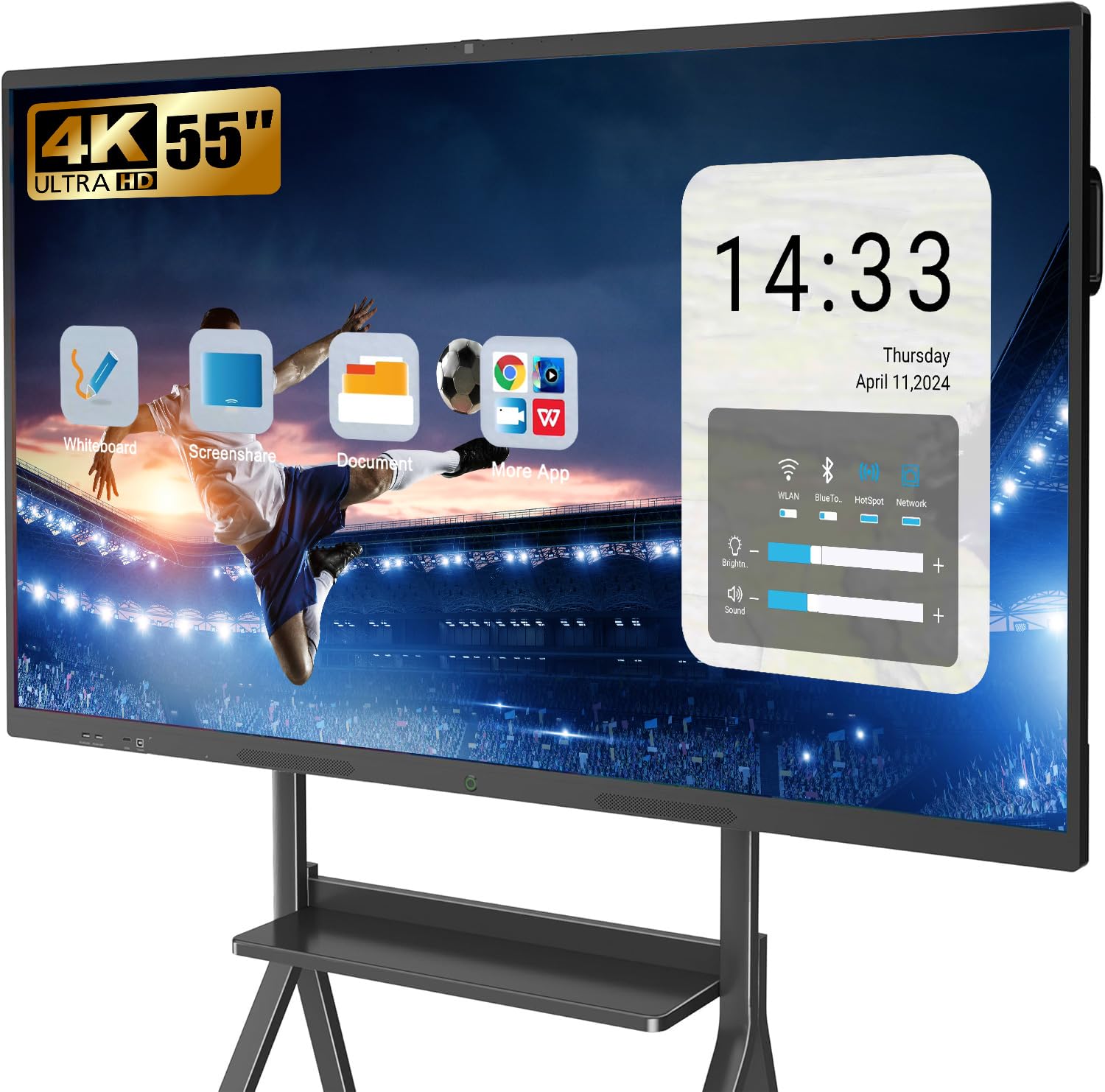
A video-conferencing-focused board with a built-in 13MP camera and 8-array microphone system.
If your main use is hybrid meetings with remote participants, the YCKJNB board saves you from plugging in external gear. It comes with a 13MP (megapixel, a measure of camera resolution) camera, 8-array microphones, and 2x20W speakers designed for video conferencing. You can wirelessly screen project from up to four users at once, and reverse touch control lets remote attendees interact with the board. The 4K UHD LED display has a 10000:1 contrast ratio (the difference between the brightest white and darkest black), which makes text and images look sharp.
The board runs Android 13 (the base install, not the latest 14 like some other picks) with 8GB RAM and 128GB storage. The open app ecosystem lets you download whatever tools your office uses. Customers note the touch recognition is excellent, with no lag when writing, and the camera takes very good pictures for a built-in. Setup is straightforward with helpful how-to videos from the seller.
Meeting-Ready Features
- 13MP built-in camera saves buying a separate webcam for video calls
- 8-array microphones pick up voices clearly from across the room
- Supports up to 4 simultaneous wireless screen projections
- 10000:1 contrast ratio for sharp text and image clarity
Consider This
- Runs Android 13 instead of the newer Android 14 found on some competitors
- Not Google EDLA certified, so app store access may be more limited
The video-call specialist: Pick this if you want a board with a capable built-in camera and microphones, no external gear needed.
Check before buying: It runs Android 13, not 14, and lacks Google EDLA certification, so confirm your essential apps are available.
5. Shiarffe X5 Smart Board 55 Inch
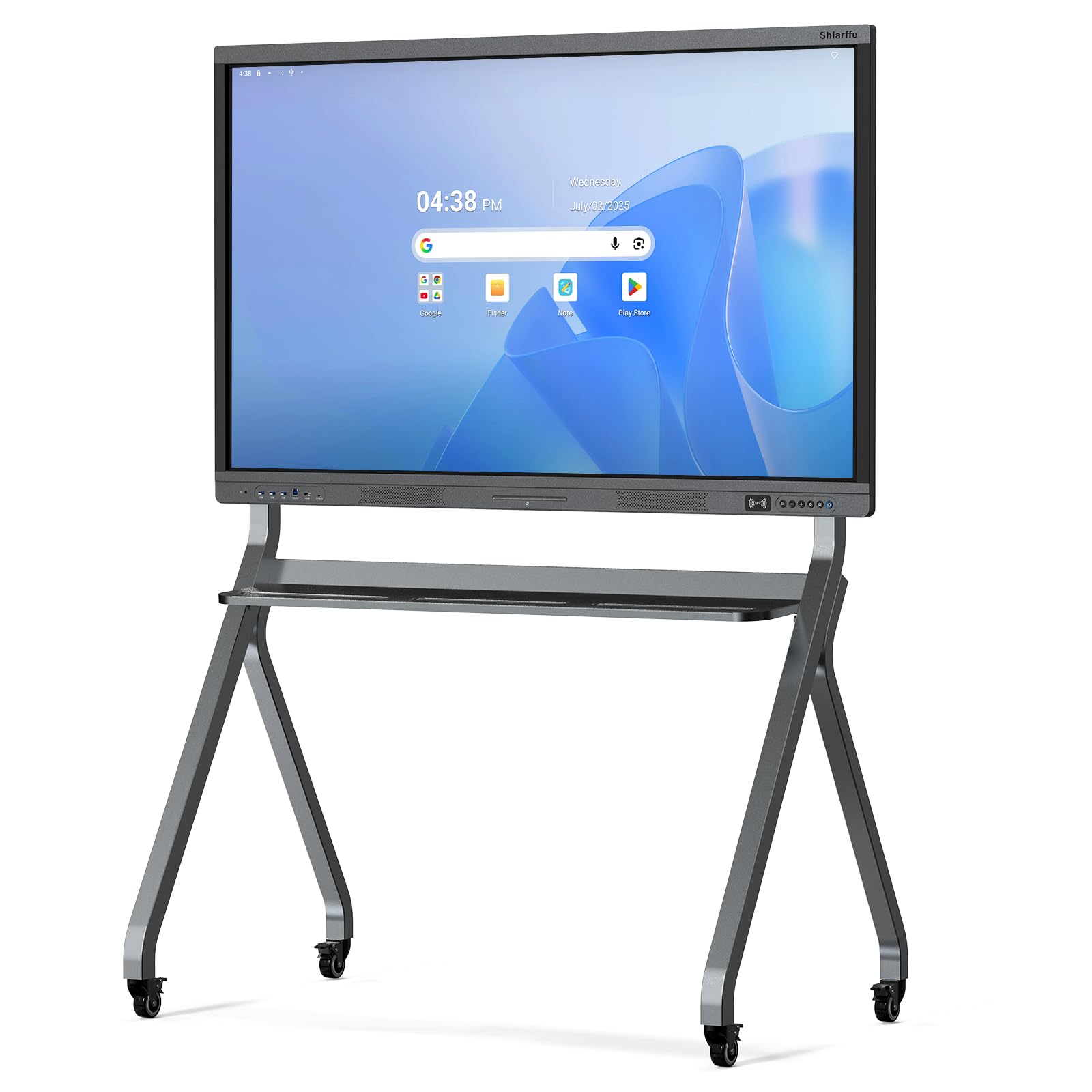
Built with an industrial-grade chassis and 450 cd/m² brightness for bright classroom environments.
The Shiarffe X5 is engineered specifically for daily K-12 use, with a reinforced chassis designed to withstand years of multi-student interaction. The 4K anti-glare IPS (In-Plane Switching) screen hits 450 cd/m² brightness — the measure of how bright the screen gets — which is noticeably brighter than the 350 cd/m² on the JAV Pro, so students at the back of a sunny classroom can still read the screen clearly. The 3000:1 contrast ratio helps text stay sharp. It is Google EDLA certified, giving you full access to Google Classroom and the Play Store with zero subscription fees.
This board supports 20-point multi-touch and comes with wired (HDMI, USB-C, LAN) and wireless connectivity. Reviewers highlight that hybrid meetings are solved easily: remote participants join the live whiteboard via QR code with no app or login required, annotate in real time, and everything auto-saves to the cloud. One buyer described it as costing roughly one third of big-name brands while being more intuitive for new users. The build quality is solid, with sharp responsive screen performance under various lighting conditions.
Built for School Environments
- Industrial-grade chassis stands up to daily multi-student use
- 450 cd/m² brightness is higher than the 350 cd/m² on the JAV Pro
- Google EDLA certified with no subscription fees
- Remote participants can join via QR code without an app or login
What to Note
- No built-in camera or microphone for video conferencing
- The 8GB RAM and 128GB storage are standard, not the doubled spec of the R9
For classroom durability: Buy this if you need a tough board that can handle daily student interaction and stays readable in bright rooms.
The limitation: No built-in camera or microphone, so separate gear is needed for video calls.
6. Dornium 55″ Smart Board
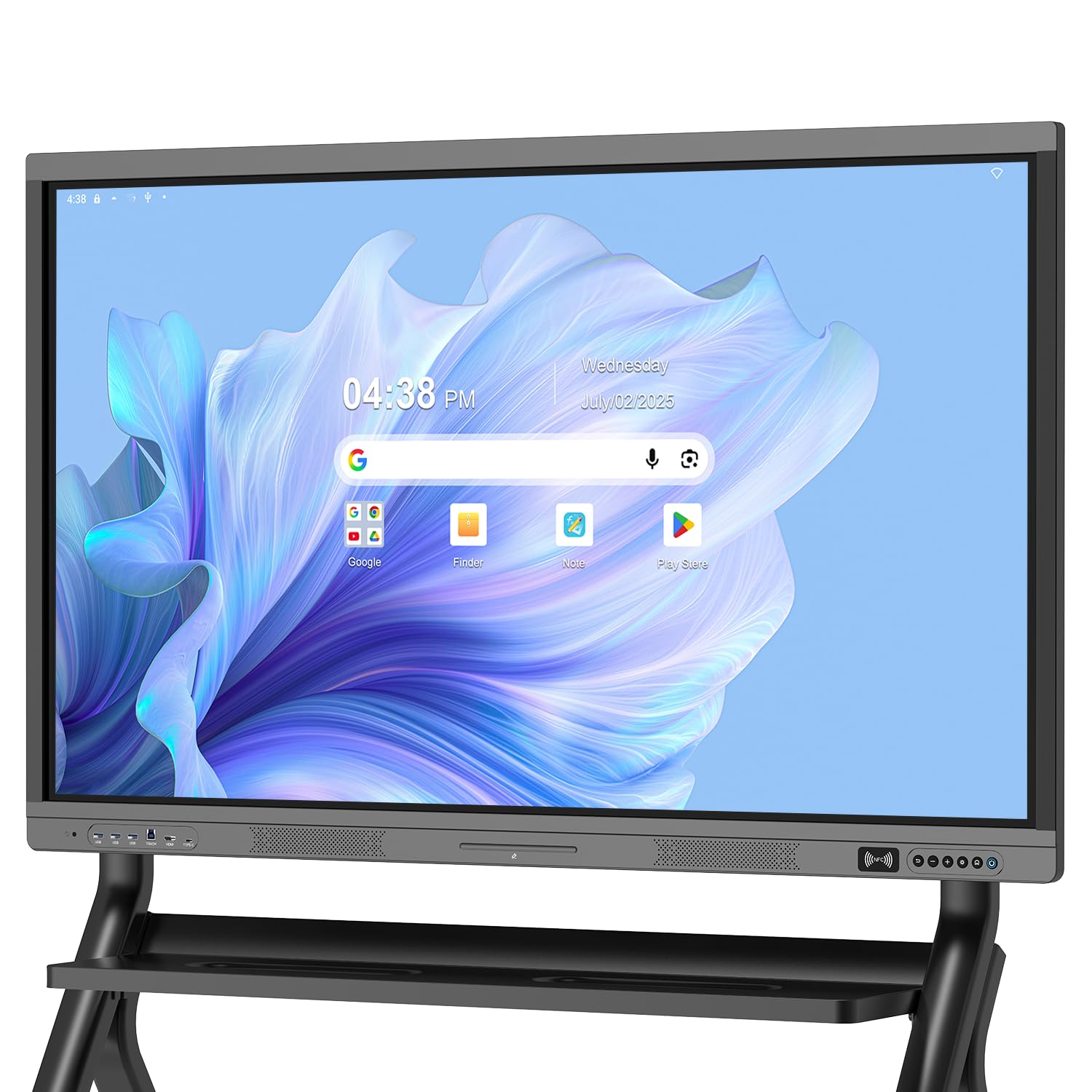
Google EDLA certification with anti-glare glass and a strong port selection at a mid-range price.
The Dornium strikes a practical balance between cost and capability for classrooms and offices that need Google Play Store access without overspending. It is Google EDLA certified with Android 14, running on a quad-core A73 and A53 processor (a four-core chip that handles tasks quickly) with 8GB RAM and 128GB storage. The 4K UHD touchscreen uses 3.5mm anti-glare tempered glass with a 178-degree viewing angle, so glare from overhead lights doesn’t wash out the display. It supports 20-point multi-touch with ±1mm touch accuracy.
Reviewers point out the USB-C port transmits both video and power, which reduces cable clutter — one reviewer specifically mentioned this as a reason the board fits their small classroom. The weight is 59.5 pounds, lighter than many full-featured competitors, making wall mounting simpler. The board includes HDMI, DP (DisplayPort), Type-C, VGA, USB2.0, USB3.0, and LAN ports. Shoppers say the screen is clear and crisp with responsive touch, and the brightness works well in well-lit rooms.
Smart Value Package
- Google EDLA certified with full Play Store and OTA updates
- 3.5mm anti-glare tempered glass reduces reflection in bright rooms
- USB-C transmits video and power, simplifying cable management
- 59.5 pounds is relatively light for easier wall mounting
Things to Know
- No built-in camera or microphone for video calls
- Stand mounting bracket sold separately
The value pick: Choose this if you want Google EDLA certification and anti-glare screen quality at a mid-range price point.
Plan ahead: No built-in camera, and you will need to buy a stand separately if not wall mounting.
7. JASZDOT 55″ Smart Board
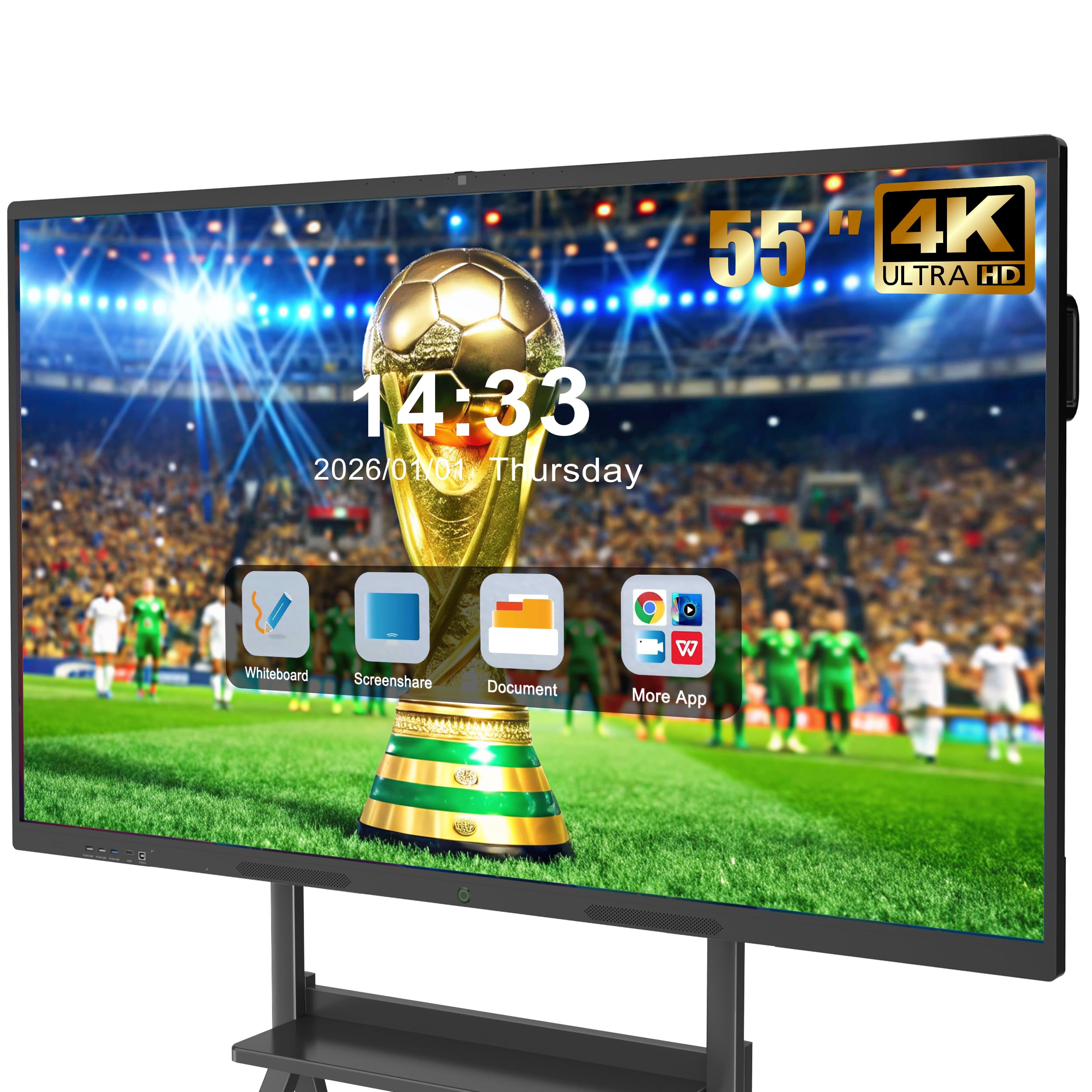
A 6ms response time board with front-facing USB ports and nearly every connection you can name.
If you are tired of crawling behind a wall-mounted screen to plug in a USB drive, the JASZDOT board puts two USB ports, one HDMI, and one TOUCH input right on the front panel for quick access. The rear and bottom panels add more connections: USB, TF card slot (a tiny memory card slot), HDMI, RS232 (a serial port for older equipment), headphone jack, LAN IN/OUT, VGA, MIC IN, AV IN/OUT, COAXIAL, and DisplayPort. This is the most complete port selection among all the boards here, making it ideal for environments with older peripherals and legacy AV equipment.
The board runs Android 14 with 8GB RAM and 128GB storage, and delivers a true 4K UHD display with over 400 nits of brightness (nits measure screen brightness). The 20-point infrared touch technology has a fast 6ms response time (the delay between your touch and the screen reacting) with ±1mm precision, and includes smart handwriting recognition. Buyers report the board works great for homeschooling children with special needs, and one reviewer noted their company’s meeting room efficiency improved noticeably after upgrading to this board. The screen casting box is included in the package.
Connectivity Champion
- Front USB and HDMI ports for easy plug-and-play access
- Rear and bottom ports include RS232, VGA, AV/COAXIAL, and DisplayPort
- 6ms response time with ±1mm precision for natural writing feel
- Includes screen casting box and all mounting hardware
Before You Choose
- Not Google EDLA certified, so app store access is not the full Play Store
- ABS frame material feels less premium than aluminum alloy competitors
Best for legacy setups: Pick this if you need VGA, AV, and RS232 ports to connect older devices alongside modern gear.
The catch: No Google EDLA certification, so available apps depend on the built-in app store.
8. EUNIVON 55″ Interactive Whiteboard

The entry-level price leader that still runs Android 14 with 8GB RAM for basic smart board needs.
If your budget is tight but you still want a modern smart board operating system, the EUNIVON delivers Android 14 with a Cortex-A55 eight-core CPU (a processor with eight cores for handling multiple tasks) and 8GB RAM at the lowest cost in this lineup. The 4K UHD display handles presentations, screen mirroring from any Mac, Windows, iOS, or Android device, and basic whiteboarding. It includes a wall mount in the box, so you do not need to buy extra hardware to get it on the wall.
One buyer called it the “best investments ever,” using the board as a home theater and gaming monitor alongside whiteboard duty, and noted it replaced a dry erase board entirely. The touchscreen works like a huge tablet, and kids use it for painting and gaming from up to 15 feet away. However, there is a verified critical review from a law firm partner who could not get screen sharing or HDMI connection to work at all — the screen stayed blank, and customer service was unhelpful. That split in reviews means the EUNIVON is a good bet if you value the low price, but be ready for potentially inconsistent quality control.
Budget-Friendly Basics
- Lowest cost entry point for a 55-inch Android 14 smart board
- 8GB RAM and Cortex-A55 CPU for basic multitasking
- Includes wall mount in the box, so no extra purchase needed
- Supports screen mirroring from Mac, Windows, iOS, and Android
What Risks Come With It
- Some owners mention the screen sharing and HDMI connection do not work at all
- Customer support responsiveness received mixed feedback
- Not Google EDLA certified
The budget entry: Consider this if you need a basic Android smart board at the lowest price and are okay with potential quality variance.
Proceed with caution: Verified reviews show real cases where the board arrived non-functional for screen sharing, so check return policies carefully.
9. Vibe S1 4K UHD Smart Board

A Chromium OS board with 250+ free apps and enterprise-level security for IT-managed environments.
The Vibe S1 takes a different approach from the Android-based boards: it runs VibeOS on Chromium OS (an open-source operating system that Chrome OS is based on), which gives you enterprise-grade security, fleet management for IT admins (the ability to manage many devices from one dashboard), and over 250 free apps built in. The 55-inch 4K UHD touchscreen uses 10-point infrared touch with less than 8ms response time for a natural writing feel. It is powered by an Arm RK3588 chip with 8GB RAM and 128GB storage, plus Wi-Fi 6 and Bluetooth 5.2 for fast wireless connections.
Buyers rave about the Vibe for homeschool use — one parent with an autistic child said it is a “great addition for hands-on experience” and praised the ease of writing on anything and the cross-device connectivity. Another reviewer preferred it over the JAV Pro, which they found had app incompatibility and poor sound. However, there is a verified report of a board arriving completely dead (would not power on) with customer service unresponsive by phone or email, which is a major risk at this price tier. The 10-point touch is also lower than the 20-point or 50-point boards on this list, so large group interaction is more limited.
Ecosystem Advantage
- VibeOS on Chromium OS with enterprise-level security and fleet management
- 250+ free apps included, plus access to Google Workspace and Microsoft 365
- Wi-Fi 6 and Bluetooth 5.2 for fast wireless connectivity
- Strong reviews from homeschool families and small businesses
Risks and Limits
- 10-point touch is lower than the 20-point or 50-point competitors here
- Verified report of a dead-on-arrival unit with unresponsive customer support
- Highest price in this lineup, making it a significant investment
For Chrome OS shops: Choose this if your organization runs on Google Workspace and you value IT fleet management and enterprise security.
The big caveat: The premium price does not guarantee reliability, with at least one verified report of a defective unit and poor support.
Understanding the Specs
Google EDLA Certification
EDLA stands for “Enterprise Devices Licensing Agreement” — it is Google’s certification that lets a smart board access the full Google Play Store, Google Workspace (Gmail, Drive, Meet, Classroom), and receive automatic over-the-air security updates (software fixes sent wirelessly). Boards without EDLA may have a limited app store or no Google services at all, which can lock you out of the apps your school or office already uses.
Touch Points and Infrared Touch
The number of touch points tells you how many fingers or pens the screen can track at once. A 20-point touch board handles a teacher plus several students. A 50-point touch board like the NEWORK NewBoard lets up to five people write simultaneously. Infrared (IR) touch technology uses sensors around the screen edges to detect touch, which is more durable for heavy use than capacitive touch used on phones.
RAM, Storage, and Processor
RAM (Random Access Memory) determines how many apps you can run at once without slowdowns. 8GB is the standard for smooth multitasking. 16GB, found only on the Shiarffe R9, gives you headroom for demanding workflows. Storage (ROM, or Read-Only Memory, where your files are saved) holds your apps, files, and recordings — 64GB is workable, 128GB is comfortable, and 256GB gives you room to install heavy apps and store recordings locally. The processor affects how fast apps launch and how smooth the interface feels.
Built-In Camera and Microphone Array
Boards with a built-in camera (like the JAV Pro with its 48MP AI camera or the YCKJNB with its 13MP camera) save you from mounting a separate webcam. The number of microphones in the array — 2, 4, or 8 — determines how well the board picks up voices across the room. An 8-array microphone with AI noise suppression, like the one on the JAV Pro, helps remote participants hear you clearly without background room noise.
FAQ
Can I use a 55 inch smart board as a regular TV or monitor?
Do I need a separate computer to run a smart board?
What does Google EDLA certification actually give me?
How many people can write on a 55 inch smart board at the same time?
Can remote participants interact with the whiteboard during video calls?
Is 8GB RAM enough for a smart board?
Can I mount the smart board on a wall or does it need a stand?
Why do some smart boards cost much more than others?
How long do these smart boards typically last?
Can I use a smart board outdoors or in very bright rooms?
Final Thoughts:
Product prices and availability are accurate as of the date/time indicated and are subject to change. Any price and availability information displayed on Amazon at the time of purchase will apply to the purchase of this product. As an Amazon Associate I earn from qualifying purchases.
CERTAIN CONTENT THAT APPEARS ON THIS SITE COMES FROM AMAZON. THIS CONTENT IS PROVIDED "AS IS" AND IS SUBJECT TO CHANGE OR REMOVAL AT ANY TIME.
Amazon and the Amazon logo are trademarks of Amazon.com, Inc. or its affiliates.