
A 5Gb Ethernet switch sits at a peculiar crossroads—fast enough to saturate a mechanical RAID array, slow enough that SFP+ doesn’t feel mandatory, and just awkward enough that most router ports still top out at 2.5Gb. This is the tier for people who’ve outgrown gigabit but aren’t ready to re-cable their entire rack with fiber optics and enterprise cooling fans. The bottleneck in your home lab might not be your ISP speed; it’s the single gigabit uplink choking every NAS transfer you run.
I’m Min — the co-founder and writer behind Gadgets Feed. I analyze switching capacity, port density, thermal dissipation, and real-world throughput patterns across dozens of multi-gigabit network switches to separate genuine upgrades from marketing noise.
No matter how fast your WiFi 7 access point claims to be, your wired backbone still governs reliability, so this guide ranks the best candidate models and explains the real engineering behind the best 5gb ethernet switch for your specific configuration.
How To Choose The Best 5Gb Ethernet Switch
Not every multi-gig switch delivers the same real-world speed. The 5Gb tier sits between 2.5Gb and 10Gb, and choosing one requires looking beyond the port count to switching capacity, thermal design, and how the device negotiates mixed-speed environments.
Port Count vs Switching Capacity
A switch with eight 5Gb ports needs at least 80 Gbps backplane capacity to allow full-duplex simultaneous forwarding across all ports. If the switching capacity is lower, internal bottlenecks appear when multiple devices try to saturate their links at once—especially noticeable during multi-stream NAS backups or intense LAN gaming sessions.
Fanless vs Active Cooling
Multi-gig switches generate more heat than their gigabit predecessors because the PHY chips run faster clocks. A fanless metal case relies on convection and radiative surface area to dissipate heat. This works well for 8-port or smaller configurations in ventilated spaces, but high-density 16-port deployments in enclosed racks may need active cooling to avoid thermal throttling or premature chip failure.
Unmanaged vs Managed (and Why It Matters)
For pure plug-and-play connectivity, unmanaged switches win on simplicity and price. But if you need VLAN segmentation for IoT isolation or static link aggregation to combine two 5Gb links into a single 10Gb trunk toward your server, a managed or hybrid switch with hardware-toggled modes becomes necessary—but be wary of buggy firmware that drops DHCP leases in VLAN mode.
Quick Comparison
On smaller screens, swipe sideways to see the full table.
| Model | Category | Best For | Key Spec | Amazon |
|---|---|---|---|---|
| GiGaPlus 8-Port 5Gb Switch | Unmanaged / 5G | Pure 5Gb backbone | 80 Gbps switching capacity | Amazon |
| VIMIN 8-Port 5G Switch | Unmanaged / 5G | Multi-speed negotiation | 80 Gbps switching capacity | Amazon |
| NICGIGA 16-Port 2.5G Switch | Unmanaged / 2.5G | High-density 2.5Gb | 80 Gbps switching capacity | Amazon |
| TRENDnet TEG-S3160 | Unmanaged / 2.5G | NDAA/TAA compliant | 80 Gbps switching capacity | Amazon |
| NETGEAR MS308 | Unmanaged / 2.5G | Brand reliability | 8 x 2.5Gb ports | Amazon |
| BrosTrend 8-Port 2.5G Switch | Unmanaged / 2.5G | Link aggregation | Static link aggregation | Amazon |
| D-Link DMS-105 | Unmanaged / 2.5G | Entry-level upgrade | 25 Gbps switching capacity | Amazon |
In‑Depth Reviews
1. GiGaPlus 8-Port 5Gb Ethernet Switch
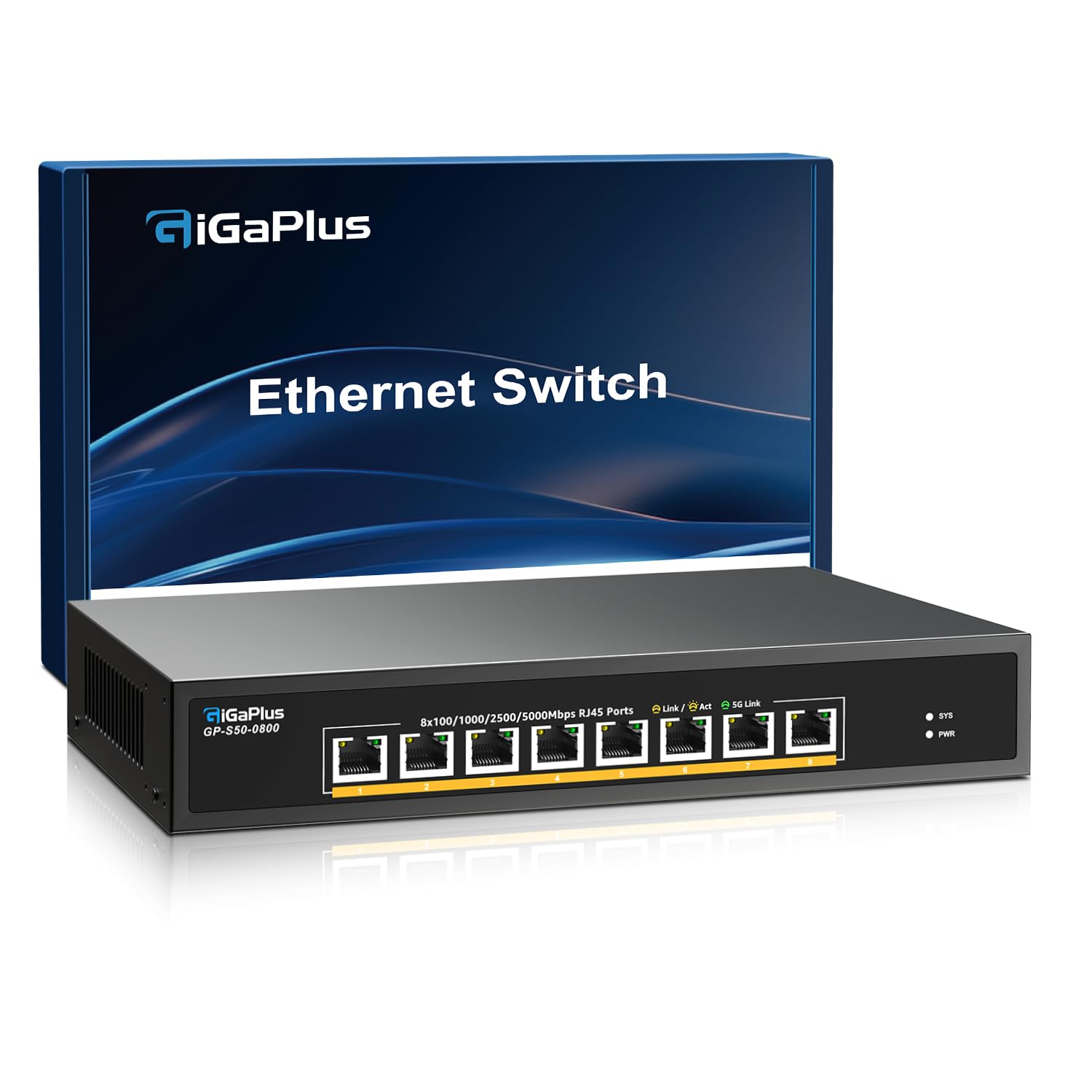
The GiGaPlus S50-0800 delivers eight full 5G Base-T ports with an 80 Gbps switching capacity, making it one of the few true 5Gb switches on the market rather than a 2.5Gb device with an aspirational label. Each port auto-negotiates down to 100M for backward compatibility, but the real value is saturating a 5Gb NIC connected to a fast NAS or WiFi 7 access point without re-cabling the whole rack. The metal case supports both desktop and 19-inch rack mounting with included ears, and the fanless design keeps the noise floor at zero.
In sustained transfers, the GiGaPlus maintains full line-rate throughput with no frame drops, handling simultaneous 5Gb streams across four ports without the switching fabric breaking a sweat. Some users note that the LED indicators are on the same side as the RJ45 jacks, so cabling can partially obscure status visibility—a minor ergonomic quibble but not a performance issue. The unit runs warm under load, measuring around 100°F on the metal chassis, consistent with passive cooling on 5G PHY chips.
Customer feedback confirms reliable operation with 5Gb Realtek and Intel NICs, plus seamless compatibility with 2.5Gb and gigabit devices daisy-chained behind it. A small number of reports mention SFP+ port failures on earlier revisions, but the copper 5G ports on this model appear stable. For anyone building a dedicated multi-gig backbone between a server room and workstations, this is the cleanest 5Gb option available.
Why it’s great
- True 5Gb per port with 80 Gbps backplane
- Fanless metal chassis, silent operation
- Includes rack mount ears for 19-inch installs
Good to know
- LED placement obscured by cables
- Some early units had SFP+ reliability concerns
2. VIMIN 8-Port 5G Ethernet Switch
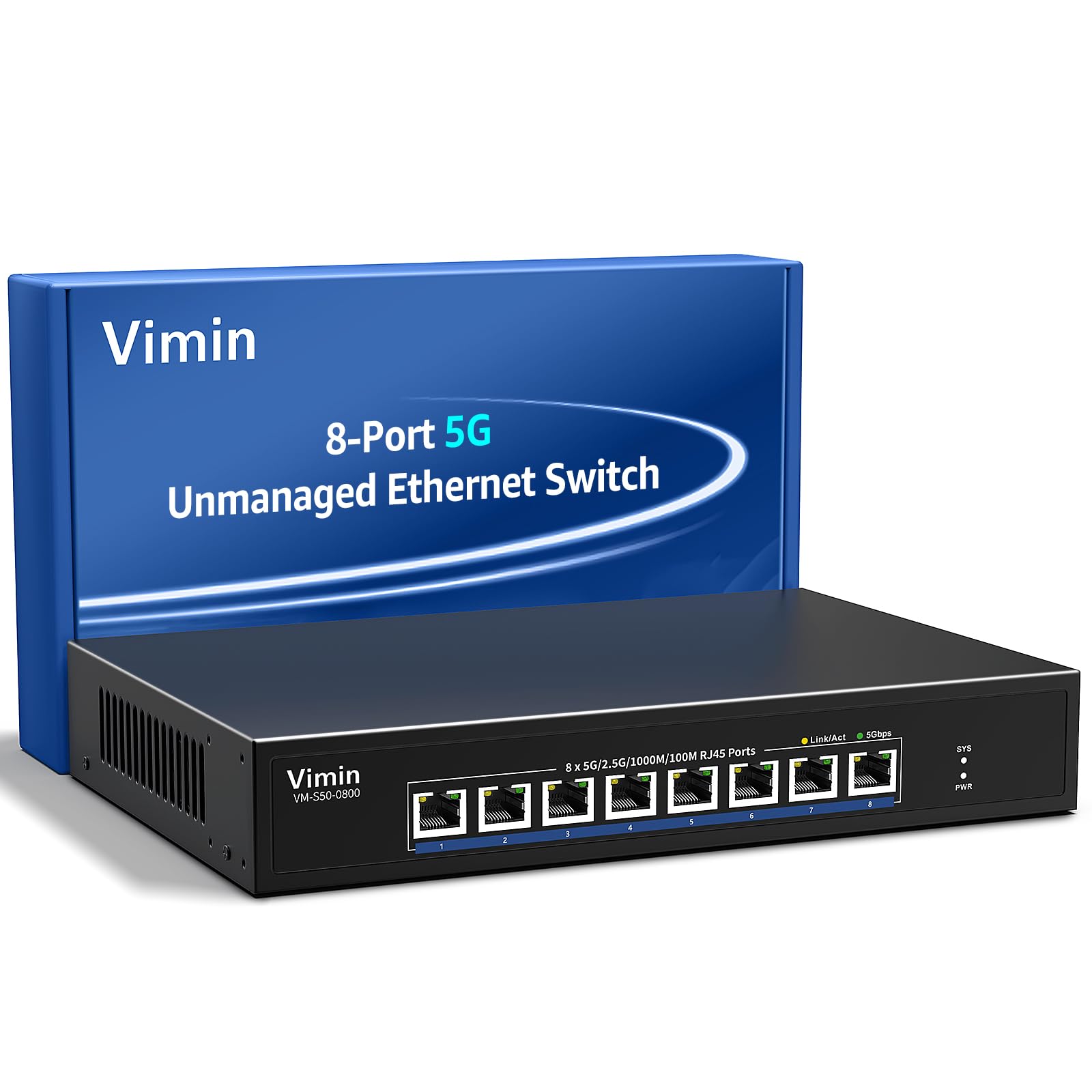
The VIMIN VM-S50-0800 matches the GiGaPlus spec-for-spec on paper—eight 5G Base-T RJ45 ports, 80 Gbps switching capacity, auto-negotiation from 100M through 5G, and a durable metal casing with 4KV lightning protection. Where it differs is in the out-of-box experience: the unit includes a power cable that may not fit UK or EU outlets natively, and the accessories bundle is leaner, so buyers outside the US might need to source a local power lead before first use.
Performance-wise, the VIMIN handles continuous 5Gb transfers without dropped packets or thermal shutdown, and the fanless design means zero acoustic noise—critical for home office or bedroom racks. The auto-negotiation logic correctly steps down to 2.5Gb and 1Gb when connected to older hardware, and link stability has been reliable across multi-month deployments. The lack of VLAN support or management software keeps setup trivial but limits use in environments needing network segmentation.
User reviews highlight the ease of deployment—literally plug and walk away—and the quiet operation as major positives. However, buyers expecting Power over Ethernet (PoE) will be disappointed; this is purely a data-only switch, so access points and cameras need separate power. For a dedicated 5Gb backbone at a competitive price point, the VIMIN delivers genuine 5Gb throughput without fan noise or configuration headaches.
Why it’s great
- Full 5Gb per port, 80 Gbps backplane
- 4KV lightning protection for security
- Silent fanless metal construction
Good to know
- Power cable region-dependent (verify plug type)
- No PoE support on any port
3. NICGIGA 16-Port 2.5G Ethernet Switch
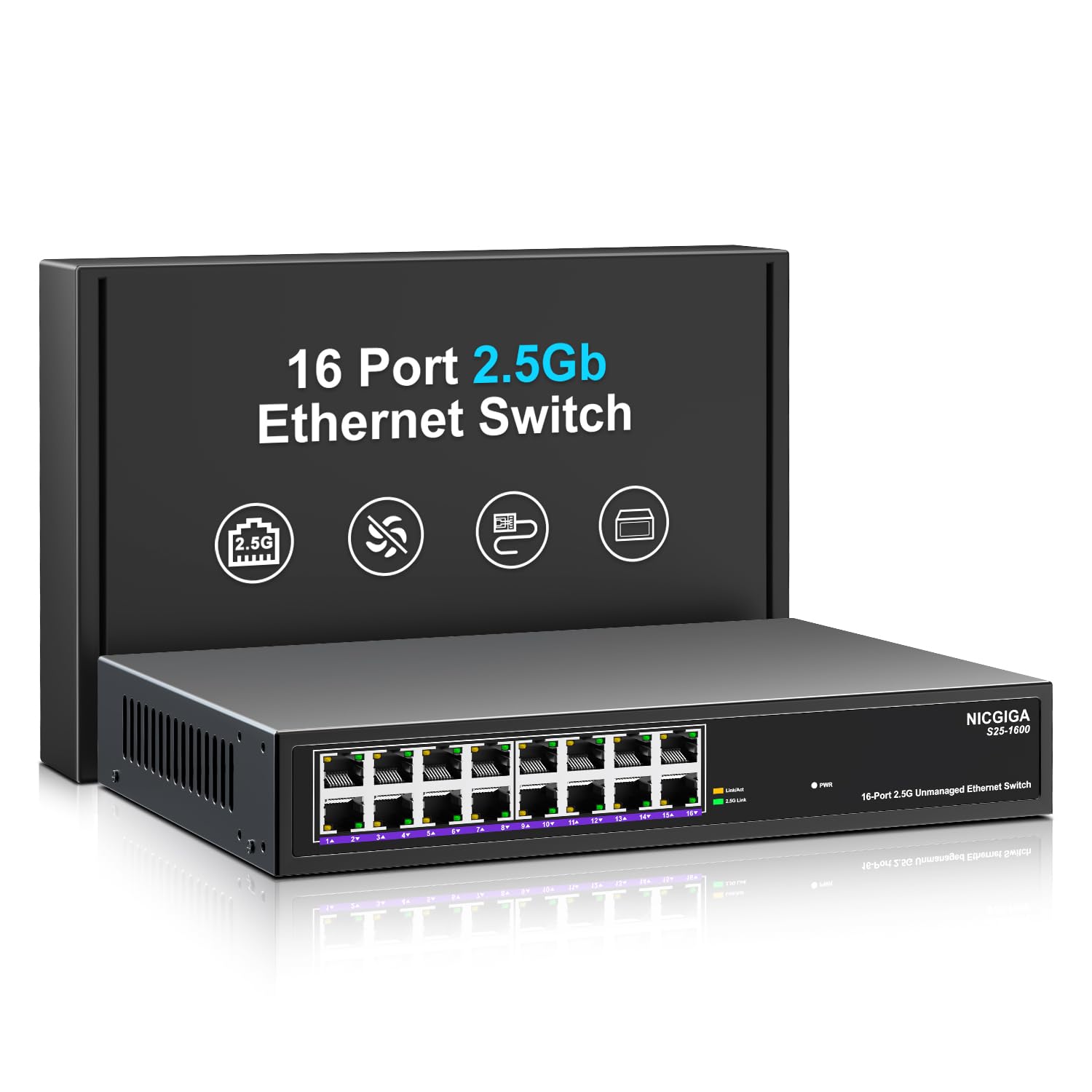
While not a 5Gb switch, the NICGIGA S25-1600 offers 16 ports of 2.5Gb with an 80 Gbps switching capacity—enough to run a full home network upgrade without paying the 5Gb per-port premium. The real-world benefit for most users is saturating a gigabit WAN connection while allowing multiple 2.5Gb clients (NAS, gaming PC, access points) to communicate without internal bottlenecks. The fanless metal chassis stays cool even with all 16 ports active, and the included 4KV lightning protection adds peace of mind in storm-prone areas.
Setup is truly plug-and-play with zero configuration required. The switch auto-negotiates each port independently, handling mixed-speed environments seamlessly—a 2.5Gb NAS next to a gigabit printer causes no handshake issues. The main trade-off is the lack of SFP+ uplinks; if you eventually migrate to a 10Gb core, this switch becomes a distribution layer device rather than a backbone component.
Customer reviews consistently praise the reliable performance and silent operation over months of 24/7 use. A few users note that the unit ships without rubber feet or detailed warranty documentation, which feels sparse for a mid-range purchase, but the hardware itself has proven stable. For anyone expanding a 2.5Gb network beyond eight ports, this is the most cost-effective way to do it without sacrificing switching capacity.
Why it’s great
- 16 ports of 2.5Gb with 80 Gbps capacity
- 4KV lightning protection included
- Silent fanless metal housing
Good to know
- No SFP+ for 10Gb uplinks
- Missing rubber feet in some units
4. TRENDnet TEG-S3160 16-Port 2.5G Switch
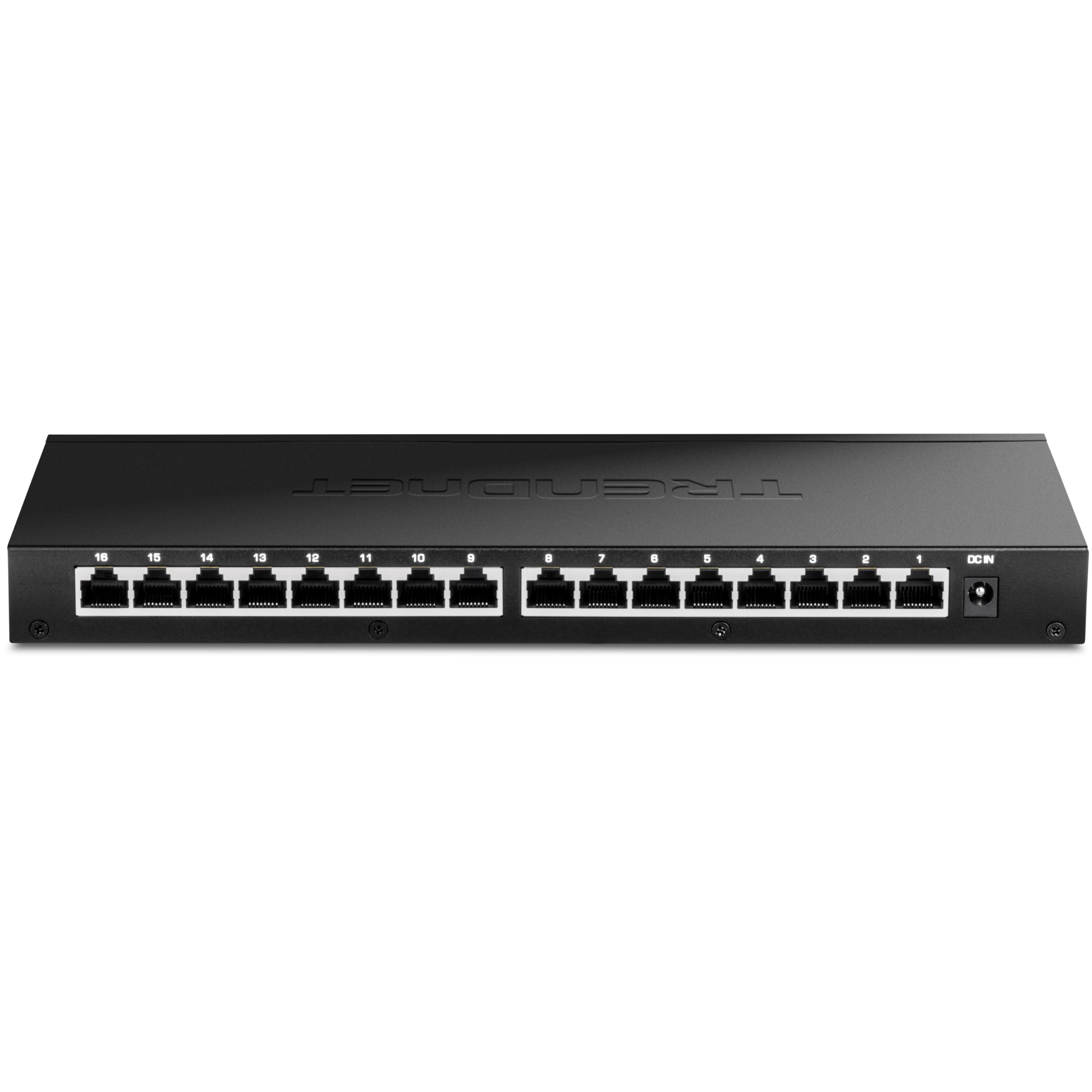
The TRENDnet TEG-S3160 is a 16-port 2.5Gb unmanaged switch that differentiates itself through NDAA and TAA compliance—making it one of the few multi-gig switches suitable for government and institutional purchase. The 80 Gbps switching capacity handles concurrent 2.5Gb traffic across all ports, while the fanless design keeps operation silent. The included rackmount kit and metal chassis give it a proper enterprise feel, and TRENDnet backs it with a lifetime warranty (US and Canada).
In practice, the TEG-S3160 performs identically to the NICGIGA in raw throughput, but the firmware and build quality feel more refined. The power adapter is a 12V DC 3A unit that runs cool, and the LEDs clearly indicate link speed at each port. The lack of management features is by design—this is a pure unmanaged switch for users who want to plug in 16 devices and forget about it. Some buyers note that the SFP+ cage (for optional modules) can run hot, but the copper 2.5Gb ports remain stable.
User feedback over several months of continuous operation shows zero downtime and consistent 2.5Gb speeds. The main complaint is the relatively higher cost compared to similarly spec’d competitors, but the NDAA compliance and lifetime support justify the premium for organizations that need procurement-clean hardware. For home users without compliance requirements, the value equation shifts toward cheaper alternatives.
Why it’s great
- NDAA and TAA compliant for government use
- Lifetime warranty with reliable support
- Rackmount kit and fanless metal build
Good to know
- Premium price vs comparable hardware
- SFP+ cage runs hot with RJ45 modules
5. NETGEAR MS308 8-Port 2.5G Switch

The NETGEAR MS308 offers eight 2.5Gb multi-gig ports with the brand recognition and build quality that enterprise buyers expect from NETGEAR’s unmanaged line. The metal chassis feels more substantial than budget alternatives, and the fanless design keeps the unit silent in any environment. Auto-negotiation works across 100M, 1Gb, and 2.5Gb speeds, and NETGEAR claims compatibility with existing Cat5e cabling at full 2.5Gb speeds—a claim verified by users running symmetrical 2.3 Gbps fiber connections through CAT6A upstream.
The MS308’s primary advantage over cheaper switches is the polished firmware and tighter quality control. Users report lower latency compared to gigabit switches, with some seeing latency halved during gaming benchmarks. The web-based management interface (accessible via DHCP) provides VLAN configuration options that go beyond basic unmanaged functionality, making this a hybrid that bridges simplicity with control. However, that web UI comes at a cost: the MS308 is priced higher than any other 8-port 2.5Gb switch in this comparison.
Customer reviews highlight the reliability and easy setup, with several users running the switch for months without a single reboot or link drop. The main criticism is the price premium—often more than functionally equivalent hardware from smaller brands. For buyers who prioritize support, stability, and a name they trust, the NETGEAR premium is a calculated insurance policy.
Why it’s great
- Web management with VLAN control
- Superior build quality and brand support
- Consistent low latency under load
Good to know
- Significantly more expensive than competitors
- Setup requires DHCP for initial web access
6. BrosTrend 8-Port 2.5G Switch

The BrosTrend S1-V2 stands out in the 2.5Gb segment by offering hardware-toggleable Static Link Aggregation (LAG) and VLAN modes alongside the standard unmanaged operation. This means you can bond two 2.5Gb ports into a single 5Gb trunk to a dual-NIC NAS or server—effectively giving you 5Gb throughput without buying a native 5Gb switch. The eight ports all support 2.5Gb, and the 40 Gbps switching capacity is sufficient for moderate network loads, though it’s half the backplane of the 80 Gbps switches listed above.
The build quality is solid metal, fanless, and wall-mountable, making it ideal for tidy media cabinet installations. The standard mode works as a pure plug-and-play unmanaged switch, while the LAG mode combines two specific ports for increased bandwidth to critical devices. The VLAN mode isolates traffic between specific ports, useful for separating guest networks or IoT devices from your main LAN—but buyer reviews warn that the VLAN implementation can be buggy, with devices randomly losing IP addresses from the router while in that mode.
For home users who simply need a reliable 2.5Gb distribution switch, the BrosTrend is excellent value. The LAG feature is the main draw for power users, but the VLAN mode should be treated as experimental. If you need reliable VLAN segmentation, step up to a fully managed switch instead. For everyone else, the BrosTrend delivers solid 2.5Gb performance at a mid-range price point.
Why it’s great
- Static LAG combines two ports for 5Gb trunk
- Hardware switch for mode selection
- Fanless metal case, wall-mountable
Good to know
- VLAN mode has reported DHCP issues
- No LACP support for dynamic aggregation
7. D-Link DMS-105 5-Port 2.5G Switch
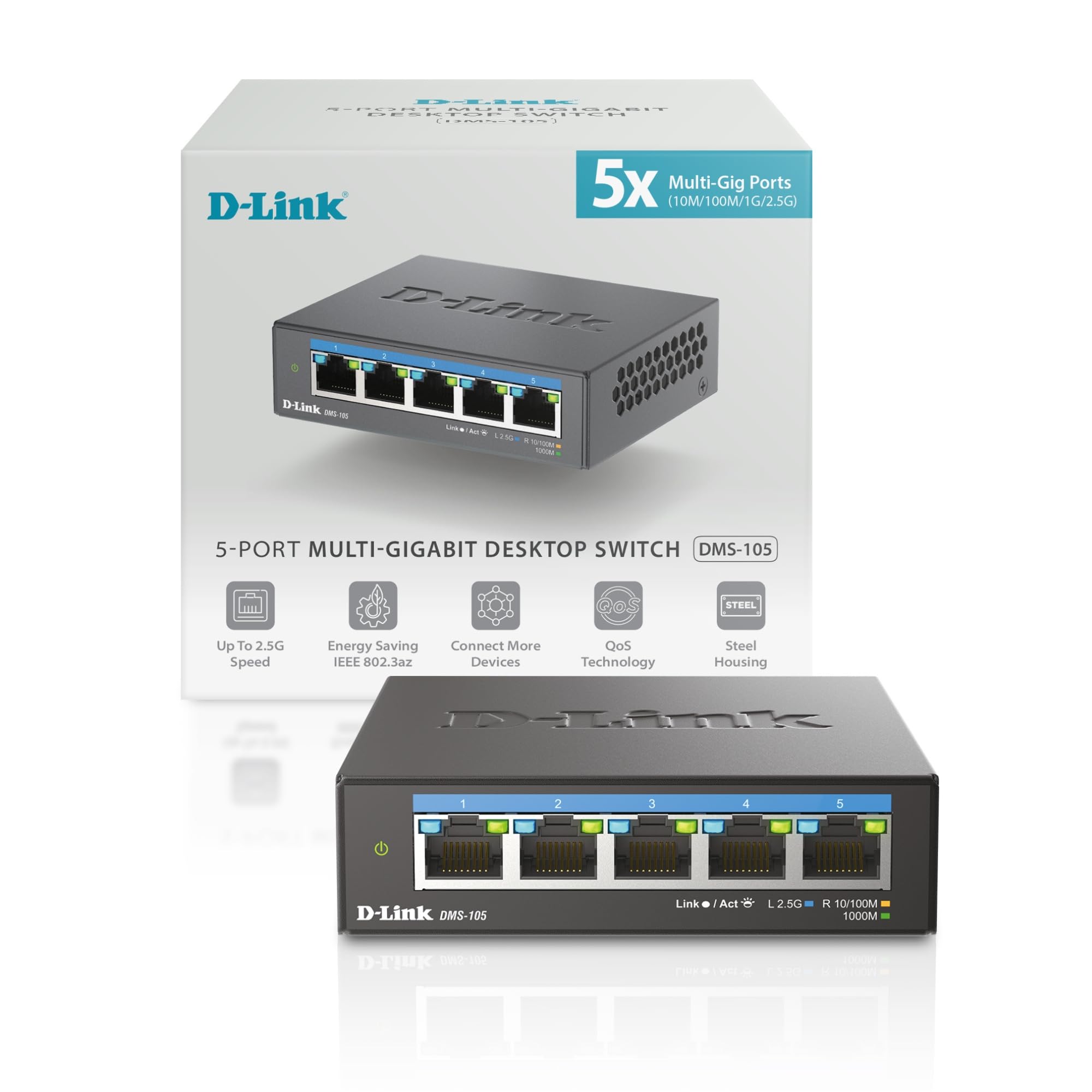
The D-Link DMS-105 is a compact 5-port 2.5Gb unmanaged switch designed for users who need a simple multi-gig upgrade without expanding their network footprint. The 25 Gbps switching capacity is adequate for five ports at 2.5Gb but limits the potential for high-bandwidth daisy-chaining—this is a device for connecting a 2.5Gb NAS and a WiFi 7 access point to a router, not for building a dense multi-gig backbone. That said, for its target use case, it performs flawlessly.
The metal housing is noticeably smaller than other switches in this roundup—measuring just 3.85 inches wide—making it ideal for cramped desks or media consoles. QoS with eight priority levels and IGMP snooping help optimize traffic for streaming and gaming, and the fanless design keeps noise at zero. Users report consistent 2.5Gb speeds between PCs and NAS, with no dropped packets or overheating even in warm environments. The device runs around 95-100°F, which is normal for a passively cooled multi-gig switch.
Customer feedback is overwhelmingly positive, with multiple reviews highlighting the plug-and-play simplicity and reliable performance. The main limitation is the port count: five ports disappear quickly if you’re connecting a router, NAS, gaming PC, access point, and media streamer. For small networks or as a dedicated access-point drop switch, the D-Link DMS-105 is the most affordable entry point into multi-gig networking from a brand with decades of infrastructure experience.
Why it’s great
- Compact size fits tight spaces
- QoS with 8 priority levels and IGMP
- Proven brand reliability
Good to know
- Only 5 ports—limited expansion
- 25 Gbps capacity less than competitors
FAQ
Do I need Cat6a or Cat7 for a 5Gb Ethernet switch?
Can I mix 5Gb, 2.5Gb, and 1Gb devices on the same switch?
Will a 5Gb switch improve my internet speed?
Final Thoughts: The Verdict
For most users, the best 5gb ethernet switch winner is the GiGaPlus 8-Port 5Gb Switch because it delivers true 5Gb per port with a full 80 Gbps backplane and silent fanless operation. If you want 16 ports of 2.5Gb for dense deployments, grab the TRENDnet TEG-S3160. And for an affordable entry into 5Gb networking on a small budget, nothing beats the VIMIN 8-Port 5G Switch.