
Our readers keep the lights on and my morning glass full of iced black tea. As an Amazon Associate, I earn from qualifying purchases.
Specs are compiled from manufacturer listings and verified buyer reviews and can change over time — please confirm the key details on the product page before buying.
If your desktop PC is stuck on a weak signal or crawling on the 2.4GHz band, the fix is a 5GHz WiFi adapter—a small card or dongle that open up the faster, less-crowded 5GHz network your router already broadcasts. The best ones deliver near-wired latency and throughput, cutting ping and lifting download speeds to match a cable connection.
I’m Min — the founder and writer behind Gadgets Feed. This guide is built by comparing the manufacturers’ published specifications and the patterns across verified customer reviews, so you get each pick’s real strengths and trade-offs instead of marketing spin.
From PCIe cards for desktop towers to pocket-sized USB dongles for laptops, here are the best 5ghz wifi adapter options that consistently deliver the speeds owners actually pay for.
Our Picks at a Glance


How To Choose The Best 5GHz WiFi Adapter
Before you buy, you need to match the adapter to two things: your router’s generation and your PC’s available ports. A WiFi 6 adapter is wasted on an older router, and a high-speed USB dongle needs a USB 3.0 port to reach its full potential—otherwise, you are leaving speed on the table.
Match the WiFi Generation to Your Router
Adapters are built to a WiFi standard—like WiFi 5 (802.11ac), WiFi 6 (802.11ax), or WiFi 6E (which adds the 6GHz band). For the best experience on a modern router, look for a WiFi 6 or WiFi 6E adapter, as they bring lower latency and better handling of busy networks. If your router is older, a dual-band WiFi 5 adapter is still a massive upgrade over stock PC Wi-Fi.
Consider the Physical Interface
You have two main form factors. A PCIe card slots inside your desktop tower and usually offers the most stable, fastest connection with bigger antennas. A USB adapter plugs into an external port, works for desktops and laptops, and is portable—but its performance can depend on the USB port generation you use.
Look Beyond the Speed Number
The headline speed (like 1800 Mbps or 5400 Mbps) is the theoretical maximum, not what you’ll see in real life. What actually drives daily performance is the antenna design for range, support for technologies like OFDMA and MU-MIMO that reduce lag in busy homes, and the security protocol (WPA3 is the current standard).
Quick Comparison
| Model | Best For | Interface | Max Speed | WiFi Generation | Amazon |
|---|---|---|---|---|---|
| TP-Link Archer TX20E★ Best Overall | Desktop upgrades with Bluetooth | PCIe | 1800 Mbps | WiFi 6 | Amazon |
| TP-Link Archer T3UBest Value | Plug-and-play budget speed | USB 3.0 | 1300 Mbps | WiFi 5 (AC) | Amazon |
| BrosTrend AX900Range Booster | Boosting range on a budget | USB 2.0 | 900 Mbps | WiFi 6 | Amazon |
| UGREEN AXE5400 | Future-proofing with WiFi 6E | USB 3.0 | 5400 Mbps | WiFi 6E | Amazon |
| NETGEAR A6150 | Small size, simple setup | USB 2.0 | 1200 Mbps | WiFi 5 (AC) | Amazon |
| BrosTrend AXE3000 (AX9L) | Linux users needing plug-and-play | USB 3.0 | 3000 Mbps | WiFi 6E | Amazon |
| ALFA AWUS036AXM | Security research and monitoring | USB 3.0 | 3 Gbps | WiFi 6E | Amazon |
| MSI Herald-BE | Top-tier desktop speed with Bluetooth | PCIe x16 | 5.8 Gbps | WiFi 7 | Amazon |
| ALFA AWUS036AXML | Versatile tri-band power users | USB 3.0 | 3000 Mbps | WiFi 6E | Amazon |
In‑Depth Reviews
1. TP-Link Archer TX20E WiFi 6 PCIe Card
Our pick — 4.5★ from 750+ verified ratings; the strongest balance of quality and price.
The desktop card that matches wired speed with a WiFi 6 router.
The TP-Link Archer TX20E is a PCIe card that slides inside your desktop tower to deliver speeds up to 1800 Mbps—that’s 1201 Mbps on the 5GHz band or 574 Mbps on 2.4GHz. Buyers report that with a WiFi 6 router, the connection matches wired speed, and the huge external antennas can take a signal from a barely-there 14 Mbps to a full, strong connection. It’s the closest you’ll get to wired performance without the cable.
This card is as much about Bluetooth as it is about WiFi. It includes Bluetooth 5.2, which doubles the speed and quadruples the coverage compared to the older Bluetooth 4.2 standard, so you can pair game controllers, headphones, and keyboards without a separate adapter. The setup is what owners call out most—the installation is straightforward, and it ships with both a standard and a low-profile bracket, so it fits mini tower cases just as easily as full-sized ones. It also supports WPA3 security, so your connection stays protected against hackers.
The tech-enthusiast crowd will appreciate the OFDMA and MU-MIMO support, which keep lag low even on busy networks, making it a strong pick for real-time gaming or VR. At a 3.52-ounce weight and 5″ x 4.72″ dimensions, it’s not a heavy component, but it does require you to open your PC case. One caveat from the data: to use the Bluetooth function, the included Bluetooth USB cable must be connected to a F_USB connector on your motherboard.
What Wins People Over
- Functionality is the biggest praise—well over 90 owners note it simply works and performs reliably day-to-day
- Installation is the second-most-loved trait, with more than 50 buyers calling out the easy setup and driver process
- Speed and bandwidth are frequent compliments, with one owner reporting 500mb/s down and up speeds over WiFi
Where It Gets Tricky
- Connectivity is the most-mentioned mixed point—some setups need a bit of troubleshooting
- Compatibility is also mixed, so check that your motherboard has the right slot and the F_USB header free
The Desktop Standard: This is the pick for anyone with a full desktop tower who wants wired-like speeds plus Bluetooth, all in one clean card.
The One Thing to Know: It won’t fit every case perfectly—one owner had to bend the bracket slightly for a specific chassis—so measure your available space first.
2. TP-Link Archer T3U AC1300 USB Adapter
A pocket-sized USB dongle that turns a distant PC into a speed demon.
The TP-Link Archer T3U is a tiny USB dongle—just 0.78″ long and weighing in at 9.07 grams—so it disappears into a laptop bag pocket. Despite the size, it delivers AC1300 dual-band speeds, hitting up to 1300 Mbps and providing a strong 2.4G/5G connection throughout a house. It’s the kind of adapter that solves a specific problem: a desktop too far from the router that’s stuck on a weak built-in card. Owners mention installation takes under five minutes, and some owners have seen speeds up to 500-550+ Mbps on a gigabit connection.
This is a great entry-level choice for older machines too—it officially supports Windows 11, 10, 8.1, 8, 7, XP and Mac OS X 10.9 through 10.14, meaning it can breathe new life into a legacy PC. The USB 3.0 interface gives 10x faster throughput than USB 2.0, so the dongle doesn’t become the bottleneck even at higher speeds. The MU-MIMO and Beamforming tech help keep the connection steady and lag-free, even when other devices are competing for bandwidth.
The big question most buyers have is whether plug-and-play is truly that simple. On many Windows systems, the OS auto-detects the driver, and some owners confirm it even works out-of-the-box on Linux (like MX Linux 21.3). However, this is a “try it and see” situation—the recurring complaint is that some units need an occasional replug or experience a slow connect after long use.
The Strong Suits
- Ease of use is the top praise, with nearly 500 owners noting how simple setup is
- Speed is a close second, with over 450 buyers highlighting the fast throughput for the price
- Compact size is a favorite, with close to 100 owners loving that it fits in backpack pockets
The Honest Trade-Offs
- Connectivity is the most-discussed point overall, and it’s mixed—some connect instantly, others see drops
- Reliability is flagged as a negative by a segment of owners, so occasional replugging may be in your future
Grab It If: You want the simplest, cheapest way to upgrade an old PC or laptop with almost zero effort—this is the set-and-forget dongle for most people.
Look Elsewhere If: Your connection is flaky and you need rock-solid reliability for gaming; the tiny size doesn’t always guarantee a stable long-term link.
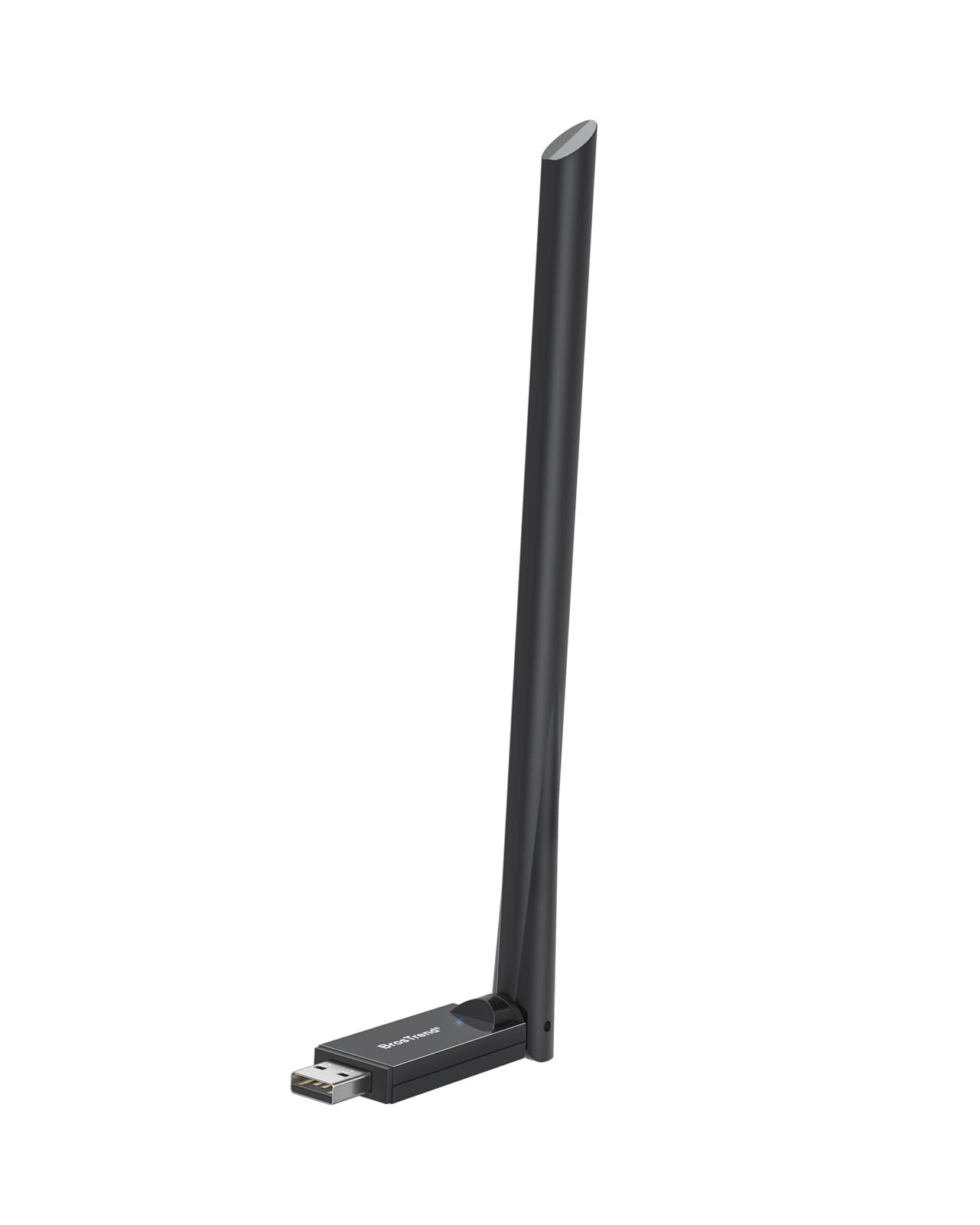
3. BrosTrend AX900 USB WiFi 6 Adapter
A USB stick with a high-gain antenna that rescues weak signals.
The BrosTrend AX900 is a USB WiFi 6 adapter that brings a 6dBi high-gain antenna to the table—that’s a serious piece of hardware for a dongle, and it shows. At 25.7 grams, it’s nearly three times heavier than the tiny TP-Link T3U above, but that weight is the antenna working its magic for better range and signal focus. It’s designed for the PC user sitting in a weak WiFi zone who’s tired of laggy, dropped connections; owners say it boosts a slow, stuttering connection back to smooth, reliable performance.
You get faster, more reliable connections on crowded networks because this adapter uses WiFi 6 (802.11ax) technology, which includes OFDMA (a way to split a channel so multiple devices share it efficiently), MU-MIMO (multiple antennas that talk to several devices at once), and 1024-QAM (a denser signal that packs more data per transmission). It reaches up to 900 Mbps and switches between 5GHz for streaming and 2.4GHz for everyday tasks. The company claims it’s up to 38% faster on 5GHz than older dongles (600Mbps vs. 433Mbps), so you get a real next-gen leap for a budget price. Setup is genuinely low-maintenance: drivers come pre-loaded for Windows 11/10/7, so you just plug it in—no CD or downloads needed.
The one thing to keep in mind is that it’s a USB 2.0 interface, which works fine for this speed tier but means you won’t get the absolute peak throughput of a USB 3.0 adapter. Also, Mac and Linux are not supported, so this is strictly a Windows PC play—but for that audience, it’s a remarkably strong signal upgrade for the money.
The Consensus: This is the top pick for range-focused buyers. The “obnoxious antenna” is a minor eye sore, as one owner put it, but it’s “worth the improved connection”—a trade-off most people happily make.
Reach for This If: Your PC is in a weak signal area and you want a WiFi 6 speed boost over USB without opening your case.
Think Twice If: You’re on a Mac or Linux machine—this adapter is Windows-only, and it won’t hit the fastest speeds on a top-tier gigabit connection.
4. UGREEN AXE5400 WiFi 6E Adapter
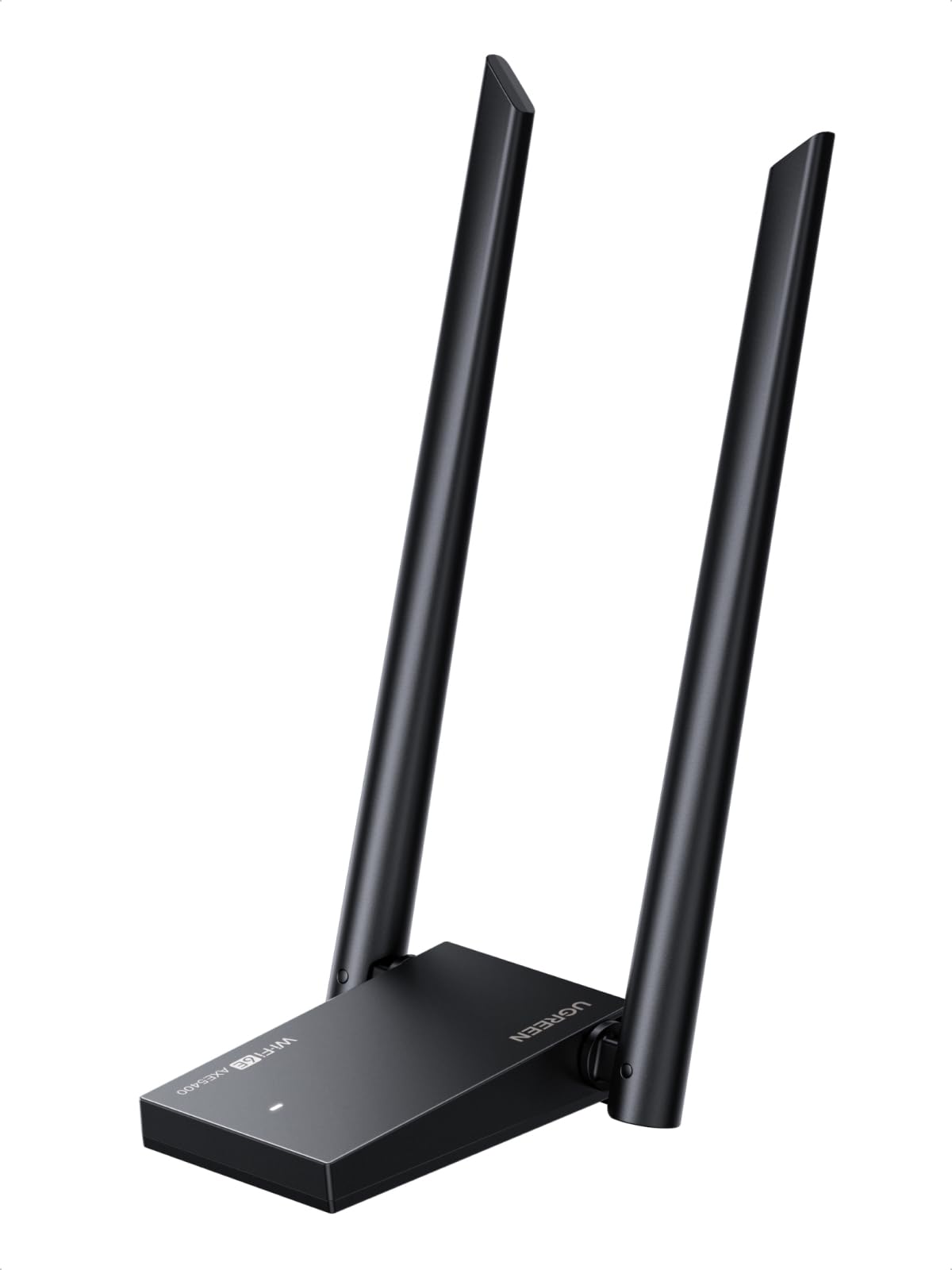
A USB dongle that jumps to the uncongested 6GHz band for lower latency.
The UGREEN AXE5400 is a WiFi 6E adapter, which means it can tap into the brand-new 6GHz band—a spectrum that’s wide open and free from the congestion of 2.4GHz and 5GHz. It’s a tri-band powerhouse, hitting up to 5400 Mbps combined: 2400 Mbps on 6GHz, 2400 Mbps on 5GHz, and 574 Mbps on 2.4GHz. For anyone whose network feels crowded, this is the adapter that delivers blazing speeds and lower latency for intensive gaming and professional work alike.
Customers note dramatic real-world improvements, like jumping from 2 bars to a full signal, and one buyer saw ping drop from 120-150 down to 10-15 with their modem in the basement. The dual high-gain antennas boost range and stability, and the WPA3 security keeps your connection encrypted. It’s designed for Windows 10/11 with drivers included, so setup is quick—though the driver install relies on a virtual CD image, which is a slightly unusual step that some users find confusing at first.
The main caveat is that this is a performance device that depends heavily on your environment. One owner reports they couldn’t beat 700 Mbps down even on a USB 3.2 port, while their built-in adapter consistently hit 800 up/down—so while the hardware is capable, your specific router and PC setup dictate the final result. It also doesn’t support Mac, so it’s a Windows-only proposition.
The Verdict: A premium-feeling dongle with genuinely future-proof specs. The biggest single win reviewers point out is a jump from 2 bars to full signal and a huge ping drop, so if your problem is range and latency, this solves it.
Best For: Gamers and professionals with a WiFi 6E router who want the best USB-based connection modern tech can offer.
The Fit Note: If your router is older than WiFi 6E, you’ll still get great 5GHz speeds, but you’ll pay for bandwidth you can’t fully use yet.
5. NETGEAR A6150 AC1200 USB Adapter
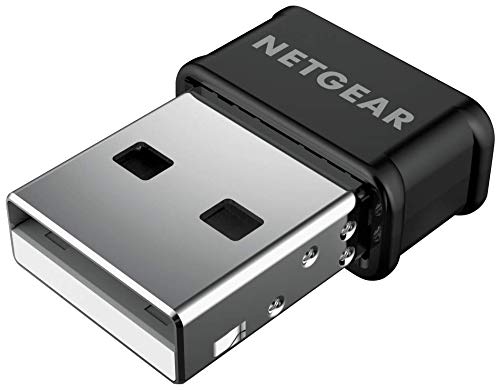
A nano-sized stick that leaves adjacent USB ports free.
The NETGEAR A6150 is a nano-sized USB adapter—meaning it’s small enough to plug in and forget, without blocking the adjacent USB ports on your laptop or desktop. It delivers AC1200 dual-band speeds, with up to 300 Mbps on 2.4GHz and 867 Mbps on 5GHz, which is plenty for streaming, gaming, and video calls. The compact design is the standout feature here; owners appreciate that it grips a strong signal while staying out of the way.
This adapter is a solid choice for Linux users, with buyers reporting it works flawlessly on Linux operating systems with no driver downloads needed—just plug it in and go. On Windows, one owner with an AT&T All-Fi Hub reported download speeds of 250 Mbps and upload of 214 Mbps after a quick driver install. The Beamforming+ and MU-MIMO support help boost range and reliability across multiple devices, and it supports both WPA2 and WPA3 security.
There’s an important compatibility catch here: the A6150 works with Windows 7, 8, and 10 and macOS 10.8.3 through 10.15.7 (Catalina) only. It is not compatible with Windows 11 or macOS Big Sur (11) or newer, and it requires a driver download before use—it is not plug-and-play on those supported systems. If you’re on a modern OS, this is not the adapter for you.
What Shines
- Ease of setup is the biggest praise, with close to 40 owners noting simple configuration
- Compact size is the second most-loved trait, with 10 buyers loving the nano footprint
- Linux compatibility is a fan favorite—it works out-of-the-box on several distros
The Catch
- Connectivity and speed get mixed reviews—some see great speeds, others struggle with weak reception
- Driver compatibility is flagged as a negative, so read the OS requirements carefully before buying
Choose This If: You’re on Windows 10 or an older Mac/Linux setup and want a tiny, effective adapter that doesn’t hog your USB ports.
skip it if: You’re running Windows 11—this adapter is explicitly not compatible, so you’d be stuck with a paperweight.
6. BrosTrend AXE3000 Linux WiFi Adapter
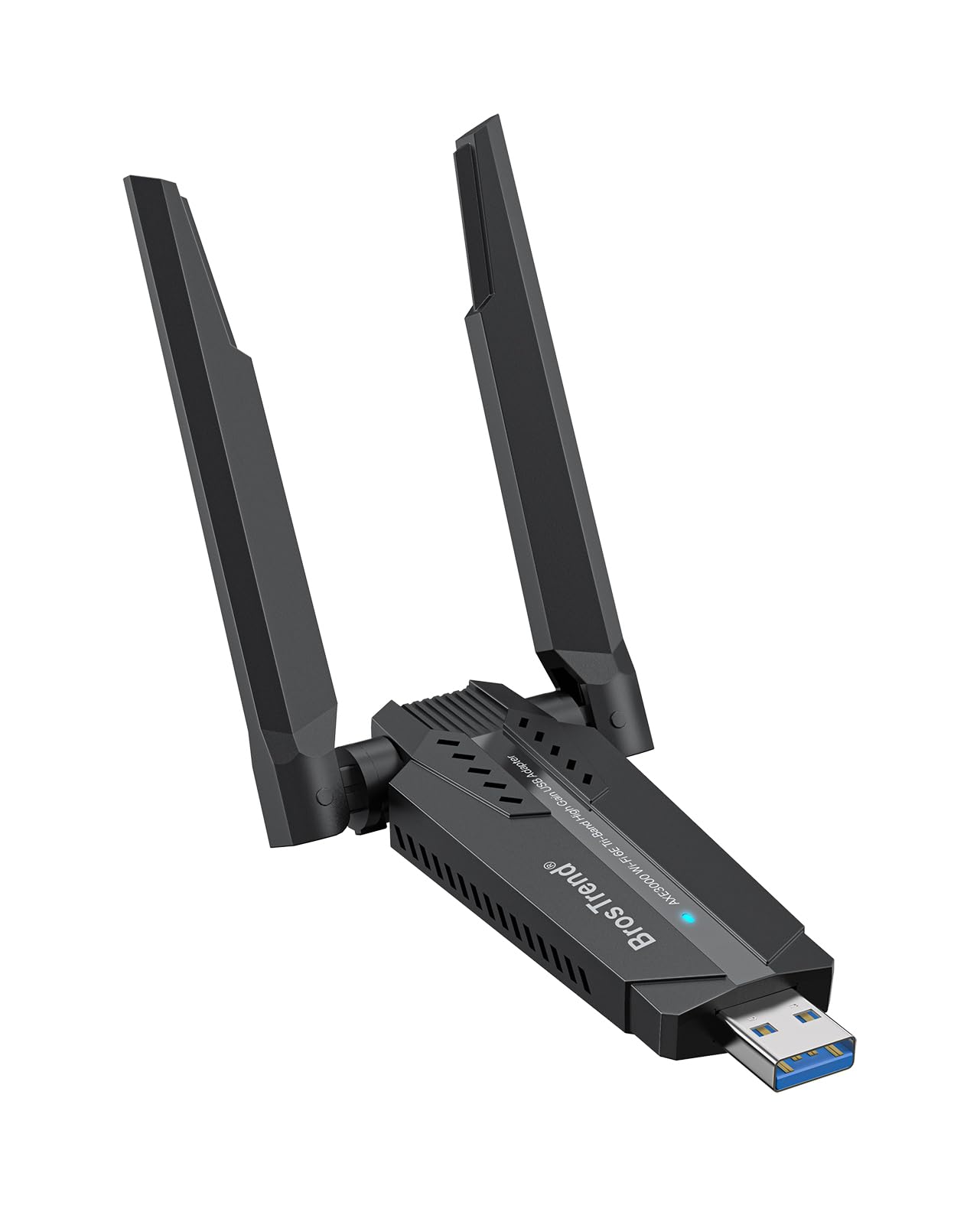
A rare adapter that works natively on Linux without driver hunting.
The BrosTrend AXE3000 is built specifically for Linux users, and it’s the answer to a very particular pain: finding a WiFi adapter that just works on Ubuntu, Debian, Fedora, Arch, openSUSE, and more without a terminal fight. It’s plug-and-play on any Linux distribution with a kernel of 5.18 or newer, which means no custom drivers to load—owners describe popping it in and seeing it recognized instantly. It also works on Windows 11/10 with a driver, so it’s a dual-boot friendly choice.
Under the hood, this is a WiFi 6E tri-band adapter hitting up to 3000 Mbps total—1201 Mbps on 6GHz, 1201 Mbps on 5GHz, or 574 Mbps on 2.4GHz. The dual adjustable antennas and Beamforming tech push range and stability, and the USB 3.0 interface ensures you actually reach those high speeds. A Linux Mint user measured ~720 Mbit/s on the 5GHz band and a full 1201 Mbit/s on 6GHz with WPA3-SAE security—real-world numbers that match the spec sheet.
The hardware support is broad, covering x86_64/x86_32 PCs and even aarch64/armhf boards like the Raspberry Pi 2+. One owner hit 800mb/s while downloading on a Bazzite install, and another saw speeds jump 2.5x on a Linux Mint laptop. The catch? Older kernels (below 5.18) are not supported, and it’s a bulky unit—owners describe it as high-performance but a bit cumbersome.
The Linux Verdict: This is the adapter people recommend when they want to skip the “works with Linux” lottery. The plug-and-play functionality is the second-most-praised aspect, with over 40 owners confirming zero-fuss setup.
For Whom: Anyone running a recent Linux distro who wants WiFi 6E speeds without compiling drivers—this is the smoothest Linux WiFi experience on the list.
The Caveat: It’s chunkier than most dongles, so if you want a tiny stick, this isn’t it—but the performance and compatibility make the size worth it.
7. ALFA AWUS036AXM WiFi 6E USB Adapter

A pro-grade dongle built for monitoring, packet injection, and raw speed.
The ALFA AWUS036AXM is a serious piece of kit aimed at security researchers and networking enthusiasts—not the average streaming household. It’s an AXE3000 tri-band adapter reaching up to 3 Gbps, operating on the 6GHz, 5.8GHz, and 2.4GHz bands. The standout feature is the two detachable 5dBi gain antennas, which you can swap out for directional or higher-gain options for even more range. This is what professionals reach for when they need reliable, stable throughput for tasks like packet injection and network auditing.
The build quality is the thing everyone raves about first, followed closely by its plug-and-play nature on both Linux and Windows. It’s a favorite for Kali Linux users, with the MediaTek chipset supporting monitor mode and packet injection with zero kernel patching and no packet drops even under thermal stress. For connecting to the 6GHz band, you’ll need Windows 11 or a recent Linux kernel; Windows 10 only supports 2.4GHz and 5GHz. It also comes with an L connector so you can angle it to avoid blocking nearby USB ports.
The honest trade-off here is compatibility. While it works out-of-the-box on many systems, some shoppers say it doesn’t work on the latest Kali, and the Bluetooth functionality is a known weak point—buyers report Bluetooth doesn’t work reliably on either Windows 11 or Linux for some users. It’s also a bit back-heavy, so it can sag in the port. This is a tool for a specific job, not a general-purpose dongle.
The Pro Read: For security work, this is the go-to—build quality is the #1 praised aspect, and owners in the field call it essential for RF auditing. Just don’t buy it expecting reliable Bluetooth.
Who It’s For: Pen-testers, network admins, and Linux power users who need monitor mode and a rock-solid connection under load.
Who Should Skip: Regular home users who just want to stream—you’ll pay a premium for pro features you’ll never use, and you may hit compatibility snags.
8. MSI Herald-BE WiFi 7 PCIe Card

The bleeding-edge PCIe card that smashes speed records with WiFi 7.
The MSI Herald-BE is a Wi-Fi 7 PCIe card that represents the absolute cutting edge of wireless networking—it’s built for the desktop enthusiast who wants the fastest possible connection money can buy. With the NCM865 module, it delivers blazing 5.8 Gbps transfer speeds, which is more than double what most adapters on this list can manage. The 320 MHz channel widths on the 6GHz band and the jump from 1024-QAM to 4096-QAM modulation mean higher throughput and better efficiency than WiFi 6E can offer.
This is a perfect upgrade for AMD systems, as owners mention it works flawlessly with X570 motherboards, where some Intel-based NICs often fail to work. The installation is quick and easy—it’s a standard PCIe x16 card with an external antenna. It also supports Bluetooth 5.4, so you get the latest wireless peripheral standard alongside the WiFi upgrade. One owner saw speeds reach 9000 Mbps with lower ping than their previous TP-Link WiFi 6E card, and no packet loss in Fortnite.
The catch is real, and it’s about compatibility on two fronts. First, it requires Windows 11—the minimum OS is Windows 11, so this is not for older systems. Second, compatibility is the most-discussed aspect and it’s mixed: the data shows 144 mentions, with some owners reporting the Bluetooth function doesn’t work on certain motherboards due to pin configuration issues. The reliability itself is praised, with 87 owners calling it out as a top strength, and 72 praising the speed.
The Performance Verdict: When it works, it’s the fastest card here by a wide margin—reliability and speed are its most-praised traits. The setup is straightforward for anyone comfortable with PCIe cards.
Pick This If: You’re on Windows 11 with an AMD motherboard and want WiFi 7’s full speed potential—this is the fastest way to get your desktop off Ethernet.
The Single Caveat: Check your motherboard’s USB header layout first, as a portion of owners hit Bluetooth connectivity issues on specific boards.
9. ALFA AWUS036AXML WiFi 6E USB Adapter

The Swiss-army dongle for pros juggling Linux, Windows, and high-bandwidth jobs.
The ALFA AWUS036AXML is the big brother to the AWUS036AXM, sharing the same MediaTek MT7921AU chipset and AXE3000 tri-band design, but with a foldable form factor that makes it a bit more travel-friendly. It delivers up to 3000 Mbps combined across 2.4GHz, 5GHz, and the new 6GHz band, and it comes with two 5dBi high-gain detachable antennas for extended range and penetration. It’s a workhorse for professionals who need a stable, fast connection across multiple operating systems.
This adapter is surprisingly versatile. One owner runs it as a 5GHz access point on a Raspberry Pi 5 with OpenWrt, hitting 1200Mbps AX speeds through two walls at 30 feet. It’s already compatible with Kali Linux from the start, and it works on Windows 10. The long USB-C cable and wall-mount accessories give you flexibility in positioning, which is crucial for finding the best signal. For security researchers, it’s a reliable tool, though the data suggests it needs a USB 3.2 gen 2 cable for full stability.
The most-discussed aspect here is compatibility, and it’s a mixed bag—52 owners mention it, and while some report it works perfectly with Ubuntu, others say it doesn’t. One owner had trouble with the latest Kali, and another found it less effective on range than an older, simpler adapter. It also requires a 26W+ power supply for full operation, which is a specific requirement that might surprise you. This is a capable tool, but it demands a certain level of technical comfort.
The Balanced View: Speed and signal quality are what owners praise most—6 and 5 mentions respectively—and it never reduces or drops the signal for happy users. But the compatibility split means you should check your exact OS version before buying.
Best For: Power users bridging Linux and Windows setups, tinkerers running OpenWrt projects, and anyone needing a stable tri-band connection with real antenna power.
The Fine Print: It needs a beefy power supply and the right USB cable to shine, and it won’t work on every Linux distro from the start—this is a tinkerer’s tool.
Understanding the Specs
Mbps & Signal Bands
The headline number—like 1800 Mbps or 3000 Mbps—is the theoretical maximum speed the adapter can hit across all its bands combined. In real life, you’ll get a fraction of this. The bands matter more: 2.4GHz travels farther but is more congested, 5GHz is faster and cleaner, and 6GHz (on WiFi 6E/7) is the newest, fastest, and least crowded—but it requires a compatible router.
WiFi Generations & Compatibility
WiFi 5 (802.11ac) is the older standard, WiFi 6 (802.11ax) is the current mainstream with better latency and efficiency, and WiFi 6E adds the 6GHz band. WiFi 7 is the newest and fastest. Adapters can connect to older networks, but to get the full advertised speed, you need a router of the same generation or newer. Always check your OS support—many adapters are Windows-only or have specific Linux kernel requirements.
FAQ
Will a 5GHz WiFi adapter work with my old 2.4GHz router?
What is the difference between a USB WiFi adapter and a PCIe WiFi card?
What does tri-band mean on a WiFi 6E adapter?
Will this adapter work with my Mac or Linux computer?
What is WPA3 and why should I care?
What does OFDMA and MU-MIMO do for my connection?
Is a USB 3.0 adapter always faster than a USB 2.0 one?
Do I need a WiFi 6E router to use a WiFi 6E adapter?
How do I know if a PCIe card will fit in my desktop case?
Can I use these adapters for gaming without lag?
Final Thoughts: The Verdict
For most people, the 5ghz wifi adapter winner is the TP-Link Archer TX20E because it delivers wired-like speed and Bluetooth 5.2 in a single PCIe card—the thing everyone raves about is the functionality, with over 90 owners praising its reliable performance. If you want a plug-and-play USB option that disappears into your bag, grab the TP-Link Archer T3U. And for the Linux crowd, the BrosTrend AXE3000 is the one to reach for, since it skips the usual driver headaches entirely.
How We Picked
We do not accept paid placement. Every pick is matched to a real buyer and a real use-case; we do not hands-on test units.
Sources & Methodology
Specifications: manufacturer listings and product documentation. Review insights: verified customer reviews, as of August 2026. Pricing: not shown on this page (it changes often); check the current price via the retailer link.
As an Amazon Associate, Gadgets Feed earns from qualifying purchases. This does not affect which products we feature.