
Nothing kills a movie night or a critical video call faster than a WiFi signal that fades to nothing the moment you step into the next room. A 5GHz WiFi Repeater solves this by capturing your router’s signal and rebroadcasting it into those stubborn dead zones, giving you high-speed access where your primary network simply cannot reach.
I’m Min — the co-founder and writer behind Gadgets Feed. I’ve spent hundreds of hours researching and comparing the technical specifications of modern network extenders, from tri-band backhaul topologies to Wi-Fi 6 channel widths, to bring you a guide built on real data.
This guide breaks down the top models available, helping you find the best 5ghz wifi repeater for your specific home layout and internet demands.
How To Choose The Best 5GHz WiFi Repeater
Picking the wrong extender means you end up with a device that creates a second network with half the speed or drops connections constantly. Focus on these three factors to get a unit that actually works with your existing setup.
Wi-Fi Generation and Speed Rating
The most significant bottleneck in a repeater is the backhaul connection to your main router. A Wi-Fi 5 (AC) repeater with a combined rating of 1200 Mbps will struggle to maintain a stable 5GHz link, especially if walls are involved. A Wi-Fi 6 (AX) unit at 1800 Mbps or higher dedicates more bandwidth to that backhaul link, meaning your devices see less of a speed penalty when connected through the extender. For heavy streaming or gaming, a Wi-Fi 6 or Wi-Fi 7 model is the only practical choice.
Band Configurations: Dual-Band vs Tri-Band
Most budget-friendly repeaters are dual-band, meaning they use one 5GHz radio to talk to the router and simultaneously broadcast to your devices. This sharing halves the potential throughput. A tri-band extender adds a dedicated 5GHz or 6GHz radio purely for the router connection, leaving the other 5GHz band free for your phones and laptops. If you want to keep full speed across the house, the extra cost of a tri-band unit is worth every bit.
Antenna Count and Beamforming
Physical antennas still matter. A unit with two external 5dBi antennas will provide noticeably better coverage than one with tiny internal printed antennas. Look for Beamforming technology, which focuses the signal directly toward your connected devices rather than blasting it in all directions. This makes a measurable difference when the extender is placed in a corner or near metal obstructions.
Quick Comparison
On smaller screens, swipe sideways to see the full table.
| Model | Category | Best For | Key Spec | Amazon |
|---|---|---|---|---|
| TP-Link RE815X | Tri-Band | Whole-Home 5GHz Retention | 5400 Mbps, 4×6 FEM | Amazon |
| NETGEAR EXS25 | Wi-Fi 7 | Future-Proof Speed | 4500 Mbps, 2.5G Port | Amazon |
| WAVLINK WING 12HP | Outdoor | Yard & Outbuilding Coverage | 867 Mbps 5GHz, IP65 | Amazon |
| BrosTrend AC1200 Outdoor | Outdoor | Weatherproof PoE Setup | 867 Mbps 5GHz, 5dBi | Amazon |
| TP-Link RE615X | Mid-Range | EasyMesh & App Control | 1800 Mbps, 2 Antennas | Amazon |
| Oaitree AX3000 | Value | 100+ Device Capacity | 3000 Mbps, 4 Antennas | Amazon |
| ROQRL AC1200 | Budget | Basic Room Extension | 1200 Mbps, 4 Antennas | Amazon |
In‑Depth Reviews
1. TP-Link RE815X AX5400

The RE815X uses a tri-band design with a dedicated 5 GHz radio for backhaul, meaning your devices never have to wait in line for a connection to the main router. With a total bandwidth of 5400 Mbps and four high-gain antennas paired with six FEM amplifiers, it delivers consistent 5GHz coverage across spaces up to 2800 square feet without the typical speed penalty of lower-end extenders.
Setup is handled through the TP-Link Tether app, and the intelligent signal indicator helps you find the optimal placement for your extender. The OneMesh compatibility means that if you have a TP-Link OneMesh router, the extender creates a single network name for seamless handoff as you move from room to room. The inclusion of a Gigabit Ethernet port also gives you a wired option for a gaming console or smart TV.
The unit is larger than most, and the four antennas are not subtle — it demands a visible spot on a shelf or counter. Some users report that it runs warm under load, which is expected given the high-power FEM components, but it is built to handle up to 96 connected devices without degradation.
Why it’s great
- Dedicated 5 GHz backhaul eliminates speed loss
- Supports up to 96 devices with stable throughput
- OneMesh compatibility for seamless roaming
Good to know
- Large physical footprint with protruding antennas
- Not compatible with Deco mesh systems
2. NETGEAR EXS25 (BE4500)
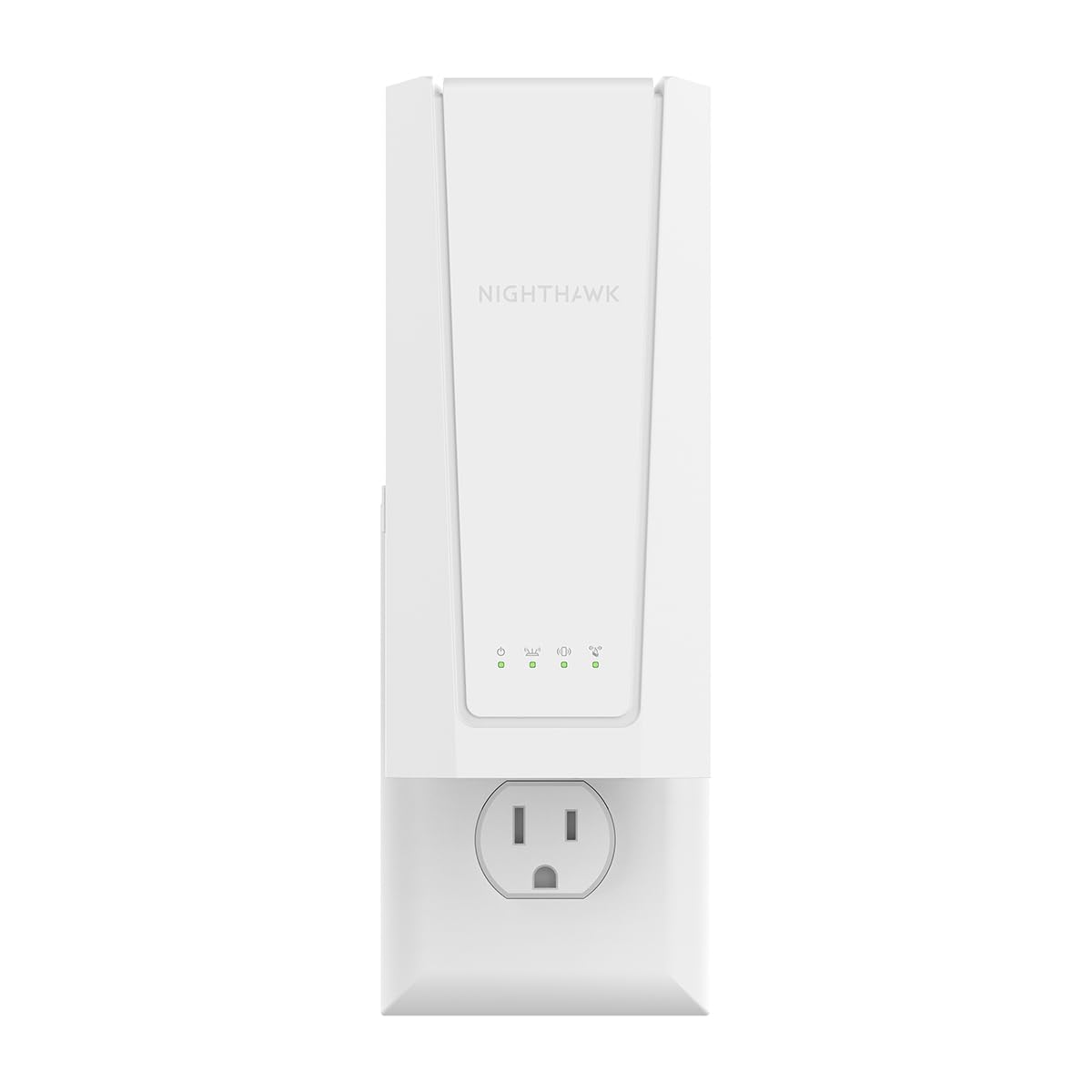
The EXS25 is one of the first Wi-Fi 7 extenders to hit the consumer market, and it brings a 4.5 Gbps dual-band radio that future-proofs your network for multi-gig internet plans. The 2.5 Gigabit Ethernet port means you can wire a desktop or a NAS directly into the extender and still get multi-gig speeds, a capability that most Wi-Fi 6 extenders lack entirely.
Smart Roaming ensures that your phone or laptop switches to the strongest signal automatically as you move through the house, using your existing network name. The extender covers up to 1500 square feet and handles up to 45 devices. Setup can be done through WPS pairing, which takes about 30 seconds, or via the NETGEAR app for more granular control.
The 5 GHz performance is sensitive to physical obstructions — even moving a chair between the extender and the router can affect throughput. The NETGEAR app locks some advanced features behind a subscription, which frustrates some users. For those who already have a NETGEAR router, the integration is seamless; for mixed-brand setups, compatibility is still solid but less refined.
Why it’s great
- Wi-Fi 7 technology with 4.5 Gbps peak speed
- 2.5 Gig Ethernet port for wired backhaul or devices
- Plug-and-play simplicity via WPS button
Good to know
- Signal is easily blocked by furniture or walls
- Advanced app features require paid subscription
3. WAVLINK WING 12HP

The WING 12HP is built for environments where standard indoor extenders fail: barns, detached garages, large yards, and farmhouses. It features four detachable 7dBi omni-directional antennas and a high-power chipset that can push signal up to 300 meters per unit in open conditions. The IP65-rated enclosure withstands rain, dust, and temperature swings from -20°C to 50°C.
This unit operates in multiple modes including Mesh Extender, Access Point, and Repeater. The Everything Mesh Technology allows you to link multiple WAVLINK units across a large property into a single seamless network. Both 10/100/1000 Mbps Ethernet ports support active or passive PoE, so you can power the extender through a single Ethernet cable run up to 100 meters away from any power outlet.
The setup process requires a bit more network knowledge than a typical plug-and-play extender — you will need to configure it via a web browser at 192.168.10.1. The included RJ45 seal on the Ethernet port is not pre-split, so you will need a knife or scissors to open it before sealing against moisture. On the security side, it supports WPA3 and WPA2-Enterprise, making it suitable for commercial or sensitive environments.
Why it’s great
- Extreme outdoor range with 300-meter potential
- PoE-powered for flexible placement without outlets
- Enterprise-grade WPA3 security
Good to know
- Setup is not beginner-friendly; browser config required
- RJ45 seal requires manual cutting before installation
4. BrosTrend AC1200 Outdoor
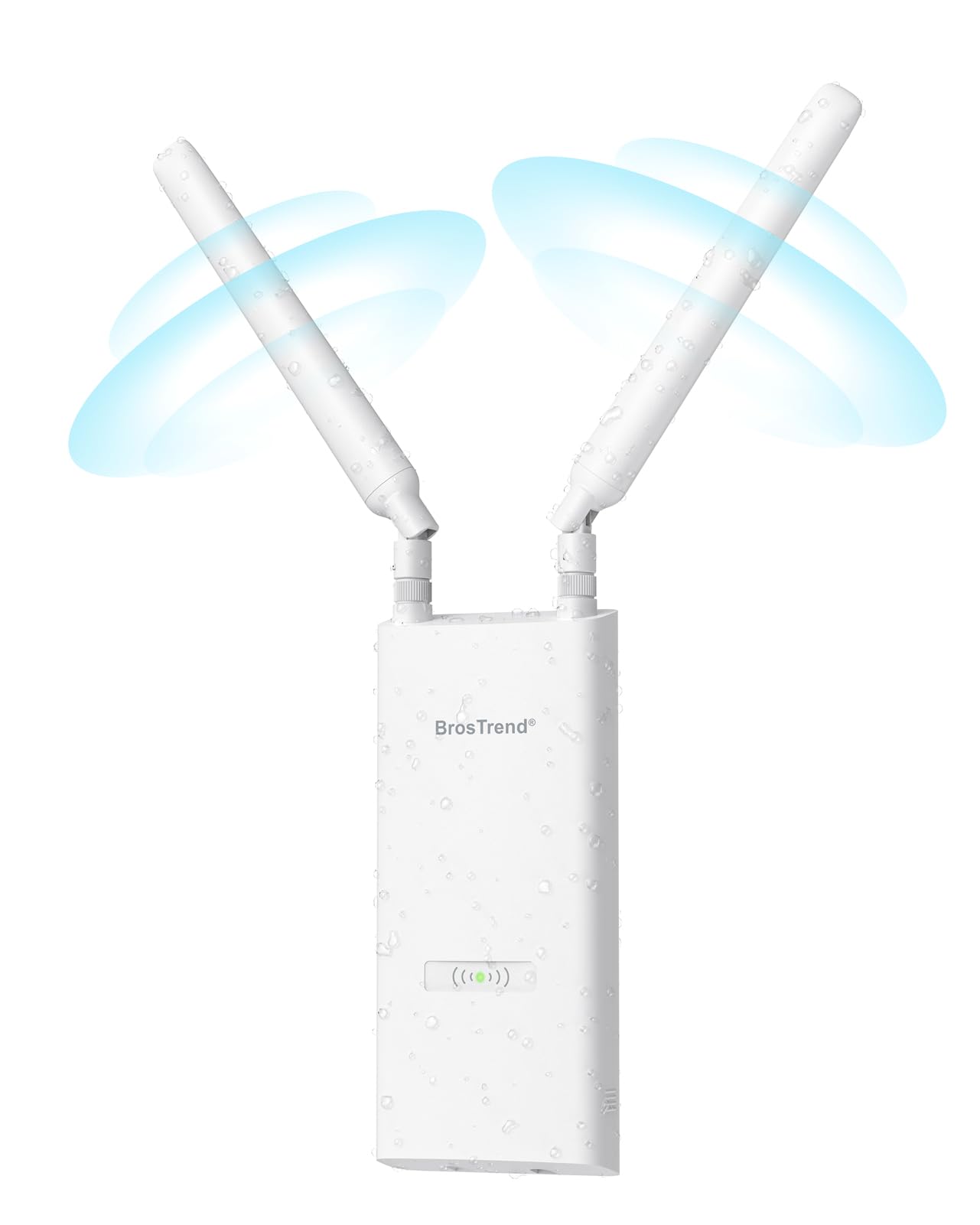
The BrosTrend unit is a more accessible outdoor extender that still delivers serious performance at a lower investment than the WAVLINK. It provides up to 867 Mbps on the 5 GHz band and 300 Mbps on 2.4 GHz, with a coverage radius of 656 feet in open space. The IP65 weatherproof housing includes 6kV lightning protection and 8kV ESD protection, making it genuinely safe to mount under eaves or on a patio.
Power is delivered via a passive PoE injector included in the box, meaning you only need to run a single Ethernet cable to the unit. The two adjustable 5dBi antennas are detachable, and Beamforming focuses the signal toward connected devices. Users have successfully boosted outdoor security cameras from 50% signal strength to 95% simply by mounting this extender under a roof overhang.
The rubber boot covers on the antenna connectors twist easily during installation, so you need to be careful when tightening them. The plastic Ethernet cover feels a bit flimsy compared to the rest of the build. Setup can be tricky if you accidentally configure it as a new network instead of an extender — read the quick-start guide carefully the first time.
Why it’s great
- Weatherproof with lightning and ESD protection
- PoE-powered for easy outdoor installation
- Dramatically improves camera signal strength
Good to know
- Antenna rubber boots twist too easily
- Setup can be confusing if misconfigured as a new network
5. TP-Link RE615X AX1800

The RE615X hits a sweet spot for the average home: solid 1800 Mbps total bandwidth with a dedicated 1201 Mbps stream on the 5 GHz band, enough to handle 4K streaming and gaming without buffering. The dual-band design with two high-gain directional antennas and Beamforming covers up to 2100 square feet and supports up to 64 devices simultaneously.
TP-Link’s Tether app makes setup straightforward, and the intelligent signal indicator on the front panel helps you find the best location visually — no need for a second phone or laptop. The Gigabit Ethernet port doubles as an AP mode connection, letting you turn a wired LAN drop into a second hotspot. EasyMesh compatibility means it works with other TP-Link EasyMesh routers to create a unified network, though users report that this feature can occasionally cause handoff issues.
The extender must be configured wirelessly first before you plug in the Ethernet cable — plugging it in during initial setup prevents the configuration from completing. Some users wish the Ethernet port supported wired backhaul, which would make the EasyMesh functionality more robust. The unit is larger than expected, with antennas that stick out noticeably from the wall outlet.
Why it’s great
- Easy app-based setup with signal indicator
- EasyMesh compatibility for seamless whole-home coverage
- Gigabit Ethernet port for wired connections
Good to know
- Must configure wirelessly before connecting Ethernet
- No wired backhaul support for mesh mode
6. Oaitree AX3000
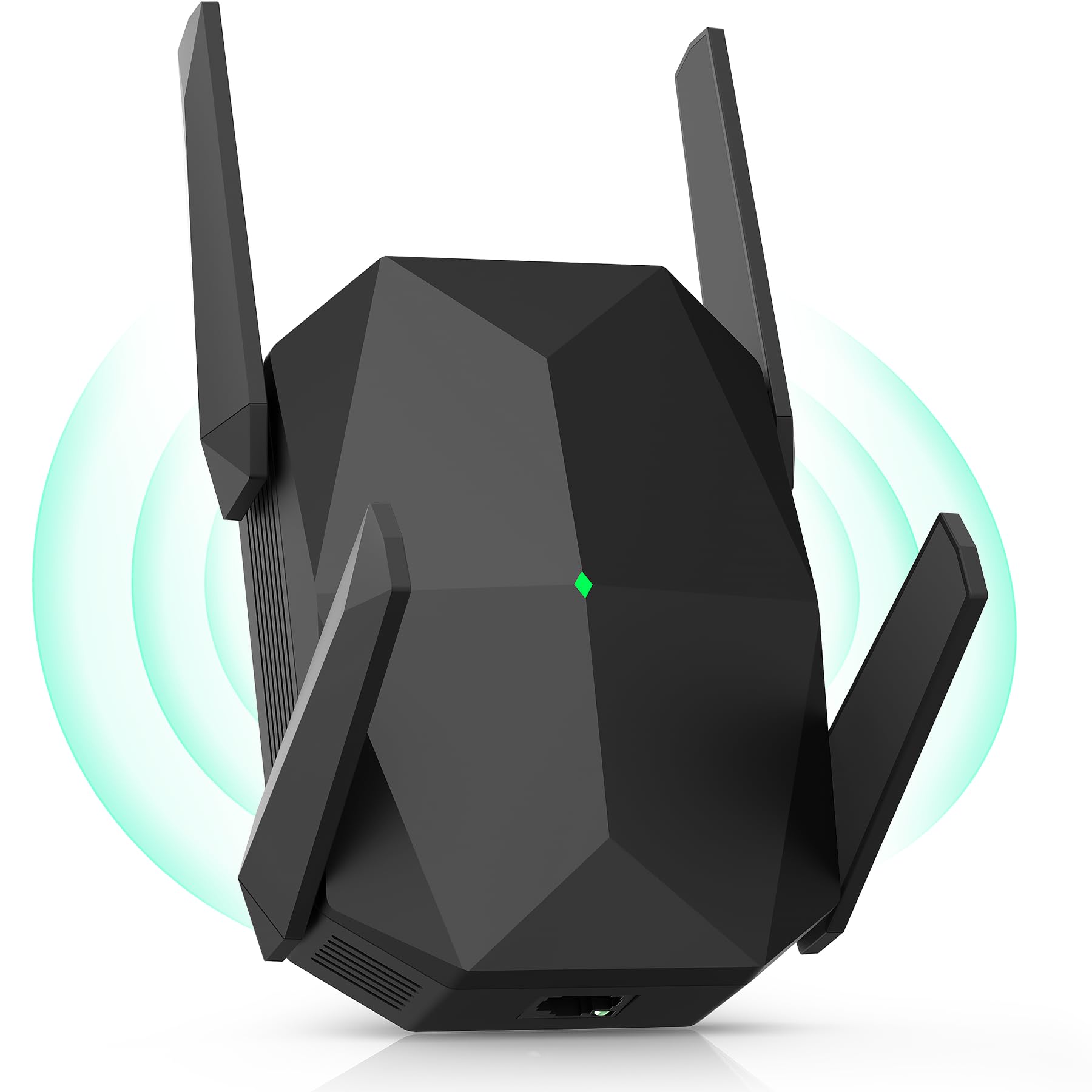
The Oaitree AX3000 punches well above its positioning by offering Wi-Fi 6 speeds of up to 3000 Mbps — 200% faster than a typical AC1200 repeater — at a budget-friendly cost. The four adjustable high-gain external antennas provide robust coverage across up to 19,000 square feet, a figure that applies to open environments but still translates to excellent real-world coverage in a standard home.
This extender supports AP and repeater modes, and the WPS button makes setup a one-push affair. The 3-sided heat dissipation design keeps the internals cool even when handling the traffic of 100+ connected devices. Users report that it picks up a weak signal from 300 feet away and extends it into distant rooms and garages with minimal speed loss.
The manual could be clearer — some users relied on the included tech support chat to locate the setup video. While the AX3000 rating sounds high, the device is still dual-band, so the 5 GHz radio shares duty between backhaul and client connections. For a small house or apartment where the router and extender are within 30 feet of each other, the speed loss is negligible.
Why it’s great
- Exceptional price-to-performance ratio for Wi-Fi 6
- Four high-gain antennas for wide coverage
- Handles 100+ devices without overheating
Good to know
- Manual lacks detail; setup video helps
- Dual-band design still shares 5 GHz radio
7. ROQRL AC1200

The ROQRL is a no-frills AC1200 extender that gets the job done for under thirty dollars. It delivers 1200 Mbps total bandwidth split across 5.8 GHz and 2.4 GHz bands, with four internal antennas claiming coverage up to 10,000 square feet. In real use, it is best suited for extending a signal into a single dead room or a nearby garage, where users report going from 1 bar to a full signal on both phones and work computers.
The extender works in three modes: Repeater, AP, and Ethernet Port. The RJ45 port lets you wire a desktop or smart TV directly for a more stable connection. Setup is handled via WPS or a browser interface, though the included QR code links to a product page instead of setup instructions — a minor annoyance that an online video quickly remedies. WPA/WPA2 security keeps your extended network from being an easy target.
The 1200 Mbps rating is theoretical and shared between bands, so simultaneous streaming on multiple devices can cause a speed drop. The unit is built from lightweight plastic and feels a bit cheap compared to the TP-Link models.
Why it’s great
- Extremely affordable entry into 5GHz extension
- Ethernet port for wired device connection
- Solid signal improvement for a single room
Good to know
- Build quality is lightweight plastic
- QR code links to product page, not setup guide
FAQ
Does a 5GHz WiFi repeater reduce my internet speed?
Can I use a 5GHz repeater with a 2.4GHz-only router?
How far can a 5GHz repeater be placed from the router?
Will a Wi-Fi 6 repeater work with my older Wi-Fi 5 router?
Final Thoughts: The Verdict
For most users, the winner is the 5ghz wifi repeater TP-Link RE815X because its tri-band design delivers true 5GHz speeds to every room without the typical 50% speed penalty, and the four-antenna array covers large homes effortlessly. If you want a future-proof option with multi-gig wired ports, grab the NETGEAR EXS25. And for extending coverage to a yard, garage, or detached building, nothing beats the WAVLINK WING 12HP with its 300-meter range and rugged weatherproof build.