
Pushing beyond 4K into 5K resolution on a gaming monitor is a move that demands a powerful GPU and an eye for pixel-dense clarity. You are trading raw frame rate headroom for an image so sharp that text rendering and fine details in open-world environments take on a new level of realism. The category has expanded rapidly, with OLED panels and blistering-fast refresh rates finally catching up to the resolution.
I’m Min — the co-founder and writer behind Gadgets Feed. I’ve spent countless hours analyzing panel technologies, refresh rate curves, and real-world performance data from the latest 5K gaming monitors to separate the truly immersive from the merely expensive.
This buying guide cuts through the marketing noise, evaluating both raw specs like pixel density, response time, and connectivity to help you choose the absolute best 5k gaming monitor for your rig and budget.
How To Choose The Best 5K Gaming Monitor
The leap to 5K is not just about adding pixels—it fundamentally changes how your GPU renders scenes and how your eyes perceive detail. A monitor at this tier must balance pixel density, panel type, and connectivity without bottlenecking your system.
Refresh Rate vs. Resolution Trade-off
A native 5K (5120×2880) panel at 180Hz demands roughly 70% more bandwidth than a standard 4K 144Hz signal. Look for monitors with Dual Mode functionality that lets you drop to a lower resolution for a higher refresh rate in competitive titles. HDMI 2.1 and DisplayPort 2.1 are must-haves to avoid compression artifacts.
Panel Technology and HDR Performance
QD-OLED panels dominate this space, offering true blacks and near-infinite contrast. Fast IPS panels, while excellent for color accuracy in productivity, cannot match the per-pixel lighting of OLED. VESA DisplayHDR True Black 400 or higher is the standard to look for; standard HDR400 is insufficient for the contrast range 5K resolution can showcase.
GPU Bottleneck and Real-World Performance
An RTX 4080 or RX 7900 XTX is the baseline for driving 5K at high settings in modern titles. If you run an older card, check the monitor’s variable refresh rate (VRR) range and consider models that support lower input lag at reduced resolutions. A 5K monitor is an investment that should outlast your current GPU generation.
Quick Comparison
On smaller screens, swipe sideways to see the full table.
| Model | Category | Best For | Key Spec | Amazon |
|---|---|---|---|---|
| Samsung Odyssey G8 G80HF | Premium 5K | Hybrid Work & Esports | 5K 180Hz / QHD 360Hz Dual Mode | Amazon |
| LG 45GX950A-B | Premium 5K2K | Cinematic Immersion | 45” 5K2K OLED, 165Hz, 0.03ms | Amazon |
| INNOCN 49Q1S | Mid-Range 5K2K | Ultrawide Gaming & Productivity | 49” 5120×1440 OLED, 240Hz | Amazon |
| Deco Gear 49” QD-OLED | Mid-Range Ultrawide | Multi-Window Management | 49” DQHD 5120×1440, 240Hz | Amazon |
| MSI MPG 321URX | Mid-Range 4K | Competitive 4K Gaming | 32” 4K QD-OLED, 240Hz, 0.03ms | Amazon |
| Acer Predator Z57 | Premium Ultra-Wide | Sim Racing & Immersion | 57” DUHD Mini-LED, 120Hz | Amazon |
| ASUS ProArt PA32UCDM | Premium Pro / Gaming | Color-Critical & HDR Gaming | 32” 4K QD-OLED, 240Hz, ΔE<1 | Amazon |
| Samsung Odyssey Ark | Premium Massive | Command Center Setup | 55” 4K 165Hz, Cockpit Mode | Amazon |
| Dell U4025QW | Premium Productivity | Workstation & Casual Gaming | 40” 5K2K, 120Hz, IPS Black | Amazon |
| Kuycon G32P | Premium 6K | Mac & Creative Studios | 32” 6K IPS, 60Hz, 223 PPI | Amazon |
| Dell U3224KB | Premium 6K Pro | Creative Professional | 31.5” 6K IPS Black, 60Hz | Amazon |
| LG 27MD5KL-B | Mac 5K Classic | Mac Ecosystem Gaming | 27” 5K IPS, 60Hz, TB3 | Amazon |
| ASUS ROG Swift PG32UCDM | Premium 4K OLED | Ultimate 4K & 5K-Ready Gaming | 32” 4K QD-OLED, 240Hz, 0.03ms | Amazon |
In‑Depth Reviews
1. Samsung 27″ Odyssey G8 G80HF
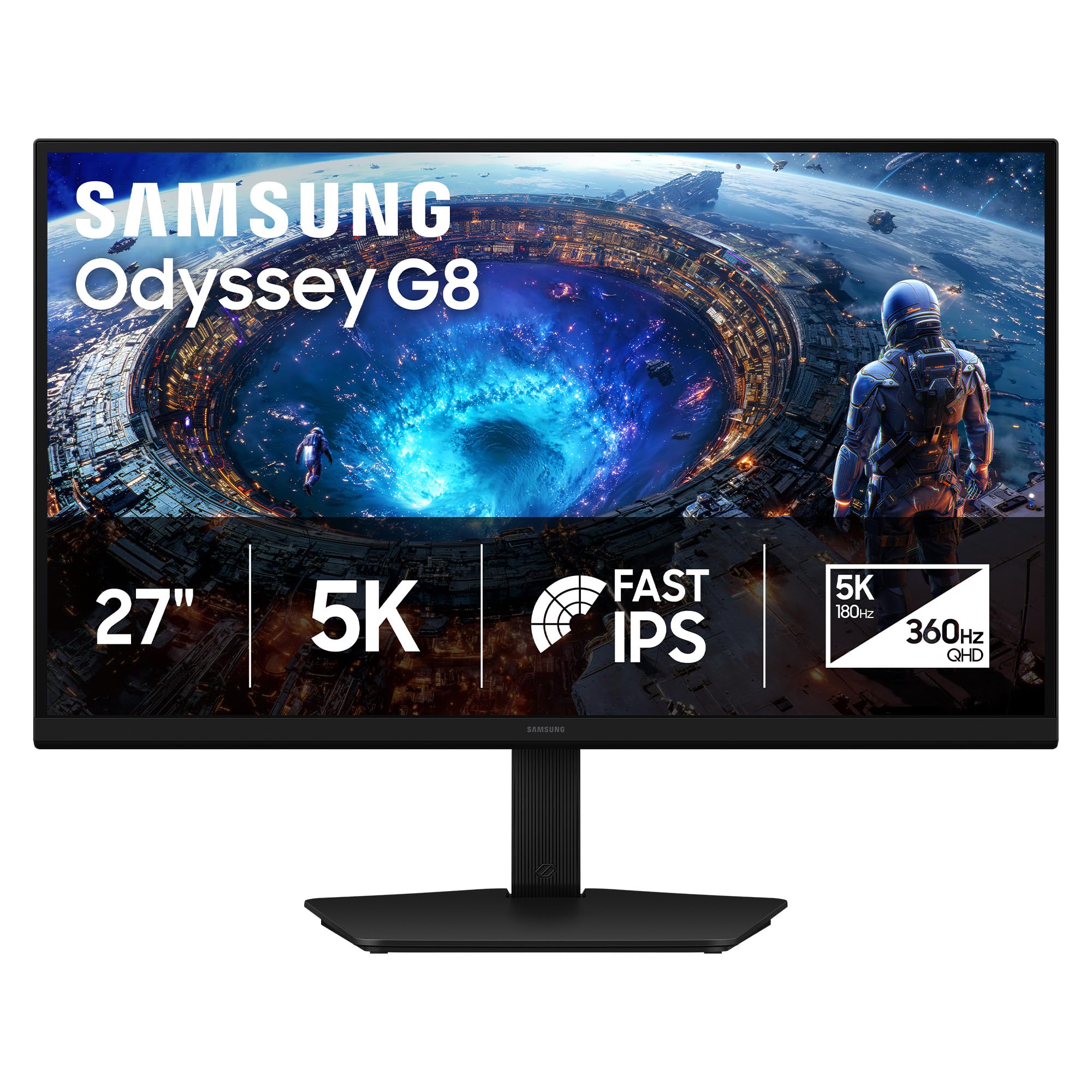
The Odyssey G8 G80HF is the first monitor to deliver a true 5K (5120×2880) resolution that runs at 180Hz natively. With a pixel density of 218 PPI on a 27-inch Fast IPS panel, text clarity is retina-level sharp, eliminating the need for scaling compromises common in 4K displays. The Dual Mode button lets you instantly switch to QHD at 360Hz for competitive shooters, making it a true hybrid work-and-play machine.
Connectivity is future-proofed with DisplayPort 2.1, handling the bandwidth required for 5K at high refresh without Display Stream Compression. NVIDIA G-Sync and AMD FreeSync Premium Pro ensure tear-free gameplay across both resolution modes. The ergonomic stand offers full height, tilt, swivel, and pivot adjustments, and the anti-glare coating is among the best for reducing reflections in brightly lit rooms.
The primary compromise is that its IPS panel delivers a standard 1000:1 contrast ratio, so HDR highlights don’t match the infinite contrast of OLED. The 350-nit brightness is adequate indoors but can feel dim in very bright environments. Still, for those who need one monitor that handles both productivity text and high-refresh gaming, this is the most versatile option available at its price point.
Why it’s great
- True 5K 180Hz with instant Dual Mode switch to QHD 360Hz
- DisplayPort 2.1 enables full bandwidth without DSC
- Ultra-sharp 218 PPI for exceptional text and image clarity
Good to know
- IPS contrast ratio (1000:1) limits HDR depth
- Peak brightness of 350 nits is modest for HDR content
- Requires a very powerful GPU to drive 5K at high frame rates
2. LG 45GX950A-B Ultragear

The LG 45GX950A-B packs a 45-inch 5K2K (5120×2160) WUHD OLED panel with an 800R curvature that wraps around your peripheral vision. This monitor delivers a 1.5M:1 contrast ratio and up to 1300 nits peak brightness for HDR highlights that truly pop. The Dual Mode functionality allows you to switch to Wide Full HD (2560×1080) at 330Hz for ultra-fast esports titles, bridging the gap between cinematic immersion and competitive responsiveness.
With DisplayPort 2.1, two HDMI 2.1 ports, and USB-C with 90W power delivery, connectivity is top-tier for next-gen consoles and high-end PCs. The 0.03ms GtG response time eliminates ghosting, and the updated subpixel layout reduces color fringing around text—a common pain point on older OLED monitors. It is also triple UL-certified for anti-glare, flicker-free, and low blue light.
Some users report sleep/wake quirks that require disabling deep sleep mode in the OSD. The aggressive 800R curve demands a specific seating distance, and the 275-nit typical brightness in SDR is lower than some competitors. For gamers prioritizing a massive, contrast-rich canvas at 165Hz, this is the most immersive OLED ultra-wide today.
Why it’s great
- 45” 5K2K OLED with 1.5M:1 contrast and 1300 nits peak HDR
- Dual Mode enables 330Hz at WFHD for competitive gaming
- DisplayPort 2.1 and dual HDMI 2.1 for full bandwidth
Good to know
- Aggressive 800R curve requires specific desk depth
- SDR brightness is limited to 275 nits typical
- Firmware updates can be cumbersome to apply
3. INNOCN 49Q1S OLED

The INNOCN 49Q1S delivers a 49-inch 5120×1440 OLED panel at 240Hz with a 0.03ms response time for a price that undercuts most premium ultra-wides. The 1800R curvature reduces eye fatigue while offering the equivalent of dual 27-inch QHD monitors in a single seamless display. HDR400 True Black support ensures deep blacks and vibrant colors that rival panels costing significantly more.
Connectivity is generous with USB-C 90W, HDMI 2.1, DisplayPort 1.4, and even an RJ45 ethernet port for wired networking. The built-in KVM switch allows control of two devices with a single keyboard and mouse. The height-adjustable stand with tilt and swivel is practical, though the glossy screen finish can be reflective in direct light.
Build quality feels slightly less premium than the LG or Samsung offerings, and a small number of users reported panel failures within months. The on-screen display (OSD) navigation is basic, and the lack of a dedicated sRGB mode out of the box means some calibration is required for color-accurate work. For budget-conscious gamers who want OLED immersion at 240Hz, this is a strong contender.
Why it’s great
- 49″ 5120×1440 OLED at 240Hz offers incredible value
- USB-C 90W, HDMI 2.1, and built-in KVM for multi-device setups
- Deep OLED blacks with HDR400 True Black certification
Good to know
- Glossy screen can cause reflections in bright rooms
- Some units reported early failure within months
- OSD lacks advanced color calibration options
4. Deco Gear 49″ QD-OLED
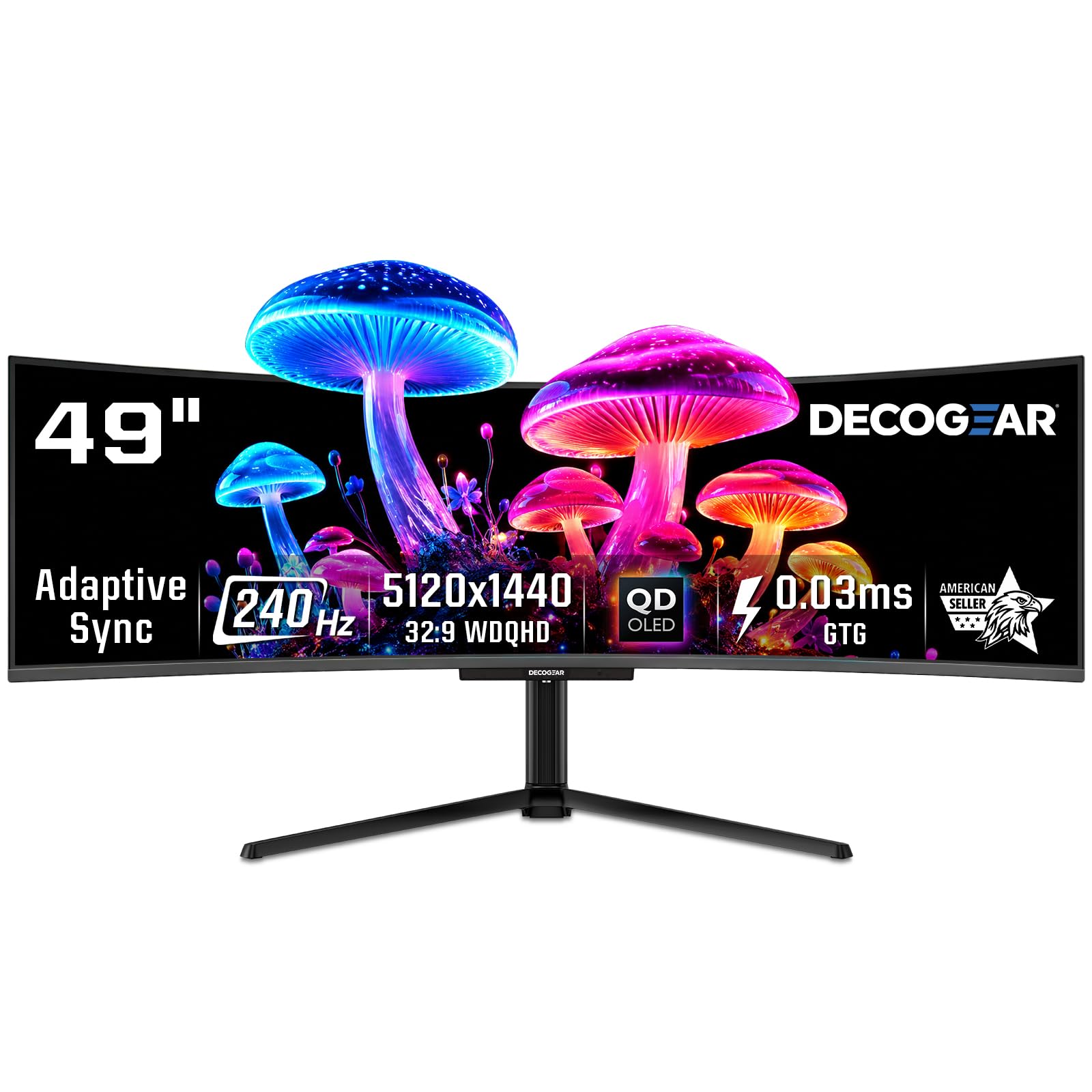
The Deco Gear 49-inch QD-OLED uses the same Samsung QD-OLED panel found in many premium monitors, delivering a 5120×1440 resolution with a 240Hz refresh rate and 0.03ms response time. The 32:9 aspect ratio effectively replaces two QHD monitors, and the KVM switch built into the monitor lets you control multiple inputs seamlessly. The 90W USB-C power delivery charges a connected laptop while transmitting the display signal at full 240Hz.
The QD-OLED panel covers 131% of the sRGB gamut, producing incredibly vibrant colors that feel punchy without being oversaturated. The 1,500,000:1 contrast ratio ensures deep blacks for cinematic games. The anti-burn-in protection program provides peace of mind for long sessions with static UI elements.
The stand base is very large, requiring a deep desk or a monitor arm for comfortable placement. Refurbished units have been reported with reliability issues, and the power cable delivery has been problematic for some. For the price, it offers the most color volume and smoothness available in the 49-inch form factor.
Why it’s great
- Top-tier QD-OLED colors with 131% sRGB gamut coverage
- 240Hz refresh rate and 0.03ms response for blur-free action
- 90W USB-C and built-in KVM simplify cable management
Good to know
- Large stand footprint demands ample desk space
- Refurbished units have reported reliability concerns
- Power cable quality has been cited as a weak point
5. MSI MPG 321URX QD-OLED

The MSI MPG 321URX combines a 32-inch 4K UHD QD-OLED panel with a 240Hz refresh rate and a 0.03ms GtG response time, making it a top contender for competitive and single-player gaming alike. The 10-bit color depth with 99% DCI-P3 coverage and Delta E ≤2 ensures out-of-the-box accuracy that rivals professional monitors. VESA DisplayHDR True Black 400 certification delivers deep blacks without crushing shadow detail in dark scenes.
OLED Care 2.0 includes pixel shift, screen dimming, and a taskbar detection feature to minimize burn-in risk during long gaming sessions. The KVM function supports Picture-in-Picture and Picture-by-Picture modes, allowing dual-source inputs on the same screen. HDMI 2.1 and DisplayPort 1.4a with DSC provide enough bandwidth for full 4K 240Hz 10-bit output.
The brightness is limited to 250 nits in SDR mode, which can feel dim in well-lit rooms. The 32-inch size at 4K is incredibly sharp but may require scaling for some productivity applications. For a pure gaming monitor that prioritizes speed and color without the ultra-wide form factor, this is the 4K QD-OLED to beat.
Why it’s great
- 32″ 4K QD-OLED with 240Hz and 0.03ms response time
- 99% DCI-P3 with Delta E ≤2 for accurate HDR gaming
- OLED Care 2.0 reduces burn-in risk effectively
Good to know
- SDR brightness is only 250 nits
- May require scaling adjustments for non-gaming tasks
- DisplayPort 1.4a requires DSC for full bandwidth
6. Acer Predator Z57

The Acer Predator Z57 is a 57-inch DUHD (7680×2160) Mini-LED curved monitor with 2304 local dimming zones and a 1000R curvature. The resolution is effectively two 4K monitors side-by-side, providing an enormous canvas for flight simulators, racing games, and productivity tasks. VESA DisplayHDR 1000 certification and DCI-P3 98% color gamut deliver bright, vibrant HDR performance with minimal blooming.
With a 120Hz refresh rate and 1ms response time, it is smoother than a standard 60Hz ultra-wide, though not in the same league as the 240Hz OLED monitors. Connectivity includes two HDMI 2.1 ports, DisplayPort 1.4, and USB-C with 90W power delivery. The built-in KVM switch allows easy switching between a gaming PC and a work laptop. The dual 10W speakers are surprisingly capable for a monitor.
The lower 120Hz refresh rate may be a dealbreaker for competitive esports players, and the sheer size requires a massive desk—ideally deeper than 30 inches. Quality control has been inconsistent, with some users reporting dead pixels and ghosting on initial units. For immersive, cinematic gaming at a resolution that rivals 5K in width, this is a unique powerhouse.
Why it’s great
- 57” DUHD 7680×2160 with 2304-zone Mini-LED backlight
- VESA DisplayHDR 1000 and 98% DCI-P3 for vibrant HDR
- HDMI 2.1 and built-in KVM for multi-device flexibility
Good to know
- 120Hz refresh rate limits competitive gaming performance
- Enormous size demands a very deep desk
- Quality control has been inconsistent across units
7. ASUS ProArt Display PA32UCDM
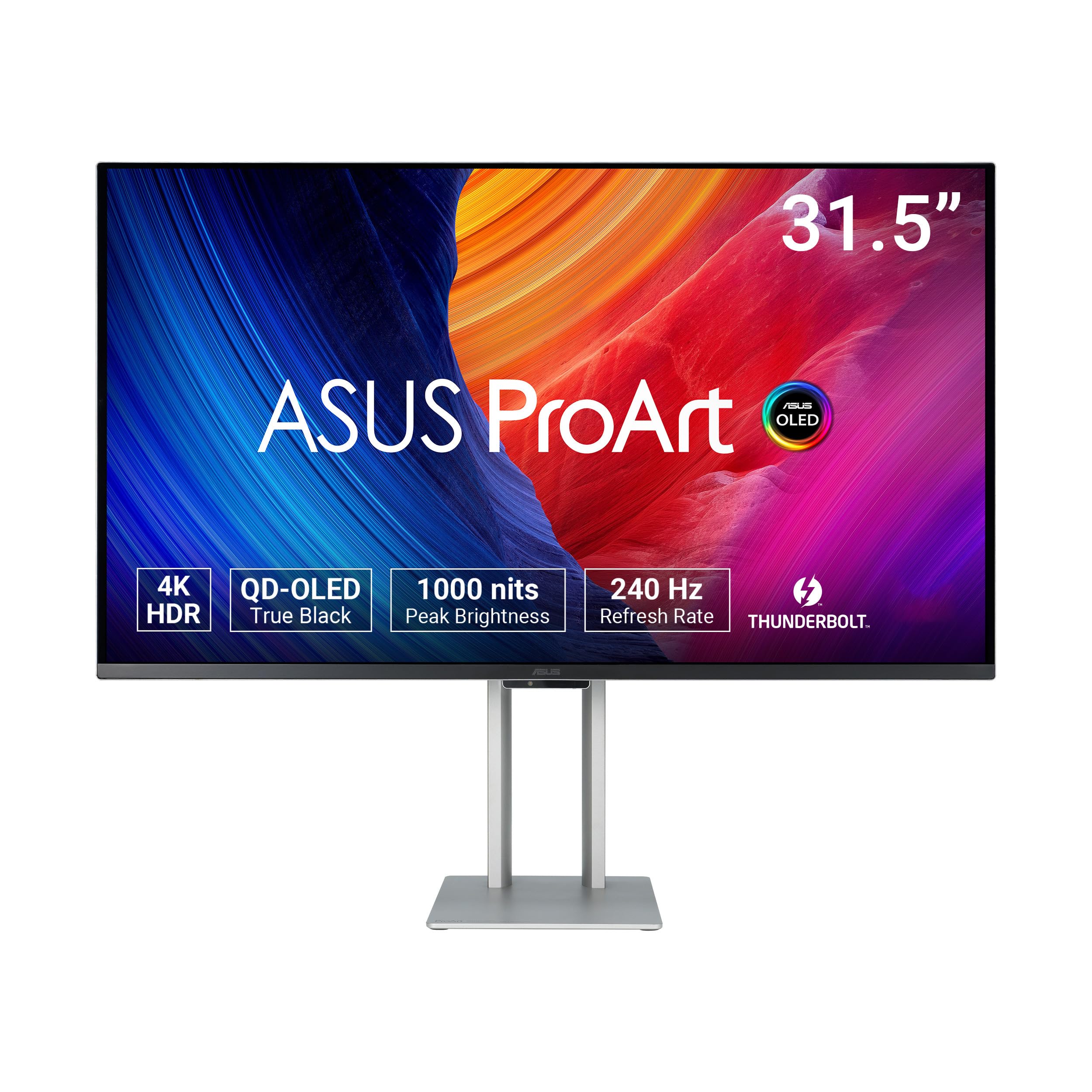
The ASUS ProArt PA32UCDM is a 32-inch 4K QD-OLED monitor that bridges professional color grading and high-refresh gaming. It delivers 1000 nits peak brightness with VESA DisplayHDR True Black 400, true 10-bit color, and a Delta E of less than 1 out of the box. The 240Hz refresh rate and 0.1ms GtG response time mean it handles fast-paced games as well as dedicated gaming monitors.
ProArt Hardware Calibration allows you to write color profiles directly to the monitor’s internal LUT, bypassing GPU limitations. It covers 100% sRGB, 99% DCI-P3, and BT.2020, making it suitable for HDR video editing and color-critical work. Connectivity includes Thunderbolt 4, HDMI 2.1, and USB-C with 90W power delivery.
The lack of a DisplayPort input is an inconvenience for some PC users, and the fan noise can be noticeable before a firmware update. The flat panel, while ideal for color accuracy, lacks the immersion of a curved ultra-wide. For a single monitor that excels in both creative pro workflows and high-refresh gaming, this is the most precise option available.
Why it’s great
- Delta E < 1 color accuracy with hardware calibration LUT
- 1000-nit peak HDR with True Black 400 certification
- 240Hz refresh rate matches dedicated gaming panels
Good to know
- No DisplayPort input; HDMI and Thunderbolt only
- Fan noise may be audible before firmware update
- Flat panel lacks immersive curve
8. Samsung Odyssey Ark 55″

The Samsung Odyssey Ark is a 55-inch 4K Mini-LED monitor with a 1000R curvature and a unique Cockpit Mode that rotates the screen 90 degrees for vertical viewing. The 165Hz refresh rate and 1ms response time provide smooth gameplay, while the 1,000,000:1 contrast ratio (via Mini-LED dimming) delivers HDR performance that approaches OLED territory. The Multi View feature lets you split the massive screen into up to four sections from different sources.
The built-in Sound Dome technology uses a 2.2.2 channel 60W speaker system with Dolby Atmos, creating a genuinely immersive audio experience without external speakers. The included OneConnect box simplifies cable management by consolidating all inputs into a single connection to the screen. Eclipse Lighting adds ambient bias lighting that enhances perceived contrast.
The software and firmware have been a consistent pain point, with reports of update hangs, white lines appearing, and intermittent blackouts requiring a full power cycle. The monitor is extremely heavy at 91 pounds, requiring two people for setup. The 165Hz refresh rate is lower than the 240Hz found on smaller competitors, and some users report dead pixels after extended use.
Why it’s great
- 55” 1000R curved screen with Cockpit Mode rotation
- Integrated 60W 2.2.2 channel Dolby Atmos sound system
- Multi View supports up to four simultaneous sources
Good to know
- Firmware/software issues are common and disruptive
- Extremely heavy (91 lbs) requires two-person installation
- 165Hz refresh rate is lower than 240Hz competitors
9. Dell UltraSharp U4025QW

The Dell UltraSharp U4025QW is a 40-inch 5K2K (5120×2160) curved monitor using IPS Black technology, which delivers a 2000:1 contrast ratio—double that of standard IPS panels. The 21:9 aspect ratio is ideal for productivity tasks like video editing timelines and large spreadsheets, with the 120Hz refresh rate providing smooth scrolling. The 600-nit brightness and VESA DisplayHDR 600 ensure vivid highlights and good HDR performance for a non-OLED panel.
Connectivity is a standout feature: Thunderbolt 4, HDMI, DisplayPort, RJ45 Ethernet, and a built-in KVM switch with seamless network switching. The USB-C port delivers up to 140W power delivery, enough to charge a high-end laptop. Colors are factory-calibrated to Delta E < 2, and it covers 99% DCI-P3, making it suitable for color-critical work.
This is not a dedicated gaming monitor—the 120Hz refresh rate is adequate but not competitive, and the IPS Black response time is slower than OLED panels. The build uses some plastic components despite the premium price, and the lack of a remote is a missed convenience. For professionals who need a massive, sharp canvas that also works well for casual gaming, this is the gold standard.
Why it’s great
- 40” 5K2K IPS Black with 2000:1 contrast ratio
- Thunderbolt 4 with 140W PD and built-in KVM
- 120Hz refresh rate and 600-nit HDR600 performance
Good to know
- 120Hz is not competitive for fast-paced esports
- Some plastic components feel less premium
- No remote control included
10. Kuycon G32P 6K
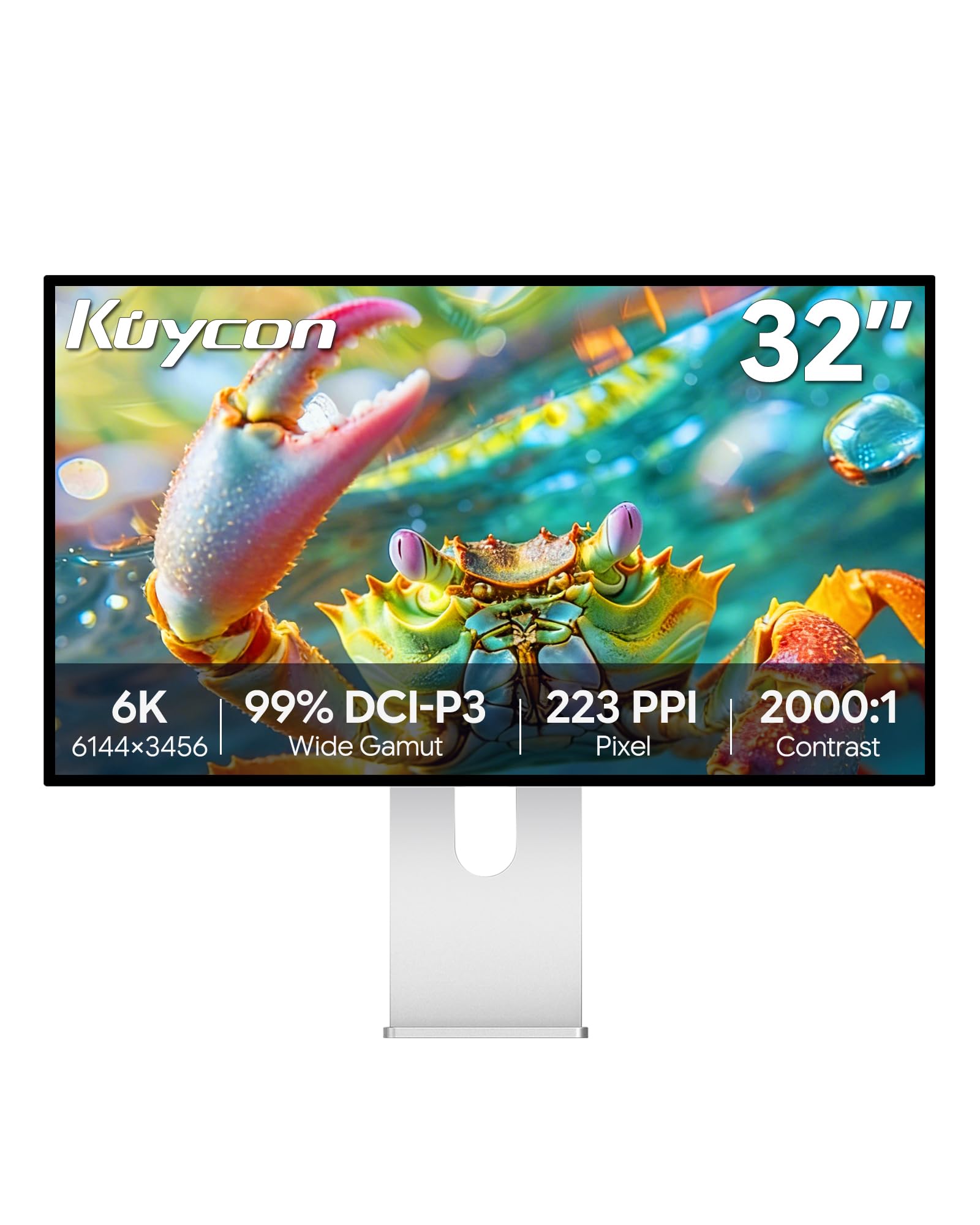
The Kuycon G32P is a 32-inch 6K (6144×3456) IPS monitor with a pixel density of 223 PPI, surpassing even the sharpness of Apple’s Pro Display XDR. The glossy screen and 500-nit brightness deliver excellent clarity for reading text, editing photos, and viewing high-resolution content. The IPS panel covers 99% sRGB and 99% DCI-P3 with Delta E < 2, making it a strong choice for creative professionals on a budget.
The CNC-machined aluminum build feels premium, and the ergonomic stand supports height, tilt, swivel, and pivot adjustments. Connectivity includes HDMI, DisplayPort, and USB-C with 100W power delivery, plus a universal VESA mount. The anti-glare coating and flicker-free backlight reduce eye strain during long work sessions.
The 60Hz refresh rate is a significant limitation for gaming, as even casual titles will feel less fluid. Some units arrive with defects or poor quality control, and the lack of integrated Thunderbolt means you must rely on the included USB-C adapter for Ethernet connectivity. This is a niche choice for those who prioritize pixel density over frame rate.
Why it’s great
- 6K resolution at 223 PPI delivers unmatched text and image detail
- 99% DCI-P3 with Delta E < 2 for color-accurate work
- Premium aluminum build with full ergonomic stand
Good to know
- 60Hz refresh rate is not suitable for gaming
- Quality control can be inconsistent
- No Thunderbolt port; relies on USB-C for connectivity
11. Dell UltraSharp U3224KB

The Dell UltraSharp U3224KB is a 31.5-inch 6K (6144×3456) monitor using IPS Black technology for a 2000:1 contrast ratio. It is designed as a direct competitor to Apple’s Pro Display XDR, offering a 4K webcam, built-in speakers, and a robust USB hub with Thunderbolt 4. The 6K resolution at 218 PPI provides stunning clarity for professional photo and video editing, with factory-calibrated Delta E < 2 accuracy.
The monitor includes a mini-DisplayPort input, HDMI, Thunderbolt 4 (with 140W power delivery), and a USB hub with Ethernet passthrough. The heavy-duty stand offers height and tilt adjustments, and the matte coating reduces reflections without crushing contrast. For Mac users, the single-cable Thunderbolt solution is seamless, providing display, data, and charging through one connection.
The 60Hz refresh rate caps its gaming viability, and some users report a half-screen green failure that requires a power cycle to resolve. The built-in webcam has a pinkish hue that needs color adjustment, and the speakers are only average. It is an excellent productivity-focused 6K monitor at a fraction of the XDR’s cost, but not a choice for high-refresh gaming.
Why it’s great
- 6K IPS Black with 2000:1 contrast and factory Delta E < 2
- Thunderbolt 4 with 140W PD and integrated 4K webcam
- Excellent Mac compatibility with single-cable setup
Good to know
- 60Hz refresh rate is not suitable for gaming
- Some units experience green screen failure requiring power cycle
- Speakers and webcam are average quality
12. LG 27MD5KL-B Ultrafine

The LG 27MD5KL-B is a 27-inch 5K (5120×2880) IPS monitor designed specifically for macOS compatibility, featuring Thunderbolt 3 connectivity with 94W power delivery. The 218 PPI density matches Apple’s Retina standard, providing razor-sharp text and native scaling without any fuzziness. It covers 99% DCI-P3 and delivers 500 nits of brightness, making it ideal for design work and video consumption.
The monitor integrates three USB-C ports on the back, effectively functioning as a hub for peripherals. The built-in camera and speakers, while not top-tier, are functional for video calls. The slim bezel design fits well into a minimalist setup, and the monitor can be controlled via the Mac keyboard’s brightness keys.
At 60Hz, it is not suitable for high-refresh gaming, and the 14ms response time means visible motion blur in fast-paced titles. Windows compatibility is limited, with some users reporting connectivity issues. The lack of a headphone jack is also a notable omission. It remains the best choice for Mac users who prioritize Retina-level clarity over gaming performance.
Why it’s great
- 5K 218 PPI Retina display with perfect macOS scaling
- Thunderbolt 3 with 94W power delivery and USB-C hub
- 99% DCI-P3 gamut and 500-nit brightness for design work
Good to know
- 60Hz refresh rate and 14ms response limit gaming use
- No headphone jack built into the monitor
- Windows compatibility is limited and buggy
13. ASUS ROG Swift PG32UCDM

The ASUS ROG Swift PG32UCDM is a 32-inch 4K QD-OLED gaming monitor with a 240Hz refresh rate and 0.03ms response time. It uses a custom heat sink, advanced airflow design, and graphene sheet to reduce burn-in risk—a critical concern for OLED panels used in prolonged gaming sessions. VESA DisplayHDR 400 True Black and 99% DCI-P3 coverage deliver vivid colors that make HDR games look stunning.
The DisplayWidget Center lets you adjust OLED Care settings and monitor features via mouse, while the optional uniform brightness mode ensures consistent luminance for competitive play. Connectivity includes DisplayPort 1.4 with DSC, HDMI 2.1, and USB-C with 90W power delivery. G-Sync compatibility ensures smooth frame delivery with NVIDIA GPUs.
Some HDR features, like the proximity sensor and certain game modes, are disabled when HDR is active—though firmware updates have addressed this. The ASUS RMA process is reported as difficult by some users. At this price, it represents the pinnacle of 4K OLED gaming performance, offering the fastest response and best colors available in a standard 16:9 form factor.
Why it’s great
- 32″ 4K QD-OLED with 240Hz and 0.03ms near-instant response
- Custom heat sink and graphene sheet minimize burn-in risk
- 99% DCI-P3 with true 10-bit and HDR400 True Black
Good to know
- Some HDR features disabled in HDR mode
- ASUS RMA process can be difficult to navigate
- Requires powerful GPU to fully utilize 240Hz at 4K
FAQ
Can a 4K GPU handle a 5K gaming monitor?
Is 5K worth the extra cost over 4K for gaming?
What is the ideal screen size for a 5K gaming monitor?
Final Thoughts: The Verdict
For most users, the best 5k gaming monitor winner is the Samsung Odyssey G8 G80HF because it uniquely combines a true 5K 180Hz panel, DisplayPort 2.1 bandwidth, and a Dual Mode that jumps to 360Hz for competitive titles, all without compromising on productivity-focused pixel density. If you want the deepest blacks and most immersive contrast, grab the LG 45GX950A-B. And for a pure gaming-focused 4K experience that pushes frame rates to the limit, nothing beats the ASUS ROG Swift PG32UCDM.