
Switching from a standard 4K display to a true 5K monitor isn’t just a resolution bump — it’s a fundamental shift in how you interact with text, images, and video. At 5120 x 2880 pixels on a 27-inch panel, you get a pixel density of 218 PPI, which means Retina-level sharpness where individual pixels vanish and fonts render like printed ink. This guide focuses exclusively on that specific class of monitor: the 5K (and higher) professional displays designed for color-critical work, high-DPI coding environments, and film-grade editing suites.
I’m Min — the co-founder and writer behind Gadgets Feed. After countless hours analyzing panel specifications, real-world color gamut measurements, connectivity architectures, and the subtle differences in backlight technologies (Mini-LED vs. traditional IPS LED vs. QD-OLED), I\’ve built this guide to cut through the marketing and deliver the precise data you need to choose the best 5K monitor for your actual workflow.
Whether you are a Mac user needing seamless Thunderbolt integration, a photographer demanding Pantone-validated color accuracy, or a gamer wanting high-refresh-rate 5K, this deep analysis of every viable option will help you find the best 5k monitor that meets your professional and creative standards without compromise.
How To Choose The Best 5K Monitor
Buying a 5K monitor is a high-stakes decision because of the price and the expectation of years of daily use. The wrong choice leads to eye strain, color mismatch, or a frustrating workflow. Focus on these three factors before anything else.
Panel Technology and Backlight
The panel dictates everything: contrast, black levels, viewing angles, and color uniformity. Traditional IPS panels offer wide viewing angles and good color but suffer from IPS glow and mediocre contrast ratios (around 1000:1). IPS Black technology pushes contrast to 2000:1, delivering deeper blacks without the glow. Mini-LED backlights with thousands of dimming zones (like the LG 27GM950B) can push brightness to 1250 nits for stunning HDR but may introduce blooming in desktop use. QD-OLED panels (like the LG 45GX950A) offer infinite contrast and vibrant colors but require careful burn-in management for static UI elements. For pure professional color work, a well-calibrated IPS or IPS Black monitor is the safer bet.
Connectivity and Mac Compatibility
A 5K monitor requires high bandwidth. Thunderbolt 4 (40 Gbps) is the standard for Macs, supporting single-cable video, data, and up to 96W power delivery. Thunderbolt 5 (80 Gbps) is appearing on newer premium models and future-proofs your workstation. Verify the monitor supports the exact resolution and refresh rate over your preferred connection — some 5K monitors only hit 60Hz over DisplayPort 1.4 without DSC (Display Stream Compression). If you work on both a Mac and a Windows PC, a built-in KVM switch lets you share peripherals seamlessly between the two systems.
Color Accuracy and Calibration
For creative professionals, color gamut coverage (DCI-P3 for video, Adobe RGB for print) and Delta E accuracy are non-negotiable. Look for monitors that are factory-calibrated with a report, Pantone Validated, and Calman Verified. A Delta E of under 2 is good; under 1 is excellent. Manual calibration with an included hardware calibrator (like the X-Rite i1 Display Pro with the ASUS PA32UCR-K) provides the best long-term consistency but requires setup effort. For most users, a pre-calibrated monitor with 98% or higher DCI-P3 coverage will deliver exceptional out-of-box accuracy.
Quick Comparison
On smaller screens, swipe sideways to see the full table.
| Model | Category | Best For | Key Spec | Amazon |
|---|---|---|---|---|
| ViewSonic VP2788-5K | Premium 5K IPS | Mac-Based Design & Color Work | 5120×2880 / 99% DCI-P3 / 2000:1 Contrast / Thunderbolt 4 | Amazon |
| ASUS ProArt PA32UCR-K | Premium 4K Mini-LED | HDR Grading & Print Proofing | 3840×2160 / 98% DCI-P3 / 1000 nits / Mini-LED / X-Rite Calibrator | Amazon |
| BenQ PD2730S | Premium 5K IPS | VFX & Game Design | 5120×2880 / 98% P3 / 2000:1 Contrast / Nano Matte Panel / KVM | Amazon |
| Samsung Odyssey OLED M9 | Mid-Range 4K QD-OLED | Mixed Gaming & Streaming | 3840×2160 / 99% DCI-P3 / 165Hz / 0.03ms / Smart TV OS | Amazon |
| LG 27GM950B-B | Premium 5K Mini-LED | High-End Gaming & HDR | 5120×2880 / 99% DCI-P3 / 165Hz / 1ms / Mini-LED / DP 2.1 | Amazon |
| ASUS ProArt PA32QCV | Premium 6K IPS | 6K Professional Editing & Coding | 6016×3384 / 98% DCI-P3 / 600 nits / Thunderbolt 4 / KVM | Amazon |
| Dell UltraSharp U4924DW | Premium 49″ DQHD | Ultrawide Productivity | 5120×1440 / 32:9 / 2000:1 Contrast / KVM / USB-C Hub | Amazon |
| LG 32U990A-S | High-End 6K IPS Black | Creative Pro with Thunderbolt 5 | 6144×3456 / 98% DCI-P3 / 2000:1 / Thunderbolt 5 / 224 PPI | Amazon |
| Apple Studio Display | Premium 5K Retina | Mac Ecosystem Integration | 5120×2880 / P3 / 600 nits / 12MP Camera / Six-Speaker Audio | Amazon |
| Acer Predator Z57 | High-End 57″ DUHD | Immersive Sim Racing & Flight | 7680×2160 / 98% DCI-P3 / 120Hz / Mini-LED / 1000R Curve | Amazon |
| Dell UltraSharp U4025QW | High-End 5K2K Ultrawide | Professional Productivity & Coding | 5120×2160 / 99% DCI-P3 / 120Hz / IPS Black / Built-in Hub | Amazon |
| LG 45GX950A-B | High-End 5K2K OLED | High-End Gaming & Content Creation | 5120×2160 / 98.5% DCI-P3 / 165Hz / 0.03ms / OLED / DP 2.1 | Amazon |
| Kuycon G32P | Budget-Friendly 6K IPS | 6K Retina Experience on a Budget | 6144×3456 / 99% DCI-P3 / 2000:1 / Glossy Panel / 223 PPI | Amazon |
In‑Depth Reviews
1. LG 32U990A-S 32-Inch Ultrafine 6K

The LG 32U990A-S is the definitive professional monitor for creative workflows, packing 6144 x 3456 pixels into a 32-inch IPS Black panel for a dense 224 PPI. This surpasses standard 5K pixel counts, providing more workspace for 6K video timelines and high-res photo retouching without scaling compromises. The Thunderbolt 5 port delivers 80 Gbps bandwidth — double Thunderbolt 4 — enabling 6K daisy chaining and smooth playback of uncompressed video sources.
Color accuracy is studio-grade: the Nano IPS Black technology achieves a 2000:1 contrast ratio for deep, rich shadows and minimal IPS glow, while covering 98% DCI-P3 and 99.5% Adobe RGB. The 10-bit panel ensures smooth gradients without banding in demanding HDR content. VESA DisplayHDR 600 certification guarantees 600 nits of sustained brightness for impactful highlight detail. Build quality is exceptional, with a silver aluminum chassis, integrated 2W speakers for system alerts, and a full ergonomic stand.
Some users report occasional wake-from-sleep issues requiring a power cycle, and the firmware update process via the on-screen display is clunky. The included cables are short, and the large external power brick adds desk clutter.
Why it’s great
- World’s first 6K monitor with Thunderbolt 5 for 80 Gbps bandwidth
- IPS Black panel delivers 2000:1 contrast with deep blacks
- 99.5% Adobe RGB and 98% DCI-P3 for print and video work
- 224 PPI provides Retina-class sharpness on a 32-inch screen
Good to know
- Some units have unreliable wake-from-sleep behavior
- Firmware updates require navigating a mediocre OSD
- Integrated speakers are weak for music listening
- External power brick is larger than expected
2. Apple Studio Display
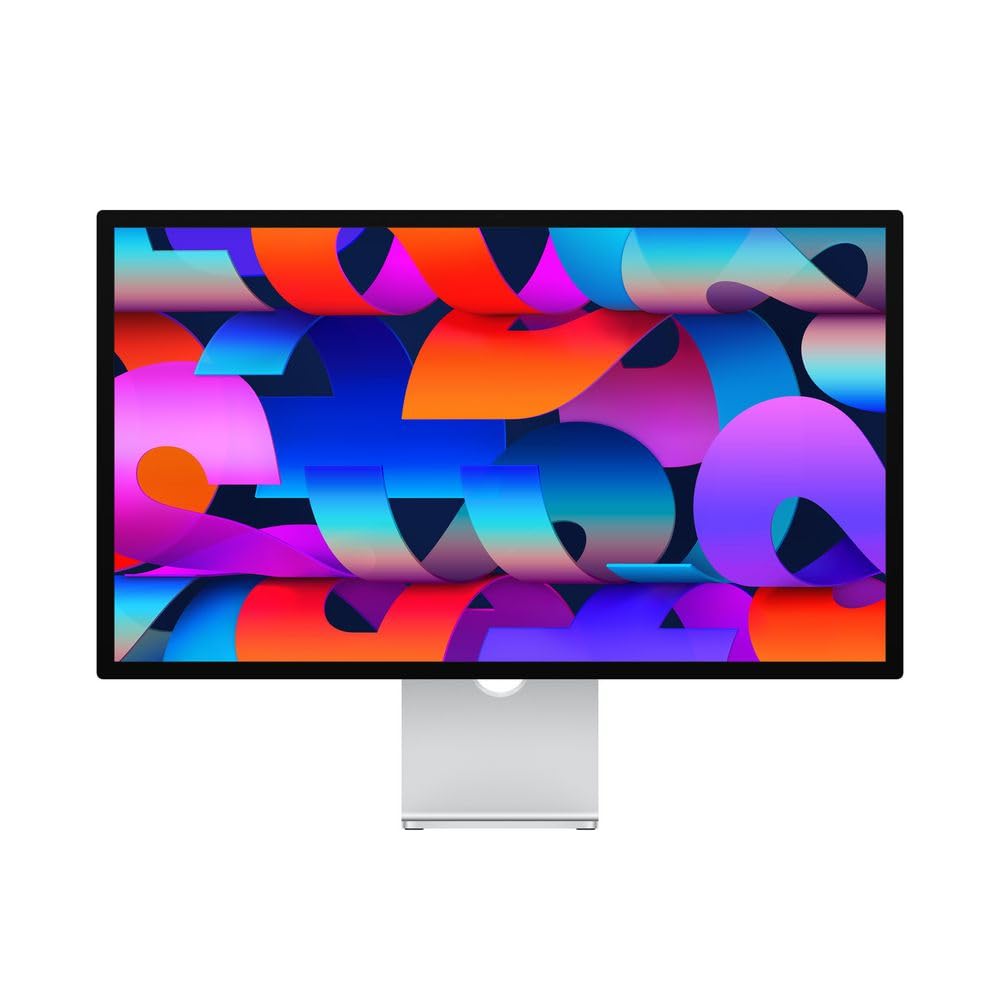
The Apple Studio Display is the benchmark for Mac-native 5K monitors, offering a 27-inch 5120 x 2880 Retina display with 600 nits of brightness and P3 wide color. It is designed specifically for the Apple ecosystem, pairing perfectly with Mac Studio or Mac Mini for seamless single-cable operation via Thunderbolt 3. The 12MP Ultra Wide camera with Center Stage keeps you framed during video calls, while the six-speaker sound system with Spatial Audio delivers genuinely impressive audio for a monitor.
The aluminum unibody construction is unmistakably Apple — precise, minimalist, and solid. With support for one billion colors and factory calibration, the Studio Display provides excellent out-of-box color accuracy for design and photo work. The 96W of power delivery charges MacBook Pro notebooks efficiently, and the three USB-C ports on the back handle peripherals. The nano-texture glass option (at an extra cost) effectively diffuses glare without sacrificing sharpness, ideal for bright office environments.
The major trade-off is the fixed 60Hz refresh rate, which feels dated for a monitor at this price point. There is no local dimming, so contrast is standard IPS-level (around 1000:1), and true HDR performance is absent. The tilt-adjustable stand is functional but frustratingly basic for the price — height-adjustable and VESA options cost extra. For creative professionals deeply embedded in the Apple ecosystem who prioritize fit-and-finish and audio quality over raw specs, the Studio Display remains the gold standard in its specific lane.
Why it’s great
- Best-in-class Mac integration with single-cable Thunderbolt 3 setup
- Excellent six-speaker system with Spatial Audio for media consumption
- Premium all-aluminum construction and industrial design
- 12MP camera with Center Stage for professional video calls
Good to know
- Fixed 60Hz refresh rate with no high-refresh-rate option
- Standard IPS contrast with no local dimming for HDR
- Stand options are expensive and purchased separately
- Significant price premium over comparable-spec alternatives
3. ASUS ProArt Display PA32UCR-K

The ASUS ProArt PA32UCR-K is a 32-inch Mini-LED monitor that prioritizes HDR grading and print-accurate color above all else. Its 576-zone local dimming backlight achieves a peak sustained brightness of 1200 nits, covering 87% of Rec.2020 color space — critical for HDR video workflows. The quantum-dot technology delivers 99.5% Adobe RGB and 98% DCI-P3, making it suitable for both print proofing and video production. The included X-Rite i1 Display Pro calibrator allows for periodic hardware calibration to maintain Delta E under 1.
The monitor supports multiple HDR formats (HDR-10, HLG) and comes factory-calibrated with an impressive per-unit report. The 5-year warranty (3 years plus 2 with registration) adds long-term security. Build quality is robust with a metal stand and comprehensive connectivity options including USB-C, DisplayPort, and HDMI 2.0. The anti-glare coating effectively manages reflections in bright studio environments.
Setup is not for the faint of heart — the X-Calibrator software is notoriously difficult to navigate and can take hours to master. The menu controls are located on the back near a hot power supply, making manual adjustments awkward. Some users report inverse blooming with static content in local dimming mode, and the input lag of 25-34ms makes it unsuitable for competitive gaming. The chassis also feels slightly plasticky given the premium price point.
Why it’s great
- Mini-LED backlight sustains 1200 nits peak brightness for HDR
- 99.5% Adobe RGB and 98% DCI-P3 coverage for pro color work
- Includes X-Rite i1 Display Pro calibrator for hardware calibration
- 5-year warranty with registration for long-term peace of mind
Good to know
- Calibration setup is complex and time-consuming
- OSD menu controls are awkwardly placed and cumbersome
- Input lag of 25-34ms is noticeable for gaming
- Some IPS image retention and blooming in static content
4. LG 27GM950B-B 27-inch Ultragear 5K
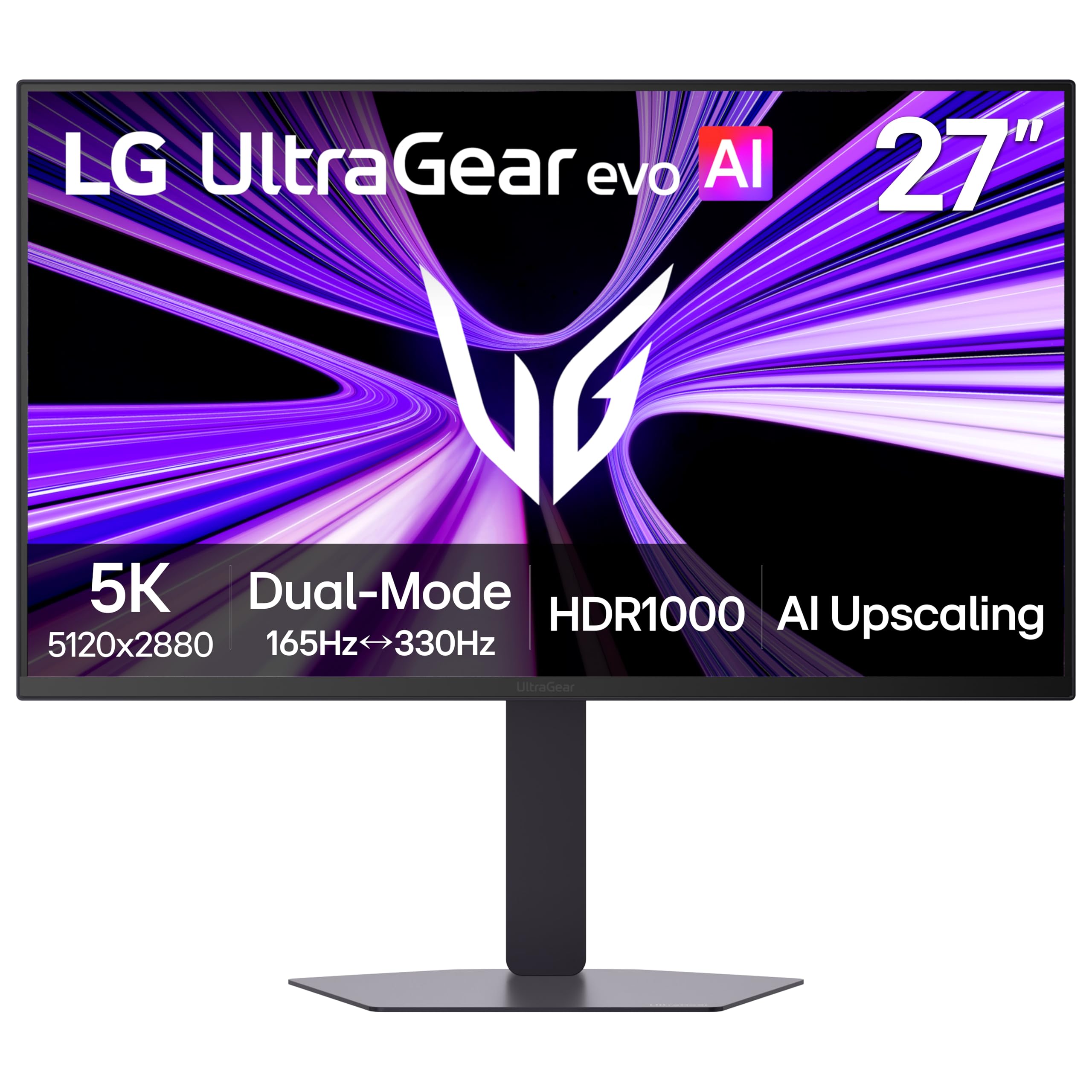
The LG 27GM950B-B is the only monitor on this list that combines native 5K (5120 x 2880) resolution with a 165Hz refresh rate, making it a legitimate dual-purpose display for high-fidelity gaming and productivity. Its Hyper Mini LED backlight uses 9,216 LEDs across 1.5x more local dimming zones than previous generations, reaching 1250 nits peak brightness and VESA DisplayHDR 1000 certification. The Dual Mode feature lets you switch to QHD at 330Hz for ultra-competitive esports titles.
Color performance is strong with 99% DCI-P3 coverage, and the 218 PPI delivers razor-sharp text for programming and design. Connectivity is future-forward: DisplayPort 2.1 (UHBR20) provides the bandwidth for uncompressed 5K at 165Hz, while USB-C offers 90W power delivery. The monitor is G-Sync Compatible and AMD FreeSync Premium Pro certified for tear-free gaming across compatible GPUs.
Mac compatibility is problematic — many users report color glitches on the right half of the screen in macOS, requiring third-party utilities like BetterDisplay to work around. The matte anti-glare coating has a shimmer effect at close viewing distances that reduces perceived sharpness. The local dimming is distracting in SDR desktop use, and the fan inside the unit can be audible under load. The unit is also heavy and some units have been delivered defective.
Why it’s great
- Only native 5K monitor with 165Hz refresh rate for high-end gaming
- Mini-LED backlight with 1250 nits peak and 1000+ dimming zones
- Dual Mode switches to QHD at 330Hz for competitive gaming
- DisplayPort 2.1 and USB-C 90W PD for advanced connectivity
Good to know
- Significant compatibility issues with macOS requiring workarounds
- Matte coating reduces perceived sharpness and adds shimmer
- Local dimming behavior is distracting in SDR desktop use
- Fan noise and heavier build than expected for daily use
5. ASUS ProArt Display PA32QCV

The ASUS ProArt PA32QCV delivers a 32-inch 6K (6016 x 3384) IPS panel at a price point significantly lower than the LG 32U990A-S, making it the most accessible path to 6K resolution for creative professionals. The LuxPixel AGLR (Anti-Glare Low Reflection) coating effectively minimizes reflections without the shimmer common on aggressive matte finishes. With 98% DCI-P3, 100% sRGB, and Calman Verified Delta E under 2, the color accuracy is excellent straight out of the box.
Connectivity is a highlight: dual Thunderbolt 4 ports with 96W power delivery enable daisy chaining two monitors, while the built-in Auto KVM lets you switch between two connected computers with a single keyboard and mouse. The ergonomic stand offers tilt, swivel, pivot, and 130mm height adjustment. The M Model-P3 preset mode matches the color performance of MacBook displays for seamless cross-device color consistency. The 5-year warranty (with registration) provides long-term confidence.
Some buyers experience a panel lottery with blue splotches, backlight bleed, or dead pixels across multiple units, which is frustrating at this price tier. The built-in speakers are weak and unsuitable for media consumption. Input switching and wake-from-sleep are noticeably slow compared to competitors. The 60Hz refresh rate limits gaming potential, and the 5ms response time is not suited for competitive titles.
Why it’s great
- Most affordable 32-inch 6K IPS monitor with professional color
- Dual Thunderbolt 4 with 96W PD and daisy chain support
- Auto KVM for seamless dual-system workflow
- 5-year warranty for long-term reliability
Good to know
- Panel lottery reported with blue splotches and backlight bleed
- Slow input switching and wake-from-sleep performance
- Built-in speakers are inadequate for any serious use
- Fixed 60Hz with 5ms response — not for gaming
6. LG 45GX950A-B 45-inch Ultragear 5K2K OLED

The LG 45GX950A-B is an OLED gaming monitor that redefines immersion with its 45-inch 5120 x 2160 (5K2K) panel and 800R curvature. The 21:9 aspect ratio wraps around your peripheral vision, making it ideal for racing and flight simulators. OLED technology delivers a 1.5M:1 contrast ratio with perfect blacks, and peak brightness reaches 1300 nits for spectacular HDR highlights. The 165Hz refresh rate and 0.03ms response time provide buttery-smooth motion clarity across all content.
Dual Mode lets you switch to WFHD (2560 x 1080) at a blistering 330Hz for competitive shooters. The updated subpixel layout reduces color fringing, achieving 125 PPI for text clarity that is surprisingly good for an OLED ultra-wide. Connectivity is comprehensive: DisplayPort 2.1, two HDMI 2.1 ports, and USB-C with 90W power delivery. AMD FreeSync Premium Pro and NVIDIA G-Sync Compatibility ensure tear-free gaming.
The 800R curve is extreme — it works well when seated at the correct distance, but it is not suitable for shared viewing or productivity tasks requiring precise horizontal alignment. The OLED panel requires burn-in management (taskbar detection, screen savers) for static desktop use. The built-in speakers are adequate for game audio but not for music. Some users report HDR flickering over HDMI input, and the firmware update process is inconvenient.
Why it’s great
- Infinite contrast and perfect blacks from QD-OLED technology
- 5K2K resolution at 165Hz with Dual Mode up to 330Hz
- 800R curve provides deep immersion for sim titles
- DisplayPort 2.1 and HDMI 2.1 for uncompressed high-refresh-rate
Good to know
- Aggressive 800R curve limits productivity and shared use
- Requires careful OLED burn-in management for desktop apps
- HDR flickering reported on HDMI inputs
- Firmware update process is arduous and unintuitive
7. Dell UltraSharp U4025QW 40″ 5K2K

The Dell UltraSharp U4025QW is a 40-inch 5120 x 2160 (5K2K) ultrawide monitor that excels in professional productivity. Its IPS Black panel technology delivers a 2000:1 contrast ratio, providing deep blacks and rich shadow detail without the glow of standard IPS. The 120Hz refresh rate is a welcome upgrade for smooth scrolling and cursor movement, and the 600 nits peak brightness works well in well-lit offices. The 21:9 aspect ratio effectively replaces a dual-monitor setup, displaying three full-size windows side by side.
Build quality is premium with a robust stand and extensive connectivity including Thunderbolt 4, DisplayPort, HDMI, Ethernet, and multiple USB-A ports. The built-in KVM switch works reliably (if not instantly) for sharing peripherals between a work laptop and a desktop PC. The anti-glare coating is effective without adding the shimmer seen on some competitors. For coding, financial analysis, and video editing, the pixel density at this size provides sharp text without scaling artifacts on Windows.
The price is steep for a non-OLED monitor, and the IPS Black panel still cannot match OLED contrast. The 3800R curve is very gentle, which reduces immersion but also means the screen can appear flat and can cause glare from side windows. The cheap plastic used on some chassis elements feels out of place at this price point. The lack of a built-in remote is a minor annoyance for adjusting settings frequently.
Why it’s great
- IPS Black panel provides 2000:1 contrast for deep blacks
- 40-inch 5K2K ultrawide replaces dual monitors efficiently
- Thunderbolt 4 with built-in Ethernet and KVM hub
- 120Hz refresh rate for smooth productivity scrolling
Good to know
- Gentle 3800R curve can cause glare and lacks immersion
- Some chassis components feel cheap and plasticky
- IPS Black still cannot match OLED contrast ratio
- No remote control included for OSD adjustments
8. BenQ PD2730S 27″ 5K

The BenQ PD2730S is a 27-inch 5K monitor designed specifically for Mac users in creative fields like VFX animation and game design. Its 218 PPI delivers Retina-class sharpness, and the 2000:1 contrast ratio from its IPS panel provides deeper blacks than standard IPS. The Nano Matte panel effectively diffuses ambient light without the graininess of traditional matte coatings, and it is TÜV Rheinland certified for reflection-free eye comfort during long sessions.
Color accuracy is impressive: the factory calibration report shows an average Delta E of 0.4982, and the 98% DCI-P3 coverage ensures vibrant colors for modern content creation. The monitor includes a wireless Hotkey Puck for quick profile switching and integrates a reliable KVM switch for controlling two systems with one keyboard and mouse. Connectivity is strong with Thunderbolt 4 providing 90W power delivery, daisy chain support, and multiple USB ports.
The lack of high-refresh-rate support (60Hz max) limits its use for gaming or smooth scrolling. The built-in speakers are weak — they are fine for system alerts but inadequate for any media consumption. Some users report defective Thunderbolt 4 ports with loose connections and flickering. The 17.5-pound weight and white color scheme may not suit everyone\’s setup, and the resolution scaling in macOS can make text very small at native 5K.
Why it’s great
- Excellent out-of-box color accuracy with Delta E under 0.5
- Nano Matte panel reduces reflections without sacrificing clarity
- Thunderbolt 4 with 90W PD and reliable KVM switch
- Wireless Hotkey Puck for fast color profile switching
Good to know
- Fixed 60Hz refresh rate — not suitable for gaming
- Built-in speakers are very weak for media playback
- Some reports of defective Thunderbolt 4 ports and flickering
- White color scheme may not match darker desktop setups
9. ViewSonic VP2788-5K 27 Inch 5K

The ViewSonic VP2788-5K is a 27-inch 5K monitor that brings premium features like Pantone Validation and Thunderbolt 4 daisy chaining at a more accessible price point than the Apple Studio Display. The 5120 x 2880 IPS panel offers 100% sRGB and 99% DCI-P3 coverage with HDR400 support, delivering accurate colors for photo editing and design. The 500 nits brightness is sufficient for controlled lighting environments. The frameless design and Thunderbolt 4 daisy chain support make it easy to build a multi-5K monitor setup.
The advanced ergonomic stand provides tilt, swivel, pivot, and height adjustment for all-day comfort. Connectivity is versatile with Thunderbolt 4 (40 Gbps), DisplayPort, HDMI 2.1, and a USB hub. The 75Hz refresh rate is a small step above standard 60Hz, providing slightly smoother cursor movement. The monitor is G-Sync compatible, which helps with occasional casual gaming.
Some users experience significant issues with USB device reconnection after sleep and unreliable Thunderbolt 4 power delivery that triggers macOS warnings. The matte coating has a grain that is larger than the pixels, which can be noticeable on white backgrounds. The contrast ratio is standard IPS-level, so blacks appear grayish in dark scenes. The on-screen display menu is confusing, and the rear ports are difficult to access without moving the monitor.
Why it’s great
- Pantone Validated for out-of-box color accuracy
- Thunderbolt 4 with daisy chain for multi-monitor setups
- Full ergonomic stand with height, pivot, and swivel
- Versatile connectivity with HDMI 2.1 and USB hub
Good to know
- Buggy USB reconnection and Thunderbolt power delivery issues
- Matte coating grain is noticeable against white backgrounds
- Standard IPS contrast delivers grayish blacks in dark scenes
- Rear ports are hard to access and OSD controls are confusing
10. Kuycon G32P 32″ 6K Glossy Monitor
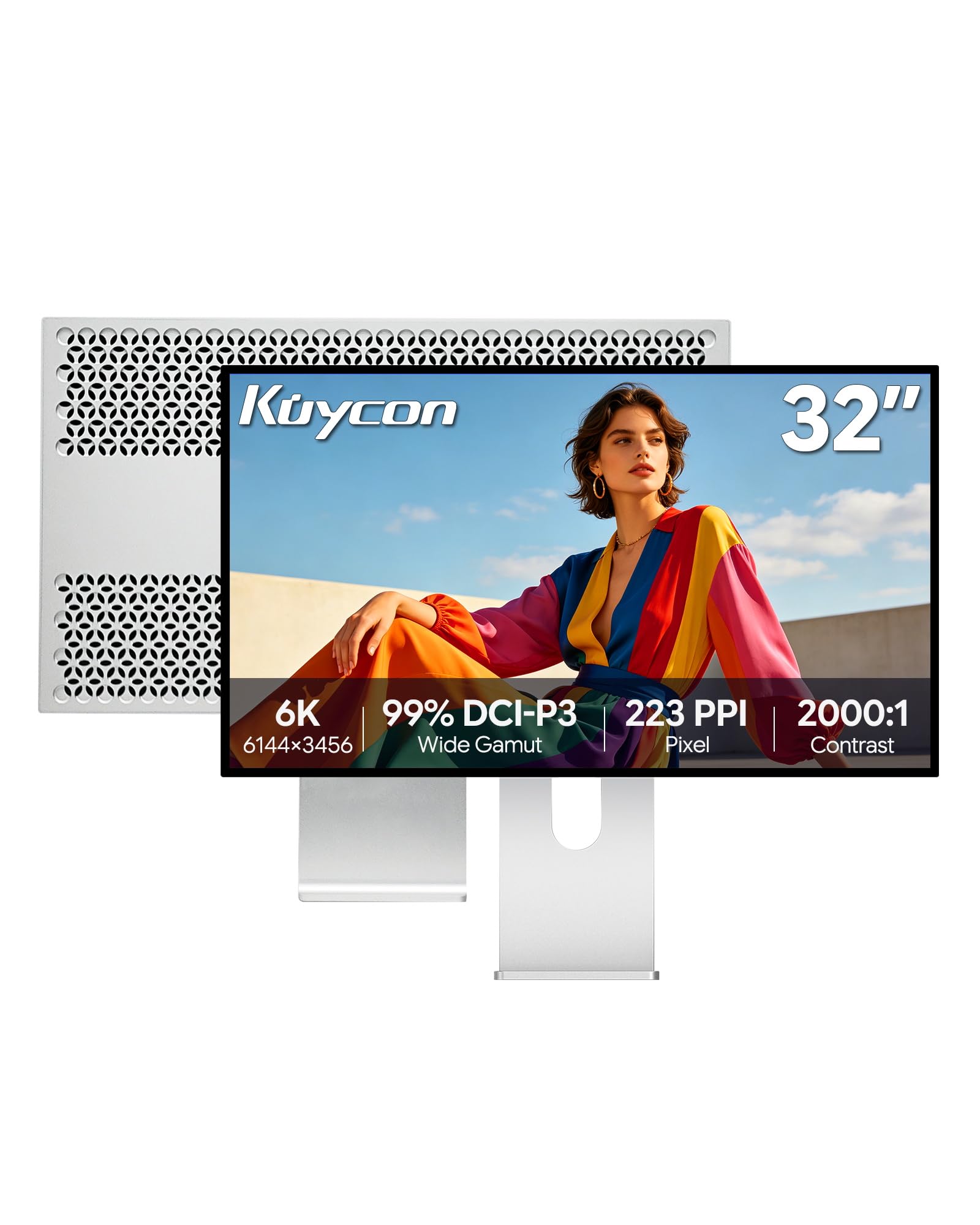
The Kuycon G32P offers a 32-inch 6K (6144 x 3456) glossy IPS panel at a price that undercuts most 5K monitors, making it a compelling budget-conscious alternative to the Apple Pro Display XDR. The 223 PPI provides sharper-than-Retina clarity for coding and photo editing, and the glossy display delivers vibrant colors and deep blacks without the haze of matte coatings. The 99% DCI-P3 coverage and factory-calibrated Delta E under 2 provide strong color accuracy for design work.
Build quality is surprisingly premium: the CNC-machined aluminum chassis with honeycomb cooling feels solid and looks professional. The ergonomic stand offers height, tilt, swivel, and pivot adjustments. Connectivity includes Thunderbolt, HDMI, and DisplayPort with a USB hub, and the USB-C port delivers 100W power delivery for charging laptops. The 2000:1 contrast ratio from the IPS panel provides better black levels than standard 1000:1 IPS displays.
The glossy screen is highly reflective — it requires high brightness levels to overcome ambient light, making it unsuitable for bright office environments without careful positioning. The remote control is required for powering on, which is a strange design choice, and some units ship without the remote battery or any instructions. Customer support is less accessible than major brands, and there are reports of units arriving with internal rattling or persistent “no signal” issues after system updates.
Why it’s great
- Most affordable 32-inch 6K IPS monitor with 223 PPI
- Glossy panel delivers vibrant colors without matte haze
- Premium CNC-machined aluminum construction
- 2000:1 contrast ratio and 100W USB-C power delivery
Good to know
- Glossy screen is highly reflective in bright rooms
- Remote control required for power-on — no physical button
- Lacks comprehensive instructions and battery for remote
- Customer support is not as responsive as major brands
11. Samsung 32″ OLED M9 M90SF
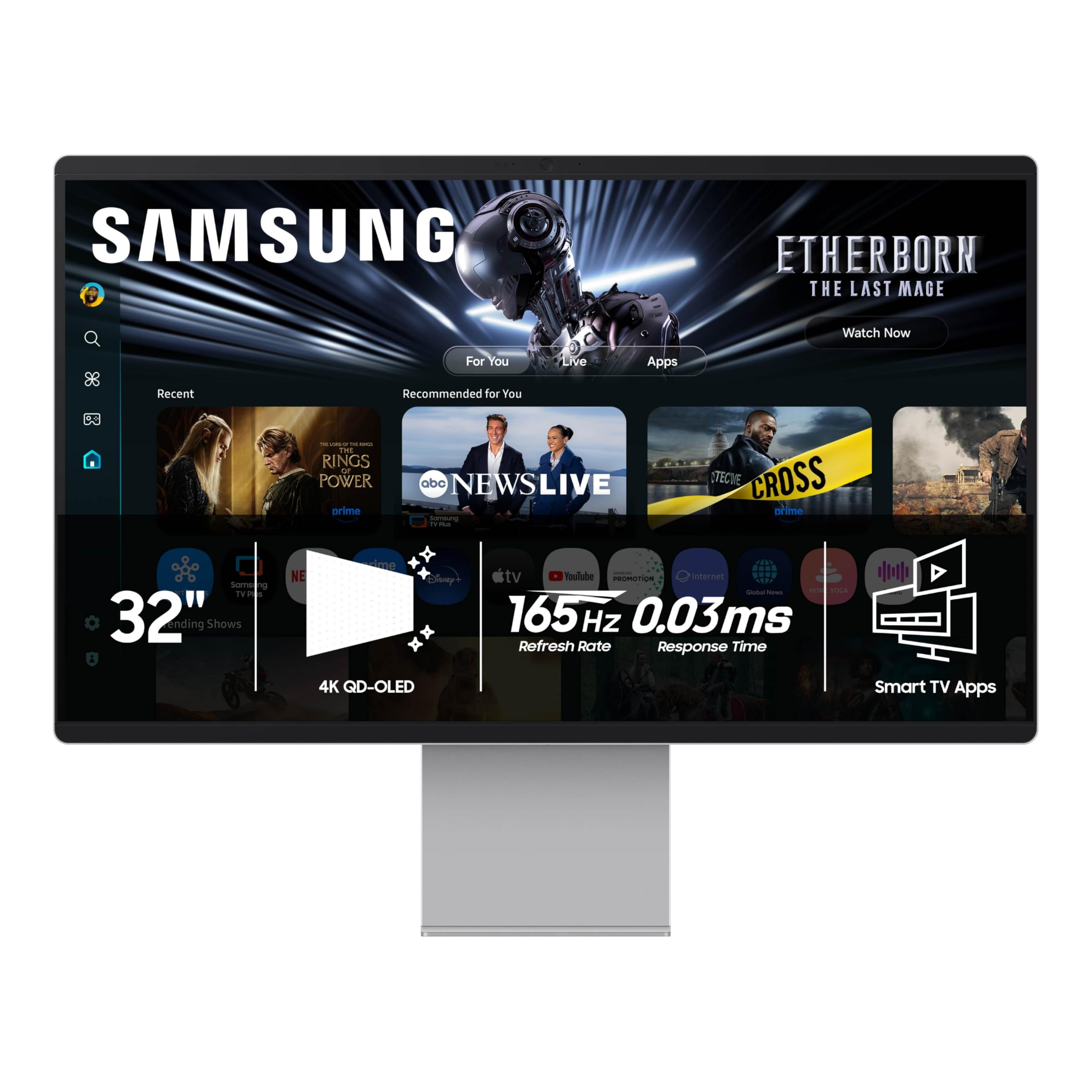
The Samsung Odyssey OLED M9 is a 32-inch 4K QD-OLED smart monitor that integrates Samsung\’s Tizen TV operating system, providing direct access to streaming apps and the Samsung Gaming Hub without a connected PC. The QD-OLED panel delivers infinite contrast with pure blacks and vibrant colors covering 99% DCI-P3. The 165Hz refresh rate and 0.03ms response time make it excellent for console and PC gaming, and the built-in Thermal Modulation System helps prevent burn-in by dynamically adjusting brightness.
The smart features are genuinely useful for a secondary entertainment display — you can watch Netflix, play cloud games from Xbox or NVIDIA GeForce NOW, and use built-in voice assistants. Connectivity includes Bluetooth 5, Wi-Fi, HDMI 2.1, and USB-C. The 2025 model includes Samsung Vision AI for upscaling and picture optimization. The Logo and Taskbar Detection features automatically dim static elements to further protect against burn-in.
The Tizen smart TV OS is sluggish and clunky as a monitor interface — forcing a Samsung account during setup is frustrating for a professional monitor. The plastic chassis feels cheap despite being advertised as “metal build,” and the USB-C auto-detect frequently fails, requiring manual port selection. The 4K resolution (3840 x 2160) means it does not deliver 5K pixel density, which is a drawback for text-heavy productivity work on a 32-inch screen.
Why it’s great
- QD-OLED panel with infinite contrast and rich HDR colors
- Built-in Tizen smart TV for streaming and cloud gaming
- 165Hz with 0.03ms response for console and PC gaming
- Burn-in protection with Logo Detection and Taskbar Detection
Good to know
- Smart TV OS is clunky and forces Samsung account setup
- Plastic chassis feels cheap despite “metal build” marketing
- 4K resolution lacks 5K pixel density for text-heavy work
- USB-C auto-detect is unreliable, requiring manual port selection
12. Acer Predator Z57 57″ DUHD

The Acer Predator Z57 is a massive 57-inch DUHD (7680 x 2160) Mini-LED gaming monitor with a 1000R curvature that fully envelops your peripheral vision. The 2304-zone local dimming backlight drives VESA DisplayHDR 1000 certification, delivering high-impact HDR gaming visuals. The 32:9 aspect ratio effectively replaces two 27-inch monitors, and the 120Hz refresh rate with 1ms response time provides smooth gameplay for simulation and AAA titles.
The 98% DCI-P3 color coverage ensures vibrant, accurate colors for immersive gaming. Connectivity is next-gen ready: HDMI 2.1 supports PS5 and Xbox Series X at high refresh rates, and USB-C provides 90W power delivery. The built-in KVM switch lets you control multiple systems with a single keyboard and mouse, and the dual 10W speakers provide decent audio for a monitor. The ergonomic stand offers tilt, swivel, and height adjustments for comfortable positioning of this very large screen.
The sheer size and 1000R curve require a deep desk and careful mounting — this monitor is not suitable for standard 24-inch deep desks. Quality control is a known concern: multiple reports of dead pixels, ghosting in all games, and flickering on arrival. The matte coating can exacerbate the aggressive curve, causing glare in the corners. Acer\’s support is frequently criticized for providing wrong manuals and being unresponsive to warranty claims. This is a niche product for dedicated sim racers and flight sim enthusiasts who can manage its physical and QC risks.
Why it’s great
- 57-inch DUHD 32:9 with 1000R curve for deep immersion
- 2304-zone Mini-LED backlight with DisplayHDR 1000
- HDMI 2.1 supports PS5 and Xbox Series X at high frame rates
- Built-in KVM and USB-C 90W PD for workstation connectivity
Good to know
- Requires a very deep desk — not suitable for standard setups
- Quality control issues with dead pixels, ghosting, and flickering
- Aggressive curve can cause glare in the corners
- Poor customer support with incorrect documentation
13. Dell UltraSharp U4924DW 49″ DQHD
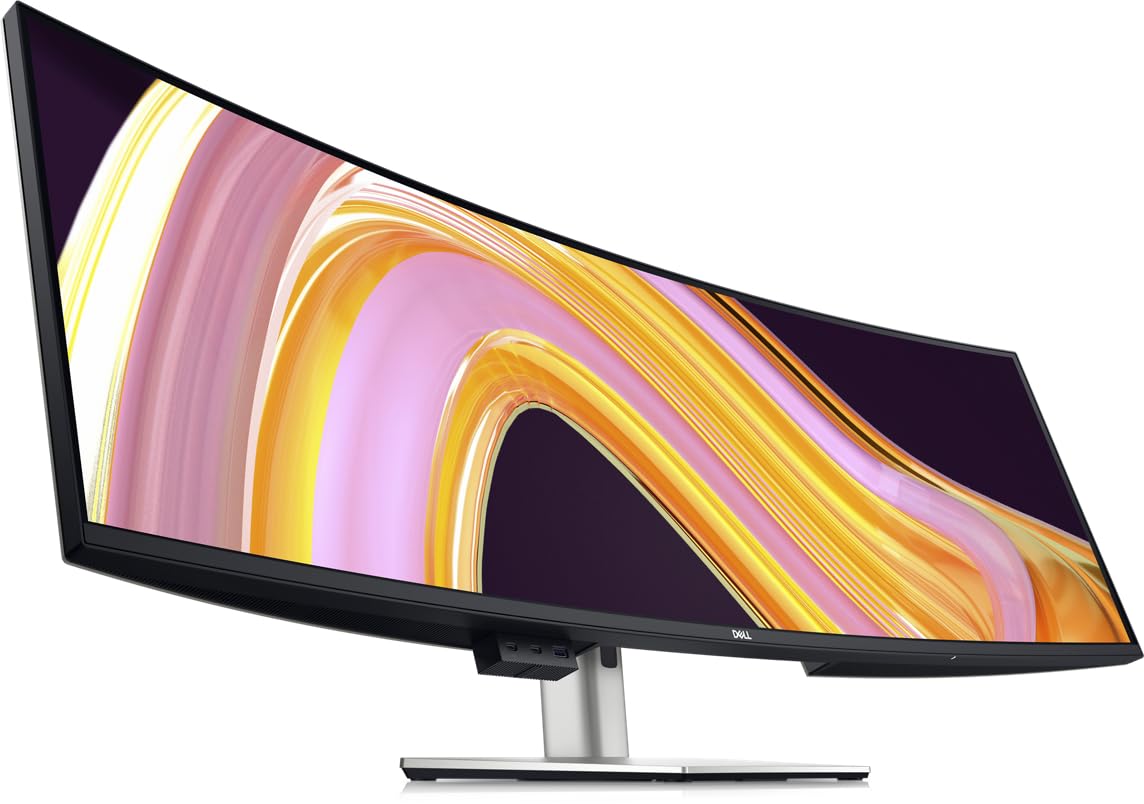
The Dell UltraSharp U4924DW is a 49-inch Dual QHD (5120 x 1440) ultrawide monitor with a 32:9 aspect ratio, effectively replacing two 27-inch QHD monitors without a bezel gap. The IPS panel delivers consistent colors across the wide viewing area, and the 2000:1 contrast ratio provides better depth than standard IPS. The 3800R curve is subtle, designed for professional productivity rather than gaming immersion. The monitor functions as a full USB-C hub with Ethernet, multiple USB-A ports, and KVM support for sharing peripherals.
The high pixel density at this size is excellent for viewing blueprints, wide spreadsheets, and video timelines in full scale without needing to zoom. The built-in PiP/PbP modes allow you to connect two different sources and treat them as independent displays. Dell\’s build quality is reliable, and the height-adjustable stand provides good ergonomics. The KVM is functional for switching between a work laptop and a desktop, though it is not instant (~5 seconds).
The 3800R curve is very gentle — some users find it insufficient to wrap around their field of view, causing glare from side windows. The 60Hz refresh rate and 5ms response time make it unsuitable for gaming. The lack of native split-screen management in macOS and Windows makes it difficult to take full advantage of the massive width without third-party window management software. There are reports of the USB-C port failing after a few months, and Dell has been inconsistent with honoring warranty claims for this specific issue.
Why it’s great
- 49-inch 32:9 ultrawide replaces dual-monitor setups without bezels
- Built-in USB-C hub with Ethernet, USB-A, and KVM support
- Excellent for viewing blueprints and wide timelines at full scale
- Reliable Dell build quality with comprehensive ergonomic stand
Good to know
- 3800R curve is very gentle and may not reduce glare effectively
- 60Hz refresh rate makes it unsuitable for any gaming
- Requires third-party window management software for productivity
- Reports of USB-C port failure and inconsistent warranty support
FAQ
Does a 5K monitor make a noticeable difference over a 4K monitor for daily use?
Can I use a 5K monitor with a Windows PC or only with a Mac?
What is the difference between a 5K monitor and a “5K2K” ultrawide monitor?
Is a 5K monitor worth it for gaming?
Final Thoughts: The Verdict
For most users, the best 5k monitor winner is the LG 32U990A-S because it leaps past 5K to 6K resolution with Thunderbolt 5 future-proofing and pro-grade IPS Black contrast that makes text and images look their absolute best. If you want a seamless Mac ecosystem experience with best-in-class speakers and camera, grab the Apple Studio Display. And for the rare combination of native 5K gaming at 165Hz with Mini-LED HDR, nothing beats the LG 27GM950B-B.