
Our readers keep the lights on and my morning glass full of iced black tea. As an Amazon Associate, I earn from qualifying purchases.
Specs are compiled from manufacturer listings and verified buyer reviews and can change over time — please confirm the key details on the product page before buying.
If you live in a spreadsheet, a code editor, or a video timeline, the move to a single 5K2K ultrawide is the single biggest upgrade you can make to your desk. You are trading two smaller monitors and a tangle of cables for one sweeping panel that shows two full-size windows side by side at native resolution. The catch is that not every 5K2K panel is built the same — some prioritize color accuracy for creative work, while others chase refresh rates for competitive gaming.
I’m Min — the founder and writer behind Gadgets Feed. This guide is built by comparing the manufacturers’ published specifications and the patterns across verified customer reviews, so you get each pick’s real strengths and trade-offs instead of marketing spin.
From office command centers to OLED gaming rigs, this breakdown of the best 5k ultrawide monitor options covers the eight models worth your attention, each with its own clear purpose.
Our Picks at a Glance

How To Choose The Best 5K2K Ultrawide Monitor
Choosing between these eight panels depends on one core question: do you spend more time making content, or consuming it? A 5K2K resolution (5120 x 2160) gives you the vertical space of a 4K monitor but adds a huge amount of horizontal room, which is perfect for arranging multiple documents or tools side by side.
Know Your Panel: OLED vs IPS vs VA
The panel technology dictates everything about the image. OLED panels deliver perfect, true black levels and incredibly fast response times, but they are often dimmer in bright rooms and carry a burn-in risk if you leave the same static window up daily. IPS panels offer wide viewing angles and accurate colors, making them a safe bet for photo work and office use. VA panels sit between the two, providing excellent contrast for a lower price, but they can struggle with fast-moving motion.
Refresh Rate and Response Time
For gaming, the refresh rate (measured in Hz) tells you how many times the screen updates per second. A 120Hz screen feels twice as smooth as a standard 60Hz one for everyday scrolling. Competitive gamers should look for 240Hz and above, paired with a fast response time (measured in ms) to reduce ghosting and motion blur. That said, a high refresh rate only matters if your graphics card can actually push those frames.
Connectivity: The One-Cable Future
The right ports can simplify your setup. A Thunderbolt or USB-C port with Power Delivery lets you connect your laptop and charge it with a single cable, while also acting as a hub for your mouse, keyboard, and hard drives. Before you buy, check whether your computer supports the full resolution over that cable, and whether the monitor has a KVM switch — a feature that lets you control two computers with one mouse and keyboard.
Quick Comparison
| Model | Best For | Panel / Type | Refresh Rate | Brightness | Amazon |
|---|---|---|---|---|---|
| Dell UltraSharp U4025QW★ Best Overall | Productivity | LED (IPS) | 120Hz | 600 Nit | Amazon |
| LG 45GX950A UltragearTop Performer | Competitive Gaming | OLED | 330Hz | 275 cd/m² | Amazon |
| LG 52G930B Ultragear evo G9rich Pick | Cinematic Scale | VA (LCD) | 240Hz | 400 cd/m² | Amazon |
| LG 40WP95C-W UltraWide | Creative Work | Nano IPS | 72Hz | 300 cd/m² | Amazon |
| LG 39GX950B Ultragear evo | Hybrid Work/Play | OLED | 165Hz | 335 cd/m² | Amazon |
| Dell U4021QW UltraSharp | Budget Productivity | LCD (IPS) | 60Hz | 300 cd/m² | Amazon |
| LG 40U990A Ultrafine evo | Thunderbolt 5 Users | Nano IPS | 120Hz | 450 cd/m² | Amazon |
| LG Ultragear 45″ OLED | Strong Curve Gaming | OLED | 165Hz | 275 cd/m² | Amazon |
In-Depth Reviews
1. Dell UltraSharp U4025QW 40″ 5K2K Curved LED
Our pick — over 4.5★ from 200+ verified ratings; the strongest balance of quality and price.
A single Thunderbolt 4 cable delivers 5K2K resolution, 140W charging, and a built-in hub for a clutter-free desk.
If you spend your day staring at text, this is the monitor to beat. Unlike the gaming-focused panels on this list, the Dell U4025QW is built as a productivity hub: you plug a single Thunderbolt or USB-C cable into your MacBook Pro, and you get sharp, native 5K2K (5120 x 2160) resolution, a 140W charge flowing into your laptop, and a built-in hub that replaces your external dock. The 39.7″ viewable screen is the key here — it fits two full-size windows side by side at native scaling, or three narrower ones if you like to saturate your field of view.
Its 600-nit brightness, 99% color gamut, and 120Hz refresh rate handle long coding and office sessions with ease. It hits a 600 Nit brightness so you can see your work clearly in a sunlit room, covers 99% of the color gamut for accurate colors, and runs at a smooth 120Hz so scrolling and motion feel fluid. The 5 ms response time marks it as a productivity panel, not a competitive gaming weapon, but the sweeping curve wraps around your vision and, as buyers report, “reduced neck pain” during long stretches of coding. The 39.7-inch width fits two full-size windows side by side, and owners praise the integrated hub for eliminating the need for a separate dock.
Owners call it “worth the Money” after three months, citing the sharp text and smooth single-cable setup as the main value. The recurring caveat is that the curve is subtle — some buyers wanted a more dramatic bend — and it needs Dell’s Display Manager software to open up its full KVM potential. If you are on a Mac or PC and want to consolidate your entire desk into one elegant, high-resolution canvas, this is the first one to buy.
Command Center Strengths
- Sharp native 5K2K text — owners praise the monitor quality above all else
- One-cable setup with 140W charging via Thunderbolt 4
- Exceptional 600 Nit brightness with 99% color gamut
- 120Hz makes everyday scrolling feel silky smooth
Trade-Offs to Weigh
- 5 ms response time means you should look elsewhere for esports
- Curve is subtle — not the rich wrap found on gaming OLEDs
- Requires Dell software for full KVM/multi-device control
- Premium investment, justified by its longevity
The cornerstone pick: get this for a clean, powerful macOS or Windows productivity setup that charges your laptop and declutters your desk.
Think twice if: you are chasing the highest competitive frame rates — this is a faster office panel, not a tournament display.
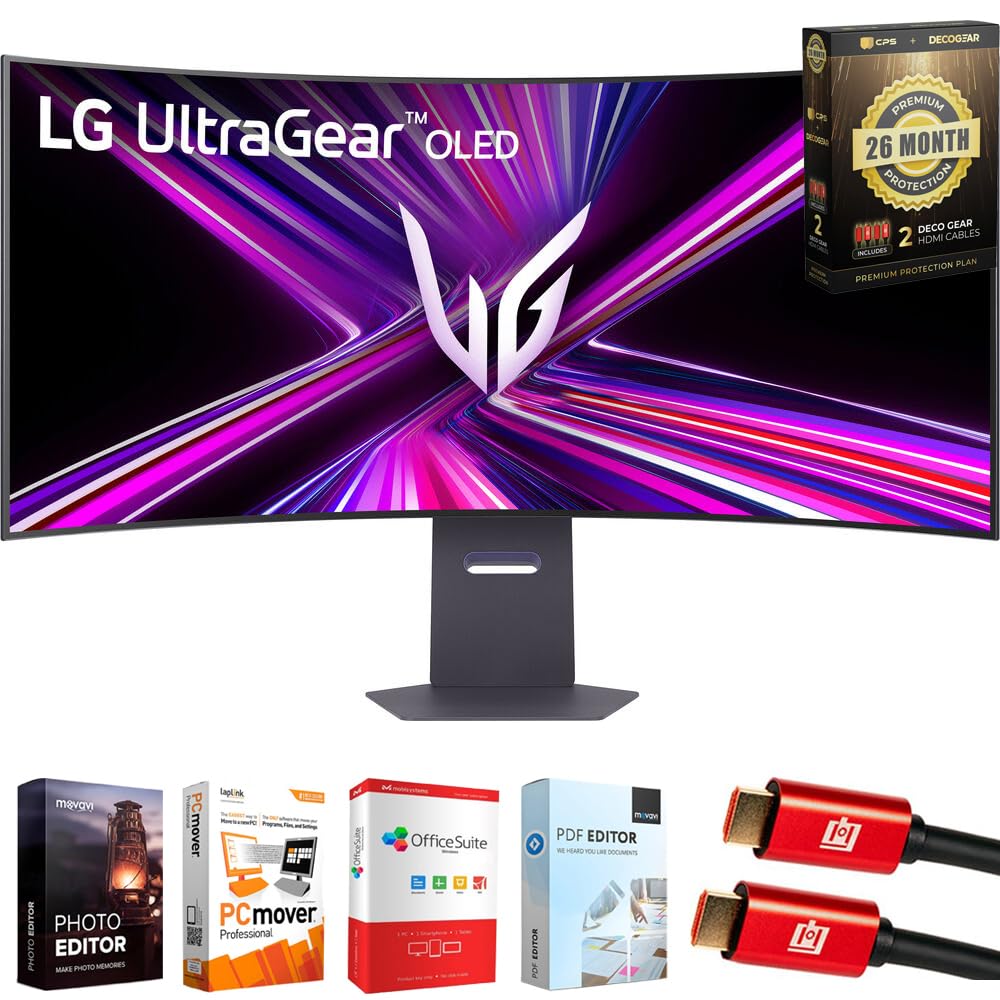
2. LG 45GX950A Ultragear 45″ OLED 5K2K
A blazing-fast OLED that hits esports speeds without sacrificing the 5K2K desktop space.
Watch out — this is the same 45-inch OLED canvas as the final pick on our list, but with a spec sheet tuned for speed demons. Where the standard Ultragear tops out at 165Hz, this GX950A version open up a Dual Mode that lets you flip between crisp 5K2K at 165Hz for cinematic games and a lightning-fast 330Hz in Full HD for competitive FPS and racing titles. That 330Hz refresh rate is a 2.8x jump over the Dell’s 120Hz, making it dramatically smoother for fast-paced play.
The OLED panel delivers a 0.03ms response time — that is a 166.7x gap over the Dell’s 5ms — which effectively eliminates motion blur and ghosting on quick camera pans. It also sips power with a 275 cd/m² brightness but renders deep, perfect blacks with a 1.5M:1 contrast ratio. Owners who upgraded from cheaper panels report “Superior picture quality” and “no noticeable input lag” in FPS games. The 800R aggressive curve and 125 PPI pixel density keep text sharp enough to use as a daily driver between gaming sessions, though it clearly leans toward being a gaming-first display.
You are also getting a full connectivity suite here — DisplayPort 2.1, HDMI 2.1, and USB-C with 90W Power Delivery — which makes it a viable single-cable option for laptops. A few owners mention severe flickering that made editing impossible, so buy from a seller with solid returns coverage to mitigate the OLED risk. For pure gaming power at 5K2K, though, this is about as fast as it gets.
The speed king: stellar 330Hz Dual Mode and 0.03ms response make this the smoothest gaming panel here.
Know the risk: the OLED panel can provoke flicker on some units, so test it thoroughly and buy with a strong protection plan.
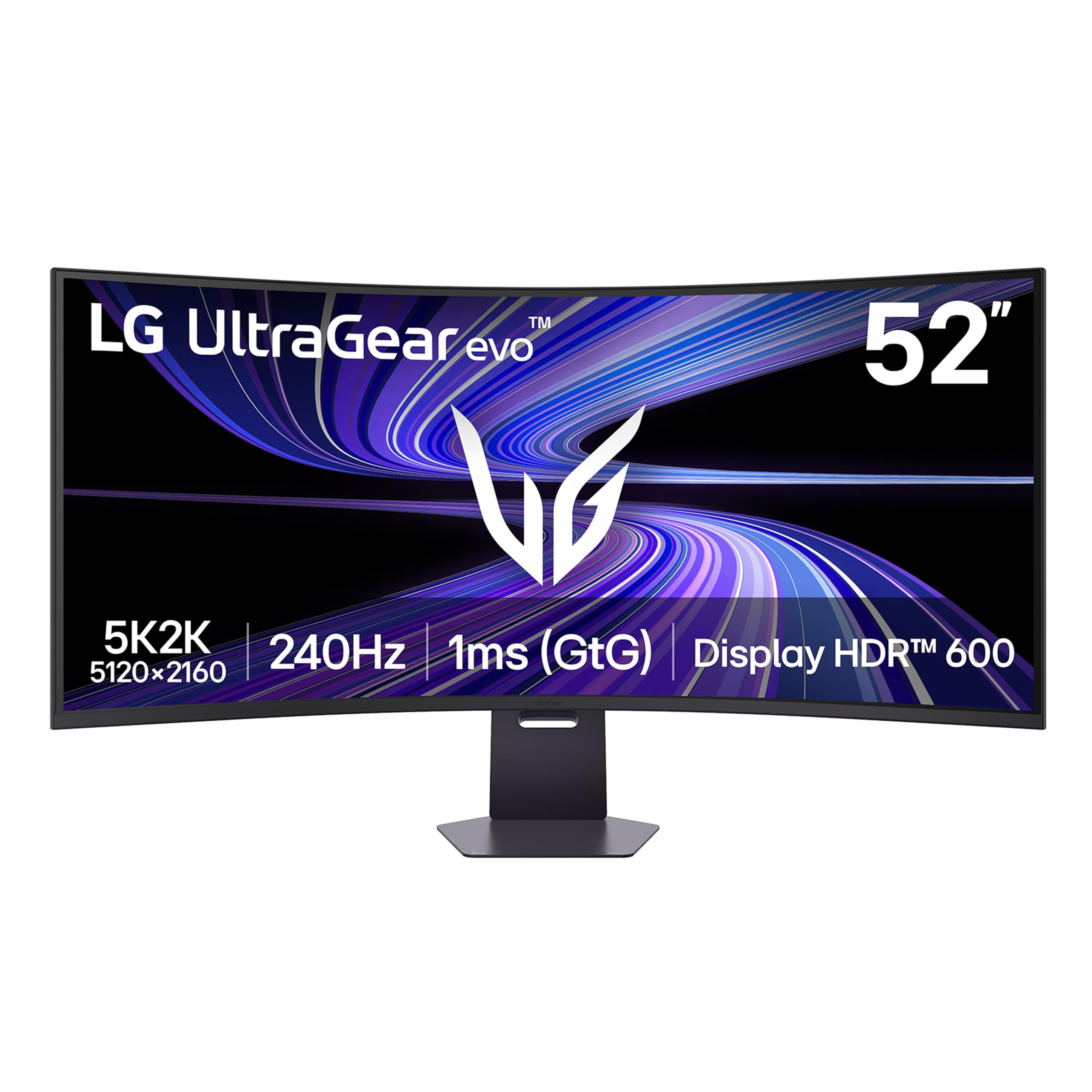
3. LG 52G930B-B Ultragear evo G9 52″ 5K2K
The world’s largest 5K2K canvas that swaps OLED burn-in fear for a low-maintenance VA panel.
If you want the most screen real estate possible without the OLED burn-in anxiety, this 52-inch monster from LG’s Ultragear evo line is the answer. The massive 1000R curvature wraps the world’s largest 5K2K display around your field of view, and at 52″ it offers about 31% more horizontal screen space than the Dell’s 39.7″ panel. It is a bold, cinematic view that replaces even the most elaborate dual-monitor setups.
The spec sheet keeps pace with its size. A 240Hz refresh rate delivers rapid frame updates for fluid motion, while a 1ms response time keeps fast-paced games clean and precise. It earns VESA DisplayHDR 600 certification for bright, controlled highlights, and covers up to 95% DCI-P3 color gamut. Customers note it is superb for CAD and coding work as well, with one noting a massive upgrade in pixel density and distinct colors — and the VA panel avoids the OLED burn-in risk they saw on display in a store.
It is strikingly clear for both work and play, though a small number of owners noted the matte screen and neutral colors take a little tweaking, and HDR performance is modest since it is an edge-lit panel. The built-in KVM switch is a pleasant surprise for desk warriors managing two computers. If you want the ultimate wide screen and you are worried about OLED longevity, this is the panel that delivers.
Why It Dominates
- Massive 52″ curved 5K2K canvas with a 1000R wrap
- 240Hz refresh and 1ms response time for clean motion
- Excellent text clarity for coding, CAD, and office work
- VA panel sidesteps OLED burn-in concerns
Reality Check
- Edge-lit HDR is modest — not true local dimming
- Needs noticeable desk space and a strong graphics card
- Built-in speakers won’t replace a dedicated sound setup
Reach for it when: sheer panoramic scale and low-maintenance durability matter more than perfect blacks.
Look elsewhere for: OLED contrast and if your GPU struggles to push 240Hz at 5K2K.
4. LG 40WP95C-W 40″ UltraWide Curved 5K2K

A 5K2K Nano IPS display that brings desktop-grade color to a wider, more productive workspace.
This is the pick for the creative professional who wants a larger canvas without going full OLED. The 40WP95C-W uses a Nano IPS panel that covers 98% of the DCI-P3 color space with HDR10 support, which makes colors pop accurately for video editing and photo work. The 21:9 curved format gives you a 5120 x 2160 workspace that lets you keep your editing timeline, color wheels, and preview window all visible at once — buyers who use it for DAWs like Studio One specifically note the benefit of the wide 5120-pixel workspace.
Its Thunderbolt 4 connectivity with 96W Power Delivery means a single cable to your MacBook provides the display signal, charges the laptop, and connects USB peripherals. Owners running Macs with M1 chips report “crisp text” at the full native resolution, and the virtually borderless 3-side design keeps the focus on your work. The subtle curve and 300 cd/m² brightness are solid for most indoor settings, although a few owners mention needing to crank brightness to 100 near large windows.
The main trade-off is reliability. Screen size earns praise, but quality control is mixed—some units fail or show burn-in within a year, so an extended warranty is wise. It is a proven workhorse for editing and multitasking, but give it a proper inspection when it arrives.
The reliable editor’s tool: excellent color accuracy and Thunderbolt simplicity for creative apps.
The catch: mixed quality control on arrival means you should buy from a seller with a generous return policy.
5. LG 39GX950B Ultragear evo 39″ OLED 5K2K
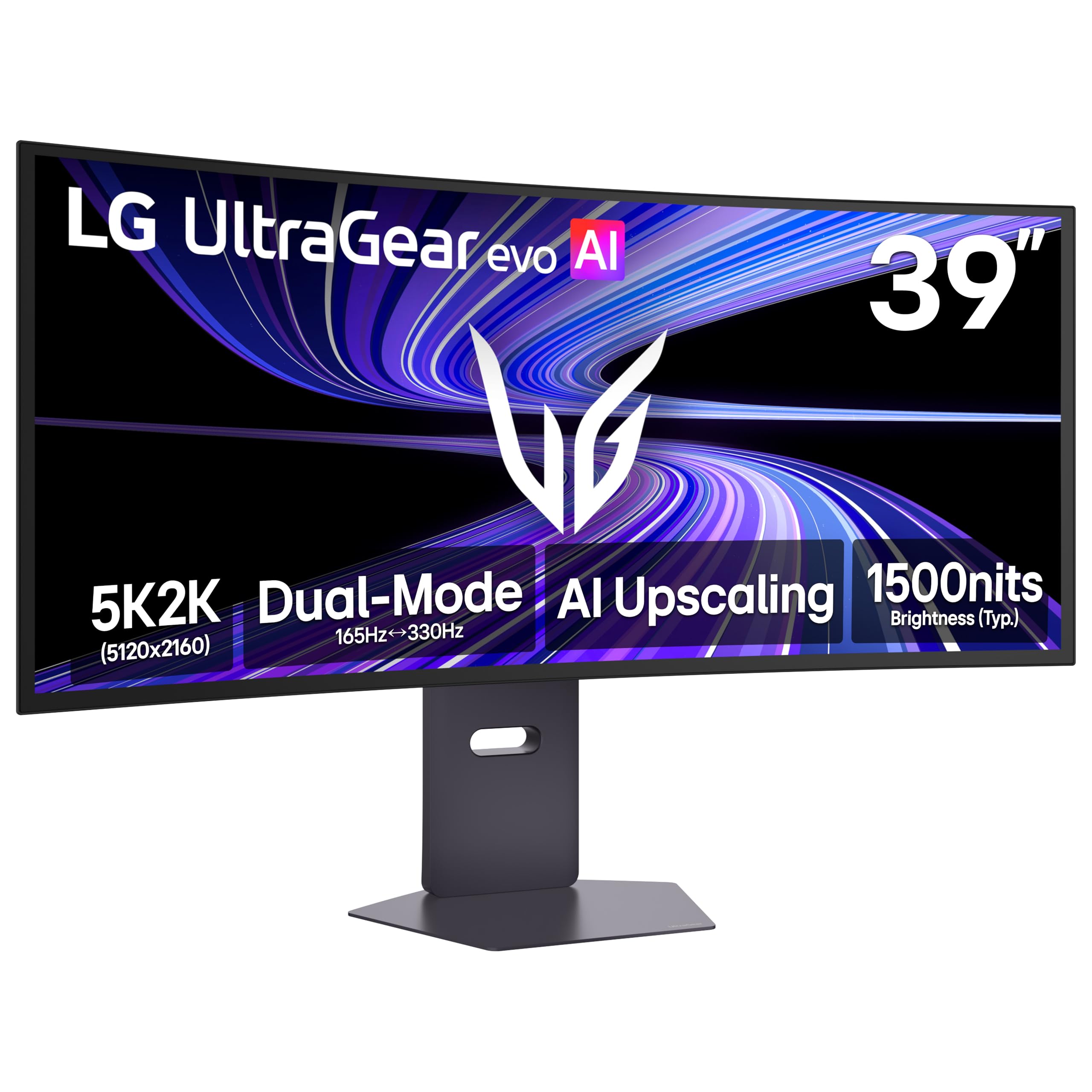
The OLED pixel-density champion that threads the needle between work-from-home and play-from-home.
If you want a single monitor that excels at both eight-hour workdays and late-night gaming sessions, this 39-inch OLED is the best compromise we found. It packs the highest pixel density on this list at 143 PPI, which means text is noticeably crisp for documents and coding — a clear upgrade from the 125 PPI you get on the larger 45-inch OLEDs. The 1500R curve subtly wraps the display around you without the extreme bend that can distort straight lines.
Creators get a lot to like here. LG’s 4th Gen RGB Tandem OLED delivers 335 nits of brightness with a 99.5% DCI-P3 color gamut and a 1.5M:1 contrast ratio, so your edits are vivid and precise. It is UL-verified for Perfect Black and Perfect Color — meaning the screen faithfully renders what you are working on. Buyers who upgraded from older VA panels say they are “amazed by the image difference,” and the built-in speakers are noted as genuinely decent for casual use.
It also supports VESA DisplayHDR True Black 500 and a Dual Mode that lets you switch from 165Hz at 5K2K to 330Hz for competitive play. The main complaint is a potential high-pitched whine reported by some owners, so it is worth testing right away. Otherwise, this is a stunning all-rounder that handles office tasks with ease and games with authority.
The All-Rounder Strengths
- Best-in-category 143 PPI for razor-sharp text
- True OLED blacks with 99.5% DCI-P3 accuracy
- Dual Mode: 165Hz for detail or 330Hz for esports
- UL-verified Perfect Black and Color reproduction
The Asterisks
- A few reviewers point out an audible high-pitched whine
- AI Scene Optimization needs disabling for accurate presets
- Strong, not extreme, 1500R curve
Your best bet if: you want one screen that is as comfortable for spreadsheets as it is for cinematic AAA titles.
Be wary if: you are sensitive to high-frequency sounds — listen closely during your first week.
6. Dell U4021QW UltraSharp 40-inch Curved WUHD

The previous-generation flagship that delivers 5K2K productivity without the premium price tag.
Here is the smart value play: the Dell U4021QW is the older sibling of our top pick, and it brings nearly all the productivity benefits at a friendlier entry point. The 40-inch curved panel still delivers full 5120 x 2160 resolution, and the 21:9 ultra-wide aspect ratio gives you that huge desk-spanning workspace. For programmers and office workers, the benefit is immediate — shoppers say fitting three or four code windows side by side with perfectly crisp text at native settings.
It includes a built-in KVM switch and window positioning software that “work[s] well on Mac,” letting you control two computers with one keyboard and mouse, which is a feature that usually costs extra. The screen is G-Sync Compatible for smoother gaming, though the 60Hz refresh rate limits it to casual play rather than competitive esports. At 300 cd/m², it is less bright than the newer U4025QW, but for most indoor offices it holds up fine.
Owners call it “heaven for programmers,” but mixed quality ratings mean buying from an authorized seller is essential to avoid warranty issues. If you want the 5K2K experience and are willing to trade a higher refresh rate for savings, this is a solid, proven choice.
Why it is the value pick: delivers the 5K2K workstation experience and KVM functionality at a lower cost than the newer generation.
Know the limits: 60Hz and modest brightness hold it back for gaming and very bright rooms.
7. LG 40U990A Ultrafine evo 40″ 5K2K
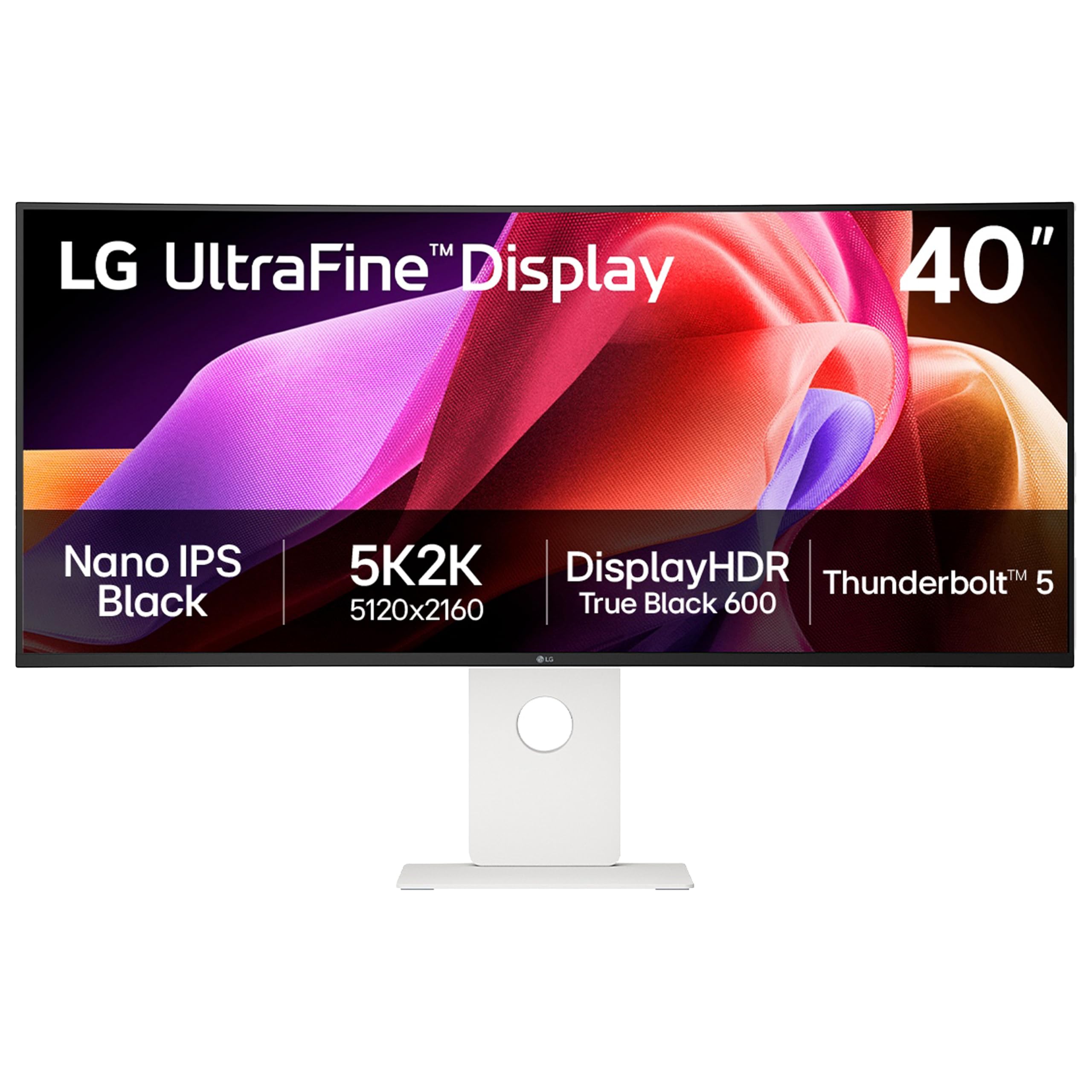
The world’s first Thunderbolt 5 5K2K display, built for the creator who wants tomorrow’s speed today.
If you are heavily invested in the Apple ecosystem, this is the display engineered just for you. The LG UltraFine evo 40U990A is the world’s first 5K2K monitor with Thunderbolt 5, which means you get blazing-fast data transfer, 96W of power delivery to charge your laptop, and daisy chain support to run multiple monitors from one cable. It is future-proofed for the next generation of MacBooks.
The Nano IPS Black panel is a standout. It delivers a 2000:1 contrast ratio — double that of standard IPS — for deeper blacks and richer detail, alongside up to 99% DCI-P3 color gamut coverage. It certifies as VESA DisplayHDR 600, produces 450 cd/m² of brightness, and runs at 120Hz, making it responsive enough for both creative work and casual gaming. Owners love the size and curve, noting the “perfect size for 3 windows” and the “sharp text” that felt natural to their eyes.
The catch is reliability. The display quality feedback is heavily mixed, with some owners reporting USB hub failures, random shutdowns, and sleep/wake issues that require a power cycle. The white color scheme and chunky bezels also draw some criticism. If you get a good unit, it is a stunning, high-end workspace — but you should absolutely buy with a sturdy protection plan to cover the gamble.
Next-Gen Strengths
- First-mover Thunderbolt 5 with 96W charging and daisy chain
- Nano IPS Black 2000:1 contrast for deep, rich blacks
- 120Hz refresh with 450 cd/m² brightness for a vivid image
- High build quality with a natural-feeling 2500R curve
The Reliability Variable
- Mixed feedback on USB hub stability and sleep/wake behavior
- Chunky bezels and cheap-looking stand detract from the premium feel
- Built-in speakers described as terrible by some owners
The forward-looking choice: get this if you own a Thunderbolt 5 laptop and want the fastest single-cable data and display link available.
Proceed with caution: the quality-control risk is real, so verify the unit’s hub and power functions within the return window.
8. LG Ultragear 45″ 5K2K OLED Gaming Display
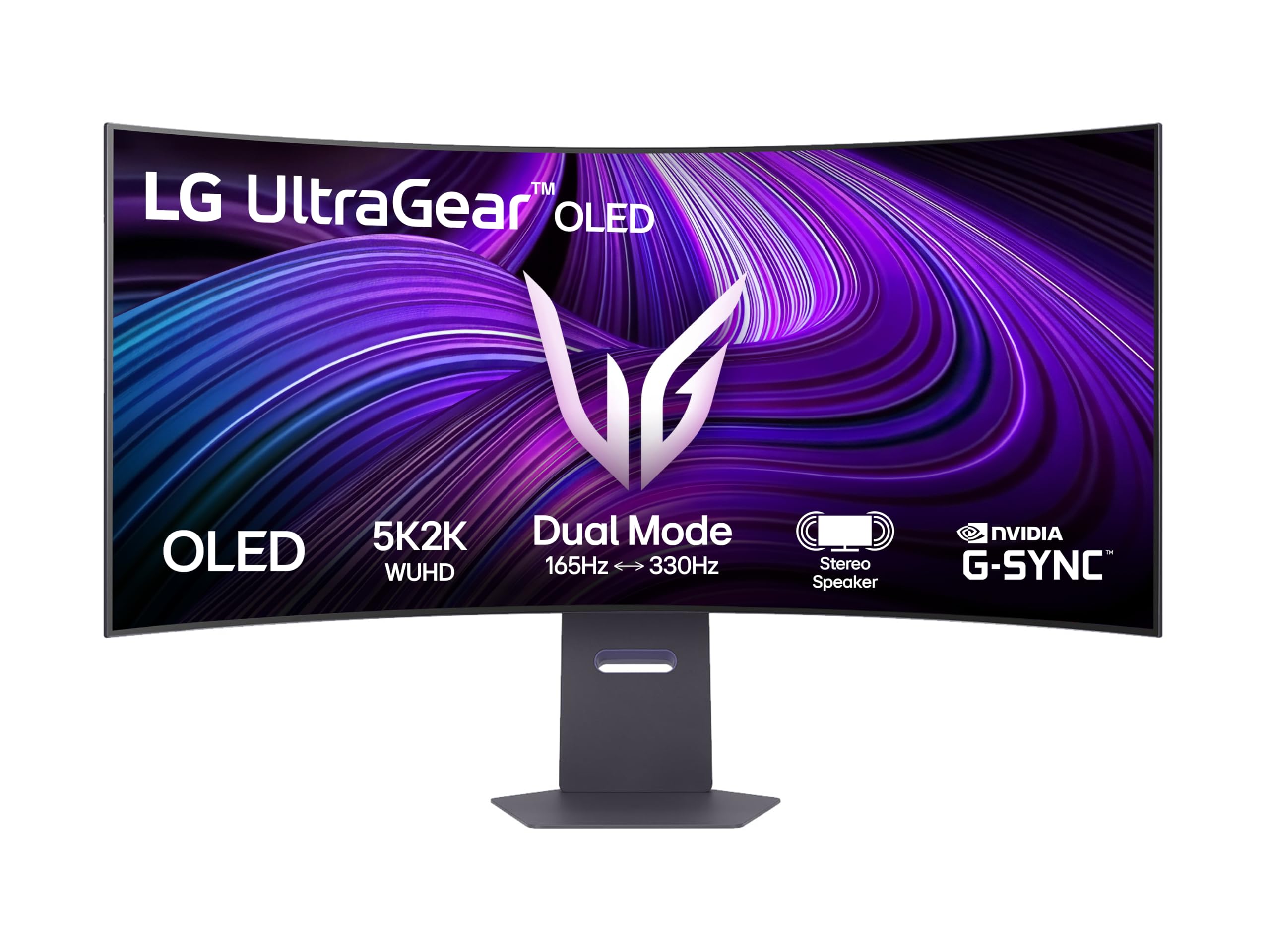
The aggressive 800R curve that pulls you into a deep, rich OLED gaming cocoon.
This is the baseline version of LG’s 45-inch OLED gaming panel, and it is a true showpiece for the dedicated gamer. It pairs the stunning 5K2K (5120 x 2160) OLED resolution with a sharp 800R curvature that deeply wraps your peripheral vision. Owners consistently describe it as the ultimate upgrade for rich play, with one calling it simply “Best ultrawide monitor ever!”
The image quality is breathtaking, thanks to the infinite contrast ratio that delivers perfect, inky blacks and vibrant pop. It runs at 165Hz natively and supports a 0.03ms (GtG) response time, which virtually eliminates motion blur and ghosting in fast-action games. The AMD FreeSync Premium Pro and G-Sync compatibility keep gameplay tearing-free and fluid. It is also a fantastic tool for programming — a MacBook Pro 16″ owner praises the “crisp text” and notes the wide format is enough to replace dual monitors entirely.
The built-in USB hub and auto-switching between USB-C and DisplayPort inputs make it easy to toggle between work and play. The honest caveat is that the steep 800R curve is polarizing — some prefer the flatter 1000R or 1500R curves — and the panel needs a firmware update to fix some uniformity quirks. If a curved gaming cocoon is what you are after and you are not worried about burn-in with a strong protection plan, this is an extraordinary monitor.
Gaming Excellence
- rich 800R curvature for a true wraparound feel
- 165Hz dual mode with near-instant 0.03ms response
- Perfect OLED blacks with infinite contrast ratio
- Switches automatically between your work laptop and gaming PC
Things to Know
- The strong curve is not for everyone — some find it too aggressive
- Requires a firmware update to fix color uniformity
- Weak LED lighting is more functional than flashy
The rich gaming pick: choose this when you want maximum wraparound immersion and perfect blacks over flat-out speed.
Reconsider if: you prefer a gentler curve or spend more time in spreadsheets than in-game worlds.
Understanding the Specs
Resolution and Pixel Density
5K2K (5120 x 2160) refers to roughly 5120 horizontal pixels and 2160 vertical pixels. The vertical count matches a standard 4K display, meaning you get 4K’s sharpness but with a massive amount of extra horizontal space on a 21:9 aspect ratio. Pixel density (measured in PPI) tells you how sharp text looks — a higher number means crisper text, which is why a 39-inch 143 PPI OLED looks sharper than a 45-inch 125 PPI OLED.
OLED vs IPS vs VA Panels
OLED panels light each pixel individually, which produces perfect blacks and the highest contrast, but they are dimmer and can be susceptible to burn-in. IPS panels offer the best color accuracy and viewing angles, making them ideal for creative work. VA panels offer deep contrast and good brightness at a lower cost, but they often have slower response times and can show slight ghosting in fast motion.
Refresh Rate and Response Time
Refresh rate (Hz) is how many times the screen redraws per second. A higher rate looks smoother in games and even reduces eye strain when scrolling documents. Response time (GtG) is how fast a pixel changes color; a lower number (like 0.03ms on OLED) means less motion blur on fast-moving objects. Balance both: you want a high refresh rate and a fast response time for gaming, while a standard 60-120Hz is fine for office work.
Connectivity: Thunderbolt and USB Power Delivery
Thunderbolt and USB-C ports with Power Delivery (PD) can transmit video, data, and power over a single cable. This is a huge convenience for laptop users, as you can connect the monitor and charge your device simultaneously without a separate charger. A KVM switch is a related feature that lets you control two different computers with the same keyboard and mouse, simplifying a dual-PC setup.
FAQ
What graphics hardware can actually drive a 5K2K ultrawide monitor?
Is a 5K2K ultrawide monitor better than having two separate 4K monitors?
Will my MacBook Pro support the full 5120 x 2160 resolution?
What is the real risk of OLED burn-in on a monitor used for office work?
How many Windows or documents can I fit side-by-side?
What is the difference between 120Hz and 240Hz in day-to-day use?
Can a 5K2K ultrawide replace my existing dual-monitor setup for programming?
What is Thunderbolt 5 and why does it matter for a monitor?
Are the built-in speakers on 5K2K monitors good enough to use?
Final Thoughts: The Verdict
The top all-round pick for most buyers is the Dell U4025QW because it nails a strong balance of sharp 5K2K resolution, a versatile Thunderbolt hub, and a smooth 120Hz refresh rate that suits both work and light play. If you live and breathe competitive gaming, the LG 45GX950A is the one to grab for its blistering 330Hz refresh rate. And if you want the largest, most rich canvas with the durability of a VA panel, the LG 52G930B deserves a spot on your desk.
How We Picked
We do not accept paid placement. Every pick is matched to a real buyer and a real use-case; we do not hands-on test units.
Sources & Methodology
Specifications: manufacturer listings and product documentation. Review insights: verified customer reviews, as of August 2026. Pricing: not shown on this page (it changes often); check the current price via the retailer link.
As an Amazon Associate, Gadgets Feed earns from qualifying purchases. This does not affect which products we feature.